HubSpot No.1 Powerful CRM : All You Need To Know About HubSpot
12 MIN
December 31, 2022
Abhishek Doshi
Directing Manager
In this article
Share
What is HubSpot?
HubSpot is a unified inbound marketing, sales, and customer service platform built around a centralized CRM. It helps businesses attract website visitors, convert them into leads, close deals, and support customers across the entire buyer journey.
The Core HubSpot Hubs
Marketing Hub: Email automation, landing pages, social management, ad tracking, and lead generation.
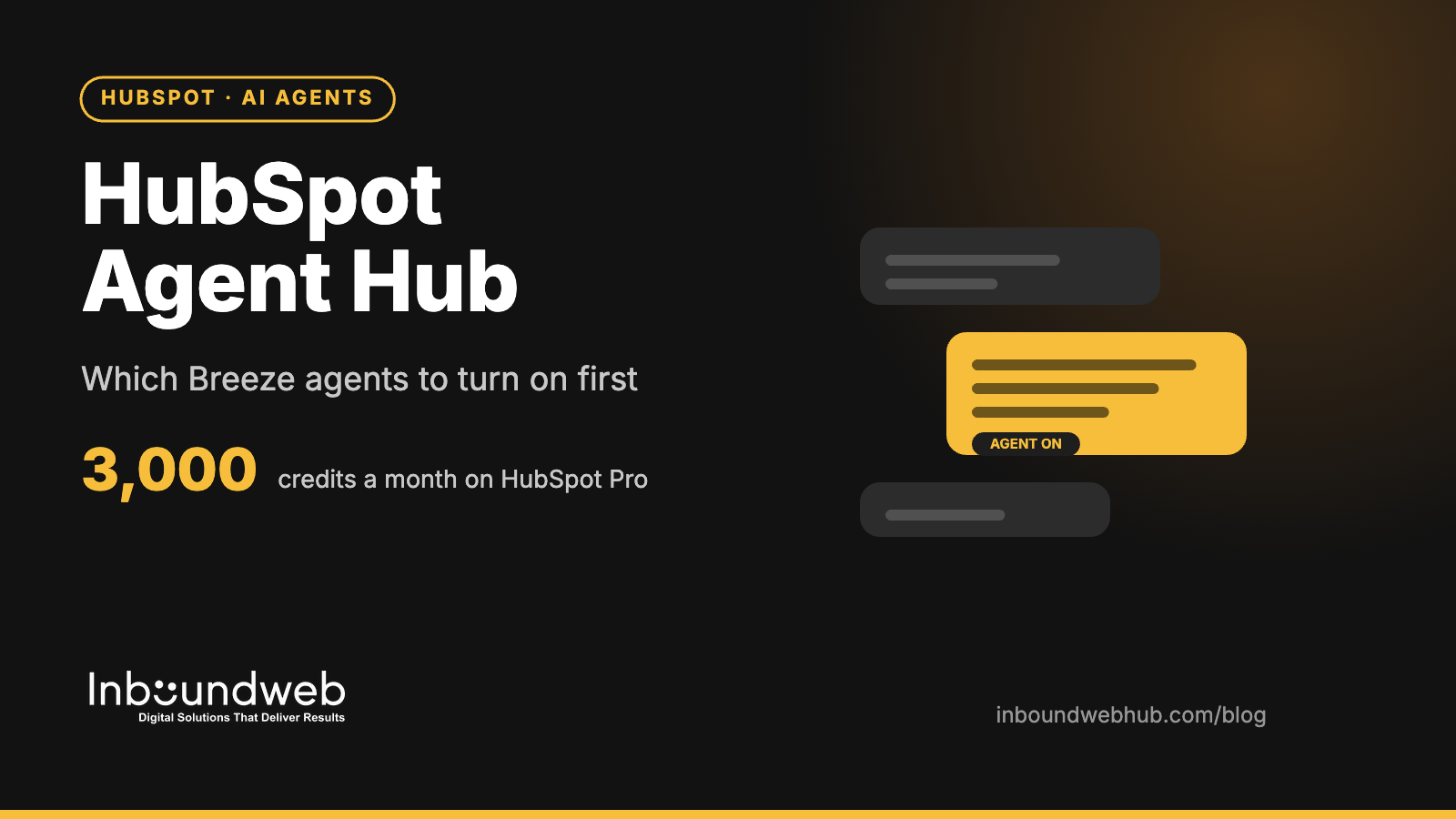
HubSpot Agent Hub: Which Breeze Agents to Turn On First
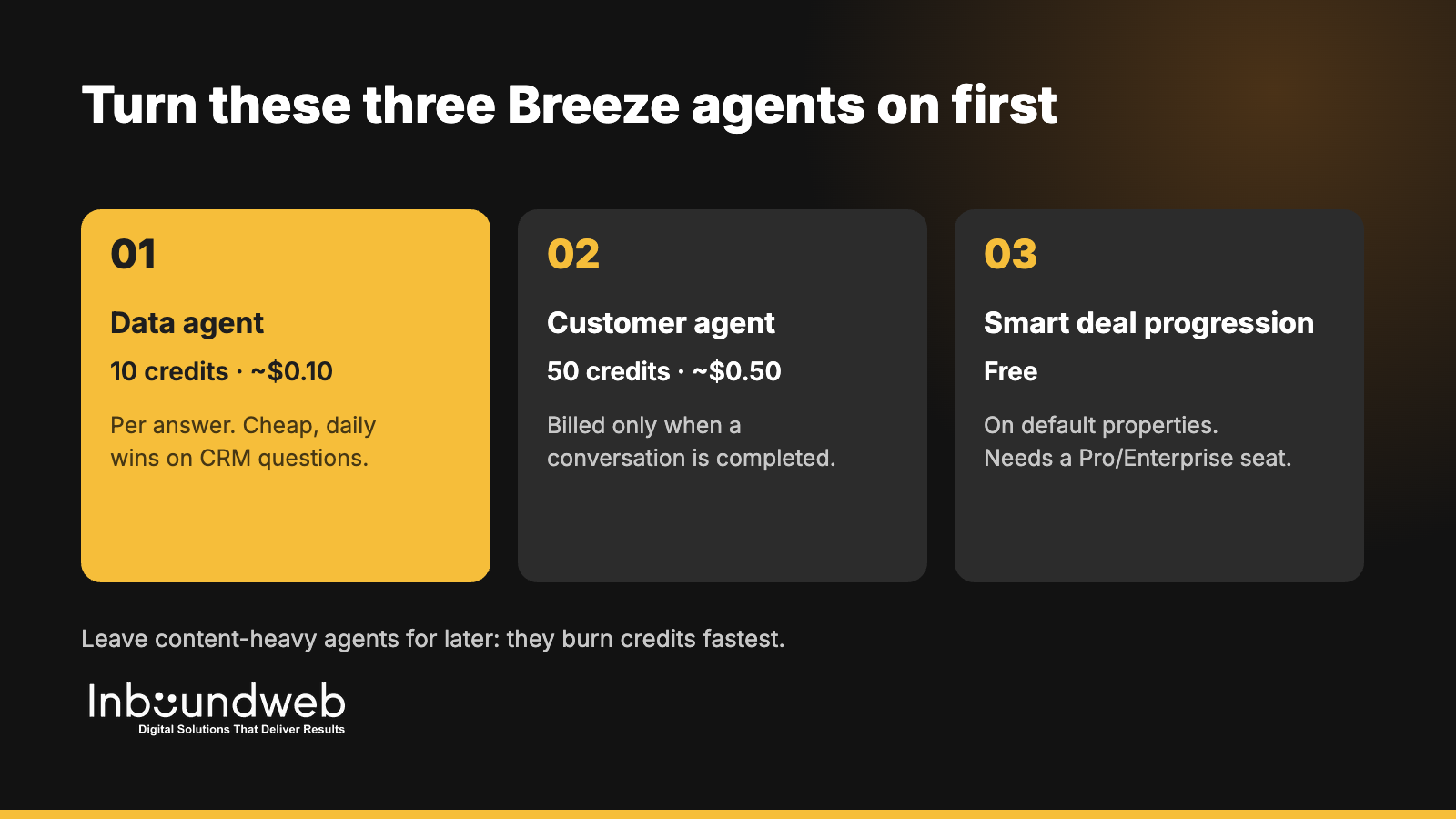
Short answer: HubSpot Agent Hub is the central place, live on all paid hubs from Starter up, where you manage Breeze agents, agentic workflows and their run history. Most B2B teams should turn on three agents first: the data agent (10 credits, about $0.10 per answer), the customer agent (50 credits, about $0.50 per resolved conversation) and smart deal progression (free on default properties). Leave content-heavy agents for later, because they burn credits fastest.
HubSpot used its Unbound 2026 event in October to put Agent Hub at the centre of the platform, alongside new beta agents for campaigns, nurture emails and targeted pages. This guide explains what Agent Hub does, what each Breeze agent costs in credits, and a 30-day rollout order that gets value without blowing your monthly credit allowance.
Key takeaways
Agent Hub is live on all hubs, Starter and above. It shows your agents, workflows, items that need attention and an inbox of agent runs.
Credits cost $0.01 each. Professional portals include 3,000 credits a month and Enterprise portals 5,000. Unused credits don't roll over.
Start with cheap, high-frequency agents: data agent, customer agent and smart deal progression.
Content agent costs 1,000 credits (about $10) per asset. Three assets would use a Professional portal's entire monthly allowance.
Clean CRM data comes first. Agents act on your properties, so bad data produces confident, wrong outputs.
What is HubSpot Agent Hub?
HubSpot Agent Hub is a central workspace for managing Breeze AI agents and agentic workflows in one place. It shows every agent you've set up, the workflows they run, items flagged for human attention and an inbox of agent runs. It's live on all hubs from Starter up, and agent actions consume HubSpot credits.
Before Agent Hub, agents were scattered across Service, Sales and Marketing settings. Now RevOps teams get one place to see what each agent did, what it cost and where a person needs to step in. That matters for governance: you can audit an agent's work the same way you'd review a new hire's first month.
Which Breeze agents are available, and what do they cost?
HubSpot offers around a dozen Breeze agents in 2026, each billed per action in credits worth $0.01 each. Prices range from 10 credits for a data agent answer to 1,000 credits for one content asset. Customer and prospecting agents moved to pay-when-complete pricing on April 14, 2026.
Agent
What it does
Credits per action
Approx. cost
Status
Data agent
Answers a prompt about one CRM record or researches a property
10
$0.10
Live
Customer agent
Resolves a support or sales chat conversation
50
$0.50
Live
Prospecting agent
Researches a lead and recommends outreach
100
$1.00
Live
Smart deal progression (Notetaker)
Reads meetings and emails, suggests deal updates and next steps
0 on default properties; 10 per custom property
$0–$0.10
Live
Churn risk signal
Flags customers likely to cancel from conversations and records
Uses credits
Varies
Live
Nurture agent
Personalises a nurture email at send time
10
$0.10
Public beta
Knowledge base agent
Drafts a new help article
200
$2.00
Beta
Campaign agent + content agent
Builds a campaign plan; content agent generates each approved asset
Plan free; 1,000 per asset
$10 per asset
Public beta
Revenue agent
Starts collection outreach on an invoice
500
$5.00
Beta
AI action in a workflow
Runs one AI step inside a workflow
10
$0.10
Live
Credit figures from Supered's October 2026 Breeze credit breakdown and MarTech's Unbound 2026 coverage. HubSpot changes credit rates often, so confirm current pricing in your portal's billing page before you budget.
How do HubSpot AI credits work?
Each HubSpot credit costs $0.01, and every paid portal gets a monthly allowance: 500 credits on Starter, 3,000 on Professional and 5,000 on Enterprise. Allowances don't stack across hubs, so a multi-hub customer gets the highest single allowance. Unused credits expire at month end, and extra capacity costs $10 per 1,000 credits.
Here's what a Professional portal's 3,000 monthly credits buys if spent on one agent:
300 data agent answers, or
60 customer agent conversations, or
30 prospecting agent leads, or
3 content agent assets.
That's why the rollout order matters. A team that starts with content generation can exhaust its allowance in a day, while the same credits would run a month of data enrichment.
Which Breeze agents should a B2B team turn on first?
B2B teams should start with the data agent, the customer agent and smart deal progression, because they're cheap per action, run daily and fix problems sales and support already feel. Add the prospecting agent once your ICP properties are clean. Leave the content and campaign agents until you have a credit budget and a brand-voice review step.
Priority
Agent
Why first
Prerequisite
1
Smart deal progression
Free on default properties; fixes stale deal stages and missing next steps
Sales Hub or Service Hub Pro/Enterprise seat; meeting recording on
2
Data agent
Fills firmographic gaps (industry, size, tech stack) that power routing and scoring
Defined ICP properties and a dedupe pass
3
Customer agent
Deflects repetitive chat questions 24/7, billed only when it resolves
An up-to-date knowledge base and clear handoff rules
4
Prospecting agent
Researches target accounts and drafts first-touch outreach for reps
A practical Agent Hub rollout takes about 30 days: one week to clean data and set guardrails, two weeks to pilot two or three agents with a small team, and a final week to review outputs, credit use and handoff rules before you scale.
Days 1–7: Prepare. Audit and dedupe contacts and companies, define ICP and lifecycle properties, update your knowledge base, and set a monthly credit budget per agent.
Days 8–14: Pilot. Turn on smart deal progression for one sales pod and the data agent on a 500-record segment. Review every suggestion manually.
Days 15–21: Expand. Launch the customer agent on one chat channel with a human handoff after two failed answers. Track resolution rate and escalations.
Days 22–30: Review and scale. Compare credit spend with hours saved, tighten prompts and properties, and decide which agents roll out team-wide.
Switching on agents before cleaning data. Agents amplify whatever is in your CRM, including duplicates and outdated properties.
No credit budget. Set alerts and per-agent limits so one experiment doesn't drain the month.
No human review step. Keep a person approving agent outputs that reach customers until accuracy is proven.
Measuring activity, not outcomes. Track resolved tickets, meetings booked and hours saved, not agent runs.
Ignoring custom agents. When Breeze doesn't fit a process, a custom agent or an external AI workflow connected to HubSpot often does.
Do you need a partner to set up Agent Hub?
You don't need a partner to switch agents on, but most B2B teams benefit from help with the groundwork: data cleanup, property design, knowledge base structure, guardrails and custom agents for processes Breeze doesn't cover. Those decide whether agents save hours or create cleanup work.
Agent Hub itself is included on all paid hubs from Starter up. The agents you run from it consume HubSpot credits, which come with a monthly allowance and cost $0.01 each beyond that.
How many credits does a HubSpot Professional portal get?
Professional portals include 3,000 credits a month, Starter 500 and Enterprise 5,000. Allowances don't stack across hubs, and unused credits don't roll over.
What does the HubSpot customer agent cost?
The customer agent uses 50 credits, about $0.50, per conversation. Since April 14, 2026 it bills only when a conversation is completed.
Which HubSpot tier do I need for Breeze agents?
Agent Hub works from Starter up, but several HubSpot-built agents and all agentic workflows need Professional or Enterprise. Smart deal progression needs a Sales Hub or Service Hub Professional or Enterprise seat.
Can a partner build custom agents in HubSpot?
Yes. Custom agents are in beta and bill per action unit. Partners can also connect external AI workflows to HubSpot through its APIs when Breeze doesn't fit a process.
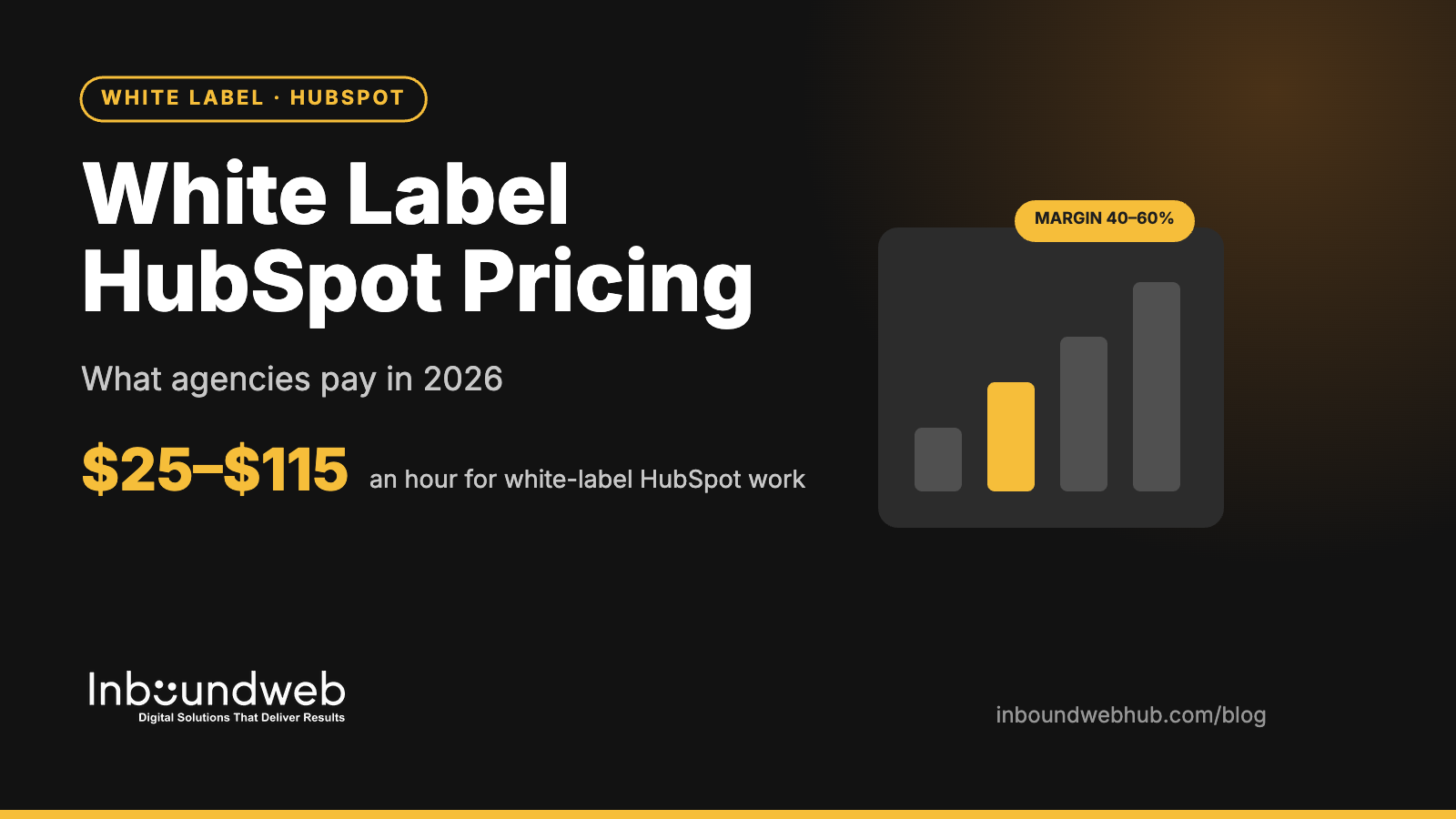
White Label HubSpot Pricing: What Agencies Pay in 2026
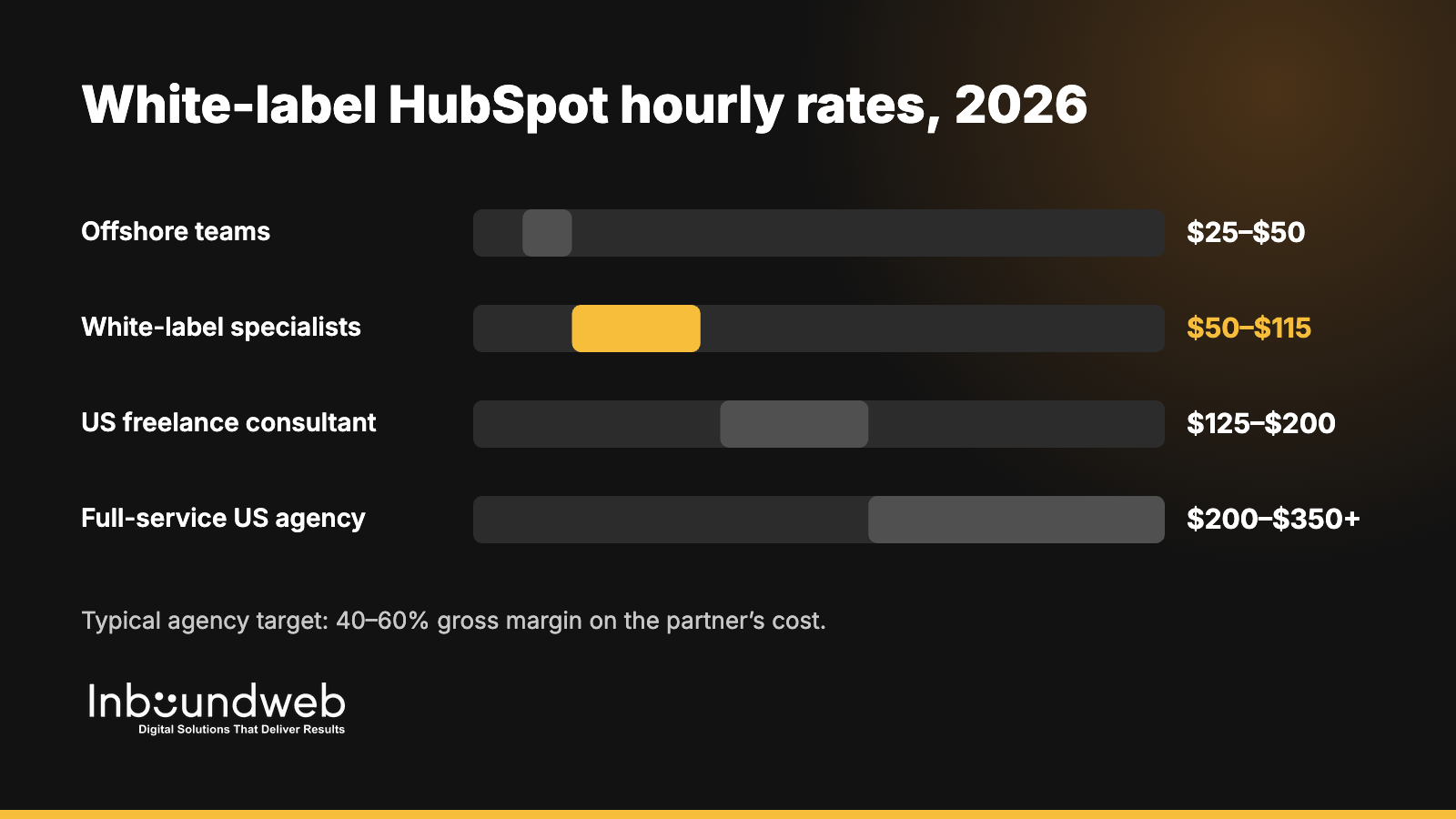
Short answer: In 2026, white-label HubSpot development typically costs agencies $25–$50 an hour offshore and $50–$115 an hour with established white-label specialists, versus $125–$200 for a US freelance HubSpot consultant and $200–$350+ for a full-service US agency. Many agencies resell that work at a fixed project price and target a 40–60% gross margin on the partner's cost.
That gap is why white-label delivery has become the default way HubSpot partners scale. But the hourly rate is only one line of the real cost. This guide breaks down the four pricing models you'll be offered, what typical HubSpot deliverables cost, how to calculate your margin, and the hidden costs that turn a cheap partner into an expensive one.
Key takeaways
Rates cluster in three bands: offshore teams ($15–$50/hour), specialist white-label agencies ($50–$115/hour) and US freelancers or agencies ($125–$350+/hour).
Four pricing models dominate: hourly blocks, dedicated resources, per-project quotes and unlimited-request subscriptions.
Never resell hours one-to-one. Sell a scoped outcome, and keep partner hours as your internal cost line.
Budget 15–25% on top of the partner's quote for your project management, QA and change requests.
A paid pilot (one landing page or a small module set) is the cheapest way to test a partner's real cost per deliverable.
How much does white-label HubSpot development cost per hour?
White-label HubSpot development costs between $15 and $115 an hour in 2026, depending on where the team sits and how much project management it includes. Offshore delivery usually runs $25–$30 an hour, while established white-label HubSpot specialists publish rates from about $30 to $115 an hour.
The useful number for your agency isn't the rate. It's cost per accepted deliverable: what you paid, including rework, for a module or template your client signed off on. A $30 partner who needs three rounds of revisions can cost more than a $55 partner who ships right the first time.
What are the four white-label HubSpot pricing models?
White-label HubSpot partners price work in four ways: prepaid hourly blocks, a dedicated monthly resource, fixed per-project quotes and unlimited-request subscriptions. Each suits a different volume pattern, so the right model depends on how predictable your HubSpot pipeline is.
Model
How it works
Works best when
Watch out for
Hourly block
Buy 10–50 hours upfront, draw down as tickets come in
Volume is lumpy and tasks are small
Expiry dates on unused hours; vague time logs
Dedicated resource
A named developer works only on your clients for a monthly fee
You have 120+ hours of HubSpot work every month
Paying for idle weeks; one point of failure
Per-project quote
Fixed price for a defined scope (theme, migration, onboarding)
Projects are clearly scoped
Change-request pricing; thin scopes padded later
Subscription / unlimited requests
Flat monthly fee for a queue of requests, one or two at a time
Steady stream of small edits and landing pages
Slow turnaround when the queue backs up
Many agencies combine models: a per-project quote for a theme build, then an hourly block for the support tickets that follow launch.
What do common HubSpot deliverables cost through a white-label partner?
Typical white-label HubSpot deliverables range from a few hundred dollars for a landing page to $3,000–$15,000 for a full theme build or CMS migration. The figures below are planning ranges based on the hourly bands above and the effort most HubSpot builds take. Always get a written scope before you quote a client.
How do agencies calculate margin on white-label HubSpot work?
Agencies calculate margin by adding the partner's quote, their own project management and QA time, and a change buffer, then pricing the client so the total still hits the target margin. Many agencies aim for a 40–60% gross margin on outsourced HubSpot work.
Here is a worked example for a custom theme build:
Partner quote: 160 hours at $40 = $6,400.
Your internal time: 20 hours of project management and QA at a $75 loaded cost = $1,500.
Change buffer: 15% of the partner quote = $960.
Total cost: $8,860.
Client price at a 50% margin: $8,860 ÷ 0.5 = $17,720, which sits within the $7,500–$20,000+ range US buyers already expect for a HubSpot website build.
Rule of thumb: if the numbers only work when nothing goes wrong, the scope is too thin. Re-scope before you sign, not after the first change request.
What hidden costs should agencies budget for?
The biggest hidden costs in white-label HubSpot work are rework, your own management time, time-zone delays and switching costs when a partner fails. Together they can add 20–40% to the quoted price, so ask about each one before you compare rates.
Revision rounds. Ask how many rounds are included and what a change request costs.
Project management overhead. Someone on your side still writes briefs, reviews work and talks to the client.
Time-zone gaps. Aim for at least 2–3 overlapping working hours a day. Fewer than that turns every question into a 24-hour round trip.
QA you end up doing yourself. Ask to see the partner's written QA checklist for responsiveness, accessibility and browser testing.
HubSpot licence limits. Some features (custom objects, memberships, advanced reporting) need Professional or Enterprise tiers. Confirm the client's tier before you quote.
Switching cost. Keep code, documentation and portal access in your accounts so you can move partners without starting over.
Hourly vs fixed price: which should you choose?
Choose fixed pricing for clearly scoped builds such as themes, migrations and onboarding, and hourly blocks for ongoing tickets and small edits. Fixed pricing protects your margin on large projects; hourly blocks keep small requests flowing without a new quote each time.
A simple test: if you can write the acceptance criteria on one page, ask for a fixed price. If the work is "whatever the client asks for this month," buy a block of hours.
How to compare white-label HubSpot partners on price
Compare partners on cost per accepted deliverable, not on hourly rate. Run the same small brief past two or three partners, then measure total hours, revision rounds and how close the first delivery came to your spec.
Send an identical pilot brief, such as one landing page with two custom modules.
Track the full cost: quoted hours, actual hours, revision rounds and your own review time.
Check certifications: HubSpot CMS for Developers and the relevant hub certifications.
Ask for agency references and how the partner handled a missed deadline.
Read the contract for NDA, no-poach, IP ownership and white-label branding clauses.
How Inbound WebHub prices white-label HubSpot work
Inbound WebHub has delivered 1,100+ projects since 2017 with 30+ certified specialists, including unbranded delivery for agency partners. We quote fixed-scope by default, so you know your cost before you price your client, and offer flexible retainers for ongoing tickets with no long-term lock-in. Every engagement runs under your brand, with NDA and no-poach terms as standard.
What is the average hourly rate for white-label HubSpot development?
Most white-label HubSpot specialists charge $30–$115 an hour in 2026. Offshore teams start around $15–$30, while US freelance HubSpot consultants charge $125–$200 an hour.
Is white-label HubSpot work cheaper than hiring?
Usually, unless you have a steady 120+ hours of HubSpot work every month. A partner costs nothing when work is slow, while an in-house hire costs a full salary year-round.
How much should I mark up white-label HubSpot work?
Many agencies target a 40–60% gross margin on the partner's cost plus their own management time. Sell a fixed-price outcome rather than marking up hours one-to-one.
Do white-label partners charge for revisions?
Most include one or two revision rounds in a fixed quote and bill further changes hourly. Confirm the revision policy and change-request rate in writing before you start.
Can I pay a white-label HubSpot partner per project instead of hourly?
Yes. Most partners offer fixed per-project quotes for scoped work like theme builds, migrations and onboarding, and hourly blocks or retainers for ongoing support.
HubSpot Custom Modules and Themes: A Developer Deep Dive
A HubSpot site is only as flexible as its modules. Build them well and marketers can launch new pages in an afternoon without a developer. Build them badly and every new page becomes a ticket, every brand update becomes a rebuild, and the theme slowly fills with near-identical copies of the same component.
This guide walks through how HubSpot custom modules and themes are structured, how to design fields that marketers can use safely, and the patterns that keep a theme maintainable as it grows. It assumes you know HTML and CSS; the HubSpot-specific parts are explained as we go.
How HubSpot themes and modules fit together
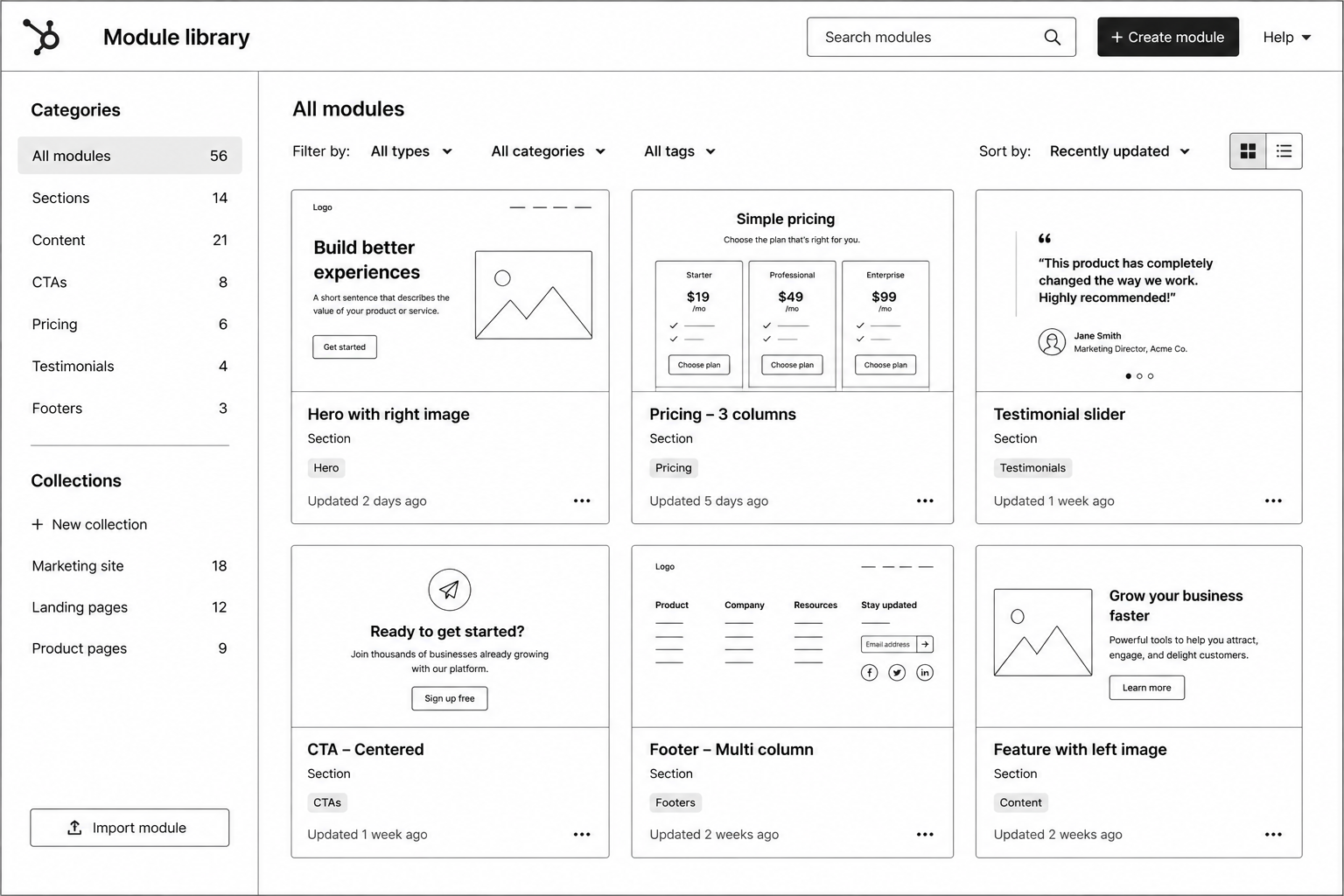
A theme is a package of templates, modules, stylesheets, scripts and global settings that together define a site's look and building blocks. A template defines the layout of a page type, often with drag-and-drop areas where editors place modules. A module is a reusable component, such as a hero, a pricing table or a testimonial slider, with fields the editor fills in.
Themes and modules are built locally and uploaded with the HubSpot CLI. Templates and modules use HubL, HubSpot's templating language, to output field values, loop through repeaters and apply logic.
Anatomy of a custom module
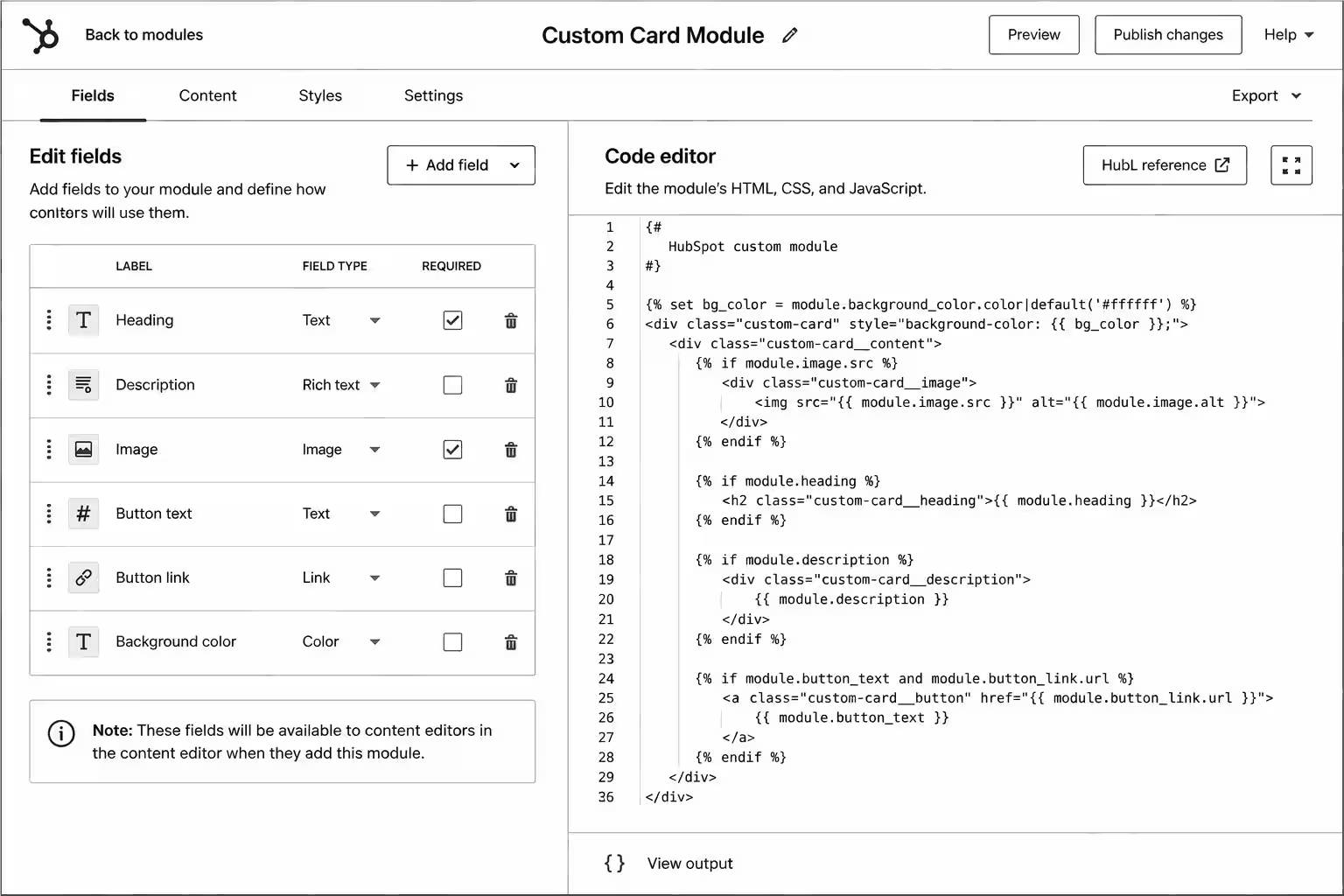
Each module lives in its own .module folder with a small set of files:
module.html – the markup, with HubL that reads field values.
module.css – styles that load only when the module is on the page.
module.js – any script the module needs.
fields.json – the fields editors see in the page editor.
meta.json – settings such as the label, icon, whether the module is global and which content types can use it.
Keeping CSS and JavaScript inside the module means pages only load what they use, which helps page speed as the module library grows.
Designing fields marketers can actually use
Fields are the interface between your code and the marketing team. Good field design is the difference between a module that gets used and one that gets avoided.
Use the right field type
HubSpot offers text, rich text, image, link, URL, choice, boolean, number, colour, font, CTA, form, video and other field types. Use a choice field for layout variants instead of asking editors to type class names, a boolean for optional elements, and an image field with alt text rather than a rich text field with an embedded image.
Group and repeat
Group related fields (all the settings for a button, all the content for a card) so the editor panel stays readable. Make a group repeatable with occurrence settings for lists such as features, logos or FAQs, and set sensible minimum and maximum counts.
Separate content from style
Put content fields on the Content tab and visual options on the Styles tab. Editors working on copy then never see spacing or colour controls by accident.
Set defaults and help text
Every field should have a realistic default so the module looks finished when it's first dropped onto a page. Short inline help text (for example, "Recommended: 1600 × 900, under 200 KB") prevents most support questions.
Limit choices on purpose
Offer brand colours and approved spacing values, not a free colour picker and a pixel input. Constraints keep pages on brand without a developer reviewing every page.
Theme settings: one place for brand decisions
A theme has its own fields.json for global settings such as brand colours, fonts, button styles and spacing. Templates and stylesheets read these values with HubL, so a brand colour changed once in theme settings updates every page. Put anything that should be consistent site-wide in theme settings, and keep module-level style fields for genuine per-instance choices.
Drag-and-drop areas and templates
Drag-and-drop areas let editors add, remove and reorder modules on a page. Give each template a sensible default layout of sections so new pages start structured, and create a small number of templates (home, landing page, standard page, blog post, blog listing) rather than one per page. Fewer templates means fewer places for layouts to drift apart.
Patterns that keep a theme maintainable
Build a section library, not page-specific modules. "Feature grid" with layout options beats "Homepage features" and "Pricing page features".
Use global modules for shared content. Headers, footers and site-wide CTAs should be edited once.
Write semantic, accessible markup. Let editors choose heading levels where a module can appear in different positions, and require alt text on images.
Keep JavaScript optional. Content should be readable if a script fails; sliders and tabs should work with a keyboard.
Version control everything. Keep the theme in Git, deploy with the CLI and use a test portal or sandbox before pushing to production.
Document each module. A short internal page with a screenshot, field descriptions and do's and don'ts saves hours of training.
Performance and SEO
Modules affect page speed more than most teams realise. Serve images through HubSpot's image resizing with width and height attributes, lazy-load images below the fold, avoid loading a slider library on pages that don't use a slider, and keep each module's CSS small. For SEO, make sure modules output real headings and text (not text inside images), and that blog and landing page templates expose meta title, description and social image settings.
Common mistakes
Duplicating modules for small variations. Add a choice field instead.
Hard-coding content. Anything a marketer might change should be a field.
Too many style controls. Free-form options break brand consistency.
Editing in the design manager without source control. Changes get lost or overwritten between developers.
Skipping editor testing. Watch a marketer build a page with your modules before launch.
FAQ
Do I need a custom theme, or can I use a marketplace theme?
A marketplace theme is fine for a quick launch. A custom theme pays off when you need a specific design, tighter performance or modules that match your real content.
Can I use React in HubSpot modules?
Yes. HubSpot supports JavaScript-rendered modules through its CMS React tooling, alongside classic HubL modules. Most marketing sites still work well with HubL modules.
How many modules does a typical theme need?
Usually fewer than teams expect. A well-designed set of 20 to 30 flexible modules covers most B2B marketing sites.
Can existing pages switch to a new theme?
Pages are tied to their templates, so switching themes usually means rebuilding pages on the new templates. Plan the migration as a project.
Conclusion
Good HubSpot modules give marketers freedom inside clear guardrails. Design fields around how editors work, keep brand decisions in theme settings and treat the theme as code under version control. If you need a theme built or an existing one cleaned up, see our HubSpot custom modules and theme development services, or read how agencies outsource HubSpot builds white-label.
HubSpot Custom Development Toolkit — module requirements document, HubSpot theme architecture guide, reusable component planner, developer handoff template, QA framework, and optimization checklist to build scalable HubSpot websites faster.