


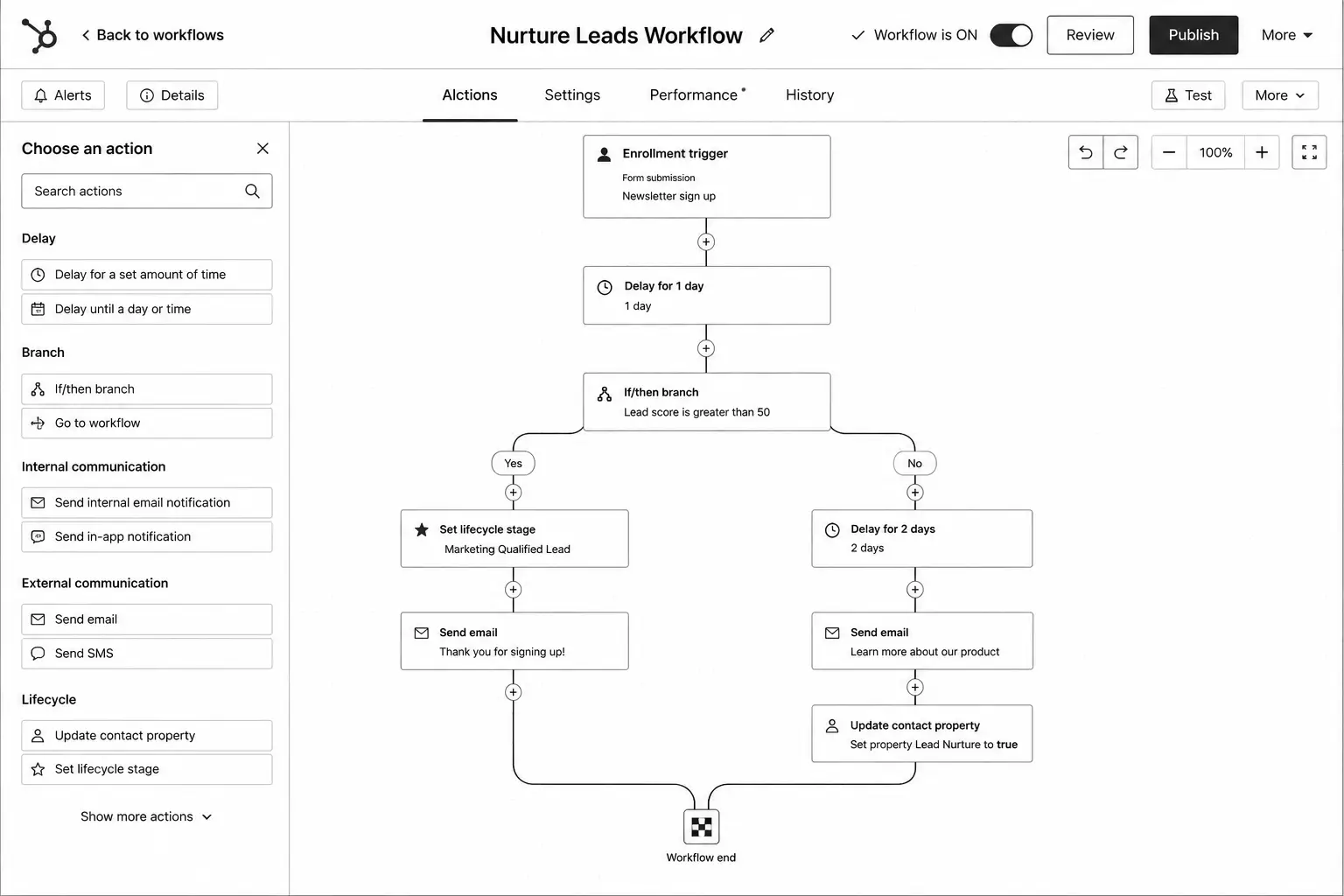


Most HubSpot portals don't have too few workflows. They have too many of the wrong ones: a welcome email built three years ago, five overlapping nurture sequences, and a lifecycle workflow nobody dares to switch off. Meanwhile, the basics that actually move pipeline, such as fast lead routing and a clean sales handoff, are handled by hand.
This playbook lists the 12 HubSpot workflows we recommend every B2B team runs, in the order we usually build them. For each one you get the trigger, what it does, and the mistake to avoid. Most need Marketing Hub or Sales Hub Professional or above, because that is where workflows become available.
Before you build: three foundations
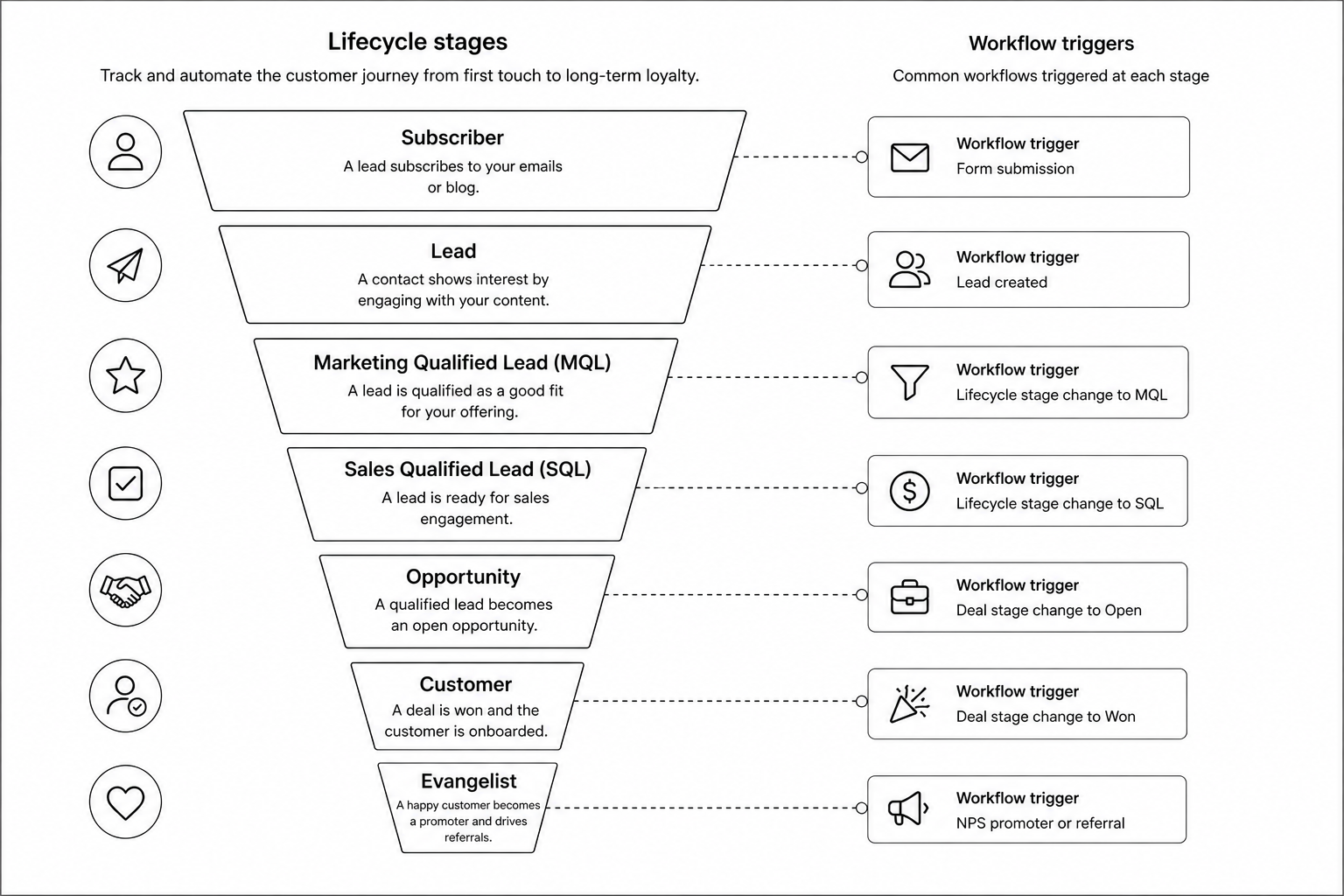
- Lifecycle stage definitions. Write down what makes a contact a Lead, an MQL, an SQL and an Opportunity in your business. Workflows can't automate a process nobody has agreed on.
- Clean properties. Lead source, persona, country, company size and product interest should be properties with fixed options, not free text.
- A naming convention. Prefix workflows by type and owner, for example "[MKT] Nurture – Pricing page visitors". Future you will thank you.
The 12 workflows
1. New lead welcome and confirmation
Trigger: form submission on a key form (contact, demo, content download). Action: send a confirmation or delivery email, set lead source details and notify the owner if it's a high-intent form. Avoid: sending a generic newsletter welcome to someone who just asked for a demo.
2. Lead routing and owner assignment
Trigger: contact becomes a lead and has no owner. Action: rotate or assign by territory, company size or product, then create a task for the new owner. Avoid: leaving unassigned leads in a shared view. Speed to first contact is where many B2B deals are won or lost.
3. Lifecycle stage progression
Trigger: criteria you defined for each stage, such as score threshold, demo request or deal created. Action: move the contact forward a stage. HubSpot won't move lifecycle stages backwards by default, which keeps reporting honest. Avoid: several workflows fighting over the same property.
4. Lead scoring updates
Trigger: score changes in HubSpot's lead scoring tool. Action: when fit and engagement both cross your thresholds, set the contact to MQL and alert sales. Our guide to AI lead scoring covers when to move beyond rules.
5. MQL to sales handoff
Trigger: lifecycle stage becomes MQL. Action: assign an owner if missing, create a task with a due date, send an internal notification with the contact's recent activity, and set lead status to "New". Avoid: handoffs without context. Include the pages viewed and the form filled.
6. Sales acceptance follow-up
Trigger: an MQL still has lead status "New" after a set time, such as two working days. Action: remind the owner, then escalate to the sales manager. This is the workflow that exposes leads going cold in someone's queue.
7. Topic-based nurture
Trigger: content download or page views on a topic, for contacts who aren't sales-ready. Action: a short series of three to five emails on that topic, each with one clear next step. Set a goal (for example, lifecycle stage becomes SQL) so contacts leave the nurture when they're ready. Avoid: one giant nurture for everyone.
8. High-intent page alerts
Trigger: a known contact views pricing, integrations or comparison pages more than once in a week. Action: notify the owner and bump engagement score. Avoid: alerting on every page view, or sales will start ignoring alerts.
9. Meeting booked and no-show
Trigger: meeting booked through HubSpot meetings. Action: confirmation with an agenda and one relevant resource, a reminder the day before and, if the meeting outcome is set to no-show, a polite reschedule email from the owner.
10. Closed-lost recycling
Trigger: deal moves to Closed Lost with a reason such as timing or budget. Action: after a delay (often 60 to 90 days), enrol the contact in a light re-engagement sequence and create a check-in task. Lost-on-timing deals are some of the cheapest pipeline you'll ever find.
11. Customer onboarding
Trigger: deal moves to Closed Won. Action: set the company and contacts to Customer, send a welcome email from the account manager, create onboarding tasks and remove customers from prospect nurtures. Avoid: new customers still receiving "book a demo" emails.
12. Data hygiene
Trigger: missing or badly formatted values. Action: format names and phone numbers, set country from IP or form field, copy key company properties to contacts and flag records missing a lead source. Data Hub (formerly Operations Hub) adds data quality tools and custom code actions for heavier cleanup.
Build order
Build in this order: data hygiene and routing first (workflows 2 and 12), then lifecycle and handoff (3, 4, 5, 6), then nurture and alerts (7, 8, 9), and finally recycling and onboarding (10, 11). Welcome emails (1) can go live at any point. Getting routing and handoff right first means the leads your nurtures produce actually reach a salesperson.
Rules that keep automation manageable
- One owner per property. Only one workflow should set lifecycle stage, one should set lead status, and so on.
- Use goals and suppression lists. Customers, competitors and unsubscribed contacts should never enter prospect nurtures.
- Decide on re-enrolment deliberately. Turn it on only where a contact should go through the workflow again.
- Test with real records. Enrol a test contact and check every branch before switching a workflow on.
- Review quarterly. Turn off workflows with no enrolments, merge duplicates and update content that has gone stale.
How to measure whether it's working
Track a small set of numbers: time from MQL to first sales touch, MQL to SQL conversion, nurture-influenced opportunities, and closed-lost deals reopened. If routing and handoff are working, the first two improve within weeks.
FAQ
Which HubSpot plan do I need for workflows?
Workflows are available on Professional and Enterprise editions of Marketing Hub, Sales Hub, Service Hub and Data Hub. Each hub's workflows focus on its own objects and actions.
How many workflows should a portal have?
There is no right number. A well-run B2B portal often has a few dozen with clear owners. Hundreds usually means duplicates nobody has cleaned up.
Should marketing or sales own these workflows?
Marketing usually owns nurture and scoring, sales owns handoff and follow-up rules, and one admin (often RevOps) owns the overall structure.
Can these workflows use AI?
Yes. HubSpot's Breeze AI features and custom code actions can summarise records, classify leads or draft follow-ups. Add them once the rule-based basics are reliable.
Conclusion
The best HubSpot automation is boring: fast routing, clear handoffs, focused nurtures and clean data. Build the 12 workflows above in order, give each one an owner, and review them every quarter. If you'd like help auditing or building your workflows, see our HubSpot workflows and automation service, explore HubSpot CRM setup, or book a call.
HubSpot Marketing Automation Playbook — workflow planning templates, lead nurturing framework, lifecycle stage mapping, automation checklist, email sequence templates, lead scoring model, reporting dashboards, and optimization guide to drive more qualified pipeline.


