
 Website Designing
 Web Development
 Mobile Applications
 Marketing
 CMS & Ecommerce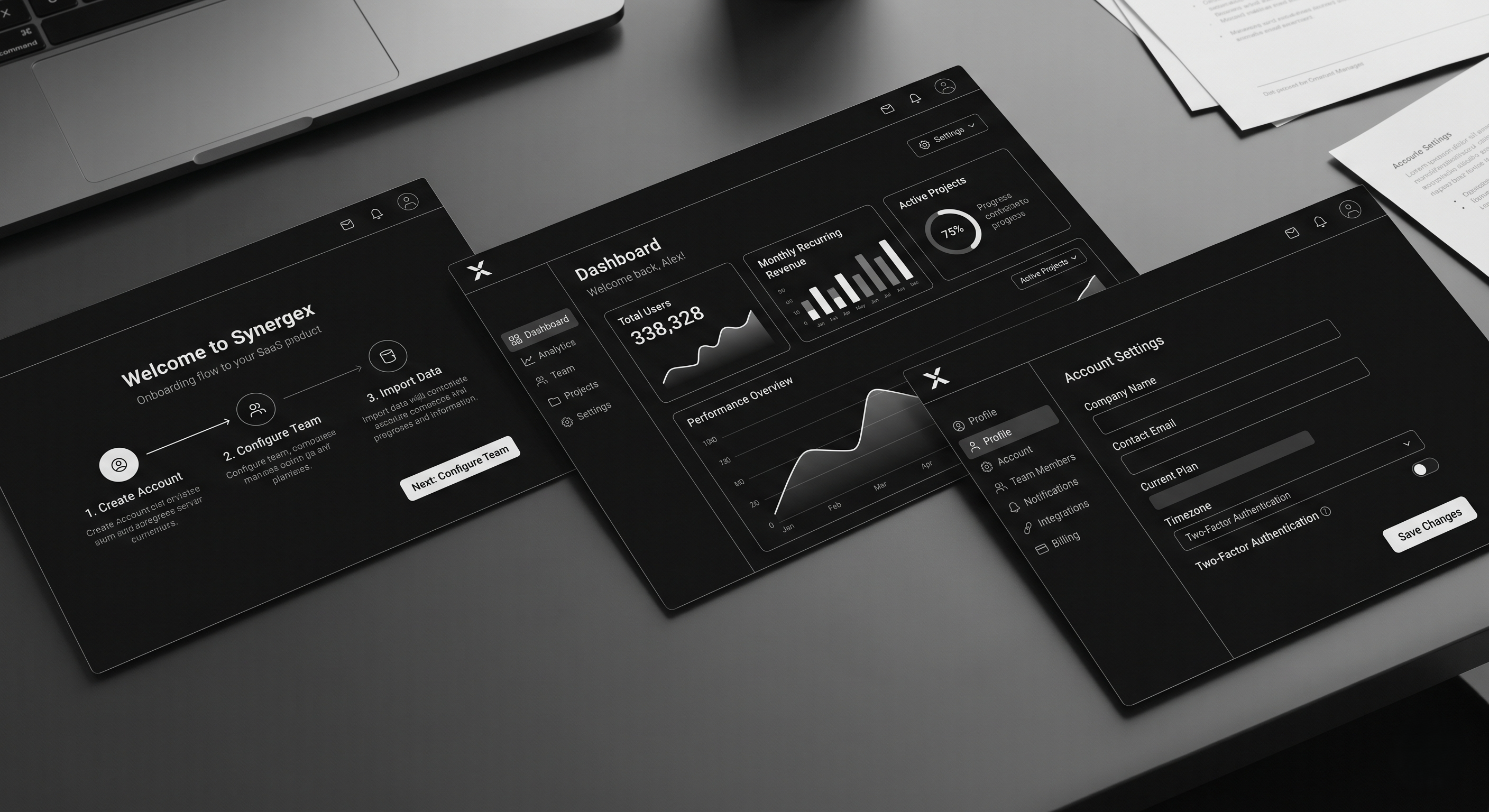
Table of Contents
Most SaaS UI/UX design articles confuse aesthetics with UX. A clean interface with good spacing isn’t UX. UX is whether a user activates in 10 minutes or 10 days. Whether they expand into a seat-based plan or churn at month 4. Whether they invite their team without being asked.
This guide is for founders, heads of product, and design leads who need their SaaS product to do the heavy lifting in a market where sales cycles are longer, buyers are more skeptical, and every trial is one bad onboarding away from a cancelled credit card. These are the 2026 UX principles that move activation, retention, and expansion — not Dribbble screenshots.
What SaaS UX Actually Is
SaaS UX is the design of every touchpoint where a user meets your product — from landing page through signup, onboarding, core workflows, settings, billing, and offboarding. Good SaaS UX has three observable outcomes:
- Time-to-first-value shrinks. The user hits the “aha” in minutes, not sessions.
- Activation rate rises. More trials convert. More free plans upgrade.
- Support tickets drop. Clear UX is cheaper support.
Design polish is table stakes in 2026. The differentiator is how quickly your product reveals its value and how little friction sits between the user and the job they hired you for.
Why SaaS UX Matters More in 2026
1. PLG is the default motion. Even enterprise-led SaaS now runs product-led trials and self-serve signup. The product has to sell itself inside the first session, not after a CSM call.
2. Buyers evaluate faster. The average B2B buyer evaluates 4–6 tools before choosing one. Your product has maybe 15 minutes to prove value. Bad onboarding and you’re cut from the shortlist.
3. Retention is the only growth left. CAC is up, budgets are tight, and expansion revenue is where healthy SaaS companies grow in 2026. UX is the retention and expansion engine — not marketing.
How Good SaaS UX Works (The 8 Principles That Drive Numbers)
1. Clarity over cleverness
Every screen answers “what is this, why am I here, what do I do next” in under three seconds. Clever copy and ambiguous icons cost conversion. Name buttons literally. Label sections with the user’s language, not yours.
2. Time-to-value is a design metric
Measure how long it takes a new signup to complete the action that correlates with retention. Design every flow to shrink that number. Pre-fill. Skip steps. Offer sample data. Remove setup that can wait.
3. Progressive disclosure
Show only what the user needs right now. Advanced settings, integrations, and power features stay collapsed until the user reaches for them. Overwhelm kills activation.
4. Contextual help, not documentation dumps
Inline hints at the point of action beat a linked knowledge base. If users are clicking “Help” frequently, the UX is broken — not the docs.
5. Trust-building at every friction point
Pricing pages, upgrade prompts, and data-entry forms are trust moments. Social proof, security badges, money-back reminders, and plain-language microcopy reduce drop-off at these points more than any redesign.
6. Performance is UX
Every second of load time costs conversion. SaaS dashboards with 3+ second interactions lose active users. Instrument Time-to-Interactive (TTI) and Interaction-to-Next-Paint (INP) on your core workflows.
7. Lifecycle-aware design
New users need a different product than power users. Default to sensible “new user” state, graduate to advanced as usage matures. Paywalls, upgrade prompts, and expansion CTAs trigger on behaviour, not calendar.
8. Cross-platform consistency
Marketing site, signup, product, email, mobile, and support channels need a shared design system. Visual and behavioural consistency is a trust signal. Our UI/UX design team treats this as a single system, not three disciplines.
Step-by-Step: Auditing Your Current SaaS UX
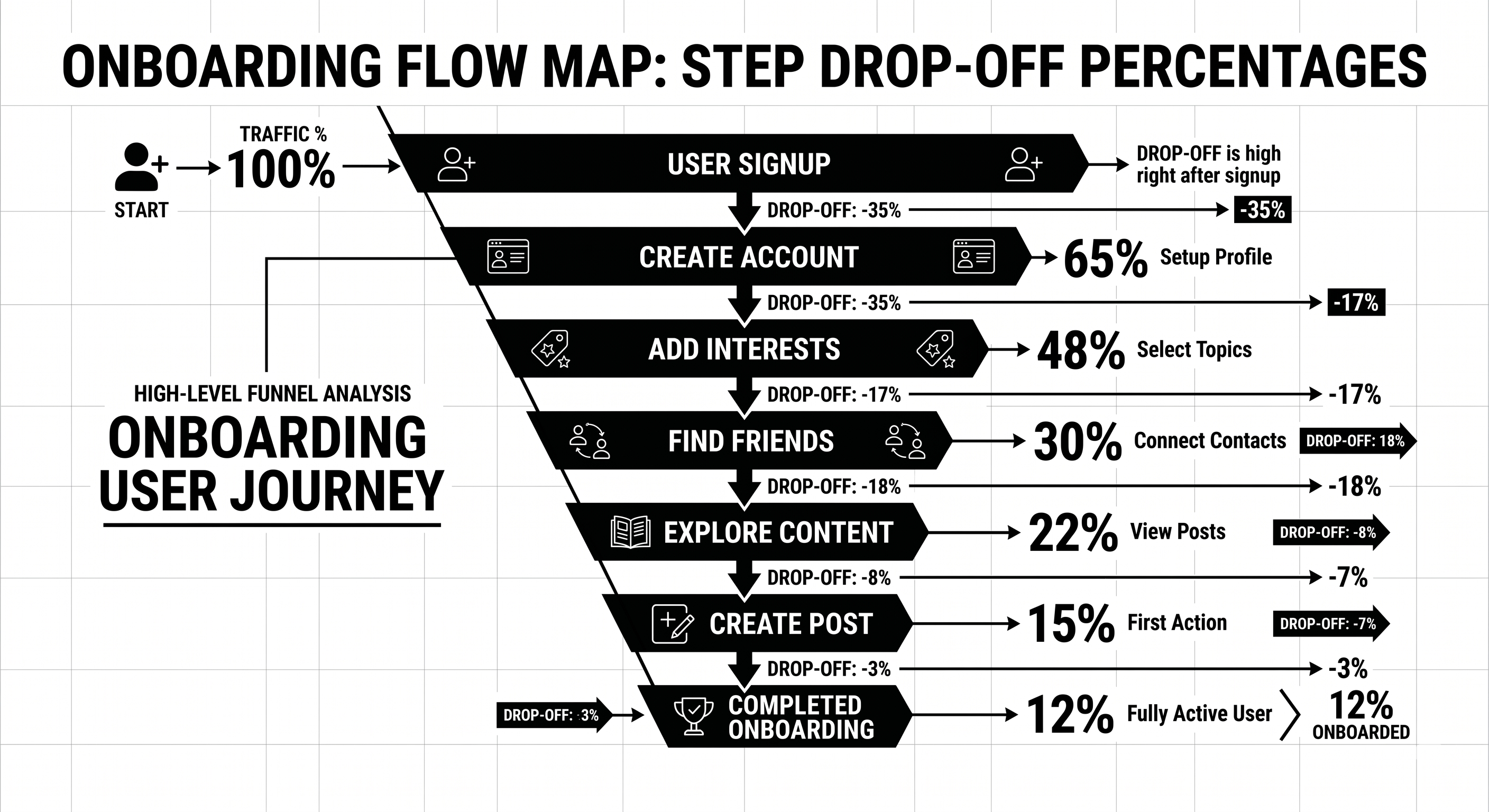
Step 1 — Run a time-to-value test. Watch 10 new users sign up, without intervention, and time how long it takes each to reach your core “aha” moment. The gap between your best and worst case is your opportunity.
Step 2 — Session replay review. Pull 20 sessions from new signups. Tag every moment of confusion, rage click, or abandonment. Cluster by root cause.
Step 3 — Support ticket audit. Top 10 recurring tickets over the last 60 days. Every one of them represents a UX failure, not a user problem.
Step 4 — Funnel instrumentation. Signup → activation → retention → expansion. Each stage broken into micro-steps with drop-off measured. You cannot fix what you cannot see.
Step 5 — Prioritised redesign backlog. Everything above becomes a scored backlog. Fix the biggest drop-off first. Ship small, measure, iterate.
Your product UX is probably costing you 15–30% of activation you could capture. Our product design team runs free 45-minute SaaS UX audits — we’ll walk your onboarding and show you the three biggest leaks specific to your product. Book a UX audit.
Best Tools for SaaS UX in 2026
- Figma — Still the design tool. Variables, auto layout, and dev mode are non-negotiable in 2026.
- Fullstory, Hotjar, or Microsoft Clarity — Session replay. Clarity is free and good.
- Amplitude or Mixpanel — Funnel analytics, retention curves, feature adoption.
- Userpilot, Appcues, or Chameleon — In-product onboarding and contextual hints.
- Sprig or Dovetail — Qualitative research and in-product surveys.
- Storybook — Component library for engineering-design sync.
- Maze or UserTesting — Remote usability testing at scale.
- Linear + Notion — Design-to-engineering handoff and research documentation.
If you’re running a B2B website alongside the product, pair these with our B2B UX design guide for the marketing side.
Common SaaS UX Mistakes
1. Redesigning for the team, not the user. Leadership wants a “fresh look.” Designers ship a refresh that doesn’t change the numbers. Fix: anchor every redesign to a measurable outcome (activation, retention, expansion).
2. Empty states that aren’t empty states. New users land in a blank dashboard with no direction. Fix: sample data, guided first action, celebratory moment at completion.
3. Feature dumping in onboarding. 8-step product tour nobody finishes. Fix: one action, one value moment. Rest of the product reveals itself contextually.
4. Dark patterns at upgrade. Hiding cancel buttons, forced account call-to-cancel. Short-term retention lift, long-term reputation damage. Don’t.
5. Marketing site and product feel like two different companies. Buyer converts on a polished marketing site, signs up, and meets a 2019 dashboard. Fix: unified design system across marketing and product.
6. No instrumentation. Design ships, nobody measures what happened. Fix: every major UX change gets a measurement plan before launch.
FAQ
What’s the difference between UI and UX in SaaS?
UI is the visual interface — typography, spacing, colour, components. UX is the broader system — flows, friction, time-to-value, retention behaviour. UI is a subset of UX. Great UI with broken UX still loses.
How much does SaaS UI/UX design cost?
Retainer with a specialist product design agency: £8–25k/month. Single project redesign: £25–100k depending on scope. In-house senior product designer: £80–140k/year fully loaded.
How do I measure if UX improvements are working?
Three metrics: activation rate (did new signups complete the key action), time-to-value (how long did it take), and 30-day retention. Design changes that don’t move these are cosmetic.
Should I use a design system?
Yes, past about 20 components. Design systems save 40–60% of future design and engineering time. Tailwind, shadcn/ui, or a custom token-driven system are standard starting points in 2026.
How often should SaaS UX be updated?
Continuous, not cyclical. Major redesigns every 3–4 years. Component-level and flow-level updates shipping monthly in a healthy product.
Do I need a specialist SaaS UX agency?
For PLG SaaS, yes — generalist agencies rarely understand activation, expansion, and lifecycle-driven design. Our team works exclusively with SaaS and B2B clients, so the patterns and pitfalls are familiar.
Conclusion: UX as the Quiet Growth Lever
UX doesn’t make headlines like a new product launch or a viral campaign, but it’s the lever that quietly determines whether your growth model compounds or leaks. The SaaS companies growing healthily in 2026 have made product design a first-class revenue function, not a polish phase at the end of engineering.
If your activation, retention, or expansion numbers are softer than they should be, the answer is rarely another feature. It’s clearer flows, faster time-to-value, and design that respects what the user came to do.
Our product design team works with SaaS companies in the UK and USA to diagnose and fix UX leaks that cost real revenue. Book a free UX audit — 45 minutes, and we’ll show you exactly where your product is leaking users.
The SaaS Onboarding UX Audit Template
— the Notion template we use on every client audit to map funnel drop-off, friction points, and prioritised fixes.