
 Website Designing
 Web Development
 Mobile Applications
 Marketing
 CMS & Ecommerce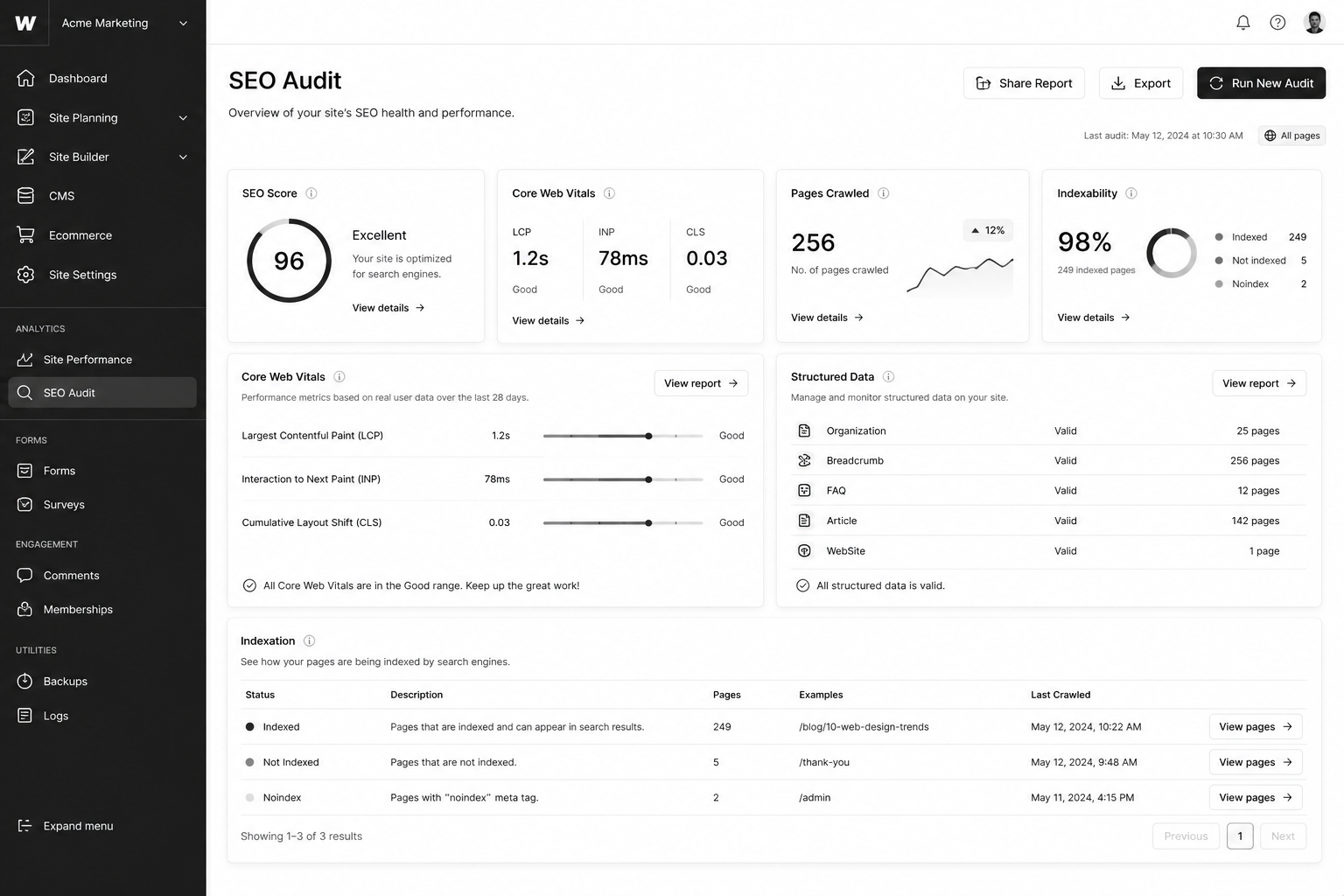
Table of Contents
Webflow ships with cleaner SEO defaults than most CMS platforms. That’s true. It’s also why most Webflow sites stop optimising after the basics and never crack page one for competitive keywords. Strong defaults are not a strategy.
This Webflow SEO checklist is the 27-item playbook our Webflow agency works through on every site we ship — covering technical SEO, on-page optimisation, structured data, internal linking, and the 2026-specific signals (AI search visibility, INP, helpful-content signals) that move rankings now.
If you haven’t built the CMS architecture yet, start with the Webflow CMS tutorial — clean information architecture is half the SEO battle.
What Makes Webflow SEO Different from WordPress SEO?
Webflow does three things WordPress can’t without plugins: ships clean semantic HTML by default, hits Core Web Vitals scores in the 90s with zero work, and gives you canonical, robots, and meta controls per page natively.
What it doesn’t ship: an SEO plugin doing 40 things in the background. That means every optimisation is intentional. The upside — no plugin bloat, no conflicts, faster site. The downside — if you skip an item, no automation will catch it. Hence: a checklist.
Why Webflow SEO Matters in 2026
Three forces decided the 2026 Webflow SEO landscape.
1. Core Web Vitals (especially INP) are confirmed ranking signals. The 2024 INP migration filtered slow sites out of competitive SERPs. Webflow’s modern templates pass INP without effort — but only if you don’t load 14 third-party scripts on top.
2. AI search engines (Perplexity, SGE, ChatGPT search) are picking citation sources by structured data quality. Webflow sites with clean schema get cited proportionally more often than legacy WordPress sites with messy markup.
3. Google’s helpful-content system rewards topical depth over keyword stuffing. Webflow’s CMS reference architecture (when built right) makes building real topical authority straightforward.
The 27-Item Webflow SEO Checklist
Technical foundation (items 1–9)
- Set a custom domain on a paid plan. Webflow.io subdomains don’t index well. Hosting plan, custom domain, day one.
- Force HTTPS in Project Settings. Non-negotiable. Webflow handles the certificate.
- Configure www vs root canonical. Pick one, redirect the other. Webflow’s hosting forces a 301 if configured correctly.
- Submit sitemap.xml to Google Search Console and Bing. Webflow auto-generates it; submit manually the first time and on every major navigation change.
- Set robots.txt to allow indexing of the live site only. Block staging subdomains. Webflow lets you set this per project.
- Configure 301 redirects in Project Settings → Hosting. Especially after migrations or slug changes. Never rely on client-side JS redirects for SEO.
- Set canonical URLs on every page. Default canonical = current URL. Override only for true duplicate-content scenarios (UTM-heavy landing pages).
- Hreflang tags for multi-region sites. Use Webflow Localization or hand-rolled hreflang in custom head code for UK/USA splits.
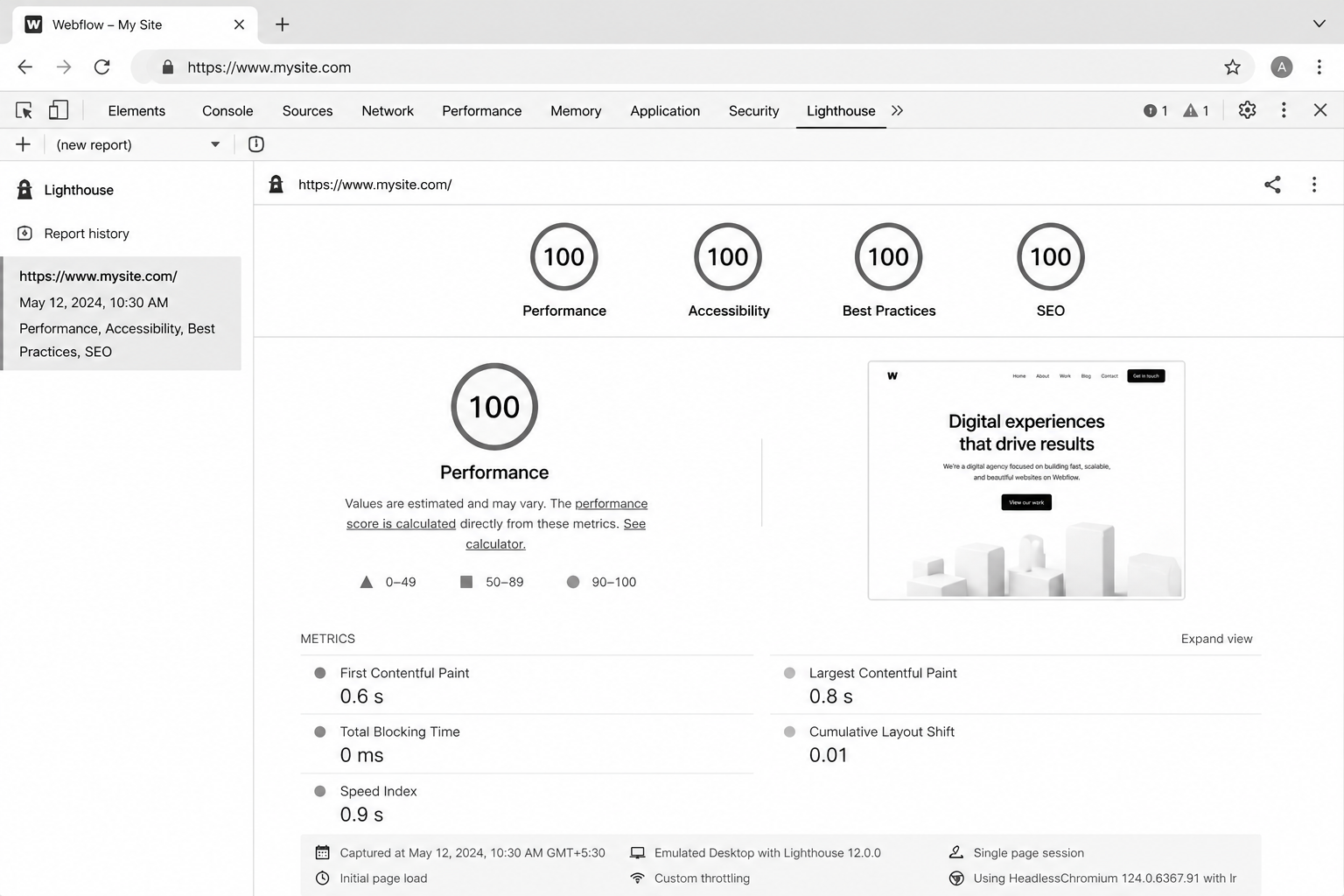
- Audit Core Web Vitals on PageSpeed Insights. Target LCP <2.5s, INP <200ms, CLS <0.1. Webflow defaults usually pass; third-party scripts kill them.
On-page optimisation (items 10–18)
- One H1 per page. Webflow lets you set any element as H1; verify in the Designer that you only have one per page.
- SEO Title set per page (separate from H1 — they should differ).
- Meta Description set per page. 140–155 chars, written for click-through, not keywords.
- Open Graph and Twitter Card images set per page. 1200×630 minimum for OG.
- Slugs short and keyword-led. No dates, no IDs, no stop words.
- Alt text on every image, set in the asset panel and on the image element.
- Internal links use descriptive anchor text, not “click here” or “this article.”
- External links open in same tab unless explicitly required to open in new (rel=”noopener” for new-tab links).
- Heading hierarchy follows logical depth. H2 → H3 → H4. Skipping levels confuses screen readers and search engines.
Mid-article CTA → Want a free audit of your Webflow site against this checklist? Request a free Webflow SEO audit — we’ll deliver a 27-point report within 5 business days.
Structured data and schema (items 19–22)`
- Article schema on all blog posts. Add via custom code embed in the Collection Page template, populated with CMS fields.
- Organization schema in the global head. Logo, social profiles, contact info.
- BreadcrumbList schema wherever breadcrumbs exist visually.
- FAQPage schema on posts with FAQ sections. Major SGE / AI search citation driver.
Speed, performance, and INP (items 23–25)
- Compress all images before upload. Webflow auto-converts to WebP, but oversized originals waste bandwidth.
- Lazy-load below-the-fold images. Webflow has a per-image setting — use it.
- Audit third-party scripts ruthlessly. Heatmap tools, chat widgets, and tag managers each cost INP. Load via GTM with conditional firing where possible.
Internal linking and topical authority (items 26–27)
- Every blog post links to ≥2 sibling posts and ≥1 service page. Use Multi-Reference Tags to surface related posts dynamically.
- Pillar posts receive ≥4 inbound internal links from supporting cluster posts. Audit quarterly with Screaming Frog.
Best Tools for Webflow SEO Audits
- Ahrefs Site Audit — strongest crawler for Webflow sites. Catches canonical, redirect, and broken-link issues.
- Screaming Frog SEO Spider — best for internal linking audits and pillar inbound counts.
- Google Search Console — non-negotiable. Performance and Indexing reports drive priority.
- PageSpeed Insights — Core Web Vitals per page. Mobile and desktop separately.
- Schema Markup Validator — verify every schema block before pushing live.
- Ahrefs Webmaster Tools (free) — backlink monitoring without a paid subscription.
Common Webflow SEO Mistakes
- Leaving the Webflow.io subdomain indexable after launch — duplicate content with the production domain. Block in robots.txt at staging.
- Setting H1 from a Heading element with default H2 styling. Looks fine, fails the audit.
- Using the CMS Item name as both H1 and SEO Title — wastes the SEO Title slot.
- Bloating with third-party scripts after launch. Webflow’s clean defaults are reversible.
- Ignoring Search Console coverage errors for the first 90 days post-launch — when most indexation issues surface.
- Slug changes without 301 redirects. Loses rankings instantly.
FAQ — Webflow SEO
Is Webflow good for SEO compared to WordPress?
Out of the box, better. Cleaner HTML, faster CWV, fewer plugin conflicts. WordPress can match Webflow with the right plugins and a good developer, but Webflow gets you 80% there with zero configuration.
Does Webflow handle structured data?
Yes, via custom code embeds in the head or per Collection Page template. There’s no native schema plugin, but the manual approach gives you cleaner output than most WP plugins produce.
How long does Webflow SEO take to show results?
Technical fixes show in Search Console within 2–4 weeks. Content and topical authority compound over 4–9 months. Don’t judge SEO on 30-day windows.
Can I rank a Webflow site for competitive keywords?
Yes, but the platform isn’t the bottleneck — content quality, internal linking, and backlinks are. Webflow won’t rank a thin site for “CRM software” any more than WordPress would.
Does Webflow’s CMS hurt SEO at scale?
Not when architected correctly. See the Webflow CMS tutorial for the data model that scales to 5,000+ items without performance loss.
How does Webflow SEO compare for UK and USA businesses?
Identical platform behaviour. The differences come from content (regional pricing, case studies, hreflang for region-specific URLs). Webflow Localization handles UK/USA splits cleanly when needed.
Conclusion: Ship the Checklist, Then Compete on Content
Most Webflow sites stop at items 1–9. The top 1% finish all 27 and treat the checklist as a quarterly audit, not a launch task. The compounding gain over 12 months is significant — both for traditional Google rankings and for emerging AI-search citation surfaces.
If you’d rather have a specialist run the audit and implement the fixes, our team does this for SaaS and B2B Webflow clients across the UK and USA. Book a free Webflow SEO audit and we’ll deliver a prioritised 27-point report within 5 business days.
Download the printable Webflow SEO Checklist PDF — the exact 27-item audit our team runs.