


Inbound Logo
Web Development
Resources
Free audit
Free HubSpot Portal Audit
Get an instant audit of your HubSpot portal with actionable insights to improve CRM setup, automation, marketing, and overall performance.
Start Free Audit
button arrowbutton arrow
hubspot

HubSpot CRM Implementation Guide: 90-Day Rollout for B2B Companies

12 MIN
December 14, 2025
In this article

HubSpot CRM Implementation Guide: 90-Day Rollout for B2B Companies

HubSpot is the easy CRM to start using and one of the harder CRMs to implement well. The product is designed to be turn-key — and that's precisely why most rollouts stall. Teams import a contact list, configure a couple of pipelines, and call it live. Six months later, sales is back in spreadsheets and marketing has lost track of which leads are real.This HubSpot CRM implementation guide is the 90-day rollout plan our HubSpot development team runs for B2B companies between 10 and 250 employees. It covers data model, migration, automation, reporting, and the adoption playbook that decides whether the CRM lasts past month four.If you're still deciding between HubSpot and Salesforce, read the HubSpot vs Salesforce comparison first.

What HubSpot CRM Implementation Actually Means

Implementation is more than a setup checklist. A real HubSpot CRM implementation is a structured project that aligns four things: your data model, your sales process, your marketing automation, and your team's daily behaviour. Each one is solvable; the integration of all four is where most projects fail.A successful rollout produces:

  • A clean, deduplicated database with consistent property naming
  • Pipelines that match how your team actually sells
  • Automation that does the busywork without breaking edge cases
  • Reports that surface the metrics leadership actually checks
  • Adoption from sales, marketing, and CS without daily friction

Why HubSpot CRM Implementation Matters in 2026

Three forces make 2026 the year to do this properly.1. HubSpot's AI features only work on clean data. Breeze (HubSpot's AI suite) summarises deals, scores leads, and drafts outreach. Garbage data in, garbage AI out. The teams getting real value from Breeze in 2026 are the ones who fixed their data model first.2. RevOps is now a board-level conversation. Pipeline visibility, attribution, and forecast accuracy are CFO concerns. A messy CRM costs you in meetings, not just operations.3. Sales-led + product-led hybrids need real CRM rigor. If your B2B motion blends inbound, outbound, and product-qualified leads, your CRM needs to track all three cleanly — and most don't.

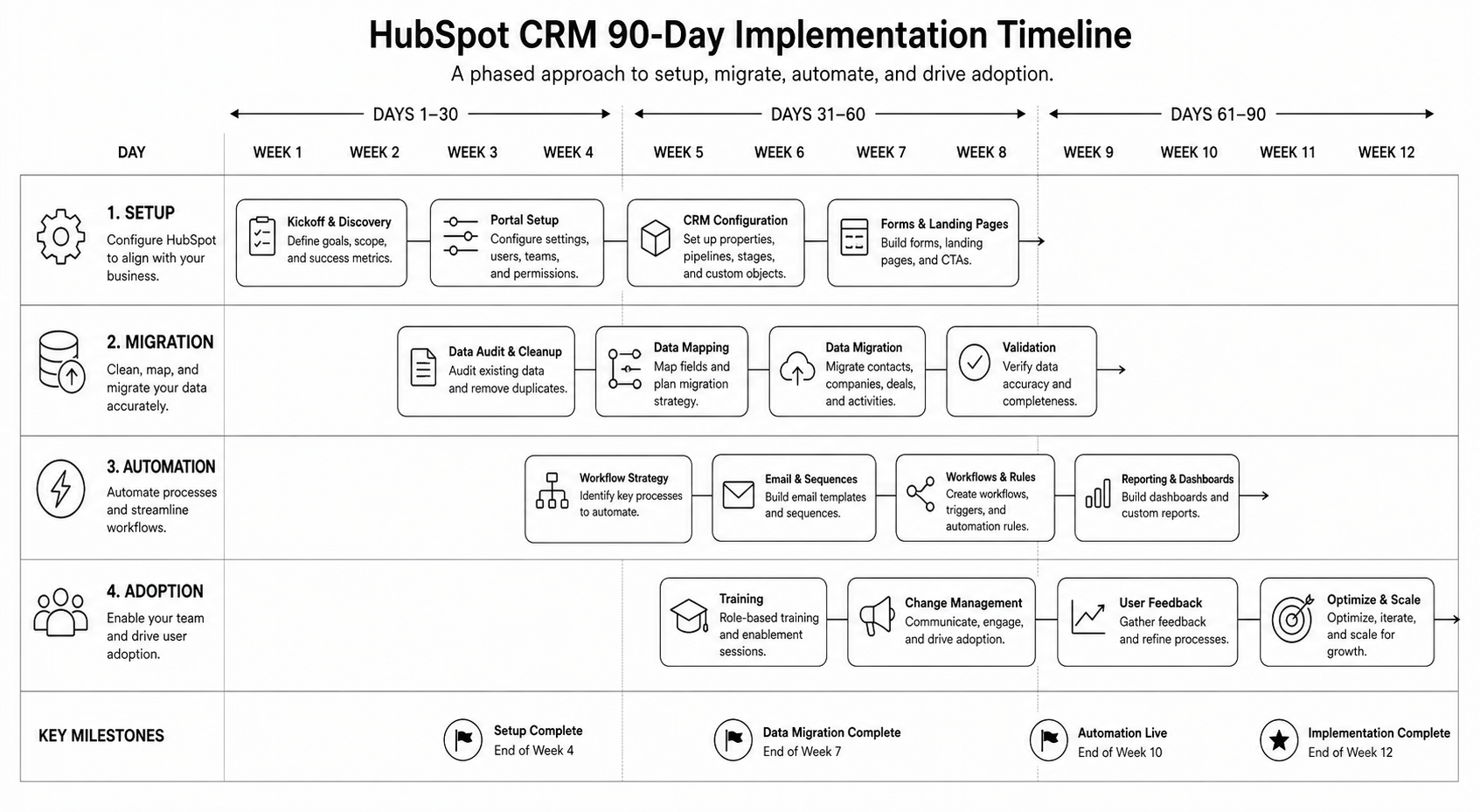
How a 90-Day HubSpot CRM Rollout Works

The rollout splits into three 30-day phases: foundation, automation, and adoption. Most failed rollouts skip phase one and rush to phase two — automating broken processes makes them worse, not better.

Days 1–30: Foundation

  • Stakeholder mapping. Identify the daily users (SDRs, AEs, marketing, CS) and the data consumers (leadership, finance).
  • Data model design. Define properties on Companies, Contacts, Deals, Tickets. Document property purpose, type, and ownership.
  • Pipeline architecture. Design pipelines and stages around your actual sales process — not HubSpot's defaults.
  • Lifecycle stages. Define what each stage means (Lead → MQL → SQL → Opportunity → Customer) and the criteria for transitions.
  • Migration plan. If migrating from another CRM, map fields, owners, and history. Plan deduplication.
  • User permissions. Set up teams, roles, and access. Default settings expose too much.

Days 31–60: Automation

  • Workflows for lifecycle transitions. Automatic stage updates based on behaviour, not just manual changes.
  • Lead routing. Round-robin, territory-based, or AE-of-the-month — whatever matches your model.
  • Lead scoring. Start simple (rules-based), graduate to predictive once you have data. See AI lead scoring guide.
  • Email sequences and templates. Library of approved outbound and follow-up templates per persona.
  • Task automation. Auto-create follow-up tasks at stage transitions; auto-create check-ins for stalled deals.
  • Integration setup. Connect tools that feed CRM data — calendar, email, calling, Slack, your CMS, your product analytics.

Days 61–90: Adoption

  • Training by role. SDRs, AEs, marketing, and CS each need different training. Generic onboarding fails.
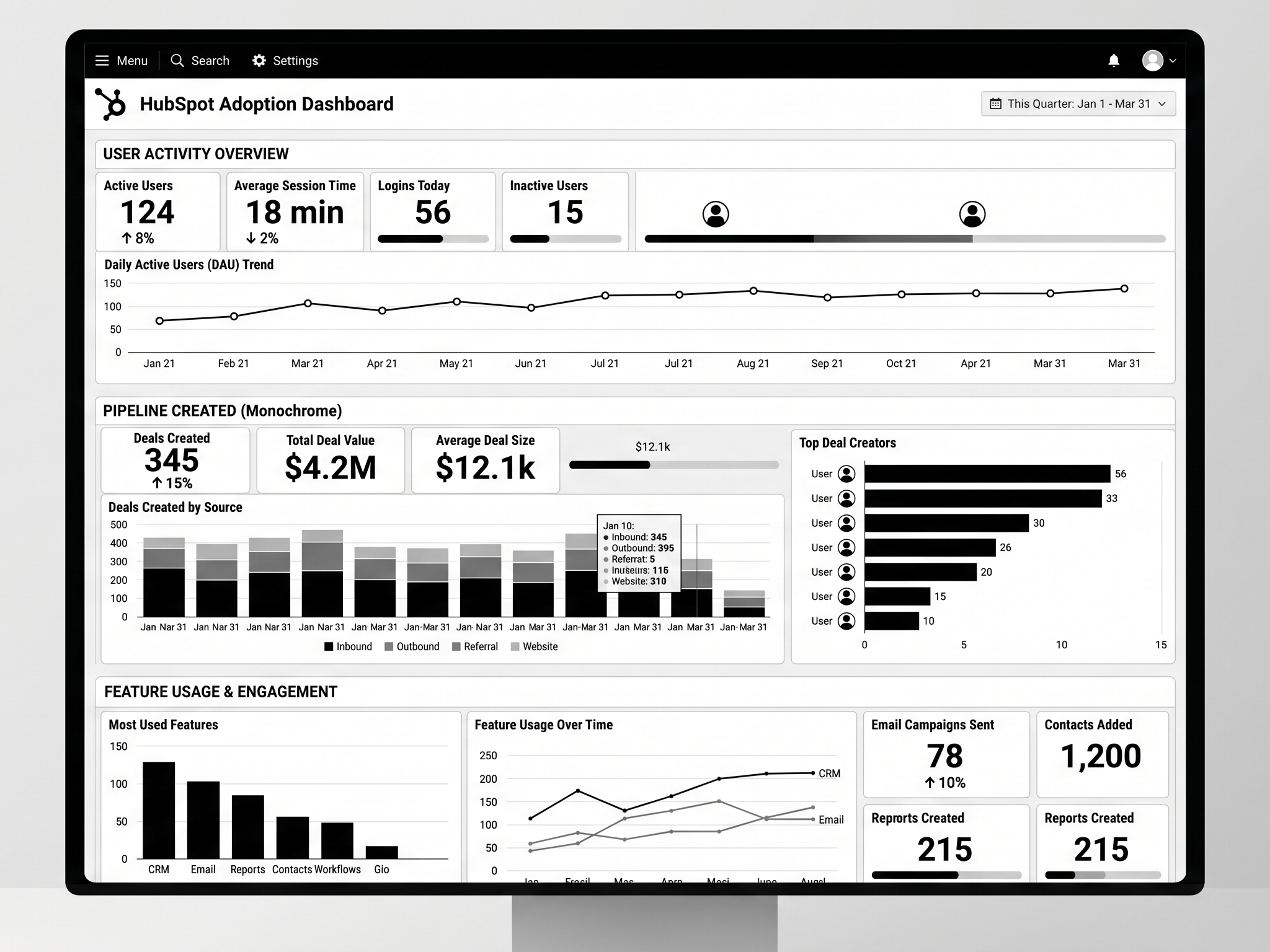
  • Reporting and dashboards. Build the 5–8 dashboards leadership will actually check weekly. Cull the rest.
  • Daily standup integration. Make CRM the source of truth for the metrics discussed in standup.
  • Hygiene rituals. Weekly deal review, monthly data audit. Without these, the CRM degrades within 90 days.
  • Manager enablement. Sales managers must run reviews from HubSpot, not from spreadsheets. Otherwise reps never trust the system.
  • Iteration cadence. Quarterly review of properties, workflows, and reports. Prune, don't accumulate.

Mid-article CTA → Need a HubSpot specialist to run the 90 days for you? Book a HubSpot CRM rollout call and we'll scope the project in 30 minutes.

Step-by-Step: The Foundation Phase in Detail

1. Audit your current state

Before you touch HubSpot: document the existing process. What CRM (or spreadsheet) is being used? What pipelines exist? What reports run? Where does data leak?

2. Design the data model on paper

List every property your team needs on each object. Group them: identification (name, email), firmographic (company size, industry), behavioural (last visit, last email open), commercial (deal value, close date), operational (owner, source, status).

3. Set up the HubSpot account properly

  • Configure currency (multi-currency if you sell across UK/USA)
  • Set timezone, fiscal year
  • Create teams matching your org structure
  • Set up users with appropriate permissions
  • Configure the master Brand Kit (logo, colors) for templates

4. Create custom properties before importing data

If you import first and add properties later, you'll have inconsistent data. Property-first, then import.

5. Build pipelines and stages

For sales: typical 5–7 stages from Connected to Closed Won/Lost. For CS: separate pipeline for renewals and expansions. For support: ticket pipeline with priority and SLA.

6. Configure lifecycle stages and lead status

Define the criteria. Document them. Make them automatic where possible (workflows that move contacts from Lead to MQL based on score thresholds).

7. Migrate data with a clean import file

Dedupe, standardise (capitalisation, country codes, phone formats), map owners, validate emails. Import companies first, then contacts, then deals.

8. Validate

Spot-check 50 records across all object types. Confirm associations, property values, and ownership. Fix the data model before automating on top of it.
Best Tools for HubSpot CRM Implementation

  • HubSpot Operations Hub — for data quality, sync, and custom-coded actions. Worth the upgrade for >100-employee implementations.
  • Insycle — bulk data cleansing and dedup. Saves weeks on migration projects.
  • HubSpot's Migration IQ — for Salesforce-to-HubSpot migrations specifically.
  • Reveal or Crossbeam — partner-data overlay. Rich for B2B account expansion.
  • Default Tasks app — for automated task creation at stage transitions.
  • Looker Studio + HubSpot connector — for cross-tool reporting (HubSpot + product + ad spend).

Common HubSpot Implementation Mistakes

  • Importing data before designing properties. The single most common failure mode. Inconsistent data is hard to clean later.
  • Copying competitor pipelines. Your sales process isn't theirs. Design for how your team actually sells.
  • Over-automating early. Rules nobody understands break in production. Start with manual processes, automate once you've seen the edge cases.
  • Skipping training. A perfect CRM with no adoption is worse than a clunky one used daily.
  • No data hygiene rituals. Without weekly hygiene, the CRM degrades quickly.
  • Treating Marketing Hub and Sales Hub as separate projects. They share data — implement them together.
  • Ignoring HubSpot AI from day one. Breeze is genuinely useful when configured early. See marketing AI guide.

FAQ — HubSpot CRM Implementation

How long does HubSpot CRM implementation take?

For B2B companies under 250 employees, 90 days is a realistic full rollout including foundation, automation, and adoption. Larger orgs or complex Salesforce migrations can take 6 months.

How much does HubSpot CRM implementation cost?

Platform costs vary by hub and seat count (typically $2k–$15k/mo for mid-market). Implementation services from a HubSpot partner agency typically run $15k–$80k depending on complexity. Worth pricing properly — bad implementations are expensive to redo.

Should I hire a HubSpot partner agency or do it in-house?

If RevOps is a permanent function in your org, hire in-house long-term but use a partner for the rollout. If RevOps is a one-time project, partner-led is cleaner. See the HubSpot agency selection guide.

Can I use HubSpot CRM for free?

Yes — HubSpot's free CRM is genuinely capable. The free tier holds for <50-person teams with simple pipelines. Past that, paid hubs unlock the automation and reporting needed for serious RevOps.

Does HubSpot replace Salesforce?

For most B2B companies under 500 employees, yes. Above that, the answer depends on data complexity, ecosystem dependencies, and admin overhead tolerance. See the HubSpot vs Salesforce comparison.

How do I get my sales team to actually use HubSpot?

Three levers: make it easier than the alternative (mobile + Gmail/Outlook integration), make manager reviews run from it, and tie compensation visibility to it. The first 60 days of behavioural reinforcement decide adoption.

Conclusion: Implementation Is Where HubSpot ROI Is Won or Lost

HubSpot is one of the best CRMs for B2B companies — but only if implementation is done with the same rigor you'd apply to any other system that runs your revenue operations. The 90-day plan above isn't aggressive; it's the realistic baseline for a rollout that sticks.Our HubSpot development team has run CRM implementations for B2B SaaS, professional services, and ecommerce brands across the UK and USA. Book a HubSpot rollout call and we'll scope your 90-day plan in 30 minutes.Download the HubSpot 90-Day Implementation Plan — the exact roadmap and checklist we run for clients.

KEEP BUILDING

You've got the plan. Let's build it.

We turn the frameworks you just read into the flows, pages, and automation behind them — under your brand, always.

Keep reading

View all articles
Ecommerce

Subscription Ecommerce Growth: The 2026 Strategy for Recurring Revenue

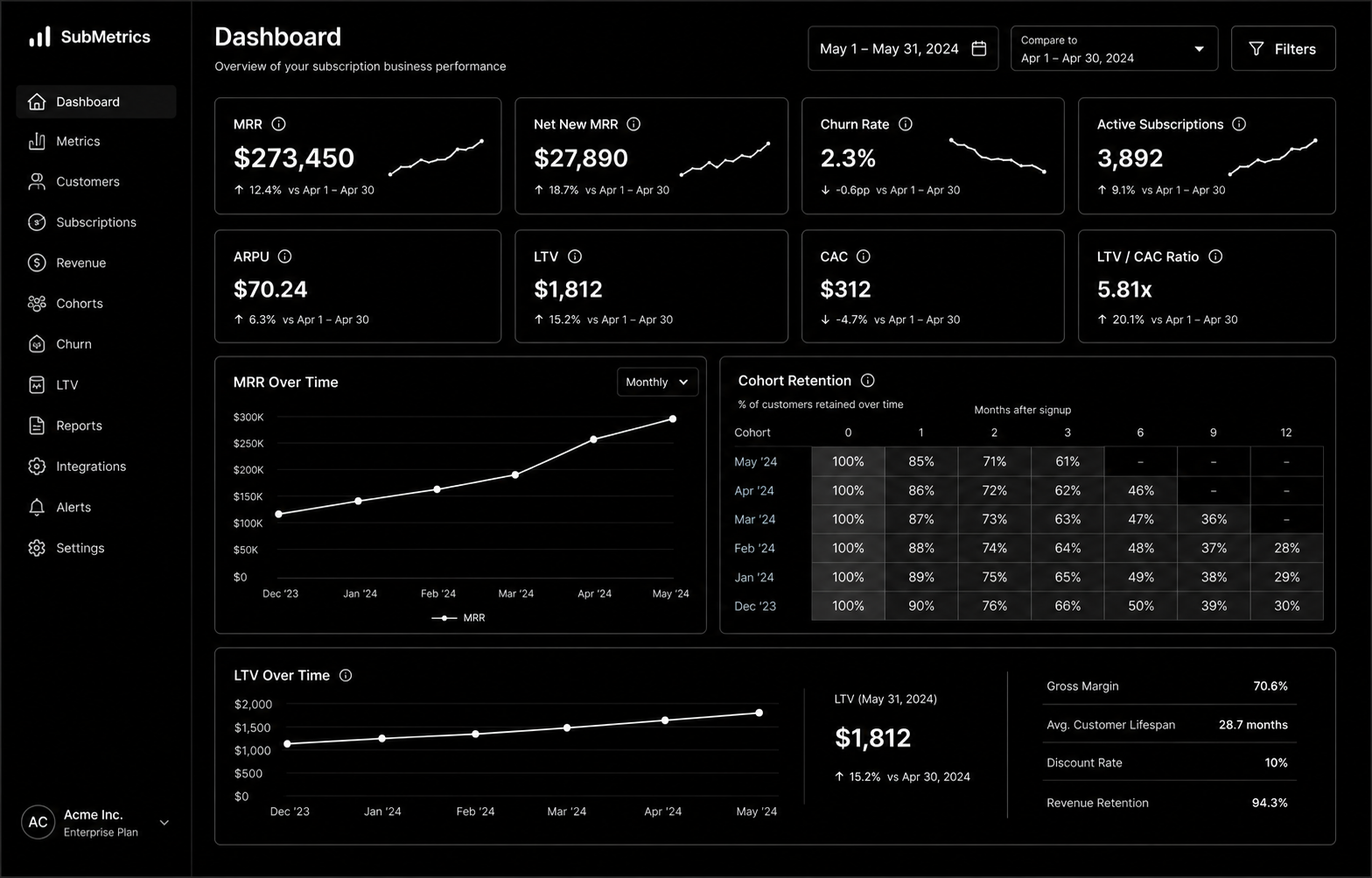
Subscription Ecommerce Growth in 2026 is won by execution quality, not platform hype. Teams that perform consistently align strategy, implementation, and measurement into one operating system. This guide gives the practical framework, internal link map, and optimization cadence to do that.Subscription ecommerce is built on retention math most brands ignore. Here's the 2026 growth strategy that actually works. If you want implementation help, work with Shopify development. For connected strategy, also review Shopify Plus Development Guide and DTC Ecommerce Growth.

What Subscription Ecommerce Growth Means in Practice

Subscription ecommerce growth is driven by retention math more than subscriber volume. Sustainable recurring revenue comes from solid unit economics, churn prevention, and disciplined experimentation.

Why subscription ecommerce Matters in 2026

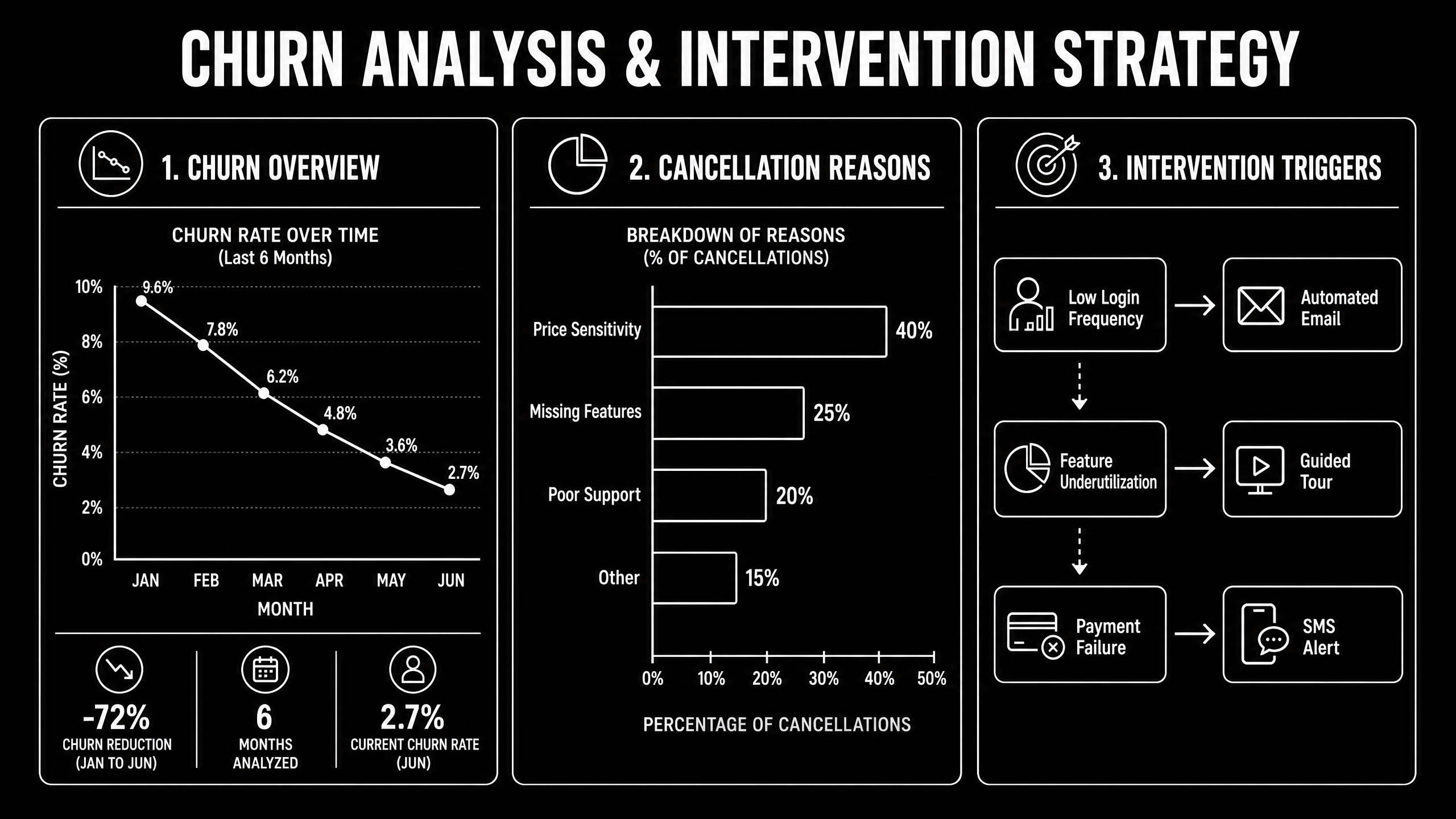
1. Recurring models fail fast when churn and fulfillment costs are ignored.2. Leadership cares more about LTV quality than raw subscriber count.3. Cancellation interventions now require tighter experimentation and segmentation.

Step-by-Step Playbook

1. Model unit economics by cohort

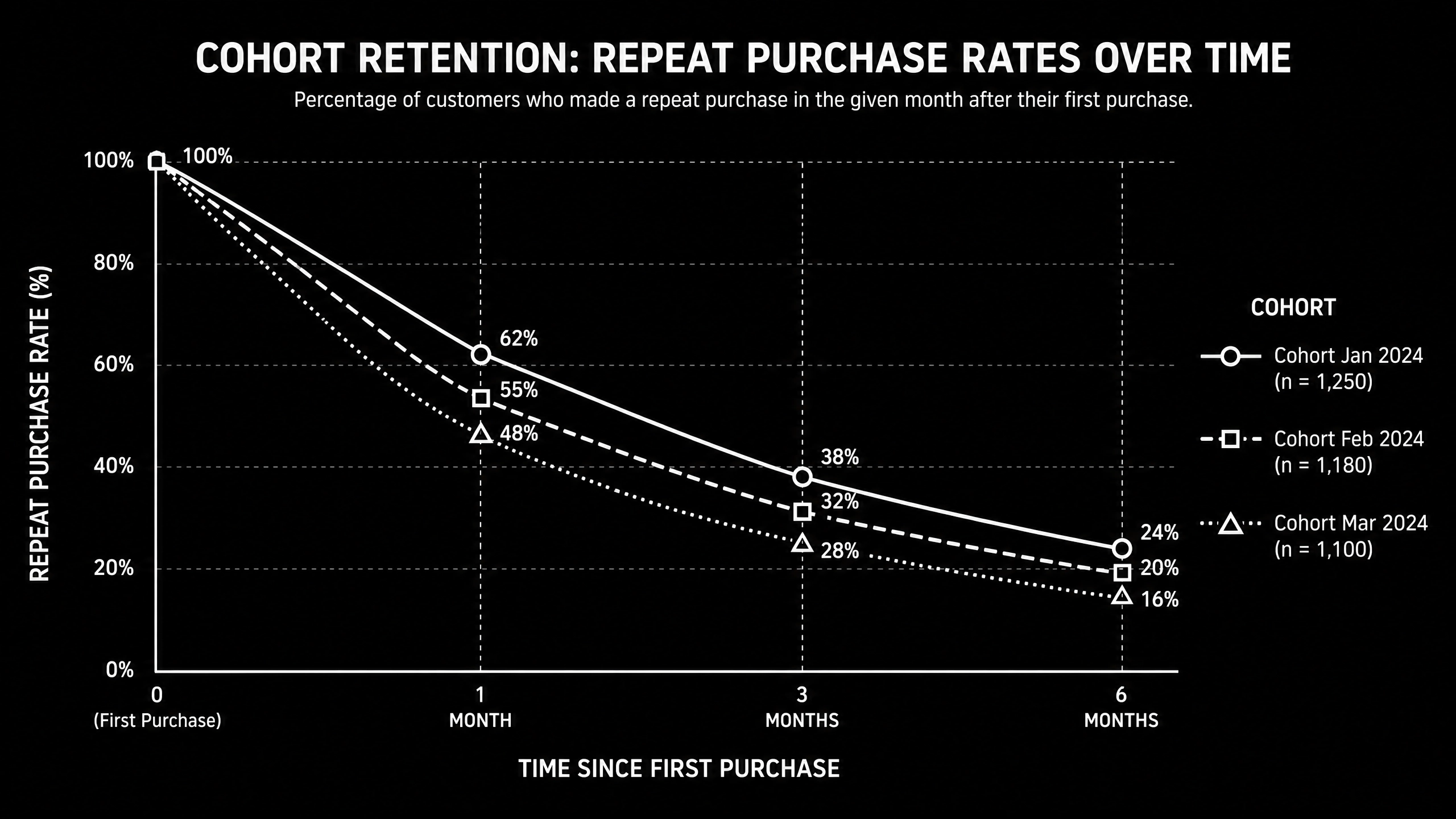
Track CAC payback, gross margin, and LTV by acquisition source.

2. Design subscription architecture

Define cadence options and flexibility to reduce early churn.

3. Implement churn intervention flows

Trigger save offers and outreach by cancellation signals.

4. Improve post-purchase value loop

Reinforce value between shipments with lifecycle communication.

5. Run monthly retention tests

Test pricing, bundles, and cancellation UX with guardrails.Mid-article CTA -> Need support applying this to your stack? Subscription scoping and get a scoped roadmap with timeline, owners, and KPI targets.

Tools, References, and Benchmarks

  • Subscription unit economics model
  • Cancellation reason taxonomy
  • Retention experiment backlog
  • Semantic keyword targets to distribute naturally: subscription commerce shopify, recurring revenue ecommerce, subscription box growth

Use these references during planning and QA: Shopify enterprise resources, Klaviyo resources, and web.dev ecommerce guidance.

Common Mistakes That Kill Performance

  • Acquisition-first strategy
  • Weak churn instrumentation
  • No cohort profitability analysis

FAQ - Subscription Ecommerce Growth

How long does a subscription ecommerce project usually take?

Most teams can ship an initial version in 4 to 8 weeks, then improve outcomes over one quarter with a weekly optimization cadence.

Is subscription ecommerce relevant for UK and US teams?

Yes. The core framework is consistent across both markets. Differences are usually compliance details, buying behavior, and GBP/USD planning.

What should we measure first for subscription ecommerce?

Track one leading metric, one conversion metric, and one revenue metric so execution stays tied to business impact.

Should we run this in-house or with a specialist partner?

If your team has deep expertise and bandwidth, in-house can work. If speed and risk control matter, working with a specialist partner is usually faster.

What is the most common failure mode?

Teams skip governance after launch. Data quality drifts, process quality declines, and performance plateaus. A simple weekly operating rhythm prevents this.

Conclusion

Subscription Ecommerce Growth performs best when execution decisions are tied to measurable outcomes from day one. Use this playbook to prioritize what matters, reduce risk, and create a repeatable optimization rhythm.Want a specialist team to accelerate delivery? Talk to Shopify development or book a consultation and we will map a practical rollout plan.Download the Subscription Ecommerce Unit Economics Model to implement this framework with templates and checklists.

Ecommerce

DTC Ecommerce Growth Playbook: 14 Levers That Compound in 2026

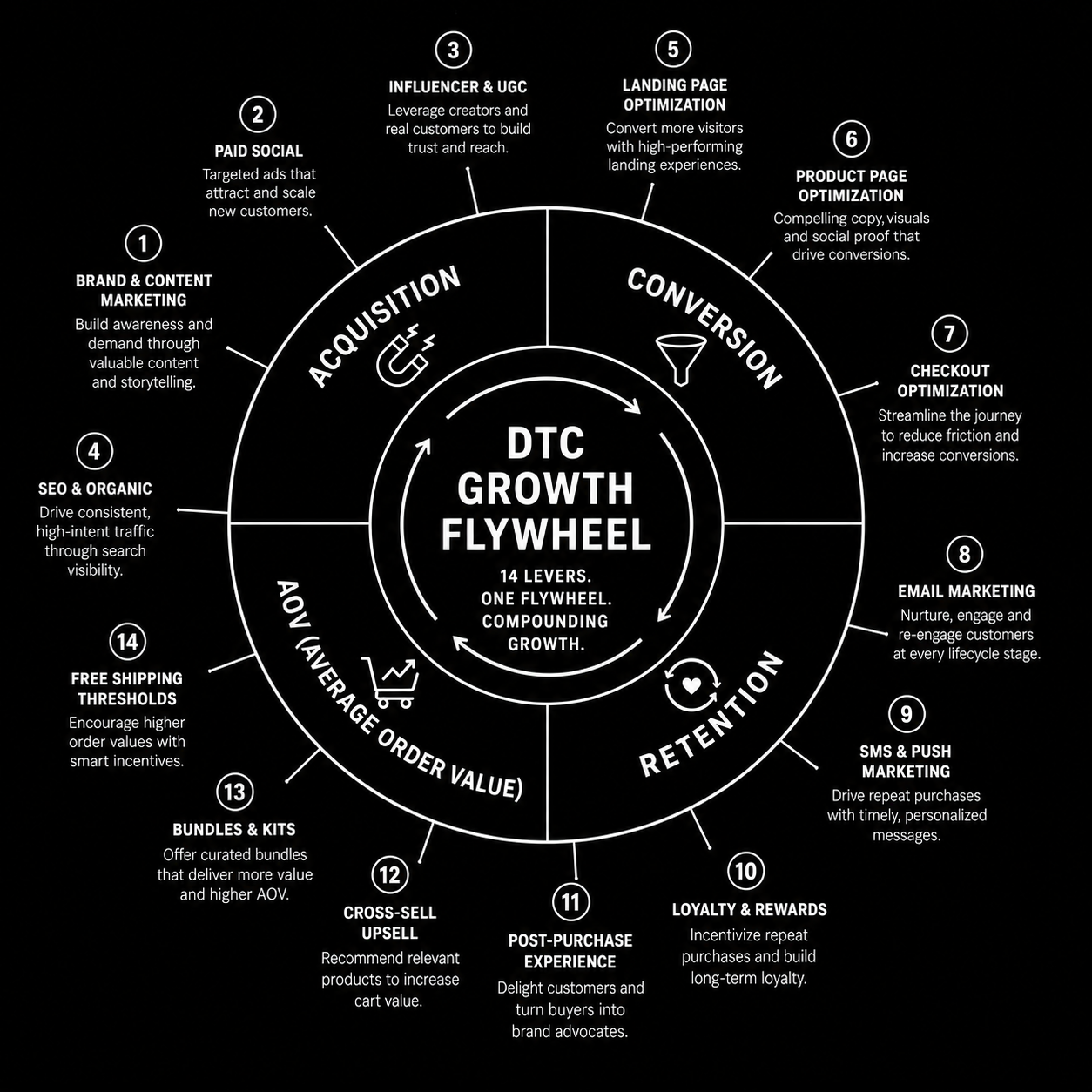
DTC Ecommerce Growth Playbook in 2026 is won by execution quality, not platform hype. Teams that perform consistently align strategy, implementation, and measurement into one operating system. This guide gives the practical framework, internal link map, and optimization cadence to do that.DTC growth in 2026 isn't a single channel — it's 14 levers compounding. Here's the playbook that works. If you want implementation help, work with our Shopify developers. For connected strategy, also review Shopify Plus Development Guide and Shopify Conversion Rate Optimization.

What DTC Ecommerce Growth Playbook Means in Practice

DTC ecommerce growth is a compounding system across acquisition, conversion, retention, and AOV. The strongest brands avoid single-channel dependence and run an integrated growth flywheel.

Why dtc ecommerce growth Matters in 2026

1. Paid channel volatility makes one-channel strategies fragile.2. Retention quality now drives profitability more than traffic volume.3. Winning teams iterate quickly across offers, creative, and lifecycle mechanics.

Step-by-Step Playbook

1. Audit growth mix

Quantify channel contribution and margin impact.

2. Pick highest-leverage constraint

Fix one bottleneck at a time for compounding gains.

3. Improve merchandising strategy

Align bundles and offers to margin-aware demand signals.

4. Expand retention automations

Improve post-purchase, replenishment, and win-back flows.

5. Review flywheel monthly

Track how changes in one lever affect the whole system.Mid-article CTA -> Need support applying this to your stack? DTC growth audit and get a scoped roadmap with timeline, owners, and KPI targets.

Tools, References, and Benchmarks

  • 14-lever growth map
  • Channel contribution scorecard
  • Cohort retention tracker
  • Semantic keyword targets to distribute naturally: dtc growth playbook, direct to consumer growth, scaling dtc brand

Use these references during planning and QA: Shopify enterprise resources, Klaviyo resources, and web.dev ecommerce guidance.

Common Mistakes That Kill Performance

  • Acquisition-only focus
  • Ignoring contribution margin
  • No cross-channel operating rhythm

FAQ - DTC Ecommerce Growth Playbook

How long does a dtc ecommerce growth project usually take?

Most teams can ship an initial version in 4 to 8 weeks, then improve outcomes over one quarter with a weekly optimization cadence.

Is dtc ecommerce growth relevant for UK and US teams?

Yes. The core framework is consistent across both markets. Differences are usually compliance details, buying behavior, and GBP/USD planning.

What should we measure first for dtc ecommerce growth?

Track one leading metric, one conversion metric, and one revenue metric so execution stays tied to business impact.

Should we run this in-house or with a specialist partner?

If your team has deep expertise and bandwidth, in-house can work. If speed and risk control matter, working with a specialist partner is usually faster.

What is the most common failure mode?

Teams skip governance after launch. Data quality drifts, process quality declines, and performance plateaus. A simple weekly operating rhythm prevents this.

Conclusion

DTC Ecommerce Growth Playbook performs best when execution decisions are tied to measurable outcomes from day one. Use this playbook to prioritize what matters, reduce risk, and create a repeatable optimization rhythm.Want a specialist team to accelerate delivery? Talk to our Shopify developers or book a consultation and we will map a practical rollout plan.Download the DTC Growth Lever Map to implement this framework with templates and checklists.

UI/UX

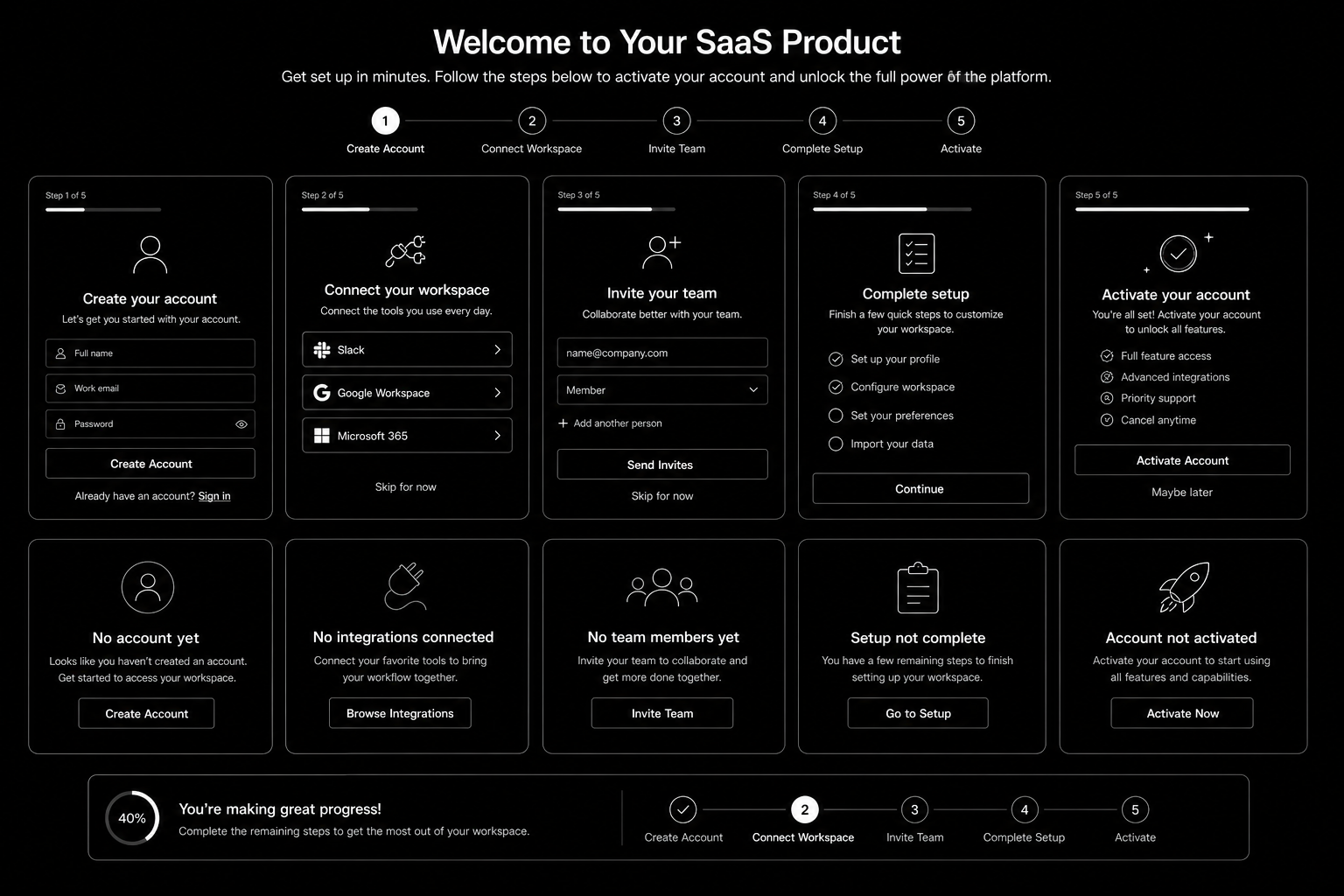
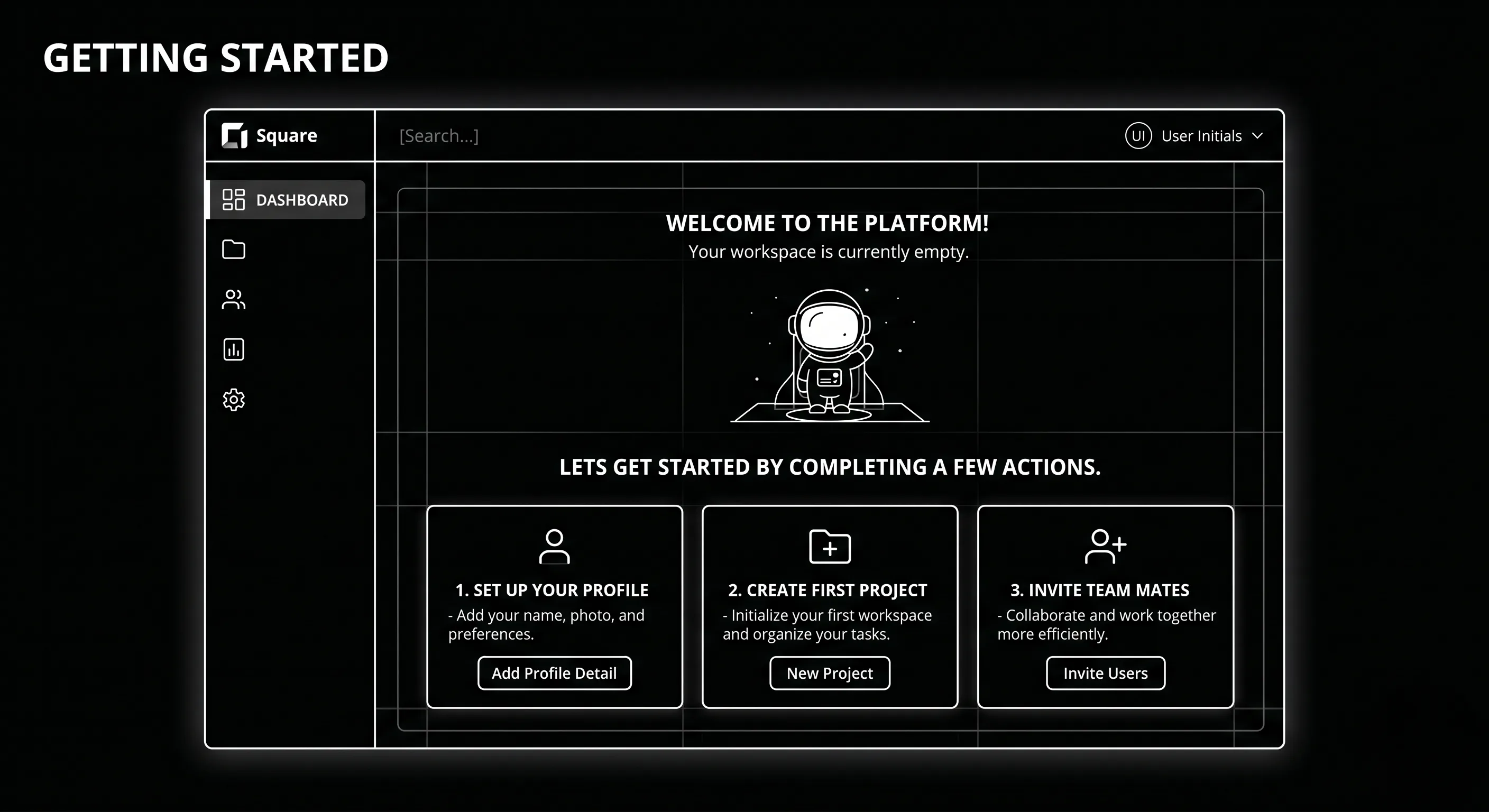
SaaS Onboarding Flow Design: The 2026 Activation Playbook

SaaS Onboarding Flow Design in 2026 is won by execution quality, not platform hype. Teams that perform consistently align strategy, implementation, and measurement into one operating system. This guide gives the practical framework, internal link map, and optimization cadence to do that.Onboarding decides retention. Here's the flow design that takes SaaS trial-to-paid from 12 to 22 percent. If you want implementation help, work with product design team. For connected strategy, also review Saas UI UX Design Principles and Saas Website Growth Strategy.

What SaaS Onboarding Flow Design Means in Practice

SaaS onboarding flow design drives activation and retention by guiding users to first value quickly. The strongest flows use milestone logic, contextual guidance, and recovery paths for stalled users.

Why saas onboarding flow Matters in 2026

1. Activation efficiency now strongly affects CAC payback.2. Users reject long generic onboarding tours.3. Milestone completion predicts retention better than vanity engagement metrics.

Step-by-Step Playbook

1. Define activation milestone

Set one clear event that predicts long-term value.

2. Map first-session friction

Identify where users stall before activation.

3. Design progressive guidance

Trigger contextual support based on user state.

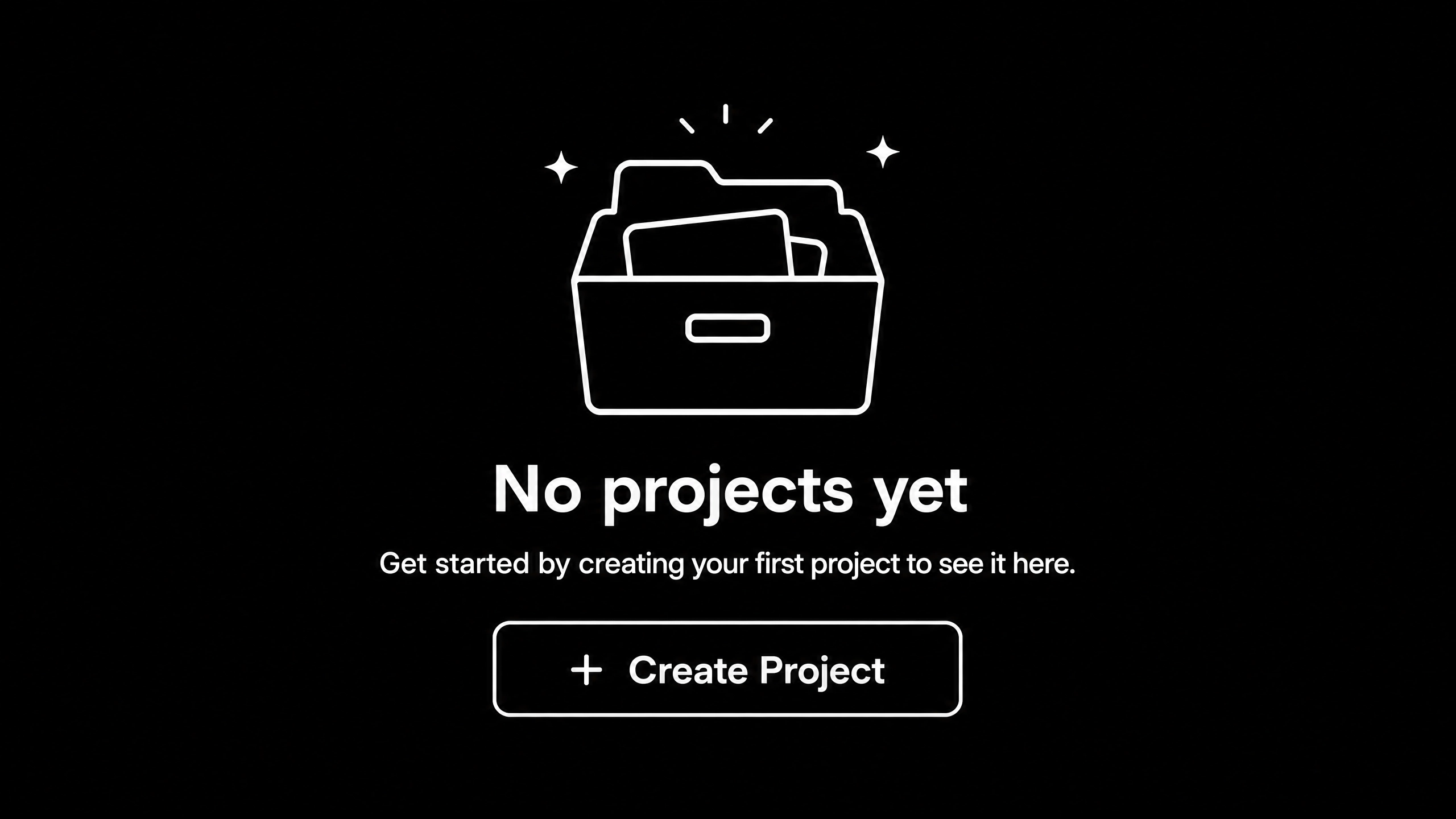
4. Create recovery paths

Use empty states and reactivation nudges for stuck users.

5. Track cohorts weekly

Monitor milestone completion and improve weakest steps.Mid-article CTA -> Need support applying this to your stack? Onboarding UX audit and get a scoped roadmap with timeline, owners, and KPI targets.

Tools, References, and Benchmarks

  • Activation map
  • Onboarding state matrix
  • Cohort progression dashboard
  • Semantic keyword targets to distribute naturally: saas onboarding ux, saas activation flow, product onboarding design

Use these references during planning and QA: Nielsen Norman Group UX articles, Material design guidance, and web.dev mobile UX guidance.

Common Mistakes That Kill Performance

  • No clear activation definition
  • Overloaded first session
  • No recovery path for stalled users

FAQ - SaaS Onboarding Flow Design

How long does a saas onboarding flow project usually take?

Most teams can ship an initial version in 4 to 8 weeks, then improve outcomes over one quarter with a weekly optimization cadence.

Is saas onboarding flow relevant for UK and US teams?

Yes. The core framework is consistent across both markets. Differences are usually compliance details, buying behavior, and GBP/USD planning.

What should we measure first for saas onboarding flow?

Track one leading metric, one conversion metric, and one revenue metric so execution stays tied to business impact.

Should we run this in-house or with a specialist partner?

If your team has deep expertise and bandwidth, in-house can work. If speed and risk control matter, working with a specialist partner is usually faster.

What is the most common failure mode?

Teams skip governance after launch. Data quality drifts, process quality declines, and performance plateaus. A simple weekly operating rhythm prevents this.

Conclusion

SaaS Onboarding Flow Design performs best when execution decisions are tied to measurable outcomes from day one. Use this playbook to prioritize what matters, reduce risk, and create a repeatable optimization rhythm.Want a specialist team to accelerate delivery? Talk to product design team or book a consultation and we will map a practical rollout plan.Download the SaaS Onboarding Activation Map to implement this framework with templates and checklists.