



Inbound Logo
Web Development
Resources
Free audit
Free HubSpot Portal Audit
Get an instant audit of your HubSpot portal with actionable insights to improve CRM setup, automation, marketing, and overall performance.
Start Free Audit
button arrowbutton arrow
Webflow

Webflow SEO Checklist: 27 Optimizations That Move Rankings in 2026

12 MIN
May 2, 2026
In this article

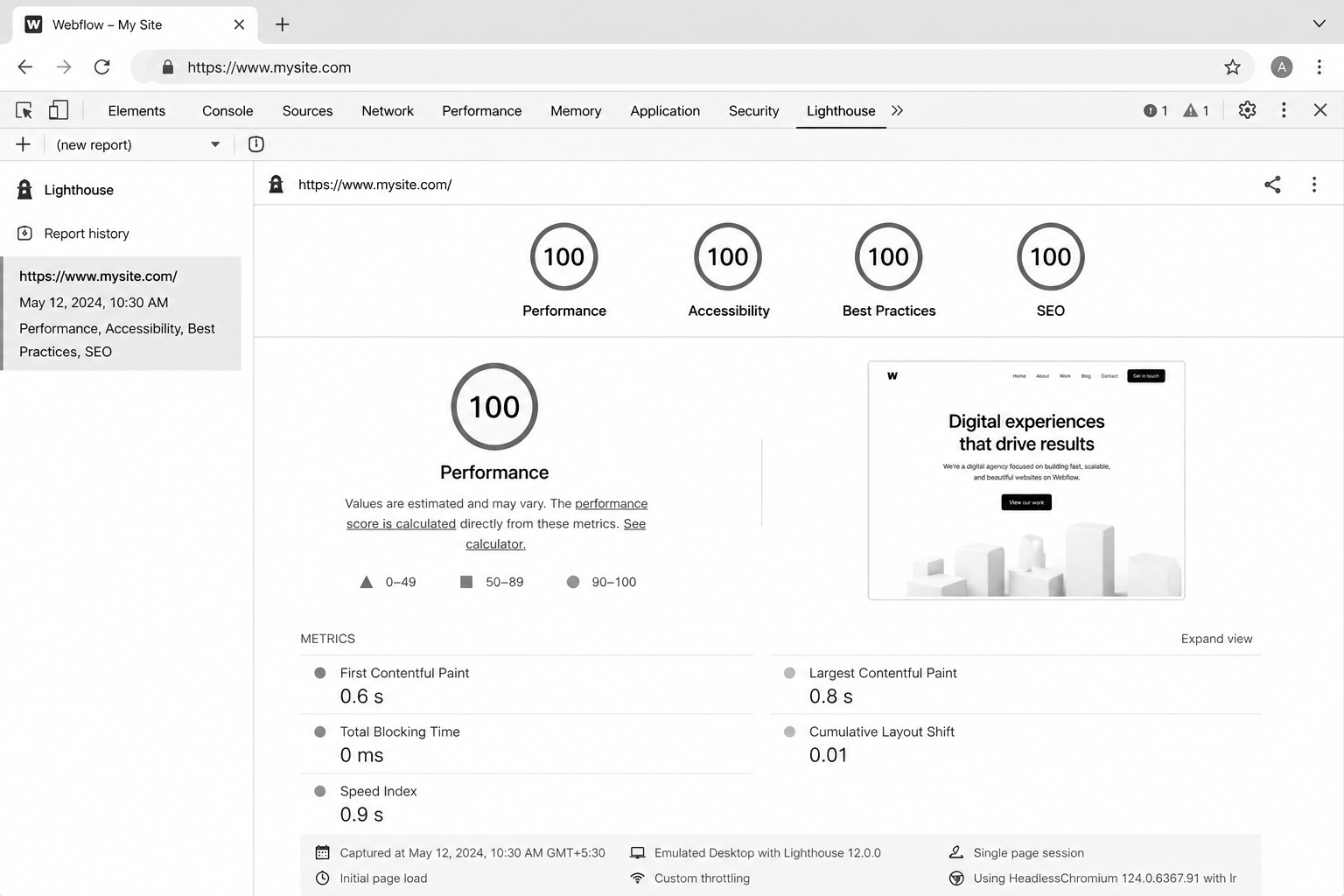
Webflow ships with cleaner SEO defaults than most CMS platforms. That's true. It's also why most Webflow sites stop optimising after the basics and never crack page one for competitive keywords. Strong defaults are not a strategy.This Webflow SEO checklist is the 27-item playbook our Webflow agency works through on every site we ship — covering technical SEO, on-page optimisation, structured data, internal linking, and the 2026-specific signals (AI search visibility, INP, helpful-content signals) that move rankings now.If you haven't built the CMS architecture yet, start with the Webflow CMS tutorial — clean information architecture is half the SEO battle.

What Makes Webflow SEO Different from WordPress SEO?

Webflow does three things WordPress can't without plugins: ships clean semantic HTML by default, hits Core Web Vitals scores in the 90s with zero work, and gives you canonical, robots, and meta controls per page natively.What it doesn't ship: an SEO plugin doing 40 things in the background. That means every optimisation is intentional. The upside — no plugin bloat, no conflicts, faster site. The downside — if you skip an item, no automation will catch it. Hence: a checklist.

Why Webflow SEO Matters in 2026

Three forces decided the 2026 Webflow SEO landscape.1. Core Web Vitals (especially INP) are confirmed ranking signals. The 2024 INP migration filtered slow sites out of competitive SERPs. Webflow's modern templates pass INP without effort — but only if you don't load 14 third-party scripts on top.2. AI search engines (Perplexity, SGE, ChatGPT search) are picking citation sources by structured data quality. Webflow sites with clean schema get cited proportionally more often than legacy WordPress sites with messy markup.3. Google's helpful-content system rewards topical depth over keyword stuffing. Webflow's CMS reference architecture (when built right) makes building real topical authority straightforward.
The 27-Item Webflow SEO Checklist

Technical foundation (items 1–9)

  1. Set a custom domain on a paid plan. Webflow.io subdomains don't index well. Hosting plan, custom domain, day one.
  2. Force HTTPS in Project Settings. Non-negotiable. Webflow handles the certificate.
  3. Configure www vs root canonical. Pick one, redirect the other. Webflow's hosting forces a 301 if configured correctly.
  4. Submit sitemap.xml to Google Search Console and Bing. Webflow auto-generates it; submit manually the first time and on every major navigation change.
  5. Set robots.txt to allow indexing of the live site only. Block staging subdomains. Webflow lets you set this per project.
  6. Configure 301 redirects in Project Settings → Hosting. Especially after migrations or slug changes. Never rely on client-side JS redirects for SEO.
  7. Set canonical URLs on every page. Default canonical = current URL. Override only for true duplicate-content scenarios (UTM-heavy landing pages).
  8. Hreflang tags for multi-region sites. Use Webflow Localization or hand-rolled hreflang in custom head code for UK/USA splits.
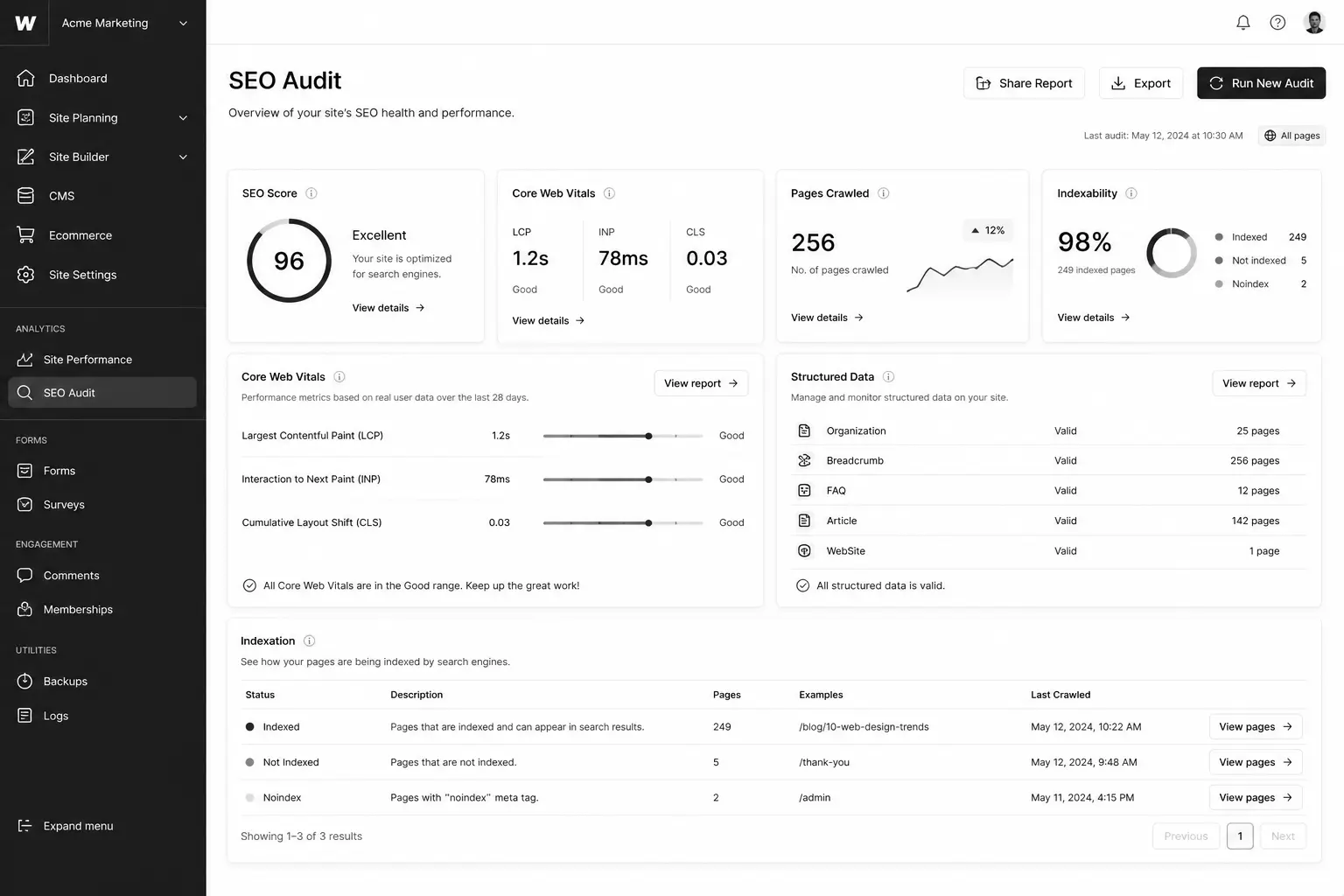
  9. Audit Core Web Vitals on PageSpeed Insights. Target LCP <2.5s, INP <200ms, CLS <0.1. Webflow defaults usually pass; third-party scripts kill them.

On-page optimisation (items 10–18)

  1. One H1 per page. Webflow lets you set any element as H1; verify in the Designer that you only have one per page.
  2. SEO Title set per page (separate from H1 — they should differ).
  3. Meta Description set per page. 140–155 chars, written for click-through, not keywords.
  4. Open Graph and Twitter Card images set per page. 1200×630 minimum for OG.
  5. Slugs short and keyword-led. No dates, no IDs, no stop words.
  6. Alt text on every image, set in the asset panel and on the image element.
  7. Internal links use descriptive anchor text, not "click here" or "this article."
  8. External links open in same tab unless explicitly required to open in new (rel="noopener" for new-tab links).
  9. Heading hierarchy follows logical depth. H2 → H3 → H4. Skipping levels confuses screen readers and search engines.

Mid-article CTA → Want a free audit of your Webflow site against this checklist? Request a free Webflow SEO audit — we'll deliver a 27-point report within 5 business days.

Structured data and schema (items 19–22)`

  1. Article schema on all blog posts. Add via custom code embed in the Collection Page template, populated with CMS fields.
  2. Organization schema in the global head. Logo, social profiles, contact info.
  3. BreadcrumbList schema wherever breadcrumbs exist visually.
  4. FAQPage schema on posts with FAQ sections. Major SGE / AI search citation driver.

Speed, performance, and INP (items 23–25)

  1. Compress all images before upload. Webflow auto-converts to WebP, but oversized originals waste bandwidth.
  2. Lazy-load below-the-fold images. Webflow has a per-image setting — use it.
  3. Audit third-party scripts ruthlessly. Heatmap tools, chat widgets, and tag managers each cost INP. Load via GTM with conditional firing where possible.

Internal linking and topical authority (items 26–27)

  1. Every blog post links to ≥2 sibling posts and ≥1 service page. Use Multi-Reference Tags to surface related posts dynamically.
  2. Pillar posts receive ≥4 inbound internal links from supporting cluster posts. Audit quarterly with Screaming Frog.

Best Tools for Webflow SEO Audits

  • Ahrefs Site Audit — strongest crawler for Webflow sites. Catches canonical, redirect, and broken-link issues.
  • Screaming Frog SEO Spider — best for internal linking audits and pillar inbound counts.
  • Google Search Console — non-negotiable. Performance and Indexing reports drive priority.
  • PageSpeed Insights — Core Web Vitals per page. Mobile and desktop separately.
  • Schema Markup Validator — verify every schema block before pushing live.
  • Ahrefs Webmaster Tools (free) — backlink monitoring without a paid subscription.

Common Webflow SEO Mistakes

  • Leaving the Webflow.io subdomain indexable after launch — duplicate content with the production domain. Block in robots.txt at staging.
  • Setting H1 from a Heading element with default H2 styling. Looks fine, fails the audit.
  • Using the CMS Item name as both H1 and SEO Title — wastes the SEO Title slot.
  • Bloating with third-party scripts after launch. Webflow's clean defaults are reversible.
  • Ignoring Search Console coverage errors for the first 90 days post-launch — when most indexation issues surface.
  • Slug changes without 301 redirects. Loses rankings instantly.

FAQ — Webflow SEO

Is Webflow good for SEO compared to WordPress?

Out of the box, better. Cleaner HTML, faster CWV, fewer plugin conflicts. WordPress can match Webflow with the right plugins and a good developer, but Webflow gets you 80% there with zero configuration.

Does Webflow handle structured data?

Yes, via custom code embeds in the head or per Collection Page template. There's no native schema plugin, but the manual approach gives you cleaner output than most WP plugins produce.

How long does Webflow SEO take to show results?

Technical fixes show in Search Console within 2–4 weeks. Content and topical authority compound over 4–9 months. Don't judge SEO on 30-day windows.

Can I rank a Webflow site for competitive keywords?

Yes, but the platform isn't the bottleneck — content quality, internal linking, and backlinks are. Webflow won't rank a thin site for "CRM software" any more than WordPress would.

Does Webflow's CMS hurt SEO at scale?

Not when architected correctly. See the Webflow CMS tutorial for the data model that scales to 5,000+ items without performance loss.

How does Webflow SEO compare for UK and USA businesses?

Identical platform behaviour. The differences come from content (regional pricing, case studies, hreflang for region-specific URLs). Webflow Localization handles UK/USA splits cleanly when needed.

Conclusion: Ship the Checklist, Then Compete on Content

Most Webflow sites stop at items 1–9. The top 1% finish all 27 and treat the checklist as a quarterly audit, not a launch task. The compounding gain over 12 months is significant — both for traditional Google rankings and for emerging AI-search citation surfaces.If you'd rather have a specialist run the audit and implement the fixes, our team does this for SaaS and B2B Webflow clients across the UK and USA. Book a free Webflow SEO audit and we'll deliver a prioritised 27-point report within 5 business days.Download the printable Webflow SEO Checklist PDF — the exact 27-item audit our team runs.

KEEP BUILDING

You've got the plan. Let's build it.

We turn the frameworks you just read into the flows, pages, and automation behind them — under your brand, always.

Keep reading

View all articles
Ecommerce

Subscription Ecommerce Growth: The 2026 Strategy for Recurring Revenue

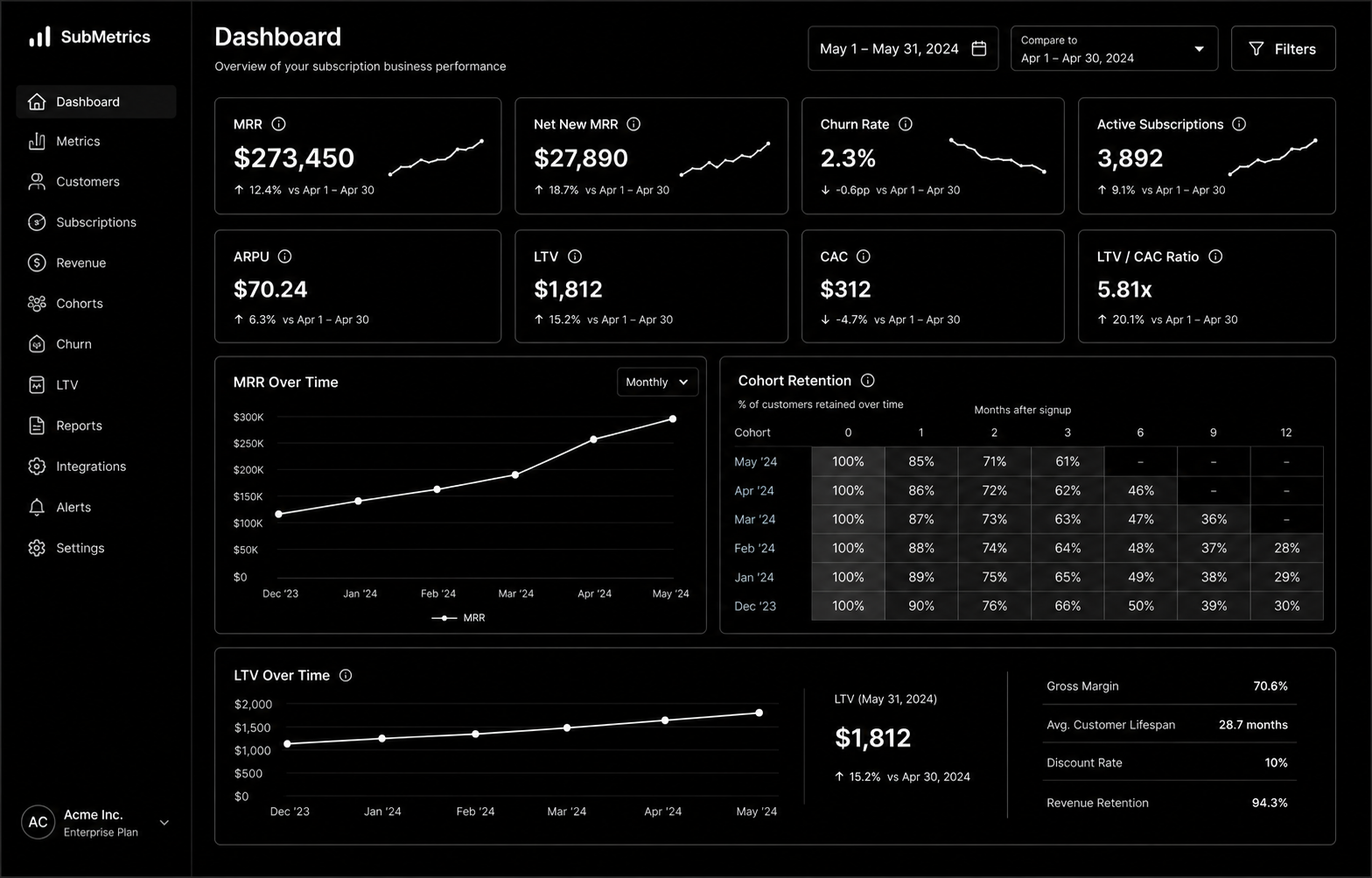
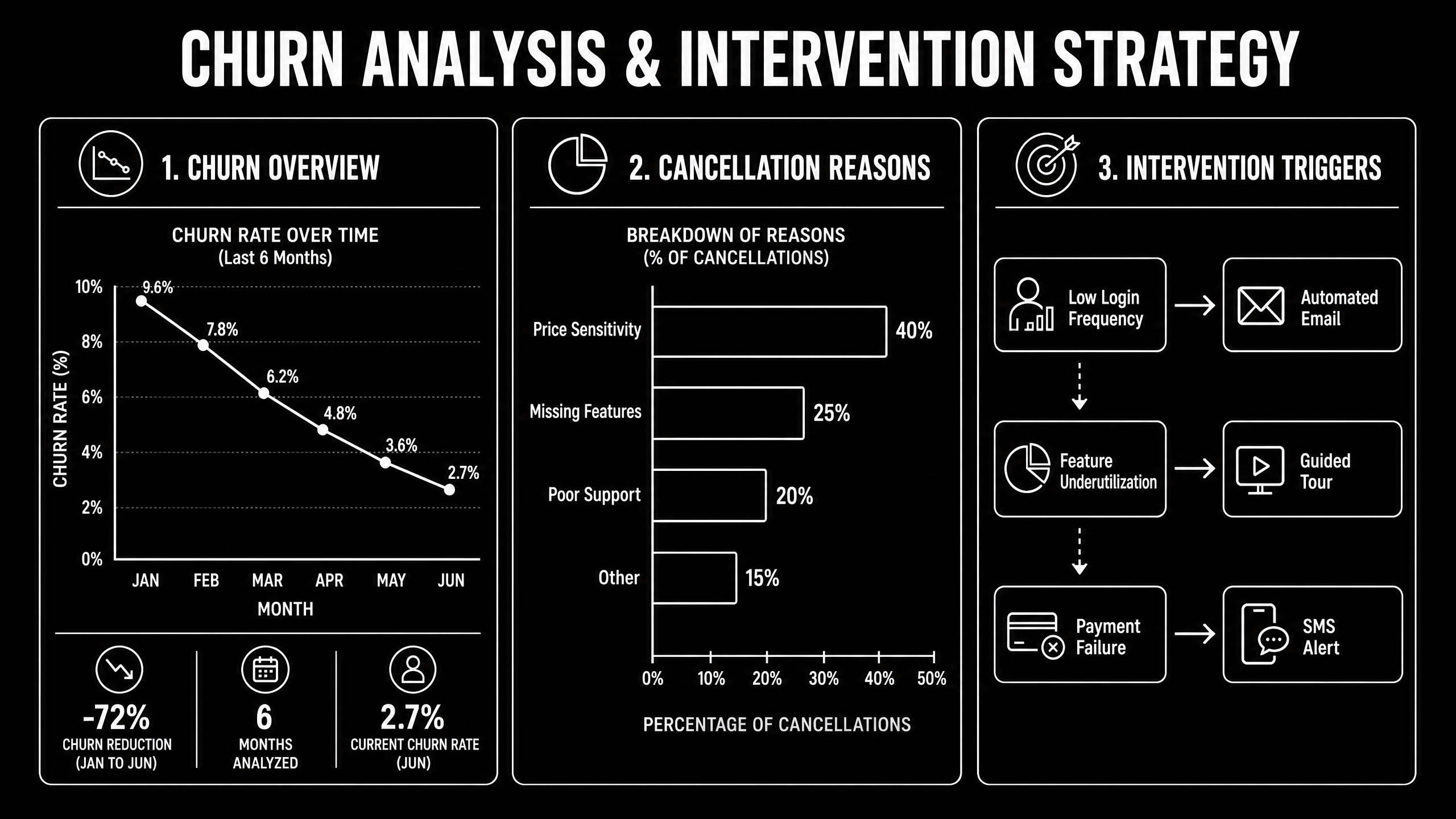
Subscription Ecommerce Growth in 2026 is won by execution quality, not platform hype. Teams that perform consistently align strategy, implementation, and measurement into one operating system. This guide gives the practical framework, internal link map, and optimization cadence to do that.Subscription ecommerce is built on retention math most brands ignore. Here's the 2026 growth strategy that actually works. If you want implementation help, work with Shopify development. For connected strategy, also review Shopify Plus Development Guide and DTC Ecommerce Growth.

What Subscription Ecommerce Growth Means in Practice

Subscription ecommerce growth is driven by retention math more than subscriber volume. Sustainable recurring revenue comes from solid unit economics, churn prevention, and disciplined experimentation.

Why subscription ecommerce Matters in 2026

1. Recurring models fail fast when churn and fulfillment costs are ignored.2. Leadership cares more about LTV quality than raw subscriber count.3. Cancellation interventions now require tighter experimentation and segmentation.

Step-by-Step Playbook

1. Model unit economics by cohort

Track CAC payback, gross margin, and LTV by acquisition source.

2. Design subscription architecture

Define cadence options and flexibility to reduce early churn.

3. Implement churn intervention flows

Trigger save offers and outreach by cancellation signals.

4. Improve post-purchase value loop

Reinforce value between shipments with lifecycle communication.

5. Run monthly retention tests

Test pricing, bundles, and cancellation UX with guardrails.Mid-article CTA -> Need support applying this to your stack? Subscription scoping and get a scoped roadmap with timeline, owners, and KPI targets.

Tools, References, and Benchmarks

  • Subscription unit economics model
  • Cancellation reason taxonomy
  • Retention experiment backlog
  • Semantic keyword targets to distribute naturally: subscription commerce shopify, recurring revenue ecommerce, subscription box growth

Use these references during planning and QA: Shopify enterprise resources, Klaviyo resources, and web.dev ecommerce guidance.

Common Mistakes That Kill Performance

  • Acquisition-first strategy
  • Weak churn instrumentation
  • No cohort profitability analysis

FAQ - Subscription Ecommerce Growth

How long does a subscription ecommerce project usually take?

Most teams can ship an initial version in 4 to 8 weeks, then improve outcomes over one quarter with a weekly optimization cadence.

Is subscription ecommerce relevant for UK and US teams?

Yes. The core framework is consistent across both markets. Differences are usually compliance details, buying behavior, and GBP/USD planning.

What should we measure first for subscription ecommerce?

Track one leading metric, one conversion metric, and one revenue metric so execution stays tied to business impact.

Should we run this in-house or with a specialist partner?

If your team has deep expertise and bandwidth, in-house can work. If speed and risk control matter, working with a specialist partner is usually faster.

What is the most common failure mode?

Teams skip governance after launch. Data quality drifts, process quality declines, and performance plateaus. A simple weekly operating rhythm prevents this.

Conclusion

Subscription Ecommerce Growth performs best when execution decisions are tied to measurable outcomes from day one. Use this playbook to prioritize what matters, reduce risk, and create a repeatable optimization rhythm.Want a specialist team to accelerate delivery? Talk to Shopify development or book a consultation and we will map a practical rollout plan.Download the Subscription Ecommerce Unit Economics Model to implement this framework with templates and checklists.

Ecommerce

DTC Ecommerce Growth Playbook: 14 Levers That Compound in 2026

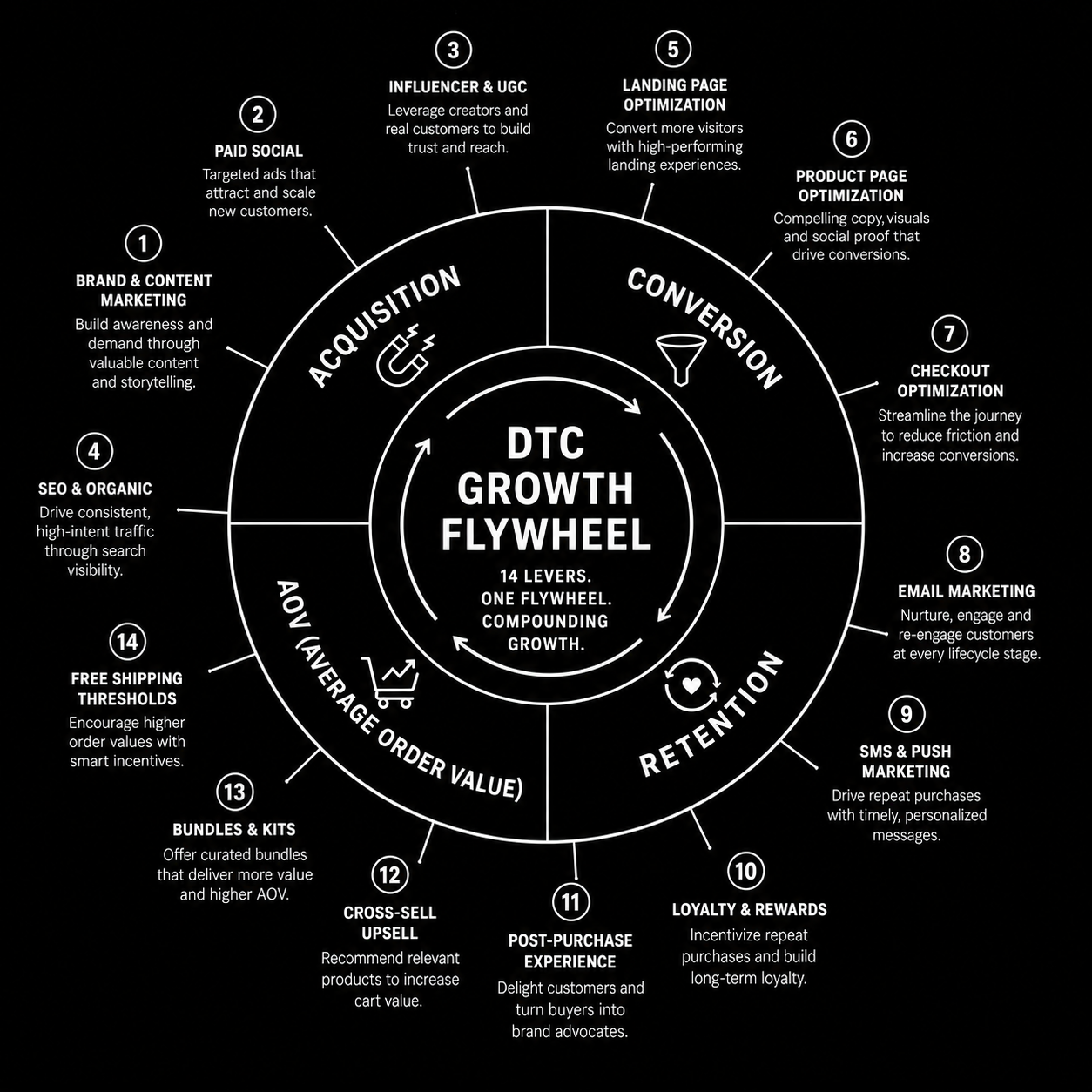
DTC Ecommerce Growth Playbook in 2026 is won by execution quality, not platform hype. Teams that perform consistently align strategy, implementation, and measurement into one operating system. This guide gives the practical framework, internal link map, and optimization cadence to do that.DTC growth in 2026 isn't a single channel — it's 14 levers compounding. Here's the playbook that works. If you want implementation help, work with our Shopify developers. For connected strategy, also review Shopify Plus Development Guide and Shopify Conversion Rate Optimization.

What DTC Ecommerce Growth Playbook Means in Practice

DTC ecommerce growth is a compounding system across acquisition, conversion, retention, and AOV. The strongest brands avoid single-channel dependence and run an integrated growth flywheel.

Why dtc ecommerce growth Matters in 2026

1. Paid channel volatility makes one-channel strategies fragile.2. Retention quality now drives profitability more than traffic volume.3. Winning teams iterate quickly across offers, creative, and lifecycle mechanics.

Step-by-Step Playbook

1. Audit growth mix

Quantify channel contribution and margin impact.

2. Pick highest-leverage constraint

Fix one bottleneck at a time for compounding gains.

3. Improve merchandising strategy

Align bundles and offers to margin-aware demand signals.

4. Expand retention automations

Improve post-purchase, replenishment, and win-back flows.

5. Review flywheel monthly

Track how changes in one lever affect the whole system.Mid-article CTA -> Need support applying this to your stack? DTC growth audit and get a scoped roadmap with timeline, owners, and KPI targets.

Tools, References, and Benchmarks

  • 14-lever growth map
  • Channel contribution scorecard
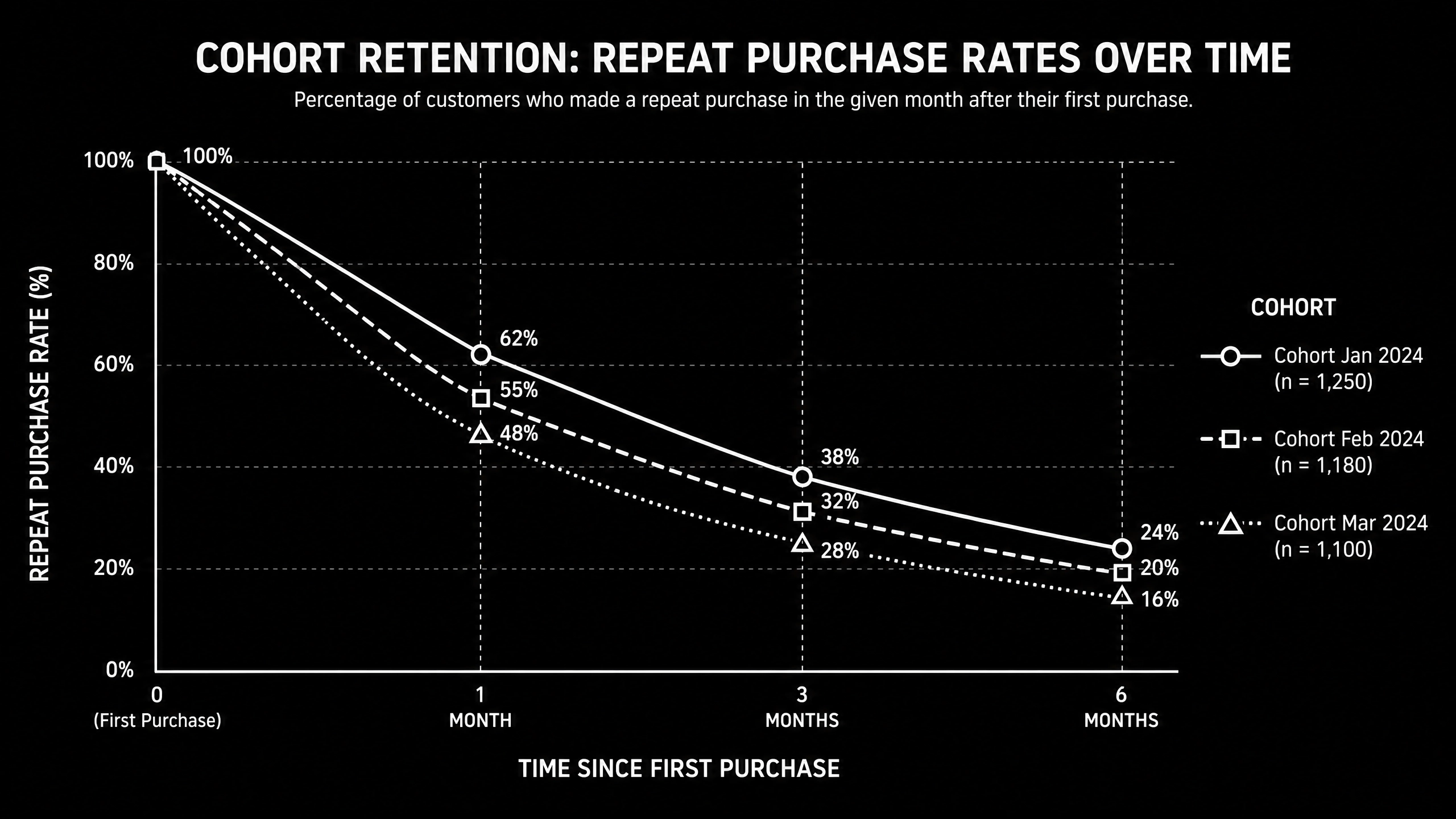
  • Cohort retention tracker
  • Semantic keyword targets to distribute naturally: dtc growth playbook, direct to consumer growth, scaling dtc brand

Use these references during planning and QA: Shopify enterprise resources, Klaviyo resources, and web.dev ecommerce guidance.

Common Mistakes That Kill Performance

  • Acquisition-only focus
  • Ignoring contribution margin
  • No cross-channel operating rhythm

FAQ - DTC Ecommerce Growth Playbook

How long does a dtc ecommerce growth project usually take?

Most teams can ship an initial version in 4 to 8 weeks, then improve outcomes over one quarter with a weekly optimization cadence.

Is dtc ecommerce growth relevant for UK and US teams?

Yes. The core framework is consistent across both markets. Differences are usually compliance details, buying behavior, and GBP/USD planning.

What should we measure first for dtc ecommerce growth?

Track one leading metric, one conversion metric, and one revenue metric so execution stays tied to business impact.

Should we run this in-house or with a specialist partner?

If your team has deep expertise and bandwidth, in-house can work. If speed and risk control matter, working with a specialist partner is usually faster.

What is the most common failure mode?

Teams skip governance after launch. Data quality drifts, process quality declines, and performance plateaus. A simple weekly operating rhythm prevents this.

Conclusion

DTC Ecommerce Growth Playbook performs best when execution decisions are tied to measurable outcomes from day one. Use this playbook to prioritize what matters, reduce risk, and create a repeatable optimization rhythm.Want a specialist team to accelerate delivery? Talk to our Shopify developers or book a consultation and we will map a practical rollout plan.Download the DTC Growth Lever Map to implement this framework with templates and checklists.

UI/UX

SaaS Onboarding Flow Design: The 2026 Activation Playbook

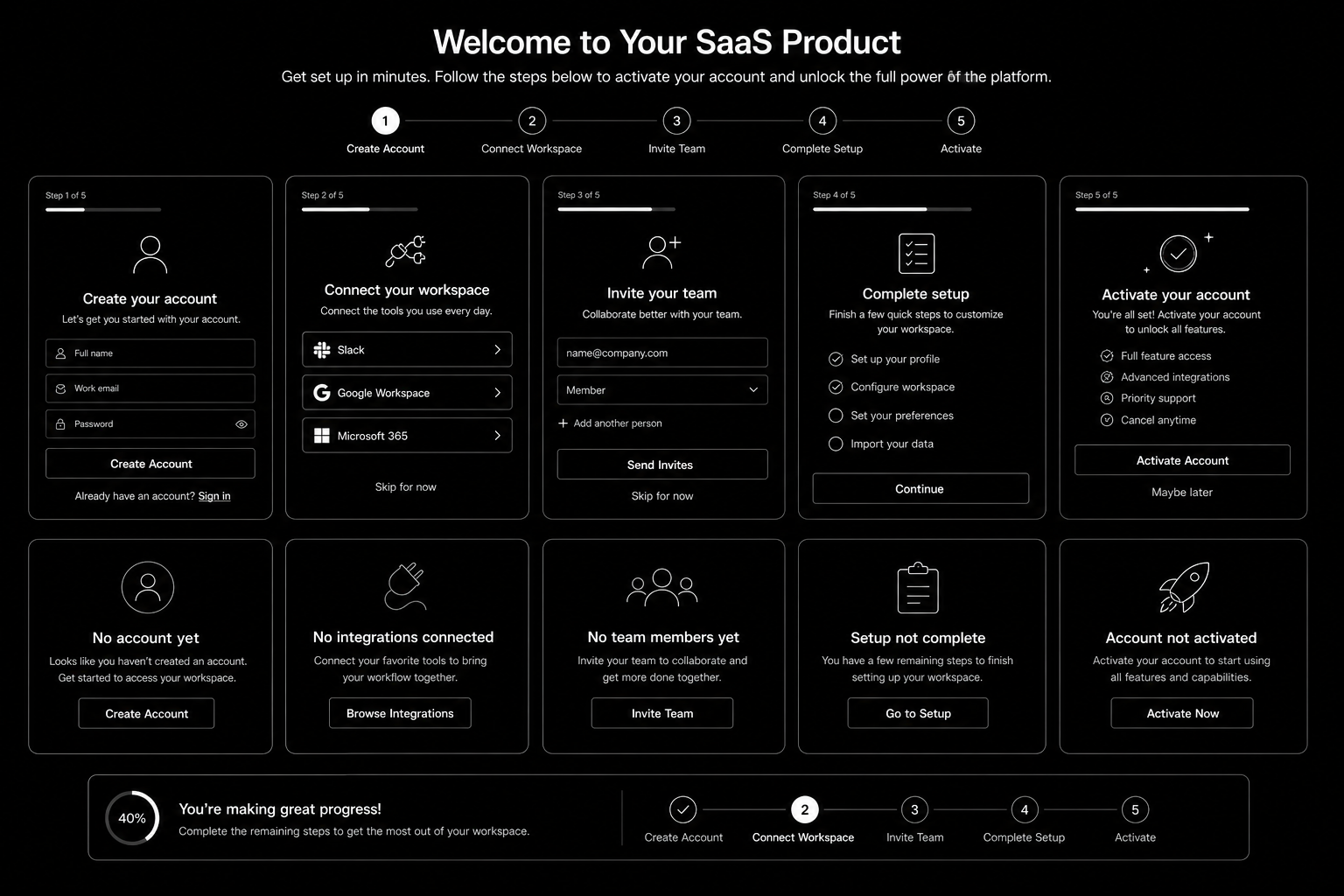
SaaS Onboarding Flow Design in 2026 is won by execution quality, not platform hype. Teams that perform consistently align strategy, implementation, and measurement into one operating system. This guide gives the practical framework, internal link map, and optimization cadence to do that.Onboarding decides retention. Here's the flow design that takes SaaS trial-to-paid from 12 to 22 percent. If you want implementation help, work with product design team. For connected strategy, also review Saas UI UX Design Principles and Saas Website Growth Strategy.

What SaaS Onboarding Flow Design Means in Practice

SaaS onboarding flow design drives activation and retention by guiding users to first value quickly. The strongest flows use milestone logic, contextual guidance, and recovery paths for stalled users.

Why saas onboarding flow Matters in 2026

1. Activation efficiency now strongly affects CAC payback.2. Users reject long generic onboarding tours.3. Milestone completion predicts retention better than vanity engagement metrics.

Step-by-Step Playbook

1. Define activation milestone

Set one clear event that predicts long-term value.

2. Map first-session friction

Identify where users stall before activation.

3. Design progressive guidance

Trigger contextual support based on user state.

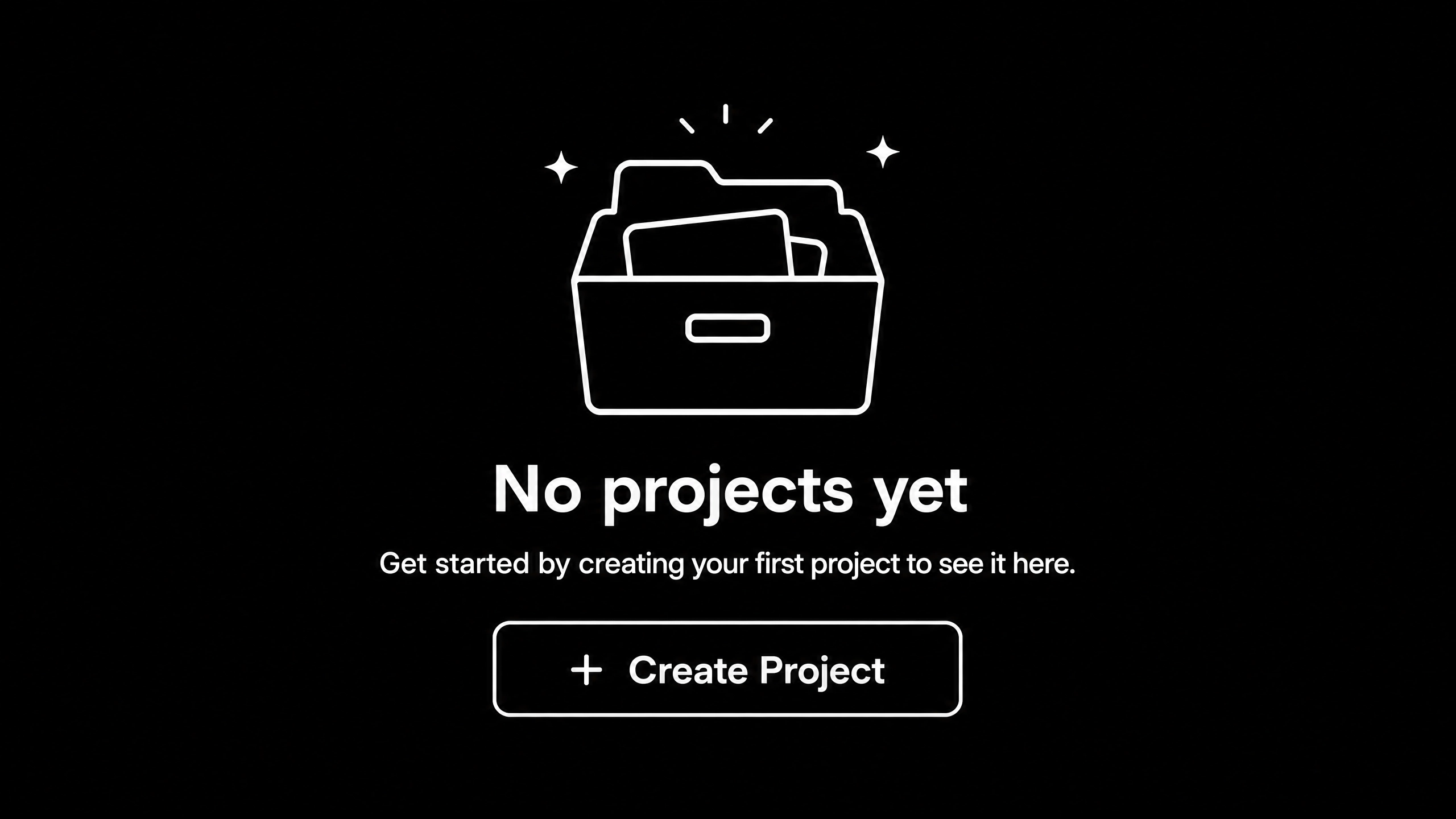
4. Create recovery paths

Use empty states and reactivation nudges for stuck users.

5. Track cohorts weekly

Monitor milestone completion and improve weakest steps.Mid-article CTA -> Need support applying this to your stack? Onboarding UX audit and get a scoped roadmap with timeline, owners, and KPI targets.

Tools, References, and Benchmarks

  • Activation map
  • Onboarding state matrix
  • Cohort progression dashboard
  • Semantic keyword targets to distribute naturally: saas onboarding ux, saas activation flow, product onboarding design

Use these references during planning and QA: Nielsen Norman Group UX articles, Material design guidance, and web.dev mobile UX guidance.

Common Mistakes That Kill Performance

  • No clear activation definition
  • Overloaded first session
  • No recovery path for stalled users

FAQ - SaaS Onboarding Flow Design

How long does a saas onboarding flow project usually take?

Most teams can ship an initial version in 4 to 8 weeks, then improve outcomes over one quarter with a weekly optimization cadence.

Is saas onboarding flow relevant for UK and US teams?

Yes. The core framework is consistent across both markets. Differences are usually compliance details, buying behavior, and GBP/USD planning.

What should we measure first for saas onboarding flow?

Track one leading metric, one conversion metric, and one revenue metric so execution stays tied to business impact.

Should we run this in-house or with a specialist partner?

If your team has deep expertise and bandwidth, in-house can work. If speed and risk control matter, working with a specialist partner is usually faster.

What is the most common failure mode?

Teams skip governance after launch. Data quality drifts, process quality declines, and performance plateaus. A simple weekly operating rhythm prevents this.

Conclusion

SaaS Onboarding Flow Design performs best when execution decisions are tied to measurable outcomes from day one. Use this playbook to prioritize what matters, reduce risk, and create a repeatable optimization rhythm.Want a specialist team to accelerate delivery? Talk to product design team or book a consultation and we will map a practical rollout plan.Download the SaaS Onboarding Activation Map to implement this framework with templates and checklists.