




Inbound Logo
Web Development
Resources
Free audit
Free HubSpot Portal Audit
Get an instant audit of your HubSpot portal with actionable insights to improve CRM setup, automation, marketing, and overall performance.
Start Free Audit
button arrowbutton arrow
hubspot

How to Migrate from WordPress to HubSpot CMS (Without Losing Traffic)

12 MIN
March 18, 2026
In this article

WordPress to HubSpot CMS migrations are one of the most under-scoped projects in B2B SaaS. Teams see HubSpot CMS Hub as a drop-in WordPress replacement. It's not. It's a fundamentally different system with different data models, different CRM integration patterns, and different SEO implications.This guide covers realistic scope, the process that protects traffic, and where most teams underestimate complexity. Written for marketing leaders and RevOps heads planning the move.

Why WordPress to HubSpot Migrations Are Bigger Than You Think

WordPress is a content-first platform. HubSpot is a CRM-first platform that happens to have a CMS. The difference matters for:

  • Data model. HubSpot requires properties, contact records, and lifecycle mapping. WordPress is content records + optional metadata.
  • Form architecture. WordPress forms go to an email or third-party service. HubSpot forms feed directly into CRM. This requires property mapping.
  • CMS scale. HubSpot CMS performs well up to 500–1000 CMS items. Beyond that, editing can feel slow.
  • URL structure. URL preservation is harder on HubSpot than Webflow because the CMS model is different.
  • Team workflow. WordPress teams often use plugins and custom workflows. HubSpot mandates a specific RevOps structure.

With planning, none of these are blockers. Without planning, they compound into a multi-quarter nightmare.

Pre-Migration: The Audit Phase (Weeks 1–3)

1. Content audit. How many pages? How many blog posts? Which pages drive traffic? Which rank for keywords? Export this to a spreadsheet.2. Current metadata audit. Export all meta titles, descriptions, and existing canonicals from WordPress. You'll need to reapply these in HubSpot.3. Form audit. How many forms do you have? What fields do they collect? Where do submissions go currently? This maps to HubSpot CRM property creation.4. Integration audit. What plugins/integrations does WordPress currently connect to? Which of these are critical? Which can be replaced by HubSpot native features?5. URL structure decision. Keep existing URL structure or restructure? URL changes cost SEO link equity. Only restructure if the benefit outweighs the cost.

Planning Phase: CRM Architecture (Weeks 4–6)

6. HubSpot property mapping. Every form field should map to a specific CRM property. Every contact data point should have a designated property. Document this before building anything in HubSpot.7. Lifecycle model alignment. Where do leads enter the funnel? Which contacts are qualified for what? This determines workflows, smart content, and reporting.8. HubDB schema design. Blog, case studies, integrations directory, team members — anything dynamic should use HubDB tables. Design the schema before building.9. 301 redirect strategy. URL mapping from old WordPress URLs to new HubSpot URLs. Use one-to-one redirects. Never redirect high-traffic pages to the homepage.
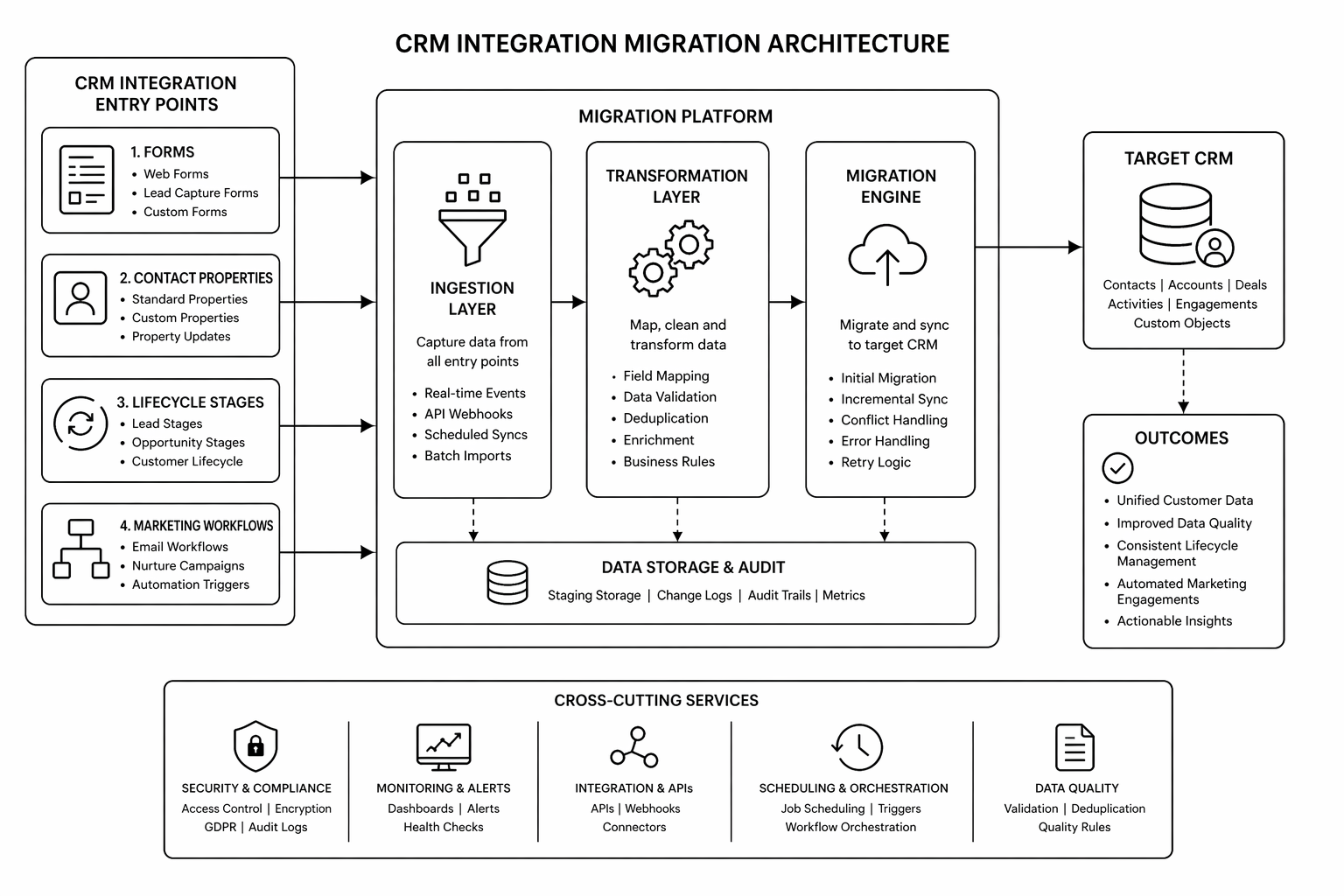
Build Phase: Implementation (Weeks 7–14)

10. HubSpot theme and modules. Build the design system and reusable modules first. All pages should use these — no bespoke one-off designs.11. Content migration. Import blog posts, pages, and assets. Use HubSpot's content import or manual migration depending on volume. Test thoroughly.12. Form and workflow setup. Build each form with correct property mapping. Set up workflows to fire on form submission. Test the full flow with real submissions.13. Smart content rules. Create lifecycle-aware content variations for key pages (homepage, pricing, key solutions).14. SEO technical setup. Meta titles and descriptions for every page. Schema markup. Canonical tags. Sitemap generation. Robots.txt configuration.

QA Phase: Pre-Launch Validation (Weeks 15–16)

15. Redirect testing. Spot-check 100+ old URLs. Verify they land on the correct new page with no chain redirects.16. Form submission testing. Every form should post contact data correctly to CRM and trigger intended workflows.17. Analytics and event mapping. GA4 event structure should match new page hierarchy. Test tracking on key conversion pages.18. Mobile and browser testing. All key pages on mobile, tablet, Chrome, Safari, Firefox, Edge.19. Lighthouse and Core Web Vitals. All green on key pages before launch.

Launch Phase (Week 17)

20. Pre-cutover. New Search Console property created, sitemap submitted, DNS cutover scheduled.21. DNS change. Point domain to HubSpot. Ideally Tuesday or Wednesday morning.22. Monitoring. First 48 hours: constant attention. Watch for crawl errors, 404s, traffic anomalies.

Post-Launch Phase (Weeks 18–24)

23. Traffic monitoring. Traffic dips are normal weeks 2–4. Recovery by 60–90 days is typical. If slower, audit redirects and technical setup.24. Ranking recovery. Pages should recover original rankings. If not, check for schema breaks, meta changes, or internal linking issues.25. CRM data quality. Audit form submissions for data anomalies or missing properties. Fix mapping issues.

Planning a WordPress to HubSpot migration? The right partner maps pre-move risk and locks architecture before building. Book a HubSpot migration audit.

Common Mistakes

1. Starting build before CRM architecture is locked. Three weeks into development, team realizes the property model is wrong. Rebuild required. Fix: spend extra time in planning phase.2. Misaligning URL structure. Team changes URLs for "cleaner paths" without redirect strategy. Traffic tank and link equity lost. Fix: preserve old URL structure whenever possible.3. Not testing forms before launch. Launch day, forms stop submitting. Sales team notices first. Fix: week of form testing in staging with real data.4. Underestimating content audit. 200 pages exists in WordPress. Team assumes it can be migrated in a day. Reality: 3 weeks of property mapping, form field alignment, and data cleanup. Fix: budget time accurately.5. Weak internal linking strategy. Pages migrated, but no updated internal linking. Blog never compounds. Fix: audit and update internal links during migration.Also compare with HubSpot CMS vs WordPress to confirm platform fit before you start.

FAQ

How long does WordPress to HubSpot migration take?

8–16 weeks depending on content volume, complexity of CRM data model, and integration dependencies. Most migrations sit at 12 weeks.

Will I lose traffic?

A 2–4 week dip is normal. With proper redirects and content parity, most sites recover within 60–90 days. Losses beyond 30% suggest a technical issue.

Can I keep WordPress for a while and migrate gradually?

You can run both systems in parallel for 2–4 weeks during launch to catch issues. Running indefinitely creates maintenance debt and confusion for visitors.

Do I need a HubSpot-certified partner?

Not essential, but helpful. HubSpot-specialized teams understand HubDB schema design, property mapping, and workflow architecture faster than generalists.

What if my current WordPress URLs have lots of backlinks?

Preserve URLs through 301 redirects. The backlinks stay valuable when the URL redirects correctly to the topically similar new page.

Conclusion: Migration Success Requires Process, Not Heroics

WordPress to HubSpot migrations fail when teams skip planning or underestimate scope. They succeed when the team spends the first third of the project on architecture and redirect planning, not on building.Use this framework. Your margins on the project depend on it.Need guidance through the process? Our HubSpot development team has migrated 30+ B2B SaaS sites. Book your migration audit.

The WordPress to HubSpot Migration Playbook — a detailed roadmap covering architecture decisions, CRM schema design, and launch monitoring. [contact-form-7 id="6b7a50c" title="Contact form Popup"]

KEEP BUILDING

You've got the plan. Let's build it.

We turn the frameworks you just read into the flows, pages, and automation behind them — under your brand, always.

Keep reading

View all articles
Ecommerce

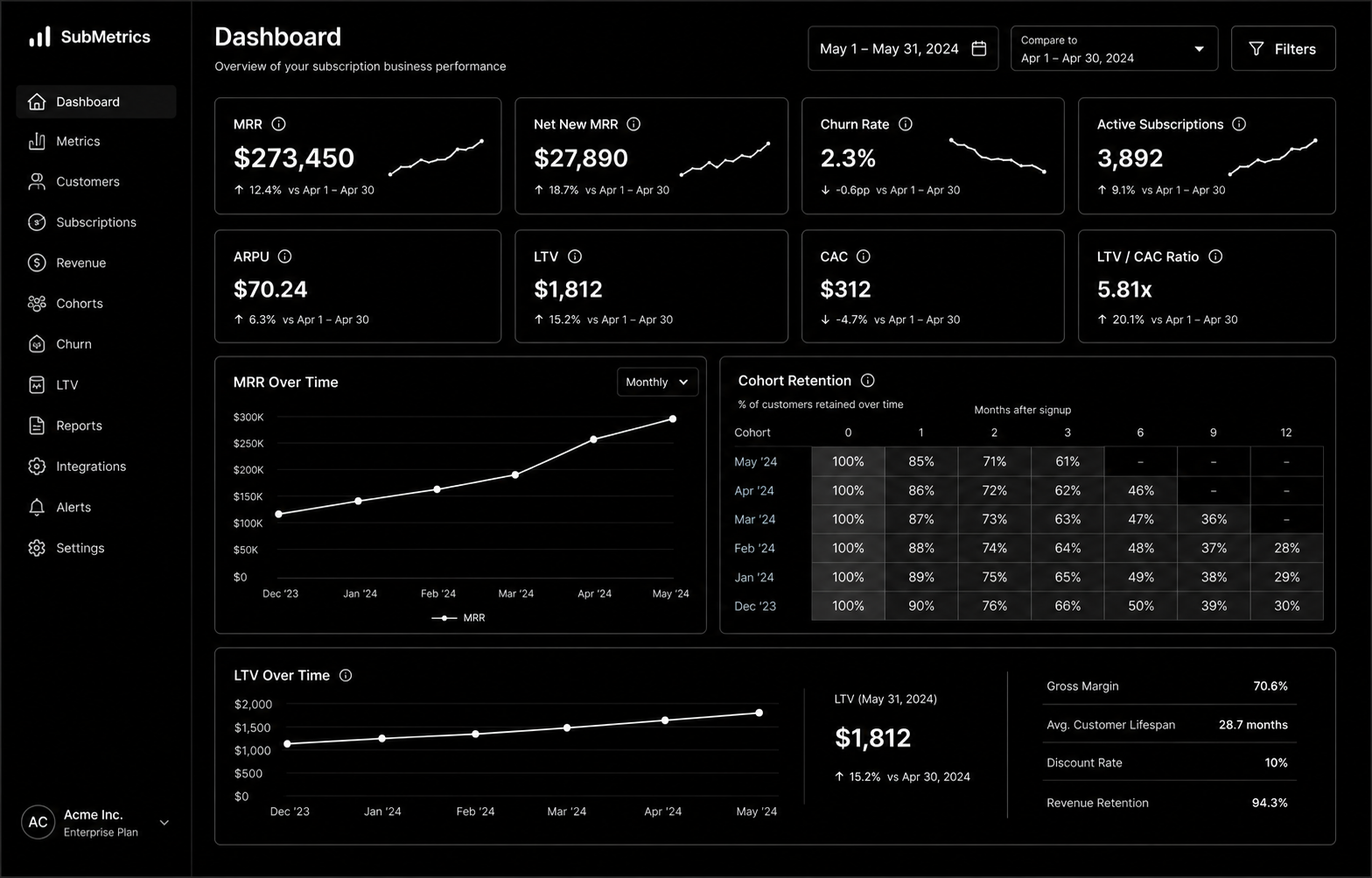
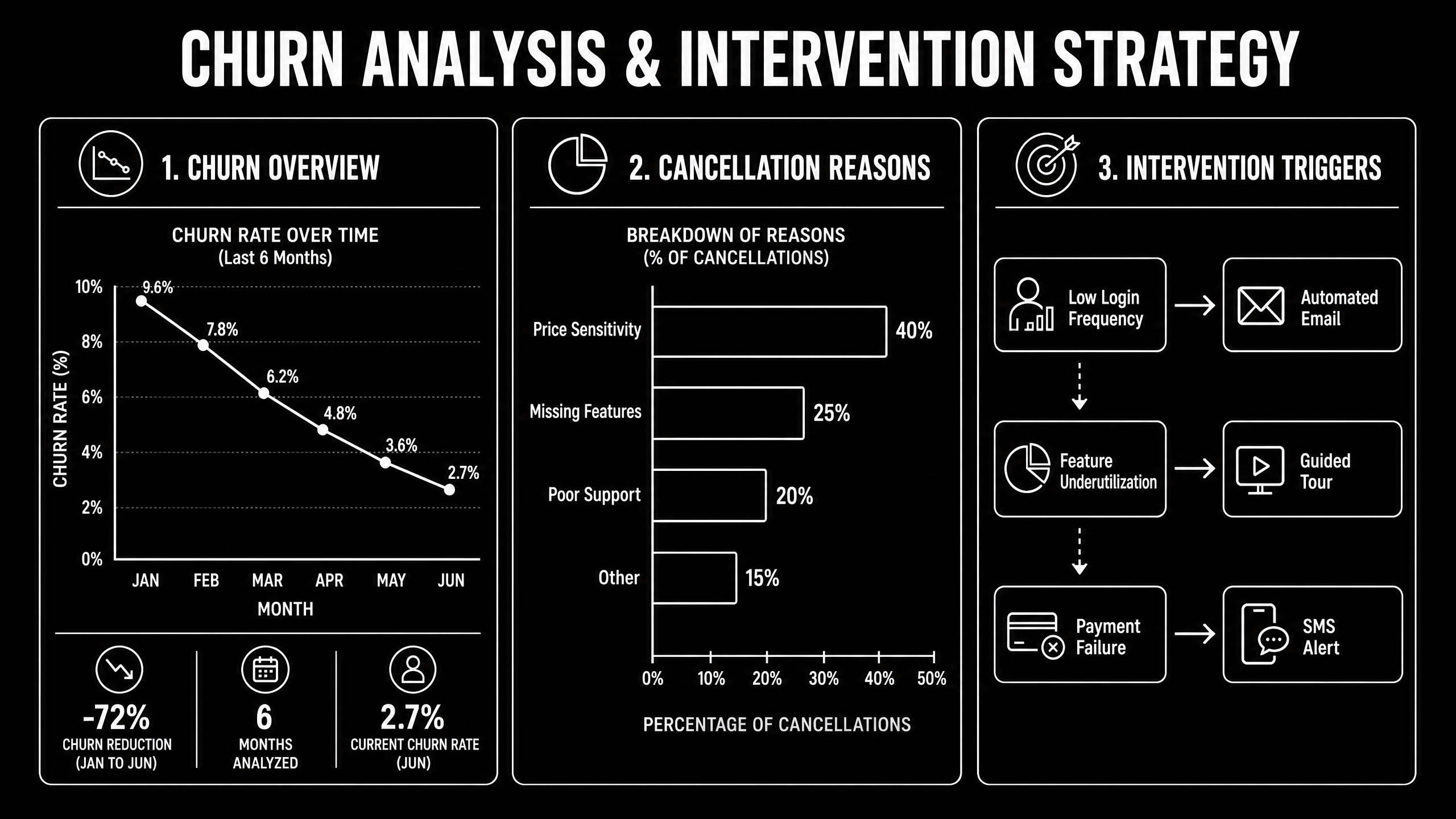
Subscription Ecommerce Growth: The 2026 Strategy for Recurring Revenue

Subscription Ecommerce Growth in 2026 is won by execution quality, not platform hype. Teams that perform consistently align strategy, implementation, and measurement into one operating system. This guide gives the practical framework, internal link map, and optimization cadence to do that.Subscription ecommerce is built on retention math most brands ignore. Here's the 2026 growth strategy that actually works. If you want implementation help, work with Shopify development. For connected strategy, also review Shopify Plus Development Guide and DTC Ecommerce Growth.

What Subscription Ecommerce Growth Means in Practice

Subscription ecommerce growth is driven by retention math more than subscriber volume. Sustainable recurring revenue comes from solid unit economics, churn prevention, and disciplined experimentation.

Why subscription ecommerce Matters in 2026

1. Recurring models fail fast when churn and fulfillment costs are ignored.2. Leadership cares more about LTV quality than raw subscriber count.3. Cancellation interventions now require tighter experimentation and segmentation.

Step-by-Step Playbook

1. Model unit economics by cohort

Track CAC payback, gross margin, and LTV by acquisition source.

2. Design subscription architecture

Define cadence options and flexibility to reduce early churn.

3. Implement churn intervention flows

Trigger save offers and outreach by cancellation signals.

4. Improve post-purchase value loop

Reinforce value between shipments with lifecycle communication.

5. Run monthly retention tests

Test pricing, bundles, and cancellation UX with guardrails.Mid-article CTA -> Need support applying this to your stack? Subscription scoping and get a scoped roadmap with timeline, owners, and KPI targets.

Tools, References, and Benchmarks

  • Subscription unit economics model
  • Cancellation reason taxonomy
  • Retention experiment backlog
  • Semantic keyword targets to distribute naturally: subscription commerce shopify, recurring revenue ecommerce, subscription box growth

Use these references during planning and QA: Shopify enterprise resources, Klaviyo resources, and web.dev ecommerce guidance.

Common Mistakes That Kill Performance

  • Acquisition-first strategy
  • Weak churn instrumentation
  • No cohort profitability analysis

FAQ - Subscription Ecommerce Growth

How long does a subscription ecommerce project usually take?

Most teams can ship an initial version in 4 to 8 weeks, then improve outcomes over one quarter with a weekly optimization cadence.

Is subscription ecommerce relevant for UK and US teams?

Yes. The core framework is consistent across both markets. Differences are usually compliance details, buying behavior, and GBP/USD planning.

What should we measure first for subscription ecommerce?

Track one leading metric, one conversion metric, and one revenue metric so execution stays tied to business impact.

Should we run this in-house or with a specialist partner?

If your team has deep expertise and bandwidth, in-house can work. If speed and risk control matter, working with a specialist partner is usually faster.

What is the most common failure mode?

Teams skip governance after launch. Data quality drifts, process quality declines, and performance plateaus. A simple weekly operating rhythm prevents this.

Conclusion

Subscription Ecommerce Growth performs best when execution decisions are tied to measurable outcomes from day one. Use this playbook to prioritize what matters, reduce risk, and create a repeatable optimization rhythm.Want a specialist team to accelerate delivery? Talk to Shopify development or book a consultation and we will map a practical rollout plan.Download the Subscription Ecommerce Unit Economics Model to implement this framework with templates and checklists.

Ecommerce

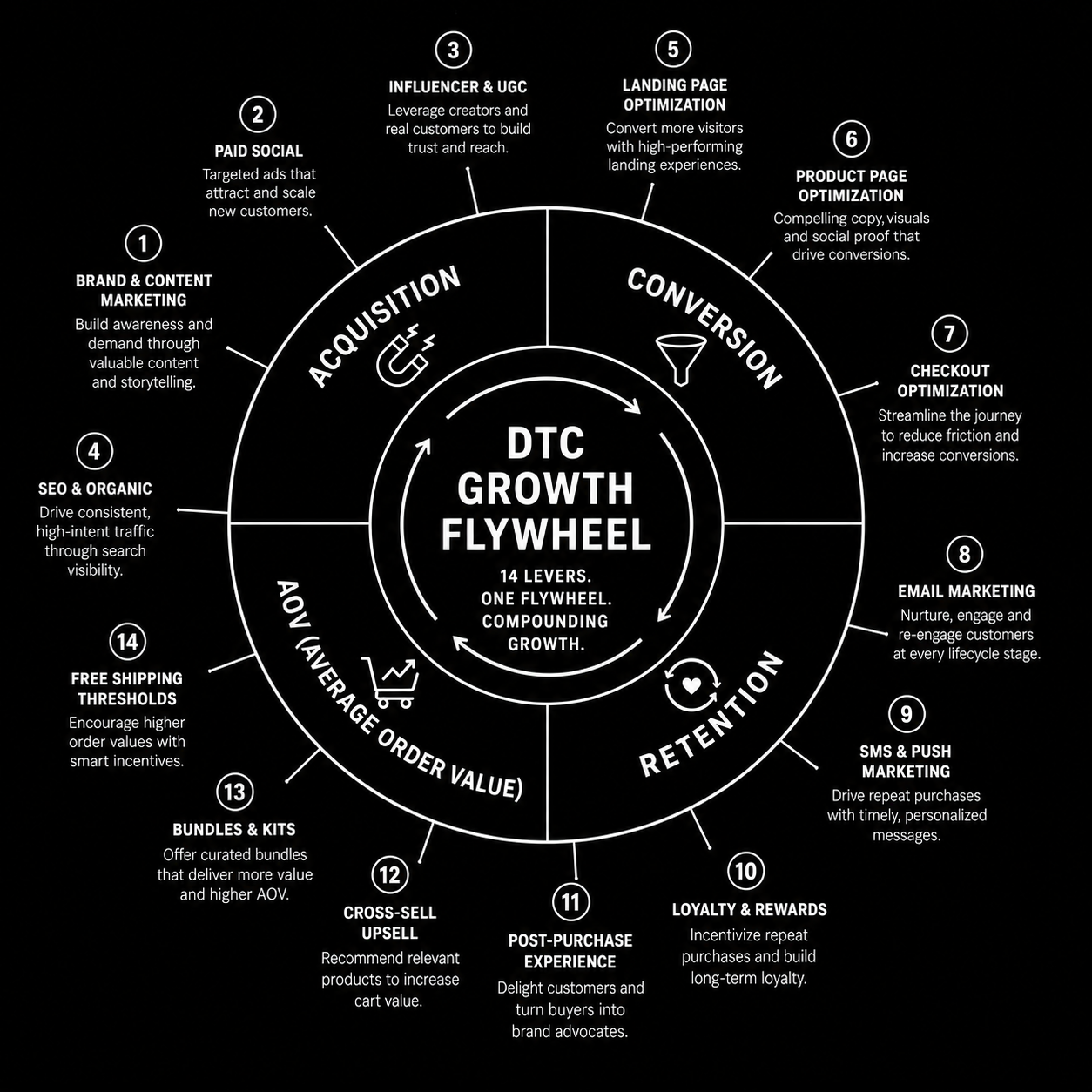
DTC Ecommerce Growth Playbook: 14 Levers That Compound in 2026

DTC Ecommerce Growth Playbook in 2026 is won by execution quality, not platform hype. Teams that perform consistently align strategy, implementation, and measurement into one operating system. This guide gives the practical framework, internal link map, and optimization cadence to do that.DTC growth in 2026 isn't a single channel — it's 14 levers compounding. Here's the playbook that works. If you want implementation help, work with our Shopify developers. For connected strategy, also review Shopify Plus Development Guide and Shopify Conversion Rate Optimization.

What DTC Ecommerce Growth Playbook Means in Practice

DTC ecommerce growth is a compounding system across acquisition, conversion, retention, and AOV. The strongest brands avoid single-channel dependence and run an integrated growth flywheel.

Why dtc ecommerce growth Matters in 2026

1. Paid channel volatility makes one-channel strategies fragile.2. Retention quality now drives profitability more than traffic volume.3. Winning teams iterate quickly across offers, creative, and lifecycle mechanics.

Step-by-Step Playbook

1. Audit growth mix

Quantify channel contribution and margin impact.

2. Pick highest-leverage constraint

Fix one bottleneck at a time for compounding gains.

3. Improve merchandising strategy

Align bundles and offers to margin-aware demand signals.

4. Expand retention automations

Improve post-purchase, replenishment, and win-back flows.

5. Review flywheel monthly

Track how changes in one lever affect the whole system.Mid-article CTA -> Need support applying this to your stack? DTC growth audit and get a scoped roadmap with timeline, owners, and KPI targets.

Tools, References, and Benchmarks

  • 14-lever growth map
  • Channel contribution scorecard
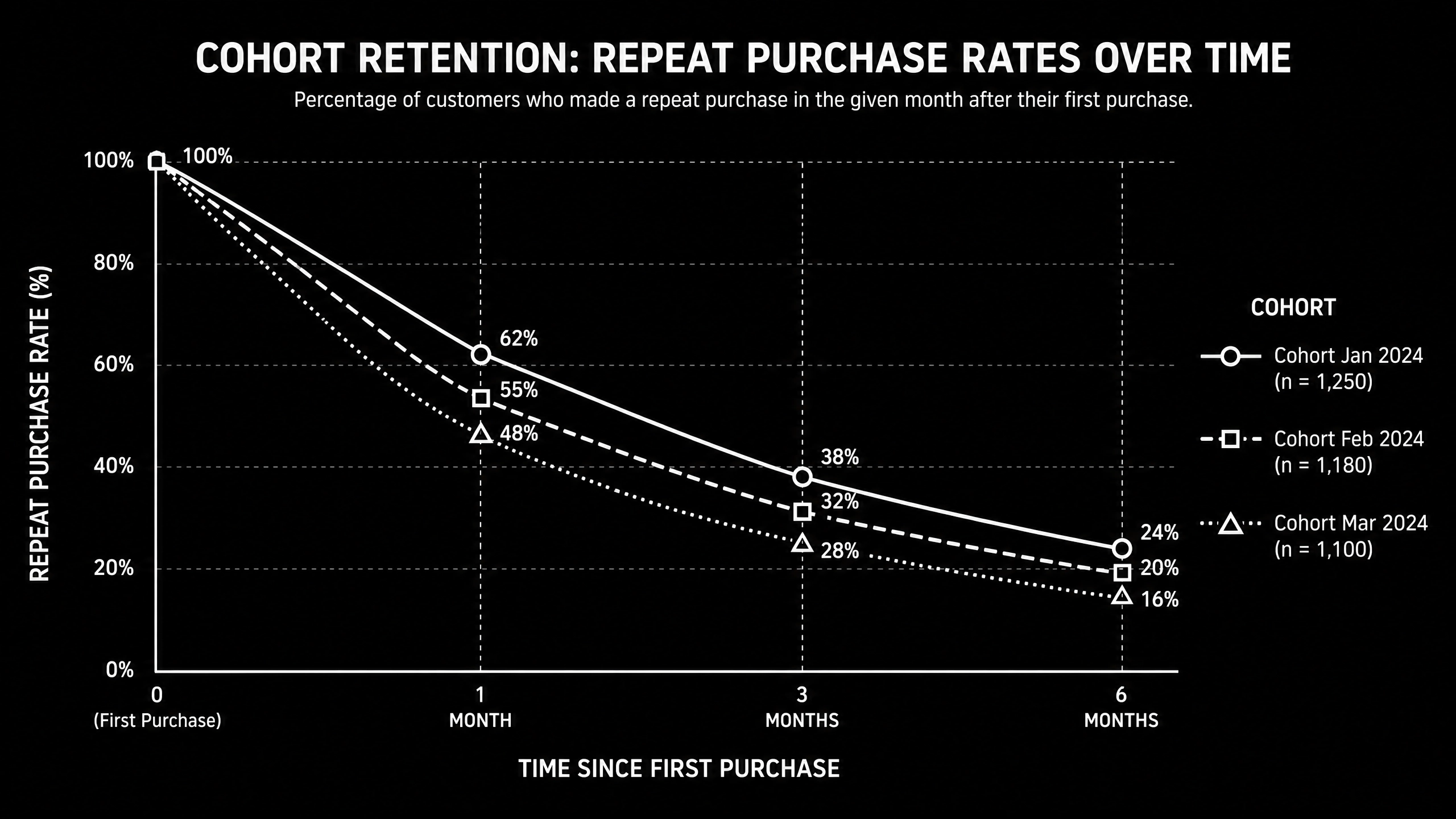
  • Cohort retention tracker
  • Semantic keyword targets to distribute naturally: dtc growth playbook, direct to consumer growth, scaling dtc brand

Use these references during planning and QA: Shopify enterprise resources, Klaviyo resources, and web.dev ecommerce guidance.

Common Mistakes That Kill Performance

  • Acquisition-only focus
  • Ignoring contribution margin
  • No cross-channel operating rhythm

FAQ - DTC Ecommerce Growth Playbook

How long does a dtc ecommerce growth project usually take?

Most teams can ship an initial version in 4 to 8 weeks, then improve outcomes over one quarter with a weekly optimization cadence.

Is dtc ecommerce growth relevant for UK and US teams?

Yes. The core framework is consistent across both markets. Differences are usually compliance details, buying behavior, and GBP/USD planning.

What should we measure first for dtc ecommerce growth?

Track one leading metric, one conversion metric, and one revenue metric so execution stays tied to business impact.

Should we run this in-house or with a specialist partner?

If your team has deep expertise and bandwidth, in-house can work. If speed and risk control matter, working with a specialist partner is usually faster.

What is the most common failure mode?

Teams skip governance after launch. Data quality drifts, process quality declines, and performance plateaus. A simple weekly operating rhythm prevents this.

Conclusion

DTC Ecommerce Growth Playbook performs best when execution decisions are tied to measurable outcomes from day one. Use this playbook to prioritize what matters, reduce risk, and create a repeatable optimization rhythm.Want a specialist team to accelerate delivery? Talk to our Shopify developers or book a consultation and we will map a practical rollout plan.Download the DTC Growth Lever Map to implement this framework with templates and checklists.

UI/UX

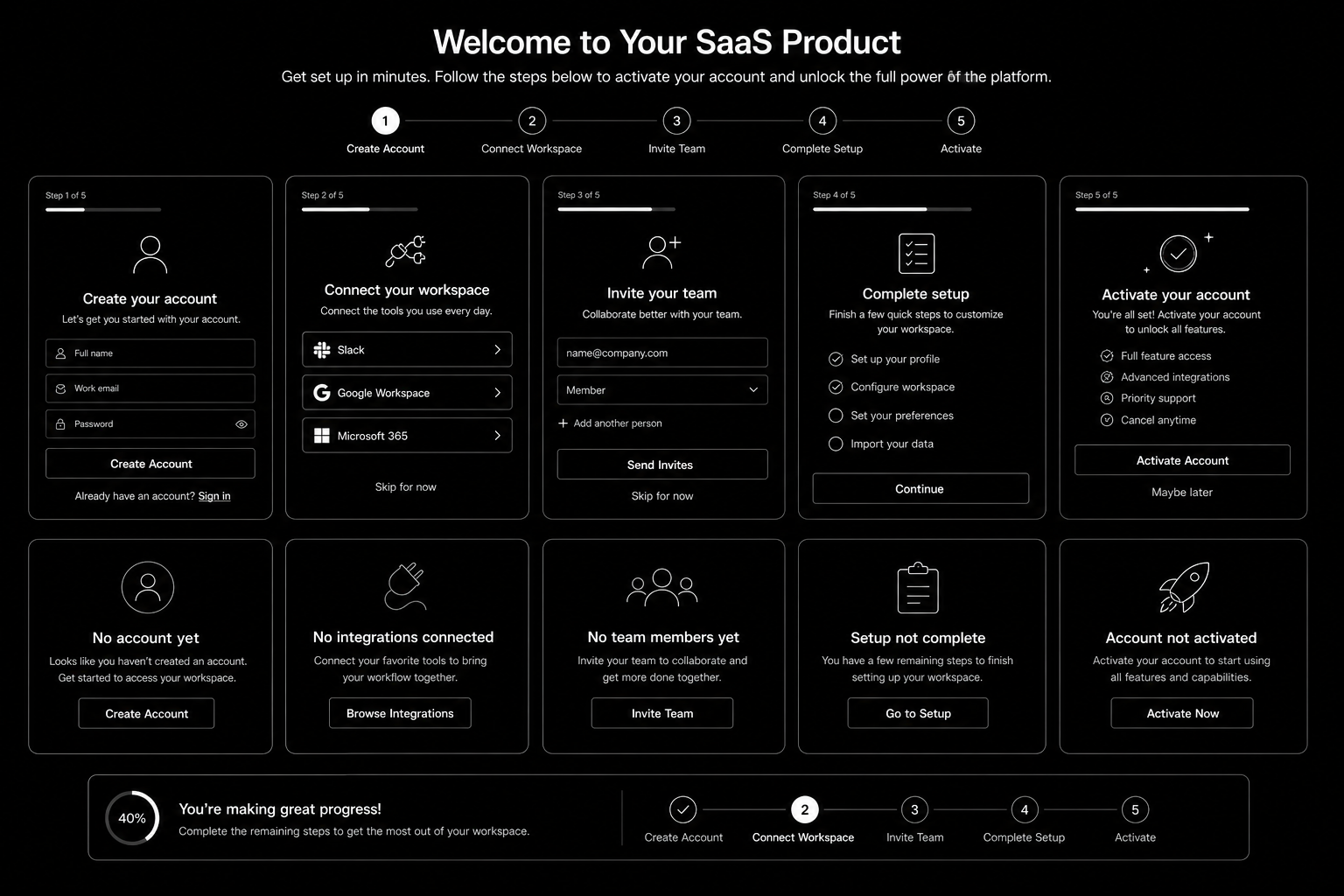
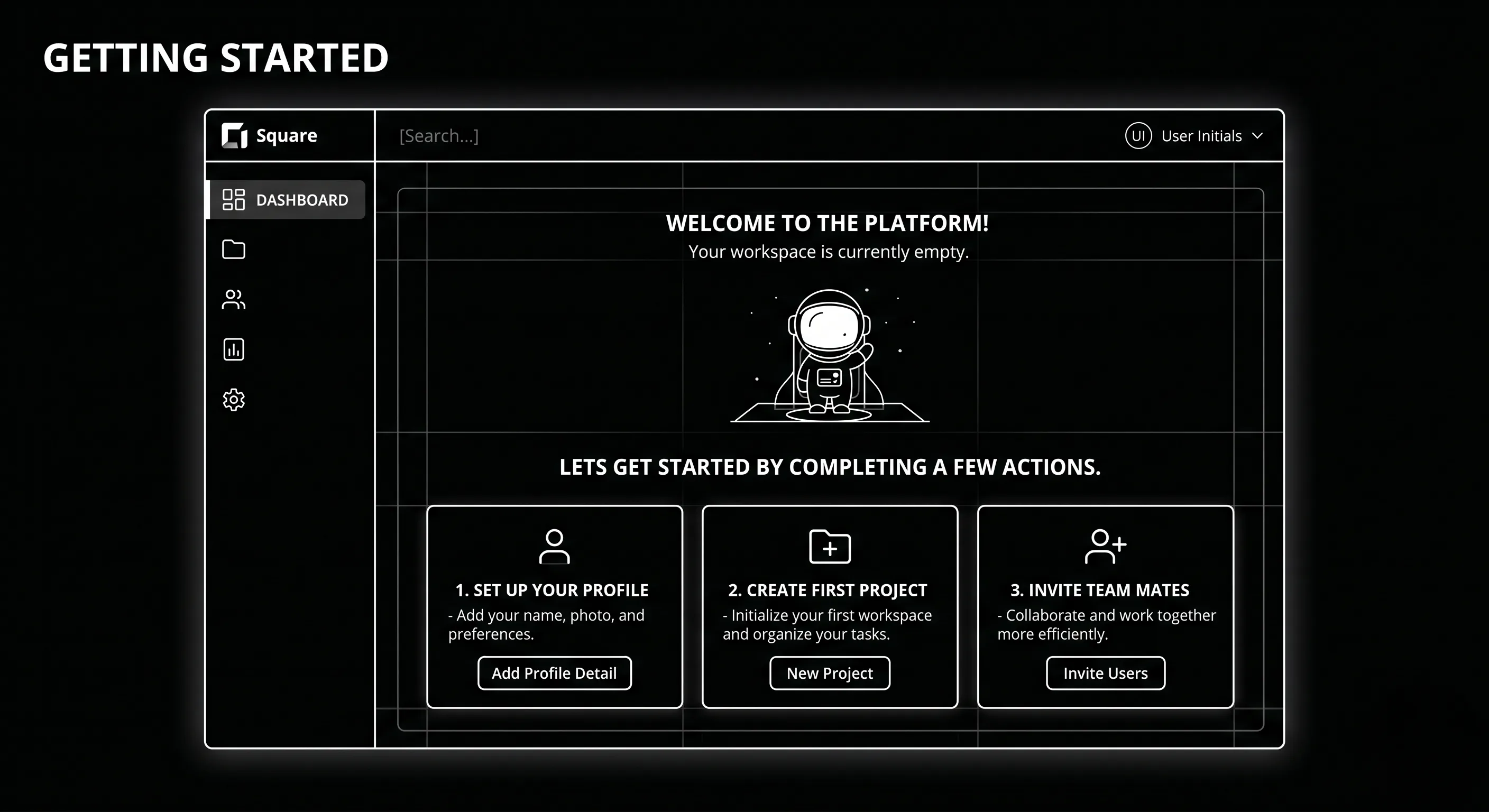
SaaS Onboarding Flow Design: The 2026 Activation Playbook

SaaS Onboarding Flow Design in 2026 is won by execution quality, not platform hype. Teams that perform consistently align strategy, implementation, and measurement into one operating system. This guide gives the practical framework, internal link map, and optimization cadence to do that.Onboarding decides retention. Here's the flow design that takes SaaS trial-to-paid from 12 to 22 percent. If you want implementation help, work with product design team. For connected strategy, also review Saas UI UX Design Principles and Saas Website Growth Strategy.

What SaaS Onboarding Flow Design Means in Practice

SaaS onboarding flow design drives activation and retention by guiding users to first value quickly. The strongest flows use milestone logic, contextual guidance, and recovery paths for stalled users.

Why saas onboarding flow Matters in 2026

1. Activation efficiency now strongly affects CAC payback.2. Users reject long generic onboarding tours.3. Milestone completion predicts retention better than vanity engagement metrics.

Step-by-Step Playbook

1. Define activation milestone

Set one clear event that predicts long-term value.

2. Map first-session friction

Identify where users stall before activation.

3. Design progressive guidance

Trigger contextual support based on user state.

4. Create recovery paths

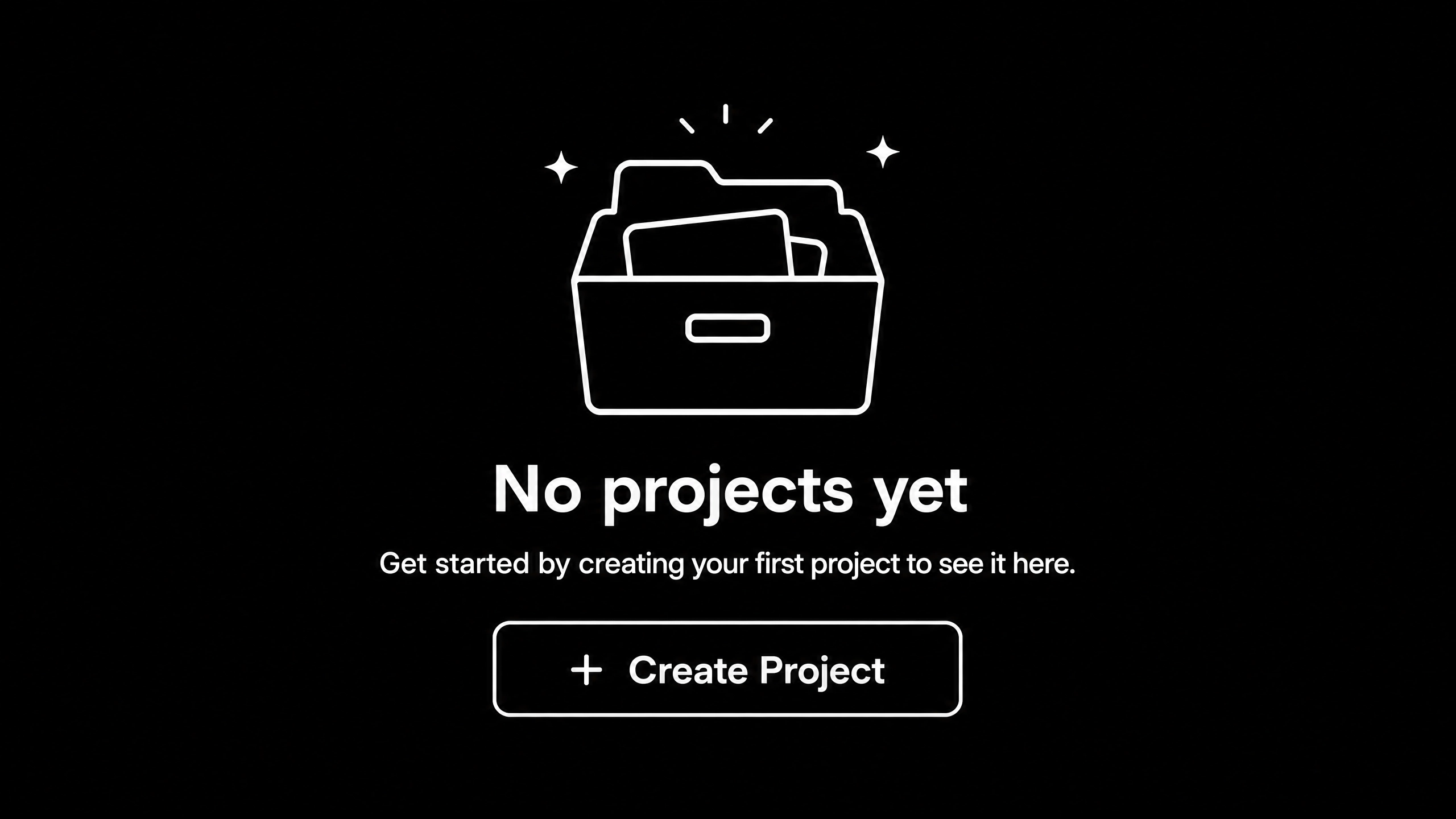
Use empty states and reactivation nudges for stuck users.

5. Track cohorts weekly

Monitor milestone completion and improve weakest steps.Mid-article CTA -> Need support applying this to your stack? Onboarding UX audit and get a scoped roadmap with timeline, owners, and KPI targets.

Tools, References, and Benchmarks

  • Activation map
  • Onboarding state matrix
  • Cohort progression dashboard
  • Semantic keyword targets to distribute naturally: saas onboarding ux, saas activation flow, product onboarding design

Use these references during planning and QA: Nielsen Norman Group UX articles, Material design guidance, and web.dev mobile UX guidance.

Common Mistakes That Kill Performance

  • No clear activation definition
  • Overloaded first session
  • No recovery path for stalled users

FAQ - SaaS Onboarding Flow Design

How long does a saas onboarding flow project usually take?

Most teams can ship an initial version in 4 to 8 weeks, then improve outcomes over one quarter with a weekly optimization cadence.

Is saas onboarding flow relevant for UK and US teams?

Yes. The core framework is consistent across both markets. Differences are usually compliance details, buying behavior, and GBP/USD planning.

What should we measure first for saas onboarding flow?

Track one leading metric, one conversion metric, and one revenue metric so execution stays tied to business impact.

Should we run this in-house or with a specialist partner?

If your team has deep expertise and bandwidth, in-house can work. If speed and risk control matter, working with a specialist partner is usually faster.

What is the most common failure mode?

Teams skip governance after launch. Data quality drifts, process quality declines, and performance plateaus. A simple weekly operating rhythm prevents this.

Conclusion

SaaS Onboarding Flow Design performs best when execution decisions are tied to measurable outcomes from day one. Use this playbook to prioritize what matters, reduce risk, and create a repeatable optimization rhythm.Want a specialist team to accelerate delivery? Talk to product design team or book a consultation and we will map a practical rollout plan.Download the SaaS Onboarding Activation Map to implement this framework with templates and checklists.