Inbound WebHub logo
Web Development
Resources
Free audit
Free HubSpot Portal Audit
Get an instant audit of your HubSpot portal with actionable insights to improve CRM setup, automation, marketing, and overall performance.
Start Free Audit
button arrowbutton arrow
Framer

How to Hire a Framer Expert for Your Startup Website

time
12 MIN
date
April 30, 2026
How to Hire a Framer Expert for Your Startup Website
In this article

The Framer talent pool is smaller and less matured than Webflow. That means finding the right Framer expert is harder, but the upside is that fewer startups have access to this capability — which gives you an edge if you hire well.This guide covers where to find Framer experts, what to look for in portfolios, questions that separate specialists from generalists, and how to structure an engagement that actually delivers your site in two weeks instead of taking four months.

Where Framer Talent Lives

  • Twitter/X and Framer community. Framer specialists are vocal about their work. Search "Framer agency" or "Framer expert" on Twitter and you'll find portfolios.
  • Framer's official partner directory. Officially listed partners are vetted by Framer. Not all talented people are listed, but it's a good starting point.
  • Design-first platforms (Dribbble, Behance). Talent is there but Framer may not be called out specifically in profiles.
  • Framer forums and Slack communities. Active specialists hang here. Ask for recommendations.
  • Referrals from your network. If you know startups that shipped beautiful sites recently, ask who built them.

Avoid: "We do Framer" generalists who also do Webflow, WordPress, and custom React. Specialists who chose Framer and ship consistently are the ones you want.

Portfolio Red Flags

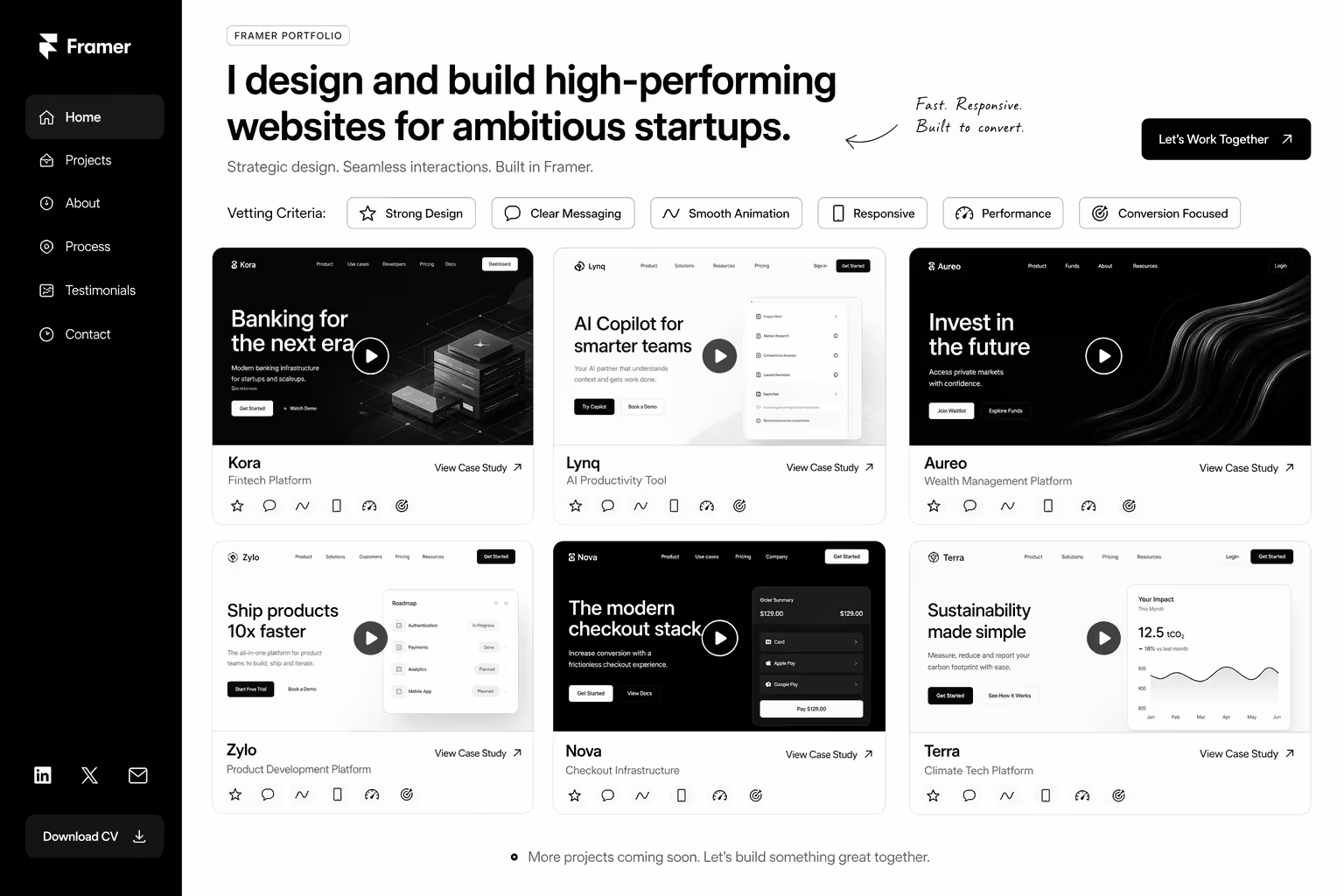
  • Portfolio shows only design work, no deployed sites. Designing in Framer is different from shipping in Framer. They need both.
  • All projects use Framer templates. No custom builds. Pass.
  • No animation examples. Framer's whole value prop is motion. If the portfolio has none, they don't understand the tool.
  • Case studies don't include SEO or performance metrics. "Beautiful site" is not an outcome. "Shipped in two weeks and ranked for primary keyword" is.
  • Portfolio projects all look similar. Same template applied to different clients. Not a specialist, a template operator.
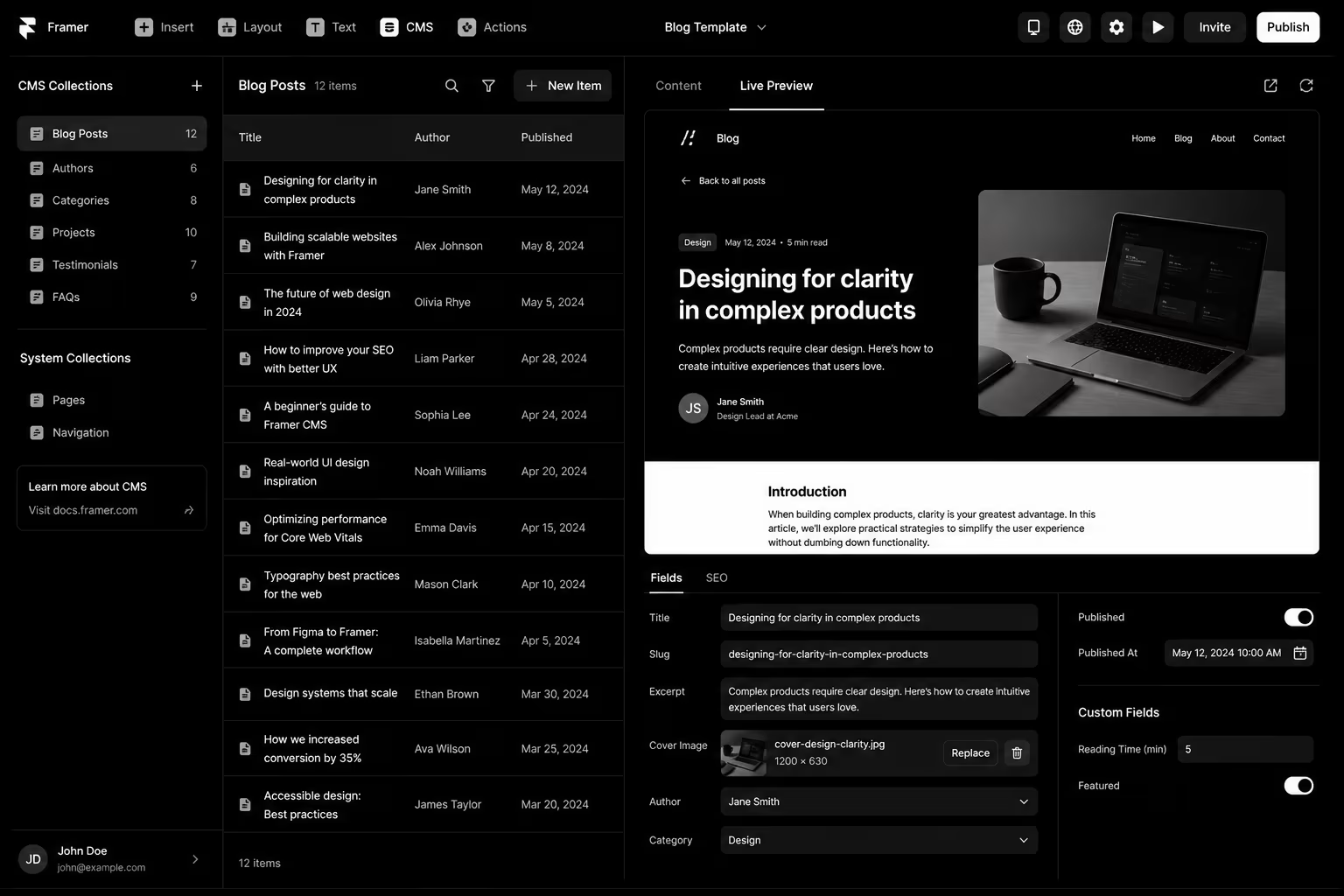
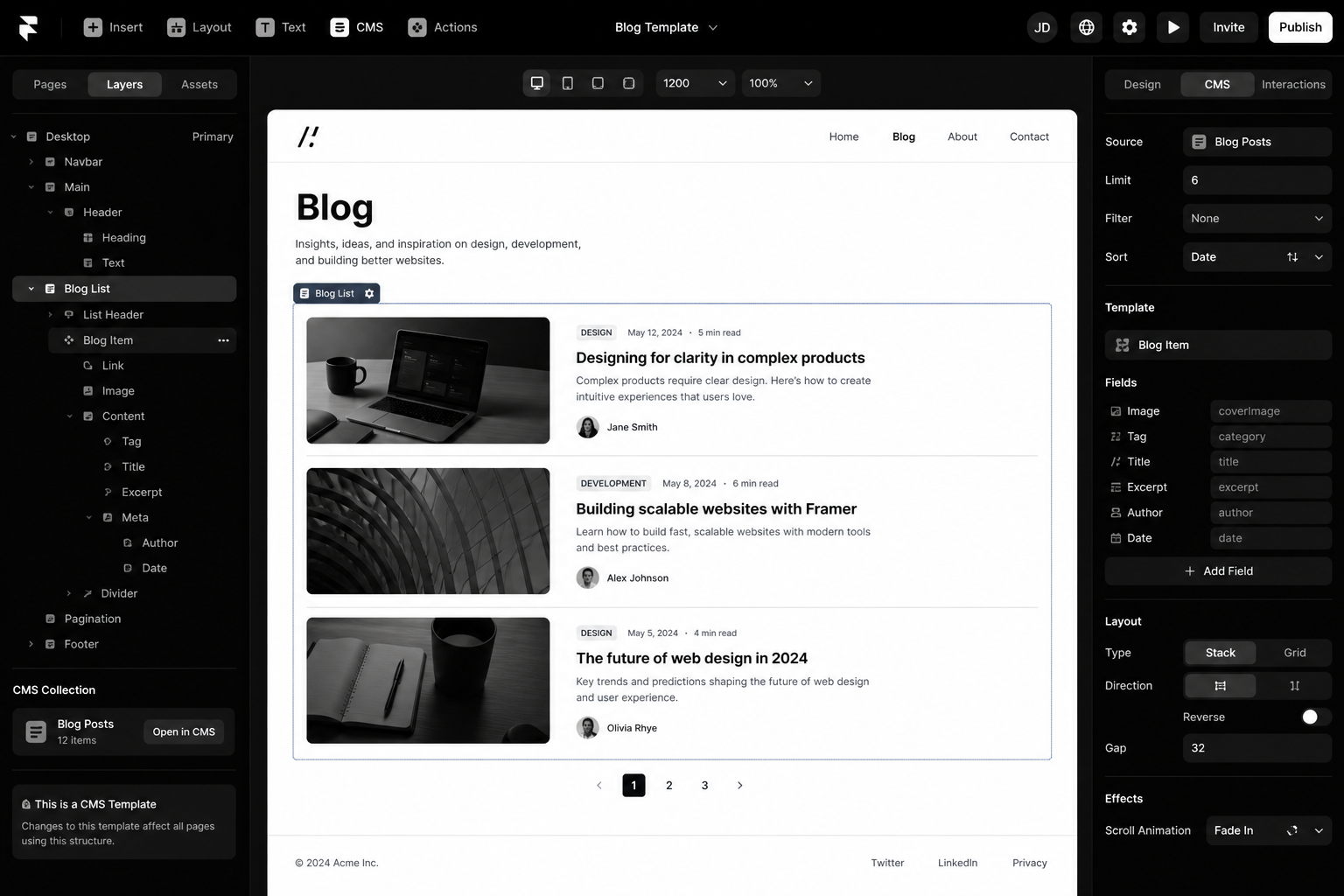
  • No information about CMS strategy. Assuming a Framer build will automatically handle blog scale shows inexperience.

Questions That Separate Specialists From Generalists

"Walk us through a Framer project where CMS and Collections mattered. How did you architect it? What would you do differently?" — Generalists get vague. Specialists have opinions."Have you shipped a Framer site with 100+ blog posts? How did performance feel in the editor?" — This question tests real experience. If they haven't done this, they don't know the limits."Tell us about a migration from Webflow or WordPress to Framer. What went smoothly? What was harder than expected?" — Migration experience = seasoning."What's your approach to SEO in Framer? How do you handle technical SEO?" — Wrong answer: "Framer's SEO is great out of the box." Right answer: "Here's the technical foundation I build, and here's what needs discipline beyond that.""Show us a Framer site you built. Walk us through the design system and component strategy." — Good builders have systems. Template operators don't.

Pricing Reality for Framer Experts

  • Freelance specialists: £40–80/hour (rare, often fully booked)
  • Boutique Framer agencies (1–3 people): £60–120/hour (sweet spot for startups)
  • Mid-size with Framer capability: £100–150/hour (less Framer focus, may be slower)
  • Fixed-price Framer sprint: £3k–8k for 2–3 week startup site (most common model)

Red flag pricing: Framer experts quoting less than £30/hour or fixed-price below £2.5k for any real site are either beginners or rushing. Both are risks.

Testing Before You Commit

Short paid project: A 3–5 page landing page (not full site) for 1–2 weeks before the main build. Payment: £500–1,500.What to evaluate:

  • Did they deliver on schedule?
  • Is the code clean? Are components reusable?
  • Did they ask good questions upfront?
  • Is the site performant? Core Web Vitals green?
  • Are they responsive and easy to work with?

If the test project is messy or late, the full project will be worse.

Need a second opinion on a Framer expert or portfolio? Our Framer specialists can review candidates and recommend. Book a consultation.

Structuring the Engagement

Fixed-price for defined scope: "£5k for home + pricing + solutions + blog index page. Designs locked. Changes beyond scope = hourly." Clear. Protects you. Expert knows what they're building.Weekly reviews: No surprises at launch. Review designs, CMS structure, animation approach weekly.Milestones: 50% payment at design approval. 50% at launch.Post-launch support: Include 4 weeks of support (bug fixes, minor changes). After that, hourly if needed.Ownership: You own all designs, code, and assets. Framer projects are portable.

Common Mistakes When Hiring Framer Experts

1. Hiring a designer who learned Framer last month. "We can do Framer" ≠ Framer specialist. Look for depth, not breadth.2. Not testing motion upfront. You discover post-launch that animations feel stiff or heavy. Test motion direction in week 1.3. Underestimating scope. "Two weeks for a fully custom site" sounds good until it ships at week 4. Get timeline assumptions upfront.4. No CMS strategy pre-build. Discover during QA that the blog structure doesn't scale. Too late. Lock this first.5. Skipping post-launch retainer. Site ships, everything breaks in production, expert is unavailable. Include support buffer.If you're comparing Framer against Webflow and other platforms, see Framer vs Webflow to confirm you've chosen the right platform before hiring.

FAQ

What's a fair rate for a Framer expert?

£50–100/hour for solid freelancers. £60–120/hour for boutique agencies. Less than £40/hour usually means junior or rush risk.

Should I hire a freelancer or agency?

Freelancers: faster, cheaper, direct. Agencies: backup coverage, scalability, more stable. For mission-critical, agencies are safer. For speed and budget, good freelancers win.

How do I know if a Framer expert is really an expert?

See the questions section above. Ask specifics. Request references. Run a short test project. Vague answers = not expert.

What if the Framer expert disappears after launch?

Structure contract with post-launch SLA (e.g. "available for bugs and critical issues for 4 weeks"). Get Framer project access so you can hire someone else if needed.

Is Framer worth hiring a specialist for?

If your startup needs to ship a beautiful, fast site in 2–4 weeks, yes. Specialist Framer builders compress timelines vs generalists.

Conclusion: Framer Experts Are Worth the Hunt

The Framer specialist pool is small but seasoned. Finding the right one takes effort but pays off in launch speed and quality. Use this vetting framework and you'll find someone who actually knows the tool instead of someone learning on your dime.Need help identifying Framer talent or evaluating candidates? Our Framer team can advise. Book a consultation.

 The Framer Expert Vetting Guide — a detailed scorecard to evaluate portfolios, test projects, and compare proposals side-by-side.

KEEP BUILDING
title arrow

You've got the plan. Let's build it.

We turn the frameworks you just read into the flows, pages, and automation behind them — under your brand, always.

Keep reading

View all articles
button arrowbutton arrow
Framer Animations and Interactions: The Complete 2026 Guide
Framer

Framer Animations and Interactions: The Complete 2026 Guide

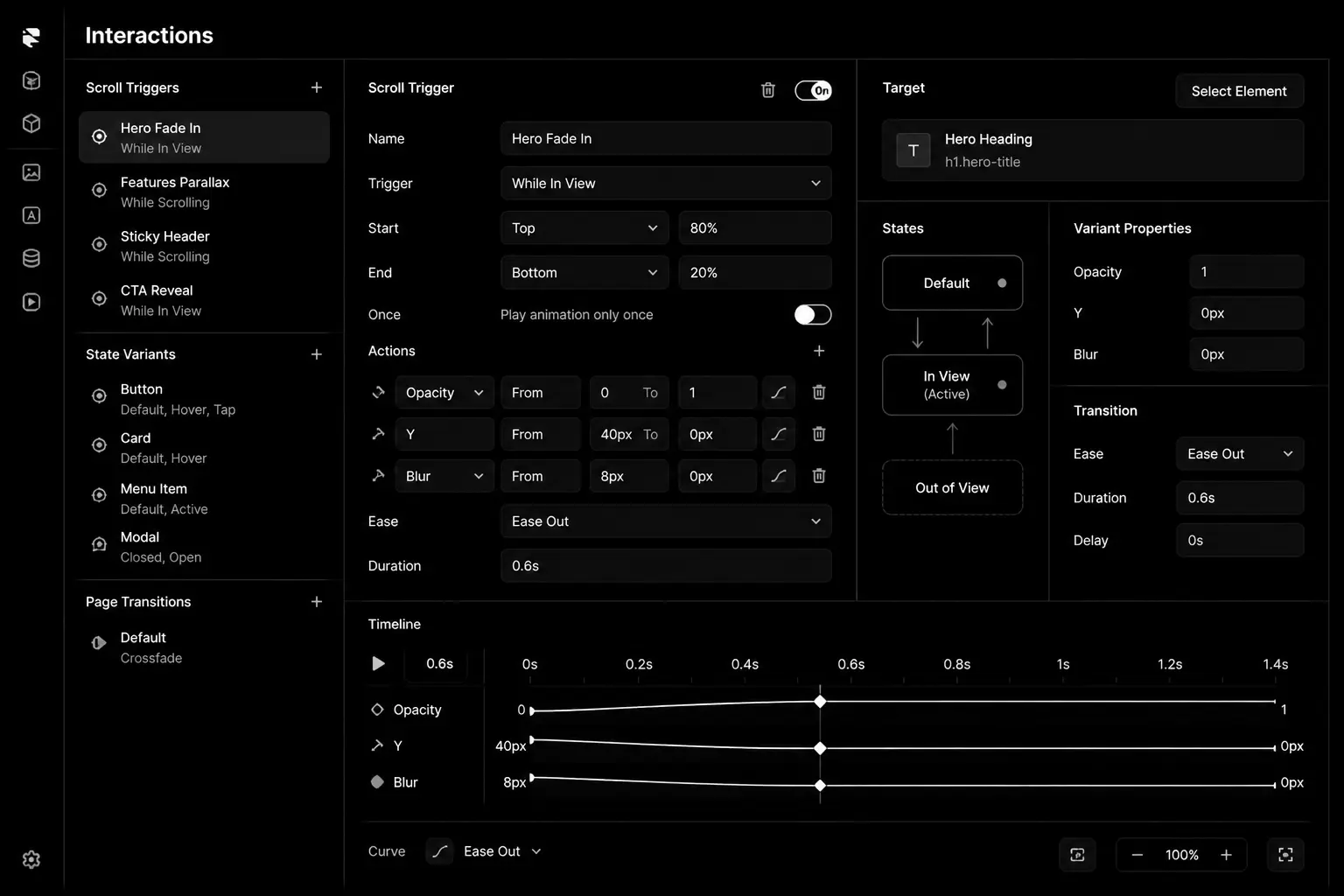
Framer Animations and Interactions in 2026 is won by execution quality, not platform hype. Teams that perform consistently align strategy, implementation, and measurement into one operating system. This guide gives the practical framework, internal link map, and optimization cadence to do that.Framer's motion engine is its biggest advantage. Here are the patterns that lift conversion not just delight. If you want implementation help, work with Framer agency. For connected strategy, also review Framer Development Guide and Framer vs Webflow.

What Framer Animations and Interactions Means in Practice

Framer animations should improve clarity and conversion, not distract users. The best interaction systems use restraint, consistency, and performance-safe motion.

Why framer animations Matters in 2026

1. Motion can improve comprehension or hurt usability depending on execution.2. Premium interaction quality is now expected on high-end web experiences.3. Heavy motion can damage performance and SEO if unmanaged.

Step-by-Step Playbook

1. Define motion purpose

Assign each interaction a clear role: orient, explain, or convert.

2. Create reusable motion system

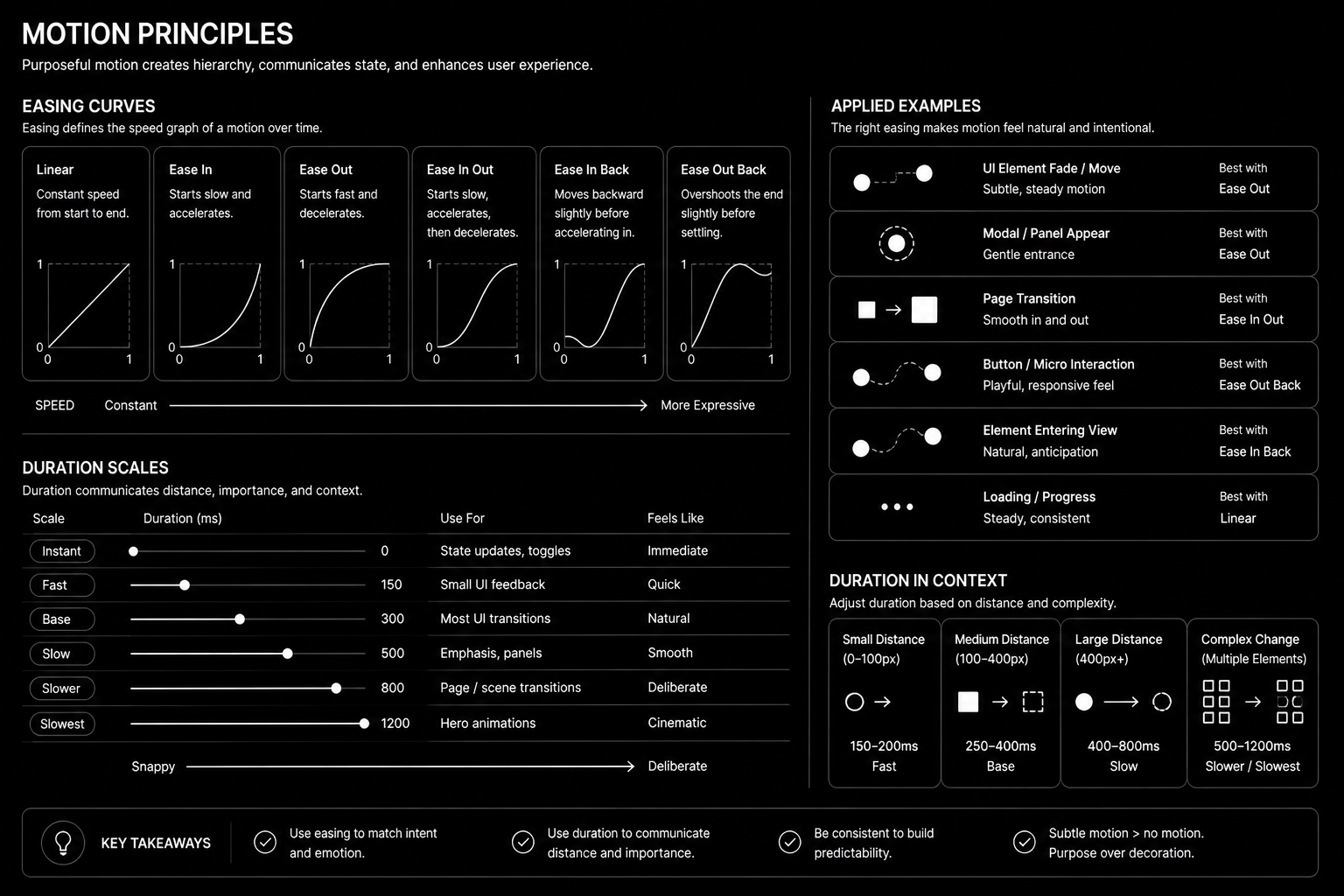
Standardize easing, duration, and trigger rules.

3. Protect performance budgets

Prefer transform-based effects and limit heavy scroll logic.

4. Respect accessibility settings

Support reduced-motion and keyboard navigation paths.

5. Measure conversion impact

Test key interactions against control variants.Mid-article CTA -> Need support applying this to your stack? Framer design sprint and get a scoped roadmap with timeline, owners, and KPI targets.

Motion Principles

Tools, References, and Benchmarks

  • Motion token guide
  • Performance-safe animation checklist
  • Interaction test plan
  • Semantic keyword targets to distribute naturally: framer interactions, framer scroll animations, framer motion website

Use these references during planning and QA: Framer Help Center, web.dev guidance, and Google Search docs.

Common Mistakes That Kill Performance

  • Animating everything
  • Ignoring reduced-motion users
  • No conversion validation

FAQ - Framer Animations and Interactions

How long does a framer animations project usually take?

Most teams can ship an initial version in 4 to 8 weeks, then improve outcomes over one quarter with a weekly optimization cadence.

Is framer animations relevant for UK and US teams?

Yes. The core framework is consistent across both markets. Differences are usually compliance details, buying behavior, and GBP/USD planning.

What should we measure first for framer animations?

Track one leading metric, one conversion metric, and one revenue metric so execution stays tied to business impact.

Should we run this in-house or with a specialist partner?

If your team has deep expertise and bandwidth, in-house can work. If speed and risk control matter, working with a specialist partner is usually faster.

What is the most common failure mode?

Teams skip governance after launch. Data quality drifts, process quality declines, and performance plateaus. A simple weekly operating rhythm prevents this.

Conclusion

Framer Animations and Interactions performs best when execution decisions are tied to measurable outcomes from day one. Use this playbook to prioritize what matters, reduce risk, and create a repeatable optimization rhythm.Want a specialist team to accelerate delivery? Talk to Framer agency or book a consultation and we will map a practical rollout plan.Download the Framer Motion Pattern Library to implement this framework with templates and checklists.

Framer Motion Pattern Library — reusable animation patterns, interaction design framework, motion token guide, performance-safe animation checklist, accessibility best practices, and conversion-focused interaction templates for building high-performing Framer websites.

Framer SEO: The 2026 Ranking Strategy That Actually Works
Framer

Framer SEO: The 2026 Ranking Strategy That Actually Works

Framer has a reputation as a design tool that happens to publish websites. That reputation is out of date. Framer publishes fast, pre-rendered pages that search engines can crawl without trouble, and it gives you the controls most marketing sites need. What it doesn't do is set those controls for you. Most Framer sites that struggle in search have the same problems: missing page titles, one generic description everywhere, no structure in the CMS and thin pages built for looks rather than answers.

This guide covers what actually moves rankings on a Framer site: the technical settings to get right once, the on-page work for every page, and the content and AI-search habits that separate sites that rank from sites that only look good.

Does Framer hurt SEO?

No. Framer serves pages as HTML that search engines can read, optimises images automatically and generates a sitemap. Speed is usually good out of the box. The platform rarely holds a site back; settings left at their defaults and thin content do.

Technical setup: get it right once

Site-wide settings

  • Custom domain with one version. Choose www or non-www and make sure the other redirects to it.
  • Default title and description. Set a site-level fallback in site settings, then override it on every important page.
  • Social image. Add a default Open Graph image so shared links never appear blank.
  • Favicon and language. Small details, but they show up in search results and browser tabs.

Sitemap, indexing and redirects

Framer generates a sitemap automatically. Submit it in Google Search Console, then check the Pages report for anything excluded unexpectedly. Hide test pages, duplicate drafts and thank-you pages from search in each page's settings. When you rename or remove a page, add a redirect in site settings so links and rankings carry over. Redirects matter most when migrating from WordPress or Webflow: map every old URL before launch.

Structured data

Add JSON-LD schema with custom code: Organization on the home page, Article or BlogPosting on posts, FAQPage where a page has real questions and answers, and BreadcrumbList on deeper pages. Keep schema consistent with what's visible on the page.

Performance

Framer pages are fast by default, but heavy video backgrounds, large Lottie files, many custom fonts and third-party scripts can slow them down. Test key pages on mobile with PageSpeed Insights and keep an eye on layout shift caused by late-loading elements.

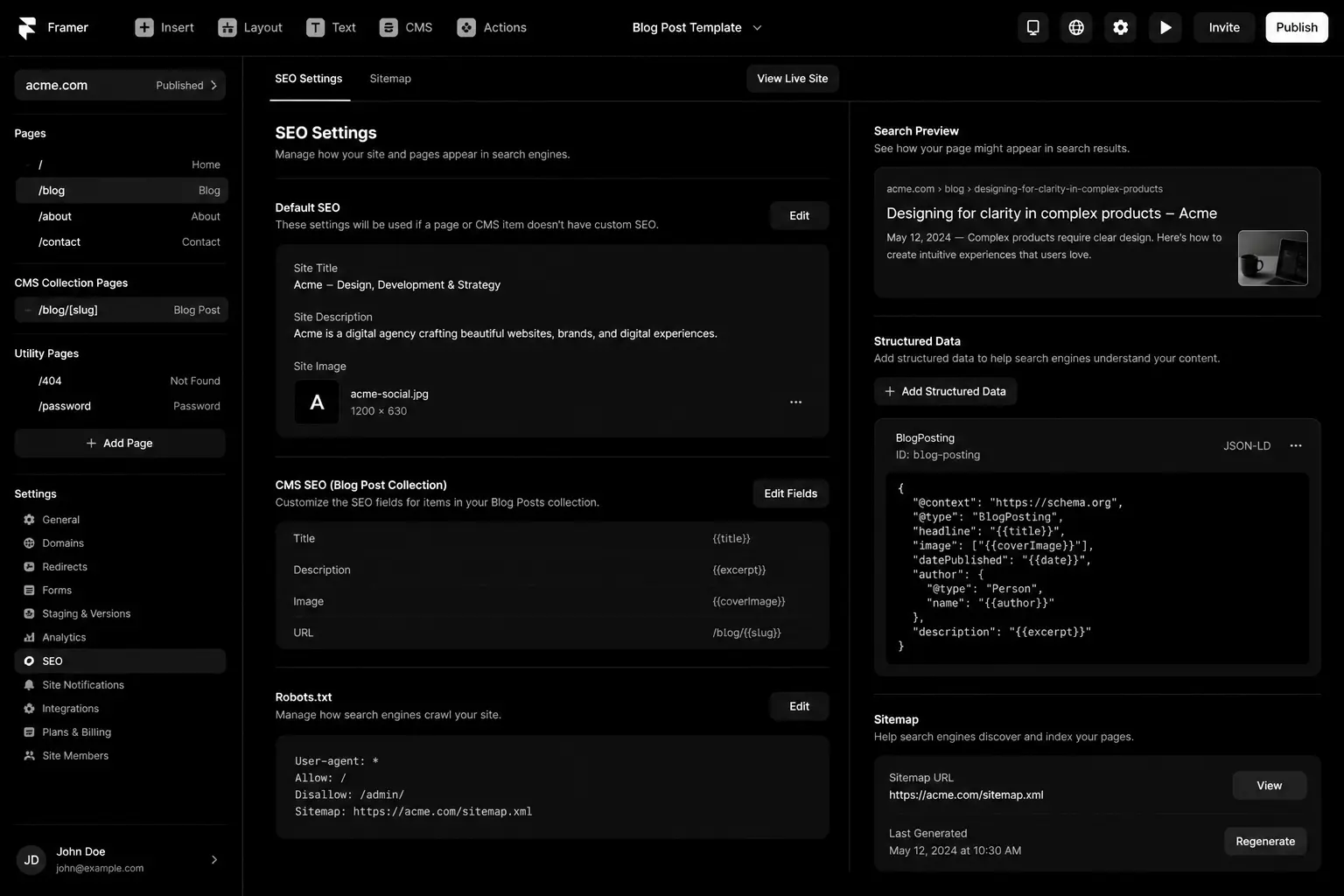
Framer SEO settings checklist

On-page SEO for every page

  • Unique title tag under about 60 characters, leading with the page's main topic.
  • Unique meta description that explains what the reader will get, around 140–155 characters.
  • One H1 that matches the page's purpose. In Framer it's easy to style text to look like a heading without setting the tag, so check the actual tags.
  • Logical headings. H2s for sections, H3s inside them. Don't skip levels for styling.
  • Descriptive URLs. Short, readable slugs such as /services/webflow-migration.
  • Alt text on every meaningful image.
  • Internal links with descriptive anchor text, pointing to related services and guides.

CMS structure that scales

Framer's CMS powers blogs, case studies and resource libraries. Set it up for SEO from the start:

  1. Add SEO title, meta description and social image fields to each collection, and bind the collection page's SEO settings to them.
  2. Use a slug field you control rather than auto-generated slugs from long titles.
  3. Add category or topic fields so you can build topic hub pages that link to every related item.
  4. Include author and date fields, and show them on the page. They help readers and support trust signals.
  5. Add a related items section on each template so every article links to others in the same topic.

Content that ranks

Framer makes it easy to ship beautiful pages with very little text. Search engines and AI assistants need something to read. For each target topic:

  • Answer the main question near the top of the page in plain language.
  • Cover the follow-up questions a buyer would ask: cost, timeline, process, alternatives.
  • Add specifics: steps, examples, comparisons and screenshots from real work.
  • Build one strong page per topic instead of several thin pages that compete with each other.
  • Refresh important pages when facts change, and show the updated date.

Optimising for AI search

AI answers in Google, ChatGPT and Perplexity pull from pages that are easy to quote. Clear headings phrased as questions, short direct answers under each heading, factual statements with sources, and consistent company information across your site and profiles all help. Make sure AI crawlers aren't blocked unintentionally, and consider an llms.txt file that points to your key pages. Our AEO and GEO services go deeper on this.

Myths to ignore

  • "Framer sites can't rank." They rank fine when the settings and content are right.
  • "Animations hurt SEO." Animations are fine; hiding real content behind them, or making pages heavy, is the problem.
  • "More pages means more traffic." Thin pages dilute your site. Fewer, better pages usually win.
  • "Keywords in every heading." Write headings for readers; search engines understand topics, not keyword counts.

Monthly maintenance

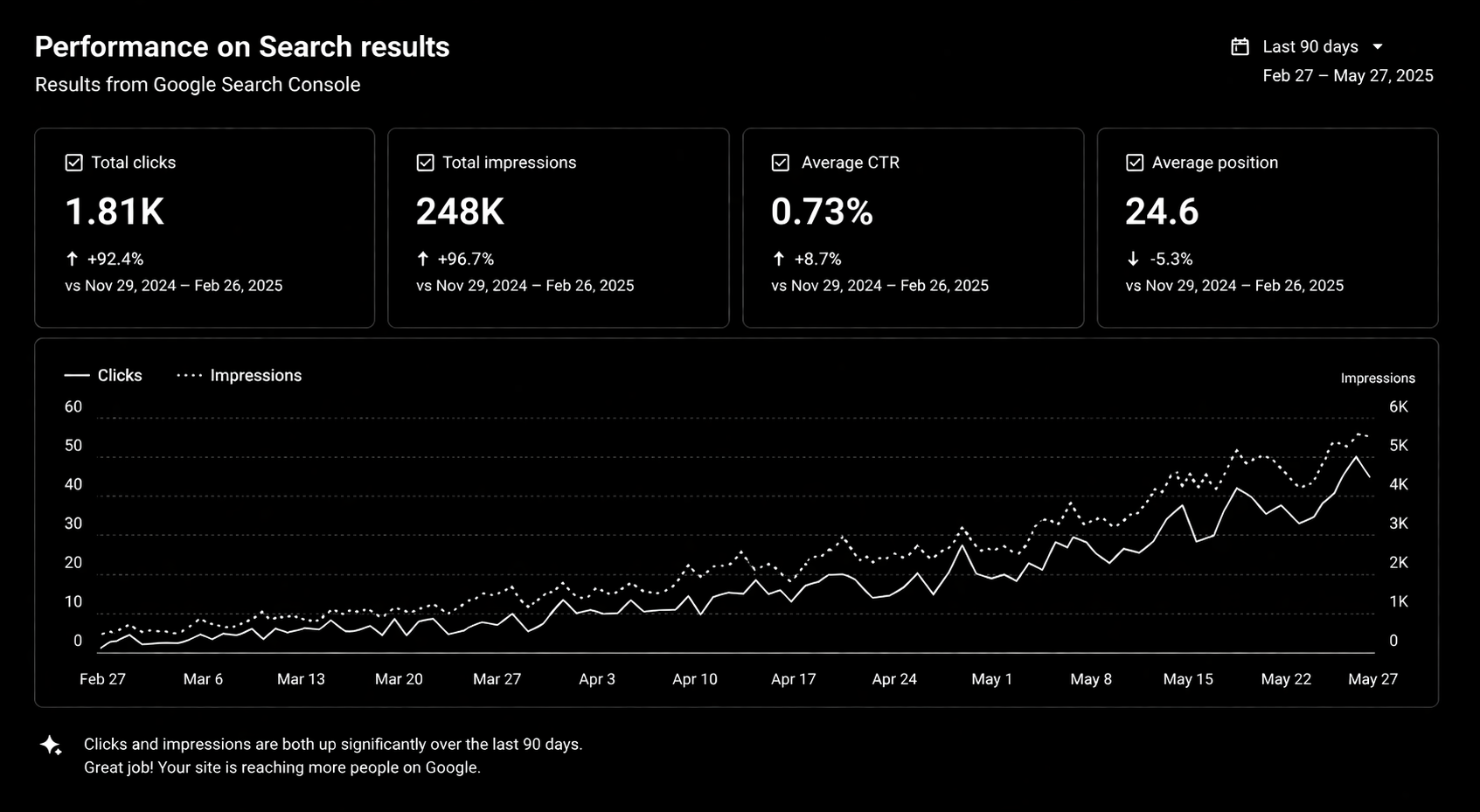
Once a month, check Search Console for crawl errors and pages losing clicks, test page speed on your top pages, look for new pages missing titles or descriptions, and update one or two older pages with fresher information.

FAQ

Is Framer or Webflow better for SEO?

Both can rank well. Webflow gives more control over CMS structure and large content libraries; Framer is excellent for design-led marketing sites. The bigger factor is how the site is set up and what content it has.

Can I add schema markup in Framer?

Yes, by adding JSON-LD in custom code at site or page level.

Does Framer create a sitemap?

Yes. Framer generates one automatically. Submit it in Google Search Console.

How long until a new Framer site ranks?

It depends on competition and content. New sites typically take a few months to build visibility for competitive terms; long-tail topics can move faster.

Conclusion

Framer gives you a fast, crawlable foundation. Rankings come from the work on top of it: correct settings, unique metadata on every page, a CMS built for topics and content that actually answers buyers' questions. If you want a Framer site built or audited for search, see our Framer development and SEO services, or read our guide to hiring a Framer expert.

Framer SEO Audit Checklist — technical SEO checklist, metadata templates, internal linking framework, AI search optimization guide, and monthly SEO audit tracker.

Framer CMS Tutorial: Build a Content-Heavy Site That Actually Scales
Framer

Framer CMS Tutorial: Build a Content-Heavy Site That Actually Scales

Framer CMS Tutorial in 2026 is won by execution quality, not platform hype. Teams that perform consistently align strategy, implementation, and measurement into one operating system. This guide gives the practical framework, internal link map, and optimization cadence to do that.Framer CMS is finally serious. Here's the architecture that lets it scale from 30 posts to 3 If you want implementation help, work with our team. For connected strategy, also review Website Redesign Guide and Website Redesign Guide. You can also align execution with get a custom quote for cross-functional delivery.

What Framer CMS Tutorial Means in Practice

Framer CMS can support content-heavy growth when collection architecture is designed for scale. The difference between 30 and 3,000 posts is model quality and editorial workflow discipline.

Why framer cms Matters in 2026

1. Framer adoption is growing for content-led brands.2. CMS structure decisions affect crawlability and publishing speed.3. Good architecture avoids expensive rebuilds later.

Step-by-Step Playbook

1. Map collection relationships

Define references and taxonomy before template work.

2. Build reusable templates

Design modular layouts for future content categories.

3. Optimize archive pages

Support search crawl paths with clean list and category structures.

4. Create editorial QA system

Check metadata, links, and image alt quality on every publish.

5. Stress-test scale

Load high-volume sample data before launch.Mid-article CTA -> Need support applying this to your stack? book a consultation and get a scoped roadmap with timeline, owners, and KPI targets.

Test scale

Tools, References, and Benchmarks

  • Collection schema map
  • Editorial QA checklist
  • Template stress dataset
  • Semantic keyword targets to distribute naturally: framer cms collections, framer dynamic content, framer content site

Use these references during planning and QA: Framer Help Center, web.dev guidance, and Google Search docs.

Common Mistakes That Kill Performance

  • Flat content models
  • Hard-coded content structures
  • No taxonomy governance

FAQ - Framer CMS Tutorial

How long does a framer cms project usually take?

Most teams can ship an initial version in 4 to 8 weeks, then improve outcomes over one quarter with a weekly optimization cadence.

Is framer cms relevant for UK and US teams?

Yes. The core framework is consistent across both markets. Differences are usually compliance details, buying behavior, and GBP/USD planning.

What should we measure first for framer cms?

Track one leading metric, one conversion metric, and one revenue metric so execution stays tied to business impact.

Should we run this in-house or with a specialist partner?

If your team has deep expertise and bandwidth, in-house can work. If speed and risk control matter, working with a specialist partner is usually faster.

What is the most common failure mode?

Teams skip governance after launch. Data quality drifts, process quality declines, and performance plateaus. A simple weekly operating rhythm prevents this.

Conclusion

Framer CMS Tutorial performs best when execution decisions are tied to measurable outcomes from day one. Use this playbook to prioritize what matters, reduce risk, and create a repeatable optimization rhythm.Want a specialist team to accelerate delivery? Talk to our team or book a consultation and we will map a practical rollout plan.Download the Framer CMS scoping to implement this framework with templates and checklists.

Framer CMS Scaling Toolkit — CMS architecture planner, collection structure worksheet, content modeling framework, SEO checklist, dynamic page setup guide, migration planner, and publishing workflow template to build a scalable Framer CMS website.