
 Website Designing
 Web Development
 Mobile Applications
 Marketing
 CMS & Ecommerce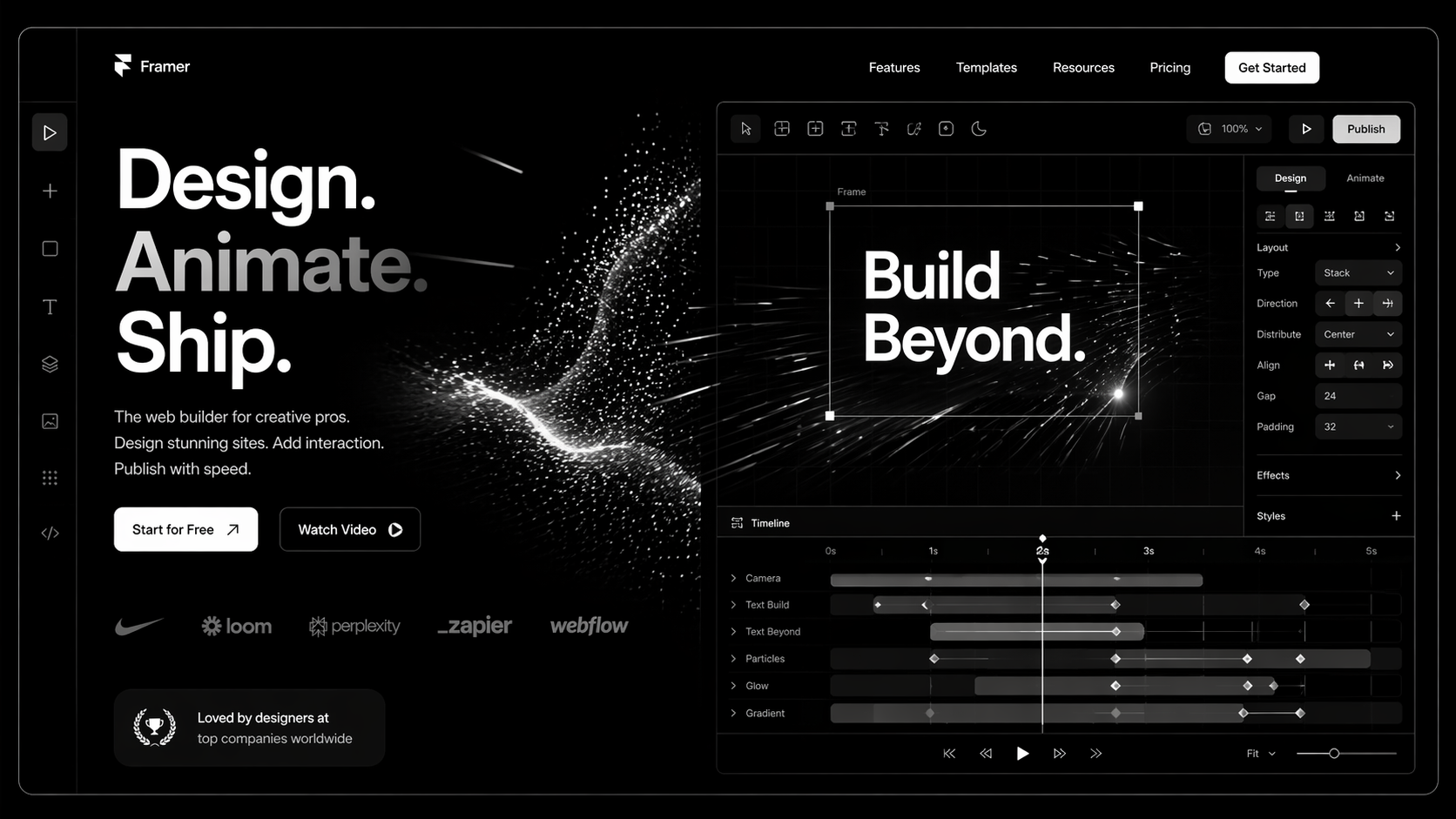
Framer is the platform startups pick when they want a marketing site that looks like a $60k Webflow build but ships in two weeks. That’s the pitch. It’s also mostly true — with caveats that nobody selling you a Framer build will mention upfront.
This guide is for founders, marketing leaders, and heads of design who are evaluating Framer development for a new site, a rebrand, or a migration. Direct answers on what Framer is good at, where it breaks, what it costs, and the project types where it beats every other platform on the market right now.
What Is Framer Development?
Framer started as a design prototyping tool competing with Figma. In 2022–23 it pivoted into a full production CMS and visual development platform. Today it’s in a league with Webflow for marketing sites — with different strengths.
Framer development is the practice of building production marketing websites on Framer using its CMS, breakpoints, components, and native animation. The output is a deployed site on Framer’s global edge network with auto-generated sitemap, SSR, and competitive Core Web Vitals out of the box.
Framer wins on three dimensions:
- Speed of delivery — A strong Framer team ships a startup marketing site in 2–4 weeks.
- Native motion — Timeline-based animation is built in. What takes GSAP + custom code in Webflow is a panel in Framer.
- Design-to-production parity — The editor feels like Figma. Designers are productive on day one.
Where it still loses to Webflow: large-scale CMS (500+ items starts to feel slow in the editor), ecommerce, complex reference-field structures, and deep third-party integrations. For the full head-to-head, read Framer vs Webflow.
Why Framer Matters in 2026
1. Early-stage startups can’t afford slow sites. A YC-stage SaaS company doesn’t have 12 weeks for a marketing site. Framer lets one designer ship a credible launch site in two weeks and iterate weekly. Webflow needs a developer. Framer often doesn’t.
2. Motion is now a conversion lever. Kinetic type, scroll-triggered animation, and subtle micro-interaction have moved from “nice-to-have” to “expected on a premium SaaS site.” Framer does motion natively; every other platform needs a library, and libraries cost performance.
3. Framer Sites now has real SEO. Two years ago the concern with Framer was SEO. In 2026 it’s a non-issue — SSR, editable meta on every page, native sitemap, schema support, and strong Core Web Vitals. The gap with Webflow on SEO is basically gone.
How Framer Development Works
Three layers make up a serious Framer build.
1. Design System
Token-driven colour, type, and spacing variables. Reusable components with variants for different states. Framer’s component system is more Figma-like than Webflow’s — designers tend to adopt it faster.
2. CMS & Collections
Framer Collections handle blog posts, case studies, team, job listings. Fields include rich text, image, multi-reference. Good for sites under ~500 CMS items. Beyond that, editing performance degrades.
3. Code Components (where needed)
Framer supports React components written in code for anything the visual builder can’t do — custom form logic, advanced interactivity, third-party embeds. This is the escape hatch that keeps the platform from being a dead end as projects scale.
Step-by-Step: A Real Framer Build
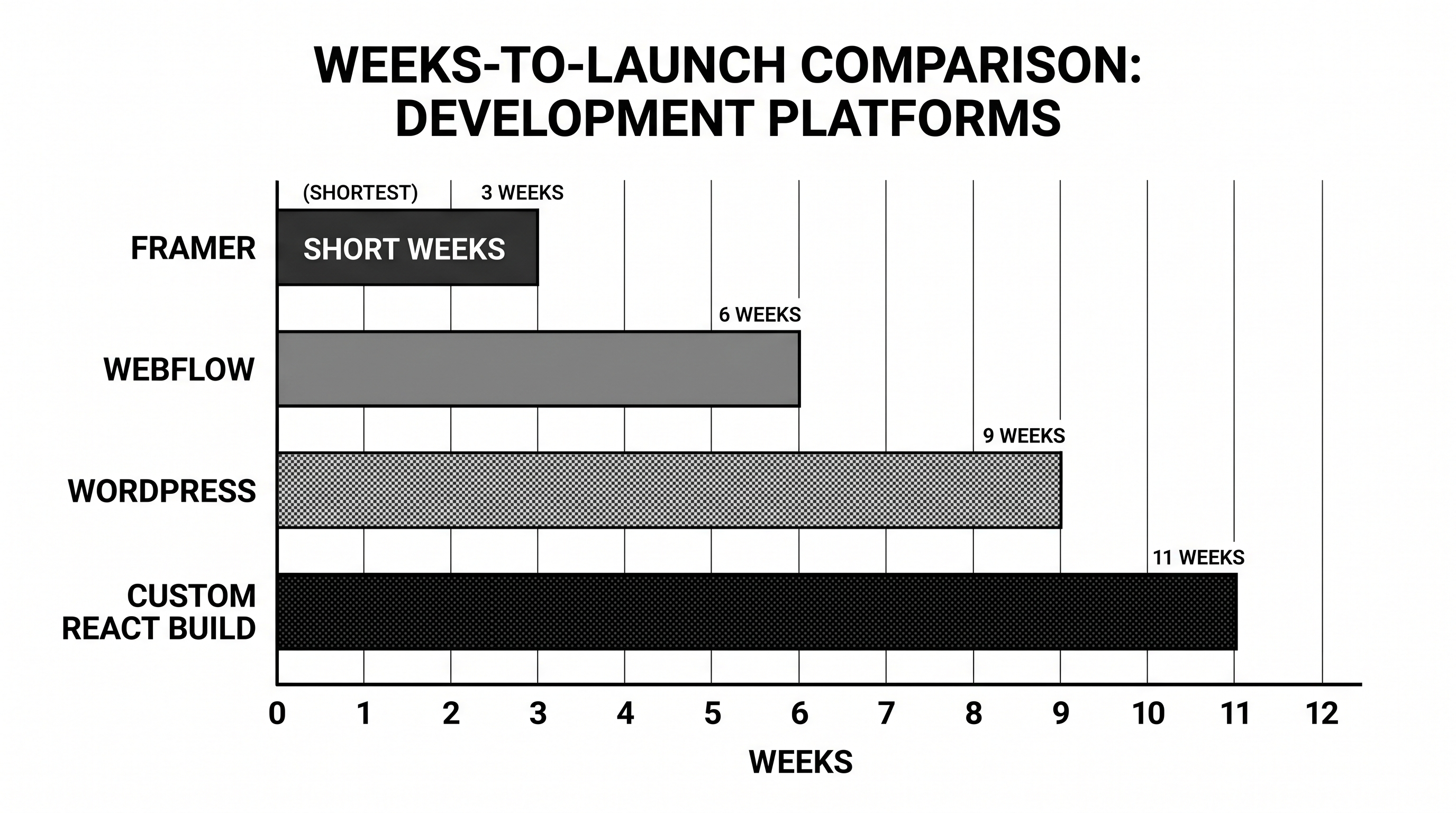
Week 1 — Strategy + Design Sprint. Positioning, ICP, sitemap, wireframes, high-fidelity Figma (or directly in Framer) for home + one template.
Week 2 — Build. Design system in Framer. Home, pricing, solutions, blog index, blog detail, legal, contact. All breakpoints. All motion.
Week 3 — CMS, SEO, launch. CMS setup, content population, meta + schema, sitemap submission, analytics install, DNS cutover.
Larger projects (20+ pages, complex CMS, custom integrations) extend to 4–8 weeks. Anyone selling a full marketing site on Framer in under two weeks is using a template — which is fine, just be clear about it.
Early-stage and need a site that looks like a Series B? Our Framer team runs 2-week design sprints for startups across the UK and USA. Book a free Framer strategy call — we’ll tell you honestly whether Framer is the right choice for your stage.
Best Tools and Stack for Framer in 2026
- Framer native CMS — Sufficient for most SaaS marketing sites under ~500 posts.
- Notion as content source — Via Framer’s Notion integration; useful when non-designers own content.
- Plausible / Fathom — Privacy-first analytics, trivial to install.
- HubSpot forms — Embedded; posts into CRM cleanly. Our HubSpot development team handles the wiring.
- Cal.com or Calendly — Booking embeds.
- Intercom / Crisp — Support widgets.
- Code components via npm — For anything custom. React ecosystem is accessible directly.
Common Framer Development Mistakes
1. Treating Framer like Figma, not a CMS. Beautiful home page, broken CMS. Blog posts don’t inherit components correctly. Fix: design the CMS templates with the same rigour as the home page.
2. Over-animating. Every section has motion. INP goes red. Page feels heavy on mobile. Fix: motion with intent, not decoration.
3. No redirect plan on migration. Same mistake every platform move makes. Fix: URL inventory + 301 map before DNS cutover.
4. Ignoring breakpoint discipline. Four breakpoints all designed differently. Nothing aligns. Fix: set breakpoints early, design mobile-first, enforce a grid.
5. Using Framer when Webflow was the right call. 100+ CMS items, complex filtering, multilingual, memberships. At that complexity, Webflow is the better tool. Don’t pick a platform on aesthetic alone.
FAQ
Is Framer good for SEO in 2026?
Yes. SSR, clean HTML output, editable meta, native sitemap, schema support, strong Core Web Vitals. The old “Framer can’t do SEO” critique is outdated.
How much does Framer development cost?
£5–12k / $6–15k for a startup marketing site via a small specialist team. £15–35k for a full SaaS marketing site with custom motion, CMS, and integrations. Enterprise builds rare — Framer isn’t usually the pick at that scale.
Framer vs Webflow — which should I pick?
Framer for speed, early-stage startups, motion-heavy sites, sub-500 CMS items. Webflow for scale, large CMS, complex integrations, heavy filtering. Full breakdown in Framer vs Webflow.
Can I migrate from Webflow or WordPress to Framer?
Yes. CMS content can be exported and imported. The bigger challenge is redirect mapping and re-building custom Webflow interactions. Budget 4–8 weeks depending on site size.
Do I need a Framer developer, or can a designer do it?
A strong designer can ship a marketing site solo on Framer. For custom code components, third-party integrations, or complex CMS, you need a Framer developer. Hybrid teams are ideal — see how to hire a Framer expert.
Conclusion: Framer Wins on Specific Project Types
Framer is the right tool for startup marketing sites, agency portfolios, product launches, and any project where speed, design polish, and motion matter more than CMS scale. It’s the wrong tool for large content libraries, ecommerce, or complex membership sites.
If you’re weighing Framer against Webflow or a custom build for your next project, the fastest way to a good answer is a 20-minute conversation with someone who’s shipped both.
Our Fram]er agency runs design sprints for startups, SaaS companies, and growth-stage brands in the UK and USA. Book a free Framer design sprint consultation — we’ll map what a realistic build looks like for your scope.
The Framer Startup Site Sprint Brief
— the exact Notion brief we use to kick off 2-week Framer sprints, covering positioning, sitemap, design references, and copy skeleton.

