
 Website Designing
 Web Development
 Mobile Applications
 Marketing
 CMS & Ecommerce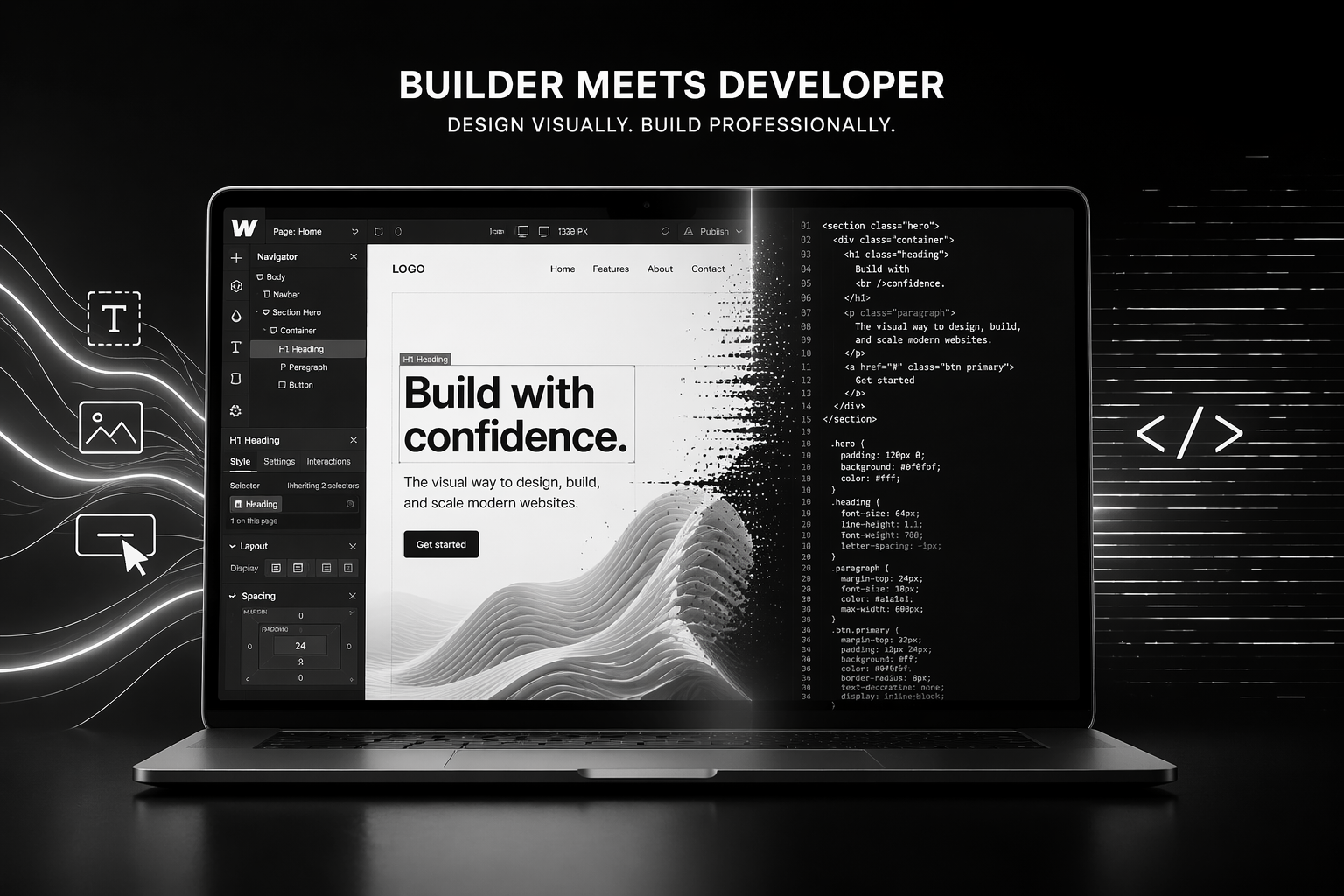
Table of Contents
Webflow used to be the platform designers recommended when they didn’t want to touch WordPress. That’s no longer the whole story. In 2026, serious SaaS companies, growth-stage B2B brands, and agencies on both sides of the Atlantic are building their entire marketing stack on Webflow — and the ones that aren’t are losing ground on speed, SEO, and iteration velocity.
This guide is written for business owners, marketing leaders, and founders evaluating Webflow development as a serious option. No hype, no feature dumps. Just what you actually need to make a decision: what Webflow is good at, where it breaks, what it costs, how long a project takes, and when you should hire a specialist Webflow agency versus a generalist.
What is Webflow Development
Webflow is a visual development platform. That means designers and developers build pixel-precise websites in a browser, and Webflow generates clean, semantic HTML, CSS, and JavaScript — the same kind of output a senior frontend developer would hand-code, minus the months of work.
Webflow development is the practice of using that platform professionally: building marketing sites, SaaS websites, landing pages, and content-heavy blogs with production-grade code, real CMS architecture, and serious integrations. It’s not drag-and-drop templates. It’s custom engineering with a visual interface.
A quick reality check. Webflow sits between three worlds:
- WordPress: more extensible, much slower, maintenance-heavy.
- Framer: faster to design, less mature for content scale.
- Custom React/Next.js builds: more flexible, 5–10x the cost, slower to iterate.
Webflow’s sweet spot is marketing sites with up to ~2,000 CMS items, heavy content velocity, and a team that wants to ship changes without a developer in the loop.
Why Webflow Matters in 2026
Three shifts pushed Webflow from “nice tool” to “default choice” for a specific kind of business.
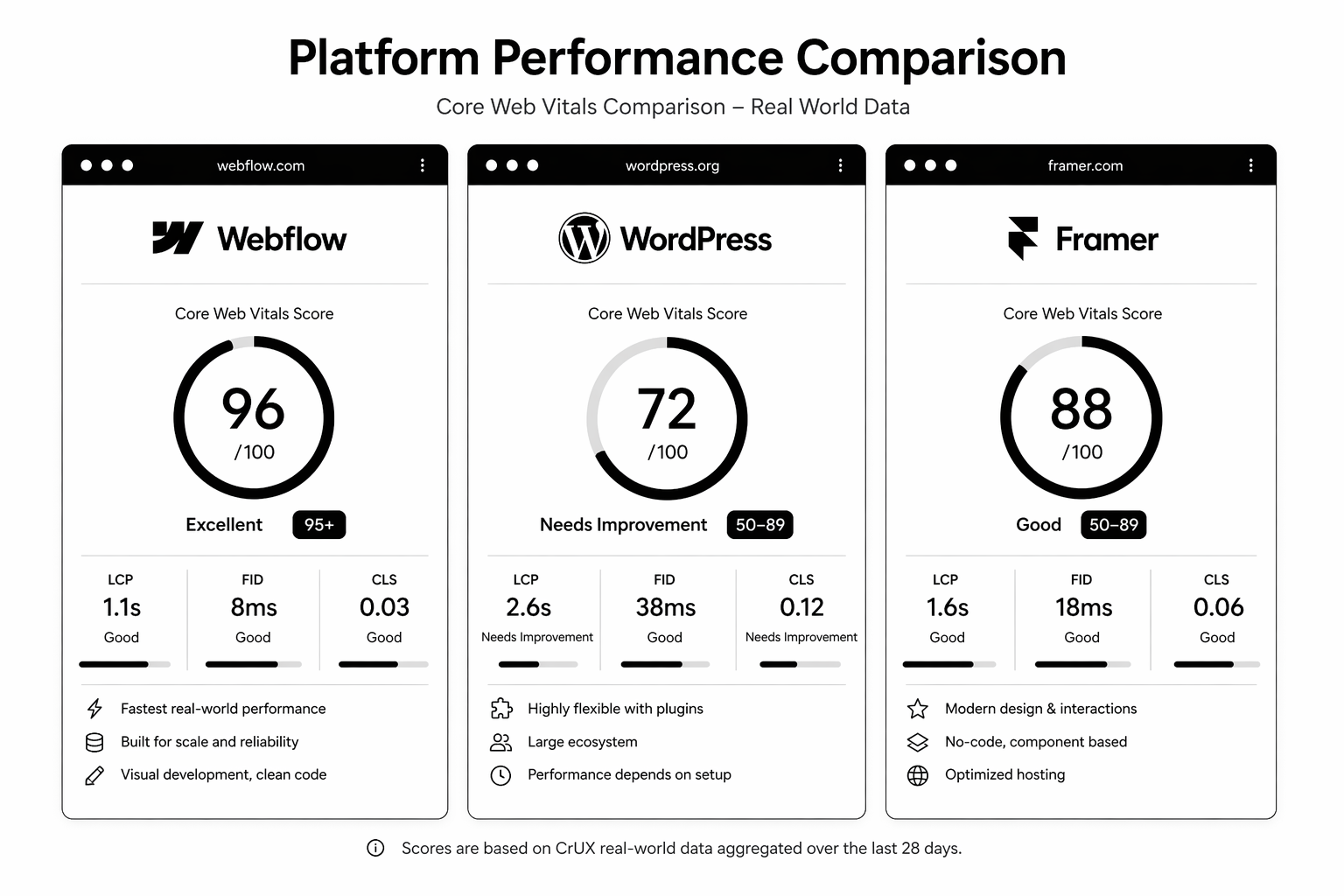
1. Core Web Vitals became a revenue issue. Google now treats page experience as a confirmed ranking signal, and the 2025 interaction-to-next-paint (INP) update punished bloated WordPress themes hard. Webflow sites routinely hit 90+ Lighthouse scores without heroics.
2. Marketing teams want control. The average marketing leader is sick of filing tickets to update hero copy. Webflow’s Editor lets non-technical staff ship changes without breaking the site — and without the security debt that comes from giving ten people access to a WordPress admin.
3. Design consistency is a hiring moat. Webflow’s class system enforces a design system by default. That means the fifth landing page you build doesn’t drift from the first. For agencies and growth teams shipping 20+ pages a quarter, that compounding consistency is real money saved.
If you want the full comparison with the incumbent, read our breakdown of Webflow vs WordPress. If you’re weighing it against Framer, see Framer vs Webflow.
How Webflow Development Works
A professional Webflow build has five layers. Understanding them prevents you from getting oversold on a “pretty template” build and undersold on what you actually need.
1. Style System
The foundation. Variables for colour, type scale, spacing, and breakpoints. Component classes built with a naming convention like Client-First or MAST. This is what makes a Webflow site maintainable at 50+ pages.
2. CMS Architecture
Collections, reference fields, multi-reference fields, and dynamic pages. A well-designed CMS handles blogs, case studies, team profiles, job listings, changelog, and resource libraries — all without duplication.
3. Interactions & Animation
Webflow’s native interactions handle scroll-linked animation, hover states, and timeline sequences without third-party scripts. For more advanced motion, GSAP integrates cleanly.
4. Integrations
The modern Webflow site is wired to HubSpot, Segment, Clearbit, Intercom, Calendly, and payment tools. Native forms post to your CRM, not a mailbox nobody checks.
5. SEO & Performance Foundation
Proper heading hierarchy, schema markup, image optimisation via CDN, and 301 redirect maps. This is where most cheap Webflow builds fail — designers build beautiful sites with zero SEO architecture.
Step-by-Step Guide: How a Serious
Webflow Build Runs
Here’s the project timeline a specialist Webflow agency runs for a ~30-page marketing site.
Week 1 — Discovery. Strategy workshop. ICP, positioning, competitor teardown, information architecture, keyword map. Output: sitemap + wireframes.
Weeks 2–3 — Design. Figma design of key templates (home, solutions, pricing, blog, case study, legal). Design system finalised. Output: approved high-fidelity designs.
Weeks 4–6 — Development. Webflow build begins. Style system first, then templates, then CMS collections, then integrations. Staging site delivered mid-week 6.
Week 7 — QA & SEO. Cross-browser testing, Core Web Vitals tuning, schema implementation, 301 redirect map, search console setup.
Week 8 — Launch & Enablement. DNS cutover, post-launch monitoring, training sessions for the marketing team, documentation handoff.
Timelines shift with scope. A startup marketing site can ship in 4 weeks. A migration from WordPress with 500+ URLs takes 10–14. Anyone quoting you “2 weeks for a custom Webflow site” is either using a template or cutting the SEO and integration work.
Thinking about a build this quarter? Our team runs Webflow builds for SaaS, agencies, and ecommerce brands across the UK and USA. Book a free 30-minute Webflow strategy call and we’ll map the scope, timeline, and realistic budget for your project.
Best Tools and Platform Stack for Webflow in 2026
A production Webflow site doesn’t live alone. Here’s what we install on almost every client project.
- Finsweet Attributes — CMS filtering, load more, mirror CMS. Extends Webflow’s native CMS without custom code.
- GSAP — For motion that goes beyond Webflow’s native interactions.
- Jetboost or Wized — Dynamic CMS behaviour (favouriting, filtering, user-specific content).
- Weglot — Localisation if you’re serving UK, US, and EU markets.
- Memberstack or Outseta — Gated content, member portals, low-lift SaaS auth.
- HubSpot native integration — For form routing, lead scoring, and lifecycle tracking. If you’re on HubSpot, our HubSpot development team can wire this cleanly.
- Cloudflare — Layer in front of Webflow’s CDN for enterprise-grade WAF and analytics.
- Fathom or Plausible — Privacy-first analytics for UK/EU compliance.
For Webflow development cost planning, we go deeper in our Webflow development cost breakdown.
Common Mistakes in Webflow Development
These are the five we see most often when cleaning up other agencies’ work.
1. No naming convention. Every class is ad-hoc. Six months later, nobody on the team can ship a new page without breaking three existing ones. Fix: adopt Client-First from day one.
2. CMS built backward. Collections created before information architecture is finalised. Result: reference fields that don’t connect, content editors confused, migrations required. Fix: sitemap first, CMS second.
3. No redirect map on migration. Team swaps DNS and 40% of organic traffic disappears inside two weeks. Fix: full URL inventory and 301 redirect map before launch. Our WordPress to Webflow migration guide walks through this.
4. Images uploaded at 3,000px. Lighthouse scores tank, INP goes red, mobile bounce rate climbs. Fix: compress to 72ppi, serve in WebP, use Webflow’s responsive srcset.
5. No internal linking structure. Marketing blogs are published as orphans. SEO never compounds. Fix: editorial linking rules + pillar/cluster model.
FAQ
Is Webflow SEO-friendly?
Yes. Webflow gives you granular control over meta titles, descriptions, Open Graph tags, canonical URLs, and schema markup. Sitemap generation is automatic. Core Web Vitals scores out of the box are strong. The platform isn’t the bottleneck — the build quality is.
How much does Webflow development cost in 2026?
A small marketing site runs £8–15k / $10–20k. A full SaaS marketing site with CMS, integrations, and advanced animation runs £25–60k / $30–75k. Enterprise migrations with redirect mapping and localisation run £60k+. See the full breakdown in our Webflow development cost post.
Can I migrate from WordPress to Webflow without losing SEO?
Yes, with a proper redirect strategy, preserved URL structure (where possible), and content parity. Traffic dips 2–6 weeks post-migration are normal; most sites recover and beat prior performance within 90 days.
Is Webflow good for ecommerce?
It’s fine for low-SKU, high-margin DTC brands (under 100 products, no complex variants). For serious ecommerce — subscription, multi-currency, 500+ SKUs — we recommend Shopify development instead.
Do I need a Webflow agency, or can I use a freelancer?
Freelancer for a 5-page marketing site. Agency for anything involving CMS architecture, migrations, integrations, or a brand at growth stage where site downtime costs real money. The difference is process and accountability, not raw skill.
How long does a Webflow build take?
4–8 weeks for a marketing site. 8–14 weeks for a migration. 3–6 weeks for a landing page program. Timelines shrink when design is already done and expand when discovery is open-ended.
Conclusion: When Webflow Is the Right Call
Webflow wins when your site is a marketing asset, your team wants to ship without developer dependency, and performance matters to your SEO and conversion. It’s the right call for most SaaS companies, agencies, and B2B brands under $100M ARR. It’s the wrong call for heavy ecommerce, complex auth systems, or sites with millions of pages.
If you’re weighing this decision now, don’t do it in a vacuum. Most bad platform choices get made by teams reading marketing pages instead of talking to someone who’s shipped 50+ builds on the platform.
We’ve built Webflow sites for YC-backed SaaS companies, Series B brands, and agencies across the UK and USA. If you want a second opinion before you commit, book a free Webflow strategy call — 30 minutes, no pitch, we’ll tell you honestly whether Webflow is right for your project and what realistic scope and budget looks like.
The Webflow Project Scoping Template
— the same Notion template we use with new clients to map sitemap, CMS, integrations, and budget tiers.