



Inbound Logo
Web Development
Resources
Free audit
Free HubSpot Portal Audit
Get an instant audit of your HubSpot portal with actionable insights to improve CRM setup, automation, marketing, and overall performance.
Start Free Audit
button arrowbutton arrow
Webflow

How to Migrate from WordPress to Webflow Without Losing SEO

12 MIN
February 26, 2026
In this article

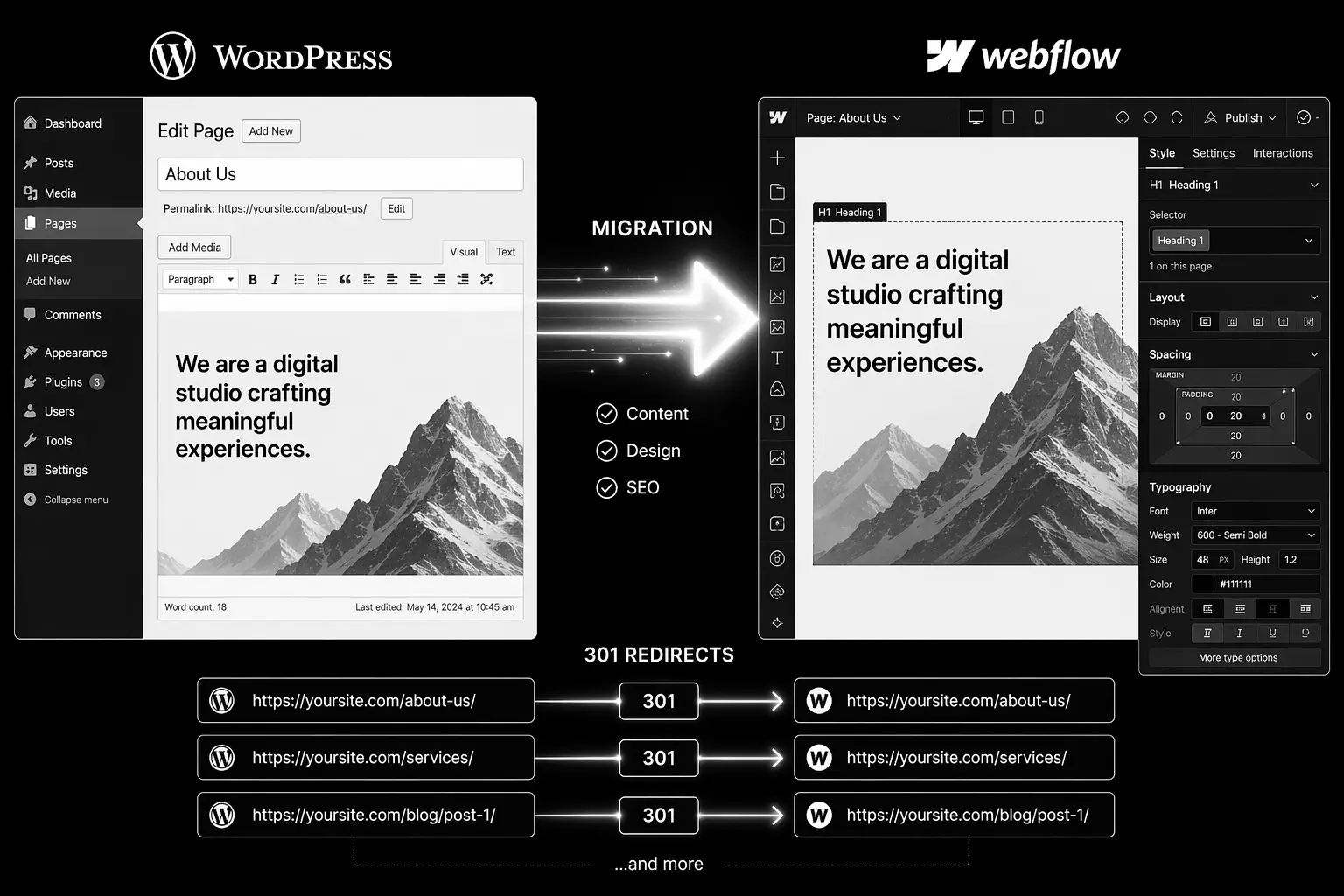
WordPress to Webflow migrations are one of the highest-risk platform moves. Done badly, a team can lose 30–50% of organic traffic inside two weeks. Done right, sites often recover and exceed prior traffic within 90 days.This guide walks through the exact process that protects rankings. It's written for CMOs, founders, and technical teams planning the move. Follow this step-by-step and you will preserve your organic equity.

Why WordPress to Webflow Migrations Fail

The failure pattern is always the same:

  • Team builds a beautiful Webflow site.
  • Launches without 301 redirect strategy.
  • Old WordPress URLs return 404s.
  • Backlinks point to dead pages.
  • Organic traffic collapses.
  • Team spends two months firefighting redirects and re-submitting to Search Console.

This is completely avoidable with planning.

The Step-by-Step Migration Process

Phase 1: Pre-Launch Audit (Weeks 1–2)

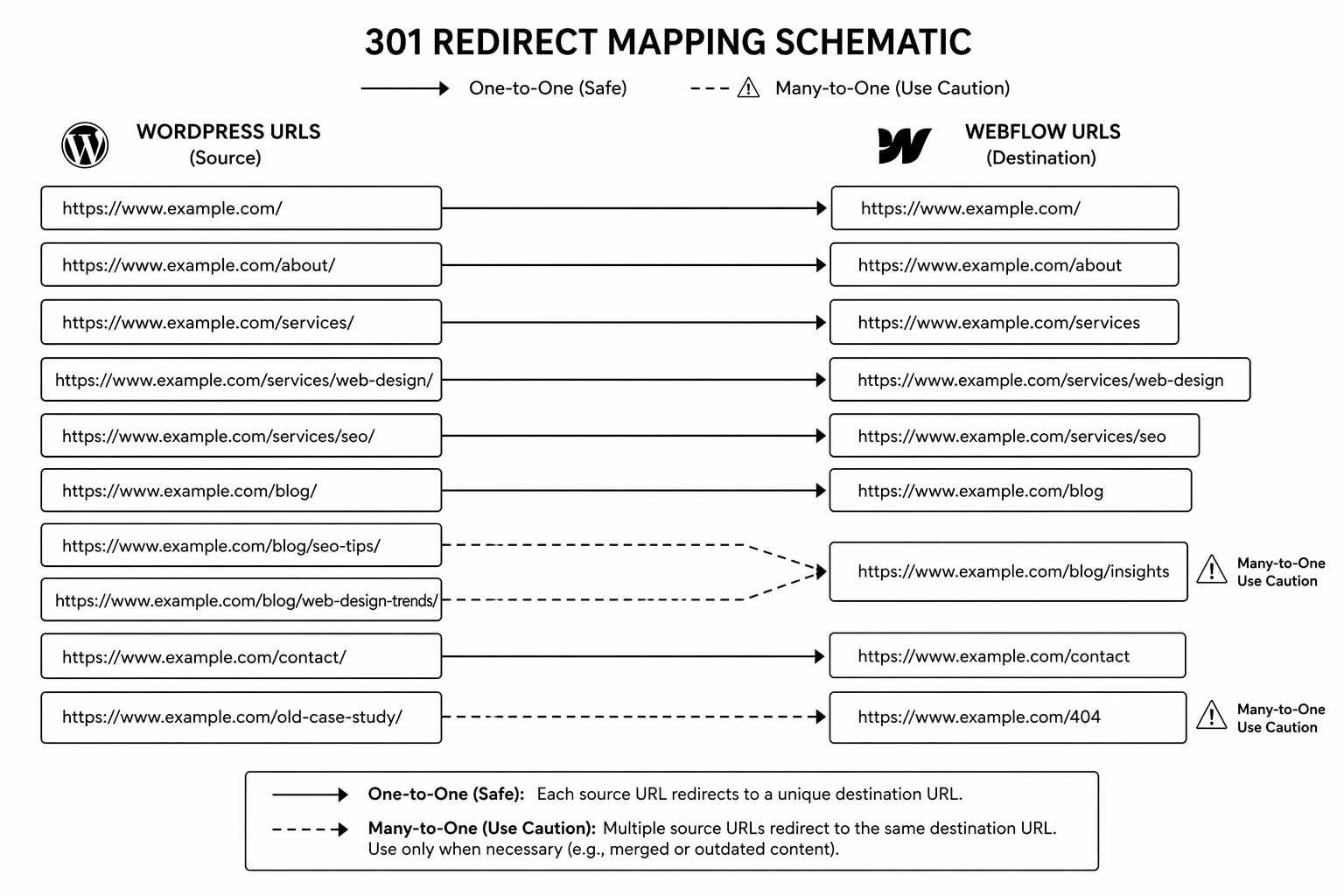
1. Full URL inventory. Export from Screaming Frog, Google Search Console, and your WordPress sitemap. Every URL currently indexed matters.2. Traffic report by URL. Which pages drive the most organic traffic? Which rank for valuable keywords? Which have backlinks? Prioritise these for one-to-one redirects.3. 301 redirect map. Create a spreadsheet with old WordPress URL → new Webflow URL. Maintain keyword alignment. Never redirect high-traffic pages to the homepage.4. Content parity check. Every page that drives traffic should exist in Webflow with equal or better content. If a page is being cut, it needs a topical redirect match, not a 404.

Phase 2: Technical Setup (Weeks 3–4)

5. Webflow build staging. Build the full site on Webflow, including 301 redirects in the hosting settings or via a reverse proxy layer.6. Meta, schema, and canonicals. Verify every page has correct meta title, meta description, canonical tag, and schema markup before going live.7. Staging QA. Test redirect flows. Verify all inbound links still work. Check Core Web Vitals on key pages.

Phase 3: Launch (Week 5)

8. Pre-cutover checklist.

  • DNS change planned for Tuesday or Wednesday (off-peak).
  • Full team on standby for 48 hours.
  • Search Console new property ready and sitemap pre-submitted.
  • Analytics events mapped to new page structure.

9. DNS cutover. Point domain to Webflow. Monitor for 4–6 hours.10. Redirect testing. Spot-check 50+ old URLs. Verify they land on the correct new page.
Phase 4: Post-Launch Monitoring (Weeks 6–12)

11. First 48 hours. Monitor Search Console for crawl errors. Fix any broken redirects immediately.12. Weeks 2–4: Traffic monitoring. Traffic dips 2–4 weeks post-launch are normal. If a major drop happens, check:

  • Are high-traffic pages redirecting correctly?
  • Have schema errors appeared?
  • Has robots.txt blocked Googlebot?
  • Are Core Web Vitals still green?

13. Weeks 4–12: Ranking recovery. Sites usually recover pre-launch rankings within 60–90 days. If recovery stalls, audit internal linking and content keyword density.

Planning a WordPress to Webflow move? Our migration specialists run pre-move audits to identify risk areas and lock redirect strategy. Book a migration consultation.

Common Mistakes to Avoid

1. Chain redirects. WordPress → staging → Webflow adds redirect hops and loses link equity. Use one-hop redirects only (old URL → new URL, full stop).2. Changing URL structure. "We want cleaner URLs on Webflow." If the old URLs have backlinks, structure changes tank rankings. Preserve URL format where possible.3. Missing redirects on old pages. One forgotten page generating 500 monthly visits now returns 404. That's lost traffic and link equity. Redirect everything with traffic.4. No 301 monitoring after launch. First month is critical. Automate Slack alerts when 404s spike.5. Launching on a Friday. Something breaks, team is unavailable. Always launch Tuesday–Thursday.For broader platform decisions before migrating, see Webflow vs WordPress comparison.

FAQ

How long does WordPress to Webflow migration take?

4–6 weeks for straightforward builds under 100 URLs. 10–16 weeks for complex sites with 300+ URLs and deep integrations.

Will I lose traffic when I migrate?

A 2–4 week traffic dip is normal. Most sites recover fully within 60–90 days. If the dip exceeds 30%, something in the redirect strategy or technical setup is broken.

Can I migrate content manually?

You can, but it's slow and error-prone for 100+ pages. Tools like All in One WP Migration or database exports are faster. Webflow has import tooling to accelerate content bulk uploads.

Do I need 301 redirects or can I use meta refresh?

301 redirects. Meta refresh is an outdated tactic and doesn't pass link equity to search engines.

Should I migrate all 500 old URLs or just high-traffic pages?

Redirect everything with traffic or backlinks. Orphan pages without traffic can return 404s. Low-traffic pages: check if they drive even 10 monthly visits — if yes, redirect.

Conclusion: Migration Success Requires Planning, Not Luck

WordPress to Webflow migrations succeed when the team invests in redirect mapping and technical SEO before launch, not after. Most failures come from teams rushing to launch without this work.If you have a WordPress site with serious organic traffic, this checklist is not optional — it's required. Use it.Need specialist support through the process? Our Webflow migration team has moved 50+ sites without losing meaningful traffic. Book your migration audit.

The WordPress to Webflow Migration Checklist — a detailed 35-point checklist covering pre-move audit, redirect strategy, and post-launch monitoring. [contact-form-7 id="6b7a50c" title="Contact form Popup"]

KEEP BUILDING

You've got the plan. Let's build it.

We turn the frameworks you just read into the flows, pages, and automation behind them — under your brand, always.

Keep reading

View all articles
Ecommerce

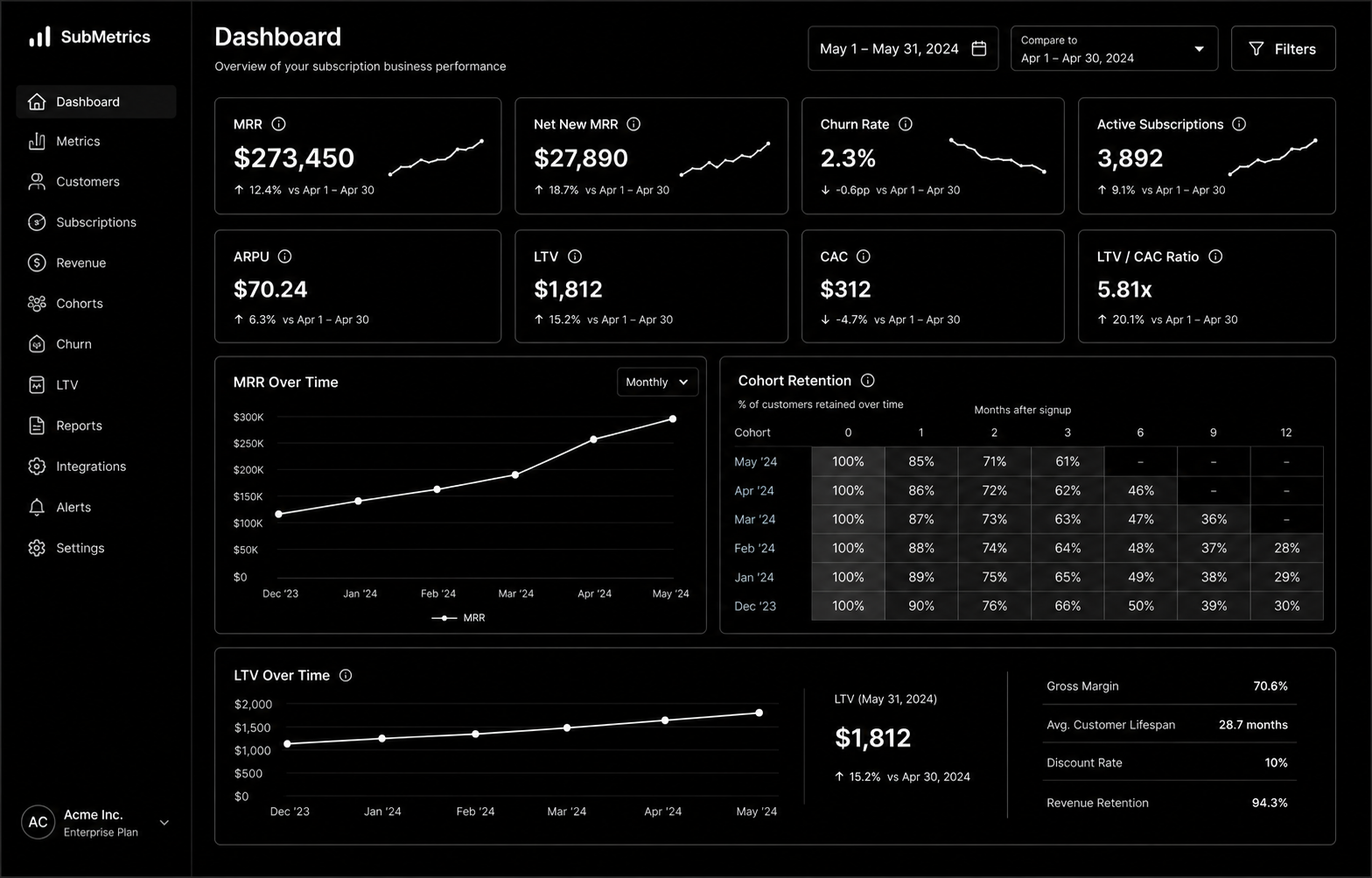
Subscription Ecommerce Growth: The 2026 Strategy for Recurring Revenue

Subscription Ecommerce Growth in 2026 is won by execution quality, not platform hype. Teams that perform consistently align strategy, implementation, and measurement into one operating system. This guide gives the practical framework, internal link map, and optimization cadence to do that.Subscription ecommerce is built on retention math most brands ignore. Here's the 2026 growth strategy that actually works. If you want implementation help, work with Shopify development. For connected strategy, also review Shopify Plus Development Guide and DTC Ecommerce Growth.

What Subscription Ecommerce Growth Means in Practice

Subscription ecommerce growth is driven by retention math more than subscriber volume. Sustainable recurring revenue comes from solid unit economics, churn prevention, and disciplined experimentation.

Why subscription ecommerce Matters in 2026

1. Recurring models fail fast when churn and fulfillment costs are ignored.2. Leadership cares more about LTV quality than raw subscriber count.3. Cancellation interventions now require tighter experimentation and segmentation.

Step-by-Step Playbook

1. Model unit economics by cohort

Track CAC payback, gross margin, and LTV by acquisition source.

2. Design subscription architecture

Define cadence options and flexibility to reduce early churn.

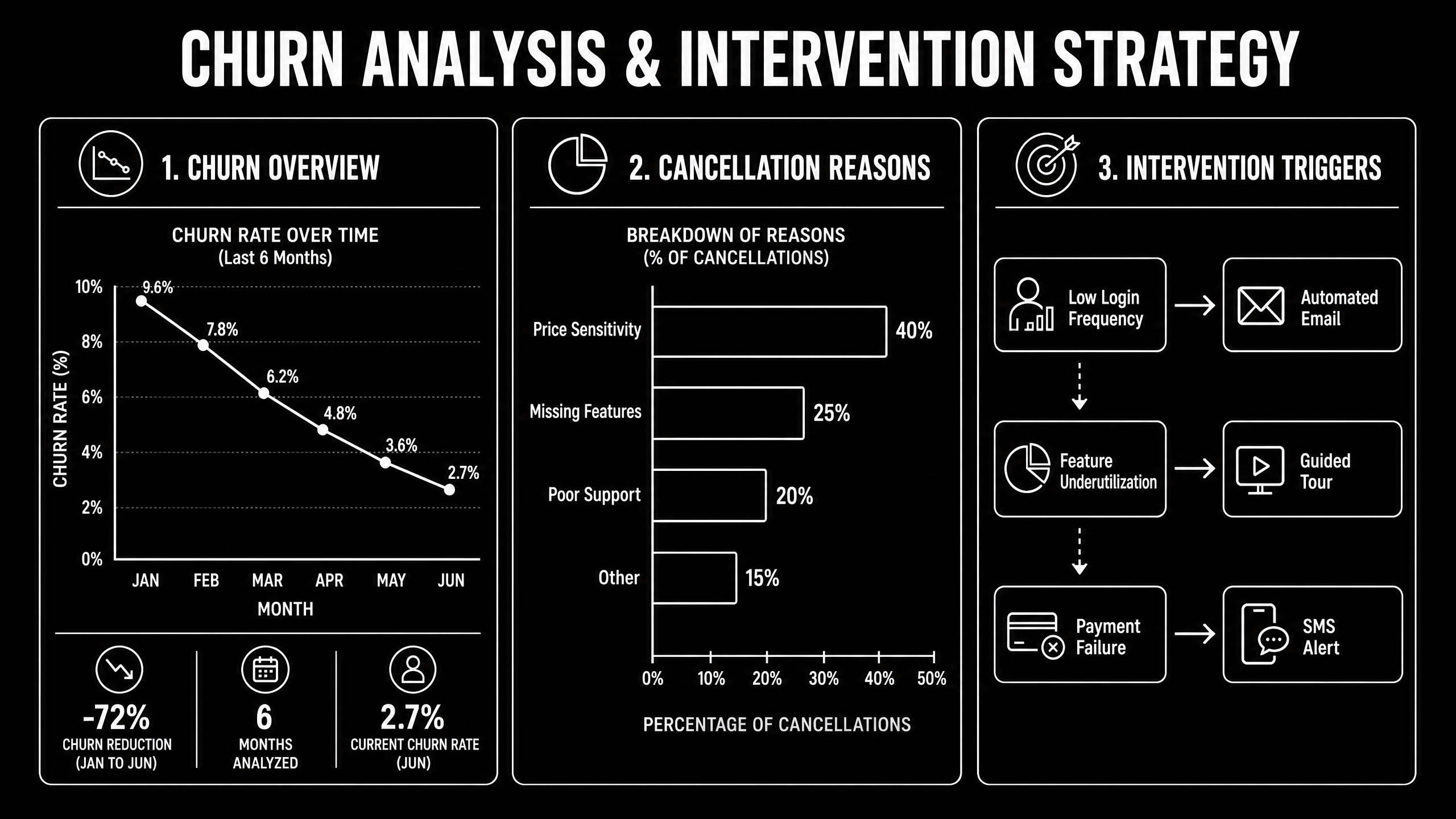
3. Implement churn intervention flows

Trigger save offers and outreach by cancellation signals.

4. Improve post-purchase value loop

Reinforce value between shipments with lifecycle communication.

5. Run monthly retention tests

Test pricing, bundles, and cancellation UX with guardrails.Mid-article CTA -> Need support applying this to your stack? Subscription scoping and get a scoped roadmap with timeline, owners, and KPI targets.

Tools, References, and Benchmarks

  • Subscription unit economics model
  • Cancellation reason taxonomy
  • Retention experiment backlog
  • Semantic keyword targets to distribute naturally: subscription commerce shopify, recurring revenue ecommerce, subscription box growth

Use these references during planning and QA: Shopify enterprise resources, Klaviyo resources, and web.dev ecommerce guidance.

Common Mistakes That Kill Performance

  • Acquisition-first strategy
  • Weak churn instrumentation
  • No cohort profitability analysis

FAQ - Subscription Ecommerce Growth

How long does a subscription ecommerce project usually take?

Most teams can ship an initial version in 4 to 8 weeks, then improve outcomes over one quarter with a weekly optimization cadence.

Is subscription ecommerce relevant for UK and US teams?

Yes. The core framework is consistent across both markets. Differences are usually compliance details, buying behavior, and GBP/USD planning.

What should we measure first for subscription ecommerce?

Track one leading metric, one conversion metric, and one revenue metric so execution stays tied to business impact.

Should we run this in-house or with a specialist partner?

If your team has deep expertise and bandwidth, in-house can work. If speed and risk control matter, working with a specialist partner is usually faster.

What is the most common failure mode?

Teams skip governance after launch. Data quality drifts, process quality declines, and performance plateaus. A simple weekly operating rhythm prevents this.

Conclusion

Subscription Ecommerce Growth performs best when execution decisions are tied to measurable outcomes from day one. Use this playbook to prioritize what matters, reduce risk, and create a repeatable optimization rhythm.Want a specialist team to accelerate delivery? Talk to Shopify development or book a consultation and we will map a practical rollout plan.Download the Subscription Ecommerce Unit Economics Model to implement this framework with templates and checklists.

Ecommerce

DTC Ecommerce Growth Playbook: 14 Levers That Compound in 2026

DTC Ecommerce Growth Playbook in 2026 is won by execution quality, not platform hype. Teams that perform consistently align strategy, implementation, and measurement into one operating system. This guide gives the practical framework, internal link map, and optimization cadence to do that.DTC growth in 2026 isn't a single channel — it's 14 levers compounding. Here's the playbook that works. If you want implementation help, work with our Shopify developers. For connected strategy, also review Shopify Plus Development Guide and Shopify Conversion Rate Optimization.

What DTC Ecommerce Growth Playbook Means in Practice

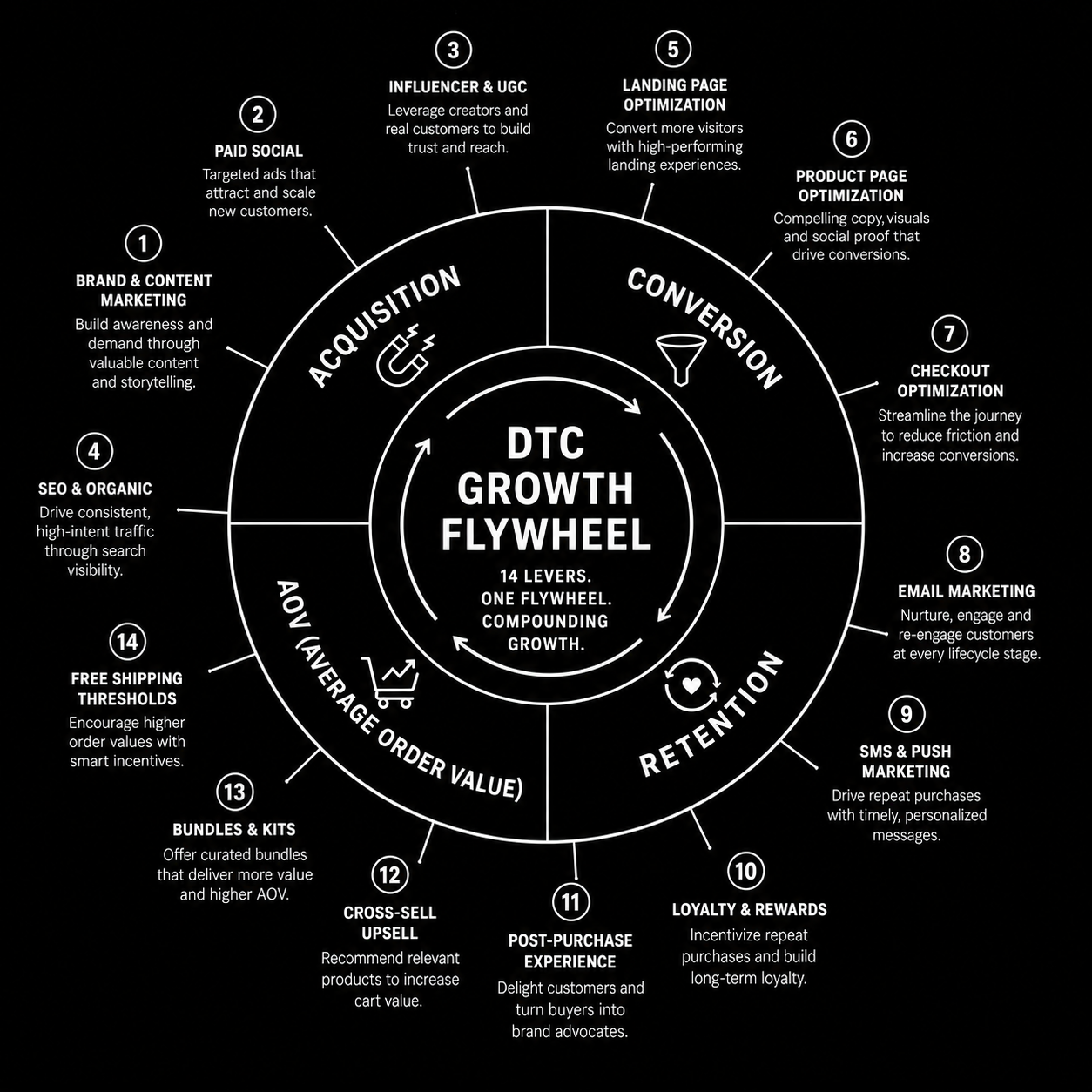
DTC ecommerce growth is a compounding system across acquisition, conversion, retention, and AOV. The strongest brands avoid single-channel dependence and run an integrated growth flywheel.

Why dtc ecommerce growth Matters in 2026

1. Paid channel volatility makes one-channel strategies fragile.2. Retention quality now drives profitability more than traffic volume.3. Winning teams iterate quickly across offers, creative, and lifecycle mechanics.

Step-by-Step Playbook

1. Audit growth mix

Quantify channel contribution and margin impact.

2. Pick highest-leverage constraint

Fix one bottleneck at a time for compounding gains.

3. Improve merchandising strategy

Align bundles and offers to margin-aware demand signals.

4. Expand retention automations

Improve post-purchase, replenishment, and win-back flows.

5. Review flywheel monthly

Track how changes in one lever affect the whole system.Mid-article CTA -> Need support applying this to your stack? DTC growth audit and get a scoped roadmap with timeline, owners, and KPI targets.

Tools, References, and Benchmarks

  • 14-lever growth map
  • Channel contribution scorecard
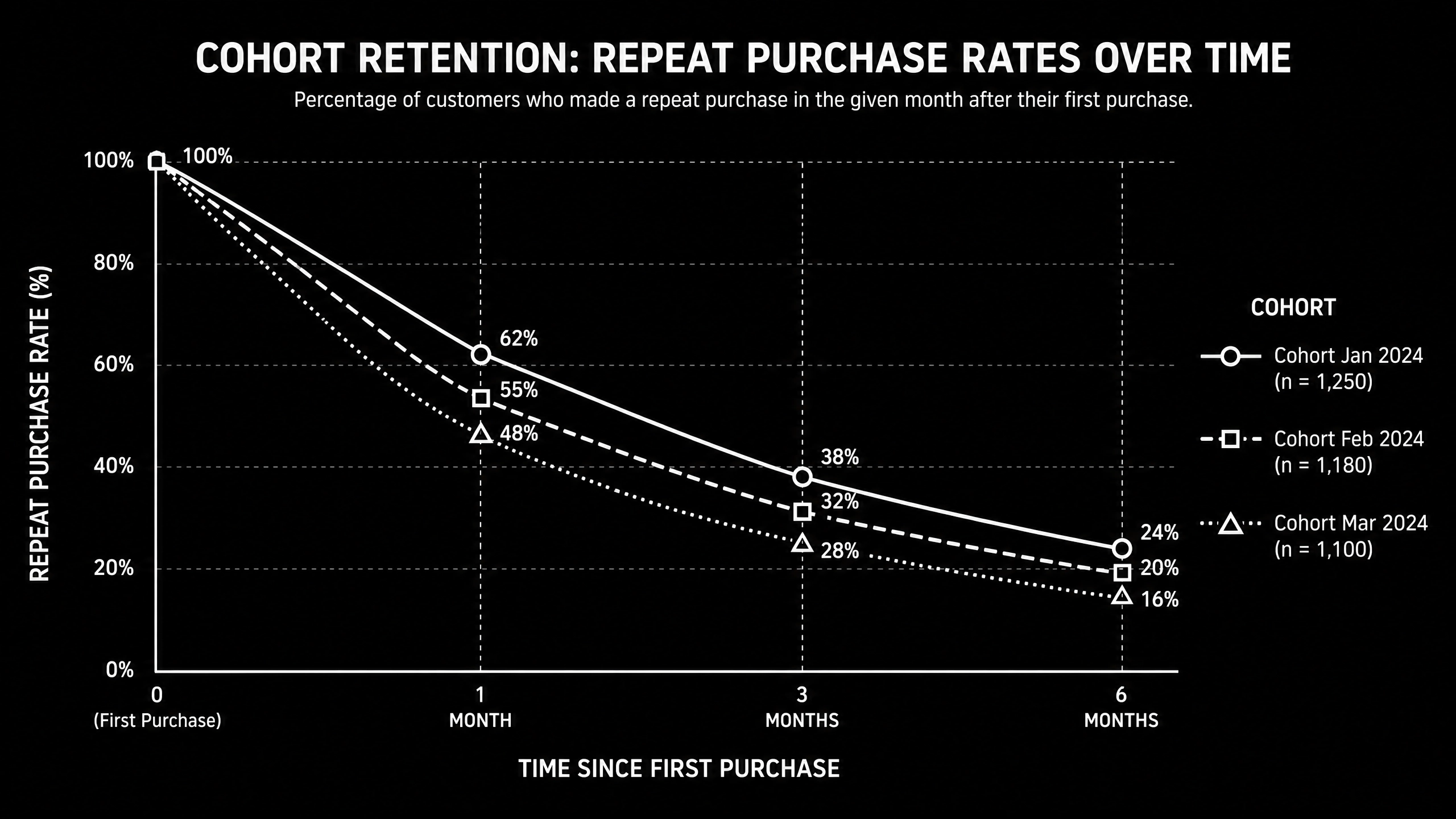
  • Cohort retention tracker
  • Semantic keyword targets to distribute naturally: dtc growth playbook, direct to consumer growth, scaling dtc brand

Use these references during planning and QA: Shopify enterprise resources, Klaviyo resources, and web.dev ecommerce guidance.

Common Mistakes That Kill Performance

  • Acquisition-only focus
  • Ignoring contribution margin
  • No cross-channel operating rhythm

FAQ - DTC Ecommerce Growth Playbook

How long does a dtc ecommerce growth project usually take?

Most teams can ship an initial version in 4 to 8 weeks, then improve outcomes over one quarter with a weekly optimization cadence.

Is dtc ecommerce growth relevant for UK and US teams?

Yes. The core framework is consistent across both markets. Differences are usually compliance details, buying behavior, and GBP/USD planning.

What should we measure first for dtc ecommerce growth?

Track one leading metric, one conversion metric, and one revenue metric so execution stays tied to business impact.

Should we run this in-house or with a specialist partner?

If your team has deep expertise and bandwidth, in-house can work. If speed and risk control matter, working with a specialist partner is usually faster.

What is the most common failure mode?

Teams skip governance after launch. Data quality drifts, process quality declines, and performance plateaus. A simple weekly operating rhythm prevents this.

Conclusion

DTC Ecommerce Growth Playbook performs best when execution decisions are tied to measurable outcomes from day one. Use this playbook to prioritize what matters, reduce risk, and create a repeatable optimization rhythm.Want a specialist team to accelerate delivery? Talk to our Shopify developers or book a consultation and we will map a practical rollout plan.Download the DTC Growth Lever Map to implement this framework with templates and checklists.

UI/UX

SaaS Onboarding Flow Design: The 2026 Activation Playbook

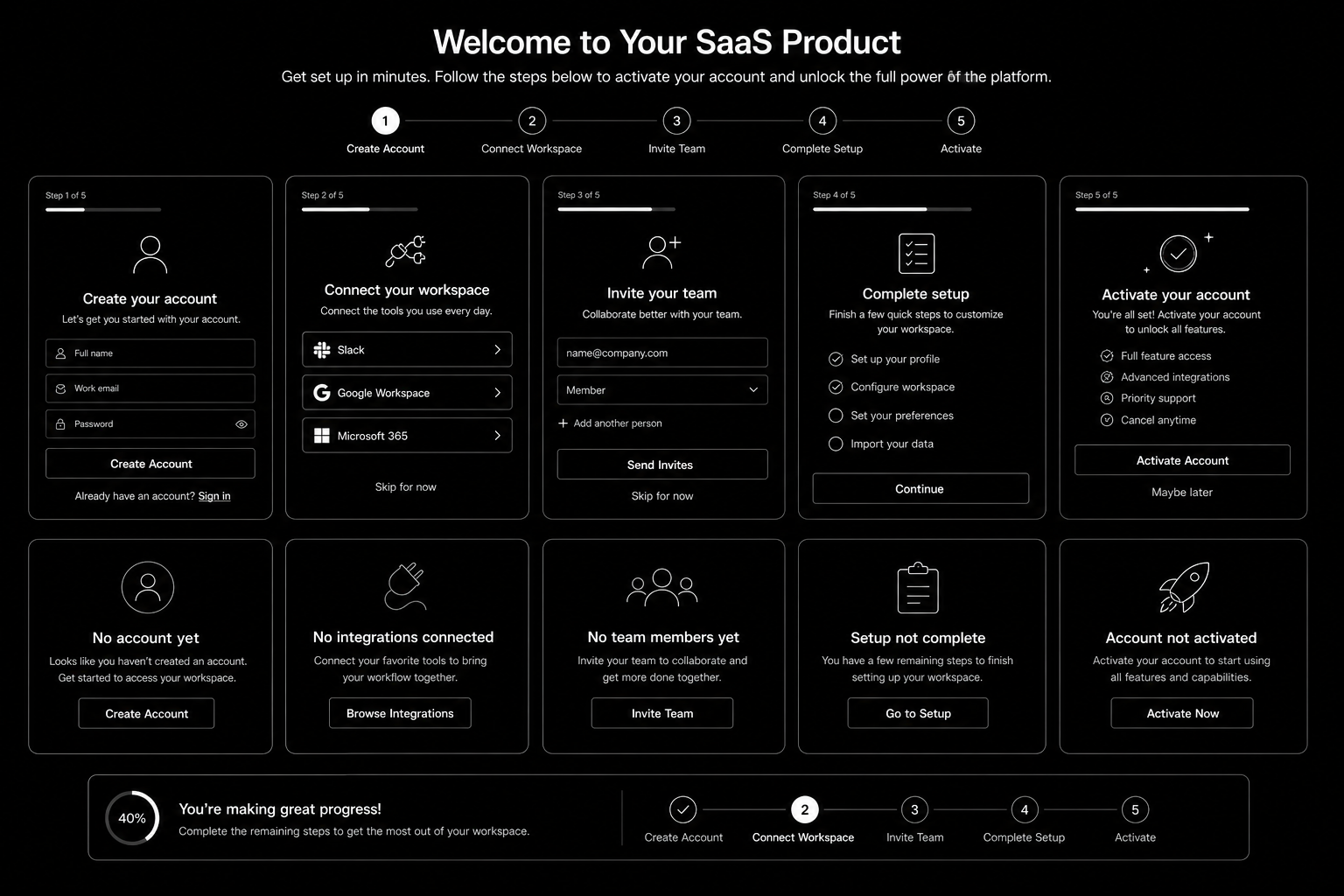
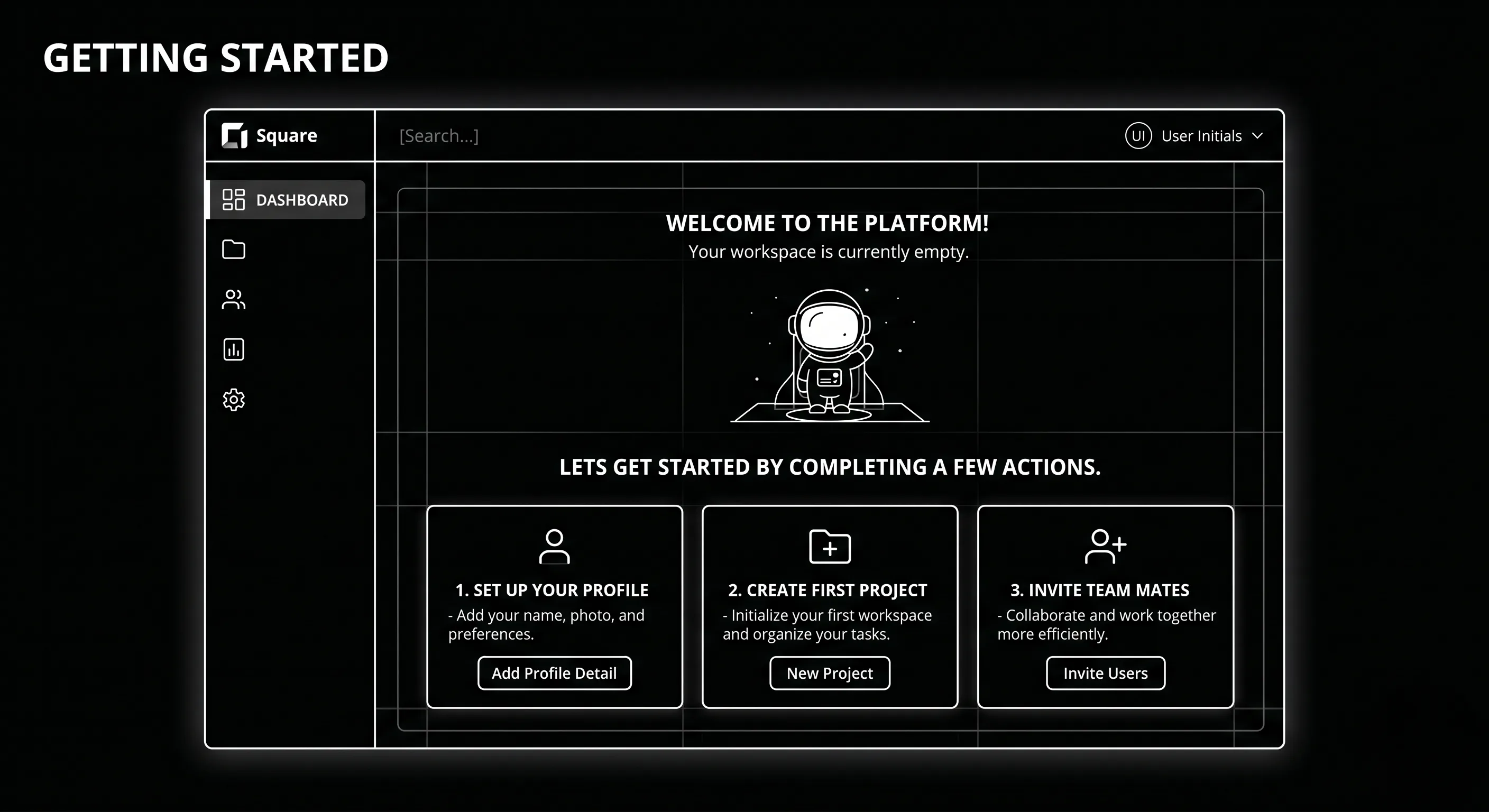
SaaS Onboarding Flow Design in 2026 is won by execution quality, not platform hype. Teams that perform consistently align strategy, implementation, and measurement into one operating system. This guide gives the practical framework, internal link map, and optimization cadence to do that.Onboarding decides retention. Here's the flow design that takes SaaS trial-to-paid from 12 to 22 percent. If you want implementation help, work with product design team. For connected strategy, also review Saas UI UX Design Principles and Saas Website Growth Strategy.

What SaaS Onboarding Flow Design Means in Practice

SaaS onboarding flow design drives activation and retention by guiding users to first value quickly. The strongest flows use milestone logic, contextual guidance, and recovery paths for stalled users.

Why saas onboarding flow Matters in 2026

1. Activation efficiency now strongly affects CAC payback.2. Users reject long generic onboarding tours.3. Milestone completion predicts retention better than vanity engagement metrics.

Step-by-Step Playbook

1. Define activation milestone

Set one clear event that predicts long-term value.

2. Map first-session friction

Identify where users stall before activation.

3. Design progressive guidance

Trigger contextual support based on user state.

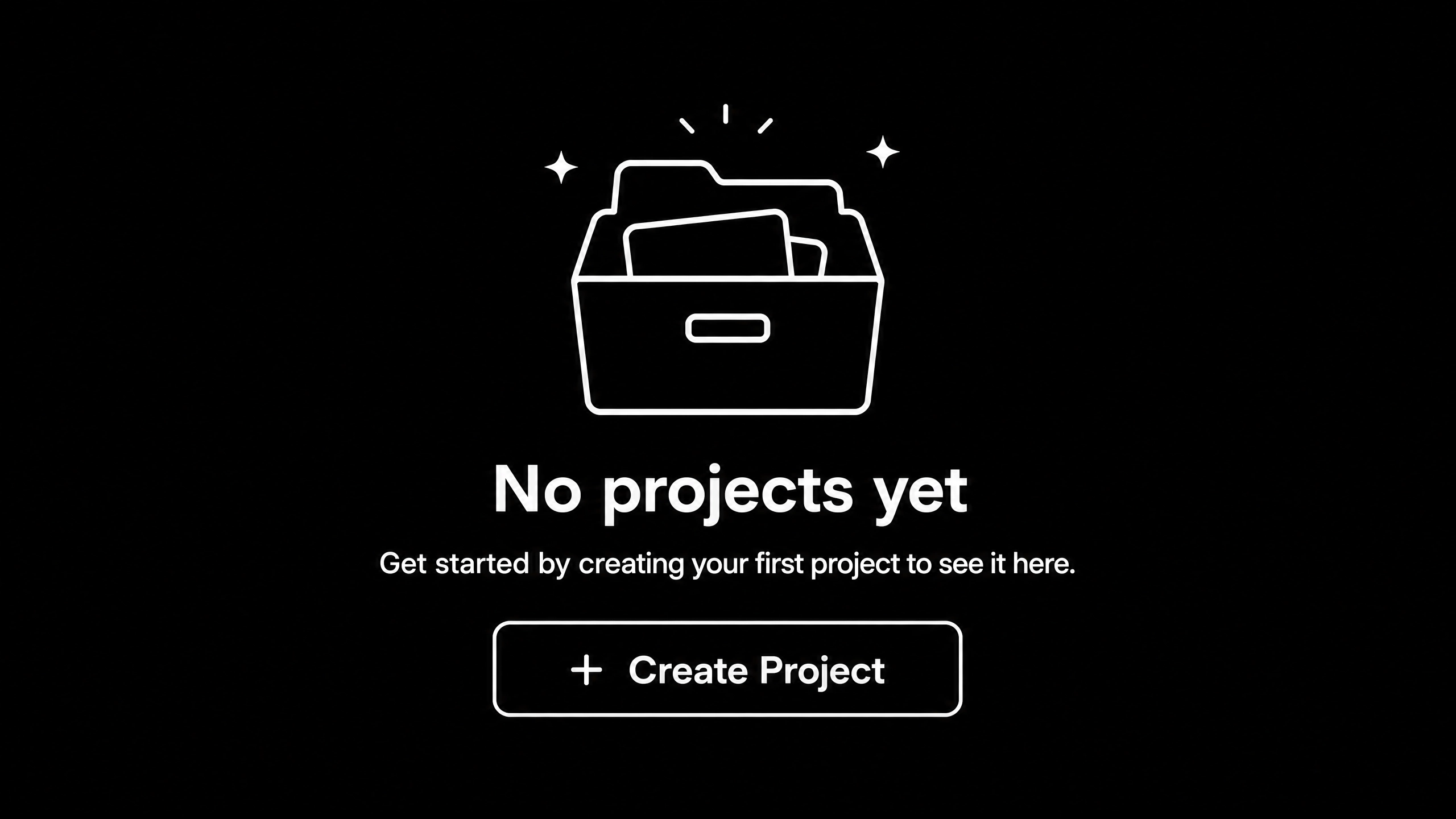
4. Create recovery paths

Use empty states and reactivation nudges for stuck users.

5. Track cohorts weekly

Monitor milestone completion and improve weakest steps.Mid-article CTA -> Need support applying this to your stack? Onboarding UX audit and get a scoped roadmap with timeline, owners, and KPI targets.

Tools, References, and Benchmarks

  • Activation map
  • Onboarding state matrix
  • Cohort progression dashboard
  • Semantic keyword targets to distribute naturally: saas onboarding ux, saas activation flow, product onboarding design

Use these references during planning and QA: Nielsen Norman Group UX articles, Material design guidance, and web.dev mobile UX guidance.

Common Mistakes That Kill Performance

  • No clear activation definition
  • Overloaded first session
  • No recovery path for stalled users

FAQ - SaaS Onboarding Flow Design

How long does a saas onboarding flow project usually take?

Most teams can ship an initial version in 4 to 8 weeks, then improve outcomes over one quarter with a weekly optimization cadence.

Is saas onboarding flow relevant for UK and US teams?

Yes. The core framework is consistent across both markets. Differences are usually compliance details, buying behavior, and GBP/USD planning.

What should we measure first for saas onboarding flow?

Track one leading metric, one conversion metric, and one revenue metric so execution stays tied to business impact.

Should we run this in-house or with a specialist partner?

If your team has deep expertise and bandwidth, in-house can work. If speed and risk control matter, working with a specialist partner is usually faster.

What is the most common failure mode?

Teams skip governance after launch. Data quality drifts, process quality declines, and performance plateaus. A simple weekly operating rhythm prevents this.

Conclusion

SaaS Onboarding Flow Design performs best when execution decisions are tied to measurable outcomes from day one. Use this playbook to prioritize what matters, reduce risk, and create a repeatable optimization rhythm.Want a specialist team to accelerate delivery? Talk to product design team or book a consultation and we will map a practical rollout plan.Download the SaaS Onboarding Activation Map to implement this framework with templates and checklists.