
 Website Designing
 Web Development
 Mobile Applications
 Marketing
 CMS & Ecommerce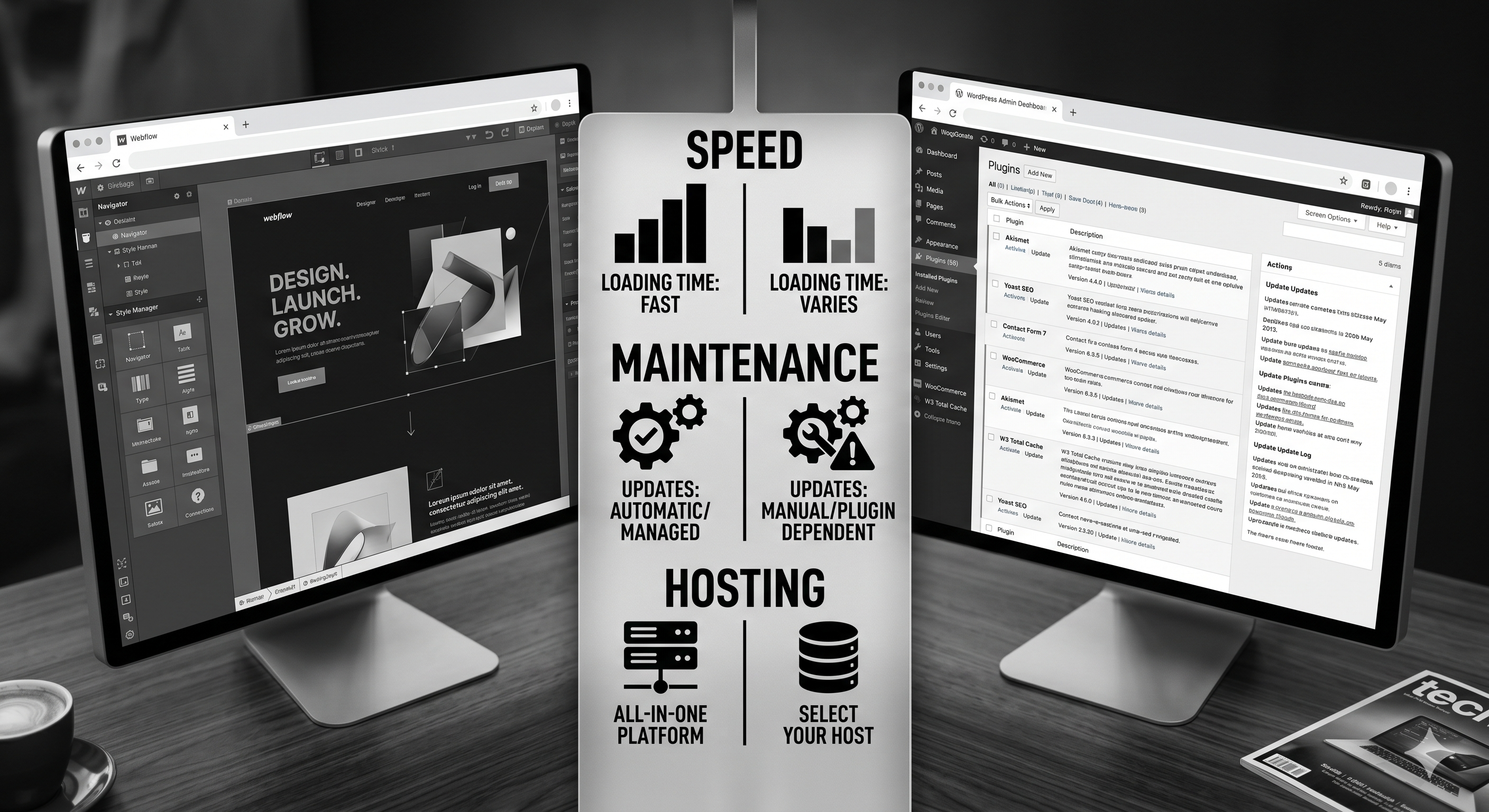
Table of Contents
The Webflow vs WordPress debate is usually framed as “visual builder versus open-source CMS.” That’s too shallow to make a six-figure platform decision. In 2026, the real question is operational: which platform helps your team ship faster, rank better, and convert more without creating long-term maintenance debt?
This guide is for founders, CMOs, and growth leads comparing both platforms for serious marketing sites. We’ll break down cost, performance, SEO, content operations, and scalability with practical trade-offs. If you already suspect your current stack is slowing your team down, this will give you a clean answer.
Webflow vs WordPress in One Sentence
Webflow is opinionated, faster to manage, and lower maintenance. WordPress is more flexible, more extensible, and easier to overcomplicate. Which one wins depends less on features and more on your operating model.
- Pick Webflow if speed, design consistency, and low technical overhead matter most.
- Pick WordPress if you need heavy plugin-specific functionality or bespoke backend workflows.
- Avoid both mistakes: picking WordPress “because it’s standard” or picking Webflow “because it looks modern” without a content and growth plan.
Performance: Which Platform Is Faster?
On default builds, Webflow usually wins. It ships on a managed infrastructure with CDN delivery, sensible code output, and fewer moving parts. WordPress performance can match it, but only with disciplined hosting, caching, image optimisation, and plugin control.
In practice, most mid-market teams don’t maintain that discipline over 24 months. They add plugins, scripts, and quick fixes until Core Web Vitals degrade. That’s why many companies move to Webflow after a redesign cycle that got slower every quarter.
If performance and marketing velocity are priorities, this is why many teams move from WordPress to Webflow using a structured migration process rather than another WordPress rebuild.
SEO: Is WordPress Better for Rankings?
Not inherently. WordPress has excellent SEO tooling, but tooling is not execution. Both platforms can rank extremely well when architecture, internal linking, technical hygiene, and publishing quality are strong.
Where WordPress can still shine is edge-case control for custom technical SEO requirements. Where Webflow shines is reducing the number of ways teams accidentally break SEO with plugin conflicts, theme updates, or bloated page builders.
If your team publishes consistently and wants fewer breakpoints, Webflow development often compounds faster over time.
Total Cost of Ownership: The Real Difference
The biggest misunderstanding in the Webflow vs WordPress conversation is cost. WordPress often looks cheaper in year one. By year two, maintenance and troubleshooting erase most of that gap for growth-stage teams.
WordPress cost layers: hosting, premium theme, plugin subscriptions, security tooling, maintenance retainers, and emergency fixes. Webflow cost layers: platform plan, occasional custom code, and lower maintenance overhead.
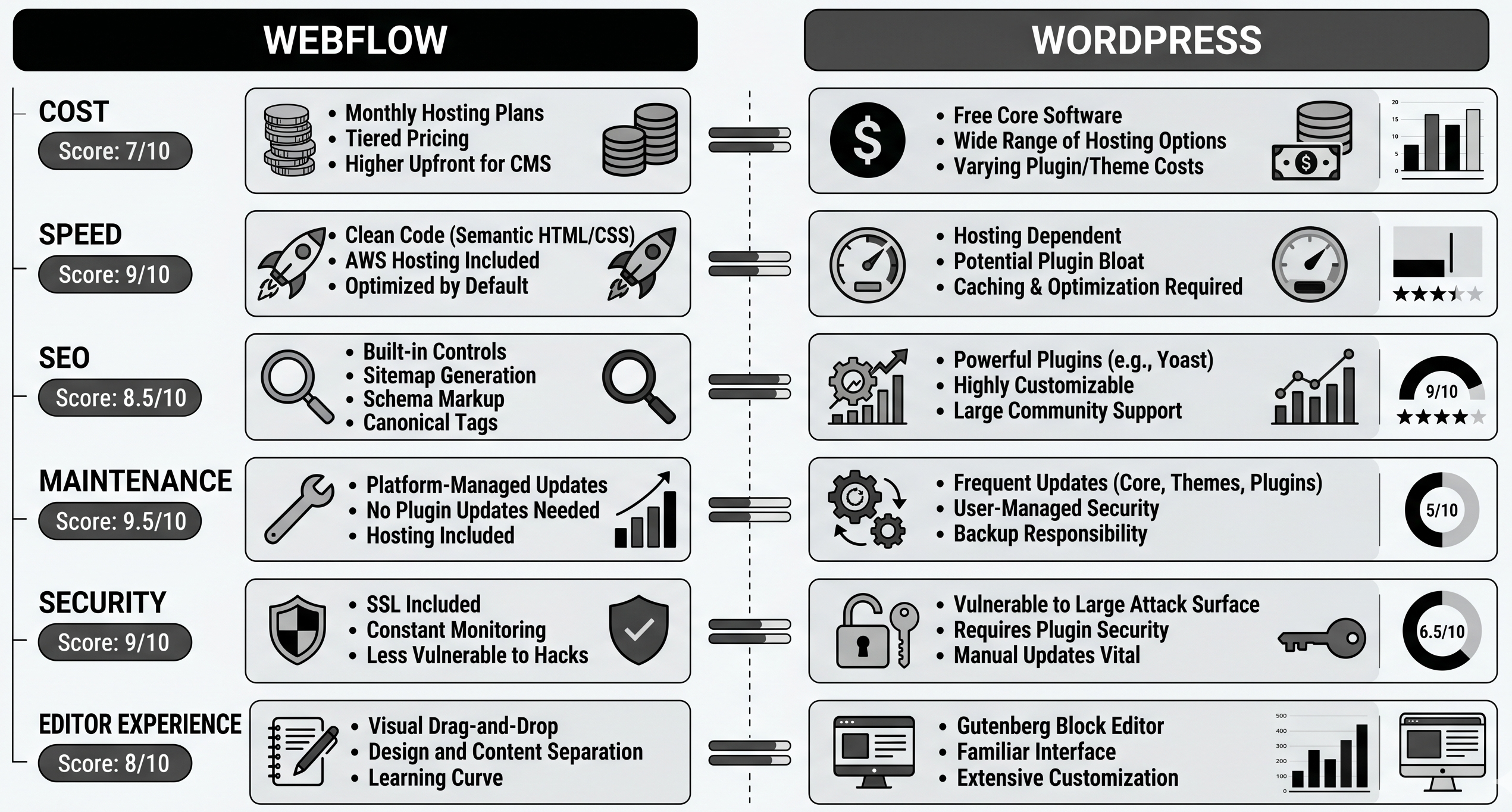
Rule of thumb: if your site is a core growth channel and your team publishes weekly, Webflow usually becomes cheaper to operate by months 12 to 18. If your site is low-change and plugin-heavy, WordPress can remain cost-effective.
Unsure which platform actually fits your team? We run practical platform reviews for SaaS and service businesses. Book a migration consultation and we’ll map scope, risk, and a realistic cost model before you commit.
Security and Maintenance Overhead
Webflow’s managed environment removes most routine security tasks from your team. WordPress gives you control, but that control comes with patch management, plugin audits, and ongoing monitoring responsibility.
Neither is insecure by default. The difference is responsibility distribution. If your team lacks in-house platform operations, managed systems reduce risk.
Content Operations and Team Workflow
Webflow’s editor is cleaner for non-technical teams and enforces stronger design-system consistency. WordPress editor flexibility is powerful but varies heavily depending on theme, builder, and plugin stack.
If your marketing team wants to publish without engineering tickets, Webflow generally creates less friction. If your content model relies on highly custom editorial workflows, WordPress can still be the better operational choice.
For B2B teams evaluating CRM-native alternatives, compare this with HubSpot CMS vs WordPress before finalising your CMS decision.
When Webflow Is the Better Choice
- You want a fast marketing site with low maintenance overhead.
- Your team needs visual editing with strong brand consistency.
- You care about speed-to-launch and frequent iteration.
- You do not need complex plugin-dependent backend logic.
When WordPress Is the Better Choice
- You need deep plugin ecosystem access for niche requirements.
- You already have strong in-house WordPress technical ownership.
- Your content operation depends on custom backend workflows.
- You can enforce strict performance and security governance over time.
FAQ
Is Webflow better than WordPress for SEO?
Neither is automatically better. Both can rank well. Webflow often wins operationally because it’s harder for teams to degrade performance and technical hygiene over time.
Is Webflow more expensive than WordPress?
Upfront, sometimes yes. Over 24 months, often no, because maintenance and plugin overhead in WordPress grows faster than expected.
Can I migrate from WordPress to Webflow without losing traffic?
Yes, if you run URL inventory, one-to-one redirects, and content parity. Most losses come from poor migration planning, not platform choice.
Who should stay on WordPress in 2026?
Teams with genuine plugin-heavy requirements and strong internal ownership. If you’re mostly publishing marketing content, Webflow is often simpler and faster.
Should agencies still build on WordPress?
Yes for specific use cases, but many agencies now deliver faster and with less support burden on Webflow. Platform choice should follow client operations, not agency habit.
Conclusion: Pick the Platform Your Team Can Operate Well
Webflow vs WordPress is not about which platform has more features on paper. It’s about which one your team can run consistently for the next three years without performance decay, publishing friction, or maintenance drag.
If your goal is a faster, cleaner growth engine, Webflow usually wins. If your goal is maximum extensibility and you can support the overhead, WordPress still has a place. The wrong answer is making the decision on brand familiarity alone.
Need a neutral recommendation before you choose? Our Webflow agency team can map whether Webflow is a fit and where WordPress still makes more sense. Book a consultation.
The Platform Selection Decision Matrix
— a practical scoring sheet to choose between Webflow, WordPress, and other CMS options by team structure, growth goals, and total cost.