Tag Archives: saas websites

Framer Development: Building Fast, Beautiful Sites for SaaS and Agencies in 2026

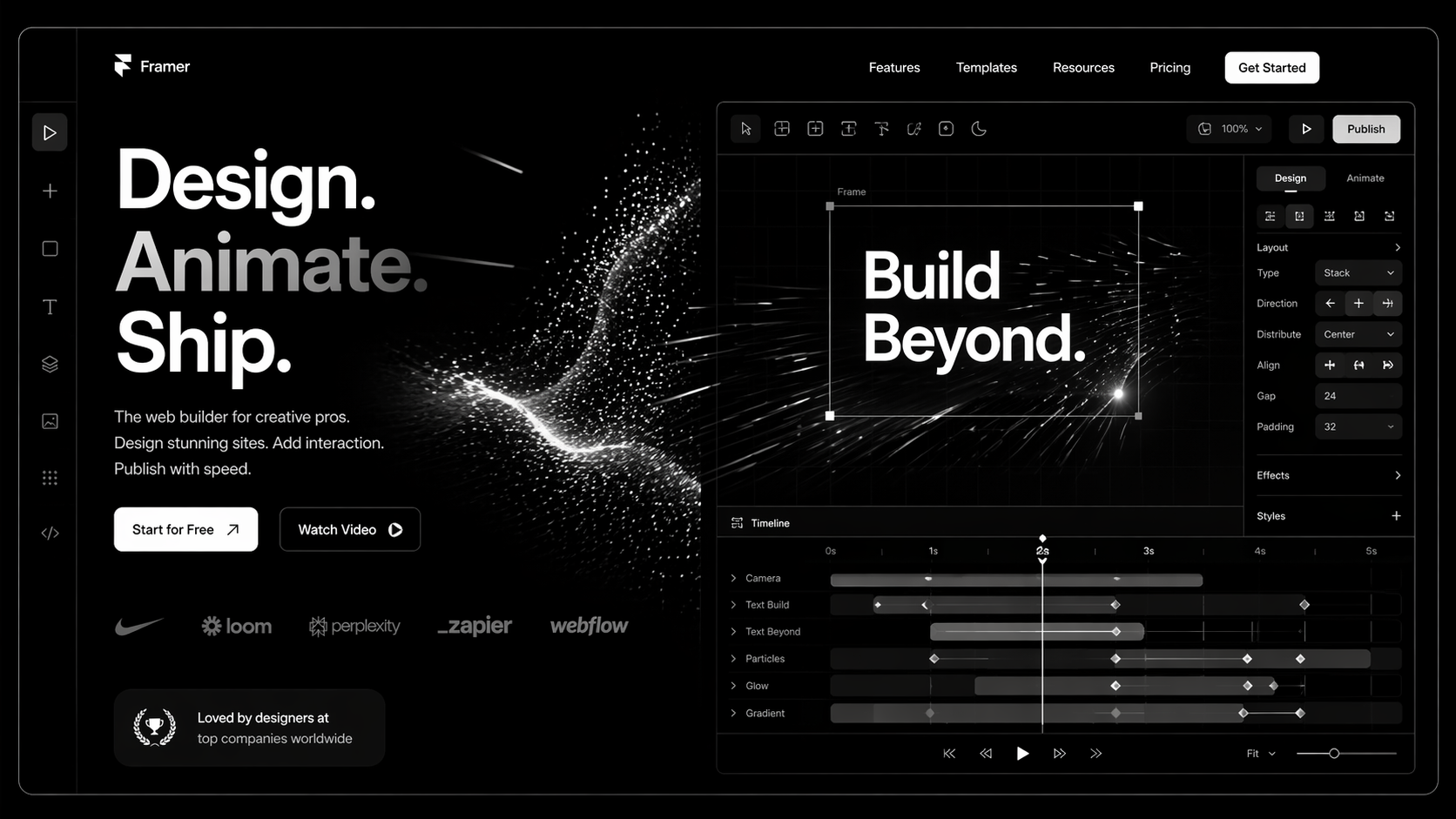
Framer is the platform startups pick when they want a marketing site that looks like a $60k Webflow build but ships in two weeks. That’s the pitch. It’s also mostly true — with caveats that nobody selling you a Framer build will mention upfront.

This guide is for founders, marketing leaders, and heads of design who are evaluating Framer development for a new site, a rebrand, or a migration. Direct answers on what Framer is good at, where it breaks, what it costs, and the project types where it beats every other platform on the market right now.

What Is Framer Development?

Framer started as a design prototyping tool competing with Figma. In 2022–23 it pivoted into a full production CMS and visual development platform. Today it’s in a league with Webflow for marketing sites — with different strengths.

Framer development is the practice of building production marketing websites on Framer using its CMS, breakpoints, components, and native animation. The output is a deployed site on Framer’s global edge network with auto-generated sitemap, SSR, and competitive Core Web Vitals out of the box.

Framer wins on three dimensions:

  • Speed of delivery — A strong Framer team ships a startup marketing site in 2–4 weeks.
  • Native motion — Timeline-based animation is built in. What takes GSAP + custom code in Webflow is a panel in Framer.
  • Design-to-production parity — The editor feels like Figma. Designers are productive on day one.

Where it still loses to Webflow: large-scale CMS (500+ items starts to feel slow in the editor), ecommerce, complex reference-field structures, and deep third-party integrations. For the full head-to-head, read Framer vs Webflow.

Why Framer Matters in 2026

1. Early-stage startups can’t afford slow sites. A YC-stage SaaS company doesn’t have 12 weeks for a marketing site. Framer lets one designer ship a credible launch site in two weeks and iterate weekly. Webflow needs a developer. Framer often doesn’t.

2. Motion is now a conversion lever. Kinetic type, scroll-triggered animation, and subtle micro-interaction have moved from “nice-to-have” to “expected on a premium SaaS site.” Framer does motion natively; every other platform needs a library, and libraries cost performance.

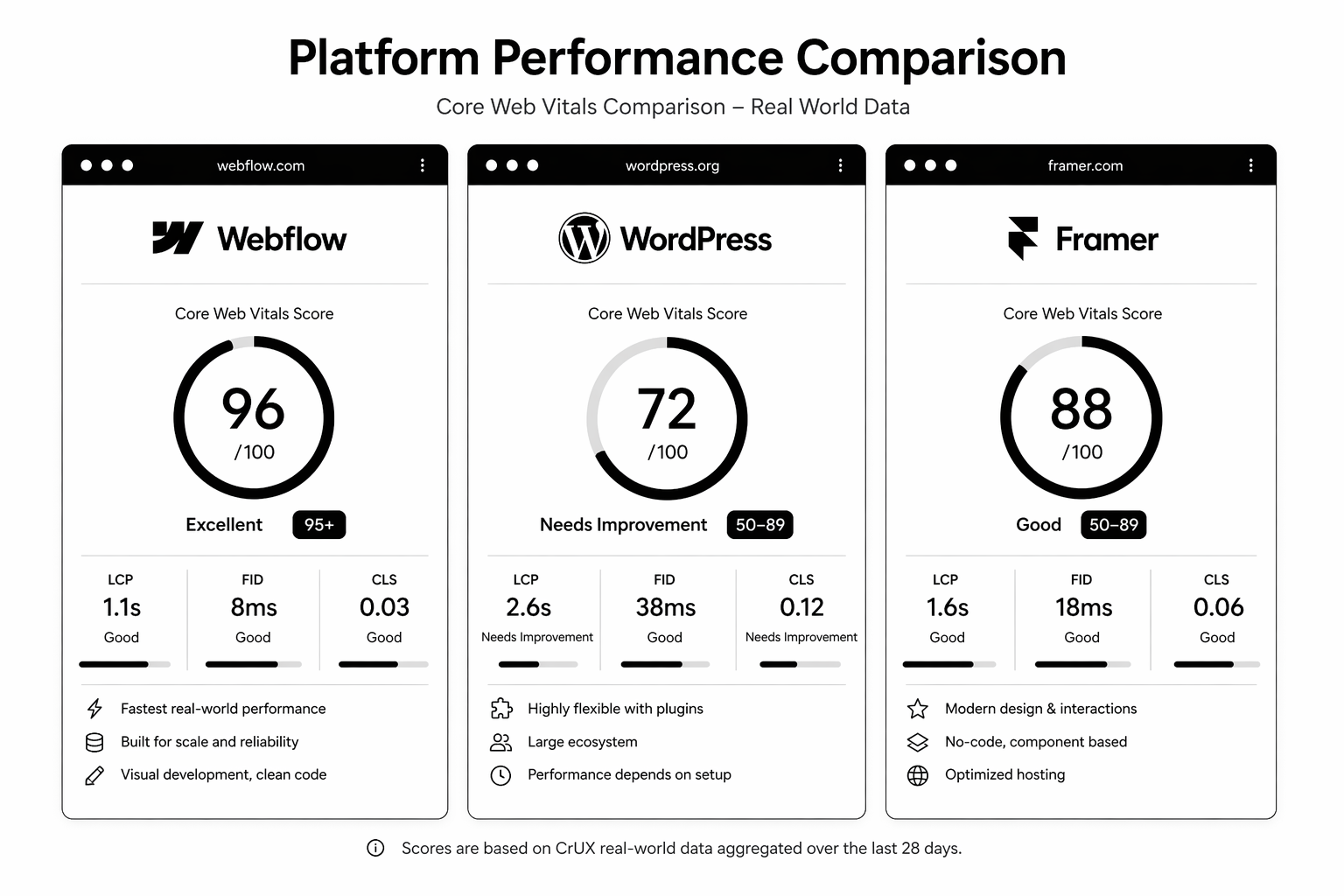
3. Framer Sites now has real SEO. Two years ago the concern with Framer was SEO. In 2026 it’s a non-issue — SSR, editable meta on every page, native sitemap, schema support, and strong Core Web Vitals. The gap with Webflow on SEO is basically gone.

How Framer Development Works

Three layers make up a serious Framer build.

1. Design System

Token-driven colour, type, and spacing variables. Reusable components with variants for different states. Framer’s component system is more Figma-like than Webflow’s — designers tend to adopt it faster.

2. CMS & Collections

Framer Collections handle blog posts, case studies, team, job listings. Fields include rich text, image, multi-reference. Good for sites under ~500 CMS items. Beyond that, editing performance degrades.

3. Code Components (where needed)

Framer supports React components written in code for anything the visual builder can’t do — custom form logic, advanced interactivity, third-party embeds. This is the escape hatch that keeps the platform from being a dead end as projects scale.

Step-by-Step: A Real Framer Build
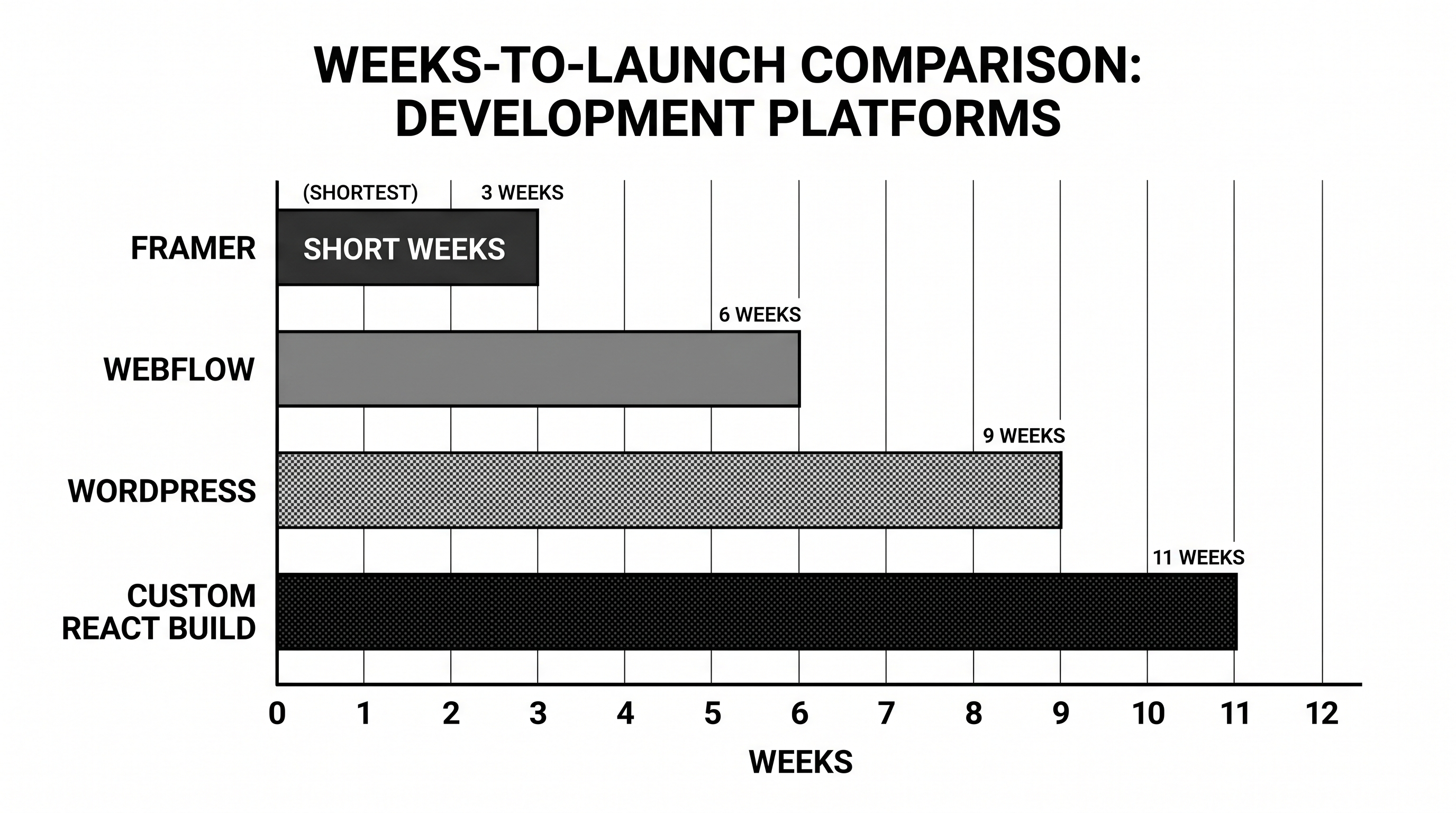
Week 1 — Strategy + Design Sprint. Positioning, ICP, sitemap, wireframes, high-fidelity Figma (or directly in Framer) for home + one template.

Week 2 — Build. Design system in Framer. Home, pricing, solutions, blog index, blog detail, legal, contact. All breakpoints. All motion.

Week 3 — CMS, SEO, launch. CMS setup, content population, meta + schema, sitemap submission, analytics install, DNS cutover.

Larger projects (20+ pages, complex CMS, custom integrations) extend to 4–8 weeks. Anyone selling a full marketing site on Framer in under two weeks is using a template — which is fine, just be clear about it.

Early-stage and need a site that looks like a Series B? Our Framer team runs 2-week design sprints for startups across the UK and USA. Book a free Framer strategy call — we’ll tell you honestly whether Framer is the right choice for your stage.

Best Tools and Stack for Framer in 2026

  • Framer native CMS — Sufficient for most SaaS marketing sites under ~500 posts.
  • Notion as content source — Via Framer’s Notion integration; useful when non-designers own content.
  • Plausible / Fathom — Privacy-first analytics, trivial to install.
  • HubSpot forms — Embedded; posts into CRM cleanly. Our HubSpot development team handles the wiring.
  • Cal.com or Calendly — Booking embeds.
  • Intercom / Crisp — Support widgets.
  • Code components via npm — For anything custom. React ecosystem is accessible directly.

Common Framer Development Mistakes

1. Treating Framer like Figma, not a CMS. Beautiful home page, broken CMS. Blog posts don’t inherit components correctly. Fix: design the CMS templates with the same rigour as the home page.

2. Over-animating. Every section has motion. INP goes red. Page feels heavy on mobile. Fix: motion with intent, not decoration.

3. No redirect plan on migration. Same mistake every platform move makes. Fix: URL inventory + 301 map before DNS cutover.

4. Ignoring breakpoint discipline. Four breakpoints all designed differently. Nothing aligns. Fix: set breakpoints early, design mobile-first, enforce a grid.

5. Using Framer when Webflow was the right call. 100+ CMS items, complex filtering, multilingual, memberships. At that complexity, Webflow is the better tool. Don’t pick a platform on aesthetic alone.

FAQ

Is Framer good for SEO in 2026?

Yes. SSR, clean HTML output, editable meta, native sitemap, schema support, strong Core Web Vitals. The old “Framer can’t do SEO” critique is outdated.

How much does Framer development cost?

£5–12k / $6–15k for a startup marketing site via a small specialist team. £15–35k for a full SaaS marketing site with custom motion, CMS, and integrations. Enterprise builds rare — Framer isn’t usually the pick at that scale.

Framer vs Webflow — which should I pick?

Framer for speed, early-stage startups, motion-heavy sites, sub-500 CMS items. Webflow for scale, large CMS, complex integrations, heavy filtering. Full breakdown in Framer vs Webflow.

Can I migrate from Webflow or WordPress to Framer?

Yes. CMS content can be exported and imported. The bigger challenge is redirect mapping and re-building custom Webflow interactions. Budget 4–8 weeks depending on site size.

Do I need a Framer developer, or can a designer do it?

A strong designer can ship a marketing site solo on Framer. For custom code components, third-party integrations, or complex CMS, you need a Framer developer. Hybrid teams are ideal — see how to hire a Framer expert.

Conclusion: Framer Wins on Specific Project Types

Framer is the right tool for startup marketing sites, agency portfolios, product launches, and any project where speed, design polish, and motion matter more than CMS scale. It’s the wrong tool for large content libraries, ecommerce, or complex membership sites.

If you’re weighing Framer against Webflow or a custom build for your next project, the fastest way to a good answer is a 20-minute conversation with someone who’s shipped both.

Our Fram]er agency runs design sprints for startups, SaaS companies, and growth-stage brands in the UK and USA. Book a free Framer design sprint consultation — we’ll map what a realistic build looks like for your scope.

📥 Free resource: The Framer Startup Site Sprint Brief — the exact Notion brief we use to kick off 2-week Framer sprints, covering positioning, sitemap, design references, and copy skeleton.
That's enough scrolling for now - chat to a HubSpot expert today!
Contact Us
Webflow Development: The Complete 2026 Guide for Businesses

Webflow used to be the platform designers recommended when they didn’t want to touch WordPress. That’s no longer the whole story. In 2026, serious SaaS companies, growth-stage B2B brands, and agencies on both sides of the Atlantic are building their entire marketing stack on Webflow — and the ones that aren’t are losing ground on speed, SEO, and iteration velocity.

This guide is written for business owners, marketing leaders, and founders evaluating Webflow development as a serious option. No hype, no feature dumps. Just what you actually need to make a decision: what Webflow is good at, where it breaks, what it costs, how long a project takes, and when you should hire a specialist Webflow agency versus a generalist.

What is Webflow Development

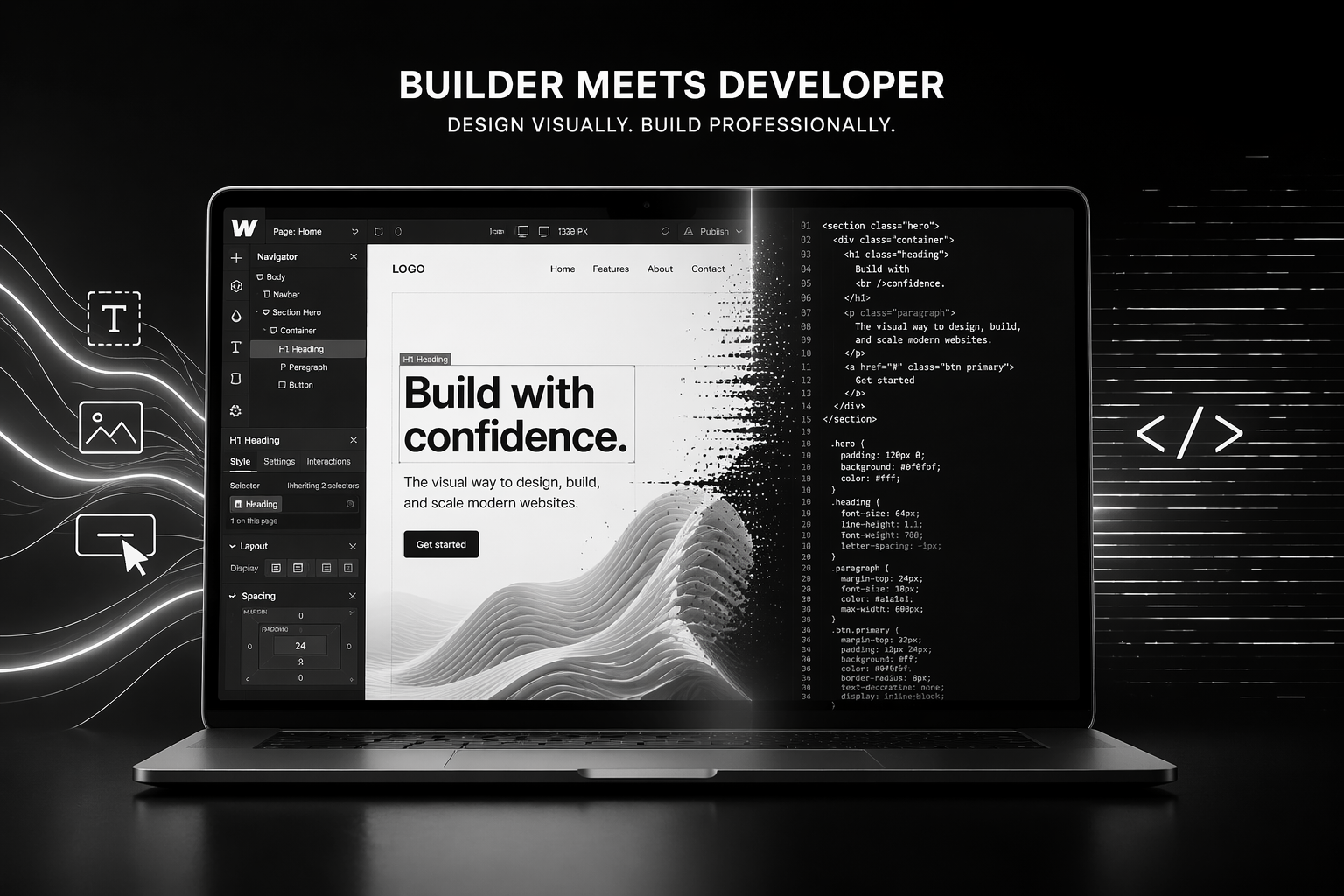
Webflow is a visual development platform. That means designers and developers build pixel-precise websites in a browser, and Webflow generates clean, semantic HTML, CSS, and JavaScript — the same kind of output a senior frontend developer would hand-code, minus the months of work.

Webflow development is the practice of using that platform professionally: building marketing sites, SaaS websites, landing pages, and content-heavy blogs with production-grade code, real CMS architecture, and serious integrations. It’s not drag-and-drop templates. It’s custom engineering with a visual interface.

A quick reality check. Webflow sits between three worlds:

  • WordPress: more extensible, much slower, maintenance-heavy.
  • Framer: faster to design, less mature for content scale.
  • Custom React/Next.js builds: more flexible, 5–10x the cost, slower to iterate.

Webflow’s sweet spot is marketing sites with up to ~2,000 CMS items, heavy content velocity, and a team that wants to ship changes without a developer in the loop.

Why Webflow Matters in 2026

Three shifts pushed Webflow from “nice tool” to “default choice” for a specific kind of business.

1. Core Web Vitals became a revenue issue. Google now treats page experience as a confirmed ranking signal, and the 2025 interaction-to-next-paint (INP) update punished bloated WordPress themes hard. Webflow sites routinely hit 90+ Lighthouse scores without heroics.

2. Marketing teams want control. The average marketing leader is sick of filing tickets to update hero copy. Webflow’s Editor lets non-technical staff ship changes without breaking the site — and without the security debt that comes from giving ten people access to a WordPress admin.

3. Design consistency is a hiring moat. Webflow’s class system enforces a design system by default. That means the fifth landing page you build doesn’t drift from the first. For agencies and growth teams shipping 20+ pages a quarter, that compounding consistency is real money saved.

If you want the full comparison with the incumbent, read our breakdown of Webflow vs WordPress. If you’re weighing it against Framer, see Framer vs Webflow.

How Webflow Development Works

A professional Webflow build has five layers. Understanding them prevents you from getting oversold on a “pretty template” build and undersold on what you actually need.

1. Style System

The foundation. Variables for colour, type scale, spacing, and breakpoints. Component classes built with a naming convention like Client-First or MAST. This is what makes a Webflow site maintainable at 50+ pages.

2. CMS Architecture

Collections, reference fields, multi-reference fields, and dynamic pages. A well-designed CMS handles blogs, case studies, team profiles, job listings, changelog, and resource libraries — all without duplication.

3. Interactions & Animation

Webflow’s native interactions handle scroll-linked animation, hover states, and timeline sequences without third-party scripts. For more advanced motion, GSAP integrates cleanly.

4. Integrations

The modern Webflow site is wired to HubSpot, Segment, Clearbit, Intercom, Calendly, and payment tools. Native forms post to your CRM, not a mailbox nobody checks.

5. SEO & Performance Foundation

Proper heading hierarchy, schema markup, image optimisation via CDN, and 301 redirect maps. This is where most cheap Webflow builds fail — designers build beautiful sites with zero SEO architecture.

Step-by-Step Guide: How a Serious

Webflow Build Runs

Here’s the project timeline a specialist Webflow agency runs for a ~30-page marketing site.

Week 1 — Discovery. Strategy workshop. ICP, positioning, competitor teardown, information architecture, keyword map. Output: sitemap + wireframes.

Weeks 2–3 — Design. Figma design of key templates (home, solutions, pricing, blog, case study, legal). Design system finalised. Output: approved high-fidelity designs.

Weeks 4–6 — Development. Webflow build begins. Style system first, then templates, then CMS collections, then integrations. Staging site delivered mid-week 6.

Week 7 — QA & SEO. Cross-browser testing, Core Web Vitals tuning, schema implementation, 301 redirect map, search console setup.

Week 8 — Launch & Enablement. DNS cutover, post-launch monitoring, training sessions for the marketing team, documentation handoff.

Timelines shift with scope. A startup marketing site can ship in 4 weeks. A migration from WordPress with 500+ URLs takes 10–14. Anyone quoting you “2 weeks for a custom Webflow site” is either using a template or cutting the SEO and integration work.

Thinking about a build this quarter? Our team runs Webflow builds for SaaS, agencies, and ecommerce brands across the UK and USA. Book a free 30-minute Webflow strategy call and we’ll map the scope, timeline, and realistic budget for your project.

Best Tools and Platform Stack for Webflow in 2026

A production Webflow site doesn’t live alone. Here’s what we install on almost every client project.

  • Finsweet Attributes — CMS filtering, load more, mirror CMS. Extends Webflow’s native CMS without custom code.
  • GSAP — For motion that goes beyond Webflow’s native interactions.
  • Jetboost or Wized — Dynamic CMS behaviour (favouriting, filtering, user-specific content).
  • Weglot — Localisation if you’re serving UK, US, and EU markets.
  • Memberstack or Outseta — Gated content, member portals, low-lift SaaS auth.
  • HubSpot native integration — For form routing, lead scoring, and lifecycle tracking. If you’re on HubSpot, our HubSpot development team can wire this cleanly.
  • Cloudflare — Layer in front of Webflow’s CDN for enterprise-grade WAF and analytics.
  • Fathom or Plausible — Privacy-first analytics for UK/EU compliance.

For Webflow development cost planning, we go deeper in our Webflow development cost breakdown.

Common Mistakes in Webflow Development

These are the five we see most often when cleaning up other agencies’ work.

1. No naming convention. Every class is ad-hoc. Six months later, nobody on the team can ship a new page without breaking three existing ones. Fix: adopt Client-First from day one.

2. CMS built backward. Collections created before information architecture is finalised. Result: reference fields that don’t connect, content editors confused, migrations required. Fix: sitemap first, CMS second.

3. No redirect map on migration. Team swaps DNS and 40% of organic traffic disappears inside two weeks. Fix: full URL inventory and 301 redirect map before launch. Our WordPress to Webflow migration guide walks through this.

4. Images uploaded at 3,000px. Lighthouse scores tank, INP goes red, mobile bounce rate climbs. Fix: compress to 72ppi, serve in WebP, use Webflow’s responsive srcset.

5. No internal linking structure. Marketing blogs are published as orphans. SEO never compounds. Fix: editorial linking rules + pillar/cluster model.

FAQ

Is Webflow SEO-friendly?

Yes. Webflow gives you granular control over meta titles, descriptions, Open Graph tags, canonical URLs, and schema markup. Sitemap generation is automatic. Core Web Vitals scores out of the box are strong. The platform isn’t the bottleneck — the build quality is.

How much does Webflow development cost in 2026?

A small marketing site runs £8–15k / $10–20k. A full SaaS marketing site with CMS, integrations, and advanced animation runs £25–60k / $30–75k. Enterprise migrations with redirect mapping and localisation run £60k+. See the full breakdown in our Webflow development cost post.

Can I migrate from WordPress to Webflow without losing SEO?

Yes, with a proper redirect strategy, preserved URL structure (where possible), and content parity. Traffic dips 2–6 weeks post-migration are normal; most sites recover and beat prior performance within 90 days.

Is Webflow good for ecommerce?

It’s fine for low-SKU, high-margin DTC brands (under 100 products, no complex variants). For serious ecommerce — subscription, multi-currency, 500+ SKUs — we recommend Shopify development instead.

Do I need a Webflow agency, or can I use a freelancer?

Freelancer for a 5-page marketing site. Agency for anything involving CMS architecture, migrations, integrations, or a brand at growth stage where site downtime costs real money. The difference is process and accountability, not raw skill.

How long does a Webflow build take?

4–8 weeks for a marketing site. 8–14 weeks for a migration. 3–6 weeks for a landing page program. Timelines shrink when design is already done and expand when discovery is open-ended.

Conclusion: When Webflow Is the Right Call

Webflow wins when your site is a marketing asset, your team wants to ship without developer dependency, and performance matters to your SEO and conversion. It’s the right call for most SaaS companies, agencies, and B2B brands under $100M ARR. It’s the wrong call for heavy ecommerce, complex auth systems, or sites with millions of pages.

If you’re weighing this decision now, don’t do it in a vacuum. Most bad platform choices get made by teams reading marketing pages instead of talking to someone who’s shipped 50+ builds on the platform.

We’ve built Webflow sites for YC-backed SaaS companies, Series B brands, and agencies across the UK and USA. If you want a second opinion before you commit, book a free Webflow strategy call — 30 minutes, no pitch, we’ll tell you honestly whether Webflow is right for your project and what realistic scope and budget looks like.

📥 Free resource: The Webflow Project Scoping Template — the same Notion template we use with new clients to map sitemap, CMS, integrations, and budget tiers.

That's enough scrolling for now - chat to a HubSpot expert today!
Contact Us