Stay ahead with expert insights, actionable strategies, case studies, and the latest trends in SEO, AI, paid media, web development, HubSpot, and business growth.
Agency
AI Automation
Conversion Optimization
Ecommerce
Framer
Growth Strategy
hubspot
Shopify
UI/UX
Web Development
Webflow
Website Redesign
White Label
Wordpress
Ecommerce
Subscription Ecommerce Growth: The 2026 Strategy for Recurring Revenue
Subscription Ecommerce Growth in 2026 is won by execution quality, not platform hype. Teams that perform consistently align strategy, implementation, and measurement into one operating system. This guide gives the practical framework, internal link map, and optimization cadence to do that.Subscription ecommerce is built on retention math most brands ignore. Here's the 2026 growth strategy that actually works. If you want implementation help, work with Shopify development. For connected strategy, also review Shopify Plus Development Guide and DTC Ecommerce Growth.
What Subscription Ecommerce Growth Means in Practice
Subscription ecommerce growth is driven by retention math more than subscriber volume. Sustainable recurring revenue comes from solid unit economics, churn prevention, and disciplined experimentation.
Why subscription ecommerce Matters in 2026
1. Recurring models fail fast when churn and fulfillment costs are ignored.2. Leadership cares more about LTV quality than raw subscriber count.3. Cancellation interventions now require tighter experimentation and segmentation.
Step-by-Step Playbook
1. Model unit economics by cohort
Track CAC payback, gross margin, and LTV by acquisition source.
2. Design subscription architecture
Define cadence options and flexibility to reduce early churn.
3. Implement churn intervention flows
Trigger save offers and outreach by cancellation signals.
4. Improve post-purchase value loop
Reinforce value between shipments with lifecycle communication.
5. Run monthly retention tests
Test pricing, bundles, and cancellation UX with guardrails.Mid-article CTA -> Need support applying this to your stack? Subscription scoping and get a scoped roadmap with timeline, owners, and KPI targets.
How long does a subscription ecommerce project usually take?
Most teams can ship an initial version in 4 to 8 weeks, then improve outcomes over one quarter with a weekly optimization cadence.
Is subscription ecommerce relevant for UK and US teams?
Yes. The core framework is consistent across both markets. Differences are usually compliance details, buying behavior, and GBP/USD planning.
What should we measure first for subscription ecommerce?
Track one leading metric, one conversion metric, and one revenue metric so execution stays tied to business impact.
Should we run this in-house or with a specialist partner?
If your team has deep expertise and bandwidth, in-house can work. If speed and risk control matter, working with a specialist partner is usually faster.
What is the most common failure mode?
Teams skip governance after launch. Data quality drifts, process quality declines, and performance plateaus. A simple weekly operating rhythm prevents this.
Conclusion
Subscription Ecommerce Growth performs best when execution decisions are tied to measurable outcomes from day one. Use this playbook to prioritize what matters, reduce risk, and create a repeatable optimization rhythm.Want a specialist team to accelerate delivery? Talk to Shopify development or book a consultation and we will map a practical rollout plan.Download the Subscription Ecommerce Unit Economics Model to implement this framework with templates and checklists.
DTC Ecommerce Growth Playbook: 14 Levers That Compound in 2026
DTC Ecommerce Growth Playbook in 2026 is won by execution quality, not platform hype. Teams that perform consistently align strategy, implementation, and measurement into one operating system. This guide gives the practical framework, internal link map, and optimization cadence to do that.DTC growth in 2026 isn't a single channel — it's 14 levers compounding. Here's the playbook that works. If you want implementation help, work with our Shopify developers. For connected strategy, also review Shopify Plus Development Guide and Shopify Conversion Rate Optimization.
What DTC Ecommerce Growth Playbook Means in Practice
DTC ecommerce growth is a compounding system across acquisition, conversion, retention, and AOV. The strongest brands avoid single-channel dependence and run an integrated growth flywheel.
Why dtc ecommerce growth Matters in 2026
1. Paid channel volatility makes one-channel strategies fragile.2. Retention quality now drives profitability more than traffic volume.3. Winning teams iterate quickly across offers, creative, and lifecycle mechanics.
Step-by-Step Playbook
1. Audit growth mix
Quantify channel contribution and margin impact.
2. Pick highest-leverage constraint
Fix one bottleneck at a time for compounding gains.
3. Improve merchandising strategy
Align bundles and offers to margin-aware demand signals.
4. Expand retention automations
Improve post-purchase, replenishment, and win-back flows.
5. Review flywheel monthly
Track how changes in one lever affect the whole system.Mid-article CTA -> Need support applying this to your stack? DTC growth audit and get a scoped roadmap with timeline, owners, and KPI targets.
Tools, References, and Benchmarks
14-lever growth map
Channel contribution scorecard
Cohort retention tracker
Semantic keyword targets to distribute naturally: dtc growth playbook, direct to consumer growth, scaling dtc brand
How long does a dtc ecommerce growth project usually take?
Most teams can ship an initial version in 4 to 8 weeks, then improve outcomes over one quarter with a weekly optimization cadence.
Is dtc ecommerce growth relevant for UK and US teams?
Yes. The core framework is consistent across both markets. Differences are usually compliance details, buying behavior, and GBP/USD planning.
What should we measure first for dtc ecommerce growth?
Track one leading metric, one conversion metric, and one revenue metric so execution stays tied to business impact.
Should we run this in-house or with a specialist partner?
If your team has deep expertise and bandwidth, in-house can work. If speed and risk control matter, working with a specialist partner is usually faster.
What is the most common failure mode?
Teams skip governance after launch. Data quality drifts, process quality declines, and performance plateaus. A simple weekly operating rhythm prevents this.
Conclusion
DTC Ecommerce Growth Playbook performs best when execution decisions are tied to measurable outcomes from day one. Use this playbook to prioritize what matters, reduce risk, and create a repeatable optimization rhythm.Want a specialist team to accelerate delivery? Talk to our Shopify developers or book a consultation and we will map a practical rollout plan.Download the DTC Growth Lever Map to implement this framework with templates and checklists.
SaaS Onboarding Flow Design: The 2026 Activation Playbook
SaaS Onboarding Flow Design in 2026 is won by execution quality, not platform hype. Teams that perform consistently align strategy, implementation, and measurement into one operating system. This guide gives the practical framework, internal link map, and optimization cadence to do that.Onboarding decides retention. Here's the flow design that takes SaaS trial-to-paid from 12 to 22 percent. If you want implementation help, work with product design team. For connected strategy, also review Saas UI UX Design Principles and Saas Website Growth Strategy.
What SaaS Onboarding Flow Design Means in Practice
SaaS onboarding flow design drives activation and retention by guiding users to first value quickly. The strongest flows use milestone logic, contextual guidance, and recovery paths for stalled users.
Why saas onboarding flow Matters in 2026
1. Activation efficiency now strongly affects CAC payback.2. Users reject long generic onboarding tours.3. Milestone completion predicts retention better than vanity engagement metrics.
Step-by-Step Playbook
1. Define activation milestone
Set one clear event that predicts long-term value.
2. Map first-session friction
Identify where users stall before activation.
3. Design progressive guidance
Trigger contextual support based on user state.
4. Create recovery paths
Use empty states and reactivation nudges for stuck users.
5. Track cohorts weekly
Monitor milestone completion and improve weakest steps.Mid-article CTA -> Need support applying this to your stack? Onboarding UX audit and get a scoped roadmap with timeline, owners, and KPI targets.
How long does a saas onboarding flow project usually take?
Most teams can ship an initial version in 4 to 8 weeks, then improve outcomes over one quarter with a weekly optimization cadence.
Is saas onboarding flow relevant for UK and US teams?
Yes. The core framework is consistent across both markets. Differences are usually compliance details, buying behavior, and GBP/USD planning.
What should we measure first for saas onboarding flow?
Track one leading metric, one conversion metric, and one revenue metric so execution stays tied to business impact.
Should we run this in-house or with a specialist partner?
If your team has deep expertise and bandwidth, in-house can work. If speed and risk control matter, working with a specialist partner is usually faster.
What is the most common failure mode?
Teams skip governance after launch. Data quality drifts, process quality declines, and performance plateaus. A simple weekly operating rhythm prevents this.
Conclusion
SaaS Onboarding Flow Design performs best when execution decisions are tied to measurable outcomes from day one. Use this playbook to prioritize what matters, reduce risk, and create a repeatable optimization rhythm.Want a specialist team to accelerate delivery? Talk to product design team or book a consultation and we will map a practical rollout plan.Download the SaaS Onboarding Activation Map to implement this framework with templates and checklists.
SaaS Pricing Page Best Practices: 19 Tactics That Lift Conversion
SaaS Pricing Page Best Practices in 2026 is won by execution quality, not platform hype. Teams that perform consistently align strategy, implementation, and measurement into one operating system. This guide gives the practical framework, internal link map, and optimization cadence to do that.SaaS pricing pages are the highest-leverage page on the site. Here are 19 tactics moving conversion in 2026. If you want implementation help, work with book a free consultation. For connected strategy, also review Saas Landing Page Optimization and Conversion Rate Optimization Playbook.
What SaaS Pricing Page Best Practices Means in Practice
SaaS pricing page best practices focus on reducing decision friction and clarifying value quickly. High-performing pages align package logic with buyer intent and handle objections in context.
Why saas pricing page Matters in 2026
1. Pricing pages are high-intent conversion moments.2. Confusing packaging kills trial starts and demo requests.3. Small layout and message changes can produce outsized gains.
Step-by-Step Playbook
1. Align packages to buyer segments
Map each plan to clear use cases and triggers.
2. Fix information hierarchy
Place key decision details first: value metric, limits, and upgrade path.
3. Add proof at decision points
Use concise outcomes and social proof near CTAs.
4. Handle objections inline
Answer friction questions where they appear.
5. Run pricing experiments
Test package order, CTA framing, and feature emphasis.Mid-article CTA -> Need support applying this to your stack? Pricing page teardown and get a scoped roadmap with timeline, owners, and KPI targets.
Tools, References, and Benchmarks
Pricing teardown template
Plan clarity rubric
Trial-to-paid experiment log
Semantic keyword targets to distribute naturally: saas pricing page examples, saas pricing strategy, high converting pricing pages
How long does a saas pricing page project usually take?
Most teams can ship an initial version in 4 to 8 weeks, then improve outcomes over one quarter with a weekly optimization cadence.
Is saas pricing page relevant for UK and US teams?
Yes. The core framework is consistent across both markets. Differences are usually compliance details, buying behavior, and GBP/USD planning.
What should we measure first for saas pricing page?
Track one leading metric, one conversion metric, and one revenue metric so execution stays tied to business impact.
Should we run this in-house or with a specialist partner?
If your team has deep expertise and bandwidth, in-house can work. If speed and risk control matter, working with a specialist partner is usually faster.
What is the most common failure mode?
Teams skip governance after launch. Data quality drifts, process quality declines, and performance plateaus. A simple weekly operating rhythm prevents this.
Conclusion
SaaS Pricing Page Best Practices performs best when execution decisions are tied to measurable outcomes from day one. Use this playbook to prioritize what matters, reduce risk, and create a repeatable optimization rhythm.Want a specialist team to accelerate delivery? Talk to book a free consultation or book a consultation and we will map a practical rollout plan.Download the SaaS Pricing Page Teardown Template to implement this framework with templates and checklists.
Outsource Web Design vs In-House: What Actually Scales
Outsource Web Design vs In-House in 2026 is won by execution quality, not platform hype. Teams that perform consistently align strategy, implementation, and measurement into one operating system. This guide gives the practical framework, internal link map, and optimization cadence to do that.The in-house vs agency debate is settled — for the wrong reasons. Here's the honest 2026 cost and quality comparison. If you want implementation help, work with get a custom quote. For connected strategy, also review White Label Web Development and Best Webflow Agencies Saas.
What Outsource Web Design vs In-House Means in Practice
Outsource web design vs in-house is a stage and operating-model decision. The best choice balances speed, quality, management capacity, and strategic control.
Why outsource web design Matters in 2026
1. Hiring in-house is slower when roadmap demand is uneven.2. Specialist partners can accelerate output with proper governance.3. Hourly-rate comparisons miss hidden management costs.
Step-by-Step Playbook
1. Define capability needs
List critical skills required for the next 12 months.
2. Model true cost scenarios
Compare FTE, tooling, management load, and output speed.
3. Assess control requirements
Decide what must stay internal vs external.
4. Run a pilot project
Validate quality and communication before long commitments.
5. Install governance cadence
Use weekly reviews and KPI visibility in either model.Mid-article CTA -> Need support applying this to your stack? Build vs buy call and get a scoped roadmap with timeline, owners, and KPI targets.
Tools, References, and Benchmarks
Build-vs-buy calculator
Capability gap matrix
Vendor governance template
Semantic keyword targets to distribute naturally: in-house vs agency design, outsource design team, hire agency vs in-house
How long does a outsource web design project usually take?
Most teams can ship an initial version in 4 to 8 weeks, then improve outcomes over one quarter with a weekly optimization cadence.
Is outsource web design relevant for UK and US teams?
Yes. The core framework is consistent across both markets. Differences are usually compliance details, buying behavior, and GBP/USD planning.
What should we measure first for outsource web design?
Track one leading metric, one conversion metric, and one revenue metric so execution stays tied to business impact.
Should we run this in-house or with a specialist partner?
If your team has deep expertise and bandwidth, in-house can work. If speed and risk control matter, working with a specialist partner is usually faster.
What is the most common failure mode?
Teams skip governance after launch. Data quality drifts, process quality declines, and performance plateaus. A simple weekly operating rhythm prevents this.
Conclusion
Outsource Web Design vs In-House performs best when execution decisions are tied to measurable outcomes from day one. Use this playbook to prioritize what matters, reduce risk, and create a repeatable optimization rhythm.Want a specialist team to accelerate delivery? Talk to get a custom quote or book a consultation and we will map a practical rollout plan.Download the In-House vs Agency Decision Guide to implement this framework with templates and checklists.
White Label HubSpot Agency: How Partners Scale Without Hiring
White Label HubSpot Agency in 2026 is won by execution quality, not platform hype. Teams that perform consistently align strategy, implementation, and measurement into one operating system. This guide gives the practical framework, internal link map, and optimization cadence to do that.White label HubSpot lets agencies deliver CMS Hub builds at full margin without hiring HubSpot specialists. Here's how. If you want implementation help, work with HubSpot CMS team. For connected strategy, also review White Label Web Development and Hubspot Development Agency. You can also align execution with get a custom quote for cross-functional delivery.
What White Label HubSpot Agency Means in Practice
A white label HubSpot agency setup lets agencies ship CMS and RevOps work without staffing every specialty internally. Success depends on clean handoffs, transparent delivery, and strict quality gates.
Why white label hubspot Matters in 2026
1. HubSpot work spans CMS, automation, and reporting depth.2. Partner quality directly impacts retention and referrals.3. Unclear handoffs create rework and delivery delays.
Step-by-Step Playbook
1. Define capability lanes
Separate module dev, automation, and reporting ownership.
2. Set handoff standards
Document required inputs and acceptance criteria per deliverable.
3. Establish communication rhythm
Run weekly syncs and clear escalation paths.
4. Package progress visibility
Share delivery status without exposing internal complexity.
5. Score partner performance quarterly
Track margin, quality, speed, and client sentiment.Mid-article CTA -> Need support applying this to your stack? HubSpot partner intro and get a scoped roadmap with timeline, owners, and KPI targets.
Tools, References, and Benchmarks
HubSpot white-label SOP
Acceptance criteria checklist
Quarterly partner scorecard
Semantic keyword targets to distribute naturally: white label hubspot partner, outsource hubspot dev, hubspot agency partner
How long does a white label hubspot project usually take?
Most teams can ship an initial version in 4 to 8 weeks, then improve outcomes over one quarter with a weekly optimization cadence.
Is white label hubspot relevant for UK and US teams?
Yes. The core framework is consistent across both markets. Differences are usually compliance details, buying behavior, and GBP/USD planning.
What should we measure first for white label hubspot?
Track one leading metric, one conversion metric, and one revenue metric so execution stays tied to business impact.
Should we run this in-house or with a specialist partner?
If your team has deep expertise and bandwidth, in-house can work. If speed and risk control matter, working with a specialist partner is usually faster.
What is the most common failure mode?
Teams skip governance after launch. Data quality drifts, process quality declines, and performance plateaus. A simple weekly operating rhythm prevents this.
Conclusion
White Label HubSpot Agency performs best when execution decisions are tied to measurable outcomes from day one. Use this playbook to prioritize what matters, reduce risk, and create a repeatable optimization rhythm.Want a specialist team to accelerate delivery? Talk to HubSpot CMS team or book a consultation and we will map a practical rollout plan.Download the HubSpot White Label Partnership Brief to implement this framework with templates and checklists.
White Label Webflow Partner: The Agency Scaling Model in 2026
White Label Webflow Partner in 2026 is won by execution quality, not platform hype. Teams that perform consistently align strategy, implementation, and measurement into one operating system. This guide gives the practical framework, internal link map, and optimization cadence to do that.White label Webflow is the cleanest scaling lever for agencies. Here's the partnership model that actually works. If you want implementation help, work with Webflow agency. For connected strategy, also review White Label Web Development and Webflow Development Guide. You can also align execution with talk to our team for cross-functional delivery.
What White Label Webflow Partner Means in Practice
A white label Webflow partner model helps agencies scale capacity without hiring risk. The most profitable partnerships are built on scoping discipline, quality standards, and reliable communication rhythms.
Why white label webflow Matters in 2026
1. Agency demand is variable, which makes fixed hiring risky.2. Webflow delivery requirements are becoming more technical.3. Margin protection depends on repeatable handoffs and QA.
Step-by-Step Playbook
1. Define engagement model
Set project types, SLAs, and communication channels.
2. Standardize intake quality
Use one brief template so requirements are complete.
3. Align build standards
Share naming, components, and QA expectations.
4. Clarify client-facing ownership
Define who leads calls and stakeholder communication.
5. Review margin and quality monthly
Track cycle time, revisions, and profitability.Mid-article CTA -> Need support applying this to your stack? Partner with us and get a scoped roadmap with timeline, owners, and KPI targets.
Tools, References, and Benchmarks
White-label intake template
Shared QA rubric
Capacity and margin tracker
Semantic keyword targets to distribute naturally: white label webflow agency, webflow partner program, outsource webflow
How long does a white label webflow project usually take?
Most teams can ship an initial version in 4 to 8 weeks, then improve outcomes over one quarter with a weekly optimization cadence.
Is white label webflow relevant for UK and US teams?
Yes. The core framework is consistent across both markets. Differences are usually compliance details, buying behavior, and GBP/USD planning.
What should we measure first for white label webflow?
Track one leading metric, one conversion metric, and one revenue metric so execution stays tied to business impact.
Should we run this in-house or with a specialist partner?
If your team has deep expertise and bandwidth, in-house can work. If speed and risk control matter, working with a specialist partner is usually faster.
What is the most common failure mode?
Teams skip governance after launch. Data quality drifts, process quality declines, and performance plateaus. A simple weekly operating rhythm prevents this.
Conclusion
White Label Webflow Partner performs best when execution decisions are tied to measurable outcomes from day one. Use this playbook to prioritize what matters, reduce risk, and create a repeatable optimization rhythm.Want a specialist team to accelerate delivery? Talk to Webflow agency or book a consultation and we will map a practical rollout plan.Download the Webflow White Label Partnership Brief to implement this framework with templates and checklists.
Mobile UX for Ecommerce: Convert the 70% Browsing on Phones
Mobile UX for Ecommerce: Convert the 70% Browsing on Phones
Mobile UX for Ecommerce in 2026 is won by execution quality, not platform hype. Teams that perform consistently align strategy, implementation, and measurement into one operating system. This guide gives the practical framework, internal link map, and optimization cadence to do that.Mobile drives traffic and desktop drives conversion — for brands that haven't fixed mobile UX. Here's the 2026 fix. If you want implementation help, work with our UI/UX team. For connected strategy, also review Shopify Conversion Rate Optimization and Website Redesign Guide. You can also align execution with Shopify development for cross-functional delivery.
What Mobile UX for Ecommerce Means in Practice
Mobile UX for ecommerce is now core conversion work because most sessions start on phones. The biggest gains come from reducing thumb-friction and simplifying high-intent actions.
Why mobile conversion optimization Matters in 2026
1. Traffic is mobile-heavy but many stores are still desktop-first.2. Checkout leakage on mobile often comes from interaction friction.3. Small UX fixes can produce meaningful revenue impact.
Step-by-Step Playbook
1. Audit mobile funnel leakage
Track PDP-cart-checkout drop-off by device cohort.
2. Redesign for thumb zones
Move key actions into reachable areas and simplify taps.
3. Shorten form burden
Use autofill, clearer labels, and lighter validation friction.
4. Add trust cues where users hesitate
Place shipping, returns, and proof near decision points.
5. Test focused changes
Run one-friction-point experiments with clear success criteria.Mid-article CTA -> Need support applying this to your stack? Mobile UX audit and get a scoped roadmap with timeline, owners, and KPI targets.
Tools, References, and Benchmarks
Mobile funnel map
Thumb-zone UI checklist
Checkout friction QA sheet
Semantic keyword targets to distribute naturally: mobile cro, mobile checkout optimization, mobile commerce ux
How long does a mobile conversion optimization project usually take?
Most teams can ship an initial version in 4 to 8 weeks, then improve outcomes over one quarter with a weekly optimization cadence.
Is mobile conversion optimization relevant for UK and US teams?
Yes. The core framework is consistent across both markets. Differences are usually compliance details, buying behavior, and GBP/USD planning.
What should we measure first for mobile conversion optimization?
Track one leading metric, one conversion metric, and one revenue metric so execution stays tied to business impact.
Should we run this in-house or with a specialist partner?
If your team has deep expertise and bandwidth, in-house can work. If speed and risk control matter, working with a specialist partner is usually faster.
What is the most common failure mode?
Teams skip governance after launch. Data quality drifts, process quality declines, and performance plateaus. A simple weekly operating rhythm prevents this.
Conclusion
Mobile UX for Ecommerce performs best when execution decisions are tied to measurable outcomes from day one. Use this playbook to prioritize what matters, reduce risk, and create a repeatable optimization rhythm.Want a specialist team to accelerate delivery? Talk to our UI/UX team or book a consultation and we will map a practical rollout plan.Download the Mobile Ecommerce UX Audit to implement this framework with templates and checklists.
A/B Testing Framework for SaaS: The 2026 Experiment Engine
A/B Testing Framework for SaaS in 2026 is won by execution quality, not platform hype. Teams that perform consistently align strategy, implementation, and measurement into one operating system. This guide gives the practical framework, internal link map, and optimization cadence to do that.Most SaaS A/B testing programs run experiments that can't move the needle. Here's the framework that ships winners. If you want implementation help, work with talk to our team. For connected strategy, also review Conversion Rate Optimization Playbook and Saas Website Growth Strategy.
What A/B Testing Framework for SaaS Means in Practice
A/B testing for SaaS requires an experiment engine, not ad-hoc tests. Durable gains come from clean instrumentation, strong prioritization, and statistical discipline.
Why a/b testing for saas Matters in 2026
1. Underpowered tests waste traffic and time.2. Velocity matters only when learning quality remains high.3. Cross-functional teams need shared experimentation governance.
Step-by-Step Playbook
1. Build experiment backlog
Store ideas with problem statement, KPI, and expected mechanism.
2. Prioritize rigorously
Use ICE or PIE to focus limited traffic on high-upside tests.
3. Set test math upfront
Define sample size, guardrails, and stopping criteria.
4. Run clean operations
Control overlap, seasonality, and tracking integrity.
5. Archive learnings
Document outcomes to avoid repeat failures.Mid-article CTA -> Need support applying this to your stack? SaaS experimentation audit and get a scoped roadmap with timeline, owners, and KPI targets.
How long does a a/b testing for saas project usually take?
Most teams can ship an initial version in 4 to 8 weeks, then improve outcomes over one quarter with a weekly optimization cadence.
Is a/b testing for saas relevant for UK and US teams?
Yes. The core framework is consistent across both markets. Differences are usually compliance details, buying behavior, and GBP/USD planning.
What should we measure first for a/b testing for saas?
Track one leading metric, one conversion metric, and one revenue metric so execution stays tied to business impact.
Should we run this in-house or with a specialist partner?
If your team has deep expertise and bandwidth, in-house can work. If speed and risk control matter, working with a specialist partner is usually faster.
What is the most common failure mode?
Teams skip governance after launch. Data quality drifts, process quality declines, and performance plateaus. A simple weekly operating rhythm prevents this.
Conclusion
A/B Testing Framework for SaaS performs best when execution decisions are tied to measurable outcomes from day one. Use this playbook to prioritize what matters, reduce risk, and create a repeatable optimization rhythm.Want a specialist team to accelerate delivery? Talk to talk to our team or book a consultation and we will map a practical rollout plan.Download the SaaS Experiment Backlog Template V2 to implement this framework with templates and checklists.
Heatmap Analysis for CRO: How to Read the Data and Win Tests
Heatmap Analysis for CRO in 2026 is won by execution quality, not platform hype. Teams that perform consistently align strategy, implementation, and measurement into one operating system. This guide gives the practical framework, internal link map, and optimization cadence to do that.Heatmaps don't tell you what to test. They tell you what's broken. Here's the analysis framework that ships winning tests. If you want implementation help, work with book a free consultation. For connected strategy, also review Conversion Rate Optimization Playbook and Ab Testing Saas.
What Heatmap Analysis for CRO Means in Practice
Heatmap analysis for CRO is a diagnostic input, not a decision by itself. Winning teams pair heatmap signals with analytics and experiments to produce reliable conversion gains.
Why heatmap analysis Matters in 2026
1. Most teams collect heatmaps but do not operationalize insights.2. CRO needs qualitative and quantitative evidence together.3. Device-specific behavior requires segmented analysis.
Step-by-Step Playbook
1. Segment sessions first
Separate by page intent, device, and traffic source.
2. Find high-friction zones
Identify dead clicks, rage clicks, and early drop-off.
3. Turn insights into hypotheses
Write one testable statement per pattern.
4. Prioritize with scoring model
Use ICE or PIE to sequence experiments.
5. Close learning loop
Feed experiment outcomes back into future analysis.Mid-article CTA -> Need support applying this to your stack? CRO experiment audit and get a scoped roadmap with timeline, owners, and KPI targets.
How long does a heatmap analysis project usually take?
Most teams can ship an initial version in 4 to 8 weeks, then improve outcomes over one quarter with a weekly optimization cadence.
Is heatmap analysis relevant for UK and US teams?
Yes. The core framework is consistent across both markets. Differences are usually compliance details, buying behavior, and GBP/USD planning.
What should we measure first for heatmap analysis?
Track one leading metric, one conversion metric, and one revenue metric so execution stays tied to business impact.
Should we run this in-house or with a specialist partner?
If your team has deep expertise and bandwidth, in-house can work. If speed and risk control matter, working with a specialist partner is usually faster.
What is the most common failure mode?
Teams skip governance after launch. Data quality drifts, process quality declines, and performance plateaus. A simple weekly operating rhythm prevents this.
Conclusion
Heatmap Analysis for CRO performs best when execution decisions are tied to measurable outcomes from day one. Use this playbook to prioritize what matters, reduce risk, and create a repeatable optimization rhythm.Want a specialist team to accelerate delivery? Talk to book a free consultation or book a consultation and we will map a practical rollout plan.Download the Heatmap Analysis Framework to implement this framework with templates and checklists.
AI Lead Scoring: A Practical Implementation Guide for B2B
AI Lead Scoring in 2026 is won by execution quality, not platform hype. Teams that perform consistently align strategy, implementation, and measurement into one operating system. This guide gives the practical framework, internal link map, and optimization cadence to do that.AI lead scoring beats rules-based models when set up right. Here's the implementation that actually moves revenue. If you want implementation help, work with AI automation services. For connected strategy, also review Hubspot Marketing Automation and Website Redesign Guide. You can also align execution with HubSpot CMS team for cross-functional delivery.
What AI Lead Scoring Means in Practice
AI lead scoring improves prioritization when model quality, CRM activation, and feedback loops are managed correctly. The commercial value is faster sales focus on high-fit accounts.
Why ai lead scoring Matters in 2026
1. Rule-based scoring struggles with noisy modern funnels.2. Models surface patterns invisible to static point systems.3. Scores only matter when embedded into rep workflows.
Step-by-Step Playbook
1. Audit training data
Clean labels, dedupe records, and fill critical fields.
2. Choose practical model strategy
Start interpretable, then increase complexity only when needed.
3. Define score bands and actions
Map high/medium/low scores to clear next steps.
4. Embed in CRM operations
Push scores into routing, queues, and outreach cadences.
5. Recalibrate quarterly
Refresh thresholds as channel and buyer behavior change.Mid-article CTA -> Need support applying this to your stack? Lead scoring audit and get a scoped roadmap with timeline, owners, and KPI targets.
Tools, References, and Benchmarks
Lead scoring data audit
Score-band action matrix
Quarterly recalibration checklist
Semantic keyword targets to distribute naturally: predictive lead scoring, ai crm scoring, lead scoring model
How long does a ai lead scoring project usually take?
Most teams can ship an initial version in 4 to 8 weeks, then improve outcomes over one quarter with a weekly optimization cadence.
Is ai lead scoring relevant for UK and US teams?
Yes. The core framework is consistent across both markets. Differences are usually compliance details, buying behavior, and GBP/USD planning.
What should we measure first for ai lead scoring?
Track one leading metric, one conversion metric, and one revenue metric so execution stays tied to business impact.
Should we run this in-house or with a specialist partner?
If your team has deep expertise and bandwidth, in-house can work. If speed and risk control matter, working with a specialist partner is usually faster.
What is the most common failure mode?
Teams skip governance after launch. Data quality drifts, process quality declines, and performance plateaus. A simple weekly operating rhythm prevents this.
Conclusion
AI Lead Scoring performs best when execution decisions are tied to measurable outcomes from day one. Use this playbook to prioritize what matters, reduce risk, and create a repeatable optimization rhythm.Want a specialist team to accelerate delivery? Talk to AI automation services or book a consultation and we will map a practical rollout plan.Download the AI Lead Scoring Implementation Kit to implement this framework with templates and checklists.
B2B Website Redesign Checklist: 41 Items That Protect Pipeline
B2B Website Redesign Checklist in 2026 is won by execution quality, not platform hype. Teams that perform consistently align strategy, implementation, and measurement into one operating system. This guide gives the practical framework, internal link map, and optimization cadence to do that.Half of B2B redesigns drop pipeline within 90 days of launch. This 41-point checklist prevents that. If you want implementation help, work with B2B redesign specialists. For connected strategy, also review Website Redesign Guide and Website Redesign Cost. You can also align execution with book a free consultation for cross-functional delivery.
What B2B Website Redesign Checklist Means in Practice
A B2B website redesign checklist protects pipeline by sequencing messaging, SEO, and conversion decisions before visual implementation. Most redesign failures are migration and measurement failures, not design failures.
Why b2b website redesign Matters in 2026
1. Redesign risk is often underestimated until after launch.2. Leadership expects pipeline impact, not only visual refresh.3. Traffic volatility can be controlled with technical planning.
Step-by-Step Playbook
1. Capture baseline metrics
Record rankings, conversion rate, and pipeline influence pre-redesign.
2. Lock positioning and IA
Finalize messaging and page intent before high-fidelity design.
3. Build redirect plan early
Map legacy URLs and preserve authority-critical routes.
4. QA conversion journeys
Test forms, events, and CRM integrations before launch.
5. Run 90-day monitoring
Track rankings and lead quality weekly after release.Mid-article CTA -> Need support applying this to your stack? B2B redesign call and get a scoped roadmap with timeline, owners, and KPI targets.
How long does a b2b website redesign project usually take?
Most teams can ship an initial version in 4 to 8 weeks, then improve outcomes over one quarter with a weekly optimization cadence.
Is b2b website redesign relevant for UK and US teams?
Yes. The core framework is consistent across both markets. Differences are usually compliance details, buying behavior, and GBP/USD planning.
What should we measure first for b2b website redesign?
Track one leading metric, one conversion metric, and one revenue metric so execution stays tied to business impact.
Should we run this in-house or with a specialist partner?
If your team has deep expertise and bandwidth, in-house can work. If speed and risk control matter, working with a specialist partner is usually faster.
What is the most common failure mode?
Teams skip governance after launch. Data quality drifts, process quality declines, and performance plateaus. A simple weekly operating rhythm prevents this.
Conclusion
B2B Website Redesign Checklist performs best when execution decisions are tied to measurable outcomes from day one. Use this playbook to prioritize what matters, reduce risk, and create a repeatable optimization rhythm.Want a specialist team to accelerate delivery? Talk to B2B redesign specialists or book a consultation and we will map a practical rollout plan.Download the B2B Redesign Pipeline Protection Checklist to implement this framework with templates and checklists.
AI Lead Scoring: A Practical Implementation Guide for B2B
AI Lead Scoring in 2026 is won by execution quality, not platform hype. Teams that perform consistently align strategy, implementation, and measurement into one operating system. This guide gives the practical framework, internal link map, and optimization cadence to do that.AI lead scoring beats rules-based models when set up right. Here's the implementation that actually moves revenue. If you want implementation help, work with AI automation services. For connected strategy, also review Hubspot Marketing Automation and Website Redesign Guide. You can also align execution with HubSpot CMS team for cross-functional delivery.
What AI Lead Scoring Means in Pract
ce
AI lead scoring improves prioritization when model quality, CRM activation, and feedback loops are managed correctly. The commercial value is faster sales focus on high-fit accounts.
Why ai lead scoring Matters in 2026
1. Rule-based scoring struggles with noisy modern funnels.2. Models surface patterns invisible to static point systems.3. Scores only matter when embedded into rep workflows.
Step-by-Step Playbook
1. Audit training data
Clean labels, dedupe records, and fill critical fields.
2. Choose practical model strategy
Start interpretable, then increase complexity only when needed.
3. Define score bands and actions
Map high/medium/low scores to clear next steps.
4. Embed in CRM operations
Push scores into routing, queues, and outreach cadences.
5. Recalibrate quarterly
Refresh thresholds as channel and buyer behavior change.Mid-article CTA -> Need support applying this to your stack? Lead scoring audit and get a scoped roadmap with timeline, owners, and KPI targets.
Tools, References, and Benchmarks
Lead scoring data audit
Score-band action matrix
Quarterly recalibration checklist
Semantic keyword targets to distribute naturally: predictive lead scoring, ai crm scoring, lead scoring model
How long does a ai lead scoring project usually take?
Most teams can ship an initial version in 4 to 8 weeks, then improve outcomes over one quarter with a weekly optimization cadence.
Is ai lead scoring relevant for UK and US teams?
Yes. The core framework is consistent across both markets. Differences are usually compliance details, buying behavior, and GBP/USD planning.
What should we measure first for ai lead scoring?
Track one leading metric, one conversion metric, and one revenue metric so execution stays tied to business impact.
Should we run this in-house or with a specialist partner?
If your team has deep expertise and bandwidth, in-house can work. If speed and risk control matter, working with a specialist partner is usually faster.
What is the most common failure mode?
Teams skip governance after launch. Data quality drifts, process quality declines, and performance plateaus. A simple weekly operating rhythm prevents this.
Conclusion
AI Lead Scoring performs best when execution decisions are tied to measurable outcomes from day one. Use this playbook to prioritize what matters, reduce risk, and create a repeatable optimization rhythm.Want a specialist team to accelerate delivery? Talk to AI automation services or book a consultation and we will map a practical rollout plan.Download the AI Lead Scoring Implementation Kit to implement this framework with templates and checklists.
AI Chatbot for Ecommerce: Which One and How to Deploy It in 2026
AI Chatbot for Ecommerce in 2026 is won by execution quality, not platform hype. Teams that perform consistently align strategy, implementation, and measurement into one operating system. This guide gives the practical framework, internal link map, and optimization cadence to do that.AI chatbots finally lift ecommerce conversion not just deflect tickets. Here's the 2026 stack and deployment plan. If you want implementation help, work with our AI automation team. For connected strategy, also review AI Automation for Business and Website Redesign Guide. You can also align execution with Shopify development for cross-functional delivery.
What AI Chatbot for Ecommerce Means in Practice
An AI chatbot for ecommerce should improve conversion, AOV, and customer confidence - not only reduce support tickets. High-performing deployments are intent-aware and deeply integrated with catalog and order data.
Why ai chatbot for ecommerce Matters in 2026
1. Modern bots influence product discovery and purchase confidence.2. Shopify integrations improve answer quality and speed.3. Customers now expect instant contextual help.
Step-by-Step Playbook
1. Pick one conversion-first use case
Start with sizing help, recommendations, or checkout support.
2. Connect product and order context
Integrate catalog and order data for accurate answers.
3. Set fallback escalation paths
Route complex or sensitive issues to human support quickly.
4. Deploy on high-intent pages
Prioritize PDP, cart, and checkout-adjacent surfaces.
5. Measure revenue impact
Track conversion, AOV, and CSAT before and after launch.Mid-article CTA -> Need support applying this to your stack? AI chatbot scoping and get a scoped roadmap with timeline, owners, and KPI targets.
Tools, References, and Benchmarks
Chatbot intent taxonomy
Support escalation matrix
Revenue impact dashboard
Semantic keyword targets to distribute naturally: ai chatbot shopify, best ai chatbot ecommerce, ai customer support ecommerce
How long does a ai chatbot for ecommerce project usually take?
Most teams can ship an initial version in 4 to 8 weeks, then improve outcomes over one quarter with a weekly optimization cadence.
Is ai chatbot for ecommerce relevant for UK and US teams?
Yes. The core framework is consistent across both markets. Differences are usually compliance details, buying behavior, and GBP/USD planning.
What should we measure first for ai chatbot for ecommerce?
Track one leading metric, one conversion metric, and one revenue metric so execution stays tied to business impact.
Should we run this in-house or with a specialist partner?
If your team has deep expertise and bandwidth, in-house can work. If speed and risk control matter, working with a specialist partner is usually faster.
What is the most common failure mode?
Teams skip governance after launch. Data quality drifts, process quality declines, and performance plateaus. A simple weekly operating rhythm prevents this.
Conclusion
AI Chatbot for Ecommerce performs best when execution decisions are tied to measurable outcomes from day one. Use this playbook to prioritize what matters, reduce risk, and create a repeatable optimization rhythm.Want a specialist team to accelerate delivery? Talk to our AI automation team or book a consultation and we will map a practical rollout plan.Download the Ecommerce AI Chatbot Selection Guide to implement this framework with templates and checklists.
AI Sales Agents for B2B Teams in 2026 is won by execution quality, not platform hype. Teams that perform consistently align strategy, implementation, and measurement into one operating system. This guide gives the practical framework, internal link map, and optimization cadence to do that.AI SDRs went from hype to production in 18 months. Here's what's actually working in B2B in 2026. If you want implementation help, work with AI implementation team. For connected strategy, also review AI Automation for Business and AI Workflows for Saas.
What AI Sales Agents for B2B Teams Means in Practice
AI sales agents work best when they augment reps with clear guardrails. Reliable systems automate research and first-touch outreach, then escalate qualified intent to humans with context.
Why ai sales agents Matters in 2026
1. High-volume outreach is easy; high-quality personalization is harder.2. Deliverability risk is increasing.3. Revenue leaders need measurable and governable AI workflows.
Step-by-Step Playbook
1. Define AI scope
Separate AI-owned and human-owned tasks in your sales motion.
2. Connect data stack
Ensure ICP and enrichment quality before orchestration.
3. Launch narrow pilot
Start with one persona and one offer to validate quality.
4. Design escalation workflows
Route positive intent to reps with full conversation context.
5. Monitor quality weekly
Track bounce, spam risk, and meeting quality metrics.Mid-article CTA -> Need support applying this to your stack? AI sales workflow audit and get a scoped roadmap with timeline, owners, and KPI targets.
Tools, References, and Benchmarks
AI SDR guardrail playbook
Domain reputation dashboard
Escalation SLA tracker
Semantic keyword targets to distribute naturally: ai sdr, ai bdr, automated sales outreach
How long does a ai sales agents project usually take?
Most teams can ship an initial version in 4 to 8 weeks, then improve outcomes over one quarter with a weekly optimization cadence.
Is ai sales agents relevant for UK and US teams?
Yes. The core framework is consistent across both markets. Differences are usually compliance details, buying behavior, and GBP/USD planning.
What should we measure first for ai sales agents?
Track one leading metric, one conversion metric, and one revenue metric so execution stays tied to business impact.
Should we run this in-house or with a specialist partner?
If your team has deep expertise and bandwidth, in-house can work. If speed and risk control matter, working with a specialist partner is usually faster.
What is the most common failure mode?
Teams skip governance after launch. Data quality drifts, process quality declines, and performance plateaus. A simple weekly operating rhythm prevents this.
Conclusion
AI Sales Agents for B2B Teams performs best when execution decisions are tied to measurable outcomes from day one. Use this playbook to prioritize what matters, reduce risk, and create a repeatable optimization rhythm.Want a specialist team to accelerate delivery? Talk to AI implementation team or book a consultation and we will map a practical rollout plan.Download the AI Sales Agent Deployment Guide to implement this framework with templates and checklists.
Framer Animations and Interactions: The Complete 2026 Guide
Framer Animations and Interactions in 2026 is won by execution quality, not platform hype. Teams that perform consistently align strategy, implementation, and measurement into one operating system. This guide gives the practical framework, internal link map, and optimization cadence to do that.Framer's motion engine is its biggest advantage. Here are the patterns that lift conversion not just delight. If you want implementation help, work with Framer agency. For connected strategy, also review Framer Development Guide and Framer vs Webflow.
What Framer Animations and Interactions Means in Practice
Framer animations should improve clarity and conversion, not distract users. The best interaction systems use restraint, consistency, and performance-safe motion.
Why framer animations Matters in 2026
1. Motion can improve comprehension or hurt usability depending on execution.2. Premium interaction quality is now expected on high-end web experiences.3. Heavy motion can damage performance and SEO if unmanaged.
Step-by-Step Playbook
1. Define motion purpose
Assign each interaction a clear role: orient, explain, or convert.
2. Create reusable motion system
Standardize easing, duration, and trigger rules.
3. Protect performance budgets
Prefer transform-based effects and limit heavy scroll logic.
4. Respect accessibility settings
Support reduced-motion and keyboard navigation paths.
5. Measure conversion impact
Test key interactions against control variants.Mid-article CTA -> Need support applying this to your stack? Framer design sprint and get a scoped roadmap with timeline, owners, and KPI targets.
How long does a framer animations project usually take?
Most teams can ship an initial version in 4 to 8 weeks, then improve outcomes over one quarter with a weekly optimization cadence.
Is framer animations relevant for UK and US teams?
Yes. The core framework is consistent across both markets. Differences are usually compliance details, buying behavior, and GBP/USD planning.
What should we measure first for framer animations?
Track one leading metric, one conversion metric, and one revenue metric so execution stays tied to business impact.
Should we run this in-house or with a specialist partner?
If your team has deep expertise and bandwidth, in-house can work. If speed and risk control matter, working with a specialist partner is usually faster.
What is the most common failure mode?
Teams skip governance after launch. Data quality drifts, process quality declines, and performance plateaus. A simple weekly operating rhythm prevents this.
Conclusion
Framer Animations and Interactions performs best when execution decisions are tied to measurable outcomes from day one. Use this playbook to prioritize what matters, reduce risk, and create a repeatable optimization rhythm.Want a specialist team to accelerate delivery? Talk to Framer agency or book a consultation and we will map a practical rollout plan.Download the Framer Motion Pattern Library to implement this framework with templates and checklists.
Framer SEO: The 2026 Ranking Strategy That Actually Works
Framer SEO in 2026 is won by execution quality, not platform hype. Teams that perform consistently align strategy, implementation, and measurement into one operating system. This guide gives the practical framework, internal link map, and optimization cadence to do that.Framer SEO has more myths than facts. Here's what the top-ranking Framer sites are actually doing in 2026. If you want implementation help, work with our Framer team. For connected strategy, also review Framer CMS Tutorial and Framer Development Guide. You can also align execution with book a free consultation for cross-functional delivery.
What Framer SEO Means in Practice
Framer SEO works when technical setup and content systems are aligned. Ranking gains come from indexation control, internal-link logic, and snippet-ready page structure, not isolated tactics.
Why framer seo Matters in 2026
1. Framer defaults are good but still need auditing.2. Search competition rewards precision and topical structure.3. AI answer engines prefer concise definitions and structured sections.
Step-by-Step Playbook
1. Set technical baseline
Audit indexation, canonical rules, sitemap health, and robots.
2. Standardize metadata templates
Unify title and description frameworks by page type.
3. Strengthen cluster linking
Link pages by intent to pass relevance and authority.
4. Optimize for snippets
Add concise direct answers near heading starts.
5. Review monthly in GSC
Track CTR shifts, coverage, and cannibalization.Mid-article CTA -> Need support applying this to your stack? Free Framer SEO audit and get a scoped roadmap with timeline, owners, and KPI targets.
Tools, References, and Benchmarks
Framer SEO audit template
Snippet-first checklist
Search Console review cadence
Semantic keyword targets to distribute naturally: is framer good for seo, framer seo best practices, framer page speed
Most teams can ship an initial version in 4 to 8 weeks, then improve outcomes over one quarter with a weekly optimization cadence.
Is framer seo relevant for UK and US teams?
Yes. The core framework is consistent across both markets. Differences are usually compliance details, buying behavior, and GBP/USD planning.
What should we measure first for framer seo?
Track one leading metric, one conversion metric, and one revenue metric so execution stays tied to business impact.
Should we run this in-house or with a specialist partner?
If your team has deep expertise and bandwidth, in-house can work. If speed and risk control matter, working with a specialist partner is usually faster.
What is the most common failure mode?
Teams skip governance after launch. Data quality drifts, process quality declines, and performance plateaus. A simple weekly operating rhythm prevents this.
Conclusion
Framer SEO performs best when execution decisions are tied to measurable outcomes from day one. Use this playbook to prioritize what matters, reduce risk, and create a repeatable optimization rhythm.Want a specialist team to accelerate delivery? Talk to our Framer team or book a consultation and we will map a practical rollout plan.Lead magnet: Download the Framer SEO Checklist to implement this framework with templates and checklists.
Framer CMS Tutorial: Build a Content-Heavy Site That Actually Scales
Framer CMS Tutorial in 2026 is won by execution quality, not platform hype. Teams that perform consistently align strategy, implementation, and measurement into one operating system. This guide gives the practical framework, internal link map, and optimization cadence to do that.Framer CMS is finally serious. Here's the architecture that lets it scale from 30 posts to 3 If you want implementation help, work with our team. For connected strategy, also review Website Redesign Guide and Website Redesign Guide. You can also align execution with get a custom quote for cross-functional delivery.
What Framer CMS Tutorial Means in Practice
Framer CMS can support content-heavy growth when collection architecture is designed for scale. The difference between 30 and 3,000 posts is model quality and editorial workflow discipline.
Why framer cms Matters in 2026
1. Framer adoption is growing for content-led brands.2. CMS structure decisions affect crawlability and publishing speed.3. Good architecture avoids expensive rebuilds later.
Step-by-Step Playbook
1. Map collection relationships
Define references and taxonomy before template work.
2. Build reusable templates
Design modular layouts for future content categories.
3. Optimize archive pages
Support search crawl paths with clean list and category structures.
4. Create editorial QA system
Check metadata, links, and image alt quality on every publish.
5. Stress-test scale
Load high-volume sample data before launch.Mid-article CTA -> Need support applying this to your stack? book a consultation and get a scoped roadmap with timeline, owners, and KPI targets.
Tools, References, and Benchmarks
Collection schema map
Editorial QA checklist
Template stress dataset
Semantic keyword targets to distribute naturally: framer cms collections, framer dynamic content, framer content site
Most teams can ship an initial version in 4 to 8 weeks, then improve outcomes over one quarter with a weekly optimization cadence.
Is framer cms relevant for UK and US teams?
Yes. The core framework is consistent across both markets. Differences are usually compliance details, buying behavior, and GBP/USD planning.
What should we measure first for framer cms?
Track one leading metric, one conversion metric, and one revenue metric so execution stays tied to business impact.
Should we run this in-house or with a specialist partner?
If your team has deep expertise and bandwidth, in-house can work. If speed and risk control matter, working with a specialist partner is usually faster.
What is the most common failure mode?
Teams skip governance after launch. Data quality drifts, process quality declines, and performance plateaus. A simple weekly operating rhythm prevents this.
Conclusion
Framer CMS Tutorial performs best when execution decisions are tied to measurable outcomes from day one. Use this playbook to prioritize what matters, reduce risk, and create a repeatable optimization rhythm.Want a specialist team to accelerate delivery? Talk to our team or book a consultation and we will map a practical rollout plan.Download the Framer CMS scoping to implement this framework with templates and checklists.
Shopify Plus Migration: Moving From Standard Without Breaking Revenue
Shopify Plus Migration in 2026 is won by execution quality, not platform hype. Teams that perform consistently align strategy, implementation, and measurement into one operating system. This guide gives the practical framework, internal link map, and optimization cadence to do that.Most Shopify-to-Plus migrations are scheduled six months too late. Here's the upgrade trigger and migration plan. If you want implementation help, work with Shopify development. For connected strategy, also review Shopify Plus Development Guide and Shopify Hydrogen.
What Shopify Plus Migration Means in Practice
Shopify Plus migration should be triggered by operational complexity and growth needs, not prestige. The safest migrations are phased, risk-mapped, and built around conversion protection.
Why shopify plus migration Matters in 2026
1. Late upgrades often cause avoidable revenue risk.2. Plus unlocks only matter if workflows are designed around them.3. Migration outcomes depend more on sequencing and QA than platform labels.
Step-by-Step Playbook
1. Confirm readiness triggers
Validate GMV, complexity, and roadmap requirements.
2. Scope migration streams
Separate storefront, checkout, automation, and ops dependencies.
3. Build rollback plan
Define fallback routes and launch gates before cutover.
4. Re-platform critical automation
Rebuild scripts and flows using Plus-compatible methods.
5. Run hypercare monitoring
Track conversion and order integrity post-launch.Mid-article CTA -> Need support applying this to your stack? Plus upgrade audit and get a scoped roadmap with timeline, owners, and KPI targets.
Tools, References, and Benchmarks
Plus readiness checklist
Migration risk register
Hypercare dashboard
Semantic keyword targets to distribute naturally: shopify to shopify plus, when to upgrade to shopify plus, shopify plus upgrade
How long does a shopify plus migration project usually take?
Most teams can ship an initial version in 4 to 8 weeks, then improve outcomes over one quarter with a weekly optimization cadence.
Is shopify plus migration relevant for UK and US teams?
Yes. The core framework is consistent across both markets. Differences are usually compliance details, buying behavior, and GBP/USD planning.
What should we measure first for shopify plus migration?
Track one leading metric, one conversion metric, and one revenue metric so execution stays tied to business impact.
Should we run this in-house or with a specialist partner?
If your team has deep expertise and bandwidth, in-house can work. If speed and risk control matter, working with a specialist partner is usually faster.
What is the most common failure mode?
Teams skip governance after launch. Data quality drifts, process quality declines, and performance plateaus. A simple weekly operating rhythm prevents this.
Conclusion
Shopify Plus Migration performs best when execution decisions are tied to measurable outcomes from day one. Use this playbook to prioritize what matters, reduce risk, and create a repeatable optimization rhythm.Want a specialist team to accelerate delivery? Talk to Shopify development or book a consultation and we will map a practical rollout plan.Download the Shopify Plus Upgrade Readiness Checklist to implement this framework with templates and checklists.
Shopify Checkout Extensibility: What's Possible in 2026
Shopify Checkout Extensibility in 2026 is won by execution quality, not platform hype. Teams that perform consistently align strategy, implementation, and measurement into one operating system. This guide gives the practical framework, internal link map, and optimization cadence to do that.Shopify checkout used to be off-limits. The 2026 extensibility model changes that — here's what's actually possible. If you want implementation help, work with our Shopify developers. For connected strategy, also review Shopify Plus Development Guide and Shopify Conversion Rate Optimization.
What Shopify Checkout Extensibility Means in Practice
Shopify checkout extensibility enables safer checkout customization through Functions and UI extensions. The goal is conversion clarity and trust, not visual complexity.
Why shopify checkout extensibility Matters in 2026
1. Checkout remains a high-leverage conversion surface.2. Extensions are safer than legacy script hacks.3. Testable customization now makes iteration faster.
Step-by-Step Playbook
1. Audit checkout friction
Use analytics and recordings to find hesitation points.
2. Prioritize high-impact extensions
Start with delivery clarity and trust-building interactions.
3. Implement deterministic logic
Use Functions with clear rule boundaries.
4. Run controlled tests
Validate each change with conversion measurement.
5. Standardize QA
Test edge cases by device, discount, and payment state.Mid-article CTA -> Need support applying this to your stack? Checkout audit and get a scoped roadmap with timeline, owners, and KPI targets.
How long does a shopify checkout extensibility project usually take?
Most teams can ship an initial version in 4 to 8 weeks, then improve outcomes over one quarter with a weekly optimization cadence.
Is shopify checkout extensibility relevant for UK and US teams?
Yes. The core framework is consistent across both markets. Differences are usually compliance details, buying behavior, and GBP/USD planning.
What should we measure first for shopify checkout extensibility?
Track one leading metric, one conversion metric, and one revenue metric so execution stays tied to business impact.
Should we run this in-house or with a specialist partner?
If your team has deep expertise and bandwidth, in-house can work. If speed and risk control matter, working with a specialist partner is usually faster.
What is the most common failure mode?
Teams skip governance after launch. Data quality drifts, process quality declines, and performance plateaus. A simple weekly operating rhythm prevents this.
Conclusion
Shopify Checkout Extensibility performs best when execution decisions are tied to measurable outcomes from day one. Use this playbook to prioritize what matters, reduce risk, and create a repeatable optimization rhythm.Want a specialist team to accelerate delivery? Talk to our Shopify developers or book a consultation and we will map a practical rollout plan.Download the Shopify Checkout Extensions Map to implement this framework with templates and checklists.
Shopify B2B Wholesale Store Setup: Complete 2026 Guide
Shopify B2B Wholesale Store Setup in 2026 is won by execution quality, not platform hype. Teams that perform consistently align strategy, implementation, and measurement into one operating system. This guide gives the practical framework, internal link map, and optimization cadence to do that.Shopify's native B2B features finally make wholesale viable without third-party apps. Here's the modern setup. If you want implementation help, work with Shopify Plus team. For connected strategy, also review Shopify Plus Development Guide and How to Hire Shopify Developer. You can also align execution with get a custom quote for cross-functional delivery.
What Shopify B2B Wholesale Store Setup Means in Practice
Shopify B2B wholesale is now a viable native setup with company accounts, price lists, and payment terms. Execution quality depends on account hierarchy, pricing governance, and operational handoff design.
Why shopify b2b wholesale Matters in 2026
1. Native B2B reduces app-stack fragility.2. Wholesale buyers expect self-service account logic.3. Margin pressure makes pricing controls and automation essential.
Step-by-Step Playbook
1. Design account hierarchy
Map parent accounts, locations, buyers, and permissions.
2. Build pricing logic
Define price lists, terms, and discount rules by segment.
3. Configure gated catalog
Control SKU visibility by buyer type.
4. Automate order handoffs
Connect PO and order states to ERP and support systems.
5. Train internal teams
Document account management and exception workflows.Mid-article CTA -> Need support applying this to your stack? Shopify B2B build call and get a scoped roadmap with timeline, owners, and KPI targets.
How long does a shopify b2b wholesale project usually take?
Most teams can ship an initial version in 4 to 8 weeks, then improve outcomes over one quarter with a weekly optimization cadence.
Is shopify b2b wholesale relevant for UK and US teams?
Yes. The core framework is consistent across both markets. Differences are usually compliance details, buying behavior, and GBP/USD planning.
What should we measure first for shopify b2b wholesale?
Track one leading metric, one conversion metric, and one revenue metric so execution stays tied to business impact.
Should we run this in-house or with a specialist partner?
If your team has deep expertise and bandwidth, in-house can work. If speed and risk control matter, working with a specialist partner is usually faster.
What is the most common failure mode?
Teams skip governance after launch. Data quality drifts, process quality declines, and performance plateaus. A simple weekly operating rhythm prevents this.
Conclusion
Shopify B2B Wholesale Store Setup performs best when execution decisions are tied to measurable outcomes from day one. Use this playbook to prioritize what matters, reduce risk, and create a repeatable optimization rhythm.Want a specialist team to accelerate delivery? Talk to Shopify Plus team or book a consultation and we will map a practical rollout plan.Download the Shopify B2B Setup Workbook to implement this framework with templates and checklists.
Headless Shopify with Hydrogen: When It Pays Off in 2026
Headless Shopify with Hydrogen in 2026 is won by execution quality, not platform hype. Teams that perform consistently align strategy, implementation, and measurement into one operating system. This guide gives the practical framework, internal link map, and optimization cadence to do that.Headless Shopify is the right call for fewer brands than Twitter believes. Here's the honest 2026 ROI breakdown. If you want implementation help, work with Shopify development. For connected strategy, also review Shopify Plus Development Guide and Shopify Plus Migration.
What Headless Shopify with Hydrogen Means in Practice
Shopify Hydrogen pays off when custom UX and performance constraints justify engineering ownership. If catalog complexity is low, modern Shopify themes often reach ROI faster with less operational risk.
Why shopify hydrogen Matters in 2026
1. Headless projects can improve speed, but only with sustained technical ownership.2. Mobile performance expectations keep rising.3. Hydrogen + Oxygen reduce infra friction, but architecture discipline is still required.
Step-by-Step Playbook
1. Quantify business case
Estimate conversion, AOV, or localization gains before investing.
2. Audit storefront requirements
Identify capabilities that are hard to deliver in Liquid themes.
3. Prototype one critical template
Benchmark PDP or collection performance in Hydrogen.
4. Protect merch workflows
Ensure non-dev teams can still launch promotions quickly.
5. Define ownership model
Set release, QA, and rollback standards before launch.Mid-article CTA -> Need support applying this to your stack? Headless Shopify scoping and get a scoped roadmap with timeline, owners, and KPI targets.
Tools, References, and Benchmarks
Headless decision tree
Performance benchmark sheet
Release governance checklist
Semantic keyword targets to distribute naturally: headless shopify, shopify hydrogen vs liquid, shopify oxygen
How long does a shopify hydrogen project usually take?
Most teams can ship an initial version in 4 to 8 weeks, then improve outcomes over one quarter with a weekly optimization cadence.
Is shopify hydrogen relevant for UK and US teams?
Yes. The core framework is consistent across both markets. Differences are usually compliance details, buying behavior, and GBP/USD planning.
What should we measure first for shopify hydrogen?
Track one leading metric, one conversion metric, and one revenue metric so execution stays tied to business impact.
Should we run this in-house or with a specialist partner?
If your team has deep expertise and bandwidth, in-house can work. If speed and risk control matter, working with a specialist partner is usually faster.
What is the most common failure mode?
Teams skip governance after launch. Data quality drifts, process quality declines, and performance plateaus. A simple weekly operating rhythm prevents this.
Conclusion
Headless Shopify with Hydrogen performs best when execution decisions are tied to measurable outcomes from day one. Use this playbook to prioritize what matters, reduce risk, and create a repeatable optimization rhythm.Want a specialist team to accelerate delivery? Talk to Shopify development or book a consultation and we will map a practical rollout plan.Download the Headless Shopify Decision Tree to implement this framework with templates and checklists.
HubSpot Marketing Automation Playbook: 12 Workflows That Drive Pipeline
HubSpot Marketing Automation Playbook in 2026 is won by execution quality, not platform hype. Teams that perform consistently align strategy, implementation, and measurement into one operating system. This guide gives the practical framework, internal link map, and optimization cadence to do that.HubSpot workflow features are powerful and underused. Here are the 12 automations every B2B team should run in 2026. If you want implementation help, work with HubSpot partner services. For connected strategy, also review Hubspot CRM Implementation and Automate Marketing with AI.
What HubSpot Marketing Automation Playbook Means in Practice
HubSpot marketing automation wins when workflow logic is clean, lifecycle definitions are aligned, and every automation has a measurable business purpose. The highest-performing teams run fewer but better workflows.
Why hubspot marketing automation Matters in 2026
1. Workflow sprawl creates operational debt quickly.2. AI content amplifies segmentation mistakes when trigger logic is weak.3. Pipeline reporting now depends on lifecycle automation quality.
Step-by-Step Playbook
1. Align lifecycle rules
Lock MQL, SQL, and opportunity definitions with sales leadership.
2. Prioritize 12 workflows
Start with routing, nurture, trial activation, and stalled-deal recovery.
3. Add suppression logic
Prevent conflicting sends and duplicate branch behavior.
4. Map KPI ownership
Assign one owner and one KPI per workflow.
5. Run monthly cleanup
Archive low-value automations and tighten weak branches.Mid-article CTA -> Need support applying this to your stack? Marketing ops audit and get a scoped roadmap with timeline, owners, and KPI targets.
How long does a hubspot marketing automation project usually take?
Most teams can ship an initial version in 4 to 8 weeks, then improve outcomes over one quarter with a weekly optimization cadence.
Is hubspot marketing automation relevant for UK and US teams?
Yes. The core framework is consistent across both markets. Differences are usually compliance details, buying behavior, and GBP/USD planning.
What should we measure first for hubspot marketing automation?
Track one leading metric, one conversion metric, and one revenue metric so execution stays tied to business impact.
Should we run this in-house or with a specialist partner?
If your team has deep expertise and bandwidth, in-house can work. If speed and risk control matter, working with a specialist partner is usually faster.
What is the most common failure mode?
Teams skip governance after launch. Data quality drifts, process quality declines, and performance plateaus. A simple weekly operating rhythm prevents this.
Conclusion
HubSpot Marketing Automation Playbook performs best when execution decisions are tied to measurable outcomes from day one. Use this playbook to prioritize what matters, reduce risk, and create a repeatable optimization rhythm.Want a specialist team to accelerate delivery? Talk to HubSpot partner services or book a consultation and we will map a practical rollout plan.Download the HubSpot Workflow Library to implement this framework with templates and checklists.
HubSpot Custom Modules and Themes: A Developer Deep Dive
HubSpot Custom Modules and Themes in 2026 is won by execution quality, not platform hype. Teams that perform consistently align strategy, implementation, and measurement into one operating system. This guide gives the practical framework, internal link map, and optimization cadence to do that.HubSpot's drag-and-drop power lives in custom modules. Here's the developer-grade approach the best CMS sites use. If you want implementation help, work with HubSpot CMS team. For connected strategy, also review Hubspot Website Design Playbook and Hubspot Development Agency.
What HubSpot Custom Modules and Themes Means in Practice
HubSpot custom modules are reusable building blocks that let marketing teams ship fast without breaking design systems. In 2026, module strategy is a conversion and governance decision, not just a developer preference.
Why hubspot custom modules Matters in 2026
1. High-velocity teams need modular systems, not one-off page builds.2. HubL and theme structure directly influence performance and editor reliability.3. Reusable modules reduce QA overhead because patterns are tested once and reused.
Step-by-Step Playbook
1. Design module taxonomy
Define global, section, and page-level modules before coding.
2. Set strict field rules
Use defaults, naming standards, and validation for editor safety.
3. Sync design tokens
Align typography, spacing, and colors into reusable standards.
4. Add performance guardrails
Keep module JS lean and optimize media loading.
5. Publish editor playbook
Document how and when each module should be used.Mid-article CTA -> Need support applying this to your stack? HubSpot dev consultation and get a scoped roadmap with timeline, owners, and KPI targets.
How long does a hubspot custom modules project usually take?
Most teams can ship an initial version in 4 to 8 weeks, then improve outcomes over one quarter with a weekly optimization cadence.
Is hubspot custom modules relevant for UK and US teams?
Yes. The core framework is consistent across both markets. Differences are usually compliance details, buying behavior, and GBP/USD planning.
What should we measure first for hubspot custom modules?
Track one leading metric, one conversion metric, and one revenue metric so execution stays tied to business impact.
Should we run this in-house or with a specialist partner?
If your team has deep expertise and bandwidth, in-house can work. If speed and risk control matter, working with a specialist partner is usually faster.
What is the most common failure mode?
Teams skip governance after launch. Data quality drifts, process quality declines, and performance plateaus. A simple weekly operating rhythm prevents this.
Conclusion
HubSpot Custom Modules and Themes performs best when execution decisions are tied to measurable outcomes from day one. Use this playbook to prioritize what matters, reduce risk, and create a repeatable optimization rhythm.Want a specialist team to accelerate delivery? Talk to HubSpot CMS team or book a consultation and we will map a practical rollout plan.Download the HubSpot Custom Module Starter Kit to implement this framework with templates and checklists.
HubSpot vs Salesforce: Honest 2026 Comparison for Growing Teams
HubSpot vs Salesforce: Honest 2026 Comparison for Growing Teams
HubSpot vs Salesforce in 2026 is won by execution quality, not platform hype. Teams that perform consistently align strategy, implementation, and measurement into one operating system. This guide gives the practical framework, internal link map, and optimization cadence to do that.HubSpot vs Salesforce isn't decided by feature lists anymore. Here's how to choose based on your actual stage. If you want implementation help, work with HubSpot development services. For connected strategy, also review Hubspot CRM Implementation and Hubspot Website Design Playbook.
What HubSpot vs Salesforce Means in Practice
HubSpot vs Salesforce is a fit decision, not a feature checklist. HubSpot usually wins on speed and lower admin overhead; Salesforce usually wins when you need highly custom objects and enterprise governance from day one.
Why hubspot vs salesforce Matters in 2026
1. Total cost is often misjudged when teams compare list price but ignore admin and integration load.2. AI assistants now exist in both platforms, so data model quality matters more than logos.3. RevOps teams are measured on forecast quality, so CRM fit now affects board-level reporting.
Step-by-Step Playbook
1. Map GTM complexity
Score pipeline complexity, product lines, territories, and approval layers.
2. Model 3-year cost
Include licenses, admin headcount, consultant support, and migration cost.
3. Validate live workflows
Test lead routing and renewals in sandbox before committing.
4. Score reporting fit
Confirm dashboards can be built without spreadsheet patchwork.
5. Choose with weighted criteria
Use a scorecard so internal politics do not override evidence.Mid-article CTA -> Need support applying this to your stack? HubSpot vs Salesforce advice and get a scoped roadmap with timeline, owners, and KPI targets.
Tools, References, and Benchmarks
CRM weighted scorecard
TCO calculator (GBP and USD)
Sandbox evaluation checklist
Semantic keyword targets to distribute naturally: hubspot or salesforce, hubspot vs salesforce pricing, salesforce alternative
How long does a hubspot vs salesforce project usually take?
Most teams can ship an initial version in 4 to 8 weeks, then improve outcomes over one quarter with a weekly optimization cadence.
Is hubspot vs salesforce relevant for UK and US teams?
Yes. The core framework is consistent across both markets. Differences are usually compliance details, buying behavior, and GBP/USD planning.
What should we measure first for hubspot vs salesforce?
Track one leading metric, one conversion metric, and one revenue metric so execution stays tied to business impact.
Should we run this in-house or with a specialist partner?
If your team has deep expertise and bandwidth, in-house can work. If speed and risk control matter, working with a specialist partner is usually faster.
What is the most common failure mode?
Teams skip governance after launch. Data quality drifts, process quality declines, and performance plateaus. A simple weekly operating rhythm prevents this.
Conclusion
HubSpot vs Salesforce performs best when execution decisions are tied to measurable outcomes from day one. Use this playbook to prioritize what matters, reduce risk, and create a repeatable optimization rhythm.Want a specialist team to accelerate delivery? Talk to HubSpot development services or book a consultation and we will map a practical rollout plan.Download the CRM Selection Scorecard to implement this framework with templates and checklists.
HubSpot CRM Implementation Guide: 90-Day Rollout for B2B Companies
HubSpot CRM Implementation Guide: 90-Day Rollout for B2B Companies
HubSpot is the easy CRM to start using and one of the harder CRMs to implement well. The product is designed to be turn-key — and that's precisely why most rollouts stall. Teams import a contact list, configure a couple of pipelines, and call it live. Six months later, sales is back in spreadsheets and marketing has lost track of which leads are real.This HubSpot CRM implementation guide is the 90-day rollout plan our HubSpot development team runs for B2B companies between 10 and 250 employees. It covers data model, migration, automation, reporting, and the adoption playbook that decides whether the CRM lasts past month four.If you're still deciding between HubSpot and Salesforce, read the HubSpot vs Salesforce comparison first.
What HubSpot CRM Implementation Actually Means
Implementation is more than a setup checklist. A real HubSpot CRM implementation is a structured project that aligns four things: your data model, your sales process, your marketing automation, and your team's daily behaviour. Each one is solvable; the integration of all four is where most projects fail.A successful rollout produces:
A clean, deduplicated database with consistent property naming
Pipelines that match how your team actually sells
Automation that does the busywork without breaking edge cases
Reports that surface the metrics leadership actually checks
Adoption from sales, marketing, and CS without daily friction
Why HubSpot CRM Implementation Matters in 2026
Three forces make 2026 the year to do this properly.1. HubSpot's AI features only work on clean data. Breeze (HubSpot's AI suite) summarises deals, scores leads, and drafts outreach. Garbage data in, garbage AI out. The teams getting real value from Breeze in 2026 are the ones who fixed their data model first.2. RevOps is now a board-level conversation. Pipeline visibility, attribution, and forecast accuracy are CFO concerns. A messy CRM costs you in meetings, not just operations.3. Sales-led + product-led hybrids need real CRM rigor. If your B2B motion blends inbound, outbound, and product-qualified leads, your CRM needs to track all three cleanly — and most don't.
How a 90-Day HubSpot CRM Rollout Works
The rollout splits into three 30-day phases: foundation, automation, and adoption. Most failed rollouts skip phase one and rush to phase two — automating broken processes makes them worse, not better.
Days 1–30: Foundation
Stakeholder mapping. Identify the daily users (SDRs, AEs, marketing, CS) and the data consumers (leadership, finance).
Data model design. Define properties on Companies, Contacts, Deals, Tickets. Document property purpose, type, and ownership.
Pipeline architecture. Design pipelines and stages around your actual sales process — not HubSpot's defaults.
Lifecycle stages. Define what each stage means (Lead → MQL → SQL → Opportunity → Customer) and the criteria for transitions.
Migration plan. If migrating from another CRM, map fields, owners, and history. Plan deduplication.
User permissions. Set up teams, roles, and access. Default settings expose too much.
Days 31–60: Automation
Workflows for lifecycle transitions. Automatic stage updates based on behaviour, not just manual changes.
Lead routing. Round-robin, territory-based, or AE-of-the-month — whatever matches your model.
Lead scoring. Start simple (rules-based), graduate to predictive once you have data. See AI lead scoring guide.
Email sequences and templates. Library of approved outbound and follow-up templates per persona.
Task automation. Auto-create follow-up tasks at stage transitions; auto-create check-ins for stalled deals.
Integration setup. Connect tools that feed CRM data — calendar, email, calling, Slack, your CMS, your product analytics.
Days 61–90: Adoption
Training by role. SDRs, AEs, marketing, and CS each need different training. Generic onboarding fails.
Reporting and dashboards. Build the 5–8 dashboards leadership will actually check weekly. Cull the rest.
Daily standup integration. Make CRM the source of truth for the metrics discussed in standup.
Hygiene rituals. Weekly deal review, monthly data audit. Without these, the CRM degrades within 90 days.
Manager enablement. Sales managers must run reviews from HubSpot, not from spreadsheets. Otherwise reps never trust the system.
Iteration cadence. Quarterly review of properties, workflows, and reports. Prune, don't accumulate.
Mid-article CTA → Need a HubSpot specialist to run the 90 days for you? Book a HubSpot CRM rollout call and we'll scope the project in 30 minutes.
Step-by-Step: The Foundation Phase in Detail
1. Audit your current state
Before you touch HubSpot: document the existing process. What CRM (or spreadsheet) is being used? What pipelines exist? What reports run? Where does data leak?
2. Design the data model on paper
List every property your team needs on each object. Group them: identification (name, email), firmographic (company size, industry), behavioural (last visit, last email open), commercial (deal value, close date), operational (owner, source, status).
3. Set up the HubSpot account properly
Configure currency (multi-currency if you sell across UK/USA)
Set timezone, fiscal year
Create teams matching your org structure
Set up users with appropriate permissions
Configure the master Brand Kit (logo, colors) for templates
4. Create custom properties before importing data
If you import first and add properties later, you'll have inconsistent data. Property-first, then import.
5. Build pipelines and stages
For sales: typical 5–7 stages from Connected to Closed Won/Lost. For CS: separate pipeline for renewals and expansions. For support: ticket pipeline with priority and SLA.
6. Configure lifecycle stages and lead status
Define the criteria. Document them. Make them automatic where possible (workflows that move contacts from Lead to MQL based on score thresholds).
7. Migrate data with a clean import file
Dedupe, standardise (capitalisation, country codes, phone formats), map owners, validate emails. Import companies first, then contacts, then deals.
8. Validate
Spot-check 50 records across all object types. Confirm associations, property values, and ownership. Fix the data model before automating on top of it.
Best Tools for HubSpot CRM Implementation
HubSpot Operations Hub — for data quality, sync, and custom-coded actions. Worth the upgrade for >100-employee implementations.
Insycle — bulk data cleansing and dedup. Saves weeks on migration projects.
HubSpot's Migration IQ — for Salesforce-to-HubSpot migrations specifically.
Reveal or Crossbeam — partner-data overlay. Rich for B2B account expansion.
Default Tasks app — for automated task creation at stage transitions.
Looker Studio + HubSpot connector — for cross-tool reporting (HubSpot + product + ad spend).
Common HubSpot Implementation Mistakes
Importing data before designing properties. The single most common failure mode. Inconsistent data is hard to clean later.
Copying competitor pipelines. Your sales process isn't theirs. Design for how your team actually sells.
Over-automating early. Rules nobody understands break in production. Start with manual processes, automate once you've seen the edge cases.
Skipping training. A perfect CRM with no adoption is worse than a clunky one used daily.
No data hygiene rituals. Without weekly hygiene, the CRM degrades quickly.
Treating Marketing Hub and Sales Hub as separate projects. They share data — implement them together.
Ignoring HubSpot AI from day one. Breeze is genuinely useful when configured early. See marketing AI guide.
FAQ — HubSpot CRM Implementation
How long does HubSpot CRM implementation take?
For B2B companies under 250 employees, 90 days is a realistic full rollout including foundation, automation, and adoption. Larger orgs or complex Salesforce migrations can take 6 months.
How much does HubSpot CRM implementation cost?
Platform costs vary by hub and seat count (typically $2k–$15k/mo for mid-market). Implementation services from a HubSpot partner agency typically run $15k–$80k depending on complexity. Worth pricing properly — bad implementations are expensive to redo.
Should I hire a HubSpot partner agency or do it in-house?
If RevOps is a permanent function in your org, hire in-house long-term but use a partner for the rollout. If RevOps is a one-time project, partner-led is cleaner. See the HubSpot agency selection guide.
Can I use HubSpot CRM for free?
Yes — HubSpot's free CRM is genuinely capable. The free tier holds for <50-person teams with simple pipelines. Past that, paid hubs unlock the automation and reporting needed for serious RevOps.
Does HubSpot replace Salesforce?
For most B2B companies under 500 employees, yes. Above that, the answer depends on data complexity, ecosystem dependencies, and admin overhead tolerance. See the HubSpot vs Salesforce comparison.
How do I get my sales team to actually use HubSpot?
Three levers: make it easier than the alternative (mobile + Gmail/Outlook integration), make manager reviews run from it, and tie compensation visibility to it. The first 60 days of behavioural reinforcement decide adoption.
Conclusion: Implementation Is Where HubSpot ROI Is Won or Lost
HubSpot is one of the best CRMs for B2B companies — but only if implementation is done with the same rigor you'd apply to any other system that runs your revenue operations. The 90-day plan above isn't aggressive; it's the realistic baseline for a rollout that sticks.Our HubSpot development team has run CRM implementations for B2B SaaS, professional services, and ecommerce brands across the UK and USA. Book a HubSpot rollout call and we'll scope your 90-day plan in 30 minutes.Download the HubSpot 90-Day Implementation Plan — the exact roadmap and checklist we run for clients.
Webflow Memberships and Gated Content: Complete 2026 Setup Guide
For years, the answer to "can I gate content on Webflow?" was "use Memberstack." It worked, but it added another tool, another bill, and another point of failure. Webflow Memberships changed that — and after two years of GA maturity, it's finally the right answer for most use cases in 2026.This Webflow membership site guide walks through the architecture, setup steps, gated-content patterns, and the trade-offs between native Webflow Memberships and Memberstack. By the end you'll know which one fits your project, how to wire it up, and how to scale to thousands of paying members without rebuilding.If you haven't built the underlying CMS yet, read the Webflow CMS tutorial first — Memberships is layered on top of CMS architecture, and a clean foundation matters.
What Are Webflow Memberships?
Webflow Memberships is a native module that lets you create user accounts, gate pages and CMS items, and integrate paid plans via Stripe. It handles sign-up, log-in, password reset, and access control without third-party tools.You configure access in three places: page settings (gate any page to logged-in users or paid plan members), CMS Collection settings (gate dynamic content), and the Designer (show / hide elements based on auth state).Released GA in 2023 and matured significantly through 2024–2025, the 2026 version supports paid plans, free plans, plan upgrades, and webhooks for integration with downstream tools.
Why Webflow Memberships Matters in 2026
Three reasons gated content became a serious play this year.1. AI killed ungated thin content. Free PDFs and ebook-bait lead magnets convert worse every quarter. Substantive gated resources (calculators, video courses, communities) still convert — and warrant a real membership system.2. The "free + paid tier" pattern is now standard for content businesses. Newsletters, courses, niche communities — most run a free tier (email gate) and a paid tier (Stripe-backed). Webflow Memberships handles both natively.3. Memberstack's pricing crept up. A 200-member site that cost $50/mo on Memberstack Lite in 2022 now runs $200+/mo. Native Webflow Memberships is included in CMS plans, no per-member fee.
How Webflow Memberships Works
The mental model: pages and CMS items can be public, gated to "any logged-in user," or gated to specific paid plans. Users sign up, choose a plan (or stay free), pay via Stripe if needed, and the site dynamically gates content based on their auth state and plan membership.
The four building blocks
User Accounts — sign-up, log-in, profile, password reset
Plans — free, paid (one-time, monthly, yearly), with Stripe integration
Access Groups — collections of plans that can access specific content
Gated Pages and CMS — set per page or collection
Step-by-Step: Build a Webflow Membership Site
1. Plan your tier model first
Decide on the structure before opening Webflow. Common patterns:
Free + paid (most common). Email gate for free content, Stripe-backed paid tier for premium.
Free + Pro + Premium. Three tiers with progressive access.
Members-only community. Single paid tier, all content gated.
Course / cohort model. One-time payment for a fixed-length course access window.
2. Connect Stripe (for paid plans)
In Project Settings → Memberships → Payments, connect your Stripe account. Webflow uses Stripe Checkout for the payment flow — no PCI overhead. Set up Stripe Tax if you sell internationally.
3. Create plans
Add plans in the Memberships panel. For each plan, configure: name, price, billing cycle, trial (optional), and the access group.
4. Set up access groups
Access groups are collections of plans. Example: a "Premium Content" access group that includes both "Pro" and "Premium" plans. Then any page or CMS gated to that group is accessible to either plan.
5. Build sign-up, log-in, account, and password-reset pages
Webflow generates default versions; replace them with branded ones. Use the Memberships User Logged-In / Logged-Out states to conditionally show navigation, account menus, and CTAs.
6. Gate pages and CMS items
Per page: in page settings, set the access group. Per CMS: in collection settings, gate the entire collection or specific items via a reference field on each item.
7. Build the member dashboard
A dedicated logged-in homepage showing the user's name (via User Account binding), their plan, their resources, and a way to upgrade or manage billing (Stripe Customer Portal link).
8. Test the full flow end-to-end
Sign up free → access free content, gated correctly
Upgrade to paid → Stripe Checkout → return to dashboard with new access
Cancel paid → access reverts
Password reset email arrives correctly
Webhook fires to your CRM / email tool on plan changes
9. Wire up downstream integrations
Use Webflow Logic or third-party automations (Zapier, Make) to push new members into HubSpot, ConvertKit, or your CRM. See our marketing automation guide for patterns.Mid-article CTA → Want a specialist to architect your membership site so it scales? Book a free Webflow membership scoping call — we'll map your tier model and integrations in 45 minutes.
Best Tools and Decisions: Native Webflow Memberships vs Memberstack
CapabilityWebflow MembershipsMemberstackNative Webflow integrationYes (built-in)Yes (via embed)PricingIncluded in CMS plans$50–500/moStripe integrationYesYesFree tierYesYesCustom user fieldsLimitedExtensiveWebhooks / APIWebhooks yes, API limitedFull APICustom auth flowsLimitedHighly customisableBest forStandard membership and gated contentSaaS-grade auth and complex flowsNative Webflow Memberships is the right answer for ~80% of projects. Use Memberstack when you need custom user metadata, advanced API integrations, or SaaS-grade auth flows that exceed native capabilities.
Common Webflow Memberships Mistakes
Gating too much, too early. If your free tier is thin, no one converts to paid. The paid offer needs to look obviously valuable from the free experience.
Forgetting password-reset and email styling. Default Webflow emails look unbranded. Customise them in Project Settings.
Not setting up Stripe Customer Portal. Members need a self-service way to manage billing, update cards, cancel. Stripe's Customer Portal handles it — link from the member dashboard.
Skipping webhook integration. If new paid members don't auto-flow into your CRM, your retention and engagement automation is dead on arrival.
Hard-coding access in custom code instead of using Access Groups. Brittle and unmaintainable.
Ignoring SEO on gated content. Decide whether each gated piece should be indexed (with a paywall metadata signal) or noindexed.
FAQ — Webflow Memberships
How much does Webflow Memberships cost?
It's included in CMS, Business, and Enterprise plans at no per-member fee. Stripe takes its standard processing fee on paid plans. No additional monthly subscription beyond your Webflow site plan.
How many members can a Webflow site handle?
The current cap is 10,000 members on Business plans, higher on Enterprise. Plenty of headroom for most B2B membership sites.
Can I migrate from Memberstack to Webflow Memberships?
Yes. Export users from Memberstack, import into Webflow via the Members API. Plan password resets — passwords don't carry across platforms.
Does Webflow Memberships support social log-in (Google, etc.)?
Not natively as of 2026. If social log-in is critical, Memberstack remains the better choice.
Can I run subscription billing through Webflow Memberships?
Yes — monthly and yearly plans via Stripe. For more complex subscription logic (proration, dunning, multiple subscription items), Stripe handles the billing logic.
Can gated content rank on Google?
Yes, with proper schema. Use the `isAccessibleForFree: false` flag in Article schema and serve the first paragraph or two to crawlers via Webflow's preview rules. Google supports this pattern formally.
Conclusion: Memberships Is Now the Default, Not the Workaround
If you're starting a new membership site or community in 2026, default to Webflow Memberships. The native integration, included pricing, and matured feature set make it the right call for the vast majority of projects. Memberstack is still the answer for SaaS-grade auth flows and deep API customisation — but those use cases are narrower than they used to be.Our Webflow agency has shipped membership sites for SaaS resource libraries, course businesses, and gated communities across the UK and USA. Book a free membership site scoping call and we'll map your tier model, integrations, and timeline in 45 minutes.Download the Membership Site Architecture Brief — the tier-model template and integration map we use on production builds.
Webflow Ecommerce vs Shopify: Honest 2026 Comparison
The Webflow vs Shopify question gets framed as a fight. It isn't. The two platforms barely overlap on customer profile in 2026 — they just occasionally chase the same SMB lead. The real question for founders and ecommerce leaders is: which one fits the brand you're actually building?This Webflow Ecommerce vs Shopify comparison is the honest 2026 breakdown — features, pricing, performance, scalability, and the brand profile each platform serves best. No fence-sitting. By the end you'll know which one to choose, and why our Webflow agency and Shopify development teams routinely recommend the other one when the fit is wrong.If you want a broader platform decision, also see the Shopify vs WooCommerce vs BigCommerce comparison.
What Each Platform Actually Is
Shopify is a purpose-built ecommerce platform — store, checkout, payments, inventory, shipping, taxes, apps, fulfilment partners — at every scale from $0 to $1B+ GMV. It's vertically integrated for selling.Webflow Ecommerce is the ecommerce module bolted onto Webflow's design-first CMS. It's a way for design-led brands to run a small-to-mid commerce operation inside the same site that handles their marketing content.That difference shapes everything else. Shopify is a commerce platform with marketing features. Webflow is a marketing platform with commerce features.
Why the 2026 Comparison Looks Different from 2022
Three things shifted recently.1. Shopify's checkout extensibility is now real. The 2025 Checkout Extensibility GA closed the customisation gap that pushed brands toward custom builds. See our Shopify checkout extensibility guide.2. Webflow Ecommerce hasn't kept pace. Multi-currency, advanced subscription models, and serious B2B features remained light. Webflow continues investing in CMS and Logic, not in ecommerce parity.3. The "design-led DTC" niche stayed loyal to Webflow. Brands selling 20–200 SKUs where the site itself is part of the product experience continue choosing Webflow Ecommerce because Shopify's design constraints feel limiting.
How They Compare on the Decisions That Matter
Pricing (2026 rates, GBP and USD)
TierWebflow EcommerceShopifyEntry$29/mo USD (~£23/mo) – Standard plan, up to 500 items$39/mo USD (~£25/mo) – Basic ShopifyGrowth$74/mo USD (~£59/mo) – Plus plan, 1,000 items$105/mo USD (~£65/mo) – ShopifyScale$235/mo USD (~£185/mo) – Advanced plan, 3,000 items$399/mo USD (~£259/mo) – Advanced ShopifyEnterpriseCustom – Webflow Enterprise$2,300+/mo USD – Shopify PlusHeadline pricing favours Webflow at lower tiers. App costs change the picture: Shopify stores typically run $100–500/mo in apps. Webflow stores rely less on apps but pay for design and dev work upfront.
Product catalog and inventory
Shopify wins decisively. Native inventory across locations, variants up to 100 per product, multi-location stock, transfers, POS sync. Webflow Ecommerce caps variants and lacks multi-location inventory natively.If you have more than ~200 SKUs or any multi-location warehousing, Shopify is the answer.
Checkout and payments
Shopify Pay, Shop Pay, native Apple/Google Pay, dozens of regional payment methods, accelerated checkout that lifts conversion 5–15% on returning customers. Webflow's checkout is functional but plain.For high-volume DTC, the Shopify checkout alone is worth the platform difference. Conversion rates show it.
Subscriptions and B2B
Shopify has native subscription APIs, a thriving subscription app ecosystem (Recharge, Smartrr, Bold), and native B2B wholesale features (see Shopify B2B wholesale guide). Webflow's subscription support is essentially DIY via Stripe and Logic.
Design flexibility and brand expression
Webflow wins decisively here. Pixel-perfect control, custom interactions, no theme lock-in, full visual freedom on every page. Shopify's theme system is more flexible than it was in 2022 (especially with Online Store 2.0 sections), but it still feels like a templating system, not a design canvas.For brands where the site is part of the brand experience — fashion, design objects, premium DTC, lifestyle — Webflow's flexibility is hard to give up.
Content marketing and SEO
Webflow is built around CMS. Shopify's blog is famously weak — most serious Shopify content operations run on Webflow or WordPress and link out to the Shopify store. See our Webflow CMS tutorial for the content architecture.If content marketing is core to your acquisition strategy, Webflow's CMS is a real advantage even if you eventually run the store on Shopify.
Apps and ecosystem
Shopify has 8,000+ apps; Webflow has tens. For shipping logistics, advanced reviews, loyalty, analytics, and ops automation, Shopify wins on ecosystem depth.
Performance and Core Web Vitals
Webflow's defaults beat most Shopify themes on Lighthouse. Modern Shopify themes (Dawn, custom-built) can match Webflow with care. Heavy app stacks tank Shopify CWV unless audited.
Multi-currency, multi-region
Shopify Markets handles multi-currency natively across all plans. Webflow Ecommerce multi-currency is limited and clunkier. For brands selling internationally, Shopify wins.
Mid-article CTA → Not sure which platform fits your brand? Book a free platform consultation — we'll review your business and recommend the right answer in 30 minutes, no sales pressure.
Step-by-Step: How to Choose Between Webflow Ecommerce and Shopify
Count your SKUs and variants. >200 SKUs or complex variants → Shopify. ≤200 simple products → Webflow viable.
Audit your fulfilment. Multi-location, 3PL integration, POS — Shopify. Single-fulfilment DTC — either works.
Check international ambitions. Multi-currency / multi-region in next 24 months → Shopify Markets.
Decide content-marketing priority. SEO and content are #1 acquisition channel → Webflow CMS (with or without Webflow Ecommerce).
Assess design ambition. Custom interactions, brand-led storytelling sites → Webflow. Standard ecommerce store with minor branding → Shopify.
Forecast subscription / B2B needs. Either coming in next 18 months → Shopify.
Sanity-check the team. Marketing-led team that wants visual control → Webflow. Ops-led team that wants integrations → Shopify.
The hybrid play (more common in 2026 than people admit)
Many brands run Webflow for the marketing site and content hub, and Shopify for the store. Subdomain split (`www.brand.com` on Webflow, `shop.brand.com` on Shopify) keeps the design freedom for marketing while giving the commerce side Shopify's depth.Done well, this is the best of both. Done badly, you have two platforms to maintain. Worth it for brands above ~$2M GMV with serious content marketing.
Best Use Cases for Each
Webflow Ecommerce wins for
Design-led DTC brands (20–150 SKUs)
Premium / niche brands where site is part of the product
Studios and product brands with strong content marketing
Membership + light commerce hybrids
Sites where editorial > transactional
Shopify wins for
Anything above 200 SKUs
International / multi-currency stores
Subscription, B2B, or omnichannel (POS) brands
Brands scaling past $1M GMV in 12–24 months
Stores with complex fulfilment or 3PL integration
Common Mistakes When Choosing
Picking based on monthly subscription cost. Implementation and apps dwarf the plan price. TCO matters.
Underestimating SKU growth. A brand projecting 50 SKUs ends up at 300 in 18 months. Plan for the trajectory, not the snapshot.
Choosing Webflow because the designer recommends it. Designer fit and business fit aren't the same thing.
Choosing Shopify because the agency only knows Shopify. Same problem in reverse.
Ignoring the international roadmap. Multi-currency rebuilds are expensive — pick a platform that supports your trajectory.
Skipping the hybrid option. For content-heavy brands above $2M GMV, hybrid is often the right call.
FAQ — Webflow Ecommerce vs Shopify
Is Webflow Ecommerce good enough for serious brands?
Yes, up to a point. Brands selling 20–150 SKUs in a single market with strong content marketing are well-served. Past that, Shopify becomes the better fit.
Can I migrate from Webflow Ecommerce to Shopify later?
Yes — and many brands do. Product, customer, and order migration tools exist. Plan for SEO redirects on the migration; keep canonical URL structure where possible.
Does Shopify have anything close to Webflow's design flexibility?
With Online Store 2.0 sections, custom theme development, and now Hydrogen for headless builds — closer than people think. Still not parity. See Shopify Hydrogen guide.
Which platform is better for SEO?
Webflow has the cleaner technical SEO baseline. Shopify caught up but still has known issues (duplicate URLs from collections, blog limitations). For content-driven SEO strategies, Webflow wins.
Are Webflow Ecommerce transaction fees lower than Shopify's?
Webflow charges 0% transaction fees on Plus and Advanced plans. Shopify charges 0% if you use Shopify Payments, otherwise 0.5%–2% depending on plan. Net cost is similar at scale.
Can I run Webflow for marketing and Shopify for ecommerce?
Yes — and for content-heavy brands above ~$2M GMV, this hybrid is often the right architecture. Subdomain split keeps both platforms doing what they're best at.
Conclusion: Pick for the Brand You're Building, Not the One You Have
The honest answer to Webflow Ecommerce vs Shopify: Shopify if commerce is the product, Webflow if the site is part of the product. Above 200 SKUs, international, subscription, or B2B — Shopify, almost always. Design-led DTC under 150 SKUs with content as the growth engine — Webflow.If you're between the two and the trade-offs feel close, the hybrid setup is worth a serious look. Our team has shipped both pure-play and hybrid builds for brands across the UK and USA. Book a free platform consultation and we'll point you at the right answer in 30 minutes.Download the Ecommerce Platform Decision Matrix V2 — the scoring framework we use on every platform call.
Webflow SEO Checklist: 27 Optimizations That Move Rankings in 2026
Webflow ships with cleaner SEO defaults than most CMS platforms. That's true. It's also why most Webflow sites stop optimising after the basics and never crack page one for competitive keywords. Strong defaults are not a strategy.This Webflow SEO checklist is the 27-item playbook our Webflow agency works through on every site we ship — covering technical SEO, on-page optimisation, structured data, internal linking, and the 2026-specific signals (AI search visibility, INP, helpful-content signals) that move rankings now.If you haven't built the CMS architecture yet, start with the Webflow CMS tutorial — clean information architecture is half the SEO battle.
What Makes Webflow SEO Different from WordPress SEO?
Webflow does three things WordPress can't without plugins: ships clean semantic HTML by default, hits Core Web Vitals scores in the 90s with zero work, and gives you canonical, robots, and meta controls per page natively.What it doesn't ship: an SEO plugin doing 40 things in the background. That means every optimisation is intentional. The upside — no plugin bloat, no conflicts, faster site. The downside — if you skip an item, no automation will catch it. Hence: a checklist.
Why Webflow SEO Matters in 2026
Three forces decided the 2026 Webflow SEO landscape.1. Core Web Vitals (especially INP) are confirmed ranking signals. The 2024 INP migration filtered slow sites out of competitive SERPs. Webflow's modern templates pass INP without effort — but only if you don't load 14 third-party scripts on top.2. AI search engines (Perplexity, SGE, ChatGPT search) are picking citation sources by structured data quality. Webflow sites with clean schema get cited proportionally more often than legacy WordPress sites with messy markup.3. Google's helpful-content system rewards topical depth over keyword stuffing. Webflow's CMS reference architecture (when built right) makes building real topical authority straightforward.
The 27-Item Webflow SEO Checklist
Technical foundation (items 1–9)
Set a custom domain on a paid plan. Webflow.io subdomains don't index well. Hosting plan, custom domain, day one.
Force HTTPS in Project Settings. Non-negotiable. Webflow handles the certificate.
Configure www vs root canonical. Pick one, redirect the other. Webflow's hosting forces a 301 if configured correctly.
Submit sitemap.xml to Google Search Console and Bing. Webflow auto-generates it; submit manually the first time and on every major navigation change.
Set robots.txt to allow indexing of the live site only. Block staging subdomains. Webflow lets you set this per project.
Configure 301 redirects in Project Settings → Hosting. Especially after migrations or slug changes. Never rely on client-side JS redirects for SEO.
Set canonical URLs on every page. Default canonical = current URL. Override only for true duplicate-content scenarios (UTM-heavy landing pages).
Hreflang tags for multi-region sites. Use Webflow Localization or hand-rolled hreflang in custom head code for UK/USA splits.
Audit Core Web Vitals on PageSpeed Insights. Target LCP <2.5s, INP <200ms, CLS <0.1. Webflow defaults usually pass; third-party scripts kill them.
On-page optimisation (items 10–18)
One H1 per page. Webflow lets you set any element as H1; verify in the Designer that you only have one per page.
SEO Title set per page (separate from H1 — they should differ).
Meta Description set per page. 140–155 chars, written for click-through, not keywords.
Open Graph and Twitter Card images set per page. 1200×630 minimum for OG.
Slugs short and keyword-led. No dates, no IDs, no stop words.
Alt text on every image, set in the asset panel and on the image element.
Internal links use descriptive anchor text, not "click here" or "this article."
External links open in same tab unless explicitly required to open in new (rel="noopener" for new-tab links).
Mid-article CTA → Want a free audit of your Webflow site against this checklist? Request a free Webflow SEO audit — we'll deliver a 27-point report within 5 business days.
Structured data and schema (items 19–22)`
Article schema on all blog posts. Add via custom code embed in the Collection Page template, populated with CMS fields.
Organization schema in the global head. Logo, social profiles, contact info.
FAQPage schema on posts with FAQ sections. Major SGE / AI search citation driver.
Speed, performance, and INP (items 23–25)
Compress all images before upload. Webflow auto-converts to WebP, but oversized originals waste bandwidth.
Lazy-load below-the-fold images. Webflow has a per-image setting — use it.
Audit third-party scripts ruthlessly. Heatmap tools, chat widgets, and tag managers each cost INP. Load via GTM with conditional firing where possible.
Internal linking and topical authority (items 26–27)
Every blog post links to ≥2 sibling posts and ≥1 service page. Use Multi-Reference Tags to surface related posts dynamically.
Pillar posts receive ≥4 inbound internal links from supporting cluster posts. Audit quarterly with Screaming Frog.
Best Tools for Webflow SEO Audits
Ahrefs Site Audit — strongest crawler for Webflow sites. Catches canonical, redirect, and broken-link issues.
Screaming Frog SEO Spider — best for internal linking audits and pillar inbound counts.
Google Search Console — non-negotiable. Performance and Indexing reports drive priority.
PageSpeed Insights — Core Web Vitals per page. Mobile and desktop separately.
Schema Markup Validator — verify every schema block before pushing live.
Ahrefs Webmaster Tools (free) — backlink monitoring without a paid subscription.
Common Webflow SEO Mistakes
Leaving the Webflow.io subdomain indexable after launch — duplicate content with the production domain. Block in robots.txt at staging.
Setting H1 from a Heading element with default H2 styling. Looks fine, fails the audit.
Using the CMS Item name as both H1 and SEO Title — wastes the SEO Title slot.
Bloating with third-party scripts after launch. Webflow's clean defaults are reversible.
Ignoring Search Console coverage errors for the first 90 days post-launch — when most indexation issues surface.
Slug changes without 301 redirects. Loses rankings instantly.
FAQ — Webflow SEO
Is Webflow good for SEO compared to WordPress?
Out of the box, better. Cleaner HTML, faster CWV, fewer plugin conflicts. WordPress can match Webflow with the right plugins and a good developer, but Webflow gets you 80% there with zero configuration.
Does Webflow handle structured data?
Yes, via custom code embeds in the head or per Collection Page template. There's no native schema plugin, but the manual approach gives you cleaner output than most WP plugins produce.
How long does Webflow SEO take to show results?
Technical fixes show in Search Console within 2–4 weeks. Content and topical authority compound over 4–9 months. Don't judge SEO on 30-day windows.
Can I rank a Webflow site for competitive keywords?
Yes, but the platform isn't the bottleneck — content quality, internal linking, and backlinks are. Webflow won't rank a thin site for "CRM software" any more than WordPress would.
Does Webflow's CMS hurt SEO at scale?
Not when architected correctly. See the Webflow CMS tutorial for the data model that scales to 5,000+ items without performance loss.
How does Webflow SEO compare for UK and USA businesses?
Identical platform behaviour. The differences come from content (regional pricing, case studies, hreflang for region-specific URLs). Webflow Localization handles UK/USA splits cleanly when needed.
Conclusion: Ship the Checklist, Then Compete on Content
Most Webflow sites stop at items 1–9. The top 1% finish all 27 and treat the checklist as a quarterly audit, not a launch task. The compounding gain over 12 months is significant — both for traditional Google rankings and for emerging AI-search citation surfaces.If you'd rather have a specialist run the audit and implement the fixes, our team does this for SaaS and B2B Webflow clients across the UK and USA. Book a free Webflow SEO audit and we'll deliver a prioritised 27-point report within 5 business days.Download the printable Webflow SEO Checklist PDF — the exact 27-item audit our team runs.
Webflow CMS Tutorial: Build a Scalable Content Engine in 2026
Most Webflow CMS builds work beautifully — until they don't. Around 300 to 500 items in, the cracks show: collections that should reference each other don't, templates fork into copy-paste duplicates, and the marketing team starts asking why they need a developer to add a new content type. By the time the site has 1,500 items, a rebuild is on the roadmap.None of that has to happen. Webflow CMS scales fine to several thousand items — but only when the architecture is right from day one. This Webflow CMS tutorial walks through the structure, references, and template patterns we use on every Webflow build at our Webflow agency, including for SaaS clients shipping 30+ blog posts a month.If you're new to Webflow itself, start with the Webflow development guide. If you're optimising a CMS that's already live, pair this with the Webflow SEO checklist for technical hygiene.
What Is Webflow CMS, Really?
Webflow CMS is a content database baked into the Webflow Designer. You define Collections (think: blog posts, case studies, team members, products), each with custom fields, and Webflow generates dynamic pages and lists from those records.The platform's marketing positions it as "no-code blogging." That's underselling it. A well-architected Webflow CMS is closer to a headless content platform with a visual frontend builder — capable of running multi-language sites, gated resource libraries, and publication-grade content hubs.What it isn't: a database for transactional records. CMS is built for editorial content with reasonable update frequency, not for thousands of writes per day.
The four building blocks
Collections — the content types (Blog Posts, Authors, Categories).
Fields — the columns inside each collection (title, slug, body, publish date).
Reference / Multi-Reference fields — the relationships between collections.
Collection Pages and Collection Lists — the dynamic templates that render the data.
Get those four right, and the rest is design. Get them wrong, and every change becomes a project.
Why Webflow CMS Architecture Matters in 2026
Three reasons your CMS structure decides whether the site compounds or stagnates.1. Content velocity is now a ranking signal. Google's helpful-content updates reward sites with ongoing publishing rhythm. If your CMS makes adding a new content type a developer ticket, your team will publish less. Less publishing means slower topical authority.2. AI search rewards structure. Perplexity, ChatGPT search, and Google's SGE pull from sites that expose clean structured data. A Webflow CMS with proper reference relationships outputs cleaner JSON-LD and gets cited more often.3. Editorial UX drives team adoption. A clean Webflow Editor experience — where a marketer can ship a case study without touching the Designer — is the difference between a CMS that gets used and one that gets bypassed via Notion.
How Webflow CMS Architecture Works
The mental model: design your data model first, your pages second. Most Webflow projects do the reverse and pay for it later.
Step 1 — Map your content types before you open Webflow
On paper or in Notion, list every content type the site needs in the next 24 months. For a typical SaaS marketing site:
Blog Posts
Authors
Categories
Tags
Customer Stories
Industries
Roles (job titles you market to)
Integrations
Help / Docs Articles
Webinars / Events
Glossary Terms
If you skip this list, you'll add types reactively — and the CMS will sprawl into duplicate-purpose collections within six months.
Step 2 — Decide on references early
For each content type, decide which other types it relates to. A Blog Post likely references one Author, one Category, multiple Tags, and zero or more Customer Stories.Reference fields are the single most powerful Webflow CMS feature, and the most under-used. They're how you build:
Author archive pages without duplicating bio content per post
Category and tag landing pages with fully dynamic post lists
Cross-sells ("Other case studies in this industry")
Internal linking that updates automatically when content changes
Step 3 — Set the field types correctly the first time
Changing a field type after content is in the CMS is painful. Plan these carefully:
Plain Text for SEO titles and meta descriptions (not Rich Text)
Rich Text only for body content where formatting is needed
Switch (boolean) for filters like "Featured" or "Members only"
Option (single-select) for fixed values like content stage or difficulty
Reference for one-to-one relationships
Multi-Reference for many-to-many relationships (capped at 5 in some plans — design around it)
Step 4 — Use Collection Pages as templates, not as one-offs
Every collection automatically generates a Collection Page — the template all items render through. Build it once, build it well: hero with dynamic title, dynamic body, related-items section pulled via Multi-Reference, structured data block, FAQ pulled from a nested collection if needed.
Step 5 — Build Collection Lists with filtering, not duplication
If you find yourself building three near-identical pages with different post lists ("All posts", "Webflow posts", "Shopify posts"), you've drifted into duplication. The right answer: one template page filtered by Category reference, rendered through dynamic routing or query parameters.Mid-article CTA → Stuck deciding between a template build and a custom CMS architecture? Book a free Webflow CMS architecture call — we'll map your collections and references in 45 minutes.
Step-by-Step: Build a Scalable Blog CMS in Webflow
A worked example. We'll build the foundation for a SaaS blog that needs to scale to ~3,000 posts and survive future expansion to docs, glossary, and customer stories.
1. Create the supporting collections first
Authors — fields: Name (Plain Text), Slug, Photo (Image), Bio (Rich Text), Twitter (Link), LinkedIn (Link)
Categories — fields: Name, Slug, Description (Plain Text), Hero Image, SEO Title, Meta Description
Tags — fields: Name, Slug, Description
2. Create the Blog Posts collection
Fields, in this exact order:
Name (the post title)
Slug (auto-generated)
SEO Title (Plain Text, separate from Name)
Meta Description (Plain Text)
Excerpt (Plain Text, 160 chars)
Featured Image (Image)
Featured Alt Text (Plain Text)
Body (Rich Text)
Publish Date (Date)
Updated Date (Date)
Author (Reference → Authors)
Category (Reference → Categories)
Tags (Multi-Reference → Tags)
Featured (Switch)
Reading Time (Number)
That's 15 fields — comfortably under Webflow's 30-field limit per collection, with room to grow.
3. Build the Collection Page once
The Blog Post template page should include a hero (dynamic Name + Featured Image + Author photo via reference), the Rich Text body, an Author bio block (also via reference, no duplication), a Related Posts section using Multi-Reference Tags, and structured data (Article + FAQPage when applicable).
4. Build the Blog index with filterable Collection Lists
One Collection List sorted by Publish Date descending. Add filter rules driven by URL parameters or use a third-party filter library if you need client-side filtering.
5. Wire up the Authors and Categories archives
Each gets its own Collection Page template. The Author template includes a list of all posts where Author = current. The Category template does the same.Now you have an architecture that handles 3,000 posts, 50 authors, 30 categories without rework. Adding "Customer Stories" later means creating one more collection and pointing a Multi-Reference at it.
Best Tools and Add-Ons for Webflow CMS
Webflow ships with strong defaults but the production setups we run for clients usually layer in 2–3 of these:
Whalesync — two-way sync between Webflow CMS and Airtable / Notion / Google Sheets. Lets non-technical teams manage content in spreadsheets while the site renders through Webflow.
Finsweet CMS Library — extends native Collection Lists with advanced filtering, infinite scroll, and combine (merging multiple collections into one list).
PowerImporter — bulk import from spreadsheets, especially useful for migrating from WordPress or HubSpot.
Memberstack or Webflow Memberships — for gated content. See our Webflow Memberships guide for the trade-offs.
Jetboost — adds CMS-driven search, favorites, and dynamic load-more.
The principle: don't add an integration unless it removes a real bottleneck. Each one is another dependency to maintain.
Common Webflow CMS Mistakes (and How to Avoid Them)
Skipping reference fields and using plain text instead. "Author Name" as plain text means renaming an author requires editing every post. Use References.
Over-using Rich Text for structural content. Rich Text is great for body copy, terrible for repeatable layout. If hero copy lives in Rich Text, you'll fight formatting forever.
Not separating SEO Title from CMS Item Name. Marketers want to A/B test SEO titles without changing the slug or display title. Two fields. Always.
Building duplicate templates for "different" page types. Three near-identical Collection Pages should be one template + a switch field.
Ignoring the 5-Multi-Reference cap on lower plans. Plan reference architecture around plan limits or budget for the upgrade.
Forgetting to set "Updated Date". Google rewards freshness. A clean update workflow that bumps this field on edits is worth real ranking gains.
Webflow CMS for Multi-Language and Multi-Region Sites
Webflow Localization (released GA in 2024 and matured through 2025) is now production-ready. It lets you ship localised content per locale with proper hreflang tags, region-specific routing, and translated CMS fields.For UK/USA splits where the language is the same but messaging differs (pricing in GBP vs USD, case study selection, regional compliance language), Localization is the cleanest pattern. The alternative — duplicate sites — is rarely worth the maintenance cost.
FAQ — Webflow CMS
How many CMS items can Webflow handle?
The current cap is 10,000 CMS items per site on Business plans and 20,000 on Enterprise. Practically, sites stay performant up to several thousand items if reference relationships are clean. Past 5,000 items, plan paginated lists carefully and avoid uncached Multi-Reference loops.
Can I migrate WordPress content into Webflow CMS?
Yes. Tools like PowerImporter or Whalesync handle most of the lift. For complex sites, our team runs the migration manually with redirect maps and field mapping — see the WordPress to Webflow migration playbook.
Is Webflow CMS good for SEO?
Yes — better than WordPress out of the box. Clean HTML, fast Core Web Vitals, easy structured data via custom code embeds, and proper canonical / hreflang controls. Pair with the Webflow SEO checklist for the full setup.
Can I use Webflow CMS without a developer?
Once the architecture is built, yes — content editors work entirely in the Webflow Editor. The build itself benefits from a developer or specialist agency. The cost of a botched information architecture exceeds the cost of doing it right the first time.
Does Webflow CMS support multi-language sites?
Yes, via Webflow Localization. Native hreflang, locale-specific routing, and translated fields are all supported. For UK/USA splits with the same language, Localization handles it cleanly without duplicate sites.
How does Webflow CMS pricing work?
CMS is included on all paid Site plans. The CMS plan ($23/mo USD or ~£18/mo GBP at 2026 rates) supports 2,000 items; Business plan ($39/mo USD) supports 10,000. Upgrades are seamless. See the Webflow development cost guide for total project budgets.
Conclusion: Build the CMS Once, Right
Every Webflow CMS rebuild we get hired to fix has the same root cause: the original architecture was designed page-by-page instead of data-model-first. The fix is rarely more design — it's better information architecture.If you're starting a new Webflow site, spend a day on the data model before you open the Designer. If you're already live and feeling the cracks, an architecture audit usually reveals 70% of the issue is fixable without a rebuild.Either way, our Webflow team has shipped CMS architectures for SaaS sites publishing 50+ posts a month and B2B brands with 3,000+ items across collections. Book a free Webflow CMS architecture call and we'll map yours in under an hour.Download the Webflow CMS Architecture Blueprint — the exact data model and reference graph we use on production SaaS builds.
UI/UX Design for B2B Websites: What Converts Decision Makers
B2B websites fail because they're designed for individual buyers. But B2B purchases aren't individual. They're committees. 11 people reviewing the decision. Finance, procurement, operations, security, and business buyers all asking different questions.This guide covers UX patterns that address a committee, not a person. Trust signals that matter in longer sales cycles. Page layouts that answer 11 different questions on one page. Practical patterns for B2B sites that actually move enterprise deals.
B2B Decision-Making: The UX Reality
The buyer who lands on your site is rarely the decider. They're the initiator. Five other people will review before a buying decision happens. Your site has to answer questions for:
Business buyer: "Does this solve our problem and improve metrics?"
Finance: "Is this within budget and what's the ROI?"
Procurement: "What's the contract, SLA, and support?"
Operations/IT: "Can we integrate this? How much work?"
Security: "Is this secure? Compliant? Who has access?"
Your UX has to make all five questions answerable in 5 minutes, not buried in docs.
The B2B UX Patterns That Convert
1. Hero section shows business outcome, not feature list. "Reduce customer churn by 25%" beats "AI-powered churn prevention." Every enterprise buyer answers: "Does this help our metrics?"2. Below hero: immediate proof of viability. Security badges (SOC 2, ISO 27001), compliance (HIPAA, GDPR), certifications visible within first viewport. Security buyers check this before they scroll.3. "Featured customers" section with logos + specific results. Not "Trusted by 500+." Show: "Acme Corp (Fortune 500) reduced churn 30%." Names and metrics matter more than volume.4. Integration/compatibility section explaining "how it fits." "Works with: Salesforce, HubSpot, Marketo..." Operations teams evaluate this early. Make it obvious, not buried.5. Case study section with quantified results per role. One case study told three ways: "Business impact: +40% conversion." "IT impact: 2-hour integration." "Finance impact: ROI in 6 months." Different stakeholders read different sections.6. Transparent pricing (or honest "let's talk pricing"). Enterprise usually requires custom contracts, but show a starting price or clear explanation. Hidden pricing kills trust with procurement.7. FAQ section answers implementation questions. Not generic "how do I sign up?" but "What's the typical implementation timeline?" "Can I cancel anytime?" "What training is included?" Real concerns.8. Contract and security documentation linked (not hidden). SOC 2 report, DPA, standard contract visible. Security teams will find these anyway. Hiding them signals something's wrong.9. Reference customer section with names/LinkedIn profiles. "Ask me how" buttons with contact info. Finance and procurement want to call existing customers. Make this easy.10. Implementation timeline explicit and realistic. "Go-live in 2 weeks for core product, 6 weeks fully integrated with your stack." Operations buyers need to know the work window.
Trust Signals That Matter in B2B
B2B buyers have different trust criteria than consumers:
Verified certifications (SOC 2, ISO 27001) beat "we're secure."
Named reference customers beat "trusted by enterprises."
Case studies with named customers beat anonymized results.
Documented SLAs and support terms beat vague "24/7 support."
Team bios with credentials beat faceless company names.
Published roadmap beats "coming soon" features.
Layout Pattern That Answers All 11 Questions
Section order that works:
Hero + value prop
Trust/security badges
Named customer logos + results
Use case / vertical segmentation
Feature overview (linked to implementation docs)
Integration/compatibility
Case studies (told multiple ways)
Pricing (transparent or clear process)
FAQ section (implementation, security, support)
Security/compliance documentation links
Reference customer contact options
CTA section (demo + sales contact)
This pattern isn't consumer-friendly or short-form. It's 4,000+ words. B2B sites longer than 2,000 words often convert better than short sites.
Redesigning your B2B website and want expert guidance on conversion design? Our design team specialises in B2B. Book a discovery call.
FAQ
Should my B2B site be long or short?
Long. Enterprise buyers need comprehensive information. 3,000–5,000 words is standard. Short sites under 1,000 words usually leave money on the table.
Can I use consumer design patterns for B2B?
No. Minimalist, short-copy, high-image websites work for B2C. B2B buyers need comprehensive information architecture and trust signals. Different discipline entirely.
How do I know what questions our buying committee is asking?
Talk to 5 customers who bought and 5 who didn't. Ask each role (finance, IT, procurement) what convinced or didn't convince them. Design for those specific questions.
Should I hire a B2B UX specialist?
If your B2B website is a growth engine, yes. B2B UX is a specialist discipline. Generalist designers often miss the committee buying pattern.
How do I measure B2B website success?
Demo requests (not pageviews). Average sales cycle time (shorter is better). Lead quality score (fewer disqualified early). Website-sourced revenue (not leads, actual closed deals).
Conclusion: B2B UX Solves for Committees, Not Consumers
The best B2B websites aren't the prettiest. They're the most comprehensive. They answer 11 different questions on the same page. They build trust through transparency, not hype. They make reference calls easy and security documentation obvious.Design for your committee, not your persona. You'll convert more enterprise deals.Our B2B UX team redesigns enterprise websites for SaaS and B2B brands. Book a consultation if you want expert eyes on your current site.
The B2B UX Pattern Library — templates for each pattern mentioned above, ready to adapt for your product.[contact-form-7 id="6b7a50c" title="Contact form Popup"]
How to Automate Your Marketing Stack with AI (Without Breaking It)
Most teams trying to add AI to their marketing stack approach it wrong. They pick a flashy AI tool, wire it into their CRM, and six weeks later they're debugging garbage data and asking "how did this happen?"This guide covers the safe way to add AI to marketing operations. Tools that work. Workflows that don't break. Guardrails that protect data quality. How to systematically automate without turning your CRM into a data swamp.
The Marketing Stack Automation Layers
Layer 1: Workflow Automation (Zapier, Make, n8n) — Traditional automation without AI. Trigger + action. Works well for deterministic tasks.Layer 2: AI Enrichment (Claude, GPT sitting in a workflow) — Add an LLM step to classify, extract, or enrich. "Classify this email into 5 bucket types" or "Extract company name and industry from this text."Layer 3: AI Agents (Supervised agentic workflows) — More autonomy but still constrained. "Research this prospect across these three sources and return structured output."Layer 4: Multi-Agent Systems — Multiple agents collaborating. Still mostly experimental in production. Skip this unless you're brave.Most teams should stay in Layer 2 (AI enrichment) for 6–12 months before considering Layer 3.
Five High-ROI Automation Workflows (Safe to Build)
1. Lead enrichment on form submission. Form fills, n8n workflow triggers, Claude extracts company size/industry/decision level. Write to HubSpot properties. Data quality improves, sales team gets context. Low risk, high value.2. Email content classification for routing. Incoming email → LLM classifies as "complaint," "feature request," "implementation question." Route to appropriate team queue. Reduces manual sorting. Very safe.3. Meeting notes into CRM summary. Zoom transcript → Claude summarises into next steps, action items, decision points. Posts to CRM deal record. Sales team saves 15 minutes per meeting. Safe and high-ROI.4. Lead scoring based on engagement signals + firmographic data. Combine CRM activity (email opens, page visits, form fills) + company data (industry, size, growth rate) to score leads. More accurate than rule-based scoring. Medium complexity, high value.5. Predictive churn scoring for accounts. Combine NPS scores + support ticket volume + usage metrics to identify at-risk accounts. Trigger customer success action. Most impactful workflow long-term. Requires 2–3 months baseline data before it works well.
The Guardrails Framework
Before every AI automation goes live, require:
1. Input validation. What happens if bad data enters the workflow? Add pre-checks: "Is email a valid format? Is company name non-empty?" Garbage in = garbage out prevents.
2. Output validation. AI returns weird results sometimes. Add validation: "Does this output match expected schema? Is it in range?" Reject bad outputs, not passthrough.
3. Error handling. AI fails sometimes (API down, rate limit, weird input). Add fallback: "If AI fails, mark for manual review." Never silently break.
4. Observability and logging. Log every AI call: input, output, decision made. When something breaks, you need audit trail.
5. Human-in-the-loop for first 100 records. First records go to Slack for manual review, not directly to CRM. Catch issues before scale.
6. Data access controls. Who can see AI-generated enrichment? Does it contain PII? Handle accordingly. Add DPA layer if crossing data borders.
Common Failures and How to Avoid Them
1. Wiring AI directly to CRM write without validation. AI hallucinates a property value, gets written to CRM, pollutes 100 records. Fix: validation layer before CRM write.2. Using wrong model for the task. Using GPT-4 (frontier, expensive) for simple classification. Using GPT-3.5 (cheaper) for complex reasoning. Fix: match model to task complexity.3. No baseline metric before automation. "Did enrichment help?" You don't know because you didn't measure before. Fix: capture baseline for 2 weeks before launching automation.4. Scaling too fast. Day 1: enrich 10 leads. Seems fine. Day 7: enrich 1,000 leads. API costs spike, quality degrades. Fix: ramp slowly, measure cost + quality at each stage.5. No contingency for AI failure. Claude API goes down. Workflow breaks. No fallback. Fix: every AI automation needs a manual override or fallback.
Want to map AI automation opportunities in your marketing stack without breaking things? Our AI automation team runs free audits. Book yours.
FAQ
What AI model should I use for marketing automation?
Start with Claude Opus for reasoning/complex tasks. Use GPT-4 for breadth. Use Claude Haiku for cost-sensitive volume work. Test multiple; don't optimize for model, optimize for task.
How much does AI marketing automation cost per month?
Tool cost (n8n, Zapier): £50–500. LLM API costs: £50–500 depending on volume. Total: £100–1,000/month for most setups. Measure cost per lead enriched or per automation and optimize.
Is AI marketing automation compliant (GDPR, CCPA)?
Depends on your implementation. If you send customer data to third-party LLMs without DPA, you're probably not compliant. Self-hosted or enterprise LLM access is safer.
Can I build this myself or do I need an agency?
If you have engineering discipline and time, DIY works. For most marketing teams, agency is faster. DIY usually takes 2–3x longer and introduces compliance/data risks.
How do I measure ROI of marketing AI automation?
Time saved per week (hours × hourly cost). Data quality improvement (lead conversion before/after enrichment). Cost per workflow vs manual equivalent. Measure baseline before launch.
Conclusion: AI Automation Requires Discipline, Not Magic
The marketing teams winning with AI automation in 2026 aren't the ones with the fanciest models. They're the ones with the best guardrails, logging, and validation. They build small, measure constantly, and scale carefully.Start with Layer 2 (AI enrichment). Add 2–3 safe workflows. Measure impact. Only then scale to Layer 3 (agents).Our AI automation specialists build safe, production-grade marketing automations. Book an audit if you want to explore opportunities without risk.
The Marketing AI Automation Playbook — step-by-step guide to building guardrails and deploying five safe marketing workflows. [contact-form-7 id="6b7a50c" title="Contact form Popup"]
AI Workflows for SaaS: 15 Automations That Drive Revenue
SaaS companies shipping AI workflows aren't waiting for perfect. They're shipping messy, iterative automations that return ROI inside 8 weeks. Lead scoring that learns. Churn detection that catches accounts before they fail. Expansion triggers that find upsell opportunities before the customer even knows they need them.This guide covers 15 AI workflows already running in production at scaled SaaS companies. What each workflow does. What revenue lever it pulls. How to get started.
Lead and Demand Generation (Workflows 1–4)
1. Lead qualification scoring (AI-assisted). Combine firmographic (company size, industry, growth stage) + behavioural (email opens, website visits, demo request) into a single score. Predict which leads will close. Sales prioritises high-scoring leads. ROI: 20–30% improvement in sales efficiency.2. Inbound lead conversation routing. Chat inquiry comes in, Claude classifies intent and urgency. Route to appropriate team (sales, support, product). Reduces response time by 50%. ROI: faster response, more conversions.3. Personalized outreach sequencing. Combine account intent signals (website behaviour, industry, company news) with outreach. Different email sequences by buyer profile. Higher engagement than blast sequences. ROI: 2–3x higher email open rates.4. Competitive intelligence trigger. Monitor news/LinkedIn for competitor mentions at your prospects. Auto-trigger sales outreach: "Saw you're evaluating [competitor], we're faster." Early intervention in buying process. ROI: 10–15% win rate improvement.
Onboarding and Activation (Workflows 5–8)
5. Onboarding journey orchestration. New signup triggers personalized onboarding sequence based on use case. Customer A gets "operations setup" path. Customer B gets "analytics" path. 30–40% higher time-to-first-value.6. Feature adoption nudge engine. Monitor product usage. Customer activated, but hasn't used feature X yet? Trigger automated email or in-product nudge with tutorial. Increases feature adoption by 20–30%.7. Support ticket auto-response and triage. Incoming support ticket → Claude summarises and suggests answer from knowledge base. If auto-response isn't confident, route to human. Resolves 30–40% of tickets without human touch.8. Activation milestone celebration (retention play). First successful workflow completion, first report generated, first team member invited — each triggers congratulatory message + upsell nudge. Small retention lift (5–10%) compounds over time.
Retention and Churn Prevention (Workflows 9–12)
9. Predictive churn scoring. Combine NPS scores, feature adoption drop, support ticket surge, usage decline. Assign churn risk score. High-risk accounts trigger immediate customer success intervention. Prevents 10–15% of would-be churn.10. Win-back campaign for at-risk accounts. Churn risk detected. Trigger automated email from founder/CEO: "We saw you're not using X feature. Let's fix what's broken." Reactivates 15–25% of at-risk accounts.11. Engagement re-scoring on inactivity. No login for 14 days, engagement score drops. Trigger "we miss you" email. No login for 30 days, trigger more aggressive win-back. Simple lifecycle automation with 10–15% recovery rate.12. Customer health dashboard monitoring. Monitor key health indicators (usage, feature adoption, support sentiment). Combine into account health score. Red accounts immediately routed to customer success. Proactive support beats reactive fire-fighting.
Expansion and Revenue Growth (Workflows 13–15)
13. Upsell opportunity detection. Customer uses feature A heavily, hasn't tried feature B yet (often a paid upgrade). Auto-trigger in-app messaging or email: "Since you love A, you'd benefit from B." Drives 15–20% increase in upsell conversion.14. Land-and-expand account mapping. Existing customer, new contact signs up from same company. Auto-detect cross-sell opportunity. Route to sales for expansion conversation. Finds 20–30% of opportunities sales team misses manually.15. Customer success handoff intelligence. At contract renewal, AI compiles expansion recommendation package: "This account is ideal for [upsell]. Success metrics support [expansion story]." Sales walks into renewal with playbook, not guesswork. 10–15% uplift on renewal value.
Implementation Hierarchy: Start Here
Phase 1 (Weeks 1–4): Quick wins — Workflows 1 (lead scoring), 7 (support triage), 9 (churn scoring). Low complexity, high ROI. Get these live first.Phase 2 (Weeks 5–12): Revenue-driven — Workflows 3 (outreach sequencing), 13 (upsell detection), 14 (land-and-expand). Medium complexity, highest revenue impact.Phase 3 (Weeks 13+): Lifecycle-optimised — Workflows 5 (onboarding), 11 (engagement re-scoring), 15 (renewal intelligence). Longer development cycle but compound lift over 6 months.
Want to map which 15 workflows your SaaS company should prioritise? Our AI specialists run free workflow audits. Book one.
FAQ
Which AI workflow should SaaS companies start with?
Lead scoring (Workflow 1) or churn detection (Workflow 9), depending on bottleneck. If sales efficiency is your problem, start with scoring. If retention is bleeding, start with churn.
Per workflow: £1.5k–5k depending on complexity. Tool costs: £100–500/month (n8n, Zapier, LLM APIs). Total Year 1: £30k–80k for 10–15 workflows.
Do I need an AI automation agency or can we build these in-house?
In-house works if you have engineering discipline and time. For most SaaS teams, agency is faster to first workflow. Hybrid (audit + strategy from agency, build in-house) works well.
What's the biggest risk of AI workflows for SaaS?
Bad data in = bad decisions out. Make sure your data quality is strong before automation. Garbage lead scoring from bad CRM data wastes everyone's time.
Conclusion: SaaS ROI Comes From Workflow, Not Model
The SaaS companies winning with AI in 2026 aren't using fancier models. They're using better workflows. Scoring based on real data. Churn detection on company-specific signals. Upsell triggers calibrated to their product and customer base.Start with workflow 1, 7, or 9. Measure. Learn. Stack the next 3–4. You'll see 20–30% improvement in sales efficiency + retention inside 90 days if you stay disciplined.Our AI automation team builds SaaS workflows for revenue. Book a consultation to map your 15-workflow roadmap.
The SaaS AI Workflow Library — templates for all 15 workflows with input/output examples and implementation steps. [contact-form-7 id="6b7a50c" title="Contact form Popup"]
SaaS Website Growth Strategy: Turn Your Site Into a Lead Engine
Most SaaS marketing sites are digital brochures. Beautiful, yes. Strategic? No. They sit at the top of the funnel, generate a few qualified leads per month, then rely on paid ads and outbound to fill pipeline.The top 10% of SaaS websites are built as compounding systems. Content attracts organic traffic. Layout and copy convert visitors to qualified leads. Onboarding and activation convert trials to paying customers. Each loop feeds the next. Year-over-year, the machine gets more efficient, not less.This guide covers how to shift your site from brochure to lead engine. The three loops. The metrics that matter. How to prioritise.
The Three Loops of a SaaS Growth Flywheel
Loop 1: Traffic Loop (Content + SEO)
Publish topical content clusters around primary keywords. Each blog post links to product pages. Each product page links to related blogs. Internal link structure compounds. Organic traffic grows month-over-month without paid spend.Metrics: +10–20% organic traffic per quarter is achievable with consistent content. Better if you're starting from low baseline.Tools: Semrush, Ahrefs for keyword research. Content management system with editorial SEO tools. See our CRO playbook for content strategy.
Loop 2: Conversion Loop (Messaging + CRO)
Visitors arrive. Layout, copy, and CTA clarity convert them to qualified leads. Not all traffic is equal. Organic traffic from high-intent keywords converts 3–5x better than paid traffic from cold audiences.Metrics: +0.5–2% conversion rate improvement per quarter is achievable. Compounded over 12 months, that's 20–30% lifetime improvement.Tools: Hotjar or Clarity for session recording. Figma for design iteration. Analytics tools to segment traffic by source and intent.
Loop 3: Retention Loop (Onboarding + Expansion)
Customer signs up. Onboarding and activation direct them to first value. Early success triggers expansion moment. Existing customer reaches for upsell. Customer lifetime value increases. Word-of-mouth and referrals bring inbound interest.Metrics: +10% retention month-over-month on a cohort. +5–10% expansion revenue per paying customer annually. 20–30% of new customers from referral/word-of-mouth.Tools: Product analytics (Amplitude, Mixpanel). Email marketing (HubSpot, Klaviyo) for lifecycle campaigns. In-product messaging (Appcues, Userpilot) for onboarding nudges.
The Three-Phase Roadmap
Phase 1 (Months 1–3): Foundation
Audit current website. What converts? What doesn't?
Lock positioning and messaging. Consensus on value prop.
Build content calendar for 12 months (pillar + supporting content).
Implement basic CRO (form field reduction, CTA clarity).
Phase 2 (Months 4–9): Acceleration
Publish 8–12 high-quality posts (one per week).
Build content cluster linking structure.
Ship 3–5 CRO experiments per month.
Instrument product for onboarding + conversion tracking.
Phase 3 (Months 10–12): Compounding
Content traffic reaches 50%+ of total visits.
Conversion rate improved 20–30% from baseline.
Onboarding and expansion workflows live.
Referral loop producing 15–25% of new customers.
Common Mistakes That Slow Growth Loops
1. No content strategy. Publishing randomly doesn't build traffic. Fix: pillar/cluster strategy with 12-month roadmap.2. Slow CRO iteration. One A/B test per quarter doesn't move numbers. Fix: 3–5 experiments per month, measure ruthlessly.3. Product not optimised for conversion. Website drives leads. Product doesn't activate them. Onboarding leaks 40%. Fix: instrument product, run onboarding experiments.4. No expansion motion. Customer signs up, gets value, stays flat. No upsell, no expansion, no referral trigger. Fix: map expansion workflow, ship lifecycle campaigns.5. Paid ads as a crutch. Heavy paid ad spend masks broken organic. Fix: organic foundation first, paid as accelerant later.
Should I hire an agency for this or do it in-house?
Hybrid works best: agency builds strategy and trains team, team executes and iterates. Pure in-house works if you have content + CRO + product analytics depth. Pure agency usually costs more and moves slower.
What's the fastest way to see results?
Conversion optimization (Loop 2). A 2% conversion rate improvement shows in the same month. Content (Loop 1) takes 3–6 months to show. Start with quick CRO wins while content seasons.
How do I measure if my growth flywheel is working?
Track monthly: organic traffic, demo requests, qualified leads, trial signups, paying customers, LTV. You should see each increase 15–25% month-over-month if loops are tight.
Can I build a growth flywheel without a dedicated content team?
Yes, if you repurpose founder/product leader content and outsource writing. But consistency matters. One post per week beats five posts per month. Sustainable pace beats sporadic output.
Conclusion: Flywheels Beat Ad Spend
The SaaS companies growing fastest in 2026 aren't the ones with the biggest ad budgets. They're the ones with the tightest flywheels. Content attracts. Conversion takes. Product activates. Expansion drives. Loop repeats. More efficient every cycle.Build the flywheel. It takes 12 months. By month 18, you have a customer acquisition machine that works with zero paid ads.Our growth strategy team builds SaaS flywheels. Book a strategy call if you want expert roadmapping.
The SaaS Website Growth Playbook — the full 90-day roadmap for launching your three-loop flywheel with content, CRO, and onboarding milestones. [contact-form-7 id="6b7a50c" title="Contact form Popup"]
White Label Web Development: How Agencies Scale Without Hiring
The agencies scaling fastest in 2026 aren't the ones hiring the most developers. They're the ones using white-label partners to deliver 3–4x their internal capacity while maintaining margin and quality.This guide covers the white-label model, how to implement it without destroying margins or client trust, what to look for in white-label partners, and how to structure partnerships that actually work. Written for agency leaders scaling in a constrained hiring market.
The White-Label Model: Why It Works
Traditional agency: Double your revenue = double your hiring burden. 10 years to scale from £500k to £5M revenue. Hiring, training, management overhead is brutal.White-label agency: Double your revenue = partner with one white-label firm. Deliver under your brand. 3–4 years to scale from £500k to £5M revenue. Margin stays strong (60–70% net if structured correctly).White-label lets you:
Scale revenue without headcount.
Maintain margin (you still own client relationship, pricing, profit).
Keep team lean for sales, strategy, account management.
Test new platforms (Framer, emerging tools) without hiring specialists.
Serve clients faster without waiting for headcount availability.
The trade-off: Quality depends on partner selection and oversight. Bad white-label partner = your brand damage. Choose carefully.
The Three Models of White Label
Model 1: Partner-Specific (Webflow Agency + Framer Partner)You're strong at Webflow. Partner strong at Framer. When client needs Framer, you hand to partner, handle client relationship. Partner delivers, you invoice client. You keep 25–35% markup.Pros: Simple, clean, specialist partners. Cons: Single-partner dependence, limited to specific platforms.Model 2: Capacity Partner (Variable Volume)Same platform specialisation (both Webflow agencies). Partner absorbs overflow work when your team is full. You handle client calls, they handle build. You split margin 50–50 or take 40% markup.Pros: Flexible capacity, same quality standard. Cons: Requires careful onboarding, quality depends on partner discipline.Model 3: Fixed Engagement (Retainer Delivery)You own clients and sales. Partner owns all day-to-day delivery (builds, updates, support) under white label. You charge £X, partner costs £Y, you keep £X–Y profit. Scales infinitely, hardest to execute well.Pros: Infinite capacity. Cons: Highest quality risk, requires strong systems and oversight.
Choosing a White-Label Partner
Red flags:
No portfolio or case studies (where's the proof?)
Unwilling to sign NDA or IP agreement
Unwilling to take quality responsibility
"We can do anything" (specialists beat generalists)
Unclear communication or slow response time
Significantly cheaper than your internal cost (usually means corners are cut)
Green flags:
Deep specialisation (Webflow-only, not "we do everything")
References from other agencies they white label for
Clear QA process and standards documentation
Willing to sign terms around timeline, quality, and revisions
Transparent about capacity and availability
Pricing within 15–30% of your internal cost
Structuring the Engagement: Protect Quality and Margin
1. Service level agreement (SLA). Explicit timeline, revision count, responsiveness SLA. "Delivery in 8 weeks, 2 rounds of revisions, 24-hour response time" keeps both parties aligned.2. QA gate before client delivery. Partner delivers to you first. You do QA. Only after approval goes to client. You're the quality filter.3. Client relationship stays with you. Partner never talks to client directly. You own all communication. Protects your brand, simplifies escalation.4. Clear scope definition upfront. Scope creep is the death of white-label margins. Partner builds what was agreed. Anything else is time-and-materials or out of scope.5. Fixed-price with change order process. Partner quotes fixed. Changes require written change order. Protects both sides.6. IP and confidentiality agreement. Partner agrees all work product belongs to you. Your client materials stay confidential. Standard legal language.
Margin Math: Keep It Healthy
Your cost: £10,000 buildYou charge client: £15,000 (Webflow Agency Model 1) or £20,000 (Capacity Partner Model 2)Partner cost: £7,000–£8,000Your profit: £2,000–£5,000 per build (16–50% margin)If partner cost approaches your delivery cost (£10k), you're not gaining margin advantage. Renegotiate or find different partner.Rule of thumb: Partner cost should be 60–75% of what you'd charge client. That keeps margin healthy (25–40%) while staying competitive.
Is white label cheaper or more expensive than hiring?
Cheaper long-term if structured right. You avoid hiring, training, benefits, and management overhead. Margin is lower per project but volume is higher. Break-even is usually 6–12 months.
How do I maintain quality with white label?
Strong QA process before client delivery. Clear SLA. Reference checks. Trial project before committing to volume. Never white label your entire business to one partner.
Should I white label 50% of capacity or more?
Start with 20–30%. Prove the partner works. Scale to 40–50% only after three successful projects. Never more than 60% to any single partner (concentration risk).
What if the white-label partner breaks quality?
You find a new partner and transition. This is why you don't hand off your entire business. Diversify across 2–3 partners if you're going heavy on white label.
Is it ethical to white label?
Yes, if you're transparent. Clients don't care who builds their site as long as it's built well and on time. White label is normal in agencies.
Conclusion: White Label Is How Small Agencies Become Large
The agencies scaling from £1M to £10M revenue aren't hiring 20+ people. They're working with 5–8 internal people and 2–3 white-label partners. Lean, profitable, sustainable.White label isn't outsourcing, it's scaling. Do it right, you compound client relationships and revenue. Do it wrong, you destroy your brand.Use the framework above. Find good partners. Protect your quality gate. You can 3x revenue in 3–4 years without the hiring nightmare.Our team white labels Webflow, HubSpot, and Shopify delivery for growing agencies. Let's talk about partnership.
The White Label Partnership Brief — template SLA, partner vetting checklist, and margin calculator for white-label engagements.[contact-form-7 id="6b7a50c" title="Contact form Popup"]
Landing Page Optimization for SaaS: 21 Tactics That Actually Work
Most SaaS landing page content online is recycled tactics from 2019. "Add social proof." "Use power words." "FOMO sells." None of that moves modern B2B buyers in 2026.This is what actually converts on SaaS landing pages now. 21 specific patterns, placements, and micro-copy changes that move qualified demo requests 20–40%. Not theory, not trends. Real tactics on real campaigns.
The 21 Tactics That Move SaaS Landing Pages
Hero Section (Tactics 1–4):1. Lead with specific outcome, not product name. "Reduce customer churn by 25% using AI-powered predictive analytics" beats "Meet ChurnAI." Outcome first, product second. Moves visitors from "what is this?" to "do I need this?" instantly.2. Sub-headline should answer "for whom?" "Built for B2B SaaS leaders managing 100–1,000 customers" beats generic "for every business." Micro-segmentation increases relevance and qualification.3. Call-to-action button changes copy by audience segment. Known visitors see "Start free trial." Unknown visitors see "See how it works." Decision-stage changes copy. Use dynamic CTA when possible.4. Trust bar above the fold (not below). Customer logos, certification badges, review scores visible in hero. Not at bottom of page. Removes objection before they scroll.Social Proof (Tactics 5–8):5. Named customers + specific results. "Acme Corp reduced onboarding time from 4 weeks to 5 days" beats "Trusted by 500+ companies." Specificity builds trust faster than numbers.6. Review aggregators displayed early and prominently. G2 verified badge, Capterra score, Trust Radius ranking. Third-party validation carries more weight than self-reported testimonials.7. Customer testimonial includes use case and metric. "We use this for sales forecasting. Accuracy improved 30%" beats "Great tool, highly recommend." Metric-backed testimonials move SaaS buyers.8. Competitive comparison testimonials (use cautiously). "Switched from [competitor]. This is 3x faster and 50% cheaper" moves technical buyers. Use sparingly and only with true comparisons.Form and CTA Placement (Tactics 9–12):9. Form right-side, not bottom-of-page. Visible on viewport without scrolling (on desktop). Right-side converts 20–30% better than below-the-fold. Mobile: consider embedded form mid-page instead.10. Form fields reduced to 3–4 maximum. Every field reduces conversion 10–15%. If you need 10 fields, ask them later post-signup. Friction earlier usually means no conversion.11. CTA button copy matches commitment level. "Get demo" for high-touch. "Start free trial" for self-service. "See pricing" for browsers. Copy should reflect actual next step.12. Qualifying question in form (before they submit). "What's your current annual recurring revenue?" Answers self-select who converts. Garbage-in-garbage-out on leads, but higher-quality respondents overall.Value Prop and Objection Handling (Tactics 13–17):13. Objection-handling section (near CTA). "How is this different from [competitor]?" answered in a single sentence. "When can I get started?" answered explicitly. Removes friction from buying.14. Feature bullets speak to problem, not feature. "Reduces cycle time" beats "Sales forecasting module." Problem-to-solution language converts better than feature-to-benefit language.15. Use case or vertical segmentation visible early. Pharma, fintech, SaaS buttons that show use-case-specific value. Buyers want to see themselves reflected, not generic positioning.16. Security and compliance badges on form section. SOC 2 badge, HIPAA certified, GDPR compliant. Enterprise buyers need this visible before they'll enter email.17. Pricing anchor (if not on separate page). "From £99/month" visible, even if full pricing is elsewhere. Removes sticker shock and lowers barrier to inquiry.Scarcity and Momentum (Tactics 18–21):18. Real scarcity (not fake). "Only 5 spots left this month for setup consultation" works if true. Fake scarcity backfires when discovered. Use real scarcity or don't use it.19. Social proof of momentum. "500+ companies launched this month" or "Added 20 Fortune 500 companies this year" speaks to growth, not just adoption.20. FAQ section answers top objections. Not generic "how much?" but "how long to see ROI?" and "can I cancel anytime?" Real questions prospects ask, not theoretical.21. Personal note or credibility signal from founder/CMO. "Hey, I'm [name], we built this because..." humanises the page and builds trust. Optional, but effective on high-touch pages.
Testing Framework: What to Test First
High impact, low effort: Tactics 1–2 (headline/sub), 4 (trust bar above fold), 10 (form field count), 11 (CTA copy).Medium effort, high impact: Tactics 3 (dynamic CTA), 5–7 (social proof specificity), 13–14 (objection handling, feature bullets).Lower priority: Tactics 18–21 (scarcity, FAQ, founder note) are validating, not core to conversion.
Want a free teardown of your SaaS landing page? Our CRO team analyzes high-traffic pages and identifies your top 3 quick wins. Book a landing page audit.
FAQ
What's a good demo request conversion rate for SaaS landing pages?
2–5% for awareness-stage traffic. 5–15% for intent-driven traffic. If you're below 2%, something structural is broken.
Should my landing page be long or short?
Long (3,000+ words) works for complex, high-ticket products. Short (500–800 words) works for simple, self-serve products. Test both; measure time-on-page and bounce rate.
Can I test these 21 tactics all at once?
No. Test 1–2 tactics per cycle. Measure for 2 weeks minimum. Compound small wins beat big overhauls.
What's the fastest way to improve landing page conversion?
Fix form field count (Tactic 10). Reduce from 8 fields to 3 fields. Conversion usually lifts 15–25% within 1 week.
Should I hire a landing page specialist?
For mission-critical landing pages, yes. For experimentation, in-house works if you have CRO literacy. Most companies benefit from expert eyes at least once.
Conclusion: Landing Pages Compound Over Iterations
The best SaaS landing pages aren't the result of one big redesign. They're the result of 12+ monthly iterations, each tactically grounded in data.Start with tactics 1–11. Measure. Iterate. You'll reach 8–12% demo request conversion within 90 days if you stay disciplined.Our CRO team runs landing page audit and builds programmes for SaaS companies. Book a teardown if you want expert guidance on your specific page.
The SaaS Landing Page Teardown Template — an audit framework to evaluate any landing page against all 21 tactics. [contact-form-7 id="6b7a50c" title="Contact form Popup"]
Shopify Conversion Rate Optimization: 14 Tactics That Work in 2026
Most Shopify CRO content you'll read is recycled 2018 tactics. "Add urgency." "Use FOMO." "Simplify checkout." If any of that still moved numbers on your store, you wouldn't be reading this.This is what actually works on modern Shopify stores in 2026. 14 specific tactics that drive AOV lift, reduce checkout abandonment, and increase repeat purchase rate. Not theory. Not theatre. Tactics we've tested repeatedly.
The 14 Tactics That Actually Lift Shopify Conversion
1. Product page specificity, not generic copy. Instead of "Premium quality," show: "Designed for X outcome. Used by Y companies. Z% report improvement in [specific metric]." Specificity converts 20–40% better than benefits-language.2. Checkout extensibility through custom payment UI. Custom payment method presentations, conditional payment routing, and brand-matched payment method graphics. Reduces friction and cart abandonment 10–15%.3. Smart post-purchase recommendations in email. Not generic "other customers bought," but: "Next step based on what you purchased." Order-context recommendations increase CLTV 15–25%.4. Gated high-AOV upsells at decision point (not checkout). Offer the premium version on product page before they add to cart, not as a checkout upsell. Psychological shift from "forcing" an add-on to "giving them the best option."5. Live inventory indicators on high-velocity products. "Only 3 left" on items with real low stock. Fake scarcity backfires. Real scarcity converts.6. Variant-specific social proof and reviews. "Colour: Blue — 247 reviews, 4.8 stars" next to variant selector, not aggregated at page level. Variant-specific trust signals lift conversion 12–20%.7. Subscription toggle prominently featured above price. If you offer subscription, put it near the top: "Save 20% with auto-delivery." Toggle position and framing matter more than discount size.8. Abandoned checkout recovery sequence (email + SMS). Hour 1: Email with click-back link. Hour 24: SMS with urgency ("Sale ends in 12 hours"). Hour 48: Email with incentive if needed. Standard flow recovers 20–30% of abandons.9. App stack optimisation and script consolidation. Every app adds weight. Audit apps quarterly. Remove 50% of unused apps. Page speed improvement often lifts conversion 5–10%.10. Bundle pricing psychology (% off → fixed savings). "20% off when you buy three" converts worse than "Save £15 when you buy three." Show savings in pounds/dollars, not percentages. AOV lifts 15–25%.11. Return guarantee as trust builder above fold. "60-day money-back guarantee" or "Free returns on everything" visible on hero, not buried in footer. Removes purchase hesitation on first-time buyers.12. Shipping cost transparency (and flat-rate option). Calculate shipping upfront before cart. Offer flat-rate option. Hidden or unexpected shipping costs cause 20–30% of checkout abandons.13. Customer testimonials with usage context. Not just "Love this product!" but "I use this 4x/week for X workflow. It's replaced Y tool." Specific usage wins over generic praise.14. Exit-intent offer (but only for 50%+ bounce risk). Don't show exit-intent on engaged visitors. Segment by time-on-page and scroll depth. Use exit-intent only for low-engagement visitors with abandoned carts. Irrelevant offers backfire.
Testing Hierarchy: Start Here
High impact, low effort (start here): Tactics 1, 5, 6, 7, 11, 12. Ship these in the next 2 weeks.Medium impact, medium effort (run concurrently): Tactics 2, 3, 8, 10, 13. Ship these in weeks 3–6.Lower priority but valuable: Tactics 4, 9, 14. Ship if time/resources allow, but earlier wins usually outpace these.Don't implement all 14 at once. Ship 3–4 tactics, measure for 2 weeks, then ship the next batch. Compound small wins beat big bang launches.
Running a Shopify store and want expert eyes on your CRO roadmap? Our Shopify specialists run free store teardowns. Book one and we'll show you the three highest-impact tactics for your store specifically.
Common Shopify CRO Mistakes
1. Testing checkout changes without proper staging. Every change impacts SKU data, analytics, and customer trust. Test staging before production.2. Ignoring email in CRO. Cart abandonment recovery is 30–40% of ecommerce CRO impact. If you're not email-focused, you're missing the biggest lever.3. Over-optimising for AOV at expense of conversion. Higher prices and more upsells = fewer buyers. Test the conversion-AOV trade-off before you optimise for price alone.4. Shipping costs as an afterthought. Shipping surprises at checkout cause 20–30% abandonment. Get shipping strategy right before you optimise anything else.5. Not measuring post-purchase experience. 50% of CRO impact is retention and repeat purchase. If you only optimise for first purchase, you're leaving 2–3x on the table.For broader ecommerce platform strategy, see Shopify vs other platforms. For the strategic CRO playbook across all platforms, see the complete CRO playbook.
FAQ
What's a good Shopify conversion rate in 2026?
DTC ecommerce: 2–4% is benchmark. 4%+ is strong. 1% is weak. Your category matters — luxury goods typically 0.5–1%, mass market 2–4%.
How long before I see CRO lift?
First tactic usually shows measurable movement within 2–3 weeks. Compounded lift from 5–6 tactics usually shows at month 6–8.
Should I hire a CRO expert or do it in-house?
CRO is a discipline that requires testing literacy and stats knowledge. In-house works if you have that. Otherwise, specialist usually ships faster and avoids expensive mistakes.
What's the biggest CRO ROI lever on Shopify?
Email and abandoned cart recovery, by far. One well-executed abandoned cart flow (Tactic 8) usually beats all other optimisations combined.
Can I run all 14 tactics at once?
No. You'll confound results and can't debug. Ship 3–4, measure, iterate. Sequential testing + learning beats big bang launches.
Conclusion: CRO Is Systematic, Not Sporadic
The brands with the best Shopify conversion rates in 2026 don't have magical landing pages. They have systematic CRO programmes that ship tactics weekly, measure rigorously, and compound lift quarter over quarter.Use this framework. Start with tactics 1–7. Measure. Iterate. You'll see 15–30% conversion lift within 90 days if you stay disciplined.Our Shopify team runs CRO programmes on DTC stores across UK and USA. Book a store audit if you want expert guidance on your specific teardown.
The Shopify CRO Tactics Checklist — a practical implementation guide for all 14 tactics with setup steps per tactic.[contact-form-7 id="6b7a50c" title="Contact form Popup"]
When Should You Redesign Your Website? 9 Clear Signals
Most companies wait too long to redesign. They know the site is tired, but they're not sure if the time is now or later. Result: six more months of lost traffic, low conversions, and executive frustration that could have been avoided with a decision framework.This guide covers the 9 clear signals that a redesign is overdue, the framework to choose between refresh vs redesign vs rebuild, and how to prioritise redesign in your roadmap.
The 9 Signals Your Website Needs a Redesign
1. Organic traffic has plateaued or declined for 6+ months. If traffic isn't growing despite increased content and backlinks, the site itself may be the ceiling. Sites over three years old often need architecture refresh.2. Core Web Vitals are red (especially INP or CLS). Your site is slow, janky, or unstable on mobile. Google sees it, so do visitors. Redesign is the reset button.3. Conversion rate is 30%+ below your category benchmark. If demo request rate or lead conversion is substantially worse than competitors, messaging, design, or tech architecture is wrong.4. Bounce rate is above 60% on key pages. Visitors land, see outdated design or unclear value prop, leave immediately. Redesign won't fix bad positioning, but it removes design as the objection.5. Mobile conversion is 50%+ lower than desktop. Site wasn't designed mobile-first. Responsive fix is a patch. True mobile optimization requires redesign.6. Design no longer matches current brand or product. Last redesign was 3–4 years ago. Brand has evolved. Site looks like an old company.7. Marketing team says "we can't get anything shipped." CMS is slow, editing is painful, approval workflows are broken. Operations problem, usually solved by platform migration.8. You've added so many feature requests the site feels bloated. Homepage is 5,000px long. Navigation has 40+ items. Information architecture broke under weight of feature creep.9. Support team logs 20+ tickets/month about the site. UX confusion, forms breaking, checkout issues. Users are telling you the site is broken before analytics do.
Refresh vs Redesign vs Rebuild: The Decision Framework
Refresh (4–8 weeks, £5k–20k):
Brand colours, fonts, imagery updated.
Same CMS, same platform, same IA.
No structural changes.
Choose this if: Brand is tired but strategy is sound. Content performs well. No major platform complaints.
Redesign (10–16 weeks, £20k–60k):
New visual design + IA rethink + CMS optimisation.
Same platform (usually) but restructured content.
CRO-focused changes.
Choose this if: Signals 1–5 above are present. Information architecture is broken but strategy is sound.
Rebuild (16–24 weeks, £60k–150k+):
New platform entirely or complete technical rewrite.
New strategy, new positioning, new IA.
Everything changes.
Choose this if: Platform is actively hurting growth. Multiple signals present. Need major strategic reset.
Timing: When to Start Planning
Start planning immediately if: 3+ signals are present. Planning takes 4–8 weeks. You want the redesign live before your busiest season.Start planning within 90 days if: 1–2 signals are present but trending worse. Monitor. If it gets to 3, accelerate.Wait if: No signals present, site is performing well, team is happy. Don't redesign for the sake of redesign.
Unsure if your site needs a redesign? Our team runs free 30-minute readiness assessments. Book one and we'll tell you honestly whether refresh, redesign, or rebuild is right.
Common Mistakes When Deciding to Redesign
1. Redesigning without understanding why traffic slowed. Redesign is a potential solution, not the solution. Audit first.2. "Let's refresh the design" when the problem is information architecture. Pretty site with bad IA still doesn't convert.3. Redesigning too often. Every two years is expensive and demoralising. Every four years is standard. Refresh between redesigns.4. Redesigning during peak season. Launch during slow periods. January, April, September are safer than Black Friday or product launch season.5. No baseline metrics before redesign. You won't know if it worked. Capture traffic, conversions, and performance before launch.For the actual redesign process, see our complete redesign guide to protect SEO and execution quality.
FAQ
How often should I redesign my website?
Every 3–4 years for major redesigns. Refresh between redesigns annually or every two years. Continuous small iterations always beat big periodic overhauls.
Should I redesign during growth season?
No. Launch during off-season (Q1 or Q3 for most B2B). You need 4–6 weeks post-launch to monitor and fix issues without impacting revenue.
Can I redesign gradually or do I need a hard cutover?
Hard cutover is cleaner SEO-wise. Gradual rollouts are messier redirect-wise. Pick one or the other, avoid in-between.
Will a redesign hurt my SEO?
Only with bad execution. Proper 301 redirects, content parity, and metadata preservation keep rankings intact. See the redesign SEO guide.
What's the simplest signal I should redesign?
If your site is over four years old and you haven't refreshed design or IA, that's reason enough. Design trends change. User expectations change. Your site should reflect current reality.
Conclusion: Redesign When Multiple Signals Align
Don't redesign on a hunch or trend alone. Use this signal framework. If 3+ signals are present, redesign is likely overdue. If 1–2 signals are present, monitor and plan for the next quarter.Start planning early. Launch during off-season. Measure baselines before and after. You'll know within 90 days if redesign was worth it.Our redesign team runs readiness audits and execution. Book a consultation if you're on the fence.
The Redesign Readiness Self-Assessment — a worksheet to score your site against the 9 signals and get a clear recommendation. [contact-form-7 id="6b7a50c" title="Contact form Popup"]
Website Redesign Cost: The Complete 2026 Breakdown
Website redesign quotes for the same project can range 5x in price. £20k on one proposal, £100k on another for an identical brief. That variance isn't random. This guide breaks down what drives website redesign cost in 2026 — strategy vs execution costs, SEO vs conversion prioritisation, platform choice, and realistic budgets by business size.
Enterprise (50+ pages, multi-regional, high integration):
UK: £80,000–300,000+
USA: $100,000–400,000+
Timeline: 20–32 weeks
Includes: Full strategy, multiple design systems, content audit + migration, advanced CRM/tech stack integration, international SEO, white-glove support.
What Actually Drives Cost
Cost multipliers (add 20–50%):
Content migration from old site (100+ pages).
SEO-safe migration with 301 redirect strategy.
Platform change (WordPress → Webflow, etc.).
Repositioning or messaging strategy (adds discovery phase).
Complex CRM/tech integrations.
Multi-regional or multi-language variants.
Custom CRO program post-launch.
Cost reducers (subtract 20–40%):
Design already complete (just building).
No platform migration (same CMS).
Limited integrations (forms + analytics only).
Pre-aligned messaging (no repositioning needed).
Smaller scope (under 15 pages).
Fixed-Price vs Time-and-Materials
Fixed-price (best when): Scope is locked, timeline is predictable, changes are defined upfront. Protection for both parties, but quoter needs buffer for unknowns.Time-and-materials (best when): Scope is open, discovery is ongoing, or complexity is uncertain. Flexibility, but budget risk on your side. Always cap with a total ceiling.Hybrid (best for real projects): Fixed discovery phase + T&M build phase with capped hours. Balances clarity and flexibility.
Post-Launch Costs Often Overlooked
Retainer support: £500–2,000/month for ongoing updates and monitoring.
CRO program: £2,000–8,000/month for structured conversion testing (often more valuable than the initial redesign).
Content updates: £1,000–5,000/month for active publishing and refresh cycles.
Performance monitoring: Included in retainers or £200–500/month separately.
Total cost of ownership over 24 months: redesign cost + 12–24 months of retainers = often 2–3x the initial redesign budget.
Budgeting a redesign and need to pressure-test estimates? Our redesign specialists review proposals and map realistic costs before you commit. Book a pricing review.
Negotiating Better Rates
Lock scope early. Scope creep adds 30–50% to final cost. Define what's in, what's out, and what costs extra upfront.
Bundle design + build with one agency. Two separate vendors (designer + developer) adds coordination overhead.
Bundled retainer can reduce rates. "£40k project + £3k/month retainer for 12 months" might be quoted lower than separate engagements.
Longer commitment = lower rates. 12-month retainer usually costs 15–20% less per month than month-to-month.
FAQ
Why do redesign quotes vary so much?
Platform choice, scope complexity, agency location/tier, approach (template vs custom), post-launch support. All of these swing price 2–3x.
Is a cheap redesign ever a good idea?
No. Redesigns that are "cheap" usually cut SEO, CRO planning, or post-launch support. You end up with a beautiful site that loses traffic or doesn't convert. Spend appropriately.
Should I include CRO in the redesign budget?
Yes. Post-launch CRO usually returns 2–3x the initial redesign investment. Don't treat redesign and CRO as separate projects.
What's included in a retainer post-launch?
Usually: hosting monitoring, plugin/tool updates, bug fixes, minor content changes. Define upfront: what's included, what's billed hourly, what's out of scope.
Can I DIY a redesign on Webflow or WordPress?
If you have design and technical skills, yes for a small site. For anything client-facing or conversion-focused, the time cost usually outweighs budget savings.
Conclusion: Budget Based on Scope, Not Platform
Website redesign cost is determined by what you're actually redesigning (strategy, content, positioning, technical migration) — not the platform itself. Two teams on Webflow can price 5x apart based on scope and approach.Use this breakdown to evaluate proposals and negotiate confidently. The right cost is the cost that matches your actual scope and includes post-launch support.Need help scoping a redesign before you pitch? Our redesign team maps realistic budgets and timelines. Book a discovery call.
The Redesign Budget Planner — a practical worksheet to estimate costs by scope, platform, and timeline. [contact-form-7 id="6b7a50c" title="Contact form Popup"]
HubSpot CMS Hub pricing looks simple on their website: Starter (~£21/month), Professional (~£375/month), Enterprise (~£1,470/month). Teams see that and think "OK, we budget £400/month."Then they go live. Six months in, they've added users, custom workflows, integrations, and development work. Total bill is 3–4x the original estimate. This guide covers real HubSpot CMS Hub pricing in 2026 — the platform costs, the hidden costs, and whether it delivers ROI compared to WordPress or Webflow.
HubSpot CMS Hub Tiers: Baseline Costs
Starter (~£21/month or ~$25) — Basic hosting, landing pages, no CRM integration worth mentioning. Not for serious use.
Professional (~£375/month or ~$500) — Smart content, A/B testing, CMS Hub + CRM integration. This is the real starting point for B2B teams.
Enterprise (~£1,470/month or ~$2,000) — Priority support, advanced features, membership sites. For enterprise-scale marketing.
Annual cost on Professional: ~£4,500. Sounds reasonable. But wait.
Hidden Costs That Add Up Fast
1. Additional CRM users. Each CRM user seat costs £50–120/month. A team of 5 marketing + sales people using the CRM: +£4,000–7,000/year.2. Marketing Hub add-ons. Email marketing, automation, landing pages, ads tools often require Marketing Hub Professional tier as a prerequisite. Add £400–1,000/month.3. Third-party integrations. Clearbit enrichment, 6sense intent data, Demandbase, Databox — each integration costs £100–500/month.4. Development and customisation. Custom HubL templates, serverless functions, workflows — often £2,000–8,000 in implementation, then ongoing maintenance.5. Data overage. Contact overage charges if you exceed your plan's contact limit. Can run £50–200/month depending on growth.6. Professional services. HubSpot consulting, training, onboarding: £5,000–50,000 depending on scope and partner tier.Real Year-One Cost Range (Professional Tier):
Lean setup: CMS Hub Professional only = £4,500–5,000
Typical setup: CMS Hub + Marketing Hub Pro + 2–3 integrations + basic dev work = £15,000–25,000
WordPress (Year One): Self-hosted (£50–200) + premium theme (£200–400) + plugins (£500–2,000) + development/customisation (£5,000–20,000) = £5,750–22,600. Requires strong in-house technical ownership for ongoing care.Webflow (Year One): Platform (£180–240 annually) + custom build (£8,000–60,000) = £8,180–60,240. Lower operational overhead post-launch.HubSpot CMS Hub (Year One): Platform (£4,500–1,470/month) + add-ons, integrations, dev work (£10,000–75,000) = £14,500–87,000+. Highest up-front cost but tightest CRM alignment if B2B SaaS is your model.HubSpot pricing is highest up front but lowest operational drag long-term if your team is CRM-heavy. WordPress is cheapest initial but highest maintenance debt. Webflow is sweet spot for speed without long-term ops complexity.
When HubSpot CMS Pricing Justifies Itself
HubSpot CMS ROI equation: CMS cost + integration cost + dev cost should be less than the value of better attribution, faster campaign iteration, and higher lead conversion.It justifies itself when:
You already use HubSpot CRM for sales/marketing, so the CMS is an incremental cost, not a new platform.
You have 50+ MQLs/month and attribution directly impacts budget decisions.
Your team runs frequent A/B tests and needs CMS-native testing.
You need smart content and lifecycle-aware experiences.
It doesn't justify itself when:
You're a content-heavy publisher with minimal CRM use (use WordPress or Webflow instead).
You don't have budget or team depth for integrations and custom work.
You're cost-optimising and CRM integration is low-priority.
Evaluating HubSpot CMS Hub for your team? Our team can map realistic costs and ROI before implementation. Book a HubSpot pricing consultation.
FAQ
Is HubSpot CMS Hub cheaper than WordPress?
Usually no in Year One. Usually yes by Year Three if you account for WordPress maintenance, security, and plugin sprawl. HubSpot is "expensive platform, cheap ops." WordPress is "cheap platform, expensive ops."
Can I start on Starter tier and upgrade later?
Technically yes, but Starter is limiting. Most teams outgrow it in 2–3 months and upgrade to Professional. Budget for Professional from the start.
What's included in Enterprise tier?
Priority support, advanced features like memberships and custom role management. For most B2B teams, Professional is sufficient. Enterprise is for large companies with complex requirements.
Do I need Marketing Hub to use CMS Hub?
No, but you lose 50% of the value without it. CMS Hub alone is just hosting. CMS Hub + Marketing Hub integration is where the ROI lives.
How do I forecast HubSpot costs accurately?
Audit current stack and integration needs, count team users who'll need CRM access, identify custom development needs, get partner quotes for implementation. Build conservatively — hidden costs will emerge.
Conclusion: HubSpot Pricing Is Front-Loaded, Not Hidden
HubSpot CMS Hub is expensive compared to WordPress or Webflow. But it's not hidden expensive — it's explicit. The ROI comes from tighter marketing-sales alignment and better attribution, not from the platform itself.If B2B SaaS is your model and CRM alignment matters, HubSpot usually pays for itself inside 18 months. If you're a content publisher or early-stage team, pick Webflow or WordPress instead.Need help forecasting costs for your team? Our HubSpot specialists model total cost before you commit. Book a pricing review.
The HubSpot vs WordPress TCO Calculator — a practical worksheet to model software, maintenance, and team-time cost over 36 months for each platform. [contact-form-7 id="6b7a50c" title="Contact form Popup"]
AI Automation Agency: How to Choose the Right Partner in 2026
AI automation agencies exploded from zero to 500+ in 18 months. That's great for choice. It's terrible for vetting. Most teams claiming "AI automation expertise" in 2026 learned Zapier + ChatGPT three months ago.This guide covers how to distinguish production-capable AI automation agencies from trend riders. Red flags. Vetting questions. Engagement structures that protect you. How to evaluate ROI claims.
Why AI Automation Agencies Are Hard to Vet
The field is too new to have clear status signals. No Platinum tiers like HubSpot. No long-term case studies with multi-year ROI. Agencies can claim expertise with minimal proof.Worse: most AI automation "agencies" are freelancers with a Twitter presence. Nothing wrong with that individually, but they lack the bench, accountability, and scalability a serious org needs.
Red Flags That Expose Weak AI Automation Partners
Portfolio is all pitch decks and prompts, no deployed workflows. If they're not sharing actual production workflows, they haven't built any.
"We use ChatGPT for everything" mentality. Frontend LLM clients are not production-grade. n8n, Zapier, or hosted solutions are the baseline for reliability.
No data governance or security discussion. If they don't bring up compliance, DPA coverage, and data isolation, they don't understand production requirements.
Quoting ROI without baseline data. "Save 10 hours per week" without knowing current process = fantasy. ROI claims should be grounded in audit data.
No mention of error handling or observability. "Build the workflow then monitor" is insufficient. Production workflows need logging, alerts, and fallback paths.
"We can automate anything" mentality. False. Some workflows are not automation-ready. Good agencies know the boundary and explain it.
"Walk us through a production workflow you built that had to handle errors, logging, and scale. How did you architect it?" — Production discipline surfaces here. Weak agencies get vague. Strong ones have real details."Tell us about a workflow that failed in production. What went wrong? How did you debug it?" — Honest answer = experience. "Never happened" = red flag."What's your security and data handling approach for automations that touch PII or customer data?" — This question filters heavily. Most agencies won't have a clear answer. Those that do are veteran-level."Show us an automation you built that demonstrably ROI'd. What was the baseline? What was the outcome? How long to payback?" — Real numbers, not projections."What tools do you use? n8n? Zapier? Custom code? Why?" — Prescriptive answer (they chose the tool for a reason) is better than flexible answer (they use whatever)."What happens to the workflow if your company goes under or we need to switch vendors?" — Vendor lock-in concerns separate careful buyers from naive ones. Good agencies have portability plans.
Engagement Structures and Pricing Reality
Typical AI automation pricing:
Audit (4–8 hours): £500–2,000
Single workflow build (human-in-the-loop): £1,500–5,000
Workflow portfolio (3–5 workflows): £8,000–20,000
Ongoing retainer: £2,000–8,000/month depending on complexity and velocity
Red flags on pricing:
Anything below £500 for an audit (they're not doing real work).
Fixed-price with no discovery phase (scope hasn't been locked).
Retainers below £1,500/month (minimal support).
"Success fee" models where the agency takes a cut of savings (creates perverse incentives).
How to Evaluate Proposals
Strong proposals include:
Detailed audit findings with process mapping and timeline estimates.
Prioritised workflow list by ROI, complexity, and dependency.
Tool recommendation with justification (n8n vs Zapier vs Make, etc.).
Security and compliance approach explicitly stated.
Phased delivery plan (discovery, build 1–3, deployment, monitoring).
Measurement and success criteria defined upfront.
Retainer scope and support SLA.
Weak proposals:
Generic "we'll automate your workflows" without scope definition.
No tool selection rationale.
No security/compliance mention.
Vague timeline ("4–8 weeks for full automation").
ROI projections without baseline data.
Evaluating AI automation agencies and need a second opinion? Our AI automation specialists can review proposals and audit your automation readiness. Book an audit.
Common Mistakes When Hiring AI Automation Agencies
1. Hiring on hype, not discipline. "We use ChatGPT" is fashionable. "We've built 50+ production workflows with n8n and Claude" is real.2. Not starting with audit. Skipping discovery and jumping to "build a workflow" wastes money. Start with audit every time.3. Over-relying on ROI projections. Agencies forecast "save 30 hours per week." Reality is often 40% of projection. Build conservatively.4. Hiring generalist agencies that "also do automation." Specialists beat generalists. Choose an agency that focuses on automation and tools, not one that added it to their service menu.5. No error handling or observability plan. Automations without logging are disasters waiting to happen. Require monitoring infrastructure as part of the build.6. Treating automation as a one-time project. Production workflows need ongoing tuning and support. Budget retainers from day one.If you're evaluating whether AI automation is right for your business first, see AI automation for business to pressure-test the fit before hiring partners.
FAQ
What's a fair price for AI automation work?
Audit: £500–2k. Per-workflow: £1.5k–5k depending on complexity. Retainers: £2k–8k/month. Anything significantly cheaper or more expensive should have justification.
Should I hire a specialist AI automation agency or a general development shop?
Specialist. AI automation has specific patterns, tools, and security requirements that generalists don't understand. Specialists ship faster and with fewer mistakes.
How do I know if ROI projections are realistic?
Ground them in baseline data. "We currently spend 40 hours/month on this task" is a foundation. Agencies should project conservatively (50–70% of theoretical max). If they're projecting 90%+ savings, they're not being realistic.
What if the agency builds something that breaks in production?
Contract should specify: SLA for bug fixes (e.g. critical bugs fixed within 24 hours), liability for data loss or errors, and ongoing support. Require these upfront.
Can I build AI automations in-house instead of hiring an agency?
Yes if you have engineering depth and time. For most mid-market teams, agency is faster. DIY usually takes 2–3x longer once you account for learning curve and validation.
Conclusion: AI Automation Partners Should Be Accountable for Outcomes
The best AI automation agencies in 2026 focus on measurable outcomes (time saved, errors reduced, revenue impacted) — not on technology hype or impressive demos.Use this vetting framework. Ask the hard questions. Check references with past clients who built similar workflows. You'll find a partner who actually ships production-grade work.Our AI automation team specialises in operationally complex workflows across mid-market and SaaS companies. Book an automation audit if you want to explore readiness and ROI potential first.
The AI Agency Evaluation Framework — a detailed scoring rubric to compare automation agencies on expertise, delivery model, security approach, and pricing. [contact-form-7 id="6b7a50c" title="Contact form Popup"]
Best Webflow Agencies for SaaS Startups: What to Look For
Most SaaS founders evaluate Webflow agencies on portfolio aesthetics alone. "That site looks beautiful, hire them." Result: beautiful site, zero conversions, founder frustrated.This guide covers what actually distinguishes tier-one SaaS Webflow agencies from tier-two or tier-three shops. Criteria that matter. Red flags. Questions to ask. Mistakes to avoid. Written for founders and marketing leaders choosing a Webflow partner.
The Mistake Founders Make
Founders evaluate Webflow agencies like they evaluate design portfolios. "Does it look premium? Yes. Hire." The problem is that beautiful ≠ converting. A stunning site that doesn't move your metrics is expensive visual debt, not an asset.Good Webflow agencies for SaaS are builders who:
Measure success by conversion and revenue metrics, not aesthetics.
Treat performance and SEO as first-class requirements, not afterthoughts.
Stay accountable for outcomes, not just deliverables.
Fewer agencies meet this bar than you'd expect.
What to Look for in a SaaS Webflow Agency
1. SaaS-specific case studies. Not just "we built a site." Look for: "We built a SaaS marketing site that increased demo requests 40% in the first quarter." Outcome-driven case studies are a differentiator.2. CRM integration experience. SaaS sites need to connect to HubSpot, Segment, Intercom, and analytics tools cleanly. Agencies that mention integration strategy have thought this through.3. CRO discipline. Site launches, then what? Good agencies include post-launch CRO roadmaps. Bad ones consider the project "done."4. SEO architecture thinking. Blog strategy, internal linking rules, content cluster mapping. If SEO is mentioned as "we'll set up Yoast," they're not thinking architecturally.5. Conversion optimization portfolio. Landing pages that convert. Demo request forms that close high. "Beautiful" sites that also move metrics. Portfolio should show both.6. Performance obsession. Core Web Vitals are non-negotiable for SaaS sites. If the agency doesn't proactively mention performance, they don't prioritise it.
Red Flags That Expose Weak Agencies
Portfolio is 90% consumer brands or e-commerce. If they've never built SaaS sites, they don't understand SaaS messaging.
Case studies don't mention metrics or outcomes. They're showing you beautiful work, not business results. Different thing.
"We do design and development" but no specialisation. Do they also do WordPress, Shopify, Framer? If everything is in scope, nothing is deep.
Website or case studies describe features, not outcomes. "Custom CMS" vs "CMS that lets your marketing team ship updates without engineering." The second is better thinking.
No pricing guidance upfront. Evasiveness on cost signals custom pricing negotiation, which favours them, not you.
Quote is faster than a proper discovery phase. "I can quote you in a day" means they're not researching, just templating.
No mention of post-launch support or retainers. Project ends at launch? That's not a partnership.
Questions to Ask in Initial Calls
"Show us a SaaS site you built that increased qualified leads or demos. Walk us through the before/after metrics." — Outcome focus separates specialists."What's your approach to SaaS messaging and positioning? How do you handle value prop on the homepage?" — B2B buyers are different from consumers. Agencies should have a POV on this."Walk us through your CRO process post-launch. What experiments do you typically run? What's the ROI?" — Post-launch thinking = partnership, not one-off project."Tell us about a Webflow site you built that had performance issues. How did you solve it?" — Real experience surfaces here."What integrations do you typically wire into SaaS sites, and what's your philosophy on app selection?" — Good agencies have opinions. Bad ones wing it.
Portfolio Evaluation Framework
Score each agency's portfolio on these criteria (1–5 scale):
1. SaaS focus. Are the projects SaaS sites, or general web design?
2. Visual quality. Do the sites look premium and on-brand?
3. CMS/technical complexity. Blog? Filtering? Dynamic content? Or just static pages?
4. Performance. Do the sites feel fast? Any signs of bloat or slow interactions?
5. Conversion design. Are CTAs clear? Forms optimised? Trust signals visible?
Agencies with 4–5 ratings on all five dimensions are rare but worth the hunt.
Engagement Structures That Protect You
Discovery-first. Agencies that spend 2–3 weeks on discovery (strategy, audience research, competitive analysis) before design are building on research, not instinct.Phased delivery. Strategy/design approval before build. Build phase approval before launch. Prevents big surprises.Measurable success criteria. Before build starts: "By 90 days post-launch, we want demo requests at X and average time-on-site at Y." Hold the agency to this.Post-launch support. Include 4 weeks of changes and optimisations. After that, monthly retainer for ongoing CRO and updates (£1k–3k/month).Staged payment. 25% upfront, 25% after discovery/design approval, 25% at build completion, 25% at launch. Aligns incentives.
Evaluating SaaS Webflow agencies and want a second opinion? Our Webflow team can review portfolios and proposals before you commit. Book a consultation.
How do I know if a Webflow agency specialises in SaaS?
Case studies and references. Portfolio. Ask directly: "How many SaaS sites have you built? What were the outcomes?" Vague answers = not specialised.
Should I hire a boutique SaaS agency or a larger firm?
Boutiques (1–5 people): faster, cheaper, personalised. Larger firms (10+ people): more stable, better scaling support. For early-stage, boutiques often win on speed/cost. For scale-stage, larger firms offer more hands.
What's the difference between a good Webflow agency and a great one?
Good builds what you ask for. Great builds what you need, then teaches you why it matters. Great agencies challenge assumptions. Good ones confirm them.
Can I hire a Webflow freelancer instead of an agency?
Yes, if you find a strong one. Risk: solo operator, no backup, limited scaling. Benefit: cheaper, faster. For mission-critical sites, agencies are safer.
Conclusion: Invest Time in Partner Selection
The quality of your SaaS website is determined as much by who builds it as by the platform itself. Spending an extra 2–3 weeks on agency vetting saves multiples in rework and delays.Use this framework. Ask the right questions. Evaluate portfolios for outcomes, not just aesthetics. You'll find a partner who builds sites that actually convert.Our Webflow team specialises in SaaS startups and growth-stage companies. If you want to compare options, book a consultation.
The SaaS Webflow Agency Scorecard — a detailed evaluation framework to rank agencies by criteria, reference call notes, and proposal strength. [contact-form-7 id="6b7a50c" title="Contact form Popup"]
HubSpot Development Agency: How to Choose the Right Partner
Almost every HubSpot implementation fails because the team chose the wrong partner. Not because HubSpot is complex, but because 80% of certified HubSpot agencies treat certification as a marketing badge, not a practice discipline.This guide covers HubSpot tier levels, red flags that expose weak partners, questions that separate tier-one implementers from tier-four problem shops, and how to evaluate proposals objectively. Written for RevOps heads, marketing leaders, and founders planning a HubSpot build or migration.
HubSpot Solutions Partner Tiers Explained
HubSpot's official partner tier system:
Gold — Entry-level certification. Usually 1–5 people. Good for very basic implementations, single-module help.
Platinum — Mid-market focused. Typically 5–20 people. Strong for website builds, CMS work, most marketing automations.
Diamond — Enterprise focus. 20+ people. Strong across entire HubSpot stack. Premium pricing but capability justifies it.
Elite — Rare. Less than 20 worldwide. Top-tier implementation, training, custom development. £200k+ minimum projects.
Most teams should target Platinum partners for website/CMS work, Diamond if you have complex RevOps requirements.
Red Flags That Expose Weak Partners
Gold tier pitching for £80k+ projects. They lack the bench and depth. They'll hire junior people or outsource, then you'll carry the quality risk.
Portfolio showing only template setups. Not real builds. Agencies with depth have case studies, not screenshots.
Website mentions HubSpot once and nothing else. If HubSpot is not a major pillar of their practice, it's not their focus.
Salesforce or Pipedrive expertise listed equally with HubSpot. CRM platforms are different. A generalist is not specialized.
Quoting a fixed timeline with no discovery phase. "12 weeks for your HubSpot migration" assumes they understand your scope. They don't. Red flag.
No retainer support mentioned. HubSpot builds require ongoing care. Agencies that don't offer retainers are implying "set and forget" is possible. It's not.
"We build on Zapier/integromat instead of native workflows." Third-party automation layers add cost, fragility, and vendor lock-in. Native workflows are the right pattern.
Questions That Expose Misalignment
"Walk us through your most complex HubSpot CMS Hub build. What was the CMS structure? How did you architect HubDB?" — Weak partners give generic answers. Strong partners have detailed opinions."Tell us about a HubSpot project that went wrong. What happened and how did you fix it?" — Experience surfaces here. "Everything goes smoothly" is a lie."What's your approach to property mapping and data hygiene in HubSpot?" — Properties are the foundation. Sloppy mapping breaks everything downstream. Strong partners have a documented approach."Show us your retainer model. What's included? What's not? How do you prioritise requests?" — Good agencies have clarity. Bad ones make it up as they go."What's your process for running smart content tests or multivariate experiments on HubSpot sites?" — HubSpot CMS has native A/B testing. If the agency doesn't mention it or doesn't use it, they're treating CMS Hub like WordPress."Have you migrated from WordPress/Webflow to HubSpot? What was the URL strategy? How did you preserve SEO?" — Migration experience is a differentiator.
Pricing and Engagement Structures
Typical HubSpot website builds:
Small site (5–10 pages, basic CMS): £15k–30k
Growth-stage site (15–30 pages, HubDB, smart content): £40k–80k
"Time-and-materials with no cap" (budget risk on your side).
Vetting Process: How to Actually Evaluate Partners
Step 1: Portfolio review. 5–10 projects minimum. Case studies with metrics, not screenshots. References from similar company stage/size.Step 2: Reference calls. Talk to 2–3 past clients. Ask: Did they deliver on time? Did the implementation improve your metrics? Would you hire them again?Step 3: RFP with clear scope. Send a detailed brief: current state, desired state, team composition, timeline expectations. See who asks clarifying questions vs. who submits a quote immediately.Step 4: Discovery call quality. Best agencies do a deep discovery. Watch for:
Do they ask about your RevOps stack? Your CRM properties?
Do they understand your buyer journey?
Do they challenge your assumptions or just confirm them?
Step 5: Proposal evaluation. Look for:
Detailed scope and deliverables.
Phase breakdown with milestones.
Team composition (who's building? who's managing?).
Design approval gate. You approve IA and designs before build starts. Changes after this point = scope creep.
Retainer scope in writing. How many hours per month? What's included? What's not?
Knowledge transfer. Before launch, the team should know how to run basic operations in HubSpot. Training is non-negotiable.
If you're comparing platforms before choosing HubSpot, see HubSpot CMS vs WordPress to confirm fit first.
FAQ
Is a Platinum-tier partner enough for my HubSpot website?
For most B2B SaaS companies, yes. Diamond is premium if you have complex RevOps or enterprise needs, but Platinum delivers strong website and CMS builds.
What questions should I ask a HubSpot agency?
See the "Questions That Expose Misalignment" section above. Focus on specifics and past projects, not theoretical capability.
How do I know if a HubSpot agency is overcharging?
Compare proposals from 2–3 similar-tier agencies. If one quote is 2x+ higher with the same scope, ask why. Could be more experienced, could be padding.
Should I hire an agency or do HubSpot in-house?
If you have strong in-house ops and CRM expertise, in-house works. For most teams, agency is faster and reduces risk. Hybrid works too: agency for build, in-house for ongoing ops.
What's the difference between a HubSpot agency and a general web agency?
HubSpot agencies specialise in CRM-native architectures, property mapping, and lifecycle design. General web agencies treat HubSpot like a CMS. Different discipline entirely.
Conclusion: The Right Partner Pays for Itself
HubSpot implementations that fail usually fail because of partner choice, not platform choice. The right Platinum or Diamond partner reduces risk dramatically and often delivers ROI in the first quarter.Spend extra time on vetting. The partner you choose determines your project's outcome as much as the platform does.Need help evaluating agencies or choosing a HubSpot partner? Our team can advise on fit. Book a consultation.
The HubSpot Agency Scorecard — a detailed rubric to evaluate proposals and rank partner fit by Tier, capability, and cultural alignment. [contact-form-7 id="6b7a50c" title="Contact form Popup"]
How to Hire a Framer Expert for Your Startup Website
The Framer talent pool is smaller and less matured than Webflow. That means finding the right Framer expert is harder, but the upside is that fewer startups have access to this capability — which gives you an edge if you hire well.This guide covers where to find Framer experts, what to look for in portfolios, questions that separate specialists from generalists, and how to structure an engagement that actually delivers your site in two weeks instead of taking four months.
Where Framer Talent Lives
Twitter/X and Framer community. Framer specialists are vocal about their work. Search "Framer agency" or "Framer expert" on Twitter and you'll find portfolios.
Framer's official partner directory. Officially listed partners are vetted by Framer. Not all talented people are listed, but it's a good starting point.
Design-first platforms (Dribbble, Behance). Talent is there but Framer may not be called out specifically in profiles.
Framer forums and Slack communities. Active specialists hang here. Ask for recommendations.
Referrals from your network. If you know startups that shipped beautiful sites recently, ask who built them.
Avoid: "We do Framer" generalists who also do Webflow, WordPress, and custom React. Specialists who chose Framer and ship consistently are the ones you want.
Portfolio Red Flags
Portfolio shows only design work, no deployed sites. Designing in Framer is different from shipping in Framer. They need both.
All projects use Framer templates. No custom builds. Pass.
No animation examples. Framer's whole value prop is motion. If the portfolio has none, they don't understand the tool.
Case studies don't include SEO or performance metrics. "Beautiful site" is not an outcome. "Shipped in two weeks and ranked for primary keyword" is.
Portfolio projects all look similar. Same template applied to different clients. Not a specialist, a template operator.
No information about CMS strategy. Assuming a Framer build will automatically handle blog scale shows inexperience.
Questions That Separate Specialists From Generalists
"Walk us through a Framer project where CMS and Collections mattered. How did you architect it? What would you do differently?" — Generalists get vague. Specialists have opinions."Have you shipped a Framer site with 100+ blog posts? How did performance feel in the editor?" — This question tests real experience. If they haven't done this, they don't know the limits."Tell us about a migration from Webflow or WordPress to Framer. What went smoothly? What was harder than expected?" — Migration experience = seasoning."What's your approach to SEO in Framer? How do you handle technical SEO?" — Wrong answer: "Framer's SEO is great out of the box." Right answer: "Here's the technical foundation I build, and here's what needs discipline beyond that.""Show us a Framer site you built. Walk us through the design system and component strategy." — Good builders have systems. Template operators don't.
Pricing Reality for Framer Experts
Freelance specialists: £40–80/hour (rare, often fully booked)
Boutique Framer agencies (1–3 people): £60–120/hour (sweet spot for startups)
Mid-size with Framer capability: £100–150/hour (less Framer focus, may be slower)
Fixed-price Framer sprint: £3k–8k for 2–3 week startup site (most common model)
Red flag pricing: Framer experts quoting less than £30/hour or fixed-price below £2.5k for any real site are either beginners or rushing. Both are risks.
Testing Before You Commit
Short paid project: A 3–5 page landing page (not full site) for 1–2 weeks before the main build. Payment: £500–1,500.What to evaluate:
Did they deliver on schedule?
Is the code clean? Are components reusable?
Did they ask good questions upfront?
Is the site performant? Core Web Vitals green?
Are they responsive and easy to work with?
If the test project is messy or late, the full project will be worse.
Fixed-price for defined scope: "£5k for home + pricing + solutions + blog index page. Designs locked. Changes beyond scope = hourly." Clear. Protects you. Expert knows what they're building.Weekly reviews: No surprises at launch. Review designs, CMS structure, animation approach weekly.Milestones: 50% payment at design approval. 50% at launch.Post-launch support: Include 4 weeks of support (bug fixes, minor changes). After that, hourly if needed.Ownership: You own all designs, code, and assets. Framer projects are portable.
Common Mistakes When Hiring Framer Experts
1. Hiring a designer who learned Framer last month. "We can do Framer" ≠ Framer specialist. Look for depth, not breadth.2. Not testing motion upfront. You discover post-launch that animations feel stiff or heavy. Test motion direction in week 1.3. Underestimating scope. "Two weeks for a fully custom site" sounds good until it ships at week 4. Get timeline assumptions upfront.4. No CMS strategy pre-build. Discover during QA that the blog structure doesn't scale. Too late. Lock this first.5. Skipping post-launch retainer. Site ships, everything breaks in production, expert is unavailable. Include support buffer.If you're comparing Framer against Webflow and other platforms, see Framer vs Webflow to confirm you've chosen the right platform before hiring.
FAQ
What's a fair rate for a Framer expert?
£50–100/hour for solid freelancers. £60–120/hour for boutique agencies. Less than £40/hour usually means junior or rush risk.
Should I hire a freelancer or agency?
Freelancers: faster, cheaper, direct. Agencies: backup coverage, scalability, more stable. For mission-critical, agencies are safer. For speed and budget, good freelancers win.
How do I know if a Framer expert is really an expert?
See the questions section above. Ask specifics. Request references. Run a short test project. Vague answers = not expert.
What if the Framer expert disappears after launch?
Structure contract with post-launch SLA (e.g. "available for bugs and critical issues for 4 weeks"). Get Framer project access so you can hire someone else if needed.
Is Framer worth hiring a specialist for?
If your startup needs to ship a beautiful, fast site in 2–4 weeks, yes. Specialist Framer builders compress timelines vs generalists.
Conclusion: Framer Experts Are Worth the Hunt
The Framer specialist pool is small but seasoned. Finding the right one takes effort but pays off in launch speed and quality. Use this vetting framework and you'll find someone who actually knows the tool instead of someone learning on your dime.Need help identifying Framer talent or evaluating candidates? Our Framer team can advise. Book a consultation.
The Framer Expert Vetting Guide — a detailed scorecard to evaluate portfolios, test projects, and compare proposals side-by-side. [contact-form-7 id="6b7a50c" title="Contact form Popup"]
How to Hire a Shopify Developer Without Getting Burned
Bad Shopify hires are expensive. A developer who oversells headless, overgeneralizes Best practices, or charges six months for a two-month build can cost you real money and delay your launch.This guide walks through the vetting process: portfolio red flags, questions that expose weak candidates, pricing psychology, and how to structure an engagement that protects you. Written for founders, CMOs, and ecommerce leaders evaluating Shopify developers and agencies.
Red Flags Before You Interview
Portfolio shows only template customisations. No custom builds. This person is not equipped for complex projects.
"Expert" title but no Shopify Partner badge. Shopify Partner program exists for a reason. Missing badge raises questions.
No case studies with performance metrics. "We built a store" is meaningless. "We built a store that increased conversion 15%" means something.
Quotes 2 weeks for a custom Shopify build. Timeline that's too fast signals corners are being cut.
Recommends headless Shopify immediately. Headless is sometimes right, but 90% of DTC brands don't need it. If they lead with headless, they're solution-selling.
No post-launch retainer option mentioned. Shopify development is rarely "done." Developers who don't offer ongoing support are implying the code will break.
The Questions That Expose Weak Developers
Ask these in interviews:"Walk us through a recent build where conversion rate optimization was part of the scope. What did you measure? What did you change? What was the impact?" — Weak developers talk about features. Strong developers talk about revenue impact."Tell us about a project that shipped late or over budget. What happened and what would you do differently?" — Honest answer = experienced. Blank stare or deflection = avoid."When would you recommend custom headless over Shopify Online Store 2.0? When would you recommend staying on OS 2.0?" — If they recommend headless for everything, they're platform-agnostic and not Shopify specialists."What's your process for app selection and vendor management during builds?" — Good developers have a template. Bad ones figure it out during the build."Show us a specific store where you cut app costs or improved performance post-launch." — Evidence of ongoing optimization.
Pricing Psychology and Rate Reality
Shopify developer rates vary wildly by market, seniority, and geography:
Hourly rates below $40/hour often indicate junior developers or outsourced teams in low-cost countries. Quality varies wildly.
Fixed-price quotes with no scope detail. "£30k for a Shopify store" means nothing without defined deliverables.
Retainer fees lower than £2k/month usually cover minimal support. Expect slow response times and limited iteration.
The Test Task: How to Actually Evaluate
Never hire a developer without a practical test. Portfolio is not proof.Structure a 2–3 hour paid test:1. Scope: "Build a custom product filtering interface for a Shopify store with 200+ items. Use our product tags as filter values. Show count per tag. Include a reset button."2. Success criteria: Code quality, functionality, performance, documentation. Not polish — functionality.3. Evaluation:
Did they deliver on time?
Does the code work?
Is it clean and maintainable?
Did they ask clarifying questions upfront or build in the dark?
Can they explain their decisions?
Pay them fairly for this work (~£200–400). If they balk at a paid test, they're not serious.
Fixed-price contracts: Best for well-defined scope. Include scope creep limits (e.g. "anything beyond these five pages = time-and-materials").Time-and-materials: Use for discovery or complex projects with evolving requirements. Cap with a total budget ceiling.Retainers: £2–8k/month for ongoing support, updates, and optimization. Should include hours for iteration, not just bug fixes.Success metrics in contract: Define what "done" means. Core Web Vitals green. Forms submitting cleanly. Checkout conversion at baseline or better. Store performance metrics locked.
After You've Hired: Prevent Disaster
Weekly syncs. Not just status updates — architecture decisions, blocker troubleshooting, roadmap clarity.
Staged payments. Not all upfront. Tie payments to milestones (design approved, development 50%, launch).
Source code access. You should own the code and have backups. Custom work belongs to you.
Documentation. Require it. Custom code should be documented for the next developer who touches it.
Post-launch retainer. Even strong builds need ongoing care. Build this into the budget.
If you're comparing Shopify against other platforms, seeShopify vs WooCommerce vs BigCommerce to confirm you've chosen the right platform before investing in developer hiring.
FAQ
How much should I pay a Shopify developer?
£50–150/hour for solid freelancers or small agencies. £100–200/hour for established boutique firms. Anything below £40/hour is likely to disappoint. Anything above £250/hour you're paying for brand, not skill.
Should I hire a freelancer or an agency?
Freelancers: cheaper, faster for small scope. Agencies: more stable, better for complex projects, scaling, and ongoing support. For mission-critical stores, agency is safer.
What do I ask in a developer interview?
See the section above. Focus on revenue impact and specific examples. Generic answers = pass.
How do I avoid scope creep?
Lock scope in writing upfront. Define change request process. Require written approval before adding work. Cap change requests in the contract.
What if the developer misses the deadline?
Structure contract with clear timelines and late penalties. Include contingency in your launch plan (usually 2–4 weeks). Real developers build this in — if they won't commit to a timeline, it's a warning sign.
Conclusion: Hiring is the First Project Decision
The quality of your Shopify store depends almost entirely on who builds it. Vetting takes time upfront but saves multiples in rework and delays.Use this framework. Ask the hard questions. Run the test. Pay fairly. You'll hire the right person.Need help finding or vetting Shopify developers? Our Shopify development team works with founders on hiring decisions and can rescue mid-project builds. Book a consultation.
The Shopify Developer Vetting Checklist — a detailed scoring sheet to evaluate candidates, test work, and compare proposals. [contact-form-7 id="6b7a50c" title="Contact form Popup"]
How to Migrate from WordPress to HubSpot CMS (Without Losing Traffic)
WordPress to HubSpot CMS migrations are one of the most under-scoped projects in B2B SaaS. Teams see HubSpot CMS Hub as a drop-in WordPress replacement. It's not. It's a fundamentally different system with different data models, different CRM integration patterns, and different SEO implications.This guide covers realistic scope, the process that protects traffic, and where most teams underestimate complexity. Written for marketing leaders and RevOps heads planning the move.
Why WordPress to HubSpot Migrations Are Bigger Than You Think
WordPress is a content-first platform. HubSpot is a CRM-first platform that happens to have a CMS. The difference matters for:
Data model. HubSpot requires properties, contact records, and lifecycle mapping. WordPress is content records + optional metadata.
Form architecture. WordPress forms go to an email or third-party service. HubSpot forms feed directly into CRM. This requires property mapping.
CMS scale. HubSpot CMS performs well up to 500–1000 CMS items. Beyond that, editing can feel slow.
URL structure. URL preservation is harder on HubSpot than Webflow because the CMS model is different.
Team workflow. WordPress teams often use plugins and custom workflows. HubSpot mandates a specific RevOps structure.
With planning, none of these are blockers. Without planning, they compound into a multi-quarter nightmare.
Pre-Migration: The Audit Phase (Weeks 1–3)
1. Content audit. How many pages? How many blog posts? Which pages drive traffic? Which rank for keywords? Export this to a spreadsheet.2. Current metadata audit. Export all meta titles, descriptions, and existing canonicals from WordPress. You'll need to reapply these in HubSpot.3. Form audit. How many forms do you have? What fields do they collect? Where do submissions go currently? This maps to HubSpot CRM property creation.4. Integration audit. What plugins/integrations does WordPress currently connect to? Which of these are critical? Which can be replaced by HubSpot native features?5. URL structure decision. Keep existing URL structure or restructure? URL changes cost SEO link equity. Only restructure if the benefit outweighs the cost.
Planning Phase: CRM Architecture (Weeks 4–6)
6. HubSpot property mapping. Every form field should map to a specific CRM property. Every contact data point should have a designated property. Document this before building anything in HubSpot.7. Lifecycle model alignment. Where do leads enter the funnel? Which contacts are qualified for what? This determines workflows, smart content, and reporting.8. HubDB schema design. Blog, case studies, integrations directory, team members — anything dynamic should use HubDB tables. Design the schema before building.9. 301 redirect strategy. URL mapping from old WordPress URLs to new HubSpot URLs. Use one-to-one redirects. Never redirect high-traffic pages to the homepage.
Build Phase: Implementation (Weeks 7–14)
10. HubSpot theme and modules. Build the design system and reusable modules first. All pages should use these — no bespoke one-off designs.11. Content migration. Import blog posts, pages, and assets. Use HubSpot's content import or manual migration depending on volume. Test thoroughly.12. Form and workflow setup. Build each form with correct property mapping. Set up workflows to fire on form submission. Test the full flow with real submissions.13. Smart content rules. Create lifecycle-aware content variations for key pages (homepage, pricing, key solutions).14. SEO technical setup. Meta titles and descriptions for every page. Schema markup. Canonical tags. Sitemap generation. Robots.txt configuration.
QA Phase: Pre-Launch Validation (Weeks 15–16)
15. Redirect testing. Spot-check 100+ old URLs. Verify they land on the correct new page with no chain redirects.16. Form submission testing. Every form should post contact data correctly to CRM and trigger intended workflows.17. Analytics and event mapping. GA4 event structure should match new page hierarchy. Test tracking on key conversion pages.18. Mobile and browser testing. All key pages on mobile, tablet, Chrome, Safari, Firefox, Edge.19. Lighthouse and Core Web Vitals. All green on key pages before launch.
Launch Phase (Week 17)
20. Pre-cutover. New Search Console property created, sitemap submitted, DNS cutover scheduled.21. DNS change. Point domain to HubSpot. Ideally Tuesday or Wednesday morning.22. Monitoring. First 48 hours: constant attention. Watch for crawl errors, 404s, traffic anomalies.
Post-Launch Phase (Weeks 18–24)
23. Traffic monitoring. Traffic dips are normal weeks 2–4. Recovery by 60–90 days is typical. If slower, audit redirects and technical setup.24. Ranking recovery. Pages should recover original rankings. If not, check for schema breaks, meta changes, or internal linking issues.25. CRM data quality. Audit form submissions for data anomalies or missing properties. Fix mapping issues.
Planning a WordPress to HubSpot migration? The right partner maps pre-move risk and locks architecture before building. Book a HubSpot migration audit.
Common Mistakes
1. Starting build before CRM architecture is locked. Three weeks into development, team realizes the property model is wrong. Rebuild required. Fix: spend extra time in planning phase.2. Misaligning URL structure. Team changes URLs for "cleaner paths" without redirect strategy. Traffic tank and link equity lost. Fix: preserve old URL structure whenever possible.3. Not testing forms before launch. Launch day, forms stop submitting. Sales team notices first. Fix: week of form testing in staging with real data.4. Underestimating content audit. 200 pages exists in WordPress. Team assumes it can be migrated in a day. Reality: 3 weeks of property mapping, form field alignment, and data cleanup. Fix: budget time accurately.5. Weak internal linking strategy. Pages migrated, but no updated internal linking. Blog never compounds. Fix: audit and update internal links during migration.Also compare with HubSpot CMS vs WordPress to confirm platform fit before you start.
FAQ
How long does WordPress to HubSpot migration take?
8–16 weeks depending on content volume, complexity of CRM data model, and integration dependencies. Most migrations sit at 12 weeks.
Will I lose traffic?
A 2–4 week dip is normal. With proper redirects and content parity, most sites recover within 60–90 days. Losses beyond 30% suggest a technical issue.
Can I keep WordPress for a while and migrate gradually?
You can run both systems in parallel for 2–4 weeks during launch to catch issues. Running indefinitely creates maintenance debt and confusion for visitors.
Do I need a HubSpot-certified partner?
Not essential, but helpful. HubSpot-specialized teams understand HubDB schema design, property mapping, and workflow architecture faster than generalists.
What if my current WordPress URLs have lots of backlinks?
Preserve URLs through 301 redirects. The backlinks stay valuable when the URL redirects correctly to the topically similar new page.
Conclusion: Migration Success Requires Process, Not Heroics
WordPress to HubSpot migrations fail when teams skip planning or underestimate scope. They succeed when the team spends the first third of the project on architecture and redirect planning, not on building.Use this framework. Your margins on the project depend on it.Need guidance through the process? Our HubSpot development team has migrated 30+ B2B SaaS sites. Book your migration audit.
The WordPress to HubSpot Migration Playbook — a detailed roadmap covering architecture decisions, CRM schema design, and launch monitoring. [contact-form-7 id="6b7a50c" title="Contact form Popup"]
How to Migrate from WordPress to Webflow Without Losing SEO
WordPress to Webflow migrations are one of the highest-risk platform moves. Done badly, a team can lose 30–50% of organic traffic inside two weeks. Done right, sites often recover and exceed prior traffic within 90 days.This guide walks through the exact process that protects rankings. It's written for CMOs, founders, and technical teams planning the move. Follow this step-by-step and you will preserve your organic equity.
Why WordPress to Webflow Migrations Fail
The failure pattern is always the same:
Team builds a beautiful Webflow site.
Launches without 301 redirect strategy.
Old WordPress URLs return 404s.
Backlinks point to dead pages.
Organic traffic collapses.
Team spends two months firefighting redirects and re-submitting to Search Console.
This is completely avoidable with planning.
The Step-by-Step Migration Process
Phase 1: Pre-Launch Audit (Weeks 1–2)
1. Full URL inventory. Export from Screaming Frog, Google Search Console, and your WordPress sitemap. Every URL currently indexed matters.2. Traffic report by URL. Which pages drive the most organic traffic? Which rank for valuable keywords? Which have backlinks? Prioritise these for one-to-one redirects.3. 301 redirect map. Create a spreadsheet with old WordPress URL → new Webflow URL. Maintain keyword alignment. Never redirect high-traffic pages to the homepage.4. Content parity check. Every page that drives traffic should exist in Webflow with equal or better content. If a page is being cut, it needs a topical redirect match, not a 404.
Phase 2: Technical Setup (Weeks 3–4)
5. Webflow build staging. Build the full site on Webflow, including 301 redirects in the hosting settings or via a reverse proxy layer.6. Meta, schema, and canonicals. Verify every page has correct meta title, meta description, canonical tag, and schema markup before going live.7. Staging QA. Test redirect flows. Verify all inbound links still work. Check Core Web Vitals on key pages.
Phase 3: Launch (Week 5)
8. Pre-cutover checklist.
DNS change planned for Tuesday or Wednesday (off-peak).
Full team on standby for 48 hours.
Search Console new property ready and sitemap pre-submitted.
Analytics events mapped to new page structure.
9. DNS cutover. Point domain to Webflow. Monitor for 4–6 hours.10. Redirect testing. Spot-check 50+ old URLs. Verify they land on the correct new page.
Phase 4: Post-Launch Monitoring (Weeks 6–12)
11. First 48 hours. Monitor Search Console for crawl errors. Fix any broken redirects immediately.12. Weeks 2–4: Traffic monitoring. Traffic dips 2–4 weeks post-launch are normal. If a major drop happens, check:
Are high-traffic pages redirecting correctly?
Have schema errors appeared?
Has robots.txt blocked Googlebot?
Are Core Web Vitals still green?
13. Weeks 4–12: Ranking recovery. Sites usually recover pre-launch rankings within 60–90 days. If recovery stalls, audit internal linking and content keyword density.
Planning a WordPress to Webflow move? Our migration specialists run pre-move audits to identify risk areas and lock redirect strategy. Book a migration consultation.
Common Mistakes to Avoid
1. Chain redirects. WordPress → staging → Webflow adds redirect hops and loses link equity. Use one-hop redirects only (old URL → new URL, full stop).2. Changing URL structure. "We want cleaner URLs on Webflow." If the old URLs have backlinks, structure changes tank rankings. Preserve URL format where possible.3. Missing redirects on old pages. One forgotten page generating 500 monthly visits now returns 404. That's lost traffic and link equity. Redirect everything with traffic.4. No 301 monitoring after launch. First month is critical. Automate Slack alerts when 404s spike.5. Launching on a Friday. Something breaks, team is unavailable. Always launch Tuesday–Thursday.For broader platform decisions before migrating, see Webflow vs WordPress comparison.
FAQ
How long does WordPress to Webflow migration take?
4–6 weeks for straightforward builds under 100 URLs. 10–16 weeks for complex sites with 300+ URLs and deep integrations.
Will I lose traffic when I migrate?
A 2–4 week traffic dip is normal. Most sites recover fully within 60–90 days. If the dip exceeds 30%, something in the redirect strategy or technical setup is broken.
Can I migrate content manually?
You can, but it's slow and error-prone for 100+ pages. Tools like All in One WP Migration or database exports are faster. Webflow has import tooling to accelerate content bulk uploads.
Do I need 301 redirects or can I use meta refresh?
301 redirects. Meta refresh is an outdated tactic and doesn't pass link equity to search engines.
Should I migrate all 500 old URLs or just high-traffic pages?
Redirect everything with traffic or backlinks. Orphan pages without traffic can return 404s. Low-traffic pages: check if they drive even 10 monthly visits — if yes, redirect.
Conclusion: Migration Success Requires Planning, Not Luck
WordPress to Webflow migrations succeed when the team invests in redirect mapping and technical SEO before launch, not after. Most failures come from teams rushing to launch without this work.If you have a WordPress site with serious organic traffic, this checklist is not optional — it's required. Use it.Need specialist support through the process? Our Webflow migration team has moved 50+ sites without losing meaningful traffic.Book your migration audit.
The WordPress to Webflow Migration Checklist — a detailed 35-point checklist covering pre-move audit, redirect strategy, and post-launch monitoring. [contact-form-7 id="6b7a50c" title="Contact form Popup"]
Webflow Development Cost: What to Budget in 2026 (UK & USA)
Webflow development cost questions get asked wrong 99% of the time. Teams ask, "How much does a Webflow site cost?" when they should ask, "What kind of site, at what complexity, with what team?"This guide breaks down real project costs for UK and USA teams in 2026. Template builds vs custom marketing sites vs enterprise migrations. Platform costs vs development retainers. Hidden line items. Budget tiers by business stage. Practical enough to forecast accurately before signing an agency.
Webflow Platform Costs (The Baseline)
Webflow itself is straightforward pricing tiers. For production sites:
Site Plan (~£16–50/month) — hosting, CDN, SSL, hosting. Fine for small sites.
Business Plan (~£165/month) — team collaboration, more storage, API access. Standard for professional builds.
Complex CMS with 300+ collection items and relational fields.
Heavy integration stack (CRM, marketing automation, payment, custom APIs).
Advanced animation or custom code components.
Multi-language or regional variations.
Migration project with 100+ existing URLs.
Cost reducers (decrease budget by 20–30%):
Template starting point instead of custom design.
Pre-aligned content and messaging (no strategy phase).
Simple CMS (blog only, under 50 items).
Limited integrations (forms + analytics only).
If you're reading this to budget a specific project, look at Webflow development architecture and map your scope against each phase.
Need a realistic budget for your project before you brief agencies? Our team maps scope, team fit, and cost sensitivity before estimates. Book a custom Webflow quote.
Hidden Line Items and Retainers
After launch, expect:
Retainer support — £500–2,000/month for ongoing updates, monitoring, and optimization.
Content updates — billed hourly or as a retainer (£1,500–5,000/month for active marketing teams).
CRO programme — structured conversion testing adds £2,000–8,000/month if you want to compound results.
Image generation or design iteration — ongoing as marketing refreshes campaigns.
Total cost of ownership over 36 months usually sits 2–3x higher than the launch cost alone.
Negotiating Better Rates
Bring locked-in scope. Scope creep inflates bills 30–50%. Know what you're building before pitching.
Choose fixed-price for well-defined projects. Open-ended "strategy-first" briefs usually price higher to cover uncertainty.
Bundled retainers often reduce monthly cost. Instead of £3k/month retainer plus £2k/month CRO, bundles can hit £4k–5k bundled.
Longer-term commitment reduces rates. 12-month retainers usually cost 15–20% less per month than month-to-month.
FAQ
Is Webflow development more expensive than WordPress?
Launch cost is often similar. Total operational cost favours Webflow because maintenance overhead is lower over 24–36 months.
Why do Webflow costs vary so much?
Scope, complexity, team location, and project phase. A five-page site is not a scaled marketing machine. Pricing reflects that.
Can I hire a freelancer to save money?
Freelancers can deliver at 30–50% of agency rates for straightforward builds. Risk: support continuity, scalability, and governance when you need to iterate.
What's included in retainer support?
Depends on contract. Usually: hosting monitoring, plugin/tool updates, bug fixes, minor content changes. Not always: strategy, major features, or CRO testing.
Should I DIY a Webflow build to save cost?
If you have design and front-end skills, yes for a basic site. For anything client-facing or converting traffic, the time investment usually outweighs the cost savings.
Conclusion: Budget Based on Scope, Not Platform
Webflow development cost is not a fixed number. It is a function of what you're building, how fast you want it, and what team you hire. A £15k startup site is cheap for what it delivers. A £150k enterprise build is expensive if scope is misaligned.Use this guide to pressure-test quotes and negotiate confidently. The right cost is the cost that matches your scope and delivers results.Need help scoping before you pitch? Our Webflow agency team maps realistic budgets for projects across UK and USA. Book a scoping call.
The Webflow Budget Calculator — a practical spreadsheet to model costs by project type, team size, and timeline.[contact-form-7 id="6b7a50c" title="Contact form Popup"]
Shopify vs WooCommerce vs BigCommerce: Honest 2026 Comparison
If you're choosing an ecommerce platform in 2026, the wrong decision can cost you more than a redesign. It can slow launches, break checkout performance, and create months of technical debt right when your acquisition costs are rising.This comparison covers Shopify vs WooCommerce vs BigCommerce from an operator perspective: total cost, growth-stage fit, customisation, and what each platform feels like to run at £1M, £10M, and £50M+ revenue.
Quick Verdict by Business Type
Shopify wins for most fast-scaling DTC brands that need speed, reliability, and app ecosystem depth.
WooCommerce fits teams needing deep WordPress-level control and willing to own infrastructure complexity.
BigCommerce works well for catalogue-heavy or B2B-oriented teams needing strong native enterprise features.
If you're in doubt, default to operational simplicity. The platform your team can run well every week beats the platform with the longest feature page.
Shopify: Best for Speed and Predictability
Shopify is the default recommendation for most growth ecommerce teams because it reduces technical overhead. Hosting, checkout reliability, and app integrations are mature, and launch velocity is usually faster than alternatives.For brands heading into Plus territory, the strategic path is usually clear: build stable foundations now, then scale with structured Shopify Plus development as complexity grows.
WooCommerce: Maximum Flexibility, Maximum Responsibility
WooCommerce offers extensive control because it sits on WordPress. That freedom is useful for custom requirements, but it also means your team owns hosting quality, plugin compatibility, security updates, and performance governance.WooCommerce can absolutely scale. It just requires disciplined technical ownership. Many brands underestimate this and only discover the maintenance burden during peak season.
BigCommerce: Strong Mid-Market and B2B Option
BigCommerce is often under-considered. It offers strong native capabilities for complex catalogues, multi-store needs, and B2B scenarios without as much dependency on paid apps as Shopify in some cases.Its main challenge is ecosystem momentum: Shopify's partner and app ecosystem still tends to move faster. For many teams, ecosystem velocity matters as much as feature parity.
Total Cost of Ownership by 36 Months
Shopify has clearer recurring costs and faster implementation for most teams. WooCommerce appears cheaper early but can become expensive once you account for managed hosting, security tooling, performance optimisation, plugin subscriptions, and developer time. BigCommerce sits between the two depending on plan and integration stack.The question is not which monthly plan is cheapest. It is which platform delivers the best margin after operating overhead.
Need help choosing before committing to a rebuild? Our team maps platform fit by catalogue complexity, growth goals, and operations model.Book ecommerce platform advice.
SEO and Conversion Performance
All three platforms can rank and convert well. Outcomes depend on implementation quality, page speed discipline, and product page architecture. Shopify generally makes baseline performance easier. WooCommerce allows deep customisation but can degrade fast with plugin sprawl. BigCommerce is stable but may require more custom work for highly specific content workflows.Regardless of platform, conversion growth requires structured experimentation. Use this with our CRO playbookonce your build is live.
Which Platform Should You Pick in 2026?
Pick Shopify if your priority is fast scaling with low operational friction.
Pick WooCommerce if you truly need WordPress-level backend control and have technical depth.
Pick BigCommerce if you need stronger native B2B/catalogue features and your team is comfortable with a smaller ecosystem.
If you are planning to hire external support either way, choose the platform your long-term partner is strongest at and can support consistently.
FAQ
Is Shopify better than WooCommerce in 2026?
For most scaling DTC brands, yes, because of speed and lower maintenance burden. WooCommerce is still excellent where custom control is the top requirement.
Is BigCommerce better for B2B ecommerce?
It can be. BigCommerce has strong native B2B capabilities that reduce reliance on paid apps for some enterprise use cases.
Which platform is cheapest long-term?
It depends on team structure. WooCommerce can be cheap with strong in-house capability. For many teams, Shopify has lower total operational cost despite higher visible subscription spend.
Can I migrate later if I choose wrong?
Yes, but migrations are expensive and risky. It is better to choose based on 3-year operating reality now than plan to migrate in 12 months.
Should I go straight to Shopify Plus?
If you have complex checkout needs, B2B/wholesale requirements, or revenue scale that justifies it, yes. Otherwise start on Shopify with a Plus-ready architecture.
Conclusion: Optimise for Operating Speed, Not Platform Hype
The best choice in Shopify vs WooCommerce vs BigCommerce is the one your team can execute on consistently under growth pressure. In 2026, that usually means Shopify for most brands, WooCommerce for high-control technical teams, and BigCommerce for specific catalogue/B2B profiles.Make the decision on operating model and total cost, not feature-list theatre.If you want a practical second opinion before you lock in, our Shopify development team can help pressure-test your options. Book a consultation.
The Ecommerce Platform Selection Guide — a scoring worksheet for platform fit by complexity, margin goals, and team capability. [contact-form-7 id="6b7a50c" title="Contact form Popup"]
Framer vs Webflow: Which Is Better for Startup Websites in 2026?
The Framer vs Webflow comparison gets oversimplified into "Framer is faster" and "Webflow is more powerful." Both statements are true and both are incomplete. The right choice depends on your startup stage, content model, launch timeline, and who will maintain the site after launch.This guide gives a practical answer for founders and growth teams: where each platform is strongest, where each platform introduces risk, and how to choose without wasting a quarter.
Quick Answer
Framer is usually better for early-stage startups prioritising speed, visual polish, and lightweight content operations.
Webflow is usually better for growth-stage startups needing scalable CMS architecture, richer integrations, and stronger long-term governance.
Most expensive mistake: choosing by trend instead of operating requirements.
If you're still uncertain, evaluate the next 18 months of publishing and iteration, not just launch day.
Speed to Launch
Framer is hard to beat on raw speed. A focused team can ship a high-quality startup site in 2 to 4 weeks, especially when design and copy are already aligned. The editor feels familiar to product designers, which reduces handoff friction.Webflow can also move fast, but production-grade builds usually involve more system setup up front: classes, CMS structure, and reusable architecture. That setup is slower initially and faster later when content volume grows.
Design and Motion Quality
Framer's motion workflow is more native and designer-friendly. Teams building animation-rich launches often get to polished output faster. Webflow supports advanced motion well too, but complex effects usually need more development discipline.If launch aesthetics are the immediate priority, Framer often wins. If design consistency across dozens of future pages matters more, Webflow's system-driven approach tends to age better.
CMS and Scale
This is where many Framer vs Webflow decisions change after 6 months. Framer CMS is strong for lightweight content stacks. Webflow CMS is generally stronger for larger content libraries, relational structures, and long-term team operations.For startups planning aggressive content marketing, compare this with the full Webflow development guidebefore deciding.
SEO and Technical Performance
Both platforms are SEO-viable in 2026. The bigger variable is implementation quality, not platform limitations. Framer has closed much of the historical SEO gap. Webflow still offers a slightly more mature ecosystem for structured technical SEO workflows on larger projects.If you're migrating from another CMS, platform choice matters less than migration discipline. Preserve URLs where possible, map redirects, and maintain content parity.
Integrations and Team Workflow
Webflow usually has the edge for integration-heavy stacks and multi-role marketing teams. Framer is excellent for smaller teams that need speed and a tight design loop. If your team expects frequent CRM-heavy integrations, Webflow generally provides more room before complexity becomes painful.
Choosing between Framer and Webflow this quarter? We run practical platform fit calls for startup teams and founders. Book a platform selection call and we'll map what fits your stage and roadmap.
When Framer Is the Better Choice
You need to launch quickly with a highly polished marketing site.
Your content model is straightforward and under medium scale.
Your core team is design-led and wants direct publishing control.
You value animation velocity and short production cycles.
When Webflow Is the Better Choice
You need a scalable CMS and stronger long-term architecture.
You plan high content velocity with multiple editors and workflows.
You need deeper integration patterns with marketing and data tools.
You want stronger governance for future team expansion.
If you are comparing support partners too, read how to hire a Framer expert and review your team's ongoing support model early.
FAQ
Is Framer better than Webflow for startups?
For early-stage speed and design-led execution, often yes. For content-heavy growth and integration complexity, Webflow is often stronger.
Which platform is better for SEO?
Both can rank well. Execution quality, site architecture, and publishing consistency matter more than platform choice alone.
Can I migrate from Framer to Webflow later?
Yes, but migrations still require careful redirect and content mapping. It is better to choose correctly based on your 18-month roadmap now.
Is Webflow harder to use than Framer?
Usually yes at first, because Webflow has more structural depth. That complexity often pays off for larger teams and larger content operations.
Should I hire a specialist agency?
If the site is a core growth channel, yes. Specialist teams reduce launch risk, improve architecture quality, and shorten time to a measurable outcome.
Conclusion: Match Platform to Stage, Not Preference
In 2026, Framer vs Webflow is less about which tool is "best" and more about fit. Framer is excellent for speed-first startup launches. Webflow is excellent for scale-first growth systems. Your stage determines the right answer.Pick the platform that your current team can operate well and your next team can scale without replatforming in a year.If you want a neutral recommendation, our Framer specialistsand Webflow teamcan map platform fit around your goals. Book a consultation.
The Framer vs Webflow Decision Tree — a one-page framework to choose by timeline, team skill, content scale, and integration complexity.[contact-form-7 id="6b7a50c" title="Contact form Popup"]
HubSpot CMS vs WordPress: Which Is Better for B2B SaaS in 2026?
The HubSpot CMS vs WordPress decision is one of the highest-leverage choices a B2B SaaS marketing team makes. It affects content velocity, CRM data quality, attribution confidence, and how quickly pipeline insights can turn into page-level changes.Most comparisons treat this like a template battle. It is not. In 2026, this is a systems question: do you want a tightly integrated revenue platform, or a flexible CMS stack you can assemble yourself?
The Core Difference
WordPress is a highly extensible CMS that can connect to almost anything. HubSpot CMS is a CRM-native CMS designed to work as part of one growth system. WordPress gives freedom. HubSpot gives alignment.
WordPress strength: ecosystem breadth and custom flexibility.
HubSpot strength: lifecycle-aware content, native attribution, and cleaner operations.
B2B SaaS reality: most teams need execution speed and data consistency more than endless plugin optionality.
Pricing and TCO: What You Actually Pay
WordPress usually looks cheaper on paper: low hosting costs, open-source core, low-cost themes. But B2B SaaS teams often add premium plugins, analytics layers, form tools, ABM tooling, and maintenance retainers that increase total cost over time.HubSpot CMS has a higher upfront platform cost but reduces tool sprawl and integration overhead if you are already inside HubSpot for CRM and marketing automation. The cost is concentrated, but execution is often cleaner.If you need exact tier-level breakdowns, use our HubSpot CMS Hub pricing guide alongside this comparison.
Marketing and Sales Alignment
This is where HubSpot CMS vs WordPress becomes less debatable for many SaaS teams. HubSpot CMS is built for closed-loop operations. Form activity, page engagement, lifecycle updates, and campaign attribution live in one record.WordPress can replicate this with integrations, but each additional connector adds failure points. If marketing and sales alignment is already fragile, a stack that needs constant integration maintenance usually makes it worse.
SEO and Content Performance
Both platforms can rank very well. WordPress has stronger plugin-level SEO tooling variety. HubSpot offers robust built-in SEO controls and cleaner operational consistency for content teams that do not want to manage plugin complexity.If your team publishes a lot, consistency matters more than feature depth. A platform your team can use correctly every week tends to outperform a platform with more theoretical power.
When HubSpot CMS Is Usually Better
You already use HubSpot CRM and Marketing Hub extensively.
You need lifecycle-aware CTAs and smart content without custom engineering.
You need clear attribution tied directly to contact and pipeline data.
Your team wants fewer tools, fewer integrations, and faster execution cycles.
When WordPress Is Usually Better
You require highly custom backend workflows and niche plugin logic.
You have strong internal technical ownership for long-term maintenance.
Your CRM strategy is not HubSpot-centric.
You prefer stack flexibility over native system coherence.
Planning a CMS move this year? Our team maps migration scope, tracking continuity, and implementation risk before platform decisions are final. Book a HubSpot migration audit.
Migration Considerations
Moving from WordPress to HubSpot is usually less about design and more about data model decisions: URL structure, HubDB schema, form-to-property mapping, and attribution continuity. Teams that skip this prep often preserve page design while breaking pipeline reporting.Use a structured checklist before any move. Our WordPress to HubSpot migration guide walks through the implementation order.Also compare strategic overlap with Webflow vs WordPress if you're deciding across multiple CMS options.
FAQ
Is HubSpot CMS better than WordPress for B2B SaaS?
For CRM-driven B2B SaaS teams, often yes. The native alignment between site, CRM, and attribution usually creates faster execution and cleaner reporting.
Is HubSpot CMS more expensive?
Upfront platform cost is higher. Total cost can be competitive when you account for plugin spend, integration maintenance, and operational drag in WordPress stacks.
Can WordPress match HubSpot functionality?
Technically yes, with the right plugins and integrations. The trade-off is complexity and ongoing maintenance overhead.
Should early-stage SaaS choose WordPress or HubSpot CMS?
If budget is tight and CRM complexity is low, WordPress can be fine. If the team is already committed to HubSpot and needs fast RevOps alignment, HubSpot CMS can be the better strategic choice earlier.
How long does WordPress to HubSpot migration take?
Most B2B SaaS migrations run 8 to 16 weeks depending on content volume, CRM schema complexity, and integration dependencies.
Conclusion: Choose Based on System Fit, Not Feature Lists
The right answer in HubSpot CMS vs WordPress is the platform your team can run as a repeatable growth system. For many B2B SaaS companies in 2026, that means HubSpot CMS because CRM and content are already inseparable. For others, WordPress remains the right fit where flexibility is genuinely required.If your decision criteria are still fuzzy, start with pipeline requirements first, then pick the CMS that supports them with the least operational friction.Need an external view before migrating? Our HubSpot development specialists can map platform fit and implementation risk. Book your audit.
The HubSpot vs WordPress TCO Calculator — a practical worksheet to model software, maintenance, and team-time cost over 36 months. [contact-form-7 id="6b7a50c" title="Contact form Popup"]
The Webflow vs WordPress debate is usually framed as "visual builder versus open-source CMS." That's too shallow to make a six-figure platform decision. In 2026, the real question is operational: which platform helps your team ship faster, rank better, and convert more without creating long-term maintenance debt?This guide is for founders, CMOs, and growth leads comparing both platforms for serious marketing sites. We'll break down cost, performance, SEO, content operations, and scalability with practical trade-offs. If you already suspect your current stack is slowing your team down, this will give you a clean answer.
Webflow vs WordPress in One Sentence
Webflow is opinionated, faster to manage, and lower maintenance. WordPress is more flexible, more extensible, and easier to overcomplicate. Which one wins depends less on features and more on your operating model.
Pick Webflow if speed, design consistency, and low technical overhead matter most.
Pick WordPress if you need heavy plugin-specific functionality or bespoke backend workflows.
Avoid both mistakes: picking WordPress "because it's standard" or picking Webflow "because it looks modern" without a content and growth plan.
Performance: Which Platform Is Faster?
On default builds, Webflow usually wins. It ships on a managed infrastructure with CDN delivery, sensible code output, and fewer moving parts. WordPress performance can match it, but only with disciplined hosting, caching, image optimisation, and plugin control.In practice, most mid-market teams don't maintain that discipline over 24 months. They add plugins, scripts, and quick fixes until Core Web Vitals degrade. That's why many companies move to Webflow after a redesign cycle that got slower every quarter.If performance and marketing velocity are priorities, this is why many teams move from WordPress to Webflow using a structured migration process rather than another WordPress rebuild.
SEO: Is WordPress Better for Rankings?
Not inherently. WordPress has excellent SEO tooling, but tooling is not execution. Both platforms can rank extremely well when architecture, internal linking, technical hygiene, and publishing quality are strong.Where WordPress can still shine is edge-case control for custom technical SEO requirements. Where Webflow shines is reducing the number of ways teams accidentally break SEO with plugin conflicts, theme updates, or bloated page builders.If your team publishes consistently and wants fewer breakpoints, Webflow development often compounds faster over time.
Total Cost of Ownership: The Real Difference
The biggest misunderstanding in the Webflow vs WordPress conversation is cost. WordPress often looks cheaper in year one. By year two, maintenance and troubleshooting erase most of that gap for growth-stage teams.WordPress cost layers: hosting, premium theme, plugin subscriptions, security tooling, maintenance retainers, and emergency fixes. Webflow cost layers: platform plan, occasional custom code, and lower maintenance overhead.
Rule of thumb: if your site is a core growth channel and your team publishes weekly, Webflow usually becomes cheaper to operate by months 12 to 18. If your site is low-change and plugin-heavy, WordPress can remain cost-effective.
Unsure which platform actually fits your team? We run practical platform reviews for SaaS and service businesses. Book a migration consultation and we'll map scope, risk, and a realistic cost model before you commit.
Security and Maintenance Overhead
Webflow's managed environment removes most routine security tasks from your team. WordPress gives you control, but that control comes with patch management, plugin audits, and ongoing monitoring responsibility.Neither is insecure by default. The difference is responsibility distribution. If your team lacks in-house platform operations, managed systems reduce risk.
Content Operations and Team Workflow
Webflow's editor is cleaner for non-technical teams and enforces stronger design-system consistency. WordPress editor flexibility is powerful but varies heavily depending on theme, builder, and plugin stack.If your marketing team wants to publish without engineering tickets, Webflow generally creates less friction. If your content model relies on highly custom editorial workflows, WordPress can still be the better operational choice.For B2B teams evaluating CRM-native alternatives, compare this with HubSpot CMS vs WordPress before finalising your CMS decision.
When Webflow Is the Better Choice
You want a fast marketing site with low maintenance overhead.
Your team needs visual editing with strong brand consistency.
You care about speed-to-launch and frequent iteration.
You do not need complex plugin-dependent backend logic.
When WordPress Is the Better Choice
You need deep plugin ecosystem access for niche requirements.
You already have strong in-house WordPress technical ownership.
Your content operation depends on custom backend workflows.
You can enforce strict performance and security governance over time.
FAQ
Is Webflow better than WordPress for SEO?
Neither is automatically better. Both can rank well. Webflow often wins operationally because it's harder for teams to degrade performance and technical hygiene over time.
Is Webflow more expensive than WordPress?
Upfront, sometimes yes. Over 24 months, often no, because maintenance and plugin overhead in WordPress grows faster than expected.
Can I migrate from WordPress to Webflow without losing traffic?
Yes, if you run URL inventory, one-to-one redirects, and content parity. Most losses come from poor migration planning, not platform choice.
Who should stay on WordPress in 2026?
Teams with genuine plugin-heavy requirements and strong internal ownership. If you're mostly publishing marketing content, Webflow is often simpler and faster.
Should agencies still build on WordPress?
Yes for specific use cases, but many agencies now deliver faster and with less support burden on Webflow. Platform choice should follow client operations, not agency habit.
Conclusion: Pick the Platform Your Team Can Operate Well
Webflow vs WordPress is not about which platform has more features on paper. It's about which one your team can run consistently for the next three years without performance decay, publishing friction, or maintenance drag.If your goal is a faster, cleaner growth engine, Webflow usually wins. If your goal is maximum extensibility and you can support the overhead, WordPress still has a place. The wrong answer is making the decision on brand familiarity alone.Need a neutral recommendation before you choose? Our Webflow agency team can map whether Webflow is a fit and where WordPress still makes more sense. Book a consultation.
The Platform Selection Decision Matrix — a practical scoring sheet to choose between Webflow, WordPress, and other CMS options by team structure, growth goals, and total cost. [contact-form-7 id="6b7a50c" title="Contact form Popup"]
SaaS UI/UX Design: Principles That Convert in 2026
Most SaaS UI/UX design articles confuse aesthetics with UX. A clean interface with good spacing isn't UX. UX is whether a user activates in 10 minutes or 10 days. Whether they expand into a seat-based plan or churn at month 4. Whether they invite their team without being asked.This guide is for founders, heads of product, and design leads who need their SaaS product to do the heavy lifting in a market where sales cycles are longer, buyers are more skeptical, and every trial is one bad onboarding away from a cancelled credit card. These are the 2026 UX principles that move activation, retention, and expansion — not Dribbble screenshots.
What SaaS UX Actually Is
SaaS UX is the design of every touchpoint where a user meets your product — from landing page through signup, onboarding, core workflows, settings, billing, and offboarding. Good SaaS UX has three observable outcomes:
Time-to-first-value shrinks. The user hits the "aha" in minutes, not sessions.
Activation rate rises. More trials convert. More free plans upgrade.
Support tickets drop. Clear UX is cheaper support.
Design polish is table stakes in 2026. The differentiator is how quickly your product reveals its value and how little friction sits between the user and the job they hired you for.
Why SaaS UX Matters More in 2026
1. PLG is the default motion. Even enterprise-led SaaS now runs product-led trials and self-serve signup. The product has to sell itself inside the first session, not after a CSM call.2. Buyers evaluate faster. The average B2B buyer evaluates 4–6 tools before choosing one. Your product has maybe 15 minutes to prove value. Bad onboarding and you're cut from the shortlist.3. Retention is the only growth left. CAC is up, budgets are tight, and expansion revenue is where healthy SaaS companies grow in 2026. UX is the retention and expansion engine — not marketing.
How Good SaaS UX Works (The 8 Principles That Drive Numbers)
1. Clarity over cleverness
Every screen answers "what is this, why am I here, what do I do next" in under three seconds. Clever copy and ambiguous icons cost conversion. Name buttons literally. Label sections with the user's language, not yours.
2. Time-to-value is a design metric
Measure how long it takes a new signup to complete the action that correlates with retention. Design every flow to shrink that number. Pre-fill. Skip steps. Offer sample data. Remove setup that can wait.
3. Progressive disclosure
Show only what the user needs right now. Advanced settings, integrations, and power features stay collapsed until the user reaches for them. Overwhelm kills activation.
4. Contextual help, not documentation dumps
Inline hints at the point of action beat a linked knowledge base. If users are clicking "Help" frequently, the UX is broken — not the docs.
5. Trust-building at every friction point
Pricing pages, upgrade prompts, and data-entry forms are trust moments. Social proof, security badges, money-back reminders, and plain-language microcopy reduce drop-off at these points more than any redesign.
6. Performance is UX
Every second of load time costs conversion. SaaS dashboards with 3+ second interactions lose active users. Instrument Time-to-Interactive (TTI) and Interaction-to-Next-Paint (INP) on your core workflows.
7. Lifecycle-aware design
New users need a different product than power users. Default to sensible "new user" state, graduate to advanced as usage matures. Paywalls, upgrade prompts, and expansion CTAs trigger on behaviour, not calendar.
8. Cross-platform consistency
Marketing site, signup, product, email, mobile, and support channels need a shared design system. Visual and behavioural consistency is a trust signal. Our UI/UX design teamtreats this as a single system, not three disciplines.
Step-by-Step: Auditing Your Current SaaS UX
Step 1 — Run a time-to-value test. Watch 10 new users sign up, without intervention, and time how long it takes each to reach your core "aha" moment. The gap between your best and worst case is your opportunity.Step 2 — Session replay review. Pull 20 sessions from new signups. Tag every moment of confusion, rage click, or abandonment. Cluster by root cause.Step 3 — Support ticket audit. Top 10 recurring tickets over the last 60 days. Every one of them represents a UX failure, not a user problem.Step 4 — Funnel instrumentation. Signup → activation → retention → expansion. Each stage broken into micro-steps with drop-off measured. You cannot fix what you cannot see.Step 5 — Prioritised redesign backlog. Everything above becomes a scored backlog. Fix the biggest drop-off first. Ship small, measure, iterate.
Your product UX is probably costing you 15–30% of activation you could capture. Our product design team runs free 45-minute SaaS UX audits — we'll walk your onboarding and show you the three biggest leaks specific to your product. Book a UX audit.
Best Tools for SaaS UX in 2026
Figma — Still the design tool. Variables, auto layout, and dev mode are non-negotiable in 2026.
Fullstory, Hotjar, or Microsoft Clarity — Session replay. Clarity is free and good.
Amplitude or Mixpanel — Funnel analytics, retention curves, feature adoption.
Userpilot, Appcues, or Chameleon — In-product onboarding and contextual hints.
Sprig or Dovetail — Qualitative research and in-product surveys.
Storybook — Component library for engineering-design sync.
Maze or UserTesting — Remote usability testing at scale.
Linear + Notion — Design-to-engineering handoff and research documentation.
If you're running a B2B website alongside the product, pair these with our B2B UX design guidefor the marketing side.
Common SaaS UX Mistakes
1. Redesigning for the team, not the user. Leadership wants a "fresh look." Designers ship a refresh that doesn't change the numbers. Fix: anchor every redesign to a measurable outcome (activation, retention, expansion).2. Empty states that aren't empty states. New users land in a blank dashboard with no direction. Fix: sample data, guided first action, celebratory moment at completion.3. Feature dumping in onboarding. 8-step product tour nobody finishes. Fix: one action, one value moment. Rest of the product reveals itself contextually.4. Dark patterns at upgrade. Hiding cancel buttons, forced account call-to-cancel. Short-term retention lift, long-term reputation damage. Don't.5. Marketing site and product feel like two different companies. Buyer converts on a polished marketing site, signs up, and meets a 2019 dashboard. Fix: unified design system across marketing and product.6. No instrumentation. Design ships, nobody measures what happened. Fix: every major UX change gets a measurement plan before launch.
FAQ
What's the difference between UI and UX in SaaS?
UI is the visual interface — typography, spacing, colour, components. UX is the broader system — flows, friction, time-to-value, retention behaviour. UI is a subset of UX. Great UI with broken UX still loses.
How much does SaaS UI/UX design cost?
Retainer with a specialist product design agency: £8–25k/month. Single project redesign: £25–100k depending on scope. In-house senior product designer: £80–140k/year fully loaded.
How do I measure if UX improvements are working?
Three metrics: activation rate (did new signups complete the key action), time-to-value (how long did it take), and 30-day retention. Design changes that don't move these are cosmetic.
Should I use a design system?
Yes, past about 20 components. Design systems save 40–60% of future design and engineering time. Tailwind, shadcn/ui, or a custom token-driven system are standard starting points in 2026.
How often should SaaS UX be updated?
Continuous, not cyclical. Major redesigns every 3–4 years. Component-level and flow-level updates shipping monthly in a healthy product.
Do I need a specialist SaaS UX agency?
For PLG SaaS, yes — generalist agencies rarely understand activation, expansion, and lifecycle-driven design. Our team works exclusively with SaaS and B2B clients, so the patterns and pitfalls are familiar.
Conclusion: UX as the Quiet Growth Lever
UX doesn't make headlines like a new product launch or a viral campaign, but it's the lever that quietly determines whether your growth model compounds or leaks. The SaaS companies growing healthily in 2026 have made product design a first-class revenue function, not a polish phase at the end of engineering.If your activation, retention, or expansion numbers are softer than they should be, the answer is rarely another feature. It's clearer flows, faster time-to-value, and design that respects what the user came to do.Our product design team works with SaaS companies in the UK and USA to diagnose and fix UX leaks that cost real revenue. Book a free UX audit — 45 minutes, and we'll show you exactly where your product is leaking users.
The SaaS Onboarding UX Audit Template — the Notion template we use on every client audit to map funnel drop-off, friction points, and prioritised fixes.[contact-form-7 id="6b7a50c" title="Contact form Popup"]
Conversion Rate Optimization: The Complete 2026 Playbook
Most conversion rate optimization content you'll read this year is a reheat of 2019 tactics. "Add urgency." "Use exit-intent popups." "A/B test the button colour." If any of that still moved numbers on your site, you wouldn't be reading this.This is the honest 2026 CRO playbook — frameworks, prioritisation, and specific tests that work on modern SaaS and ecommerce sites where buyers are skeptical, privacy-aware, and have seen every trick. Written for marketing leaders, growth heads, and founders responsible for conversion targets.
What CRO Actually Is in 2026
CRO is the discipline of systematically increasing the percentage of visitors who take a desired action — demo request, signup, checkout, subscription. In 2026, that definition sits on top of three shifts that redefine how the work is done:
Attribution is broken, so CRO relies more on on-site behaviour and less on channel-level lift.
Buyers are saturated, so persuasion tactics that felt clever in 2019 now feel like manipulation and repel.
LLMs are in the research path, so buyers arrive to your landing page already primed — meaning your page has to deliver the specific answer they came for, not introduce the problem.
The practical result: modern CRO is less about UI tricks and more about clarity, specificity, and trust. Conversion rate optimization is now a positioning and content problem as much as a design problem.
Why CRO Matters More in 2026 Than Ever
1. Paid CAC keeps climbing. Meta and Google CPMs are up 20–40% over 2024 in most verticals. The only defensible response is to convert a higher share of the traffic you already buy. Every 0.5-point conversion lift pays for a quarter of CRO investment.2. Organic traffic is getting noisier, not more qualified. AI overviews are skimming top-of-funnel answers, so the visitors who do land on your site are later in the buying process and more price-aware. They need faster, sharper conversion paths.3. SaaS retention is a conversion problem now. Activation, expansion, and upgrade are all conversion events. Modern CRO programmes run across the whole lifecycle, not just the marketing site.If you're running Shopify, pair this with our Shopify CRO tactics. If you're SaaS, see SaaS landing page optimization.
How a Real CRO Programme Works
Every credible CRO programme runs on the same four-part loop. Teams that skip any of the four produce noise, not lift.
1. Research
Analytics, session replay, on-page surveys, user interviews, funnel analysis, competitor teardowns. Output: a list of specific friction points with evidence, not opinions.
2. Hypothesis
Every test gets a written hypothesis: "Because [evidence], we believe [change] will cause [specific metric] to [direction] by [amount]." If you can't write this in one sentence, you're not ready to test.
3. Experiment
Design, build, QA, launch, monitor. Sample size calculated in advance. No peeking and stopping early. Test runs for full business cycles, not random durations.
4. Decide + Ship
Statistical significance reviewed. Winner shipped or losing variant killed. Learnings logged in a knowledge base. Next experiment primed.
Step-by-Step: Building a CRO Programme That Ships Lift Every Month
Step 1 — Instrument properly. Analytics setup audit. Event tracking on every meaningful action. Session replay on key pages. Surveys on intent-signal pages. If your data is dirty, every test result is wrong.Step 2 — Map conversion baselines. 30-day baseline on every key metric before changing anything. Without this, you can't defend wins to the CFO.Step 3 — Build a prioritised backlog. Use ICE or RICE. Don't test everything. Test the experiments with highest expected value first.Step 4 — Ship tests weekly. Smaller, faster experiments beat huge quarterly overhauls. Ship 3–5 tests per month on a healthy site.Step 5 — Compound learnings. Losing tests teach more than winning tests. Every experiment's insight goes into a shared knowledge base.Step 6 — Ladder up to structural changes. When the same pattern (e.g. pricing confusion) keeps losing tests, it's not a test problem — it's a positioning or product problem. CRO points at structural issues; structural fixes multiply the lift.
Running a site that's converting below your category benchmark? We run free 60-minute CRO audits for SaaS and ecommerce brands. Book a CRO strategy session — we'll show you the three experiments most likely to move your numbers this quarter.
The CRO Tests That Actually Work in 2026
Not a generic list. These are the experiment categories that consistently return lift in 2026 for B2B and ecommerce sites we run programmes on.
Hero clarity test — Replace clever taglines with a specific, mechanism-led value prop. "We do X for Y so you get Z." Almost always wins against vague brand copy.
Social proof stack test — Add quantified, named customer logos + one specific result above the fold. Generic "trusted by 500+ companies" is now ignored.
Friction audit on forms — Cut one field at a time, measure completion rate. Most B2B forms have 2–3 fields that don't need to be there.
Pricing page structure — Prospects bounce when pricing forces them to calculate. Test: add a recommended tier highlighted, add comparison rows, add calculator.
Objection-handling blocks — Dedicated section near the CTA answering the 3 most common objections your sales team hears.
CTA specificity — "Book demo" vs "See pricing" vs "Get 15-min walkthrough." Intent-aware CTAs routinely lift click-through 20–40%.
Case study injection — A customer result card placed mid-page near the CTA, not hidden on a customer page nobody visits.
Lifecycle-aware content — On HubSpot, smart content for known vs unknown visitors. Returning customers shouldn't see "Book a demo."
Best Tools for CRO in 2026
VWO or Optimizely — Enterprise-grade experimentation platforms. Split.io for feature-flag-driven testing.
GrowthBook (open source) — Self-hosted experimentation, increasingly popular with engineering-led teams.
Hotjar, Microsoft Clarity, FullStory — Session replay + heatmaps. Clarity is free and surprisingly good.
Mixpanel / Amplitude — Product-led CRO for SaaS activation and expansion funnels.
HubSpot A/B testing — Native for teams already on CMS Hub Professional. See our HubSpot development team's setup guide.
Shopify experiments or Intelligems — Ecommerce testing with conversion and revenue tracking.
Unbounce or Instapage — For paid landing page testing without a developer.
Typeform or Sprig — On-site surveys and qualitative research.
Common CRO Mistakes
1. Testing button colours. Rounding error. Stop. Test copy, structure, offer.2. Peeking at results and stopping early. Tests stopped before significance are guessing, not science. Run full duration.3. No research before testing. Teams pick tests off Twitter. Zero relevance to their site. Fix: research first, hypothesis second, test third.4. Running tests on low-traffic pages. Not enough sample to reach significance. Fix: run tests on your highest-traffic pages first.5. No learning repository. Same losing tests re-run every 18 months because nobody remembers. Fix: document every test + outcome in a shared Notion or Airtable.6. Treating design as the only variable. The biggest conversion lifts come from positioning, pricing, and offer — not design polish. If your website redesign didn't change what you say, it probably won't change conversion either.
FAQ
What's a good conversion rate in 2026?
Benchmark depends on vertical. B2B SaaS marketing site to demo: 2–4%. Ecommerce DTC: 2.5–4%. High-ticket B2B: 0.5–2%. Good is relative to your history and category median — not a universal number.
How long should a CRO test run?
Until you hit a pre-calculated sample size AND at least one full business cycle (usually 2 weeks minimum). Anything shorter is noise.
How much does a CRO programme cost?
In-house: 1–2 headcount plus tooling (£50–150k/year). Agency retainer: £5–20k/month depending on scope. For most mid-market businesses, a specialist CRO agency returns faster than hiring in-house for the first 12 months.
How soon should we see results?
First test in 2–3 weeks. First meaningful win typically within 6–8 weeks. Compounding lift from 3–5 wins usually shows in quarterly numbers by month 4–6.
Do I need a dedicated CRO agency, or can my web agency do it?
Most web agencies design and build. CRO is a different discipline — it's experimentation, statistics, and behavioural research. A good agency will either have a dedicated CRO team or partner with one.
Conclusion: CRO as a Compounding System
The brands with the best conversion rates in 2026 didn't get there by running one test. They built a programme that ships five well-researched experiments a month, logs every learning, and compounds lift quarter over quarter.If your current CRO effort is sporadic — test when we remember, ship when it wins — you're leaving money on the table every month. The system beats the sprint.Our team runs CRO programmes for SaaS and ecommerce brands in the UK and USA. If you want to see where your site is leaving conversion on the table, book a free CRO strategy session— 60 minutes, we'll walk through your analytics and map the three tests most likely to move your numbers this quarter.
The CRO Experiment Backlog Template — the Notion template we use to score, prioritise, and track every experiment across a 90-day programme. [contact-form-7 id="6b7a50c" title="Contact form Popup"]
Website Redesign Guide: Increase Conversions Without Losing SEO in 2026
Most website redesign projects are disasters disguised as milestones. The brand-new site launches. Everyone cheers. Six weeks later organic traffic is down 35%, qualified demo requests are down 20%, and the CMO is explaining to the CEO why a £80k investment made the numbers worse.This guide is written for marketing leaders, founders, and heads of growth who are planning a redesign in the next 6–12 months. It covers the exact process for redesigning without tanking SEO, what actually drives conversion lift, how to structure the project, and where most redesigns silently destroy value. Written from a hundred-plus agency redesigns for UK and USA B2B brands, SaaS companies, and ecommerce stores.
What a Website Redesign Actually Is
A redesign is not a reskin. Changing colours, fonts, and hero images is a refresh — 4–6 weeks of work, low risk. A real website redesign rebuilds:
Information architecture (sitemap, navigation, page hierarchy)
Positioning and messaging
Visual design system
Technical platform (sometimes)
Conversion architecture (CTAs, forms, funnels)
SEO structure (URLs, metadata, schema, internal linking)
Refresh if your brand is fine and your numbers are fine. Redesign if the site is actively holding growth back — which, for most companies older than three years, it is.
Why Website Redesign Matters in 2026
1. Design expectations shifted fast. Sites that looked modern in 2022 look tired in 2026. Buyers equate dated design with dated product. If your homepage screams "last refreshed during COVID," you're losing trust before you open your mouth.2. Core Web Vitals became a conversion and ranking issue simultaneously. Slow sites lose rankings AND conversion. A redesign is the only real moment to fix structural performance debt.3. Messaging drift is real. Three years of product evolution, new personas, new competitors. If the site still describes the company the way it was in 2022, the redesign is as much a positioning project as a design project.Deciding whether you need one? Read 9 clear signals you need a redesign. Planning budget? See website redesign cost 2026.
How a Website Redesign Works (The Process That Doesn't Tank SEO)
There are six phases. Skip any of them and you either lose rankings or lose conversion. Often both.
1. Audit
Three parallel audits: SEO (rankings, traffic, top pages, backlinks), conversion (form performance, CTA click-through, funnel drop-off), and brand (positioning, message clarity, design coherence). Output: a findings document that becomes the brief.
2. Strategy
Positioning, ICP, message hierarchy, value prop articulation. No design starts until this is signed off. Skipping this step is the #1 cause of redesigns that don't convert.
3. Information Architecture
New sitemap. URL structure. Internal linking plan. Redirect map starts here. This is where SEO is won or lost on a redesign.
Platform-specific. Could be Webflow, HubSpot, WordPress, custom. Strong dev team implements the design system, CMS, integrations, and SEO technical requirements.
6. Launch & Migration
301 redirect map deployed. Search Console submission. Monitoring for 60 days post-launch. Traffic dip recovery plan.
Step-by-Step: The Redesign Checklist That Protects SEO
1. Full URL inventory. Every URL currently indexed. Every URL getting backlinks. Every URL driving organic traffic. Export from Screaming Frog, Ahrefs, and Search Console.2. Page-level traffic + ranking report. Which pages drive traffic? Which rank for valuable keywords? Which have backlinks? Prioritise these for content parity or better.3. 301 redirect map. Every old URL → new URL, one-to-one where possible. Never 302. Never chain redirects. Avoid redirecting high-value pages to the homepage — always pick the closest topical match.4. Content parity check. Every page that drives traffic must exist on the new site with equivalent or better content. Cut a top-traffic page only if you have a better replacement and you redirect correctly.5. Technical SEO audit on staging. Meta titles, descriptions, canonicals, schema, hreflang (if international), sitemap, robots.txt. Fix before launch, not after.6. Core Web Vitals on staging. LCP, INP, CLS — all green on mobile before launch.7. Search Console + Analytics ready. New property added, sitemap pre-submitted, GA4 events mapped to new page structure.8. Launch plan. Ideally Tuesday or Wednesday, off-peak. Full team on standby for 48 hours. Monitor rankings, crawl errors, 404s.9. 60-day monitoring. Rankings will dip 2–4 weeks in. That's normal. Major drops (>20%) need intervention — usually a missing redirect or a schema break.
Planning a redesign in the next two quarters? Our team has run redesigns for UK and USA B2B brands without losing organic traffic. See our redesign process or book a free 45-minute redesign discovery call — we'll tell you what your risk areas are and what realistic scope looks like.
Best Tools and Platforms for Website Redesign in 2026
Hotjar or Microsoft Clarity — Pre-redesign user behaviour audit, post-launch validation.
PageSpeed Insights + Lighthouse — Core Web Vitals monitoring.
Common Website Redesign Mistakes
1. Starting design before strategy. Beautiful site that says nothing compelling. Fix: positioning and message hierarchy locked before any Figma work.2. Killing old URLs without redirects. 40% organic traffic gone in two weeks. Fix: one-to-one 301 map, no exceptions.3. Changing URL structure for aesthetics. "We want cleaner URLs." Great, but every existing backlink now points to a 301 chain. Only restructure URLs if the SEO upside exceeds the link-equity cost.4. No conversion baseline. Launch day, nobody knows what conversion was before. Impossible to prove the redesign worked. Fix: 30-day pre-launch conversion snapshot, documented.5. Treating the launch as the finish line. Redesign is 70% of the project. The other 30% is post-launchconversion rate optimization— iterative testing, funnel tuning, content expansion. Brands that skip this see the redesign plateau and blame the design.
FAQ
How long does a website redesign take?
8–16 weeks for a marketing site depending on platform, content volume, and integrations. Enterprise redesigns with migrations and localisation run 4–6 months.
Will a redesign hurt my SEO?
Only if done badly. With a proper redirect map, content parity, and technical SEO audit, most sites recover pre-launch traffic within 60–90 days and often exceed it. Our website redesign team treats SEO preservation as a first-class requirement, not an afterthought.
How much does a redesign cost?
£15–35k / $20–45k for a growth-stage SaaS marketing site. £40–120k for a B2B brand with complex IA, content migration, and integrations. Full breakdown in website redesign cost 2026.
Should I change platforms during the redesign?
Sometimes, yes — if the current platform is actively blocking speed or team velocity. But platform migration doubles project risk. If the platform's fine, don't.
How do I measure redesign success?
Three metrics: organic traffic (90-day post vs 90-day pre), demo requests or qualified leads (same), page-level conversion rate on 3–5 core pages. Anything else is vanity.
Can I do the redesign in-house?
If you have a senior designer, a senior developer, an SEO lead, and a PM with redesign experience — yes. Most mid-market companies don't. A specialist redesign agency is usually faster and cheaper once the opportunity cost of internal time is counted.
Conclusion: Redesign as a Growth Investment, Not a Refresh
A website redesign done right returns multiples. Done badly, it sets you back a year. The difference is almost always process — not design talent, not platform choice, not budget. Teams that respect SEO preservation, lock strategy before design, and invest in post-launch CRO win. Teams that treat redesign as "make it pretty" lose.If you're planning a redesign, the single best thing you can do before signing any agency is a structured discovery conversation with someone who's run this process at least 20 times.Our website redesign team has shipped redesigns for SaaS, B2B, and ecommerce brands across the UK and USA.Book a free 45-minute redesign discovery call — we'll review your current site and map realistic scope, timeline, and risk areas.
The SEO-Safe Redesign Checklist — 58-point checklist we run before every client launch, covering URL inventory, redirect mapping, schema, Core Web Vitals, and monitoring.[contact-form-7 id="6b7a50c" title="Contact form Popup"]
AI Automation for Business: What Actually Works in 2026
Every LinkedIn post says AI is going to replace your ops team. Meanwhile, most businesses still can't get a chatbot to hand a lead to sales without breaking. The gap between the hype and the shipping reality is enormous — and it's exactly where the opportunity sits for companies that get AI automation right.This guide is for operators: founders, COOs, heads of ops, marketing leaders. It's an honest 2026 take on AI automation for business — what it actually delivers, where it fails, the workflows that return ROI inside a quarter, and how to build an implementation plan that doesn't turn into a year-long science project.
What AI Automation for Business Actually Is
AI automation is the layer between traditional workflow automation (Zapier, Make, n8n) and autonomous AI agents. It's automation where one or more steps uses a language model to do something a hard-coded rule can't — understand context, extract structured data from messy inputs, write, summarise, classify, or decide.There are three working models in production in 2026:
Task automation with AI steps — 90% of useful business automation today. Zapier/Make/n8n flows with LLM steps wired in. Deterministic, observable, easy to debug.
AI agents for scoped jobs — Single-purpose agents (research, outreach, triage) with tool access and guardrails. Useful, but need human-in-the-loop for the next 12–24 months.
Multi-agent systems — Still mostly theatre. Impressive demos, fragile in production. Almost no mid-market business needs these yet.
The winners in 2026 build category 1 aggressively, category 2 carefully, and ignore category 3 until it matures.
Why AI Automation Matters in 2026
1. Labour cost compression is structural. Ops, customer success, sales development, and marketing ops roles have all seen headcount freezes or reductions. Leaders are under pressure to scale output without scaling team size. AI automation is the lever that works.2. Tooling matured. n8n hit production-ready. Zapier launched reliable AI actions. Claude, GPT, and Gemini all have function-calling that works. The pieces now fit together; this wasn't true 18 months ago.3. Data is already where AI needs it. Most businesses spent 2022–2024 consolidating into HubSpot, Salesforce, Segment. That gave AI a clean data layer to work on top of — which is why implementations that would have been impossible in 2023 ship in a week now.
How AI Automation Works (Practically)
Four components make up almost every useful AI automation running in production today.
1. Trigger
What starts the workflow. New lead in HubSpot. New ticket in Zendesk. New review on G2. Incoming email. Scheduled cron.
2. Context Retrieval
Pulling the data the AI needs to do the job. Contact history from CRM. Account firmographics. Past conversations. Product docs. This is where most AI automations quietly fail — the model gets the wrong context.
3. LLM Step
The language model does its work: classify, extract, summarise, write, decide. Prompt matters. Model choice matters (Claude for reasoning, GPT for breadth, Gemini for multimodal, Haiku/Mini for cost-sensitive volume work).
4. Action + Observability
Write back to the CRM. Send the email. Post to Slack. Crucially, log what happened so you can debug when it breaks. Automations without logging are automations you can't trust.
Step-by-Step: Shipping AI Automation That Returns ROI
Step 1 — Audit. List every repetitive task across ops, marketing, sales, support. For each, note: volume per week, time per task, who does it, where data lives, what the output looks like.Step 2 — Prioritise by ROI-per-week-saved. High-volume, low-complexity, data-clean tasks first. Inbound lead enrichment. Support ticket triage. Meeting note summarisation into CRM. CSV cleanup. Ignore the dream projects — ship the boring wins first.Step 3 — Build with human-in-the-loop. Every automation's first version should log to Slack or email for human review before writing back to systems. Catch errors in staging, not in a CRM full of garbage.Step 4 — Instrument. Measure time saved, error rate, completion rate. If you can't measure it, you can't defend it to the CFO or iterate on it.Step 5 — Scale. Move to full auto only after error rate sits under 5% for a month. Graduate the next priority use case.
Not sure where to start with AI automation? OurAI automation agency runs free 60-minute audits — we'll map the five highest-ROI automations specific to your stack and team. Book an AI automation audit.
Best Tools for AI Automation in 2026
n8n — Open-source, self-hostable, most powerful for serious builds. Category leader for mid-market.
Zapier + Zapier Central — Broadest integration library. Best for non-technical teams.
Make.com — Strong visual flows, cheaper at scale than Zapier.
Claude (Anthropic) — Best for reasoning, classification, long-context work. Claude Opus 4.7 for high-stakes. Haiku 4.5 for cost-sensitive volume.
OpenAI (GPT-5 tier) — Strong on breadth, excellent function-calling.
Gemini 2.5 — Multimodal, strong for document processing.
1. Starting with the sexy use case. "Let's build an AI sales agent." Six months later, nothing in production. Fix: start with a workflow that already has a spreadsheet or a checklist — automate that first.2. No observability. Automations run silently. When they break, nobody notices until the CRM is full of nonsense. Fix: log every LLM call, alert on failures.3. Wrong model for the job. Using a frontier-tier model for classification (expensive, overkill) or a small model for reasoning (unreliable). Fix: match model to task complexity.4. No fallback path. Model returns nonsense, automation writes nonsense to the CRM. Fix: validation layer that catches out-of-distribution outputs and routes to human review.5. Building in-house without automation engineering experience. Prompt engineering alone isn't enough — you need eval frameworks, observability, and security review. Most mid-market businesses get to production faster with an AI automation partner than hiring in.
FAQ
What are the best AI automations for a small business?
Lead enrichment, meeting note summarisation into CRM, inbound email classification, invoice data extraction, support ticket triage. All return measurable time savings within two weeks.
How much does AI automation cost to implement?
Tooling: $50–$500/month per workflow for mid-volume use. Implementation: £3–8k / $4–10k per workflow via a specialist agency. Most businesses recoup cost inside 90 days.
Do I need an AI automation agency, or can I DIY?
DIY works for simple Zapier flows. For anything with CRM writes, error handling, or production reliability requirements, the time cost of getting it right in-house usually exceeds the agency cost. See how to choose an AI automation agency.
Will AI automation replace my team?
For specific task categories, yes. For most knowledge work, no — what it does is compress how many people you need for a given output volume. Teams that adopt early generally grow their remaining roles rather than shrinking headcount.
Is AI automation secure?
Depends entirely on the build. Workflows that send PII to third-party LLMs without DPA coverage are a compliance risk. Workflows that use Claude/OpenAI Enterprise, self-hosted n8n, and PII redaction are defensible. Get this right at design time, not after launch.
Conclusion: Pragmatic AI Automation Wins
The businesses winning at AI automation in 2026 aren't the ones with the most agents. They're the ones shipping boring, reliable, well-instrumented workflows that save the ops team 20 hours a week — and then shipping another one next month. Compounding beats moonshots.If you're serious about building an AI automation programme, start with an audit. You almost certainly have five workflows live right now that would return ROI inside a quarter — you just don't know which ones.Our AI automation agencyruns free audits for mid-market businesses and SaaS companies across the UK and USA. Book your AI automation audit — 60 minutes, we map your five highest-ROI automations, no pitch.
The AI Automation Opportunity Map — the Notion template we use on every audit to score and prioritise automation candidates by ROI, complexity, and data readiness. [contact-form-7 id="6b7a50c" title="Contact form Popup"]
Framer Development: Building Fast, Beautiful Sites for SaaS and Agencies in 2026
Framer is the platform startups pick when they want a marketing site that looks like a $60k Webflow build but ships in two weeks. That's the pitch. It's also mostly true — with caveats that nobody selling you a Framer build will mention upfront.This guide is for founders, marketing leaders, and heads of design who are evaluating Framer development for a new site, a rebrand, or a migration. Direct answers on what Framer is good at, where it breaks, what it costs, and the project types where it beats every other platform on the market right now.
What Is Framer Development?
Framer started as a design prototyping tool competing with Figma. In 2022–23 it pivoted into a full production CMS and visual development platform. Today it's in a league with Webflow for marketing sites — with different strengths.Framer development is the practice of building production marketing websites on Framer using its CMS, breakpoints, components, and native animation. The output is a deployed site on Framer's global edge network with auto-generated sitemap, SSR, and competitive Core Web Vitals out of the box.Framer wins on three dimensions:
Speed of delivery — A strong Framer team ships a startup marketing site in 2–4 weeks.
Native motion — Timeline-based animation is built in. What takes GSAP + custom code in Webflow is a panel in Framer.
Design-to-production parity — The editor feels like Figma. Designers are productive on day one.
Where it still loses to Webflow: large-scale CMS (500+ items starts to feel slow in the editor), ecommerce, complex reference-field structures, and deep third-party integrations. For the full head-to-head, readFramer vs Webflow.
Why Framer Matters in 2026
1. Early-stage startups can't afford slow sites. A YC-stage SaaS company doesn't have 12 weeks for a marketing site. Framer lets one designer ship a credible launch site in two weeks and iterate weekly. Webflow needs a developer. Framer often doesn't.2. Motion is now a conversion lever. Kinetic type, scroll-triggered animation, and subtle micro-interaction have moved from "nice-to-have" to "expected on a premium SaaS site." Framer does motion natively; every other platform needs a library, and libraries cost performance.3. Framer Sites now has real SEO. Two years ago the concern with Framer was SEO. In 2026 it's a non-issue — SSR, editable meta on every page, native sitemap, schema support, and strong Core Web Vitals. The gap with Webflow on SEO is basically gone.
How Framer Development Works
Three layers make up a serious Framer build.
1. Design System
Token-driven colour, type, and spacing variables. Reusable components with variants for different states. Framer's component system is more Figma-like than Webflow's — designers tend to adopt it faster.
2. CMS & Collections
Framer Collections handle blog posts, case studies, team, job listings. Fields include rich text, image, multi-reference. Good for sites under ~500 CMS items. Beyond that, editing performance degrades.
3. Code Components (where needed)
Framer supports React components written in code for anything the visual builder can't do — custom form logic, advanced interactivity, third-party embeds. This is the escape hatch that keeps the platform from being a dead end as projects scale.
Step-by-Step: A Real Framer Build
Week 1 — Strategy + Design Sprint. Positioning, ICP, sitemap, wireframes, high-fidelity Figma (or directly in Framer) for home + one template.Week 2 — Build. Design system in Framer. Home, pricing, solutions, blog index, blog detail, legal, contact. All breakpoints. All motion.Week 3 — CMS, SEO, launch. CMS setup, content population, meta + schema, sitemap submission, analytics install, DNS cutover.Larger projects (20+ pages, complex CMS, custom integrations) extend to 4–8 weeks. Anyone selling a full marketing site on Framer in under two weeks is using a template — which is fine, just be clear about it.
Early-stage and need a site that looks like a Series B? Our Framer team runs 2-week design sprints for startups across the UK and USA. Book a free Framer strategy call — we'll tell you honestly whether Framer is the right choice for your stage.
Best Tools and Stack for Framer in 2026
Framer native CMS — Sufficient for most SaaS marketing sites under ~500 posts.
Notion as content source — Via Framer's Notion integration; useful when non-designers own content.
Plausible / Fathom — Privacy-first analytics, trivial to install.
HubSpot forms — Embedded; posts into CRM cleanly. Our HubSpot development team handles the wiring.
Cal.com or Calendly — Booking embeds.
Intercom / Crisp — Support widgets.
Code components via npm — For anything custom. React ecosystem is accessible directly.
Common Framer Development Mistakes
1. Treating Framer like Figma, not a CMS. Beautiful home page, broken CMS. Blog posts don't inherit components correctly. Fix: design the CMS templates with the same rigour as the home page.2. Over-animating. Every section has motion. INP goes red. Page feels heavy on mobile. Fix: motion with intent, not decoration.3. No redirect plan on migration. Same mistake every platform move makes. Fix: URL inventory + 301 map before DNS cutover.4. Ignoring breakpoint discipline. Four breakpoints all designed differently. Nothing aligns. Fix: set breakpoints early, design mobile-first, enforce a grid.5. Using Framer when Webflow was the right call. 100+ CMS items, complex filtering, multilingual, memberships. At that complexity, Webflowis the better tool. Don't pick a platform on aesthetic alone.
FAQ
Is Framer good for SEO in 2026?
Yes. SSR, clean HTML output, editable meta, native sitemap, schema support, strong Core Web Vitals. The old "Framer can't do SEO" critique is outdated.
How much does Framer development cost?
£5–12k / $6–15k for a startup marketing site via a small specialist team. £15–35k for a full SaaS marketing site with custom motion, CMS, and integrations. Enterprise builds rare — Framer isn't usually the pick at that scale.
Framer vs Webflow — which should I pick?
Framer for speed, early-stage startups, motion-heavy sites, sub-500 CMS items. Webflow for scale, large CMS, complex integrations, heavy filtering. Full breakdown in Framer vs Webflow.
Can I migrate from Webflow or WordPress to Framer?
Yes. CMS content can be exported and imported. The bigger challenge is redirect mapping and re-building custom Webflow interactions. Budget 4–8 weeks depending on site size.
Do I need a Framer developer, or can a designer do it?
A strong designer can ship a marketing site solo on Framer. For custom code components, third-party integrations, or complex CMS, you need a Framer developer. Hybrid teams are ideal — see how to hire a Framer expert.
Conclusion: Framer Wins on Specific Project Types
Framer is the right tool for startup marketing sites, agency portfolios, product launches, and any project where speed, design polish, and motion matter more than CMS scale. It's the wrong tool for large content libraries, ecommerce, or complex membership sites.If you're weighing Framer against Webflow or a custom build for your next project, the fastest way to a good answer is a 20-minute conversation with someone who's shipped both.Our Fram]er agency runs design sprints for startups, SaaS companies, and growth-stage brands in the UK and USA. Book a free Framer design sprint consultation — we'll map what a realistic build looks like for your scope.
The Framer Startup Site Sprint Brief — the exact Notion brief we use to kick off 2-week Framer sprints, covering positioning, sitemap, design references, and copy skeleton.[contact-form-7 id="6b7a50c" title="Contact form Popup"]
Shopify Plus Development: The Complete 2026 Guide for Ecommerce Brands
If you're doing more than £1M ($1.25M) a year in revenue on Shopify, you should be on Shopify Plus or have a serious reason you're not. If you're doing more than £5M and still on standard Shopify, you're actively leaving money on the table — in checkout customisation, throughput during launches, and automation that standard plans can't touch.This is a practical Shopify Plus development guide for founders, CMOs, and heads of ecommerce at DTC brands. What Plus actually gives you. What it costs. What a real build timeline looks like. And how to pick a Shopify Plus agency that won't burn six months of your runway on a build that doesn't move your numbers.
What Is Shopify Plus Development?
Shopify Plus is Shopify's enterprise tier. It starts around $2,300/month (or 0.4% of revenue for larger merchants, capped at $40,000/month). What you get:
200 inventory locations (vs 10)
Unlimited staff accounts
Shopify Functions for custom checkout, discounts, delivery, and payment logic
Shopify Flow for automation
Launchpad for scheduled campaigns
Wholesale / B2B channel
Higher API limits
Dedicated support and a Merchant Success Manager
Shopify Plus development is the work of building and extending a store to use those capabilities. It's a different skill from standard Shopify theme work — it involves Functions, checkout extensibility, headless architecture (where appropriate), and deep app-stack integration.
Why Shopify Plus Matters in 2026
1. The checkout extensibility window is now. Shopify shut down checkout.liquid in August 2024 for Plus merchants. Brands that didn't migrate to Checkout Extensibility lost custom upsells, trust badges, and conversion tactics overnight. In 2026, every Plus brand needs a properly extensible checkout.2. Apps got expensive. Mid-tier Shopify brands now spend £2k–£8k/month on apps (Klaviyo, Rebuy, Gorgias, Postscript, Yotpo, Triple Whale). Shopify Plus lets you replace a meaningful chunk of that with native Functions and Flow automations.3. B2B is consolidating on Plus. Shopify's B2B functionality matured significantly in 2024–25. DTC brands launching wholesale channels now use the same store instead of running Faire, separate B2B platforms, or WooCommerce side-systems.Weighing your options? Read Shopify vs WooCommerce vs BigCommercefor the full platform comparison.
How Shopify Plus Development Works
A serious Plus build has six workstreams running in parallel.
1. Storefront
The customer-facing site. Could be Shopify's Online Store 2.0 (Liquid-based, native) or headless (Hydrogen/Remix, Next.js, Nuxt). 80% of Plus brands should stay on OS 2.0 unless there's a hard performance or internationalisation reason to go headless.
2. Checkout
With checkout.liquid gone, customisation happens via Checkout Extensibility — UI extensions for custom content, Functions for logic (discounts, shipping, payment). This is where conversion money is made or lost.
3. Apps and Integrations
Klaviyo for email/SMS. Gorgias for support. Triple Whale for attribution. Rebuy for post-purchase. Yotpo or Okendo for reviews. A Plus-grade build integrates these cleanly, with attribution and event data flowing correctly.
4. Shopify Functions
Custom logic that runs on Shopify's infrastructure. "Free shipping over £150 only for subscribers." "Loyalty tier discounts applied automatically." "Bundle pricing without an app." Functions replace many paid apps and run faster.
5. Shopify Flow
Automation without code. "When an order is placed above £500, tag as VIP and alert customer success." "When a subscriber orders a non-subscription SKU three times, upsell subscription."
6. B2B / Wholesale
Company accounts, gated catalogues, custom pricing, net-terms payment. All native in Plus.
Step-by-Step: The Plus Build Process
Phase 1 — Audit (Week 1–2). Current tech stack, checkout setup, app costs, conversion funnel, sales tax handling, international setup. Output: findings doc + prioritised roadmap.Phase 2 — Design (Week 3–5). Figma designs for home, collection, product detail, cart, and key landing pages. Mobile-first. Design system documented.Phase 3 — Development (Week 6–10). Theme build on OS 2.0, metaobject-driven content, Functions and Flow built, app stack configured, checkout extensions built.Phase 4 — QA + Migration (Week 11–12). Product data integrity, customer migration, order history, redirects, tax settings, shipping zones.Phase 5 — Launch + CRO (Week 12+). Launch, 14-day monitoring, then a rolling conversion rate optimizationprogramme. The build is never "done" — it enters optimisation mode.
Running Plus and not sure where the money is hiding? Our Shopify Plus team runs a free 45-minute store teardown — we'll show you the three highest-ROI fixes specific to your store, no pitch. Book it here.
Best Tools and Stack for Shopify Plus in 2026
Klaviyo — Email + SMS, still the category leader for DTC.
Gorgias — Customer support; integrates with Shopify order data cleanly.
Triple Whale — Post-iOS 14 attribution. Required for any brand spending on Meta/Google.
Rebuy — Post-purchase upsells, smart cart.
Okendo or Yotpo — Reviews, UGC.
Loop — Returns automation that actually reduces cost per return.
Recharge or Skio — Subscription (if applicable).
Fera or Judge.me — Alternative review apps for smaller brands.
Searchanise or Algolia — On-site search when native isn't enough.
1. Overbuilding headless when OS 2.0 would work. Headless costs 3x more to build and maintain. Only justify it with real reasons: extreme performance, complex internationalisation, or custom frontend requirements OS 2.0 can't meet.2. Ignoring checkout extensibility migration. Still running old checkout.liquid code? Conversion tactics are silently breaking. Fix now.3. App bloat. 40+ apps installed, half unused, all loading scripts. Audit quarterly. Kill apps that don't tie directly to revenue.4. Weak product data architecture. Metafields used inconsistently. Product copy scattered. Fix: metaobjects + documented metafield schema from day one.5. No CRO programme post-launch. Brand spends £80k on a build, treats it as finished. Lift from a structured CRO programme post-launch usually outweighs the original build cost within 12 months. See Shopify conversion rate optimization for the playbook.
FAQ
Who should actually be on Shopify Plus?
Brands doing £1M+ in revenue, brands running B2B/wholesale, brands with complex discount logic, brands needing custom checkout, brands with international markets. If none of these apply, standard Shopify Advanced may be enough.
How much does a Shopify Plus development project cost?
Typical: £30k–£120k / $40k–$150k for a full build. Migration projects cost more. Ongoing retainers for CRO and development support run £5k–£20k/month.
How long does a Plus build take?
8–14 weeks for a new theme on OS 2.0. 12–20 weeks for a migration from WooCommerce or Magento. Headless builds run 16–28 weeks.
Is headless Shopify worth it?
For most DTC brands, no. For brands with custom frontend requirements, extreme performance needs, or complex multi-region setups, yes. Don't let an agency upsell you headless unless they can name three specific reasons it's required.
Can I migrate from Shopify to Shopify Plus without losing data?
Yes — it's the same platform, just a tier change. Upgrade is mostly a commercial and feature-unlock change, not a technical migration.
Conclusion: Plus Rewards Brands That Build It Right
Shopify Plus is a commercial platform, not just a technical one. Brands that treat it as "same Shopify, bigger plan" leave the platform's real value untouched. Brands that treat it as an ecommerce infrastructure investment — custom checkout, Functions, B2B, automation — see compounding returns inside two quarters.If you're evaluating a Plus build, migration, or rebuild, the single biggest predictor of success is the agency you pick. Before you sign anything, talk to our Shopify Plus team— 45-minute call, we'll review your current stack and map what a realistic build or rebuild should look like for your brand.
The Shopify Plus Scoping Workbook — 20-page Notion template covering tech audit, app stack review, checkout extensibility mapping, and build prioritisation.[contact-form-7 id="6b7a50c" title="Contact form Popup"]
HubSpot Website Design: The 2026 Playbook for Growing Companies
Most HubSpot website design projects go wrong for the same reason: the website gets built like a WordPress site that happens to live on HubSpot. No HubDB. No smart content. No CRM-aware personalisation. No lifecycle-tied CTAs. Companies pay $3,000+ a month for CMS Hub Professional and use maybe 20% of its power.If you're on HubSpot — or considering it — this playbook shows how to build a site that earns its CMS licence. It's written for marketing leaders, RevOps heads, and founders at companies doing $2M–$100M ARR who need their website to function as a closed-loop revenue engine, not a brochure.
What HubSpot Website Design Actually Is
HubSpot CMS Hub is a content management system with a CRM baked into it. That one sentence is why it exists and why it costs more than WordPress.HubSpot website design is the practice of building marketing sites that use that CRM connection intentionally — where every form submission, page visit, and CTA click updates a contact record, triggers a workflow, and feeds lead scoring. Done well, the site itself becomes a revenue tool. Done badly, it's a very expensive blog.There are three tiers of CMS Hub:
Starter (~£21/month) — basic hosting, limited.
Professional (~£375/month) — smart content, A/B testing, SEO recommendations. The real floor for serious teams.
1. Closed-loop attribution is no longer optional. GA4 broke multi-touch attribution for a lot of teams. HubSpot's native first-touch, last-touch, and linear attribution — tied directly to contacts — is now one of the cleanest ways to prove marketing ROI to a CFO.2. Buyer journeys got longer. Gartner's 2025 B2B buying research shows the average decision group is now 11 people. Static websites don't keep up. HubSpot's smart content and CRM-aware personalisation let you serve different messaging to cold visitors, known leads, and existing customers on the same page.3. AI needs a data source. Every AI-powered personalisation or sales assistant tool depends on structured contact and engagement data. HubSpot CRM is that source of truth. When your website is wired into HubSpot, AI actually has something to work with. Our AI automation services team builds on top of this constantly.
How HubSpot CMS Hub Works (The Real Architecture)
There are six layers worth knowing. If your current HubSpot site is missing three of them, it's underbuilt.
1. Theme and Design System
HubSpot themes are the parent design framework. A good one has a tokenised design system — typography, spacing, colour variables — exposed in global theme settings so non-developers can make safe brand updates.
2. Modules
Reusable page sections. Hero, testimonial carousel, pricing table, logo wall, etc. Well-built modules have editable fields for copy, image, CTA, and variation. Marketing ships pages without engineering.
3. Templates
Pre-configured combinations of modules for specific page types (landing, blog, resource, pricing). Templates enforce layout consistency at scale.
4. HubDB
HubSpot's native database. Powers dynamic pages like case studies, integrations directories, team members, event calendars. This is the feature most HubSpot sites never use, and it's the single biggest unlock.
5. Smart Content
Rules-based content variations based on list membership, lifecycle stage, country, device, or referral source. A CFO visiting from a Demandbase-identified account can see different hero copy than a cold visitor.
6. CRM Integration
Forms, pop-ups, chatbots, and CTAs all write directly to contact records. Workflows fire on form submission. Lifecycle stages auto-update. Lead scoring reacts to page views. This is where HubSpot earns its price tag.
Step-by-Step Guide: Designing a HubSpot Site That Converts
Here's the exact process we run for a new HubSpot build.
Step 1 — Revenue architecture first. Before design starts, map the ICP, lifecycle stages, required properties, and lead-scoring model in HubSpot CRM. The site has to feed this.Step 2 — Information architecture. Sitemap built around buyer questions, not internal org chart. Pillar pages for primary topics. Hub pages for solutions.Step 3 — Module-first design. Design 15–20 reusable modules in Figma. Every page is built from these. No bespoke one-off pages.Step 4 — Smart content map. Identify 3–5 high-value pages where smart content makes sense. Typically: homepage, pricing, key solution pages. Define variants by lifecycle stage.Step 5 — HubDB schemas. Design the tables before building them. Case studies, integrations, changelog. Include filter fields.Step 6 — Development. Build the theme, modules, templates, and HubDB-powered pages. Wire forms to workflows.Step 7 — Lifecycle enablement. CTA blocks that swap based on lifecycle stage. Gated content tied to smart forms that only ask for new info.Step 8 — Launch + instrument. Attribution reports, conversion dashboards, and weekly performance reviews built in HubSpot reporting.
Running HubSpot already and not seeing the conversion impact you expected? We run free 45-minute HubSpot audits for growth-stage B2B teams. Book yours here — we'll show you three specific gaps costing you pipeline.
Best Tools and Stack for HubSpot Sites in 2026
Zerys or ClearScope — Content optimisation for HubSpot blog.
Databox — Executive dashboards pulling from HubSpot + GA4 + ad platforms.
Segment — For companies needing cleaner event data than HubSpot's native tracking.
Clearbit (now HubSpot Breeze Intelligence) — Enrichment on form fills.
6sense or Demandbase — Intent data layered on top of HubSpot contact records.
Looping in a specialist — The average in-house marketer uses ~30% of HubSpot. A HubSpot development partner gets you to 80%+.
Common HubSpot Website Design Mistakes
1. Treating the CMS like WordPress. Page after page of static content, no HubDB, no smart content. You're paying enterprise prices for a brochure.2. Forms that don't map to CRM properties. Submissions come in as lead chaos. Sales complains the data's dirty. Fix: map every form field to a specific CRM property before building the form.3. No lifecycle-aware CTAs. Returning customers see "Book a demo" on every page. Fix: rule-based CTA blocks that swap by lifecycle stage.4. Theme lock-in to a single developer. Custom theme that only the original agency can modify. Fix: themes should follow HubSpot's design manager best practices so any certified partner can pick them up.5. No redirect strategy on migration. Teams moving from WordPress to HubSpot lose 20–40% of organic traffic because they skip redirect mapping. Our WordPress to HubSpot migration guide covers this.
FAQ
Is HubSpot CMS better than WordPress?
For B2B companies already on HubSpot Marketing or Sales Hub, yes — the native CRM integration is worth the price. For content-heavy sites with no CRM dependency, WordPress is cheaper. Full comparison in our HubSpot CMS vs WordPress post.
How much does a HubSpot website design project cost?
Typical range: £20k–£80k / $25k–$100k for a marketing site with smart content and HubDB. Enterprise builds with full RevOps integration run £80k+.
Do I need HubSpot certified developers?
For anything beyond basic template edits, yes. HubL (HubSpot's templating language), serverless functions, and CMS Hub architecture require specific expertise.
How long does a HubSpot site build take?
6–12 weeks for a new build. 10–16 weeks for a migration from WordPress. Longer if you're rearchitecting CRM simultaneously.
Can I use HubSpot CMS without Marketing Hub?
Technically yes, but you lose 60% of the reason to use it. The CRM-content integration is the product.
Conclusion: Build HubSpot Like It's a Revenue System
A HubSpot site built like a WordPress site is overpriced. A HubSpot site built like a RevOps instrument — smart content, HubDB, lifecycle-aware CTAs, forms wired into workflows — pays back the licence inside a quarter.If you're investing in HubSpot, invest in it properly. That means a design and development partner that builds for the CRM connection, not around it.Our HubSpot development team works with SaaS and B2B brands in the UK and USA to build and rebuild HubSpot sites that actually drive pipeline. Book a free HubSpot audit — 45 minutes, and we'll show you exactly where your current site is leaking leads.
The HubSpot Website Audit Checklist — 42-point teardown we use on every client audit, covering CMS architecture, smart content, CRM hygiene, and lifecycle-aware design. [contact-form-7 id="6b7a50c" title="Contact form Popup"]
Webflow Development: The Complete 2026 Guide for Businesses
Webflow used to be the platform designers recommended when they didn't want to touch WordPress. That's no longer the whole story. In 2026, serious SaaS companies, growth-stage B2B brands, and agencies on both sides of the Atlantic are building their entire marketing stack on Webflow — and the ones that aren't are losing ground on speed, SEO, and iteration velocity.This guide is written for business owners, marketing leaders, and founders evaluating Webflow development as a serious option. No hype, no feature dumps. Just what you actually need to make a decision: what Webflow is good at, where it breaks, what it costs, how long a project takes, and when you should hire a specialistWebflow agency versus a generalist.
What is Webflow Development
Webflow is a visual development platform. That means designers and developers build pixel-precise websites in a browser, and Webflow generates clean, semantic HTML, CSS, and JavaScript — the same kind of output a senior frontend developer would hand-code, minus the months of work.Webflow development is the practice of using that platform professionally: building marketing sites, SaaS websites, landing pages, and content-heavy blogs with production-grade code, real CMS architecture, and serious integrations. It's not drag-and-drop templates. It's custom engineering with a visual interface.A quick reality check. Webflow sits between three worlds:
WordPress: more extensible, much slower, maintenance-heavy.
Framer: faster to design, less mature for content scale.
Custom React/Next.js builds: more flexible, 5–10x the cost, slower to iterate.
Webflow's sweet spot is marketing sites with up to ~2,000 CMS items, heavy content velocity, and a team that wants to ship changes without a developer in the loop.
Why Webflow Matters in 2026
Three shifts pushed Webflow from "nice tool" to "default choice" for a specific kind of business.1. Core Web Vitals became a revenue issue. Google now treats page experience as a confirmed ranking signal, and the 2025 interaction-to-next-paint (INP) update punished bloated WordPress themes hard. Webflow sites routinely hit 90+ Lighthouse scores without heroics.2. Marketing teams want control. The average marketing leader is sick of filing tickets to update hero copy. Webflow's Editor lets non-technical staff ship changes without breaking the site — and without the security debt that comes from giving ten people access to a WordPress admin.3. Design consistency is a hiring moat. Webflow's class system enforces a design system by default. That means the fifth landing page you build doesn't drift from the first. For agencies and growth teams shipping 20+ pages a quarter, that compounding consistency is real money saved.If you want the full comparison with the incumbent, read our breakdown of Webflow vs WordPress. If you're weighing it against Framer, see Framer vs Webflow.
How Webflow Development Works
A professional Webflow build has five layers. Understanding them prevents you from getting oversold on a "pretty template" build and undersold on what you actually need.1. Style SystemThe foundation. Variables for colour, type scale, spacing, and breakpoints. Component classes built with a naming convention like Client-First or MAST. This is what makes a Webflow site maintainable at 50+ pages.2. CMS ArchitectureCollections, reference fields, multi-reference fields, and dynamic pages. A well-designed CMS handles blogs, case studies, team profiles, job listings, changelog, and resource libraries — all without duplication.3. Interactions & AnimationWebflow's native interactions handle scroll-linked animation, hover states, and timeline sequences without third-party scripts. For more advanced motion, GSAP integrates cleanly.4. IntegrationsThe modern Webflow site is wired to HubSpot, Segment, Clearbit, Intercom, Calendly, and payment tools. Native forms post to your CRM, not a mailbox nobody checks.5. SEO & Performance FoundationProper heading hierarchy, schema markup, image optimisation via CDN, and 301 redirect maps. This is where most cheap Webflow builds fail — designers build beautiful sites with zero SEO architecture.
Step-by-Step Guide: How a Serious
Webflow Build Runs
Here's the project timeline a specialist Webflow agency runs for a ~30-page marketing site.
Week 1 — Discovery. Strategy workshop. ICP, positioning, competitor teardown, information architecture, keyword map. Output: sitemap + wireframes.Weeks 2–3 — Design. Figma design of key templates (home, solutions, pricing, blog, case study, legal). Design system finalised. Output: approved high-fidelity designs.Weeks 4–6 — Development. Webflow build begins. Style system first, then templates, then CMS collections, then integrations. Staging site delivered mid-week 6.Week 7 — QA & SEO. Cross-browser testing, Core Web Vitals tuning, schema implementation, 301 redirect map, search console setup.Week 8 — Launch & Enablement. DNS cutover, post-launch monitoring, training sessions for the marketing team, documentation handoff.Timelines shift with scope. A startup marketing site can ship in 4 weeks. A migration from WordPress with 500+ URLs takes 10–14. Anyone quoting you "2 weeks for a custom Webflow site" is either using a template or cutting the SEO and integration work.
Thinking about a build this quarter? Our team runs Webflow builds for SaaS, agencies, and ecommerce brands across the UK and USA. Book a free 30-minute Webflow strategy call and we'll map the scope, timeline, and realistic budget for your project.
Best Tools and Platform Stack for Webflow in 2026
A production Webflow site doesn't live alone. Here's what we install on almost every client project.
Weglot — Localisation if you're serving UK, US, and EU markets.
Memberstack or Outseta — Gated content, member portals, low-lift SaaS auth.
HubSpot native integration — For form routing, lead scoring, and lifecycle tracking. If you're on HubSpot, our HubSpot development team can wire this cleanly.
Cloudflare — Layer in front of Webflow's CDN for enterprise-grade WAF and analytics.
Fathom or Plausible — Privacy-first analytics for UK/EU compliance.
These are the five we see most often when cleaning up other agencies' work.1. No naming convention. Every class is ad-hoc. Six months later, nobody on the team can ship a new page without breaking three existing ones. Fix: adopt Client-First from day one.2. CMS built backward. Collections created before information architecture is finalised. Result: reference fields that don't connect, content editors confused, migrations required. Fix: sitemap first, CMS second.3. No redirect map on migration. Team swaps DNS and 40% of organic traffic disappears inside two weeks. Fix: full URL inventory and 301 redirect map before launch. OurWordPress to Webflow migration guide walks through this.4. Images uploaded at 3,000px. Lighthouse scores tank, INP goes red, mobile bounce rate climbs. Fix: compress to 72ppi, serve in WebP, use Webflow's responsive srcset.5. No internal linking structure. Marketing blogs are published as orphans. SEO never compounds. Fix: editorial linking rules + pillar/cluster model.
FAQ
Is Webflow SEO-friendly?
Yes. Webflow gives you granular control over meta titles, descriptions, Open Graph tags, canonical URLs, and schema markup. Sitemap generation is automatic. Core Web Vitals scores out of the box are strong. The platform isn't the bottleneck — the build quality is.
How much does Webflow development cost in 2026?
A small marketing site runs £8–15k / $10–20k. A full SaaS marketing site with CMS, integrations, and advanced animation runs £25–60k / $30–75k. Enterprise migrations with redirect mapping and localisation run £60k+. See the full breakdown in our Webflow development cost post.
Can I migrate from WordPress to Webflow without losing SEO?
Yes, with a proper redirect strategy, preserved URL structure (where possible), and content parity. Traffic dips 2–6 weeks post-migration are normal; most sites recover and beat prior performance within 90 days.
Is Webflow good for ecommerce?
It's fine for low-SKU, high-margin DTC brands (under 100 products, no complex variants). For serious ecommerce — subscription, multi-currency, 500+ SKUs — we recommend Shopify development instead.
Do I need a Webflow agency, or can I use a freelancer?
Freelancer for a 5-page marketing site. Agency for anything involving CMS architecture, migrations, integrations, or a brand at growth stage where site downtime costs real money. The difference is process and accountability, not raw skill.
How long does a Webflow build take?
4–8 weeks for a marketing site. 8–14 weeks for a migration. 3–6 weeks for a landing page program. Timelines shrink when design is already done and expand when discovery is open-ended.
Conclusion: When Webflow Is the Right Call
Webflow wins when your site is a marketing asset, your team wants to ship without developer dependency, and performance matters to your SEO and conversion. It's the right call for most SaaS companies, agencies, and B2B brands under $100M ARR. It's the wrong call for heavy ecommerce, complex auth systems, or sites with millions of pages.If you're weighing this decision now, don't do it in a vacuum. Most bad platform choices get made by teams reading marketing pages instead of talking to someone who's shipped 50+ builds on the platform.We've built Webflow sites for YC-backed SaaS companies, Series B brands, and agencies across the UK and USA. If you want a second opinion before you commit,book a free Webflow strategy call — 30 minutes, no pitch, we'll tell you honestly whether Webflow is right for your project and what realistic scope and budget looks like.
The Webflow Project Scoping Template — the same Notion template we use with new clients to map sitemap, CMS, integrations, and budget tiers. [contact-form-7 id="6b7a50c" title="Contact form Popup"]
Why WordPress Is The Best Choice For Web Development
In the vast landscape of web development platforms, one name stands tall above the rest – WordPress. With its intuitive interface, robust features, and extensive customization options, WordPress has solidified its position as the leading content management system (CMS) globally. In this blog, we will explore the reasons why WordPress reigns supreme and why it continues to be the top choice for website creators, bloggers, and businesses alike.
Why WordPress?
1. User-Friendly Interface
One of the primary reasons for WordPress's immense popularity is its user-friendly interface. It caters to both beginners and seasoned developers, making it a go-to option for anyone looking to establish an online presence. WordPress's dashboard is well-organized, allowing users to manage content, install plugins, and customize themes effortlessly.
2. Endless Customization Options
WordPress offers a vast array of themes and plugins that empower users to tailor their websites according to their specific needs. Whether it's a portfolio website, e-commerce platform, blog, or corporate site, WordPress has the perfect tools to make it happen. Additionally, users can take advantage of custom coding to achieve unique designs and functionalities, making the possibilities virtually endless.Enhance Your Website - Choose WordPress Development Experts Now!
3. SEO-Friendly Structure
A significant factor in WordPress's dominance in the realm of SEO is its inherently SEO-friendly structure. Search engines love WordPress because it generates clean and organized code, making it easier for web crawlers to index and rank pages. Moreover, users can enhance their SEO efforts through various plugins that optimize content, meta tags, and sitemaps.
4. Responsive Design for All Devices
With the increasing number of mobile users, having a responsive website has become paramount. Fortunately, WordPress themes are designed with responsiveness, ensuring that websites look and perform flawlessly across all devices – from desktops to smartphones and tablets. This adaptability not only improves user experience but also boosts search engine rankings.
5. Unmatched Community Support
WordPress boasts a vibrant and engaged community of developers, designers, and enthusiasts. This vast community provides extensive support, with numerous forums, tutorials, and documentation available online. When encountering issues or seeking advice, WordPress users can rely on the collective knowledge and expertise of the community.
6. Regular Updates and Security
To stay ahead of potential vulnerabilities, WordPress regularly releases updates that enhance security and fix bugs. This commitment to maintaining a secure platform instills confidence in both developers and website owners, making WordPress a trustworthy choice for building websites of any scale.[blogcta]
7. Seamless E-Commerce Integration
For entrepreneurs and businesses seeking to venture into the world of online sales, WordPress offers seamless e-commerce integration. With plugins like WooCommerce, users can effortlessly set up and manage online stores, complete with inventory management, payment gateways, and shipping options.
8. Speed and Performance
Website loading speed is a critical factor in user experience and search engine rankings. WordPress's lightweight framework and optimized code contribute to faster page load times, enhancing the overall performance of websites. Additionally, users can further improve speed through caching plugins and content delivery networks (CDNs).Unlock Your Website's Potential with Professional WordPress Development - Contact Us Now!
9. Multilingual Capabilities
As the internet connects people worldwide, catering to a diverse audience becomes essential. WordPress supports multilingual capabilities, enabling users to create websites in different languages. This feature is especially beneficial for businesses looking to expand their reach beyond borders.
10. Scalability for Growth
No matter the size of your website or business, WordPress is built to scale. From a simple blog to a multi-page enterprise website, WordPress can accommodate growth without compromising performance or stability. This scalability ensures that your website can evolve alongside your aspirations.[blogcta]
Conclusion
WordPress's dominance in the world of web development can be attributed to its user-friendly interface, extensive customization options, SEO-friendly structure, and responsive design. Furthermore, its vibrant community support, regular updates, and security measures instill trust and reliability. With seamless e-commerce integration, optimized speed, and scalability, WordPress continues to reign as the best CMS option for individuals and businesses seeking a powerful, versatile, and future-proof platform for their online presence. Embrace WordPress today and experience the unrivaled advantages it offers in shaping your digital footprint.
10 HubSpot Integrations to Supercharge Your Marketing Efforts
Introduction
HubSpot is a powerful marketing automation platform that offers a wide range of integrations to enhance your marketing efforts. By integrating HubSpot with various tools and platforms, you can streamline your processes, improve efficiency, and generate better results. In this article, we will explore 10 HubSpot integrations that can supercharge your marketing efforts and help you achieve your goals.
Salesforce Integration
Integrating HubSpot with Salesforce allows you to align your sales and marketing efforts seamlessly. You can sync data between the two platforms, automate lead nurturing, track customer interactions, and gain valuable insights to improve your sales and marketing strategies.
WordPress Integration
By integrating HubSpot with WordPress, you can create personalized and dynamic content on your website. You can also capture leads through forms, track user behavior, and leverage HubSpot's powerful analytics to optimize your content marketing efforts.
LinkedIn Sales Navigator Integration
This integration enables you to connect your LinkedIn Sales Navigator account with HubSpot, empowering your sales team with valuable prospecting data. You can import LinkedIn leads, track engagement, and effectively manage your LinkedIn outreach campaigns within HubSpot.
Shopify Integration
For e-commerce businesses, integrating HubSpot with Shopify can be incredibly beneficial. You can track customer interactions, automate abandoned cart recovery emails, segment your customer base, and create personalized marketing campaigns to drive sales and increase customer loyalty.[blogcta]
Google Ads Integration
By integrating HubSpot with Google Ads, you can bridge the gap between your marketing efforts and paid advertising. You can track the performance of your Google Ads campaigns, optimize your ad spend, and attribute leads and sales accurately to your advertising efforts.
Facebook Ads Integration
Similar to Google Ads, integrating HubSpot with Facebook Ads allows you to measure the impact of your Facebook advertising campaigns. You can track conversions, create custom audiences, and optimize your ads based on the data collected in HubSpot.
Zapier Integration
Zapier enables you to connect HubSpot with thousands of other apps and platforms. This integration opens up endless possibilities for automating tasks, capturing leads from various sources, and creating seamless workflows between different tools in your marketing stack.Level up your marketing game with Inboundwebhub's HubSpot services. Let's grow together!
SurveyMonkey Integration
Integrating HubSpot with SurveyMonkey empowers you to collect feedback, conduct market research, and gain valuable insights directly within your HubSpot account. You can use survey responses to segment your audience, personalize your marketing messages, and improve customer satisfaction.
Slack Integration
By integrating HubSpot with Slack, you can enhance communication and collaboration between your sales and marketing teams. You can receive notifications about new leads, track deal progress, and improve overall coordination, leading to more effective campaigns and increased revenue.
Zoom Integration
Integrating HubSpot with Zoom enables you to streamline your webinar and virtual event registration processes. You can automatically create and update contacts, track attendance, and leverage HubSpot's marketing tools to nurture leads before, during, and after your online events.Maximize your marketing impact with expert HubSpot services from Inboundwebhub. Start now!!
How can HubSpot integrations benefit my marketing efforts?HubSpot integrations can enhance your marketing efforts by streamlining workflows, improving productivity, and delivering personalized experiences to your audience. They enable you to leverage the power of HubSpot's tools and combine them with other platforms for better results.
Can I integrate HubSpot with my existing CRM system?Yes, HubSpot offers seamless integrations with popular CRM systems, allowing you to align your marketing and sales efforts, gain a comprehensive view of your customers, and drive effective lead nurturing.
Does HubSpot provide analytics and reporting features?Absolutely! HubSpot offers robust analytics and reporting tools that allow you to track key metrics, measure campaign performance, and gain valuable insights to optimize your marketing strategies.
Can HubSpot integrations help with lead generation?Yes, HubSpot provides powerful lead-generation tools that enable you to capture, nurture, and convert more leads. By integrating these features into your marketing efforts, you can maximize lead generation and accelerate business growth.
Is HubSpot suitable for automating marketing processes?Absolutely! HubSpot offers advanced marketing automation capabilities that allow you to automate repetitive tasks, nurture leads at scale, and deliver personalized experiences. By leveraging these features, you can save time and streamline your marketing processes for better efficiency.
Why HubSpot Development Matters for Your Marketing Strategy
Inboundwebhub: Your HubSpot Development Agency
Welcome to Inboundwebhub, the leading HubSpot development agency dedicated to helping businesses like yours unlock the full potential of HubSpot for their marketing strategies. With our expertise in HubSpot development, we can take your marketing efforts to the next level, driving results, and fueling your business growth.
Introduction
At Inboundwebhub, we understand the importance of a robust marketing strategy in today's competitive landscape. That's why we specialize in HubSpot development, leveraging the power of this cutting-edge marketing automation platform to propel your business forward. In this blog post, we will explore the key reasons why HubSpot development matters for your marketing strategy and how Inboundwebhub can be your trusted partner in achieving marketing excellence.
1. Enhanced Customer Engagement
As a HubSpot development agency, we know that customer engagement is at the heart of successful marketing. With our expertise, we can help you create personalized and engaging experiences for your audience. By leveraging HubSpot's customer segmentation, lead nurturing workflows and content personalization features, we can tailor your marketing campaigns to resonate with your prospects and customers. Let us help you build lasting relationships and drive conversions through enhanced customer engagement.HubSpot's customer segmentation capabilities allow you to divide your audience into specific groups based on various criteria such as demographics, behavior, or engagement level. By understanding the unique needs and preferences of each segment, you can deliver targeted content and offers that are more likely to resonate with them. This level of personalization enhances the customer experience and increases the chances of conversion.In addition to segmentation, HubSpot's lead nurturing workflows enable you to automate the process of nurturing leads through the buyer's journey. By creating a series of automated touchpoints, such as personalized emails, relevant content, and timely follow-ups, you can guide leads toward making a purchase decision. This automation saves time and ensures that leads receive consistent and tailored communication, ultimately improving conversion rates.[blogcta]
2. Streamlined Marketing Processes
Inboundwebhub specializes in streamlining your marketing processes through HubSpot development. We understand that manual tasks and disjointed workflows can hinder your team's efficiency. With our expertise, we can configure and optimize HubSpot to automate your lead capture, email marketing, social media management, and more. By centralizing your marketing efforts and eliminating time-consuming tasks, we ensure that your team can focus on what they do best—delivering exceptional marketing campaigns.HubSpot's all-in-one platform consolidates various marketing tools and functionalities, allowing you to streamline your processes and improve collaboration within your team. From lead capture forms on your website to automated email campaigns, HubSpot provides a seamless experience that integrates different aspects of your marketing strategy.By automating your lead capture process, you can ensure that no leads slip through the cracks. HubSpot's lead capture forms can be easily embedded on your website, landing pages, or blog posts, capturing valuable information about your prospects. This data is automatically stored in the CRM, allowing your team to track and nurture leads effectively.Moreover, HubSpot's email marketing capabilities enable you to create and automate personalized email campaigns. With features like email templates, A/B testing, and automated workflows, you can deliver targeted messages at the right time, nurturing leads and engaging customers. This automation saves time and resources while ensuring consistent communication with your audience.
3. Comprehensive Analytics and Reporting
As your trusted HubSpot development agency, Inboundwebhub is committed to providing you with comprehensive analytics and reporting solutions. We understand the importance of data-driven decision-making in today's marketing landscape. Our team can set up customized dashboards, track key performance metrics, and provide you with real-time insights into the effectiveness of your campaigns. With our robust reporting capabilities, you can measure your marketing ROI, identify areas for improvement, and continuously refine your strategies for optimal results.HubSpot's analytics and reporting features offer valuable insights into your marketing efforts, allowing you to measure the success of your campaigns and make data-driven decisions. Inboundwebhub can help you set up and customize these features, ensuring that you have access to the right data to evaluate your marketing performance and make informed decisions.By tracking key performance metrics such as website traffic, conversion rates, email open rates, and customer engagement, you can gain a deeper understanding of the effectiveness of your marketing campaigns. This data allows you to identify what works and what doesn't, enabling you to optimize your strategies for better results. With HubSpot's comprehensive reporting capabilities, you can visualize data through interactive dashboards and export reports to share with your team or stakeholders.[blogcta]
FAQs
Q: Why should I choose Inboundwebhub as my HubSpot development agency?A: At Inboundwebhub, we are dedicated to helping businesses like yours succeed with HubSpot. Our team of experts has in-depth knowledge and experience in HubSpot development, ensuring that you receive tailored solutions that align with your unique marketing objectives.Q: How can HubSpot development benefit my business?A: HubSpot development can benefit your business by enhancing customer engagement, streamlining marketing processes, and providing valuable insights through analytics and reporting. It allows you to optimize your marketing efforts, drive growth, and stay ahead of the competition.Q: Can Inboundwebhub help with HubSpot integrations and third-party tools?A: Absolutely! As a HubSpot development agency, we have expertise in integrating HubSpot with various third-party tools to expand its capabilities and provide seamless workflows. Let us handle the technical aspects while you focus on growing your business.Q: What industries can benefit from HubSpot development?A: HubSpot development is suitable for businesses across various industries, including B2B, B2C, e-commerce, education, healthcare, and more. Its versatile features and customizable nature make it adaptable to different industry needs.Q: How long does it take to implement HubSpot development for my business?A: The implementation time for HubSpot development depends on the complexity of your requirements. At Inboundwebhub, we work closely with you to understand your specific needs and develop a customized implementation plan. We strive to deliver timely results without compromising on quality.
Conclusion
Inboundwebhub is your trusted HubSpot development agency, committed to driving your marketing strategy's success. With enhanced customer engagement, streamlined marketing processes, and comprehensive analytics, HubSpot development has become a vital component of modern marketing strategies.Unlock the full potential of HubSpot with Inboundwebhub. Contact us today to schedule a free consultation and discover how we can tailor HubSpot development solutions to meet your unique business needs. Let us be your partner in achieving marketing excellence and propelling your business to new heights.
13 Points to Consider When Choosing a WordPress Theme
Introduction
When creating a website using WordPress, one of the most critical decisions you'll make is choosing the right theme. With thousands of options available, it can be overwhelming to select the best one that suits your needs. In this article, we'll discuss 13 Points to Consider When Choosing a WordPress Theme to ensure your website looks stunning, functions smoothly, and meets your requirements.
1. Why the Right WordPress Theme Matters
Selecting the right WordPress theme is crucial because it sets the visual and functional foundation of your website. A well-designed theme enhances the user experience, attracts visitors, and represents your brand effectively. It also plays a vital role in search engine optimization, website speed, and security.
2. Consider the Purpose of Your Website
Before choosing a theme, define the purpose of your website. Is it an e-commerce site, a blog, a portfolio, or a business website? Different purposes require different layouts and functionalities. Understanding your website's objectives will help you narrow down the suitable theme options.
3. Ensure Responsive Design
In today's mobile-driven world, having a responsive website is a must. Ensure that the theme you choose adapts seamlessly to various screen sizes and devices. This enhances user experience and also helps with SEO, as search engines favor mobile-friendly websites.Supercharge your WordPress website with InboundWebHub!
4. Check Browser Compatibility
Your website will be accessed by users on various browsers. Test the theme on different browsers to ensure it displays correctly and functions well across all of them. A theme that works well on one browser but breaks on another can harm your website's credibility.
5. Evaluate Page Load Speed
Website speed is a critical factor affecting user experience and search engine rankings. Choose a lightweight and well-coded theme that ensures fast page load times. Avoid themes with excessive animations or features that can slow down your site.
6. Look for Customization Options
Every website is unique, so choose a theme that offers sufficient customization options. Check if the theme allows you to modify layouts, colors, fonts, and other elements without the need for complex coding. A highly customizable theme gives you the flexibility to design your site according to your vision.
7. Check Theme Updates and Support
Regular theme updates are essential for security and compatibility with the latest WordPress version. Ensure the theme you select receives frequent updates and has an active support team to assist you in case of any issues.[blogcta]
8. Consider SEO Friendliness
An SEO-friendly theme can positively impact your website's visibility on search engines. Look for themes that are optimized for SEO, including proper heading structure, clean code, and fast loading times.
9. Examine Security Features
Website security is paramount to protect your data and your visitors' information. Choose a theme from reputable sources that follow the best security practices and keep your website safe from potential threats.
10. Analyze Theme Reviews and Ratings
Before finalizing a theme, read reviews and ratings from other users. This will give you insights into their experiences and help you identify any potential drawbacks or issues with the theme. Choose themes with positive feedback and high ratings.Get a website that wows! Contact InboundWebHub for expert WordPress development.
11. Choose a Theme with Good Documentation
Clear and comprehensive documentation is essential when working with a WordPress theme. Check if the theme provides detailed instructions on installation, setup, and customization. Good documentation saves time and prevents unnecessary frustration during the website-building process.
12. Check for Plugin Compatibility
Plugins add functionality to your WordPress site. Ensure that the theme you choose is compatible with popular plugins you may need, such as contact forms, SEO optimization, caching, or e-commerce plugins. Incompatibility between the theme and essential plugins can limit your website's capabilities.
13. Evaluate Theme Pricing
While there are many free WordPress themes available, premium themes often offer additional features, updates, and support. Consider your budget and weigh the benefits of free themes versus paid options. Remember that investing in a premium theme can provide long-term benefits and a more professional appearance.
Conclusion
Choosing the right WordPress theme is a vital step in creating a successful website. By considering the 13 points discussed in this article, you can make an informed decision and select a theme that aligns with your goals, enhances user experience, and provides the necessary features and functionalities. Remember to thoroughly research and test themes before making your final choice.[blogcta]
FAQs
1. Can I change my WordPress theme after creating my website?Yes, you can change your WordPress theme at any time. However, it's recommended to test the new theme on a staging environment and make necessary adjustments to ensure a smooth transition.2. Are all WordPress themes mobile-friendly?No, not all WordPress themes are mobile-friendly. It's essential to choose a theme that explicitly mentions responsive design or mobile optimization.3. Can I customize the appearance of my WordPress theme?Yes, most WordPress themes offer customization options. You can modify colors, fonts, layouts, and other elements using the theme's built-in customization features or additional plugins.4. Are premium WordPress themes worth the investment?Premium WordPress themes often offer advanced features, dedicated support, and regular updates. If you have specific requirements and want a professional-looking website, investing in a premium theme can be worthwhile.5. What should I do if I encounter issues with my WordPress theme?If you face issues with your WordPress theme, first check the theme's documentation or support forums for possible solutions. If you can't resolve the problem, reach out to the theme's support team for assistance.
How to connect HubSpot CRM to ironclad contract management system
What is Hubspot CRM?
HubSpot CRM (Customer Relationship Management) is a free, cloud-based software platform that helps businesses manage customer interactions and data throughout the customer lifecycle. It provides sales, marketing, and customer service tools in one integrated platform.[caption id="attachment_2255" align="alignleft" width="680"]
Image source[/caption]The CRM features include contact and company management, lead capture and nurturing, deal management, and reporting and analytics. The platform integrates with other HubSpot tools and third-party tools, making it a comprehensive solution for businesses looking to streamline their customer interactions and grow their customer base. The goal of HubSpot CRM is to help businesses attract, engage, and delight customers at every stage of the customer journey.
Image source[/caption]Ironclad is a cloud-based contract management platform that provides businesses with tools to manage the entire contract lifecycle, from creation to negotiation, execution, and analysis. It aims to streamline the contract process, increase visibility and collaboration, and ensure compliance with legal and organizational requirements. The platform features contract templates, redlining and negotiation tools, electronic signature, and reporting and analytics.
The purpose for connect HubSpot CRM to the Ironclad management system
The purpose of connecting HubSpot CRM to the Ironclad contract management system is to bring together customer data and contract data within a single platform. This integration can provide benefits such as:
Improved data accuracy: By having customer data and contract data in one place, businesses can ensure that both sets of information are up-to-date and accurate.
Increased efficiency: Integrating HubSpot CRM and Ironclad can help eliminate the need to switch between different systems, reducing the time and effort required to manage customer and contract information.
Better contract management: By accessing customer data within the contract management platform, businesses can make more informed decisions about contract terms and conditions, and ensure that contracts are aligned with customer needs.
Improved customer insights: The integration of customer and contract data can provide a complete view of the customer, enabling businesses to gain a better understanding of customer behavior and preferences.
By connecting HubSpot CRM to the Ironclad contract management system, businesses can improve the efficiency and effectiveness of their contract management processes while also gaining deeper insights into their customers.Want any type of integration? We got you covered. Contact us now![blogcta]
Steps to connect Hubspot CRM to Ironclad contract management system
First, you need to determine which object you want to use to initiate the workflow in the Ironclad system. You can choose to use a Contact property change or a change in the Deal stage as the trigger for the workflow. Once you've made this decision, you'll need to create a workflow that is triggered by the change in the chosen object property. Hubspot offers an in-built workflow system that is easy to use. You can create a workflow by specifying the trigger event and the action to be taken. For example, you can set a workflow to be triggered when a Contact's email address is changed and have it automatically update the contact's information in Ironclad.
Once the workflow is created, it will trigger a webhook, which will send the data related to the property change to the server you've specified. This allows you to catch the data in your own server and use it in the Ironclad contract management system. To send data to the server, you'll need to create a public app that will generate O-Auth details to send headers to the mentioned server in the Hubspot workflow system. To create these O-Auth details, you'll first need to authorize the public app you've created to your Hubspot account. This will allow your server to access the data from the Hubspot CRM.
To fetch data from the Hubspot CRM, you'll need to create a private app in your Hubspot account to fetch the access token. With this access token and the Hubspot CRM API, you'll be able to fetch details about the whole process of property change in the Hubspot CRM. This will allow you to access data such as contact information and deal stages, which can be used in the Ironclad contract management system. Once you have the necessary data, you can use the Ironclad workflow launch API to easily initialize a workflow in Ironclad with the details you've fetched from the Hubspot API. This process will also happen on the server, and you will need to generate and authorize a workflow using an authorization token from the Ironclad account. With the help of the Hubspot CRM details and the Ironclad template schema, you can easily create a connection between the two platforms. This connection allows you to automate certain processes, such as updating contact information and deal stages, in Ironclad when they are changed in Hubspot. This eliminates the need for manual updates and reduces the risk of errors. One of the key benefits of connecting Hubspot CRM and Ironclad's contract management system is the ability to streamline communication and data sharing. By having all of the relevant information in one place, you can easily access and share information with the relevant parties. This can improve the speed and accuracy of decision-making, as well as increase transparency and accountability. Another benefit is the ability to automate certain processes, such as the initiation of workflows in Ironclad when certain conditions are met in Hubspot. This can save time and resources, as well as reduce the risk of errors. Additionally, by automating certain processes, you can free up your team to focus on more important tasks. Connecting Hubspot CRM to the Ironclad contract management system can significantly improve the efficiency and effectiveness of your workflow.
Best HubSpot workflow Tips that can help you with lead nurturing
What is lead nurturing?
Lead nurturing is the process of building relationships with potential customers and guiding them through the sales funnel until they're ready to make a purchase. It's an essential part of inbound marketing, which is focused on attracting, engaging, and delighting customers through relevant and helpful content and interactions. The goal of lead nurturing is to establish trust and credibility with potential customers and provide them with the information they need to make an informed purchasing decision.The lead nurturing process typically involves a series of automated and personalized communications, such as email campaigns, targeted content, and personalized offers. These communications are designed to educate potential customers about your products or services, address their pain points and concerns, and move them closer to a buying decision.Lead nurturing is an ongoing process that requires consistent effort and tracking to be successful. By monitoring the performance of your lead nurturing campaigns, you can make adjustments and optimize your approach over time.Lead nurturing is a critical component of any inbound marketing strategy. It's the process of building relationships with potential customers and guiding them through the sales funnel until they're ready to make a purchase. And when it comes to automating your lead nurturing process, there's no better tool than HubSpot.
Don't let lead nurturing be a struggle for you anymore. Contact InboundWebHub to learn how we can help.
[blogcta]In this blog post, we'll share some of our top tips for creating effective HubSpot workflows to help you nurture your leads and close more deals.
Segment your leads
One of the most important things you can do when creating a lead-nurturing workflow is to segment your leads based on their behavior and characteristics. This will allow you to create targeted, personalized campaigns that will be more effective in moving leads through the funnel. For example, you can segment your leads based on their lead score, the pages they've visited on your website, or the forms they've filled out.Segmenting your leads allows you to understand their specific needs and pain points, and create content that addresses those particular needs. It also enables you to personalize your communication and make it more relevant to the individual lead. By sending the right message to the right person at the right time, you increase the chances of converting the lead into a customer.
Use lead scoring
HubSpot's lead scoring feature allows you to assign points to different behaviors and characteristics, so you can identify which leads are most likely to convert. This can help you prioritize your follow-up efforts and make sure you're focusing on the leads that are most likely to close.Lead scoring is a way of measuring a lead's engagement level and determining their readiness to buy. By assigning scores to specific behaviors and characteristics, you can identify which leads are most likely to convert. This allows you to prioritize your follow-up efforts and focus on the leads that are most likely to close.
Create a variety of content
To keep your leads engaged and moving through the funnel, you'll need to create a variety of content that addresses their different pain points and interests. Be sure to use HubSpot's content optimization system to track the performance of your content and make adjustments as needed.Creating a variety of content is crucial for keeping your leads engaged and moving through the funnel. By addressing different pain points and interests, you can ensure that your leads are getting the information they need at every stage of the buyer's journey.By using HubSpot's content optimization system, you can track the performance of your content and make adjustments as needed. This allows you to see which types of content are resonating with your leads and which ones aren't, so you can make data-driven decisions about what to create next.
Use email nurturing campaigns
An email is a powerful tool for lead nurturing, and HubSpot's email campaigns allow you to automate your follow-up efforts and make sure your leads are getting the information they need at the right time. You can set up different campaigns for different segments of your leads, and use dynamic content to personalize your emails.[blogcta]Email nurturing campaigns are a great way to stay in touch with your leads and keep them engaged. By automating your follow-up efforts, you can make sure that your leads are getting the information they need at the right time.Using dynamic content in your emails allows you to personalize your communication and make it more relevant to the individual lead. This increases the chances of converting the lead into a customer.
Monitor and optimize
Finally, it's important to monitor your workflows and make adjustments as needed. This could include testing different subject lines, changing the timing of your emails, or experimenting with different types.By following these tips, you can create effective lead-nurturing workflows that will help you attract, engage, and convert more leads. Remember, lead nurturing is an ongoing process and requires consistent effort to be successful. Keep testing and optimizing your workflows to ensure that you're getting the best results.
At InboundWebHub, we're experts in HubSpot development and we understand how to create workflows that drive results. Whether you're a small business just getting started with inbound marketing, or a larger organization looking to optimize your existing processes, we can help.If you need help getting started with creating lead-nurturing workflows in HubSpot, don't hesitate to reach out to InboundWebHub, a HubSpot development agency that specializes in creating effective lead-nurturing workflows. Contact us today to learn more!
The HubSpot onboarding process is the series of steps and activities that a new customer goes through to set up and start using the software. The process is designed to help customers quickly and effectively learn how to use the software and its various features so that they can start getting value from the tool as soon as possible.[blogcta]
The process typically includes several key steps
Account setup: This involves creating a new account and providing basic information, such as contact details and billing information.
Training and onboarding: This step typically involves a series of webinars, tutorials, and other resources that help users learn how to use the software and its various features.
Setting up and configuring the software: This step usually includes setting up users, customizing the software's appearance, and configuring settings.
Importing data: If you have data in another platform such as email lists, you will be prompted to import it into your HubSpot account.
Data migration: Some customers may have complex data and may require assistance with migrating the data into Hubspot, where a dedicated migration specialist can help the customer with that.
Ongoing support: Once the onboarding process is complete, HubSpot provides ongoing support and resources to help customers continue to use and get the most out of the software. This includes access to a customer success team, a knowledge base, and a community forum.
It's also worth noting that depending on the customer's needs and requirements, the process may vary, but this is a general idea of the process.[blogcta]The HubSpot onboarding process is the process of setting up and getting started with the HubSpot platform. It involves a series of steps that help you set up your account, import your existing data, connect your email, customize your account to meet the specific needs of your business, provide training to your team, and launch marketing, sales, and customer service campaigns.
Detailed steps for the HubSpot onboarding process
Sign up for a HubSpot account: To get started with HubSpot, you will need to sign up for a new account. You can do this by visiting the HubSpot website and clicking on the "Get started for free" button.
Set up your account: After signing up, you will need to set up your account by providing some basic information about your business, such as your company name, industry, and location. You will also need to select the specific tools you want to use within the HubSpot platform.
Import your existing data: If you have existing data that you want to bring into HubSpot, such as contacts or deals, you can import this data using the platform's import tools. This can save you time and ensure that you have a complete and up-to-date view of your business within HubSpot.
Connect your email: If you want to use HubSpot's email marketing or sales tools, you will need to connect your email account to the platform. This will allow you to send emails from within HubSpot and track their performance.
Set up your integrations: If you want to connect HubSpot to other systems, such as your CRM or e-commerce platform, you will need to set up the appropriate integrations. This can be done through the HubSpot integrations marketplace or by using the platform's API (Application Programming Interface).
Customize your HubSpot account: Once you have set up the basic components of your HubSpot account, you can start customizing it to meet the specific needs of your business. This may involve creating custom workflows, setting up custom reports, or building custom integrations with other systems.
Train your team: To ensure that everyone on your team is able to use HubSpot effectively, it's important to provide training on the platform. This can be done through a combination of self-guided learning, in-person training sessions, and online resources. HubSpot also offers a variety of learning resources, including webinars, certification programs, and a user community, to help you and your team get up to speed on the platform.
Launch your campaigns: Once you have set up and customized your HubSpot account, you can start using the platform to launch marketing, sales, and customer service campaigns. This may involve creating and sending emails, creating landing pages, or setting up chatbots to interact with customers.
Monitor and optimize your campaigns: As you launch campaigns on the HubSpot platform, it's important to monitor their performance and make adjustments as needed. HubSpot provides a variety of tools and metrics to help you understand how your campaigns are performing and what you can do to improve their effectiveness.
Overall, the HubSpot onboarding process helps you get set up and get started with the platform so that you can use it to drive growth for your business. By following these steps, you can ensure that you are getting the most out of the platform and that your team is able to use it effectively.
WordPress is one of the most open, reasonable, and easy-to-utilize Content Management Systems (CMS). It very well may be the substance of a blog, corporate site, or magazine. The plausibility of expanding the CMS arrangement boundlessly makes WordPress CMS so famous. With lots of subjects, valuable modules, and broad help, beating the allure of WordPress are hard.The WordPress (WP) plugins will undoubtedly transform an ordinary WordPress website into a flexible one. WordPress plugins are applications that guide you to add new highlights and functionalities to websites, in the very same style as applications accomplish for a cell phone. The authority WP module storehouse incorporates more than 54, 000 plugins and yet counting. That shows we can have plugins for pretty much every element we want on our WordPress websites. Be that as it may, not all WP plugins are constructed equivalently. Not many of them incorporate dormant coding that can be contrary to our subject. With this blog, we have organized a WordPress module rundown that can constantly keep your website running at its pinnacle.
What are WordPress Plugins?
WP Plugins are software parts written in the PHP language that can consolidate extra elements in your WordPress locales. The Plugins improve on the most common way of adding elements to the site without ordering a solitary line of code. They can be as straightforward or as mind-boggling as you maintain that they should be, in light of your prerequisite. You can pick either the freemium variant (free rendition) or premium adaptations (paid form - incorporate more contributions, which are limited in the free variant) according to your necessities.Furthermore, the Module Programming interface gives a powerful arrangement of channels and snares that permit engineers to modify existing usefulness or add new usefulness with WordPress. They can utilize WordPress scientific classifications, content sorts, and customs documents, which empowers clients to store different sorts of content, not simply pages and posts. As an administrator, you can initiate or deactivate the Plugins that you have introduced whenever you need.We have recorded the main 10 priority WordPress modules for your WordPress Site that help you to expand your business. In this way, moving right along, here is the first Plug-in:
Best 10 WordPress plug-ins for your business:-
1. WP Forms
The contact structure is fundamental for each website as it is the channel for your watchers to be in contact with you. WPForm is one of the famous easy-to-understand WordPress contact structure Plugins. It is a simplified internet-based structure developer and it empowers the making of contact structures, online request structures, email membership structures, installment structures, surveys, studies, and different sorts of web-based structures as easily as conceivable with only a couple of snaps. This module can coordinate with all driving installment and advertising stages, and offices so you construct strong structures in a flash. Key elements and advantages of this module are:
Pre-assembled formats to make contact structures
Brilliant restrictive rationale permits you to show/conceal structure fields/areas based on client conduct
Multi-page structures to upgrade client experience
Geolocation choice to show the client's area data
Studies and surveys usefulness to make as well as investigating client reaction
Structure deserting to catch email tends to even though your guests don't wrap upYou can update WPForms to one of its Expert intends to get to a wide variety of structure formats, installment and gift assortments using PayPal, and some more.
2. Yoast SEO
Search Engine Optimization assumes a fundamental part in helping guests to your website. WordPress permits you to construct SEO well-disposed Pages and with its SEO best practices, you can build your website traffic. Yoast SEO is rumored to be one of the main WordPress SEO plugins. It helps you to create sitemaps, add Meta labels, enhance your site for virtual entertainment, interface your site to Google Search Control center, and then some. With the accompanying features, it offers an exhaustive answer for upgrading your on-page SEO:
Powerful Redirect feature to handily construct 301 coordinates
Inward connecting idea
Upgrade for keywords, equivalent words, key expressions, and related keywords
Intelligibility check
Refreshes according to Google's algorithm
Permits to make custom Meta Header/Description
XML News Sitemaps
Powerful Redirect feature in Yoast SEO Premium makes 301 re-coordinates clear. In any case, as opposed to updating, you can attempt the free option WordPress Redirection module to import your redirects.
3. Akismet
Akismet is an anti-spam plugin that assesses all comments to sift through the spammy comments. It offers a status history of comments to cause you to comprehend which comments Akismet stamped spammy. This WordPress Premium plugin offers a high-level security arrangement notwithstanding spam insurance. With the following features, the Akismet plugin guarantees your WordPress Security:
Consequently screens all comments and sifts through the spam comments
Offers fundamental and high-level Spam measurements solidly in your WP administrator region
Show supported comments
Guarantees Security and GDPR Consistency
4. WP Rocket
Quick page load times are essential to each business and caching arrangement is the best powerful method for achieving this. WP Rocket is a WordPress Premium caching plugin that guides to accelerate the stacking season of your website. It accomplishes this with the stored duplicates of each progressively made page and diminishes the responsibility of your servers. It additionally lessens the heaviness of your JavaScript, HTML, and CSS documents through minification. Your pictures get stacked provided that guests look down the page, as such improving the heap season of your page. Facebook, YouTube, and Hurray are a portion of the main websites utilizing this procedure. The plugin incorporates features like:
Improve user-end browser caching
Work with apathetic stacking to support stacking times
Incorporate caching arrangement with a CDN (Content Delivery Network)
Load images on requests
Viable with CloudFlare
Support WordPress Multiple sites
5. Updraft plus
Finding a quality solution for the proper backups is among the perpetual requirements for website owners. Updraft Plus is the world-driving WordPress backup plugin. It offers a book as well as an automated backup solution for an expansive scope of capacity choices including Google Drive, email, and Dropbox. Its backup and reclamation features make it very easy to introduce, design as well as take a backup of the WordPress site. As the backups are put away in the dashboard, you can get to them later. It incorporates the choices to erase or reestablish the backups. Features of Updraft plus plugin:
Backs up and reestablishes WordPress locales with a single tick
Effectively Clone and Relocate WordPress Site
Rears up to a far-off area
Perform total, manual, or booked backups
Backs up non-WordPress documents and information bases
Broad distant stockpiling choice
Get gradual backups, programmed backups before relocation, and numerous stockpiling objections with Upgrade Plus premium.
6. Migrate Guru
Migrate Guru is a fully automatic WordPress migration plugin that gives the easiest, fastest, and most reliable way to migrate any WordPress site. This WP plugin runs on BlogVault's servers, an outside server As such, it doesn't overburden WordPress sites and empowers you to move huge sites even around 200 GB with practically no issues. During the migration cycle, there are choices to exclude the superfluous records and save the migration setting, which empowers you to rehash the migration in the future with a solitary snap. The accompanying features make this WP Plugin the most favored decision for WordPress migration:
True one-click migration
Easy to utilize
No overload on site
No add-ons
Built for huge sites
No storage space required
7. Woo Commerce
WooCommerce is a WordPress online business plugin that permits selling anything, consistently. With plenty of expansions and customization features set up, this plugin makes selling on the WordPress site more straightforward than at any time in recent memory. With its overflows of subjects alongside unlimited customization choices, capacity to sell advanced, member, and actual items, and endless change improvement apparatuses, it stands novel in the WordPress Plugins list regarding convenience. WooCommerce accompanies features like:
Sell anything, anywhere
Ship wherever you like
Extensive payment options
Product ratings and reviews
Product arranging and separating
Unlimited pictures and displays
Unlimited items
8. Redirection
Redirection is the most famous WordPress redirect plugin that helps you with 301 redirections and 404-error monitoring. It is the go-to plugin for following broken connections and vagrant pages. It empowers you to auto-track watchers of a wide range of URLs or physically insert 302/307 redirects. This WordPress redirection plugin is easy to introduce and gives more noteworthy speed and execution. Redirection Plugin tracks and logs 404 blunders giving you - Which WordPress pages that watchers have visited that don't genuinely exist. As such, you can make 301 redirects to redirect the future guests of those pages to the fitting pages. This apparatus includes the accompanying features:
AUTOMATED-redirect to the closest match
Redirect per source or gadgets
Redirect Logs
Redirect by the client signed in or not
Manual redirect rules, with all standard-redirect choices
9. MonsterInsights
Website analytics assumes a vital part in business development. With the MonsterInsights WordPress plugin, you can set up Google Analytics on your Website with a couple of snaps and see how well your webpage is performing. This plugin makes it easy to comprehend confounded analytics like crowd conduct and traffic sources.With these subtleties, you can understand where you are wasting your time and reject them while thinking up an information-driven system, which increases your number of crowds. Moreover, MonsterInsights tracks Internet business and gives you significant measurements like change rate, complete income, top reference sources, and top items. Key features of this Google Analytics device are as per the following:
Ongoing details
Quick and easy arrangement
Google Analytics dashboard
Widespread following
Promotions following
Record download following
Upgraded interface attribution
Know precisely the way in which guests find and utilize your website and increase your deals and traffic with MonsterInsights.
10. Wordfence Security
As per the exploration of WpWhiteSecurity.com, around 73.2% of the famous WordPress-fueled websites are powerless against security assaults. If you would rather not experience superfluous security complexities or possibly diminish expected risks, then, at that point, it is required to introduce the Wordfence Plugins on your WordPress site. The Wordfence plugin is dedicatedly intended to keep your site secure. It sets up a firewall on the website to shield it from malignant traffic. It checks center records, Plugins, and topics for terrible URLs, malware, SERP spam, indirect accesses, code infusions, and malevolent redirects. Furthermore, it offers a protected login framework and sweeps for malware to hinder dubious external endeavors. You will get caution each time when something strange occurs with regard to security on your website. With the accompanying features, Wordfence guarantees ongoing insurance for your website:
Your website is your company’s face on the internet. It must represent your core values in terms of efficiency. As a result, you should never compromise while building itAs a reliable technology partner, Inbound Webhub provides superior-grade, cost-successful services. We have skilled WordPress developers fluent in various programming languages who can make custom websites according to your business needs and budget!From mobile application development to website services, we can do every type of website service for you. Book a free consultation today!All the above plugins sure have come to the rundown of the outclasses. In any case, we are not finished at this point.
HubSpot No.1 Powerful CRM : All You Need To Know About HubSpot
What is HubSpot?
HubSpot is a marketing and sales software company that helps businesses to grow their online presence and increase leads and sales. The company offers a suite of tools including a blog, website, and email platform that help businesses attract and engage customers. HubSpot offers a suite of tools for marketing, sales, and customer service, and, as well as a free CRM tool that sales teams can use to track and manage customers.
What services does HubSpot offer?
HubSpot is a company that provides a platform for inbound marketing and sales. The company offers a number of services, including HubSpot Sales, HubSpot Service Hub, HubSpot Marketing, and HubSpot CMS. HubSpot Sales is a sales automation tool that helps businesses close more deals and get more leads. HubSpot Service Hub is a customer service tool that helps businesses provide better customer service. HubSpot Marketing is a marketing automation tool that helps businesses attract more visitors, convert more leads, and close more customers.Hubspot is a leading software platform for inbound marketing and sales. They offer a suite of tools to help businesses grow their website traffic, convert more leads, and close more sales.Some of the services HubSpot offers include:
A powerful website platform that includes everything you need to design, build, and grow a website that drives results.
Lead capture and email marketing tools to help you turn more website visitors into leads and customers.
A CRM (customer relationship management) software to help you track and nurture your leads and customers through the buyer's journey.
A sales software to help you close more deals and grow your revenue.
HubSpot is a company that offers a variety of services related to inbound marketing and sales. These services include tools for website design, SEO, email marketing, social media, and more. HubSpot also offers to consult and training services to help businesses grow their online presence and sales.To learn more about HubSpot and the services we offer, Contact US today.[blogcta]
What are the benefits of using HubSpot?
If you're looking for a comprehensive marketing and sales platform, HubSpot is a great option. Here are some of the benefits of using HubSpot:
HubSpot offers a wide range of features, making it a one-stop shop for all your marketing and sales needs.
HubSpot's services are designed to be used together, so you can get the most out of the platform.
HubSpot is constantly innovating and adding new features, so you can be sure that you're always up-to-date with the latest tools and technologies.
HubSpot offers great customer support, so you can always get help when you need it.
If you're looking for a comprehensive marketing and sales platform, HubSpot is a great option. With HubSpot, you can get the most out of the platform by using all the features together. HubSpot is constantly innovating, so you can be sure that you're always up-to-date with the latest tools and technologies. And if you need help, HubSpot's customer support is always there for you.There are plenty of benefits to using HubSpot, which is why it’s become such a popular CRM (customer relationship management) tool. For starters, HubSpot offers users a free CRM. That’s right – free. And it’s not a trial, either. You can use the HubSpot CRM forever for free, as long as you have up to 1,000 contacts. This alone is a huge selling point, as most CRMs (including Salesforce) charge monthly fees.HubSpot’s CRM is also incredibly user-friendly. It’s designed to be intuitive and easy to use, so you don’t need to waste time training your team on how to use it.Another big benefit of HubSpot is that it integrates with all of your other software. This is a huge time-saver, as you can avoid the hassle of manually transferring data between different platforms.Additionally, HubSpot offers a wealth of resources to help you get the most out of the platform. They have an extensive knowledge base, webinars, and even 1-on-1 coaching sessions. So, if you ever have a question or need help with something, you can be sure that HubSpot has you covered.Overall, there are plenty of reasons to love HubSpot. If you’re looking for a CRM that is free, user-friendly, and packed with features, then HubSpot is definitely worth checking out.
Benefits of using HubSpot:-
There's no doubt that HubSpot is one of the most popular inbound marketing platforms. And for a good reason: HubSpot offers a comprehensive suite of tools that can help businesses attract, engage, and delight customers.But what are the specific benefits of using HubSpot? Let's take a look:
Comprehensive tools and features.
As we mentioned, one of the main benefits of using HubSpot is the comprehensive nature of the platform. HubSpot offers everything you need to execute an inbound marketing strategy, from website and blog tools to CRM and sales features. This means you can manage your entire inbound marketing funnel from one platform, saving you a lot of time and energy.
Ease of use.
Another big benefit of HubSpot is that it's relatively easy to use, especially compared to other marketing platforms. While some features may take a little time to master, the overall platform is designed to be user-friendly and intuitive. This makes it a great choice for businesses that don't have a lot of time or resources to invest in learning a complicated marketing platform.
Support and resources.
In addition to being user-friendly, HubSpot also offers a lot of support and resources to help users get the most out of the platform. From detailed how-to guides to live training and support, HubSpot makes it easy to find the help you need when you need it.
Flexibility and customization.
Another big benefit of HubSpot is its flexibility and customization options. HubSpot offers a wide range of features, but you can also tailor the platform to fit your specific needs and goals.
There's no doubt that HubSpot is one of the most popular inbound marketing platforms. And for a good reason: HubSpot offers a comprehensive suite of tools that can help businesses attract, engage, and delight customers.[blogcta]
How can a HubSpot development agency help you?
As a business owner, you know that in order to stay competitive, you need to keep up with the latest technology and trends. That's where a HubSpot development agency can help.A HubSpot development agency can help you create a website that is optimized for inbound marketing. This means that your website will be designed to attract visitors and convert them into leads.In addition, a HubSpot development agency can help you with other aspects of inbound marketing, such as creating landing pages, creating email campaigns, and managing your social media accounts.If you're looking to take your business to the next level, then working with a HubSpot development agency is a smart choice.As your business grows, you may find that you need more help than you can provide internally. That's where a HubSpot development agency like Inbound Web Hub can come in. We specialize in HubSpot development and can provide a range of services to help you get the most out of the platform.Some of the ways we can help include:
Building custom HubSpot modules and integrations
Developing custom HubSpot templates
Optimizing your HubSpot account for maximum performance
If you're looking for help getting the most out of HubSpot, contact Inbound Web Hub today. We would be happy to discuss your needs and see how we can help.
How to get started with HubSpot.
If you're looking to get started with HubSpot, there are a few things you need to know. HubSpot is a powerful inbound marketing and sales platform that can help you attract more visitors, convert more leads, and close more customers. But it can be a bit overwhelming at first.Here's a quick overview of what you need to know to get started with HubSpot:
HubSpot is made up of several different services, including a website builder, blog, email marketing, and CRM.
You can use HubSpot to power your entire inbound marketing and sales process, or just one or two pieces of it.
HubSpot is easy to use, but it's also very customizable. You can use the platform to build exactly the kind of marketing and sales process that fits your business.
HubSpot offers a free trial, so you can try it out before you go to buy a paid plan.
If you're ready to get started with HubSpot, the first thing you need to do is sign up for a free trial. Then, you can start exploring the platform and using it to power your marketing and sales process.Are you looking to get started with HubSpot? HubSpot is a powerful inbound marketing and sales platform that can help your business grow. But where do you start?InboundWebHub is a HubSpot Certified Development Agency. We can help you get the most out of HubSpot and achieve your business goals.Here are a few ways we can help you get started with HubSpot:
Onboarding & Implementation
The first step is to get onboarded and set up with HubSpot. Our team can help you with this, ensuring that you are using the platform to its fullest potential.
Strategy & Consulting
Not sure how to use HubSpot to achieve your goals? Our team can help you develop a strategy and plan that will get you results.
Custom Development
If you need custom development work done on HubSpot, our team can help. We have experience building custom HubSpot applications.
Training & Support
Not sure how to use HubSpot? Our team can provide training and support to help you get the most out of the platform.
7 Things You Must Do When Choosing A Web Development Agency
What is web development?
Web development refers to the work involved in developing a website for the Internet (World Wide Web) or an intranet (a private network). Web development can range from developing a simple single static page of plain text to complex web-based internet applications (web apps), electronic businesses, and social network services. A more comprehensive list of tasks to which web development commonly refers may include web design, web content development, client liaison, client-side/server-side scripting, web server, and network security configuration, and e-commerce development. Among web professionals, "web development" usually refers to the main non-design aspects of building websites: writing markup and coding. Web development can use content management systems (CMS) to make content changes easier and available with basic technical skills. For larger organizations and businesses, web development teams can consist of hundreds of people (web developers). Smaller organizations may only require a single permanent or contracting developer, or secondary assignment to related job positions such as a graphic designer and/or information systems technician. Web development may be a collaborative effort between departments rather than the domain of a designated department.
1. Dive more deeply into business necessities
To pick a web development agency that is the best fit for your business, being knowledgeable about your business requirements is significant. This incorporates goals, highlights, and the caring to talk with a few development organizations and presents your prerequisites to the specialists as they can help you in recognizing your website's category. What's more, you ought to know about the accompanying:
What customization is expected for your project?
What are the phases engaged with your web project?
Who are your competitors?
Do you have a budget?
You might talk with equipped neighborhood agencies about a fixed-cost project or draw in web designers through their recruiting administration bundles. Recall that you can't find the right specialist organization until you understand what you need.
2. Investigate their website
Analyze the web development organization's website and envision it as your own. Do you like the design? Is it alluring? Is it responsive?Responsive websites are intended to give an ideal review insight into work area screens to cell phone clients. It naturally adjusts the design to the survey climate by utilizing media questions to change the showcase goal and size of all or a portion of the website's substance.In the event that you're searching for a web development organization that can make a responsive website, ensure they have insight into the responsive plan and request to see a portion of their past work[blogcta]
3. Decide the team members
Having an extraordinary group can represent the moment of truth in your project. You really want a capable group in all parts of web development, from planning to programming.
An expert web development organization has the accomplished individuals you want. Take time additionally to meet the colleagues who will be dealing with your project. Ordinarily, here are the colleagues you need for your project:
Project director
A project director is liable for the general progress of a project and is responsible for keeping things on target. They work with the group to guarantee all cutoff times are met, and that the project is finished on time and within budget.
Front-end Developer
A front-end developer is somebody who works on the graphical and intelligent components of a website. For example, they work on the plan and design of your custom website and ensure that everything looks and works how it should.
Back-end Developer
A back-end developer is somebody who has practical experience in fostering the usefulness of a website. They work on in the background parts of a website, for example, making data sets and building calculations.
UI/UX Designer
A UI/UX designer is somebody who works on the graphical and intelligent components of a website, as well as the ease of use of the website's plan.
Quality Assurance (QA) Engineer
A QA Engineer is liable for guaranteeing that the website meets every one of the requirements specified by the client and that it is outwardly engaging and user-friendly.
4. Request privacy and security policies
Private information and worries about the security of personal information exist in each web development business. That delicate information is required in numerous software projects and may endanger the organization's activity in the event that not safeguarded.
Subsequently, software development organizations and practically all web development organizations follow a Non-Revelation Understanding (NDA) as a feature of lawful and moral interaction. It safeguards your information from intrusive eyes and gives complete secrecy.
Why this is important:
While finishing a website's design, developers frequently rely upon hosting companies to oversee web-based improvement servers for testing and client approval.Your website is just as secure as the security held by your web improvement firm. Remember to remember comprehensive provisions for your NDA so you can be inquisitive about their physical to virtual security measures.[blogcta]
5. Check client surveys, ratings, and feedback
Practically all website development businesses dedicate a segment on their website where clients might leave surveys or testimonies. Without a doubt, it will be generally positive for all visitors can see.To guarantee tributes' validity, get some margin to research your potential development organization on web crawlers and other outsider stages like clutch and Good Firms. A large portion of the surveys are veritable, a few businesses present misleading ones on work on their validity.
Focus on the disadvantages to be certain that you will acknowledge them. In the event that you ran over a web development firm in various organizations, ask about past clients and reach them for their encounters.
6. Consider their web development services
Web development organizations offer a few services, and you probably won't require each of the services they offer in a bundle. The most effective way to realize which web development administration you want is to ask about the kinds of services to check whether they are a decent match.On the off chance that you're simply beginning, it's ideal to search for a start-to-finish specialist organization that can direct you through each phase of the website development process.Here are the regular services you ought to know while picking a web development administration:Discovery phaseThe discovery phase is one of the main parts of website development. This is the point at which the development organization finds out about your business and your objectives for the website. They will likewise make a venture plan and timetable for the website's development.
7. Obtain the last expense assessment and complete the documentation
Cost generally goes with quality. An extraordinary web development company pays top salaries to qualified talents who will get high-quality results. Their clients are supposed to pay accordingly also.
Nonetheless, they are the best web development team members they can give you a resume and return answer calls if you want to earn frequently like when they are not in that type of faces, we have one who can support you to reach commerce of the internet
Your website is your company’s face on the internet. It must represent your core values in terms of efficiency. As a result, you should never compromise while building it.As a reliable technology partner, Inbound Webhub provides superior-grade, cost-successful services. We have skilled developers fluent in various programming languages who can make custom websites according to your business needs and budget!From mobile application development to website services, we can do every type of website service for you. Book a free consultation today!Searching for Any type of Health care development?Check out Design rush now!

.svg)

.svg)
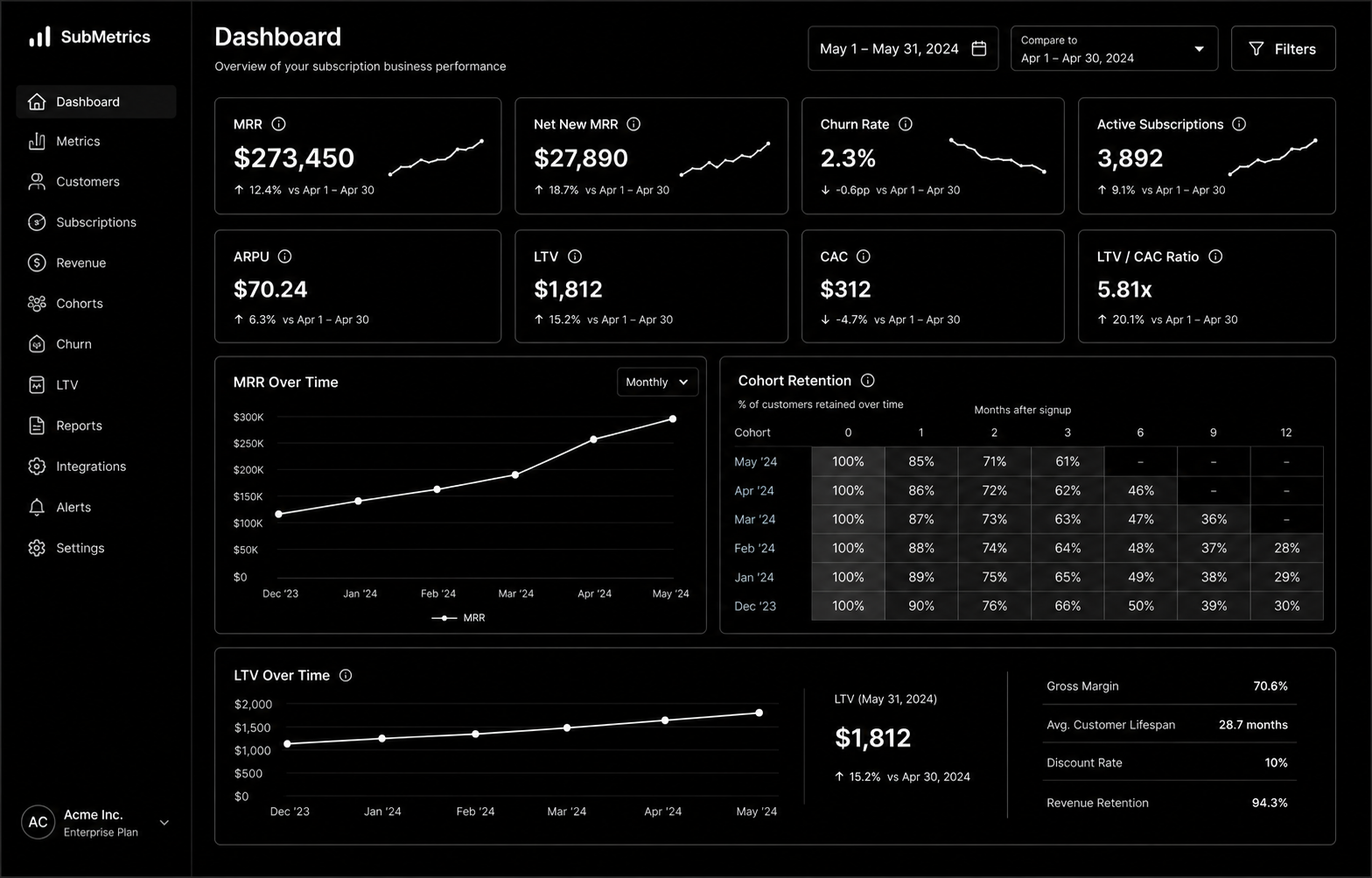
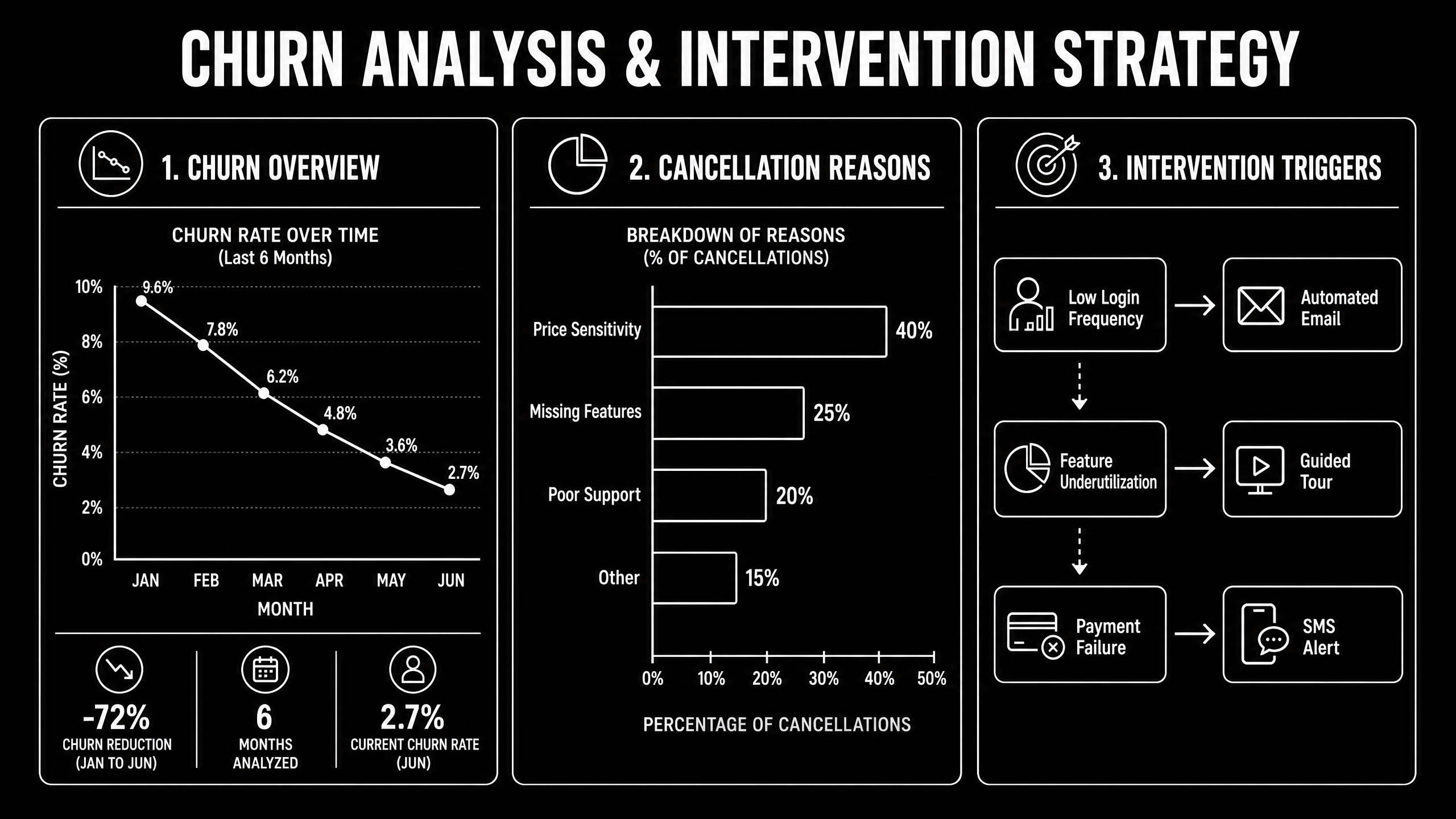
.svg)
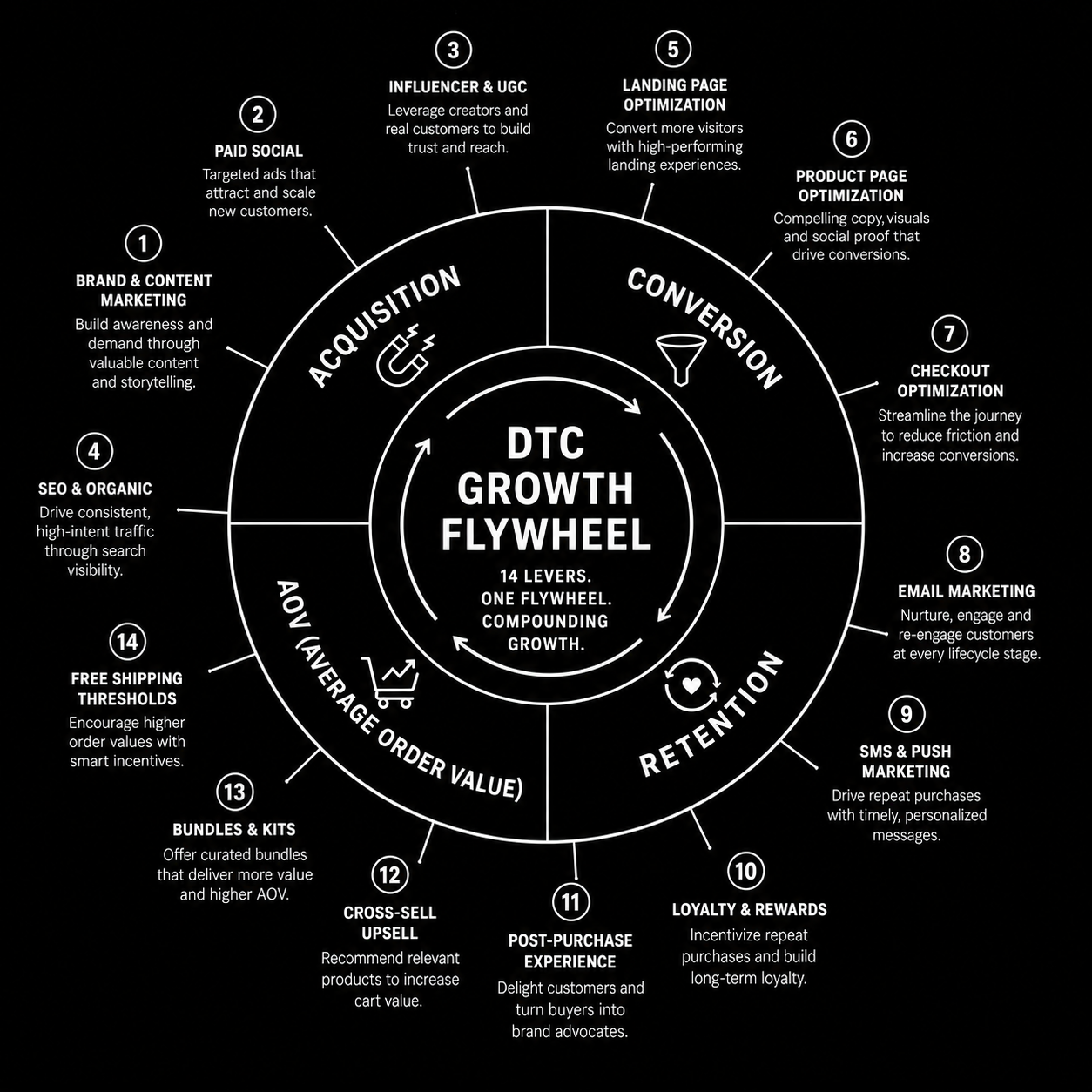
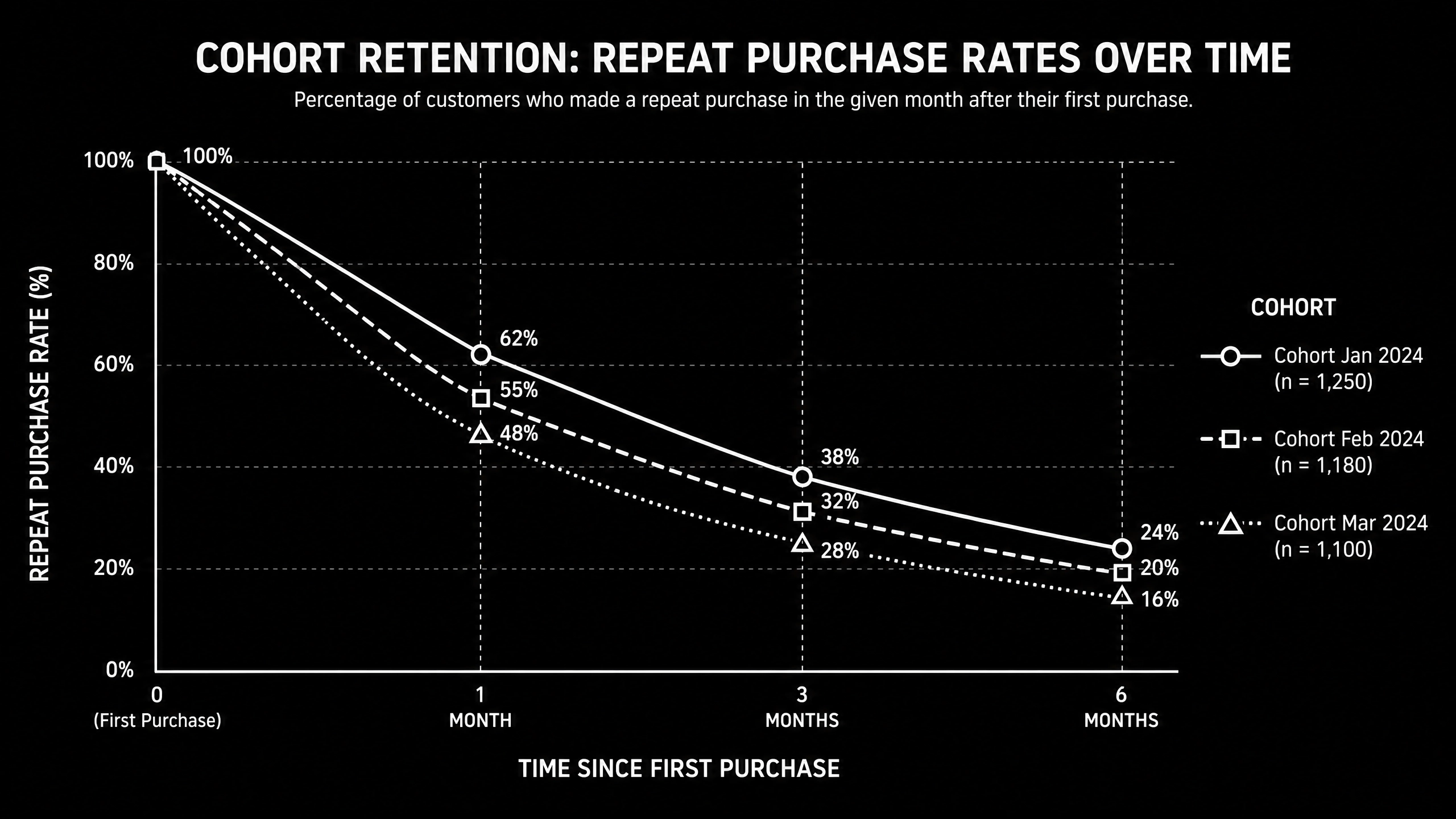
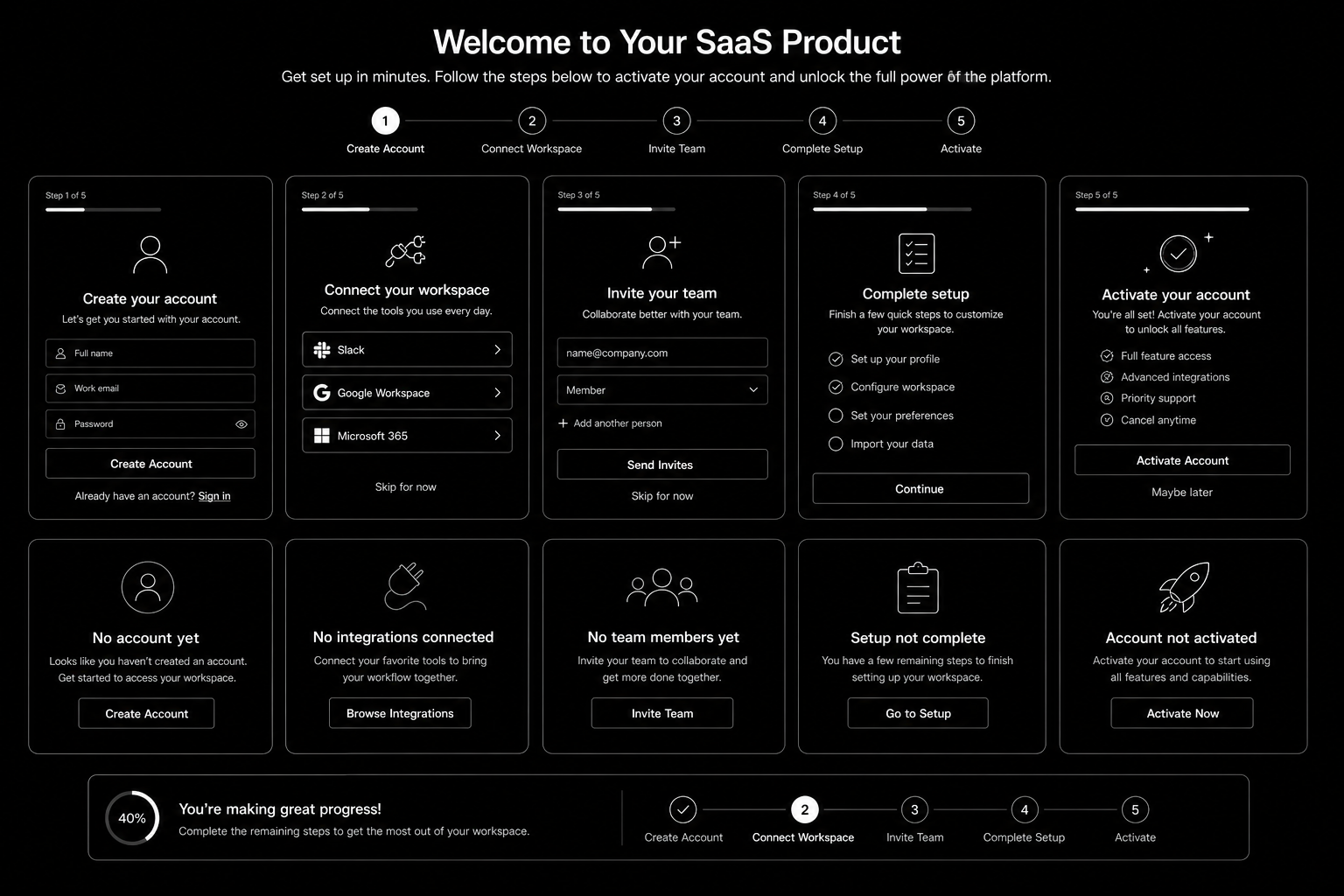
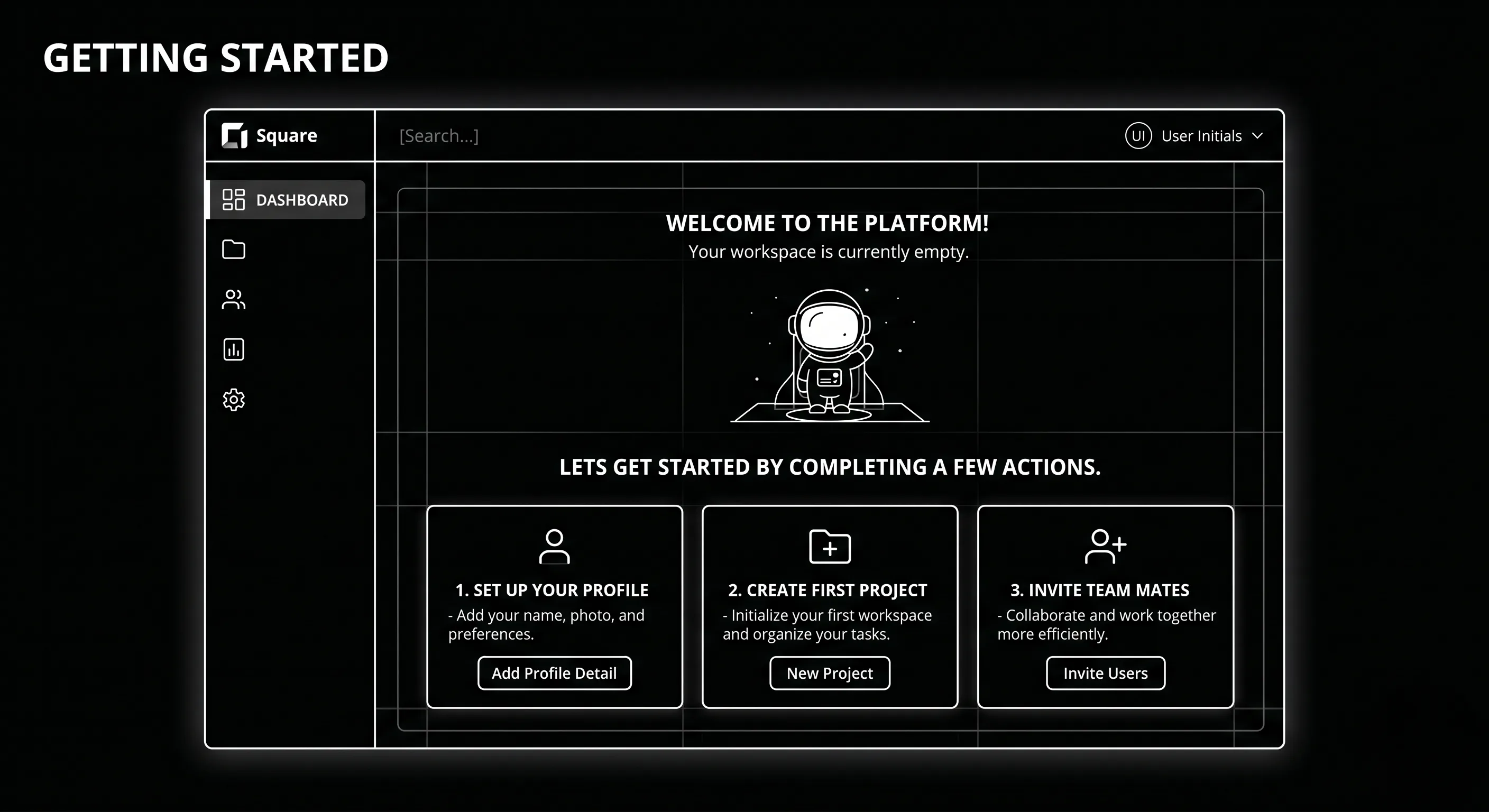
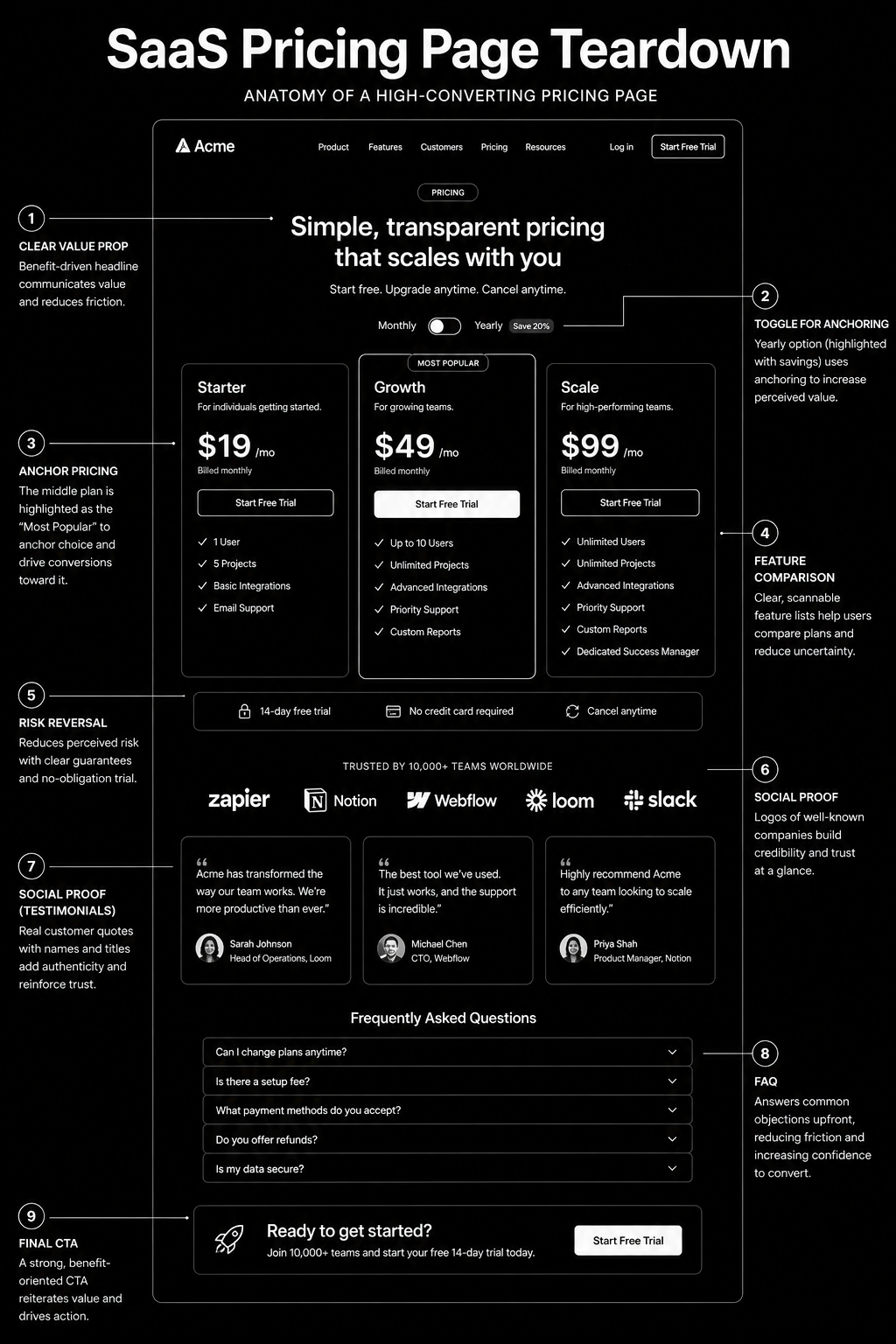
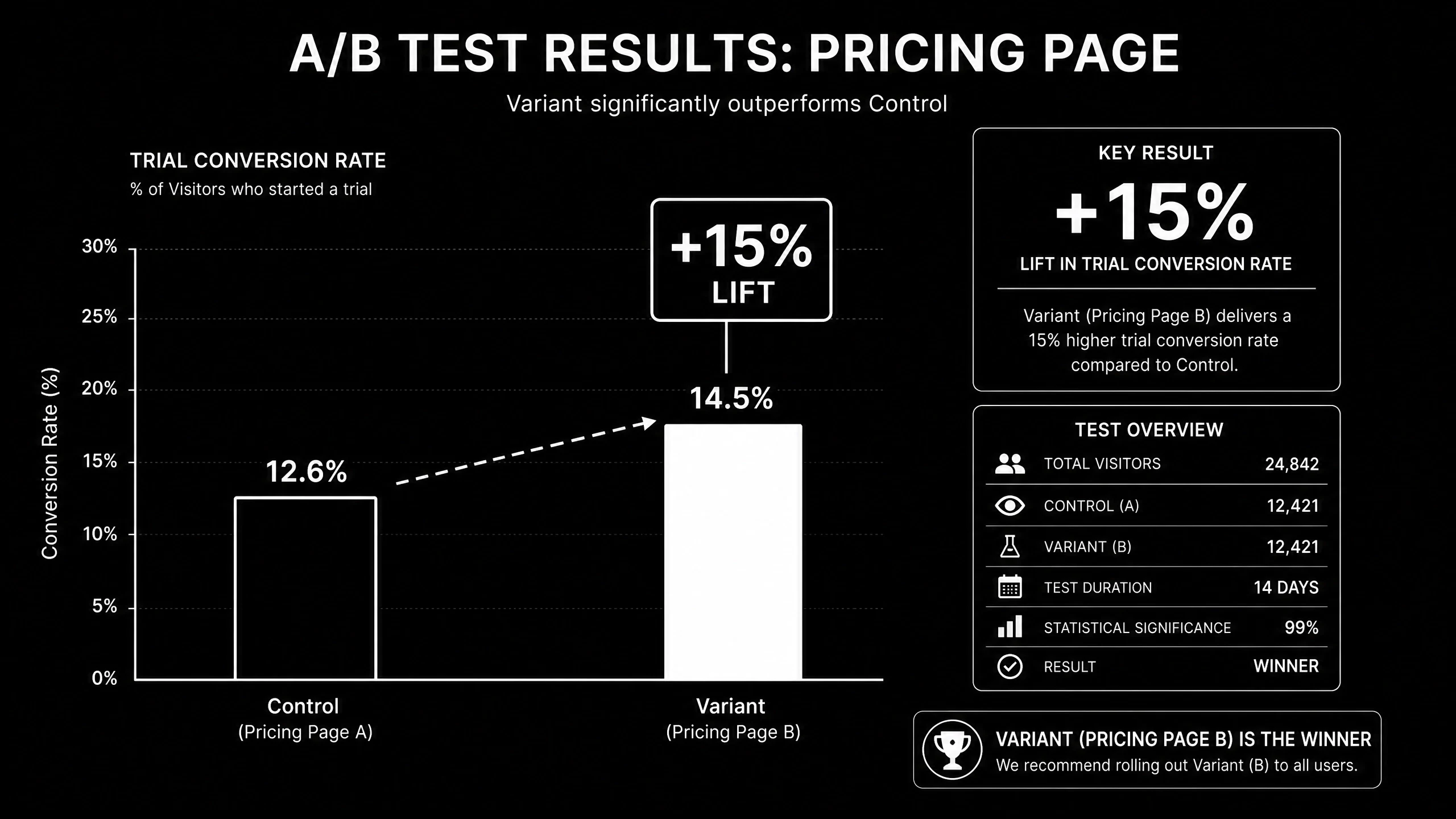
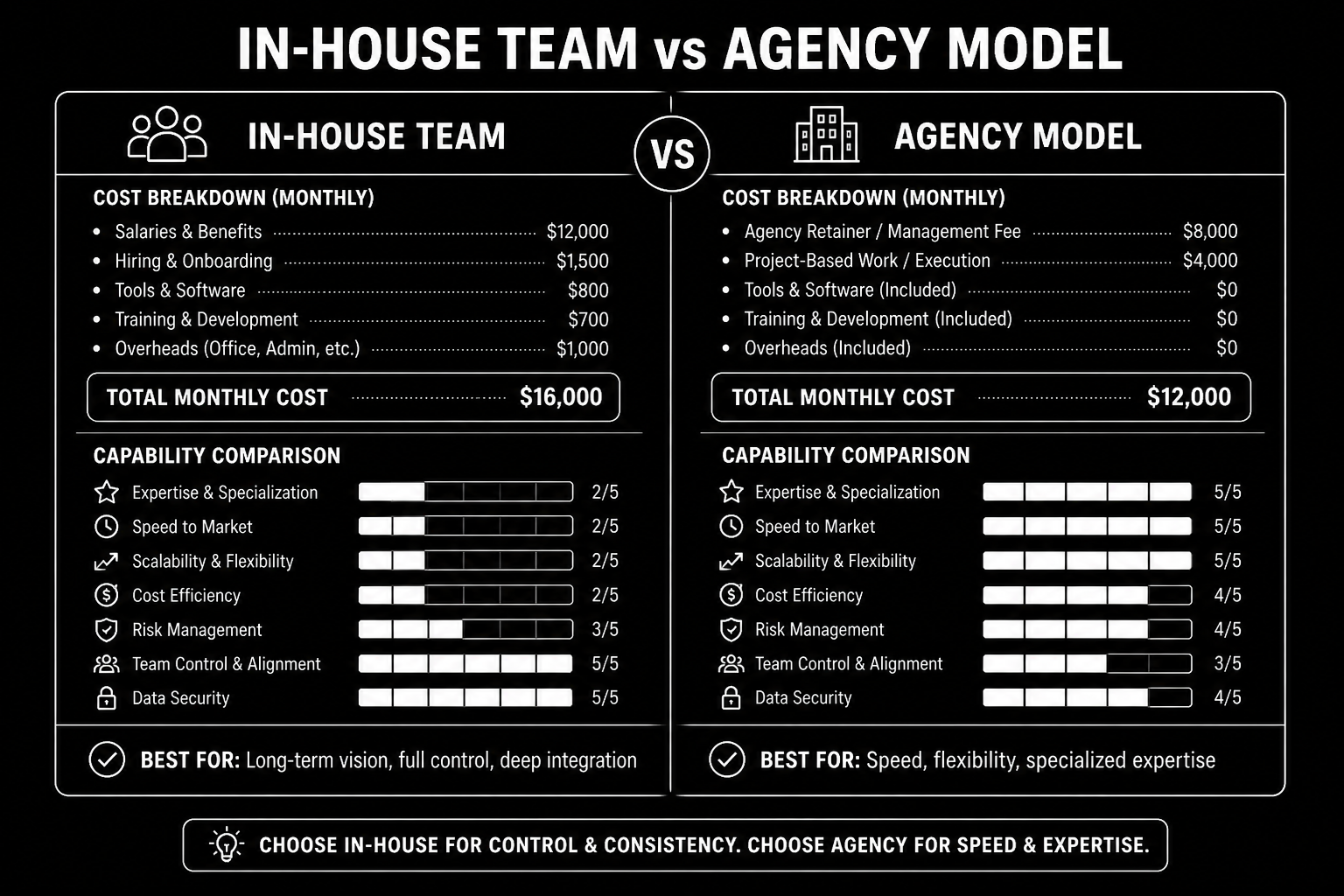
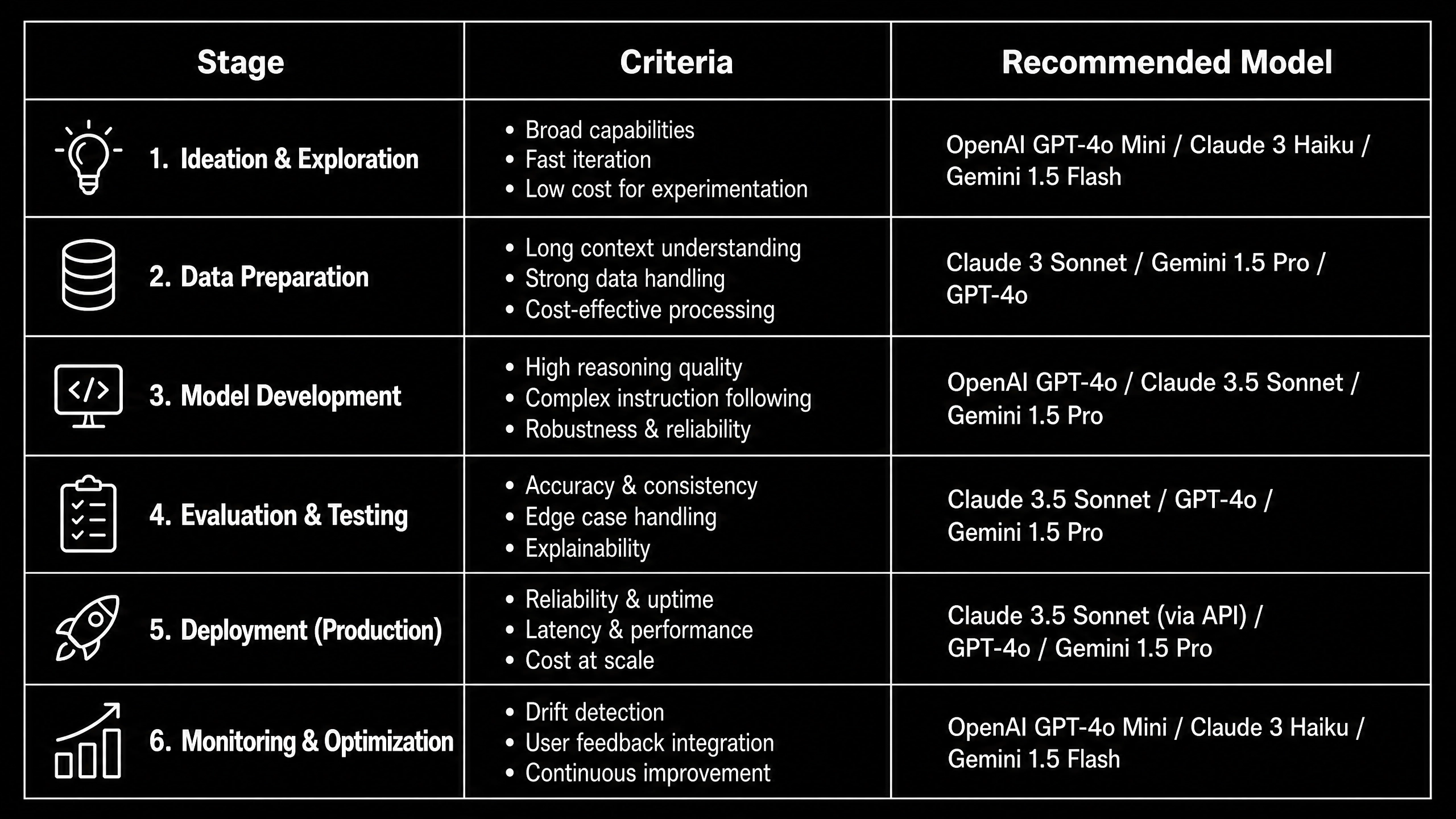
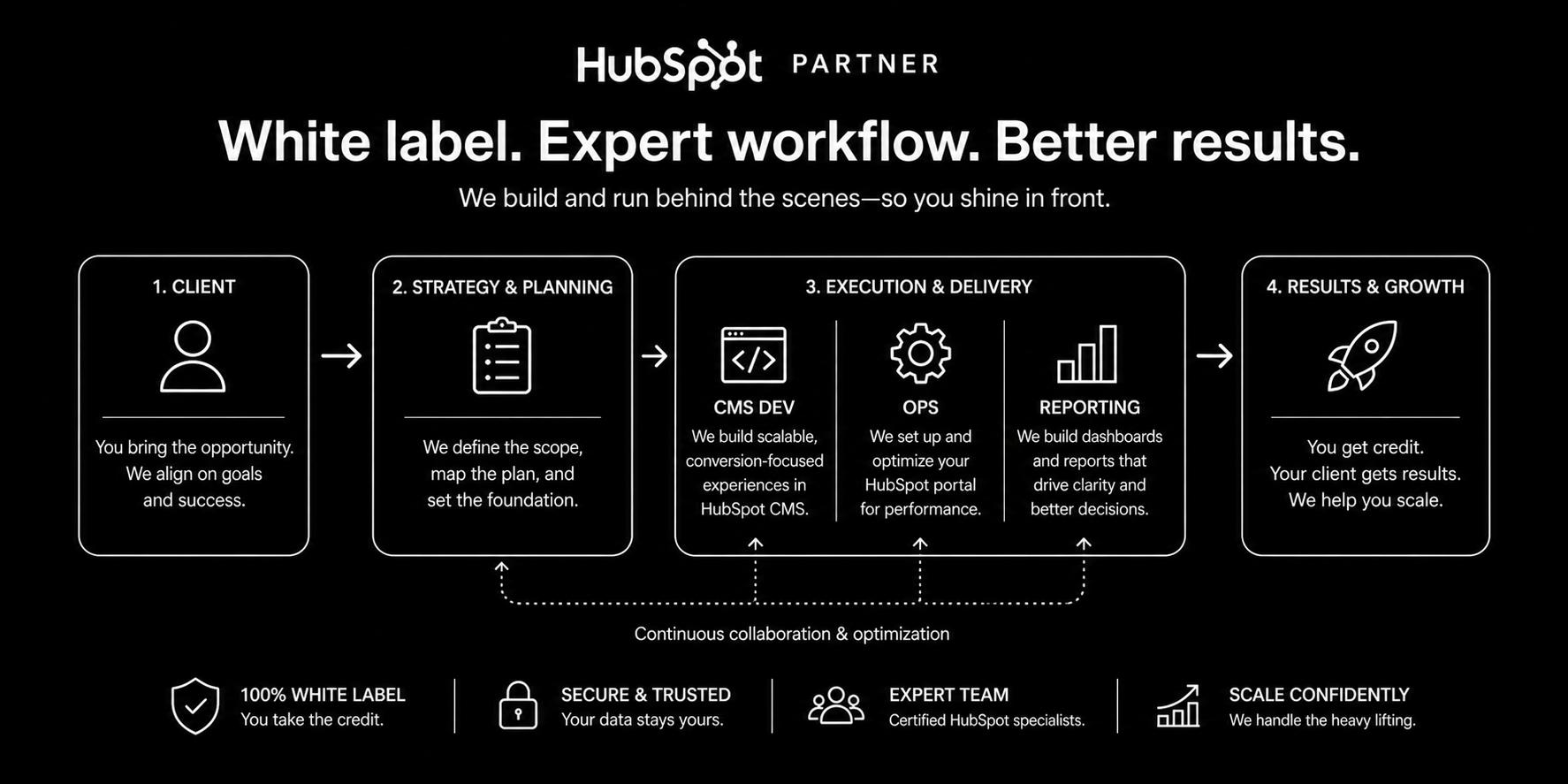
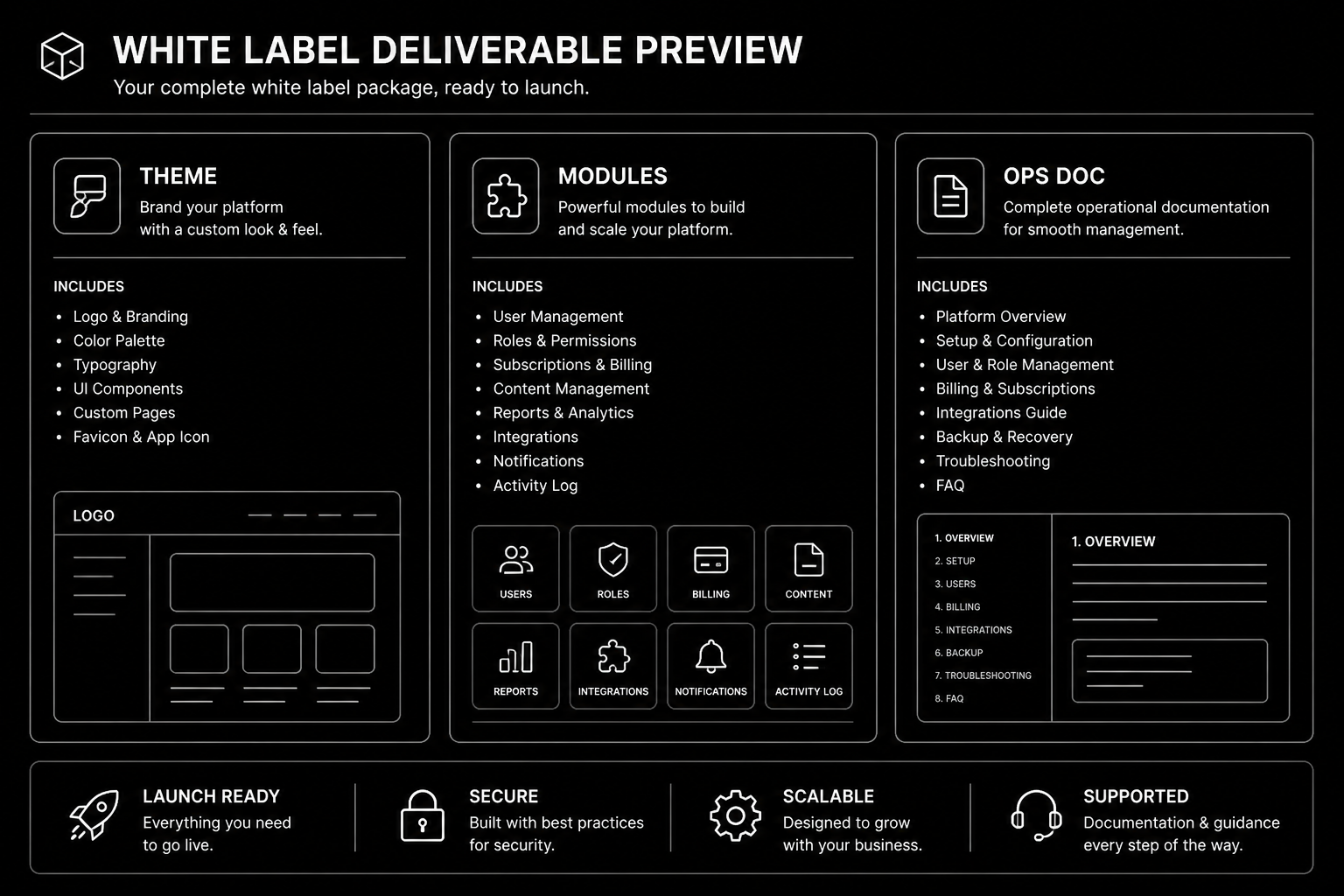
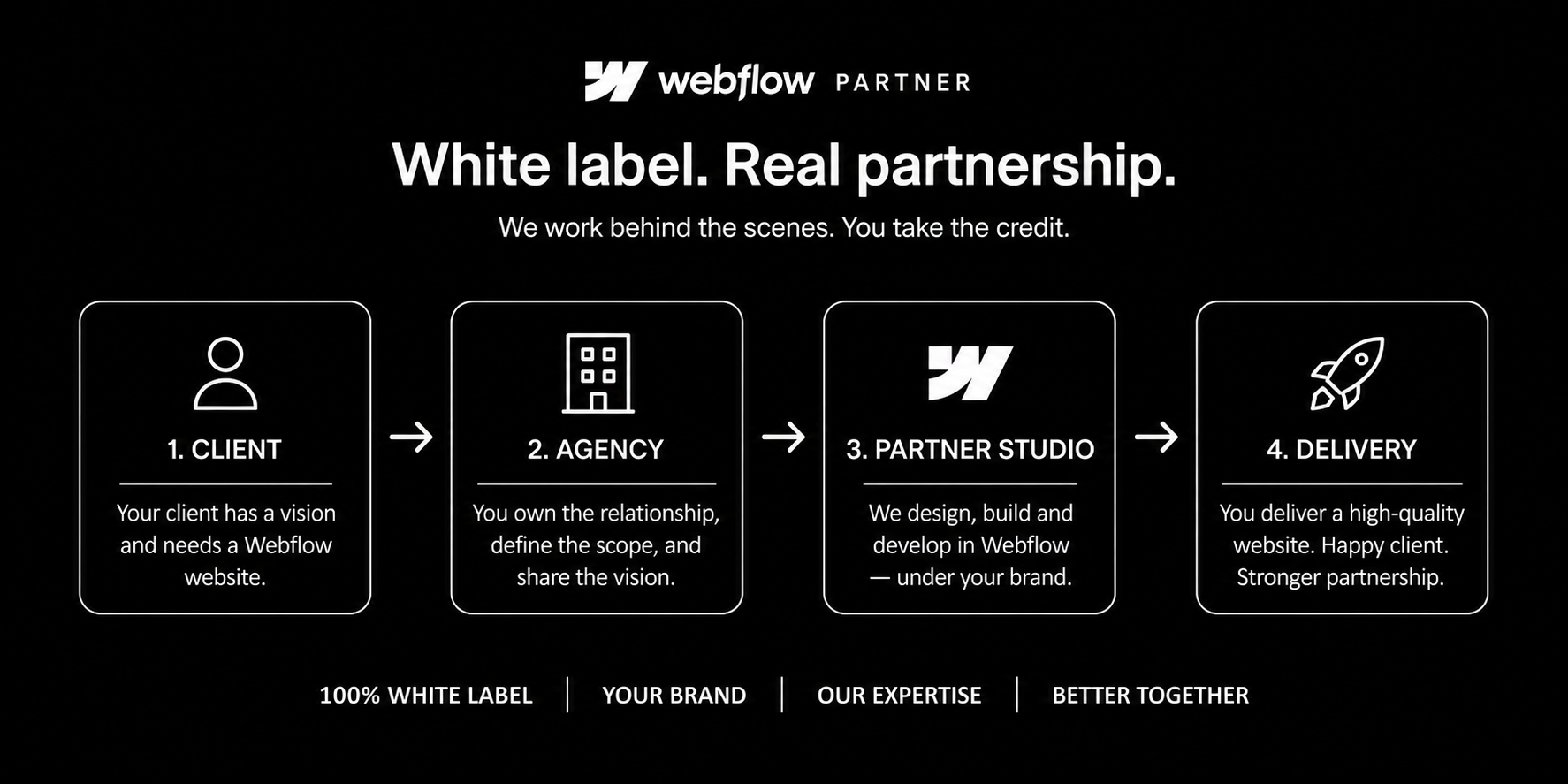
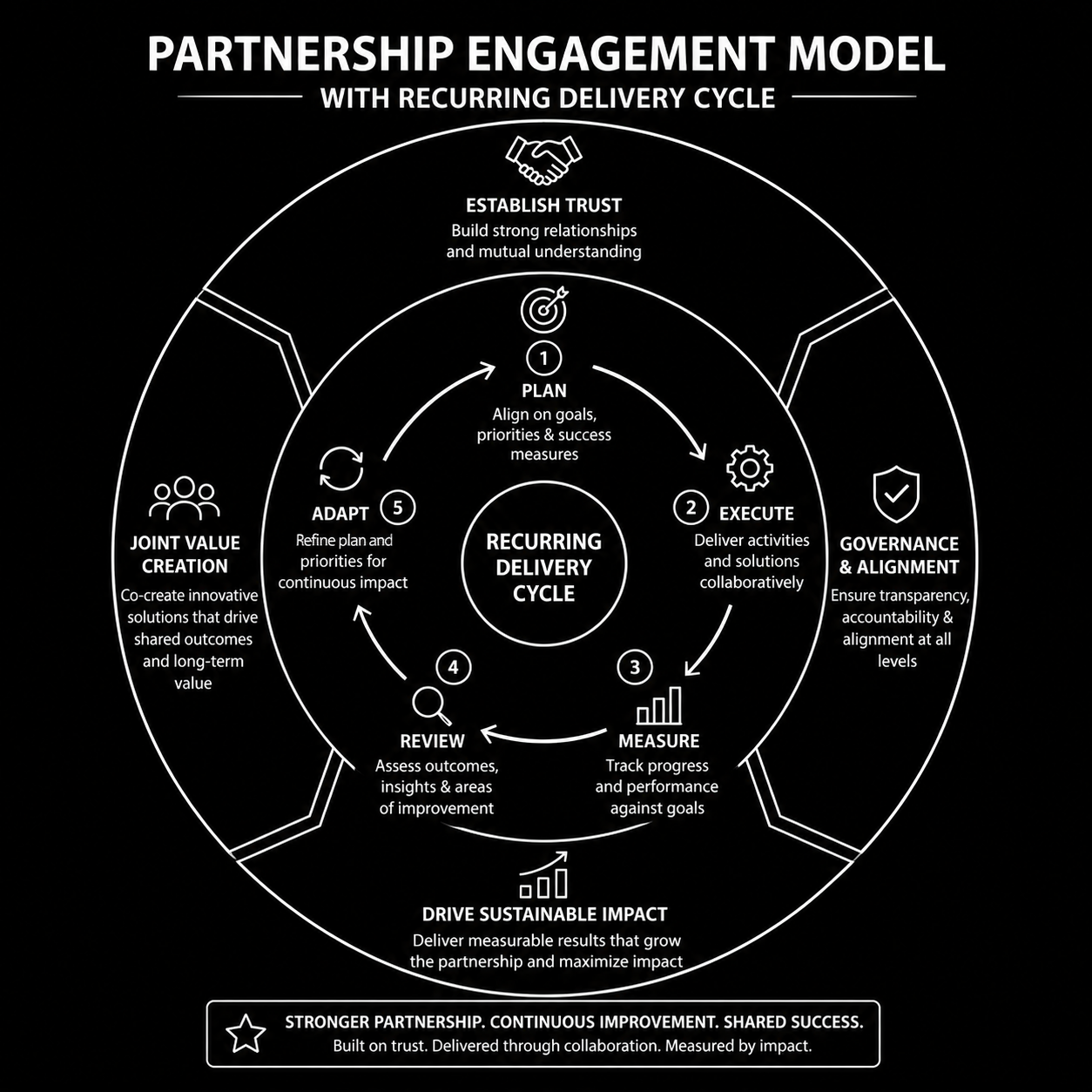
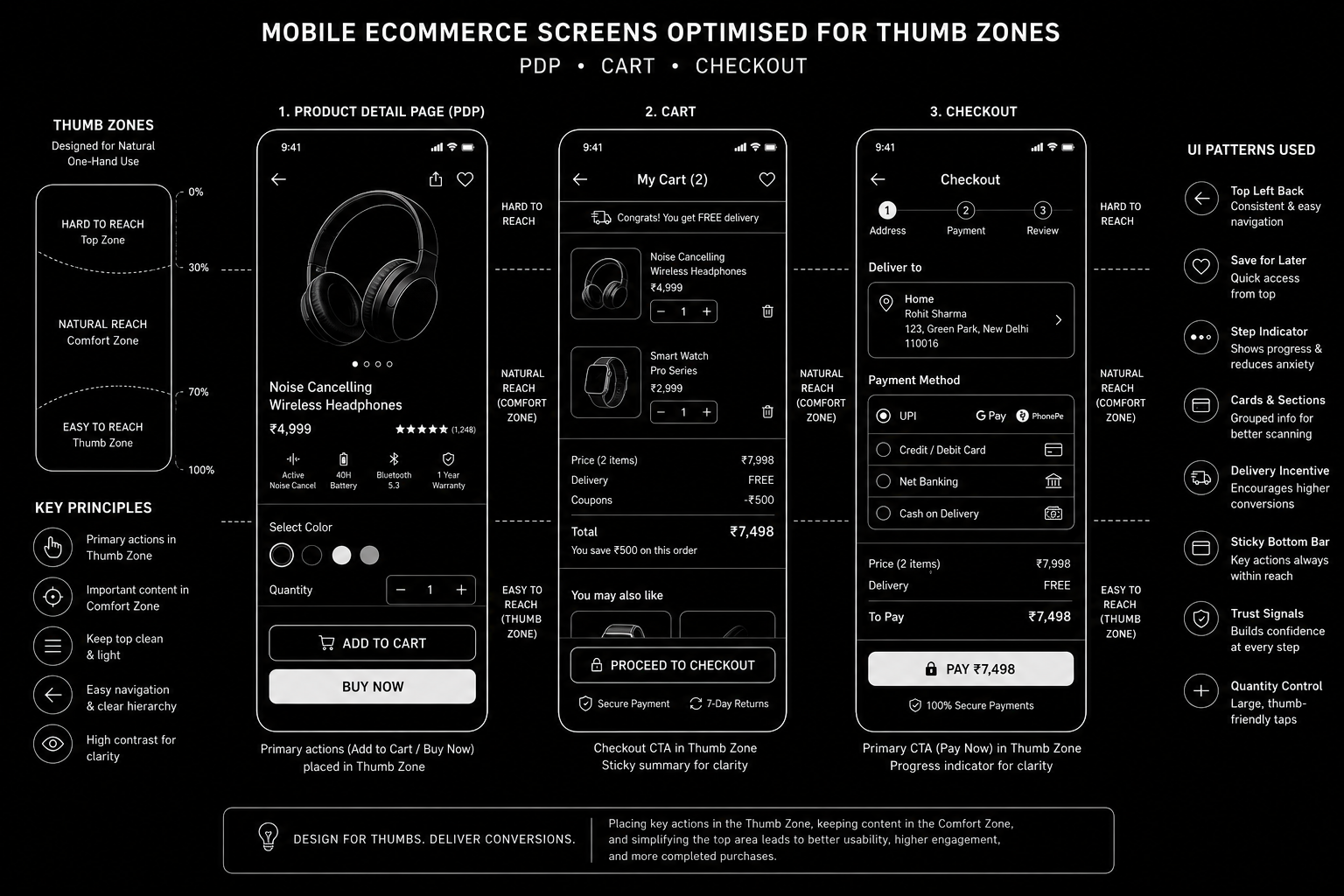
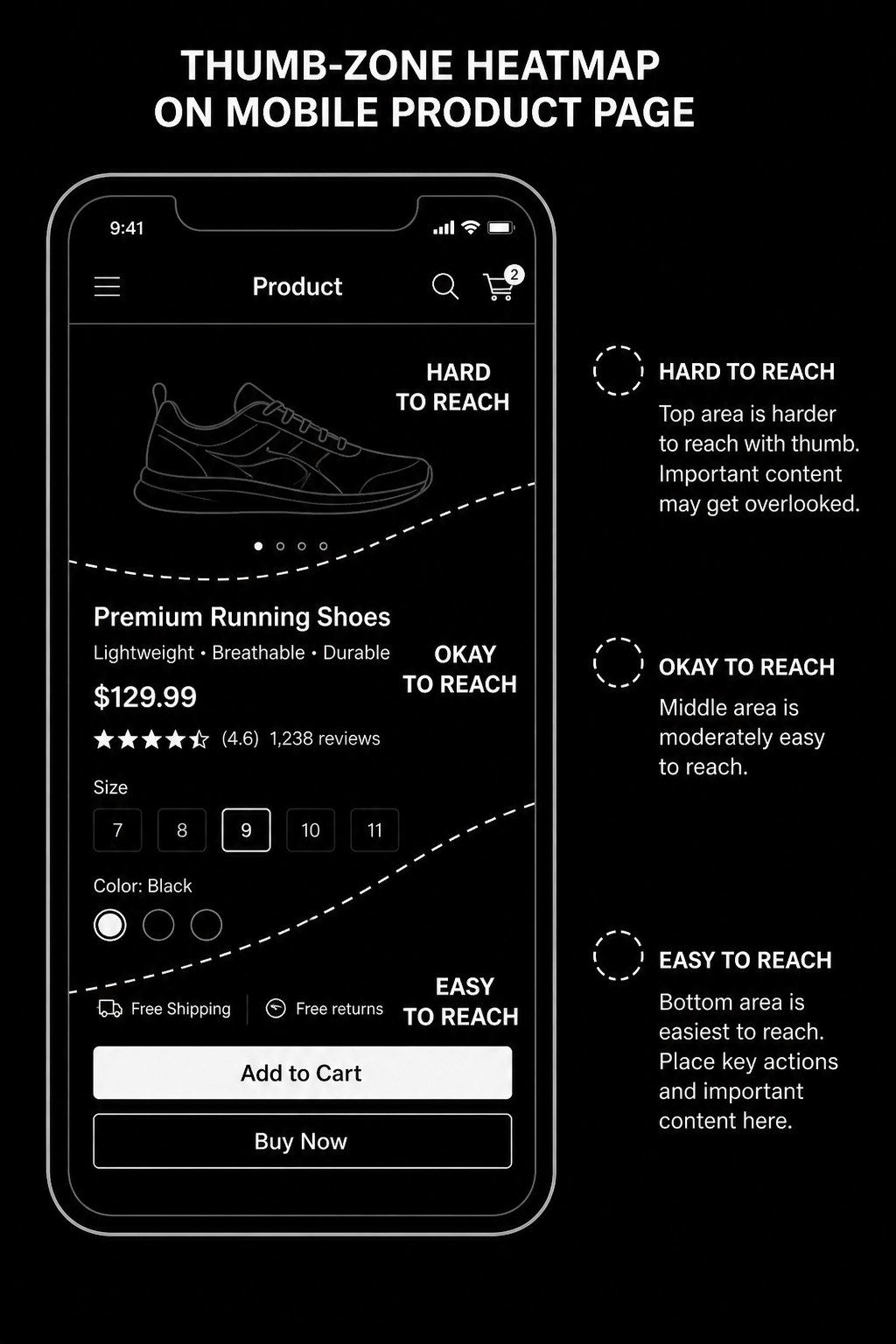
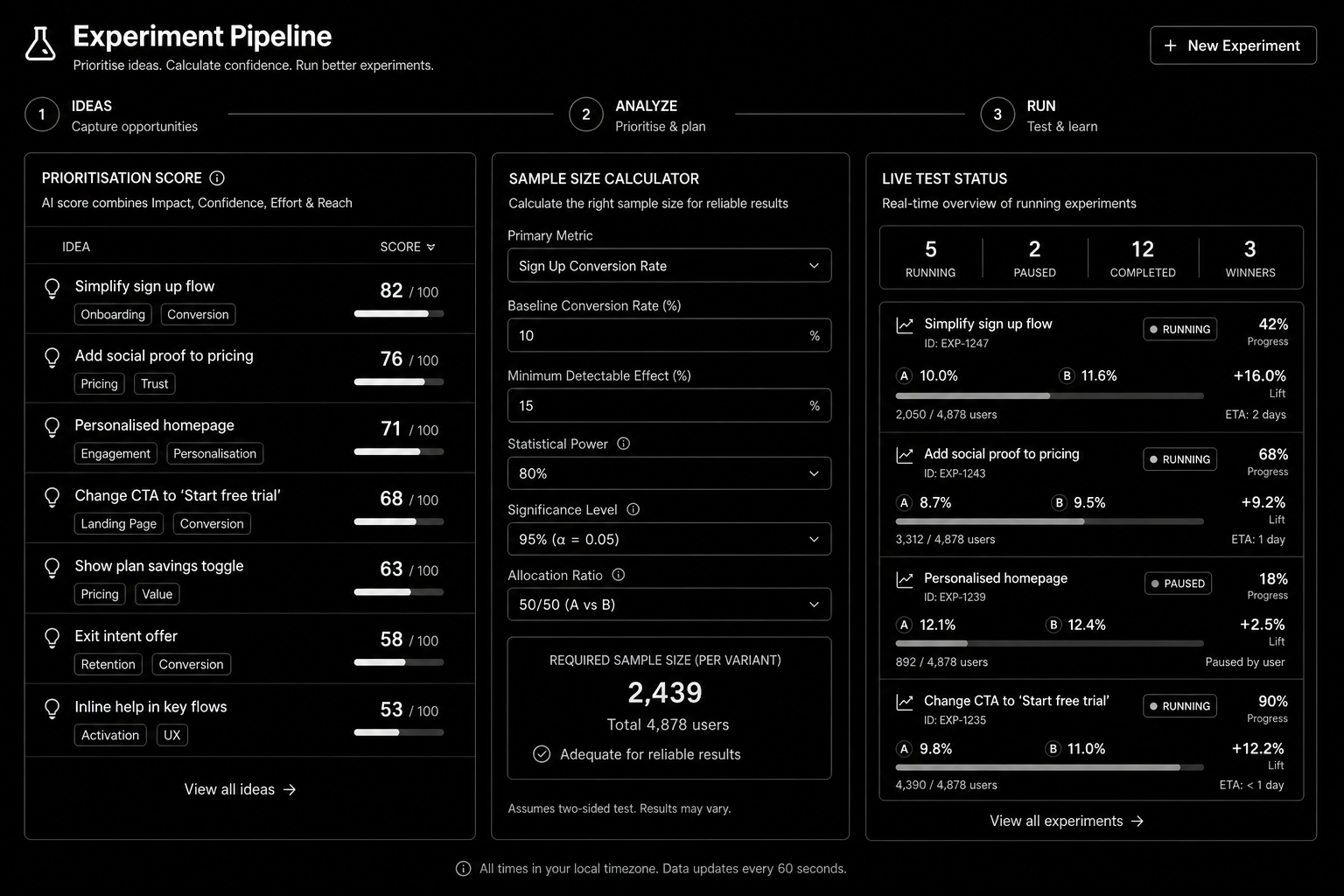
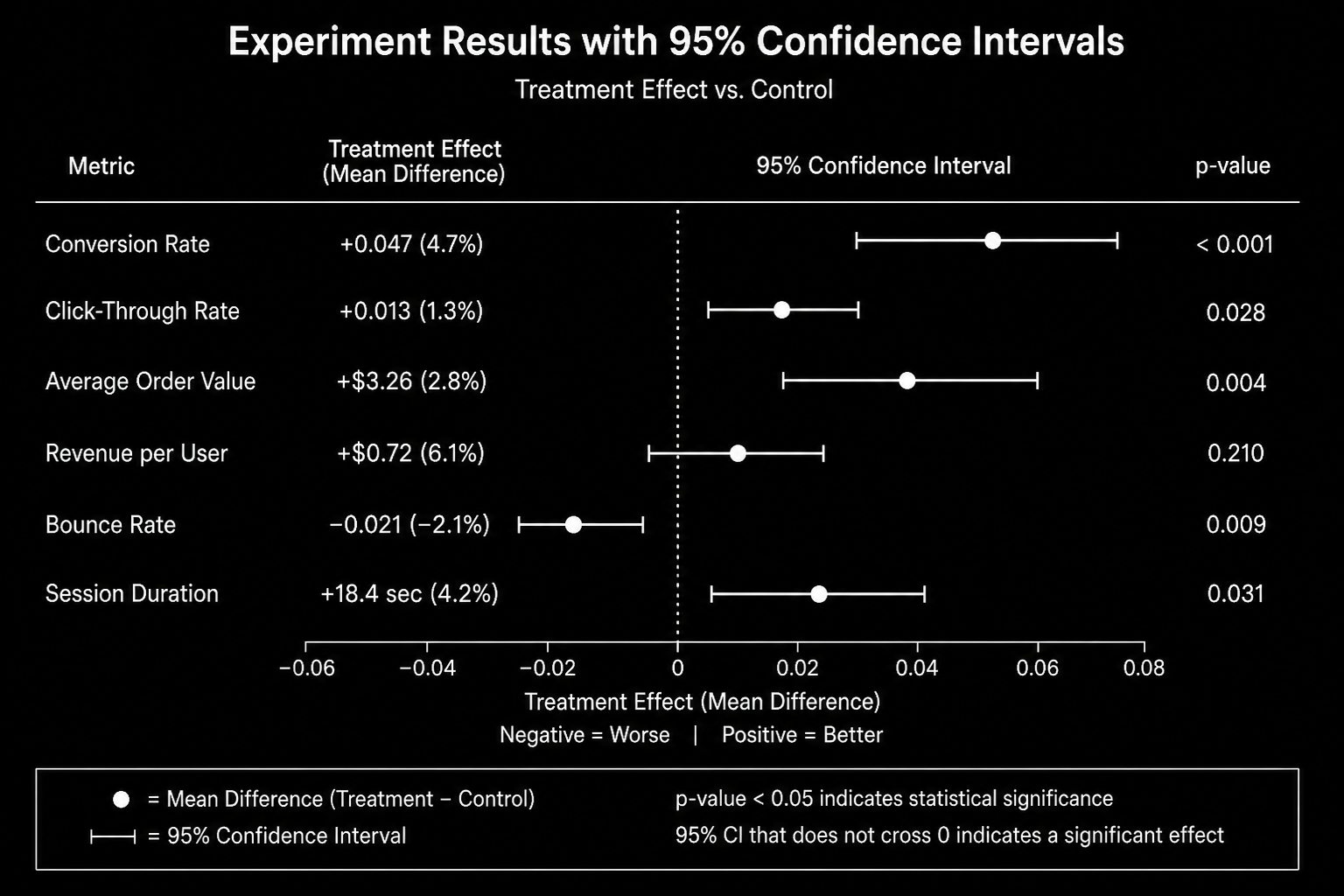
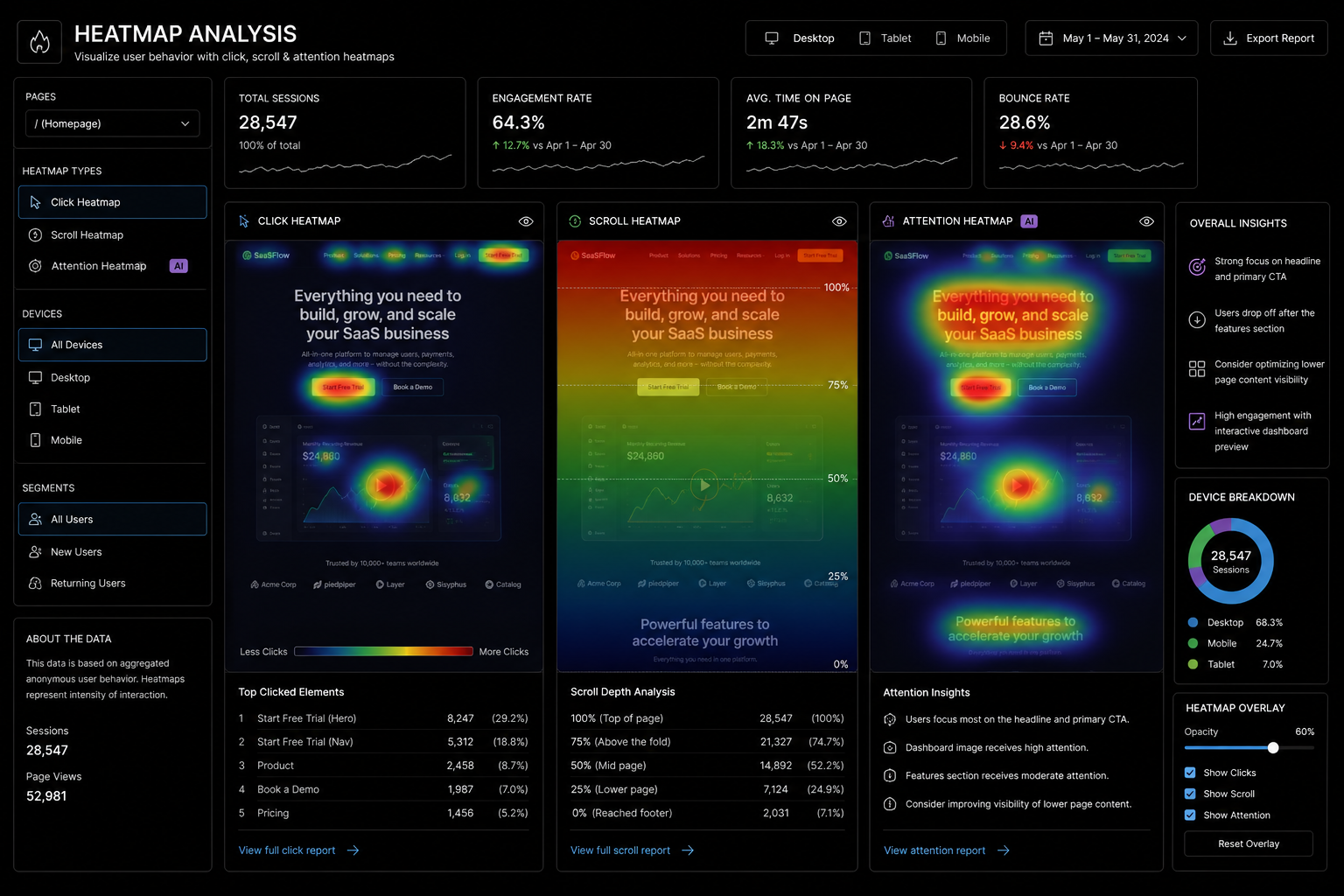
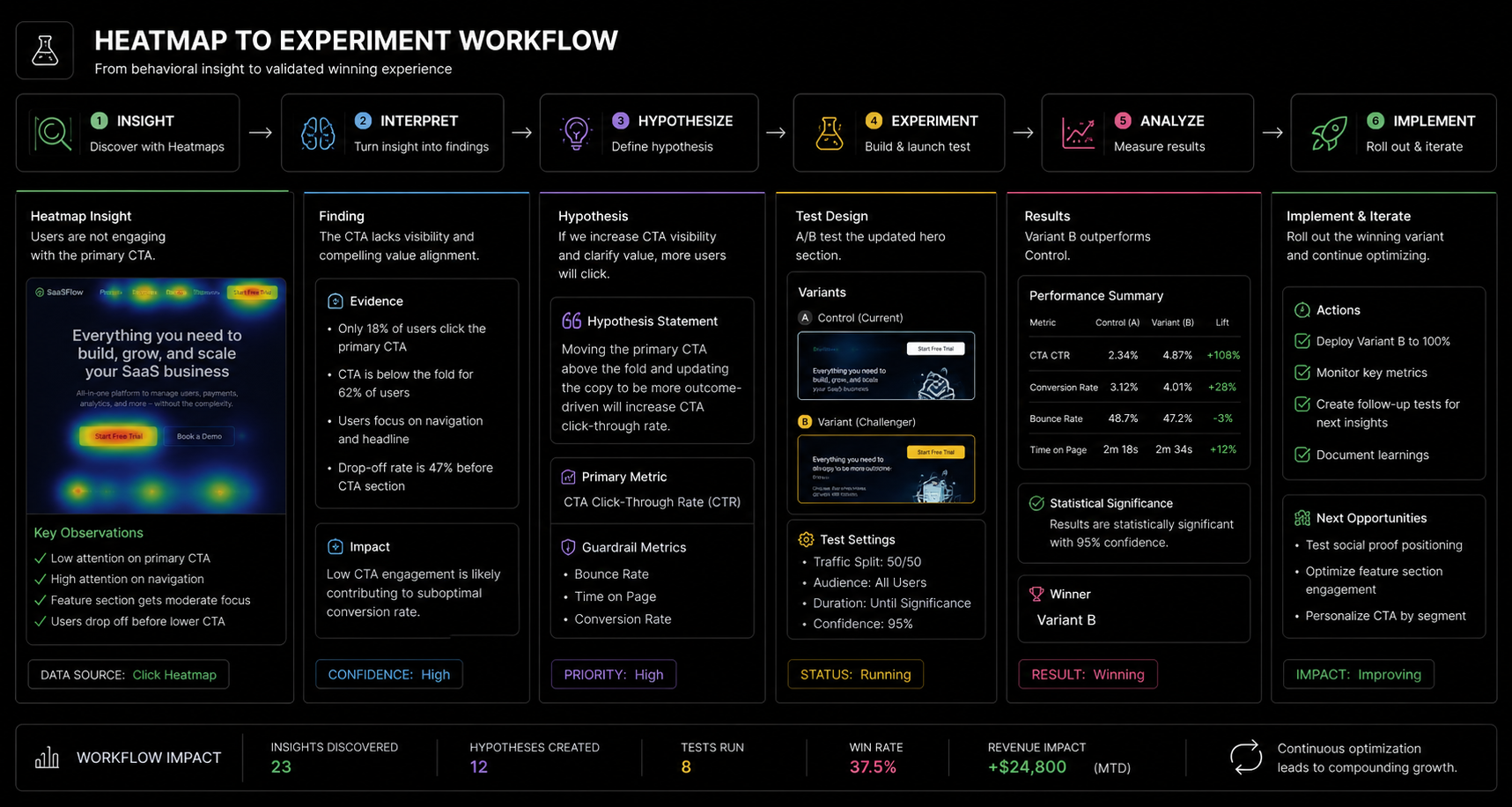
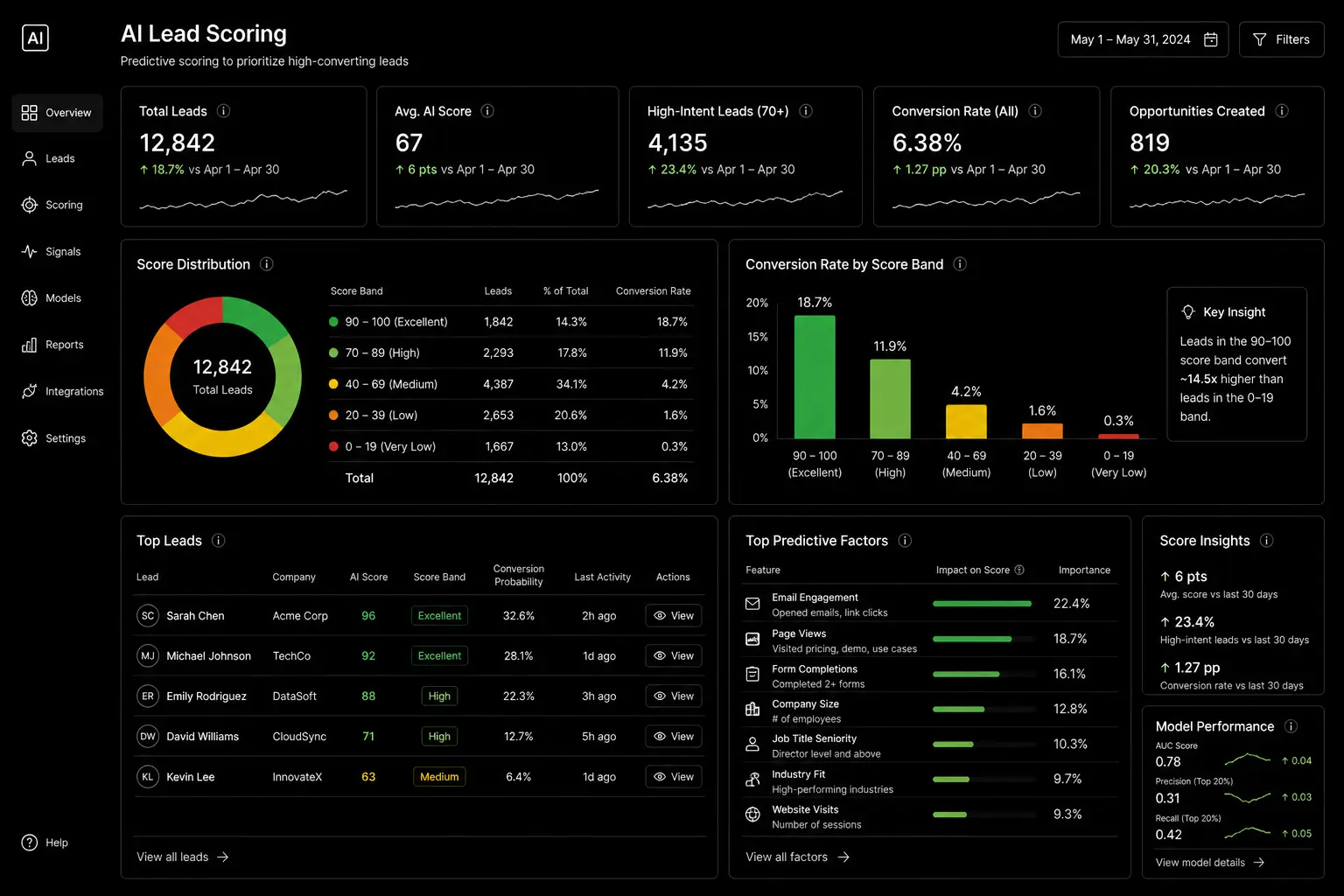
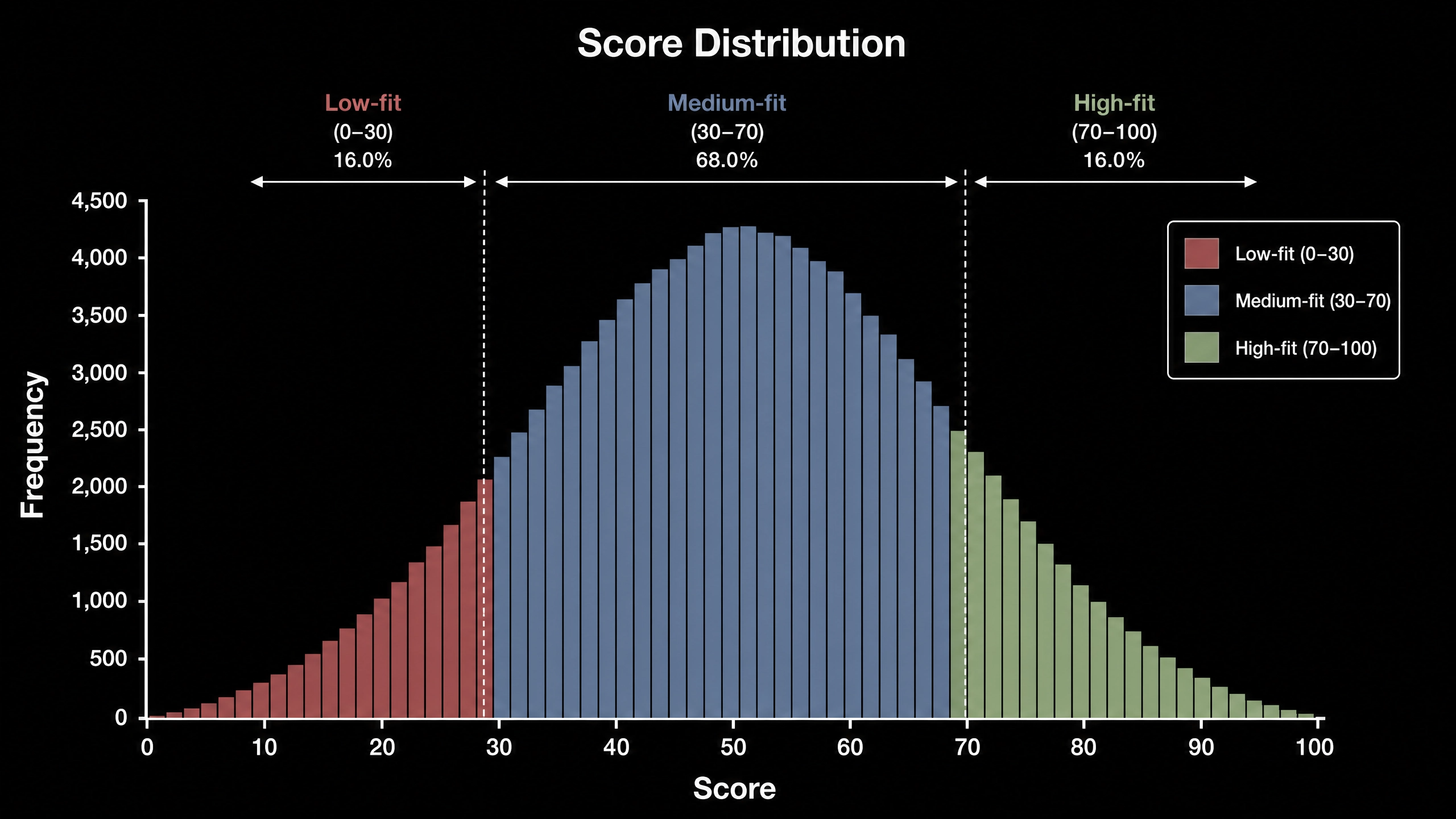
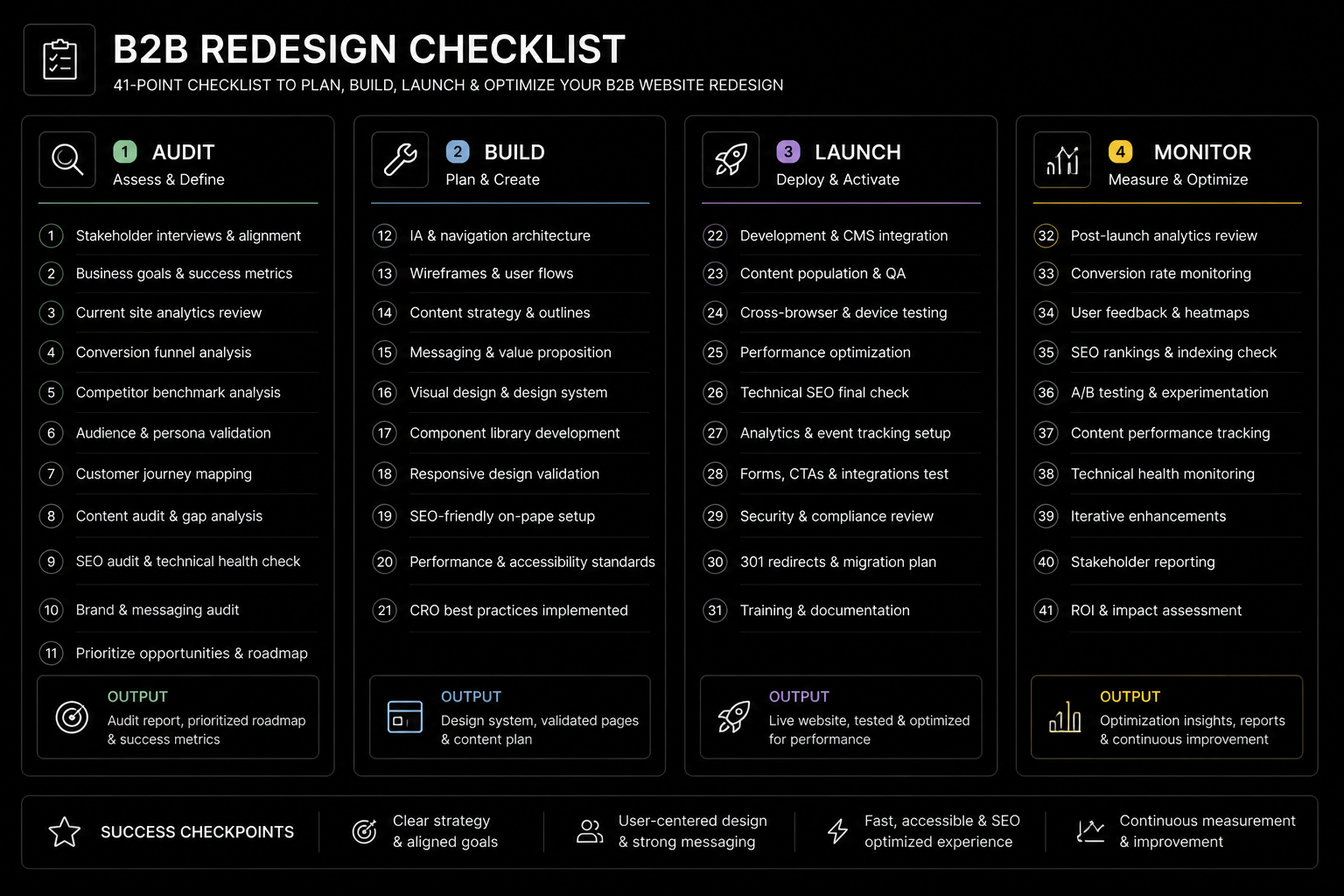
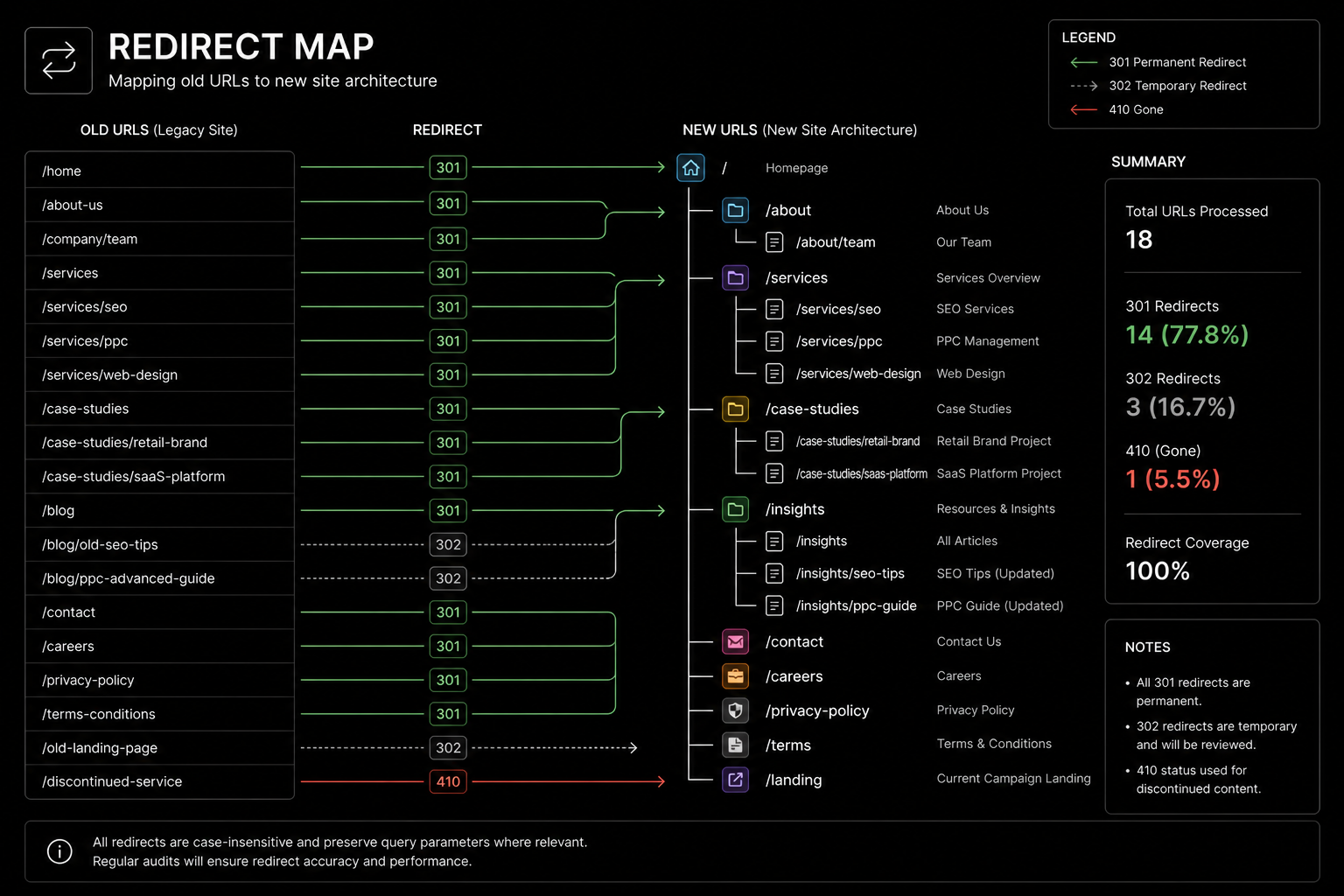
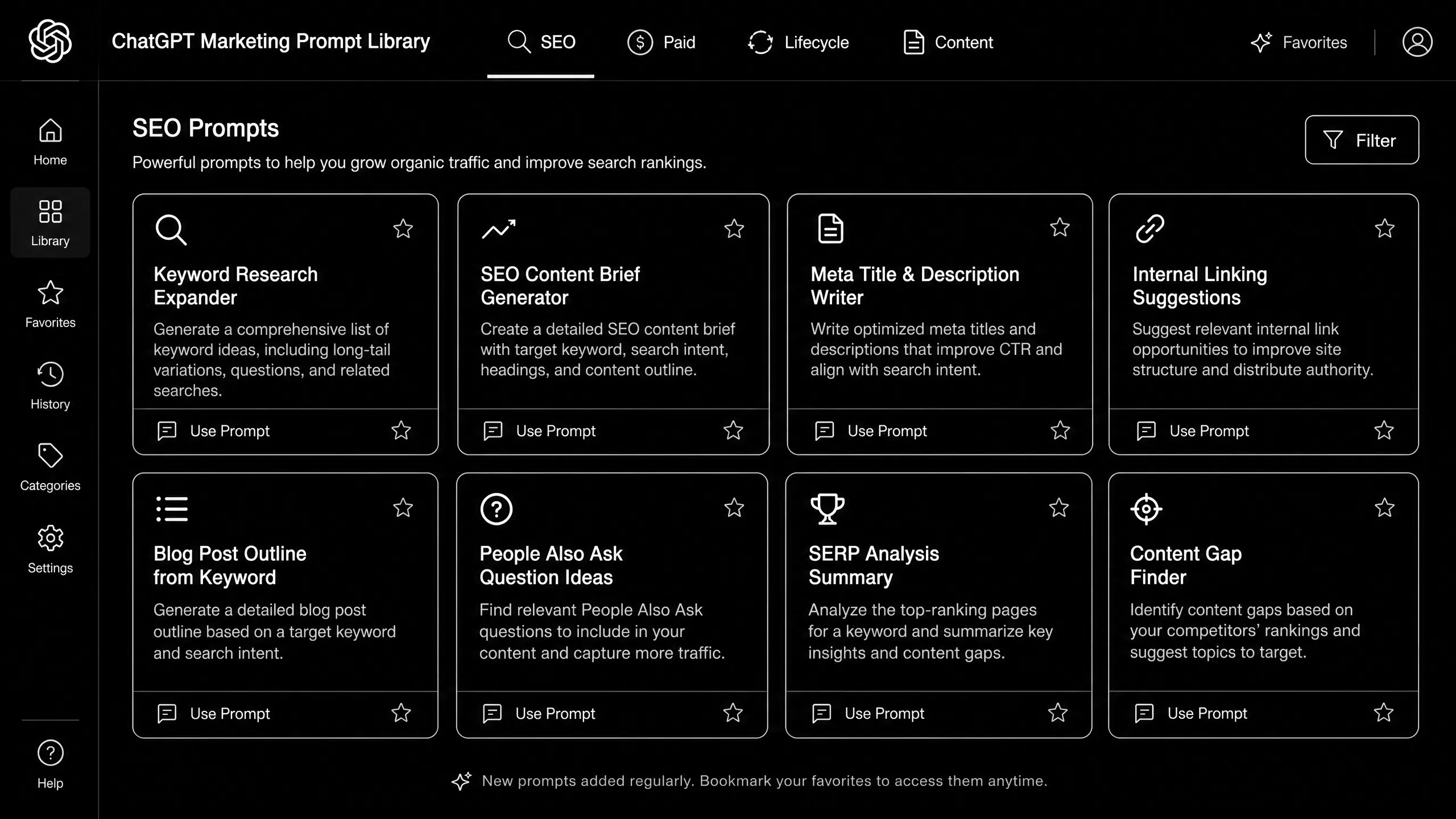
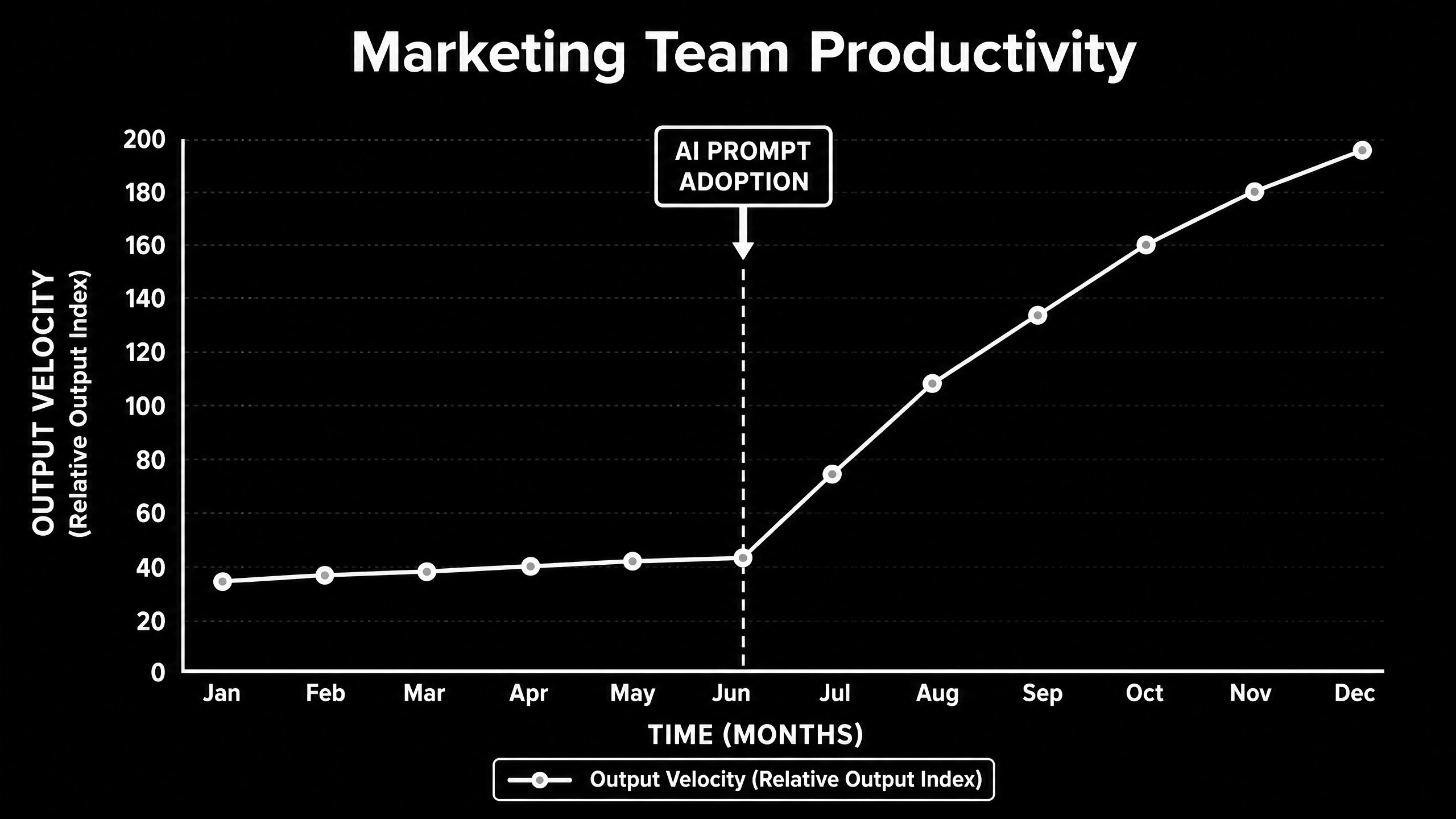
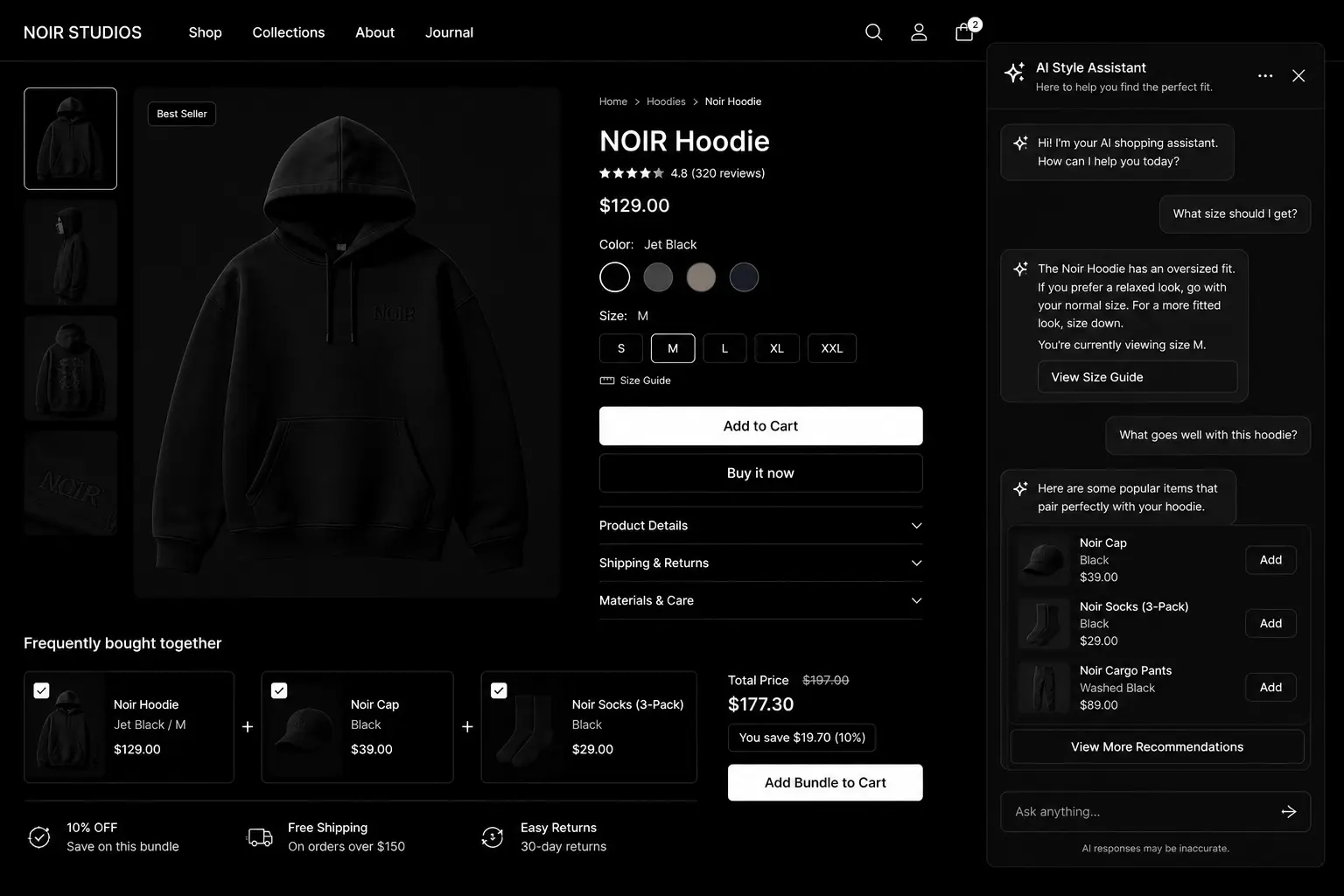
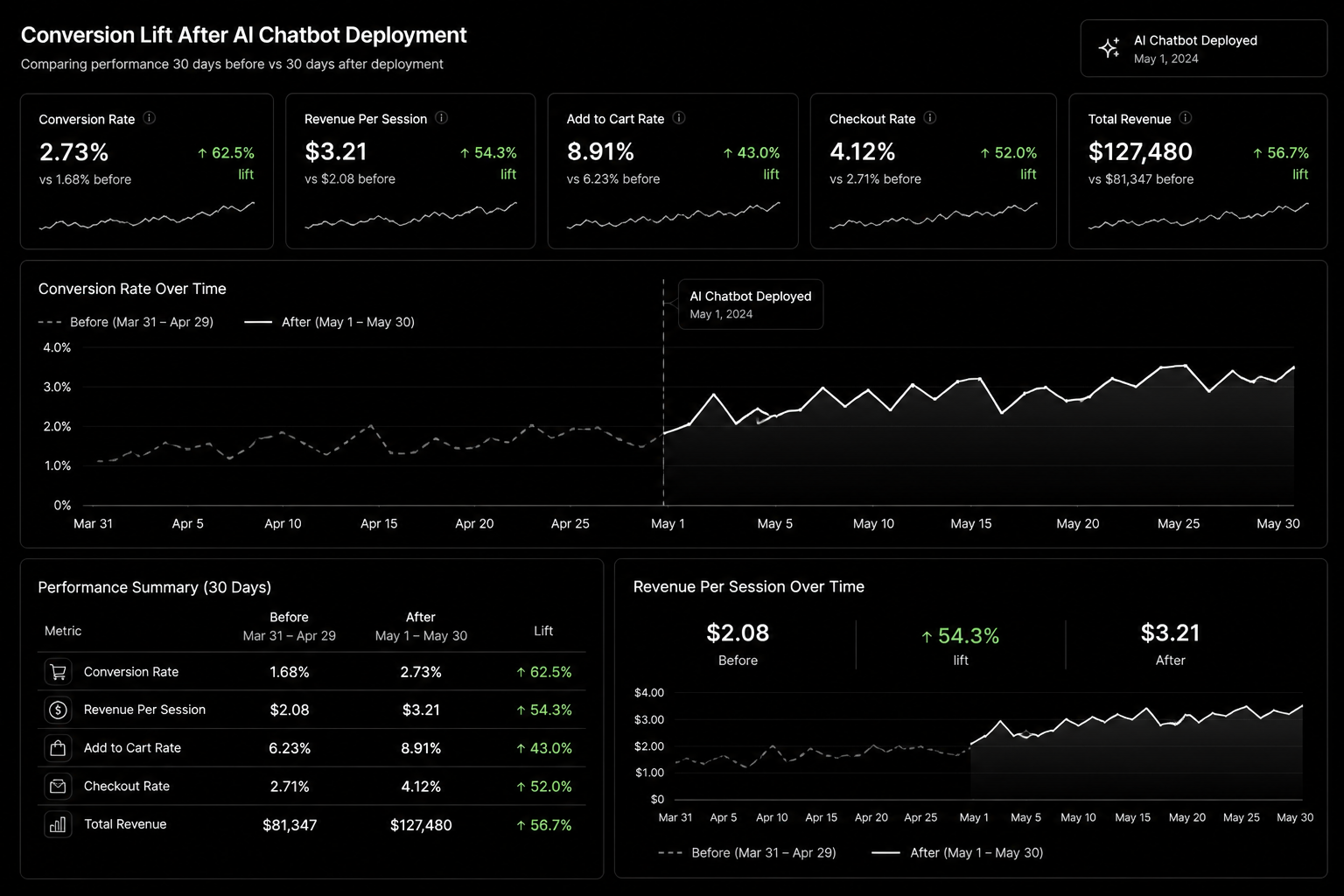
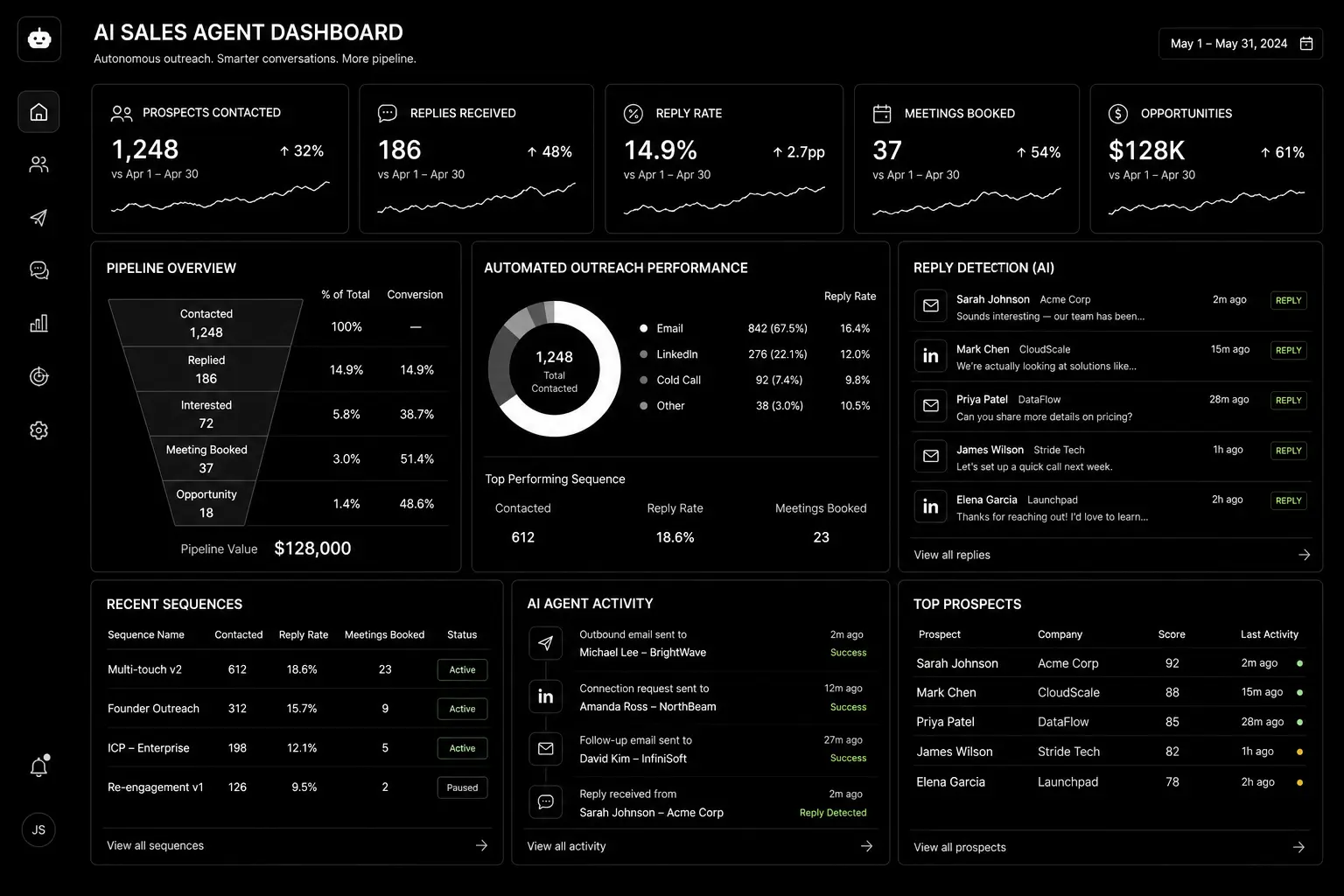
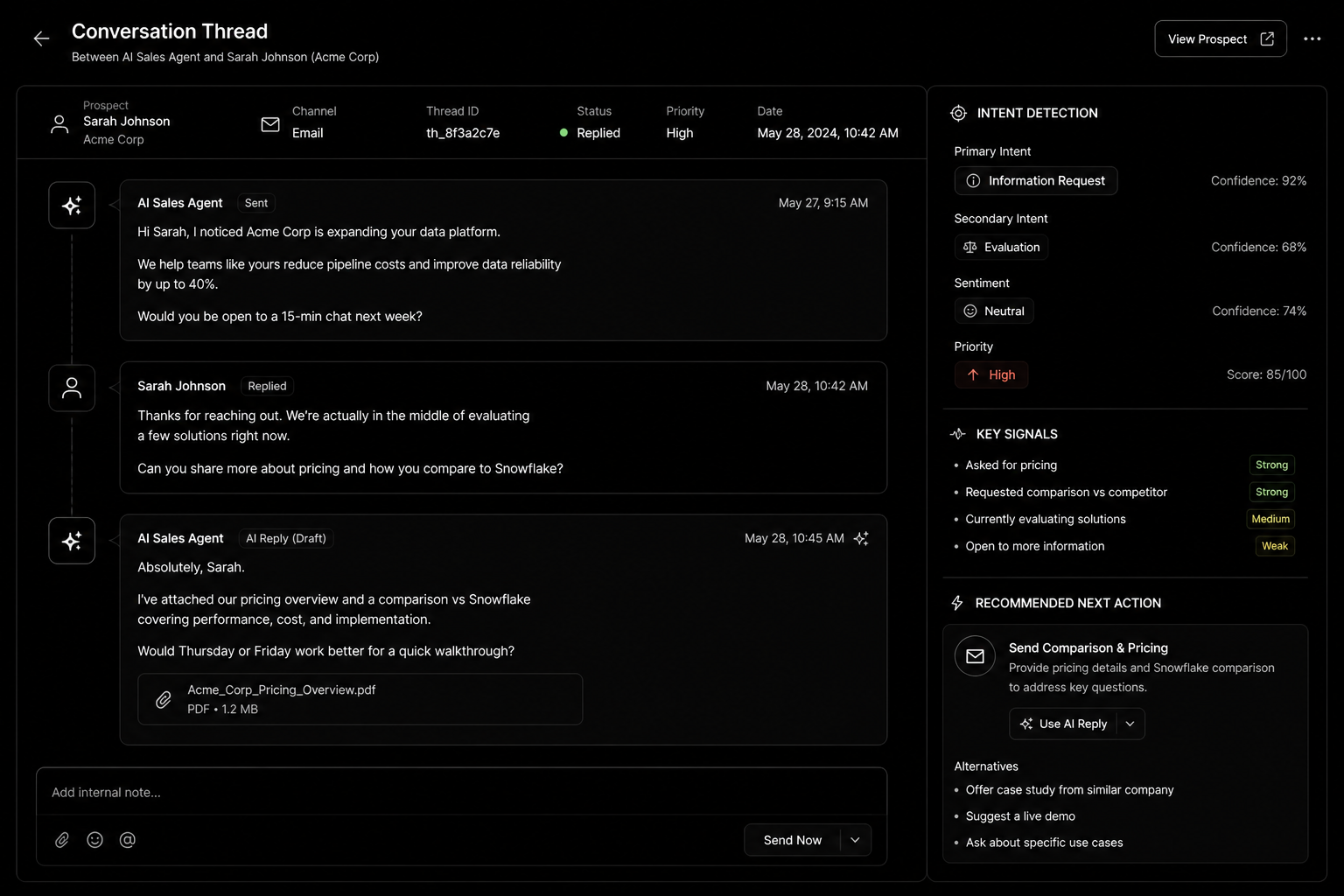
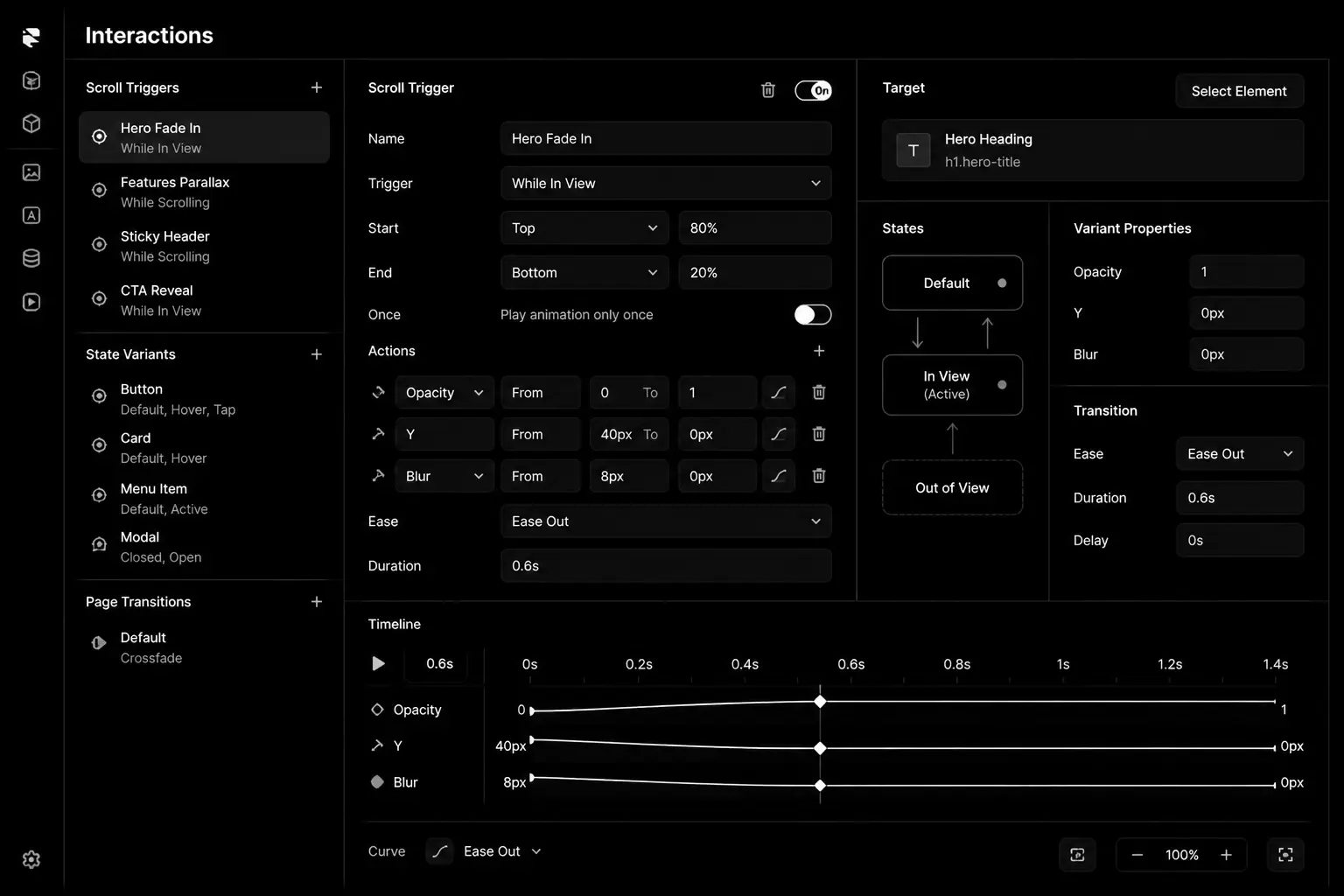
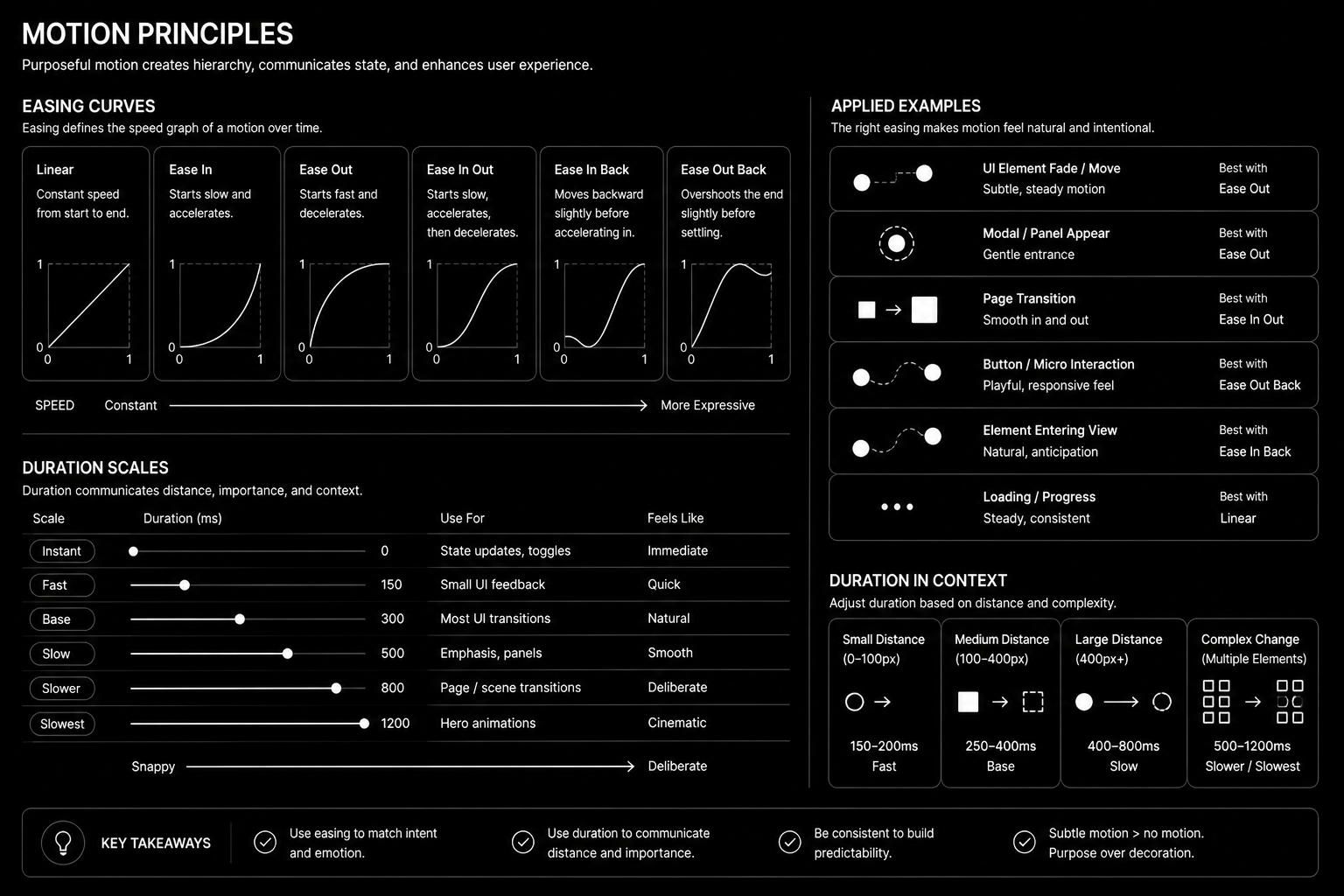
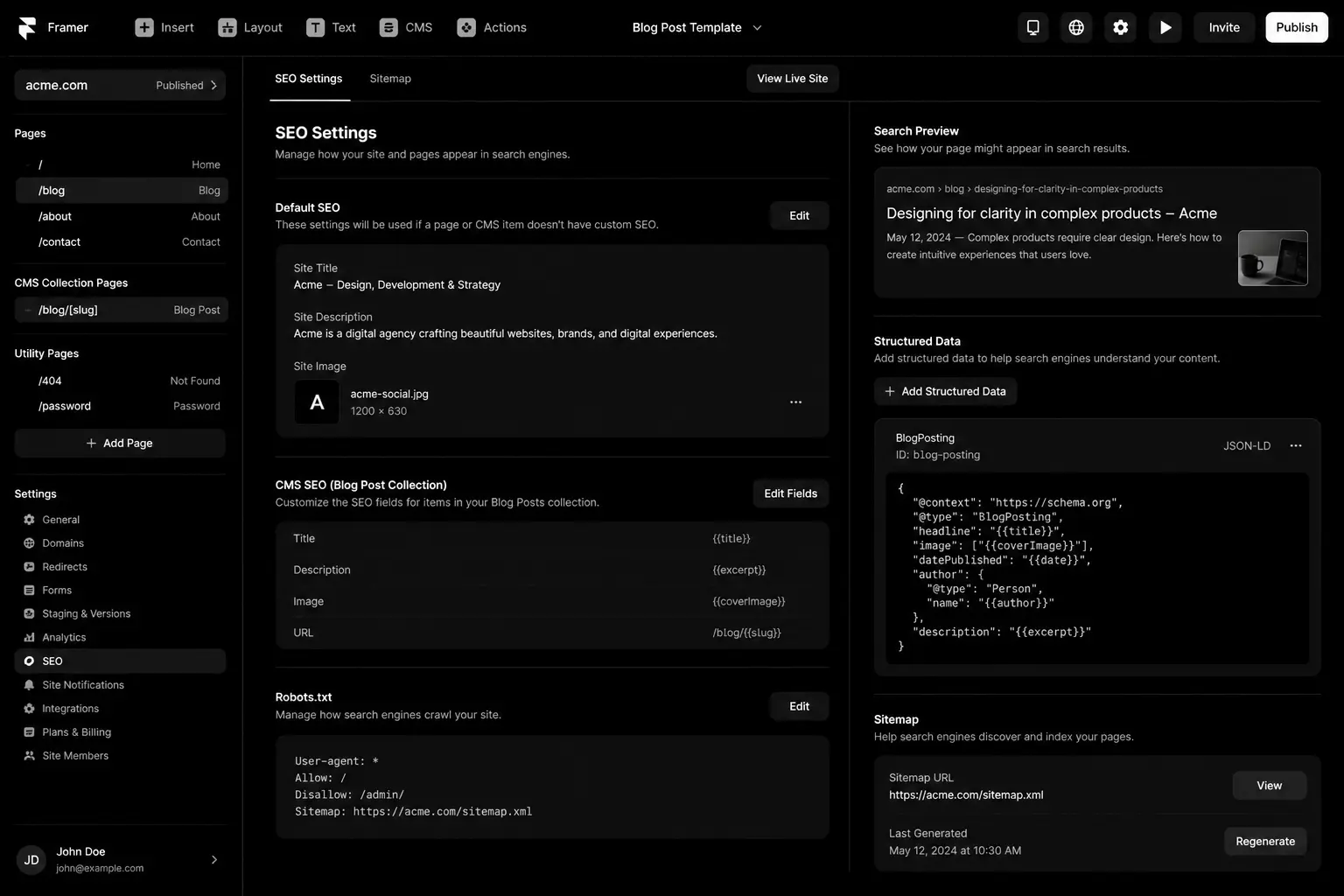
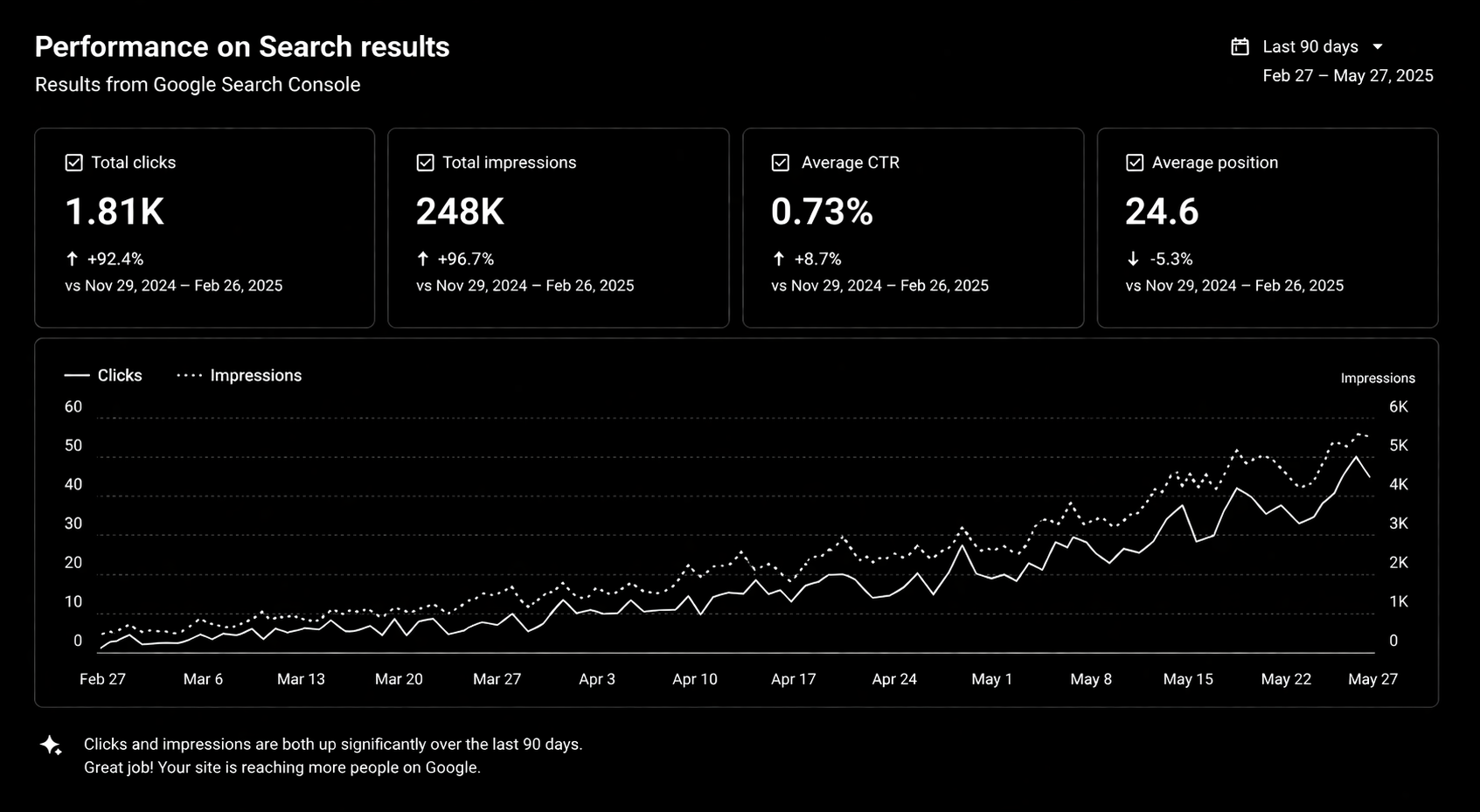
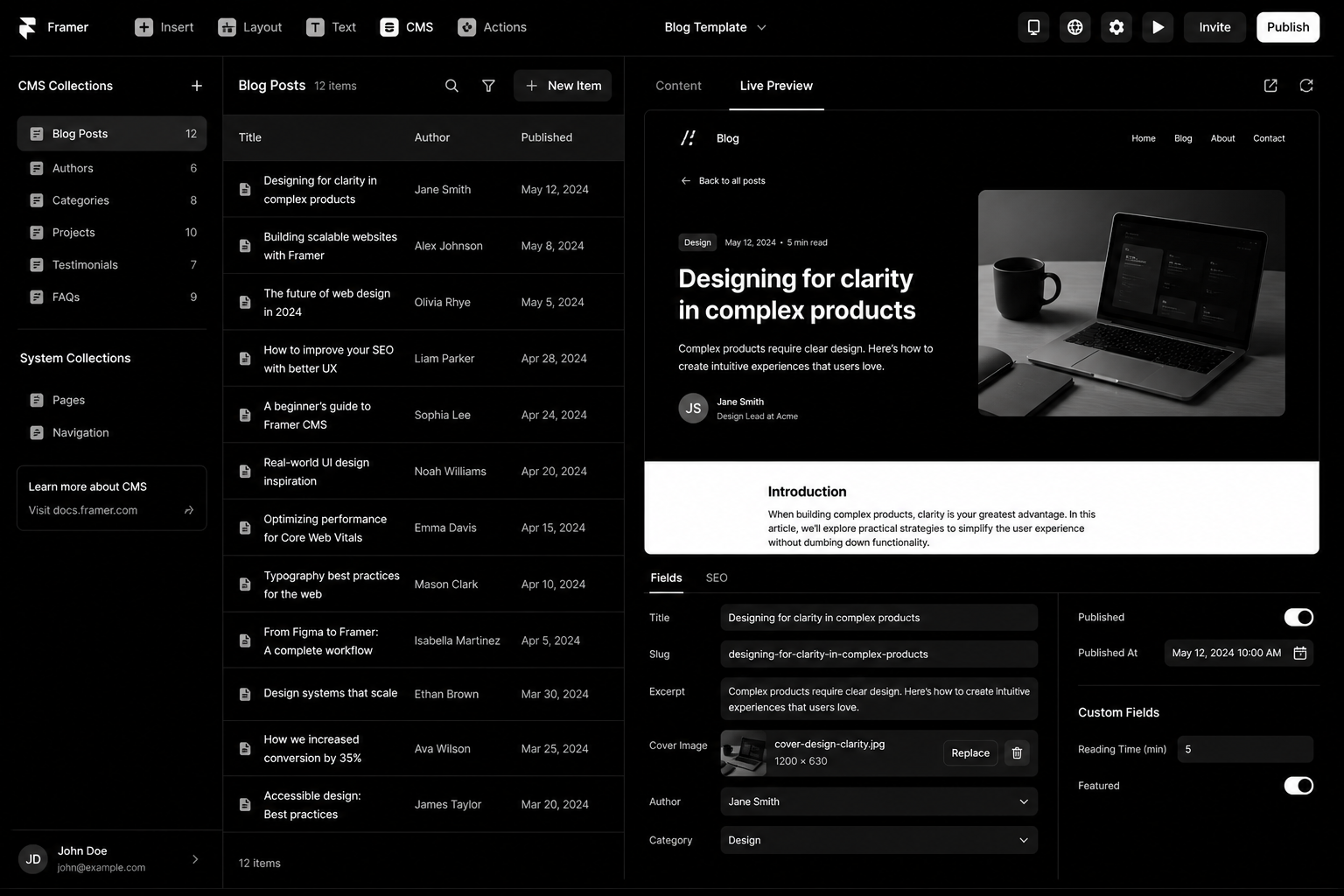
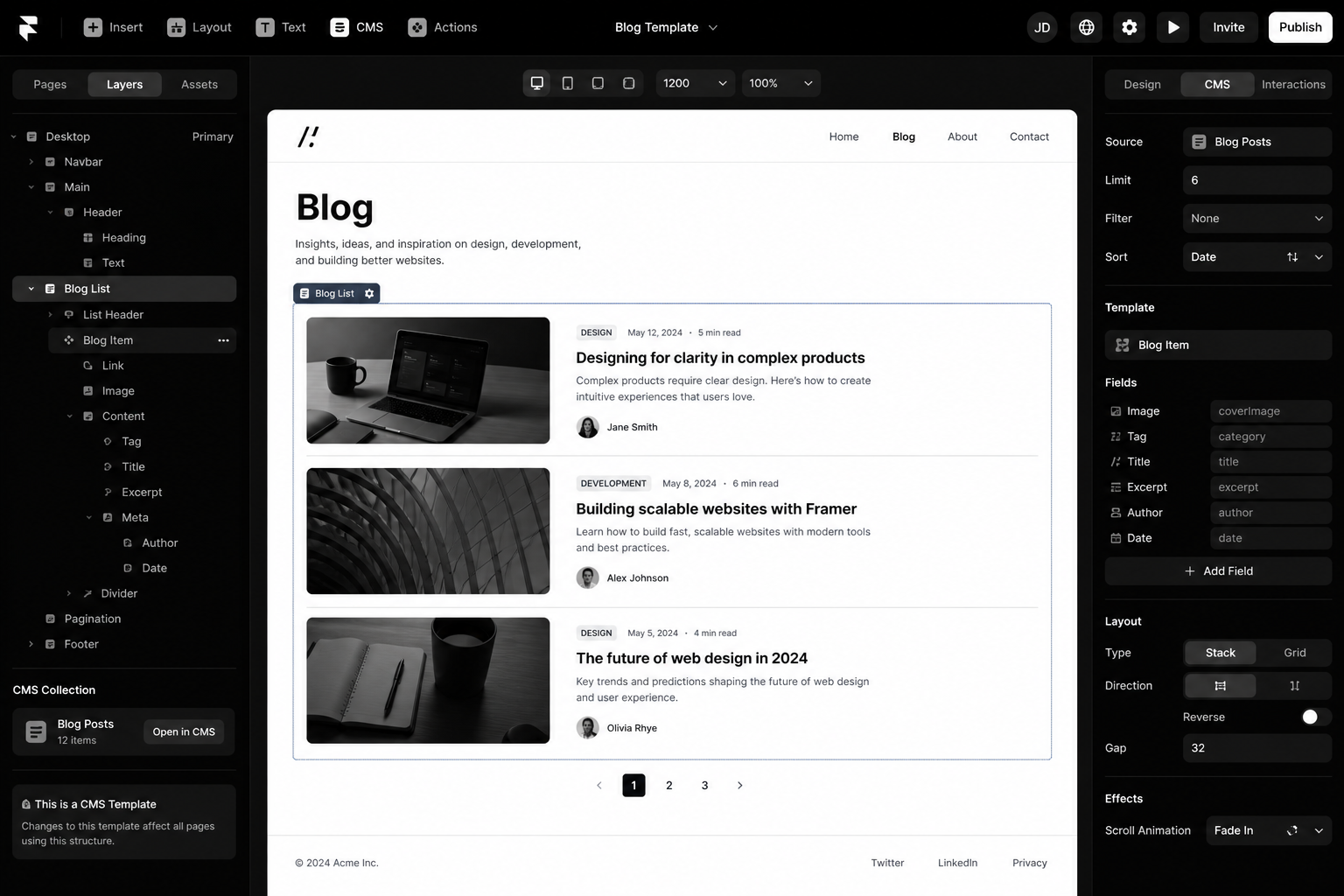
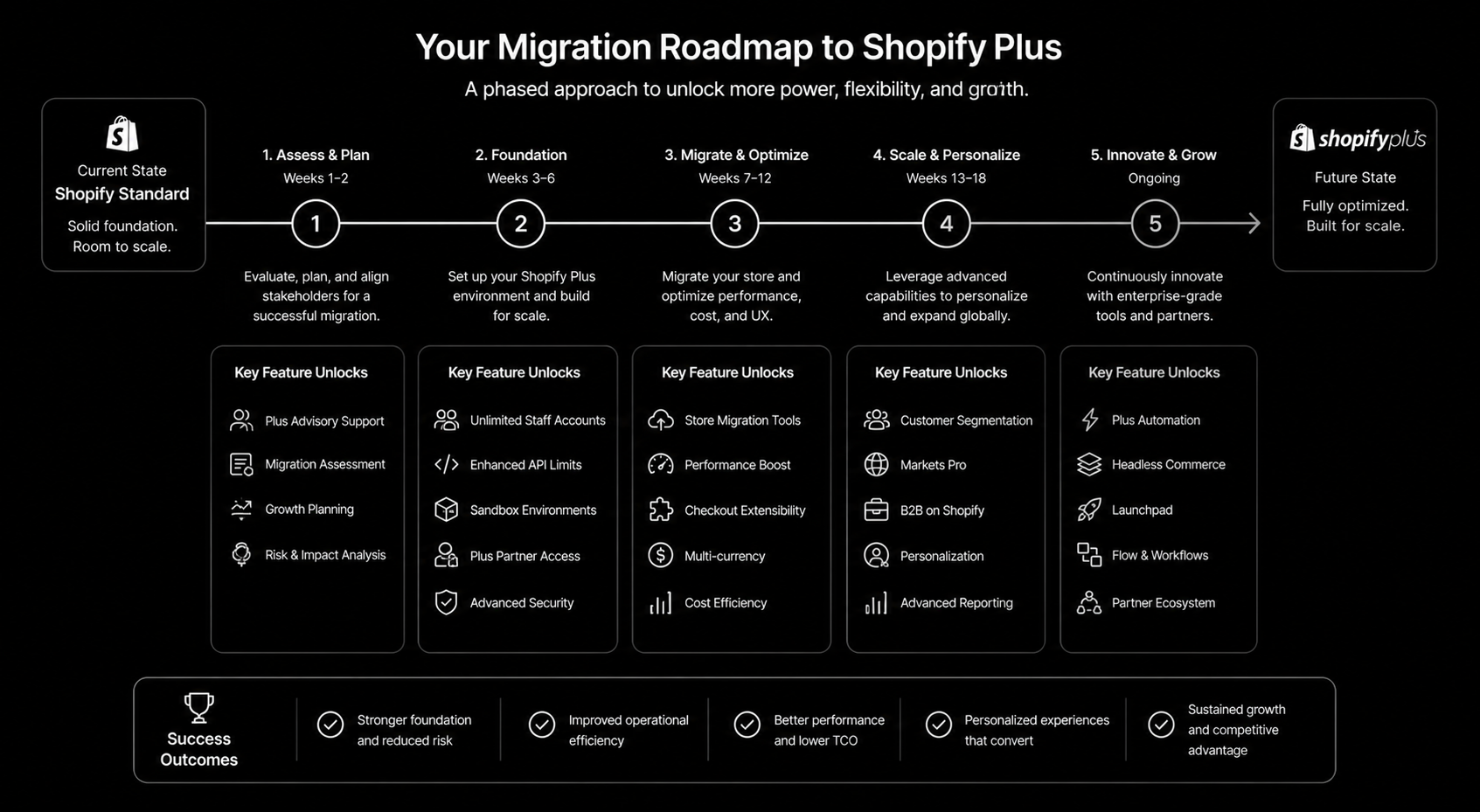
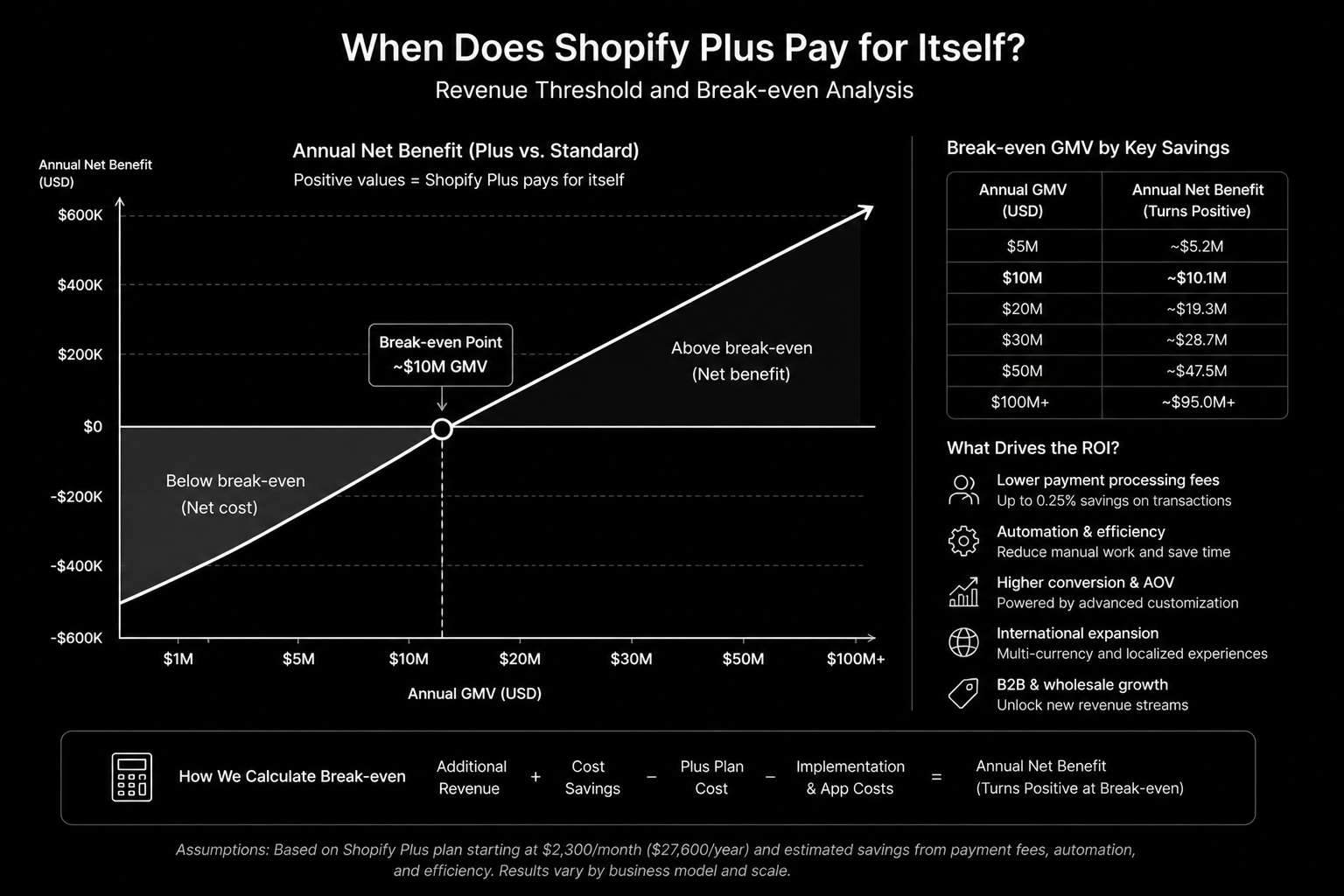
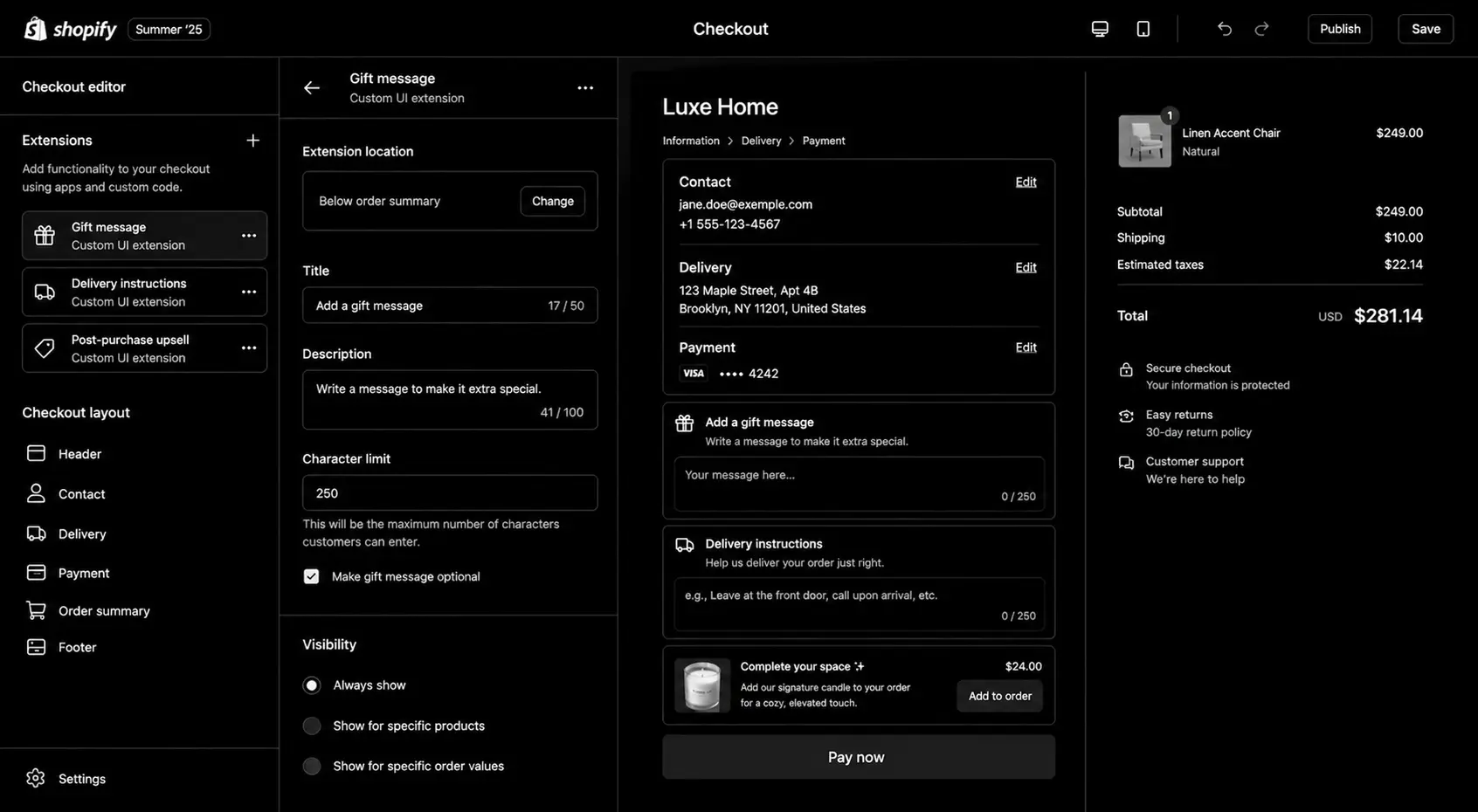
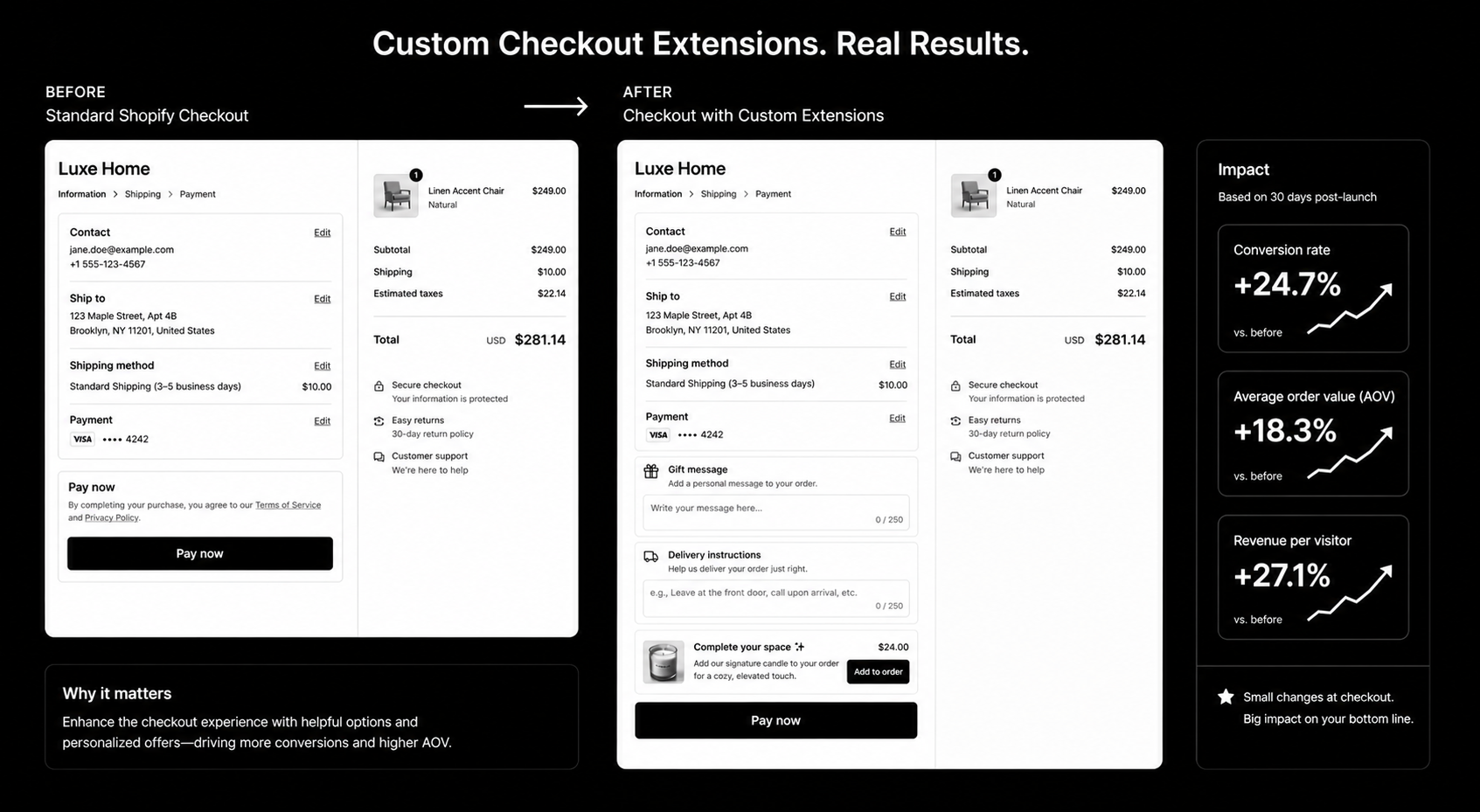
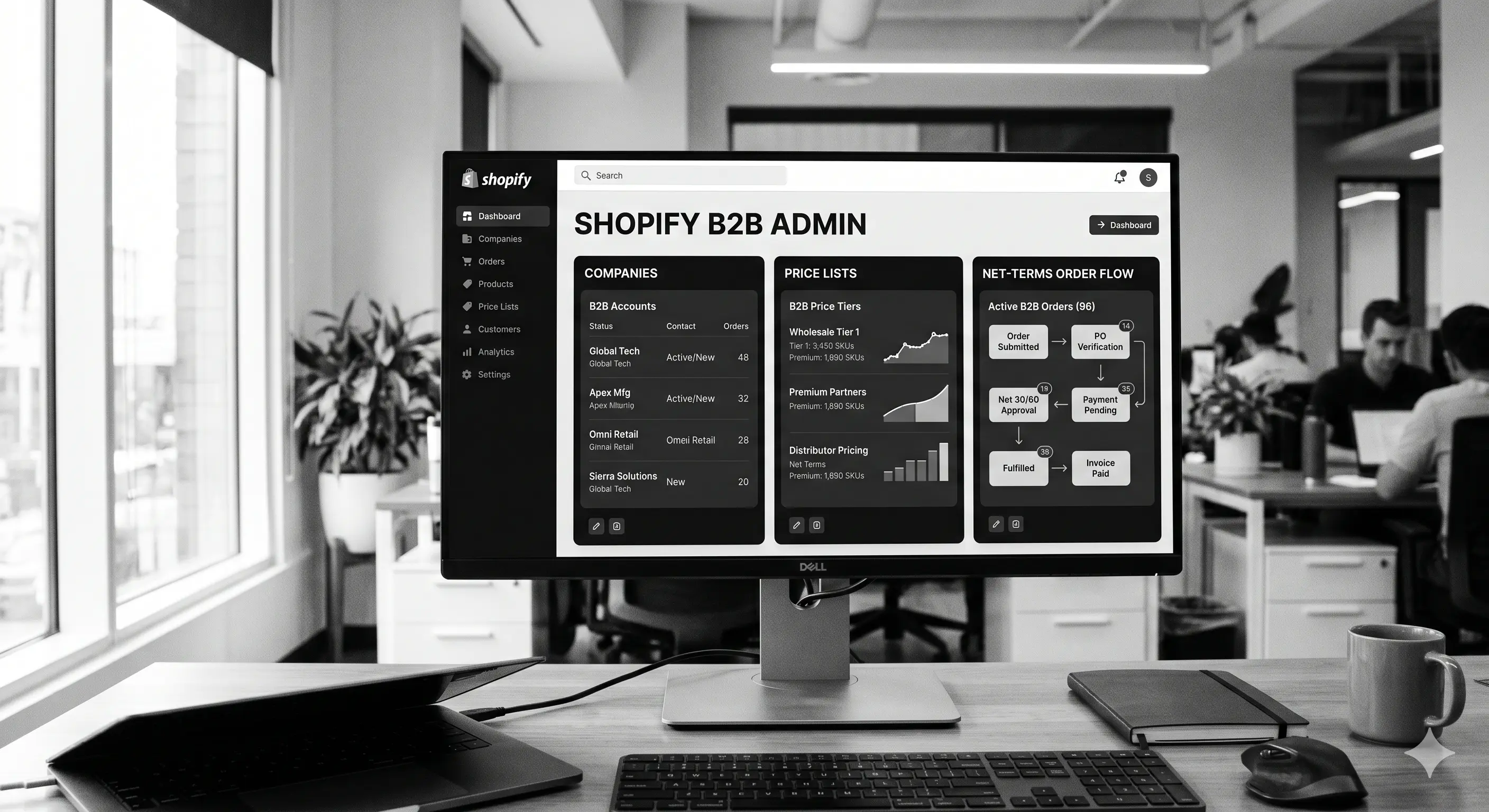
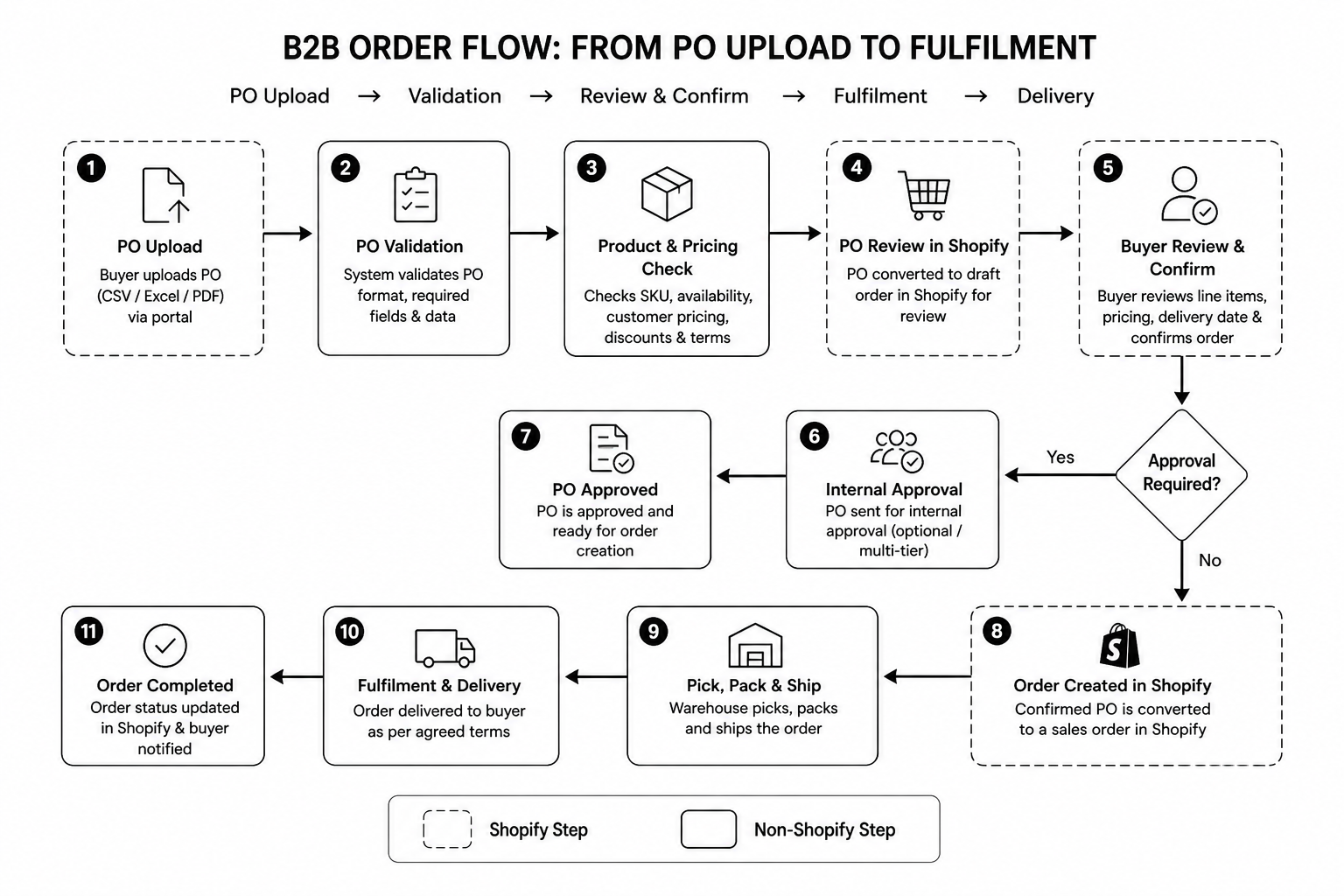
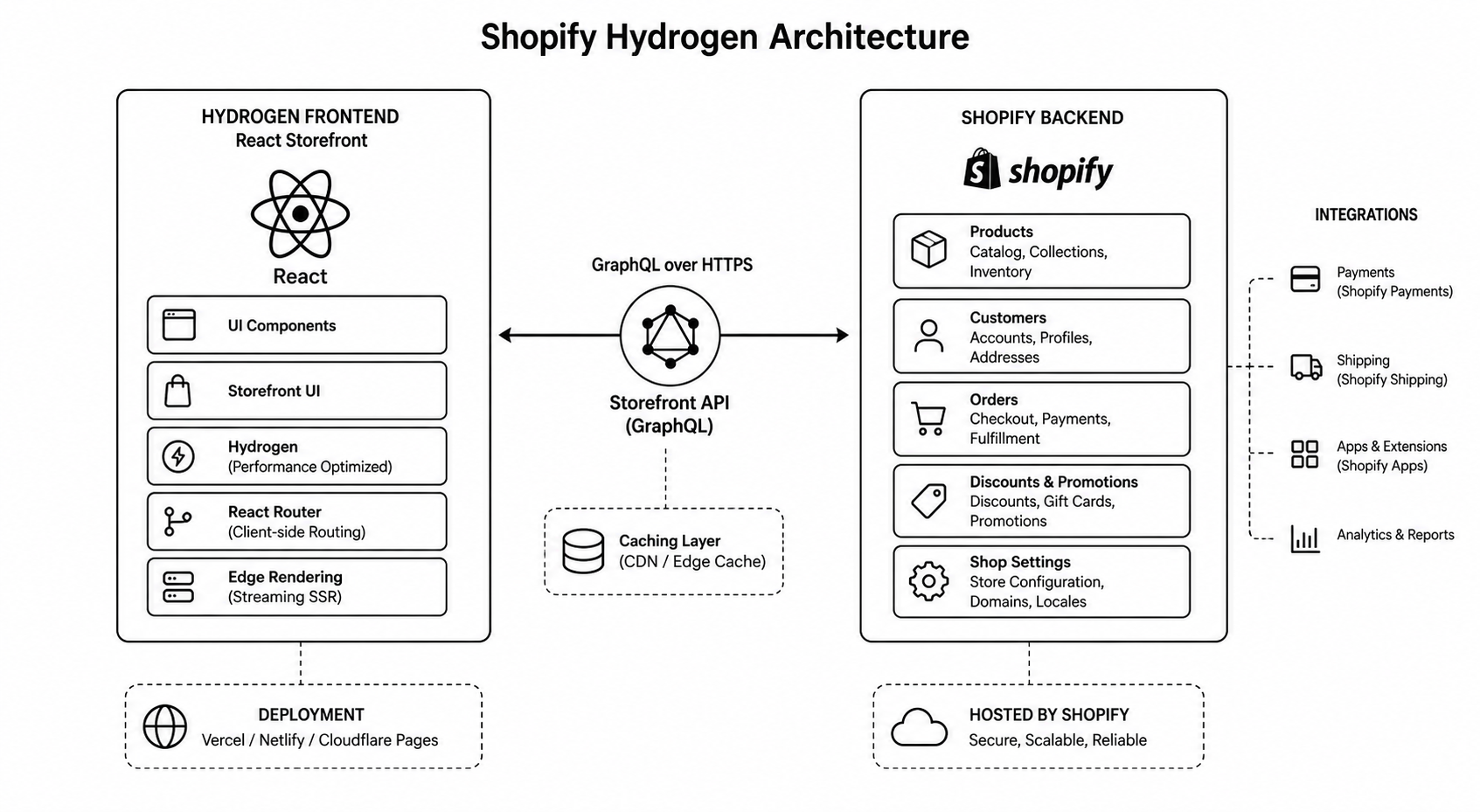
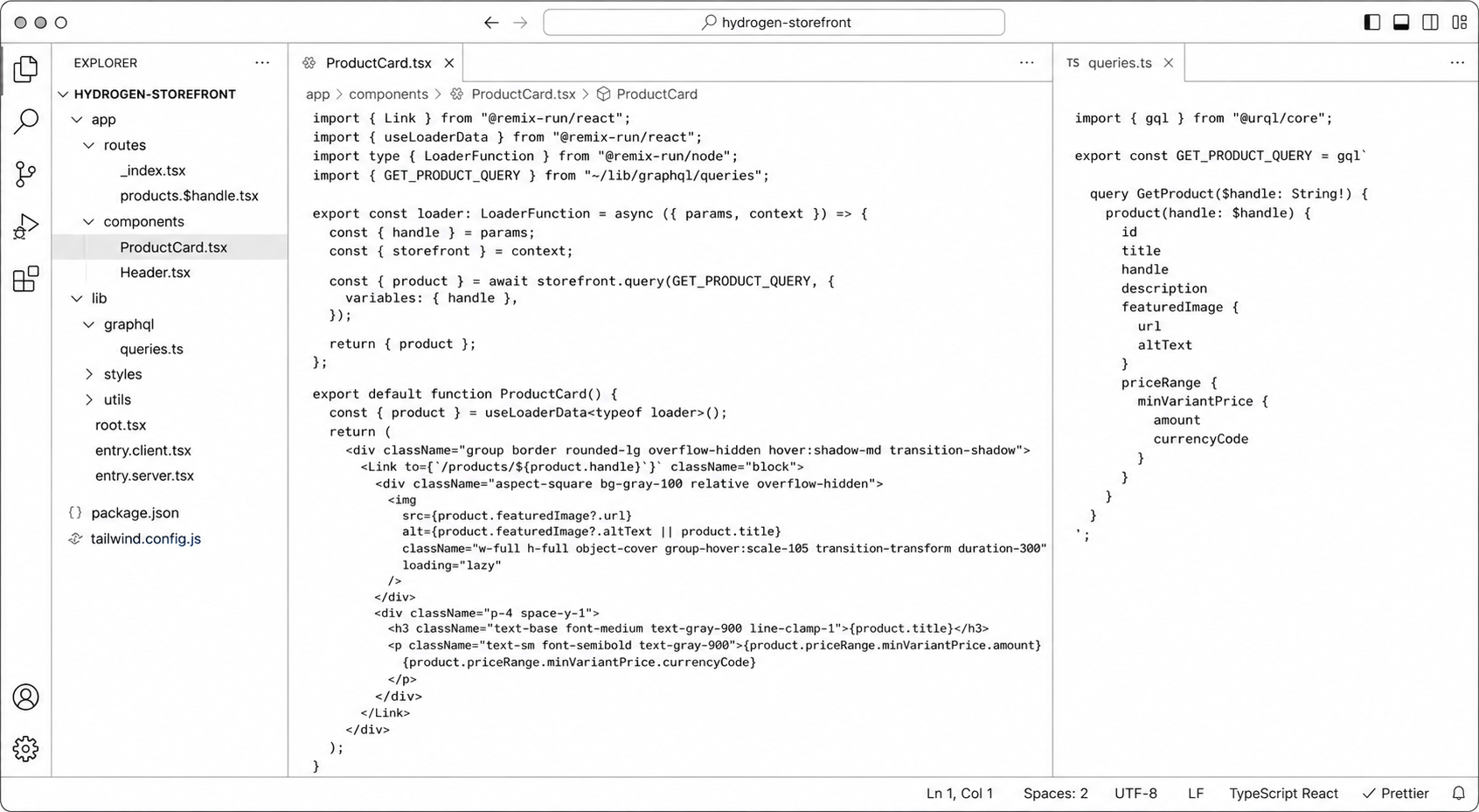
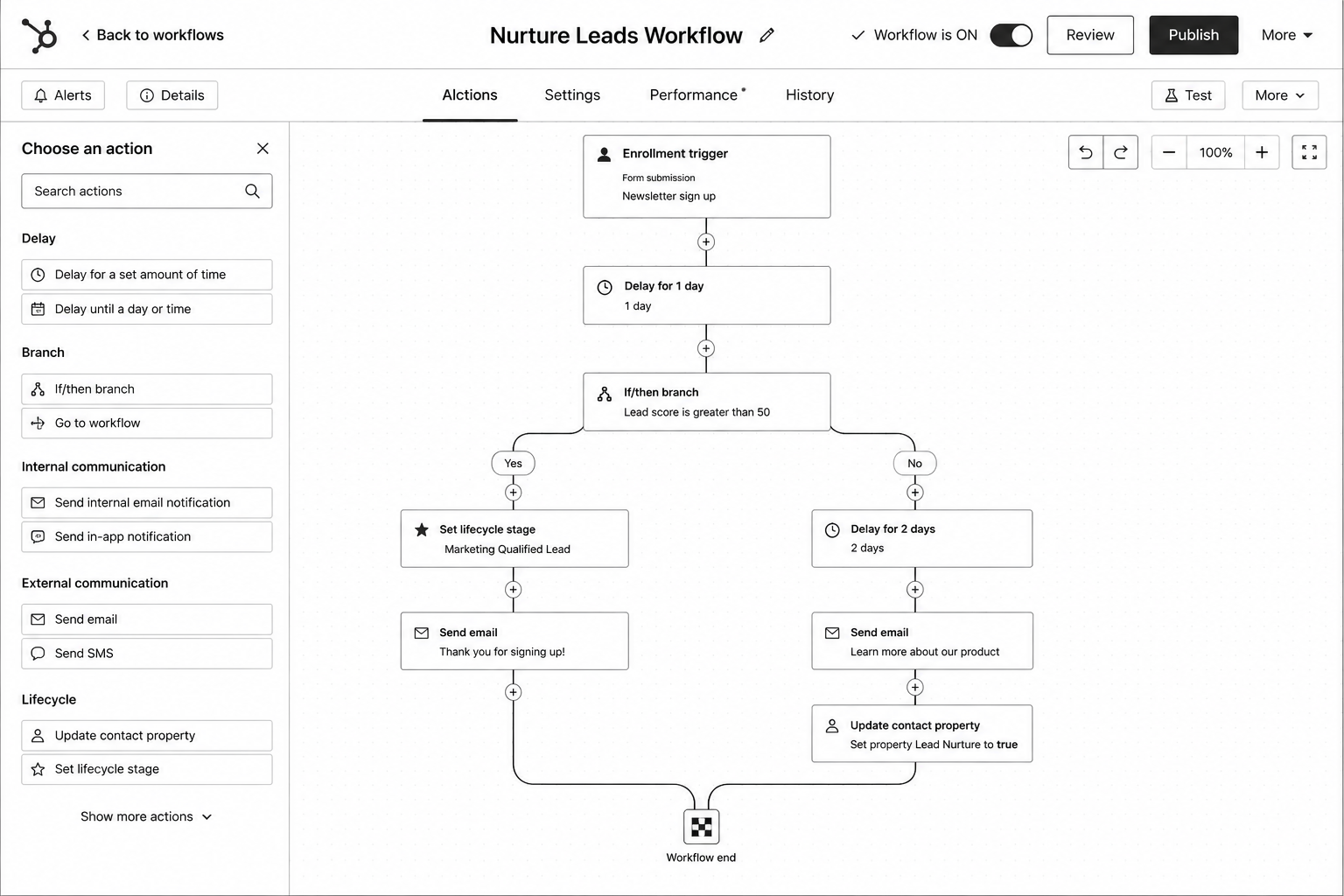
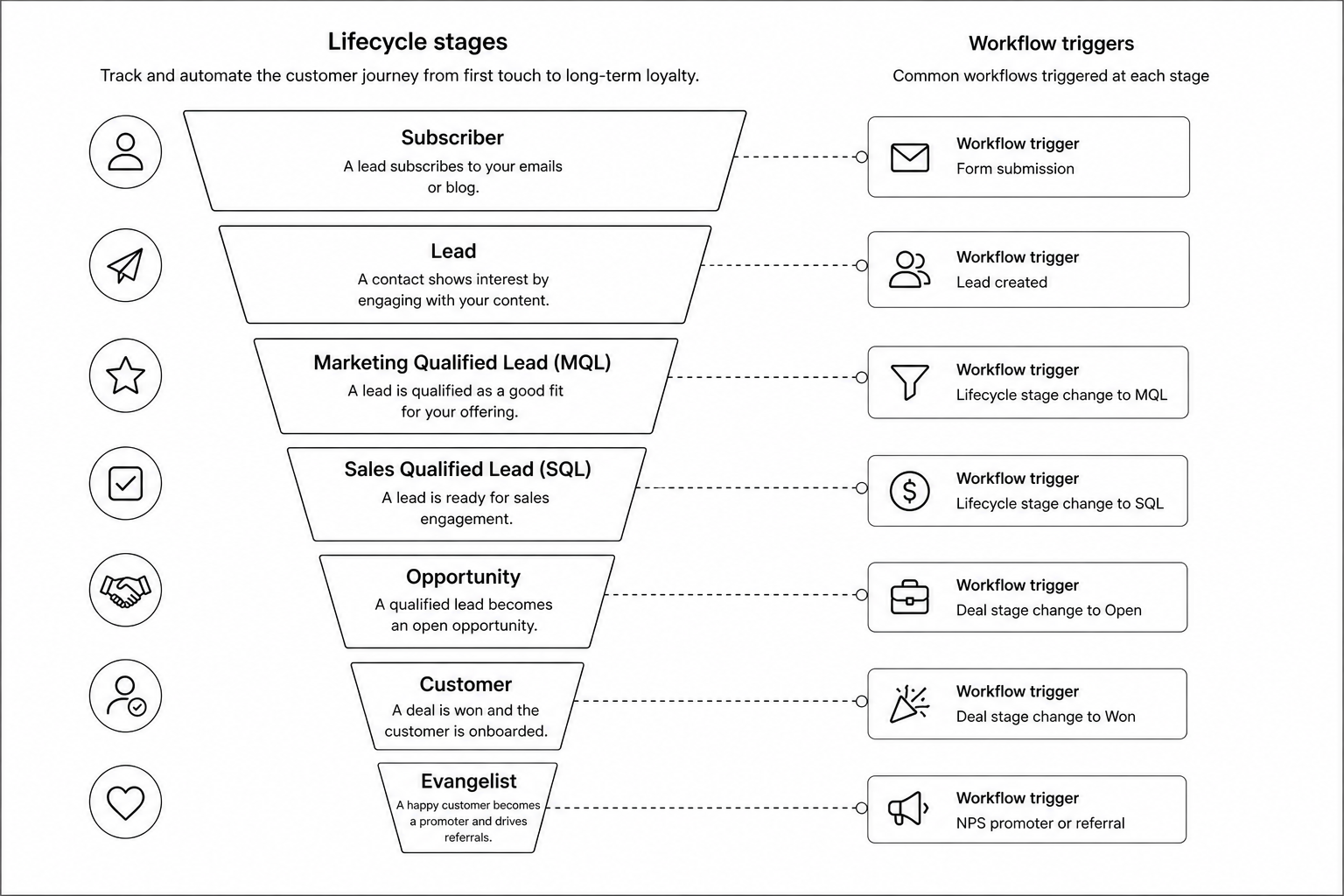
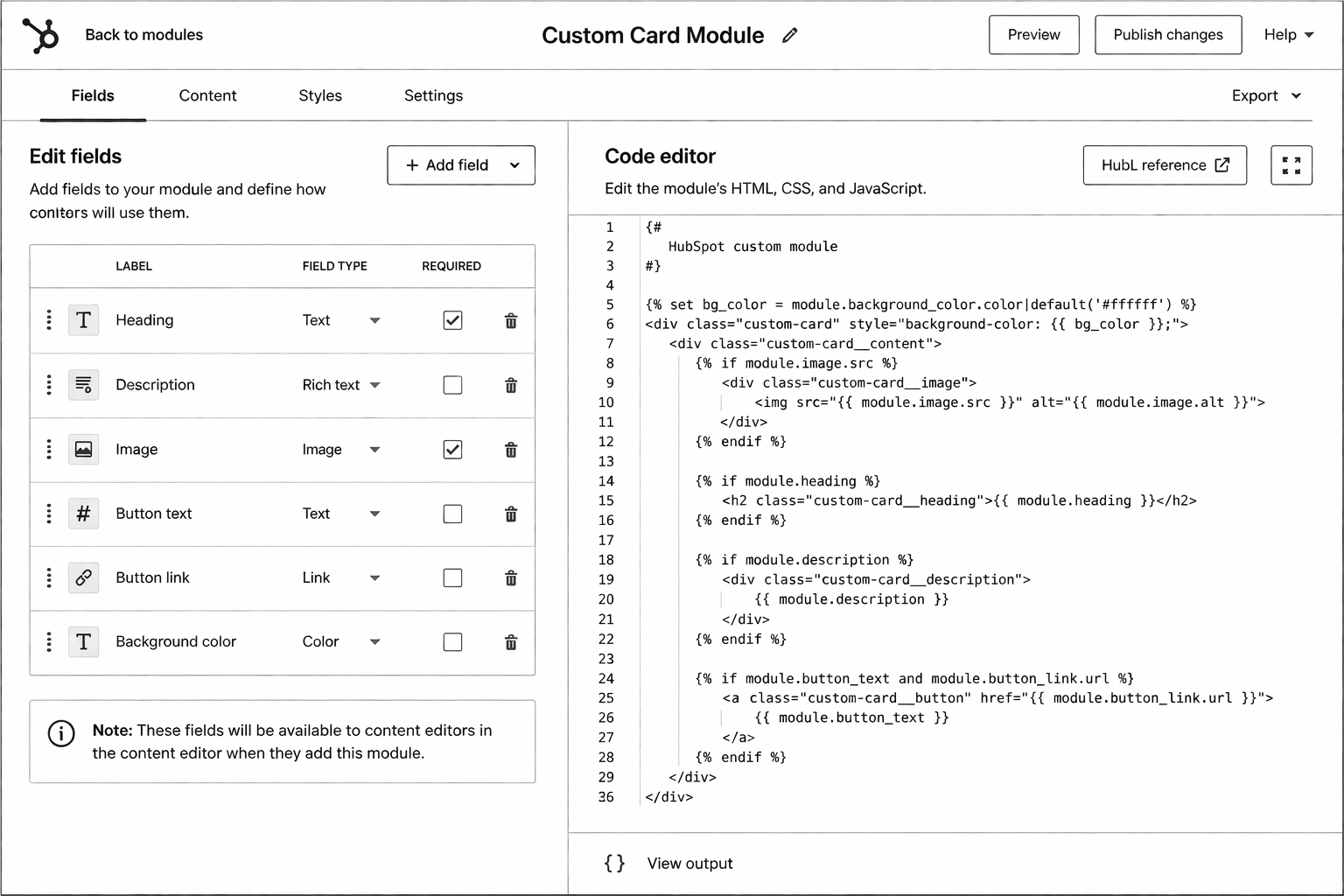
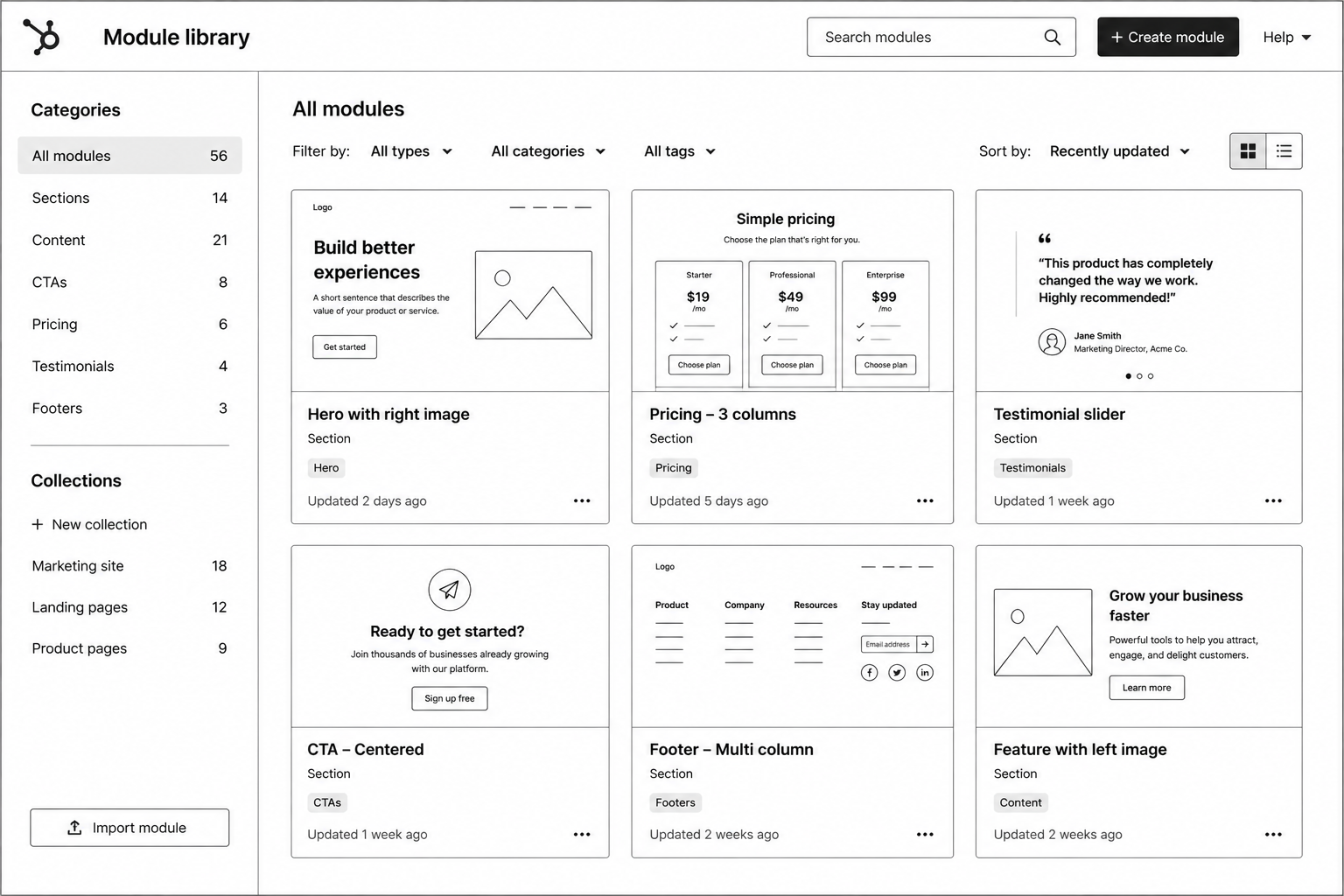
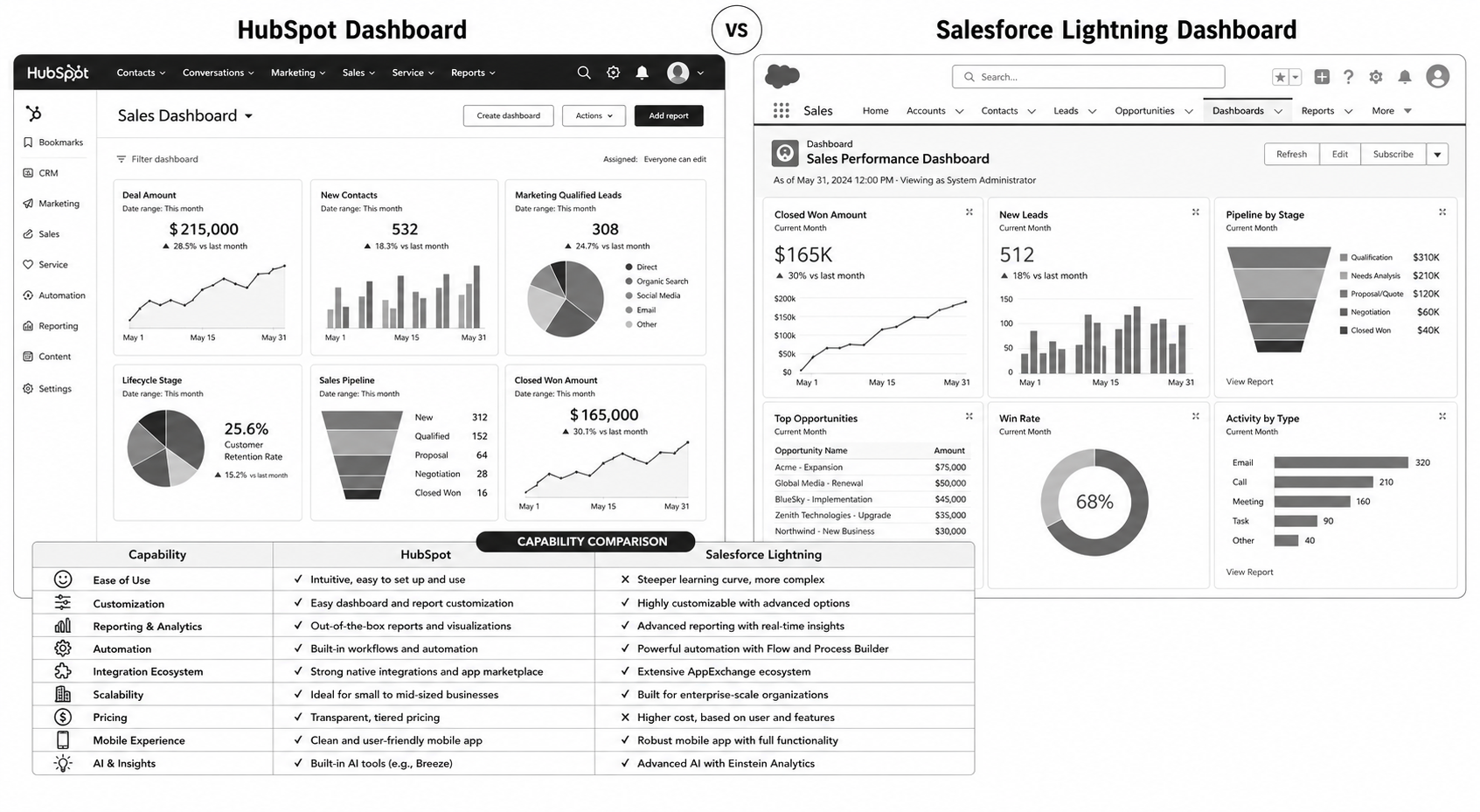
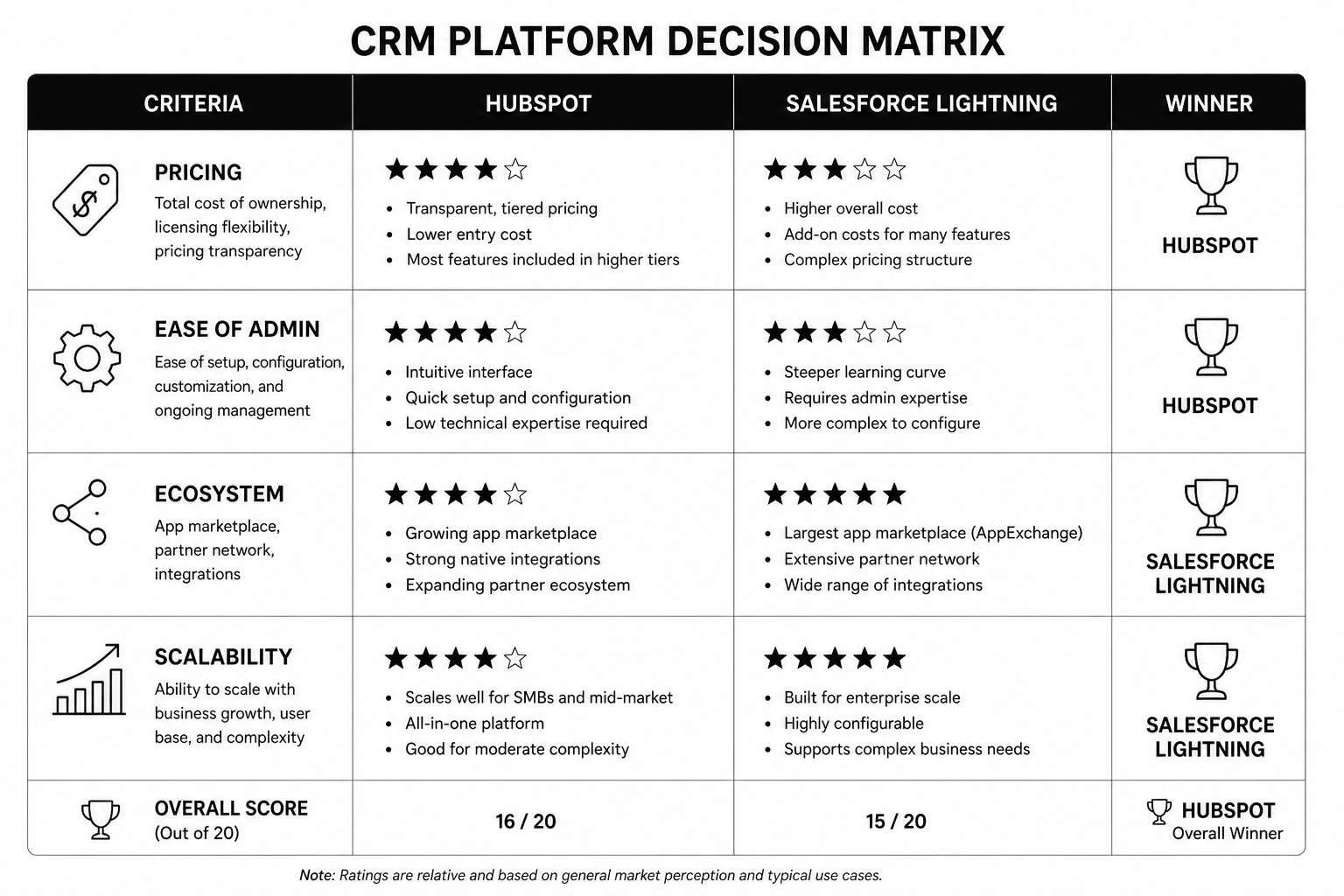
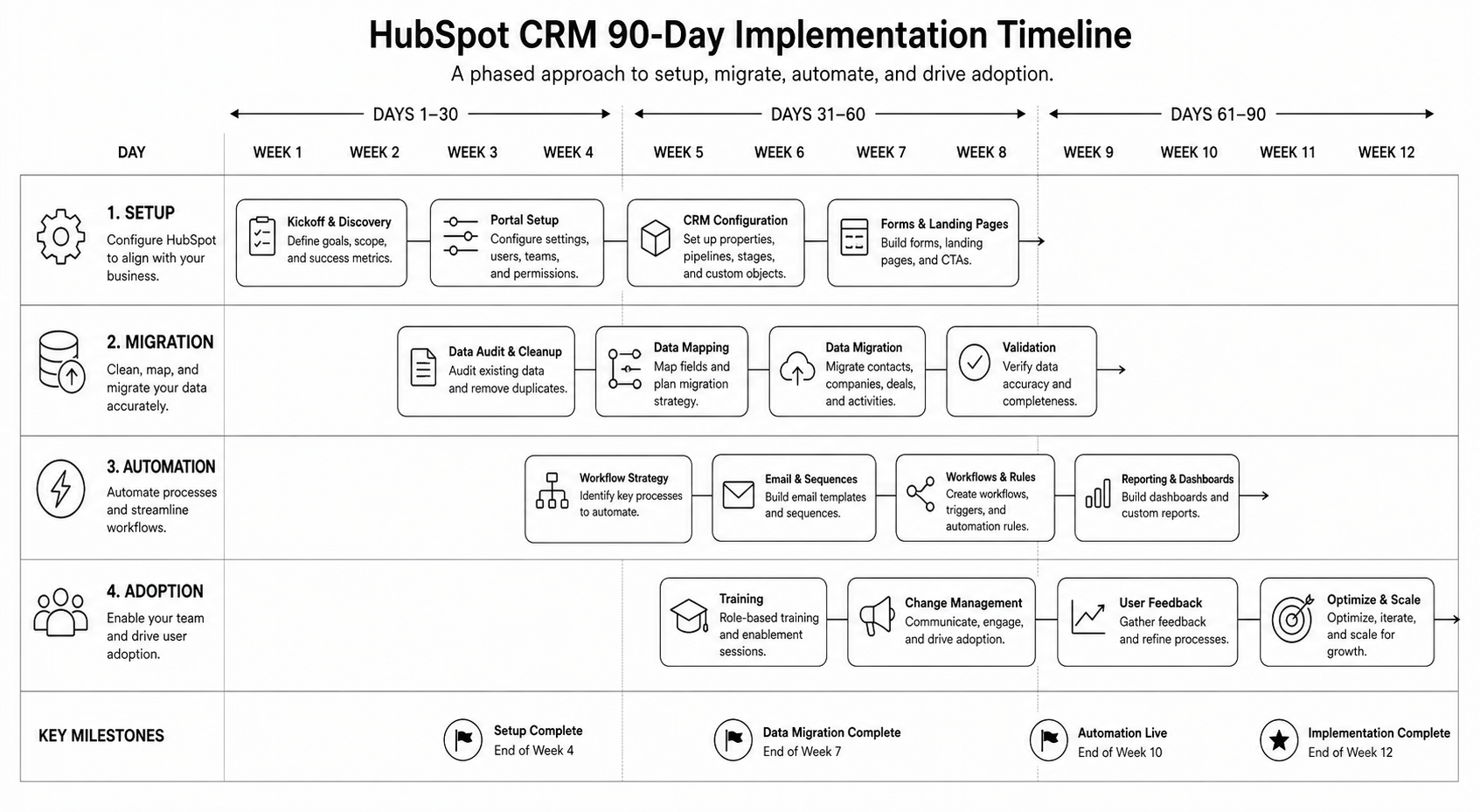
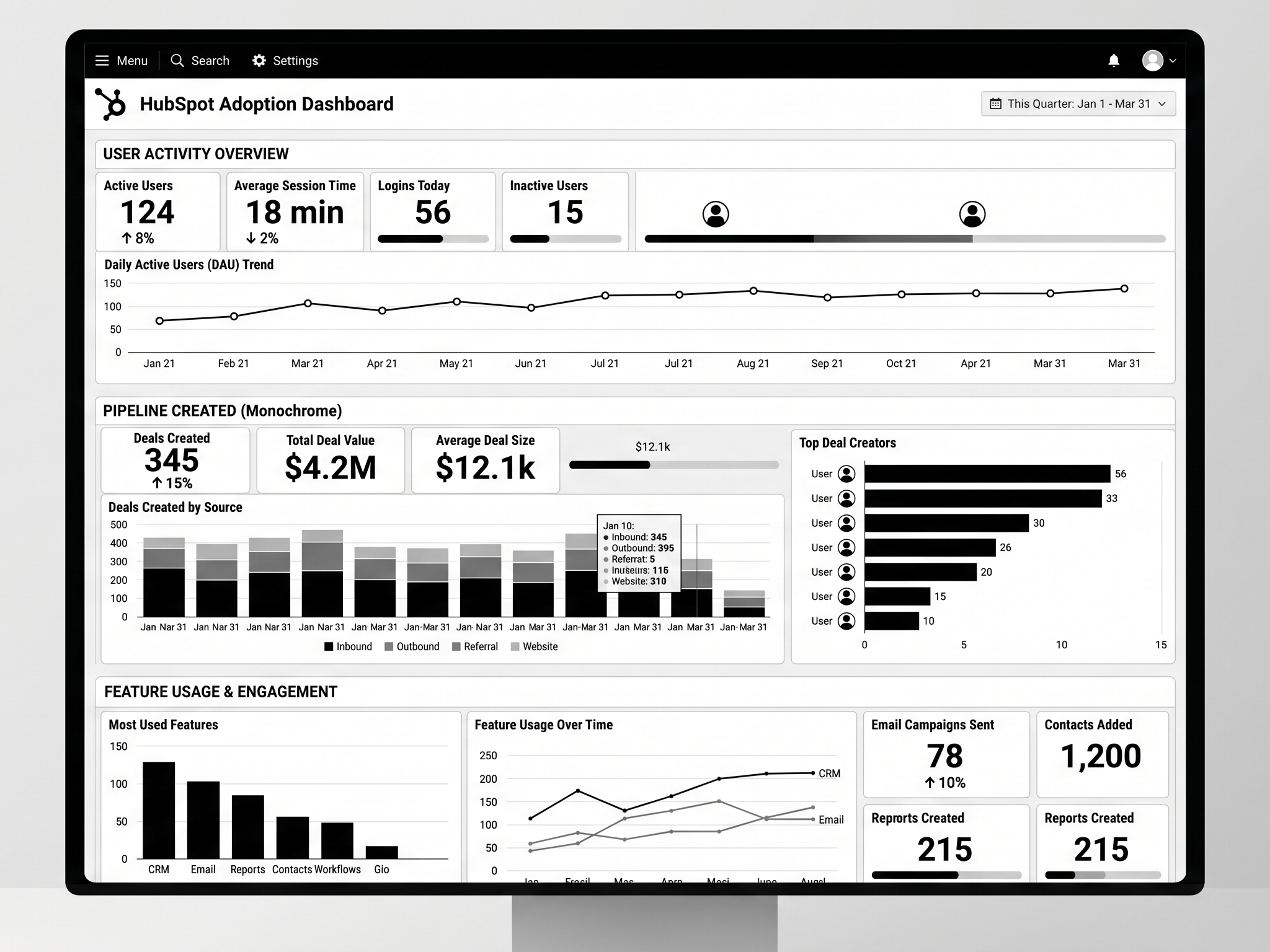
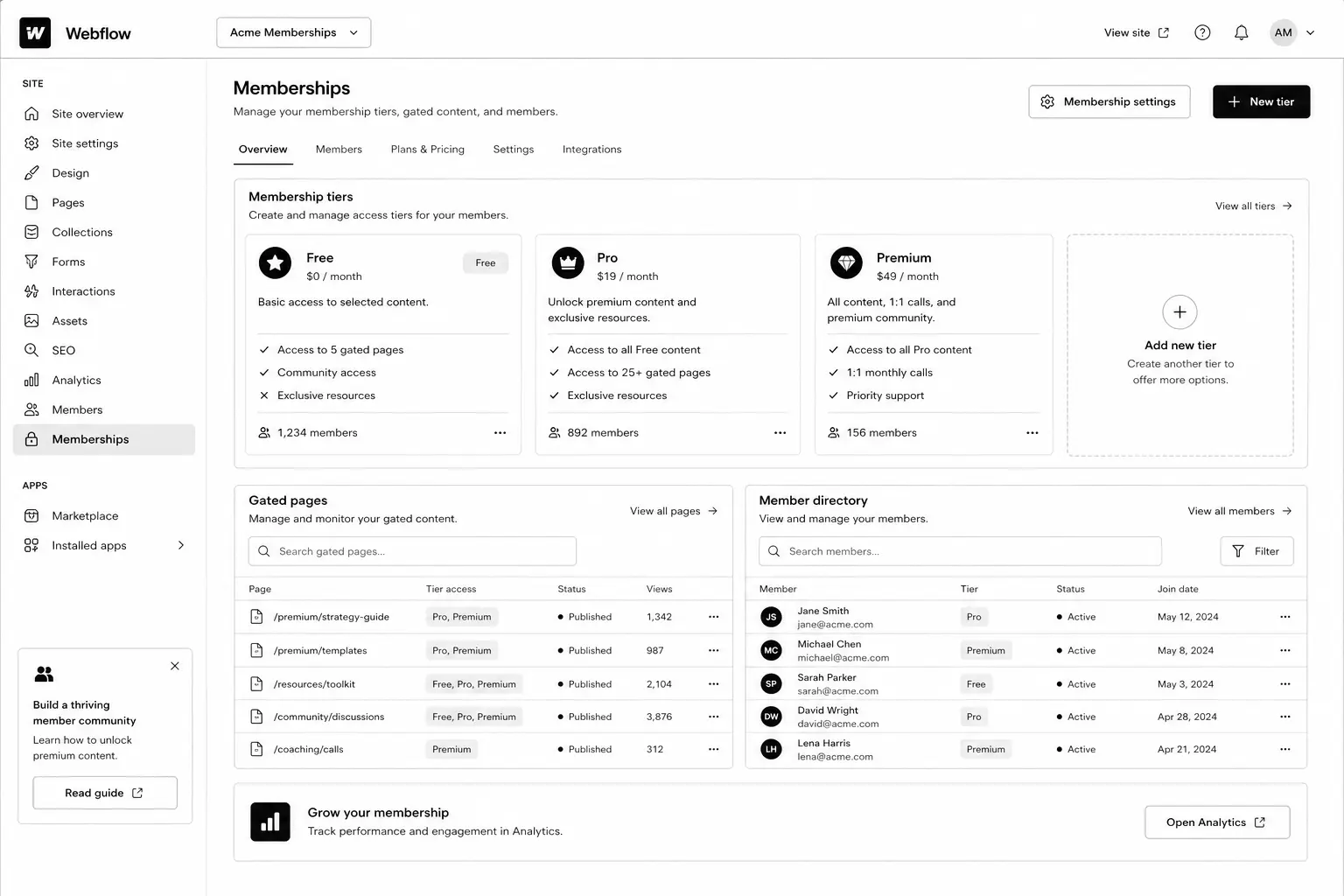
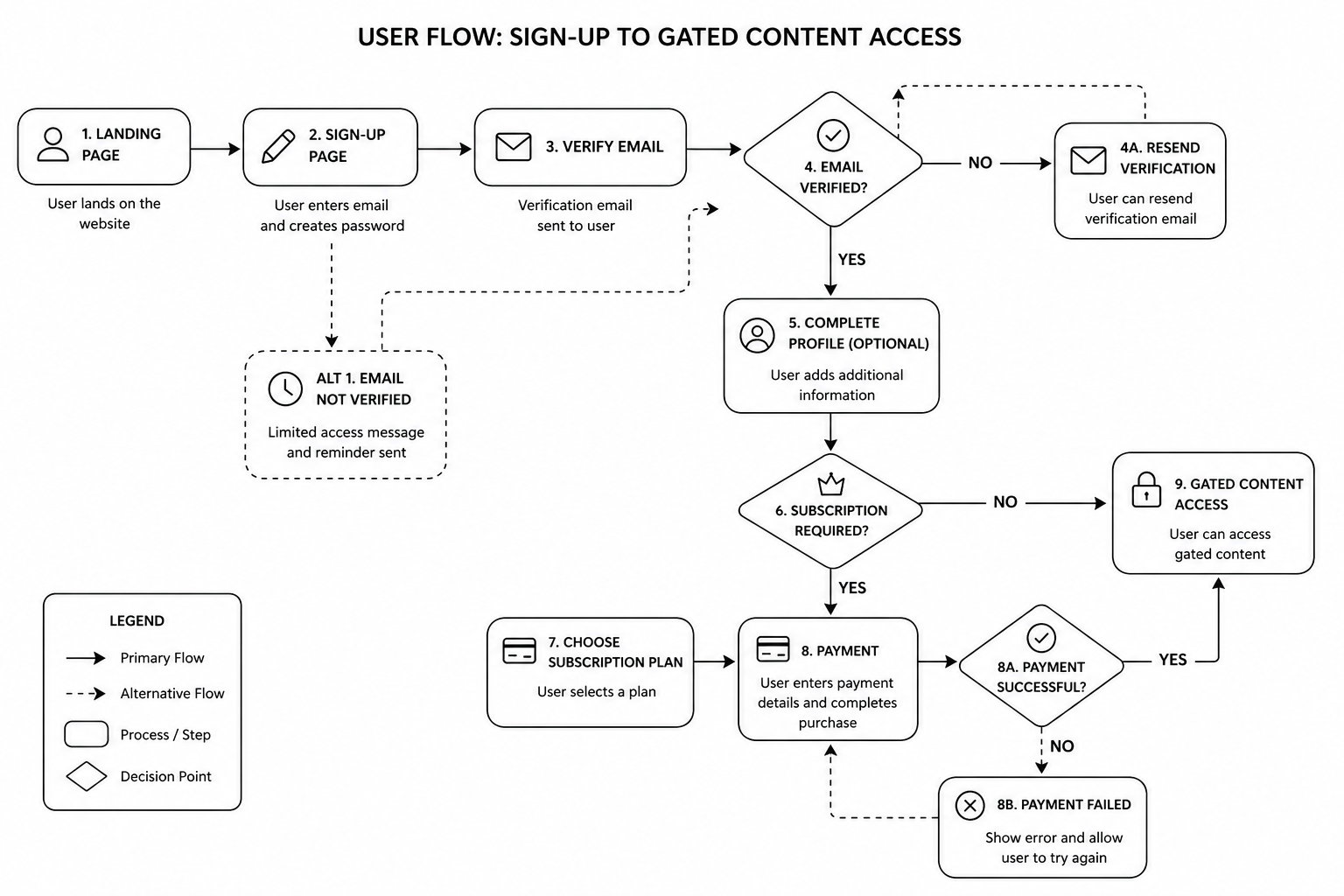
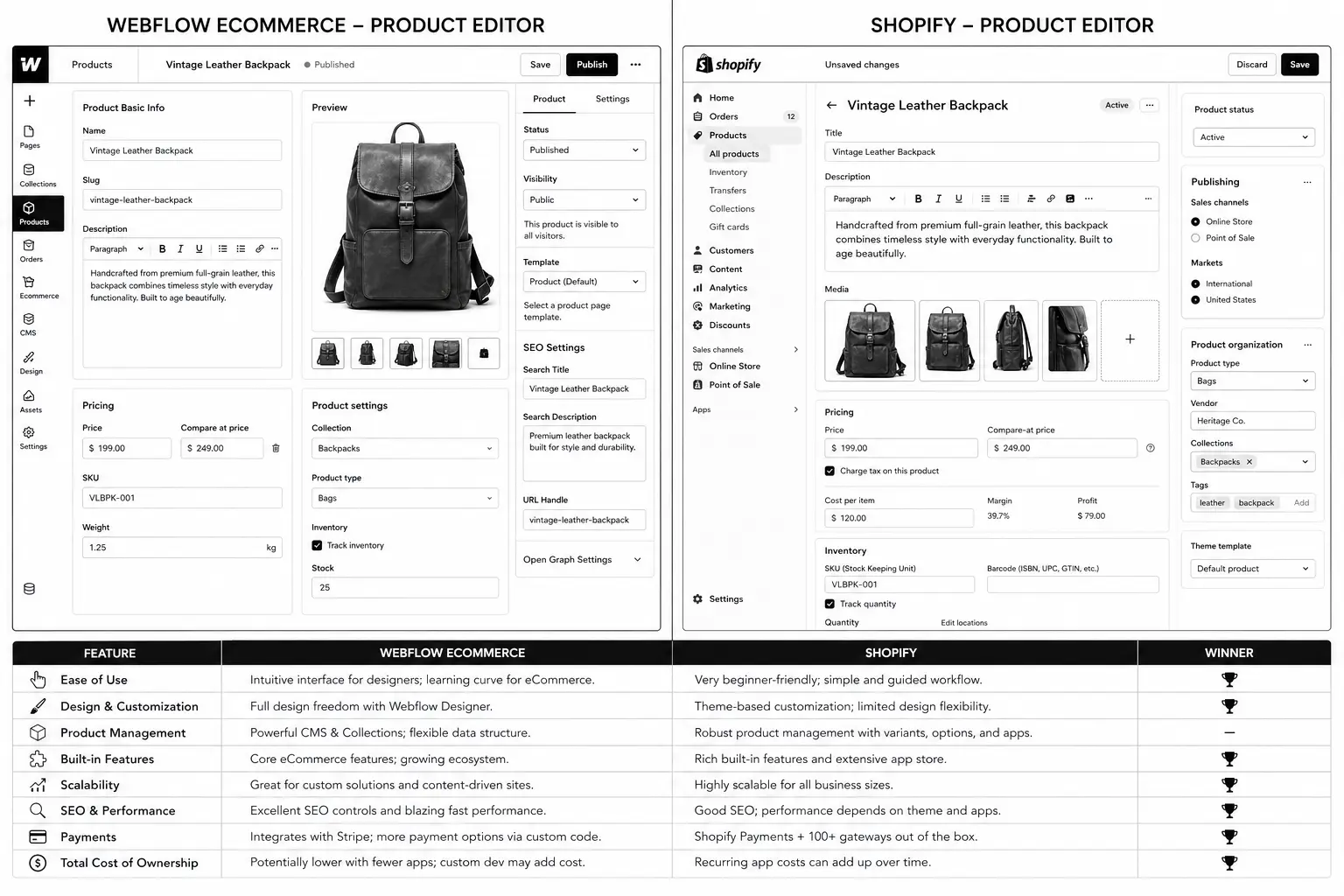
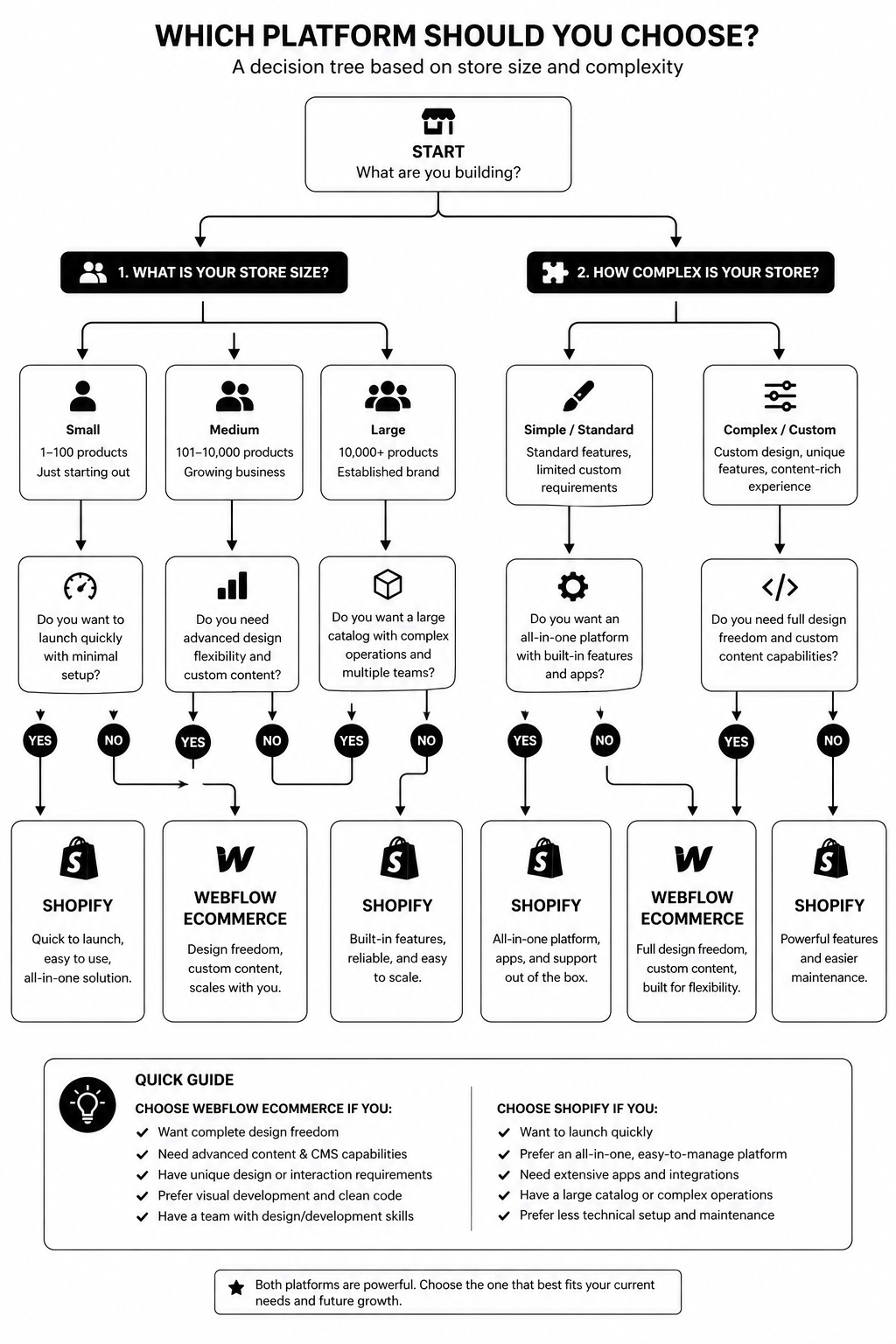
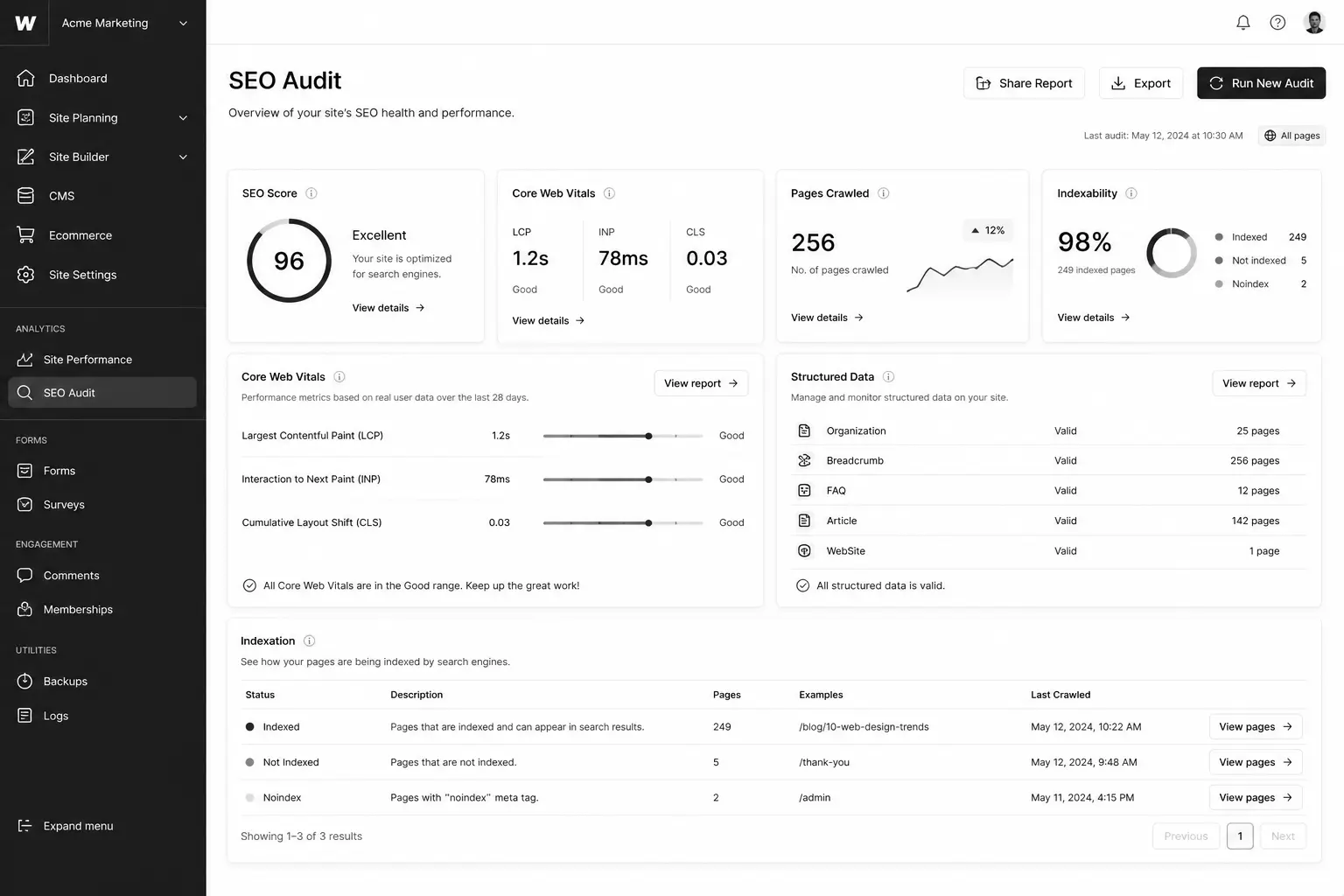
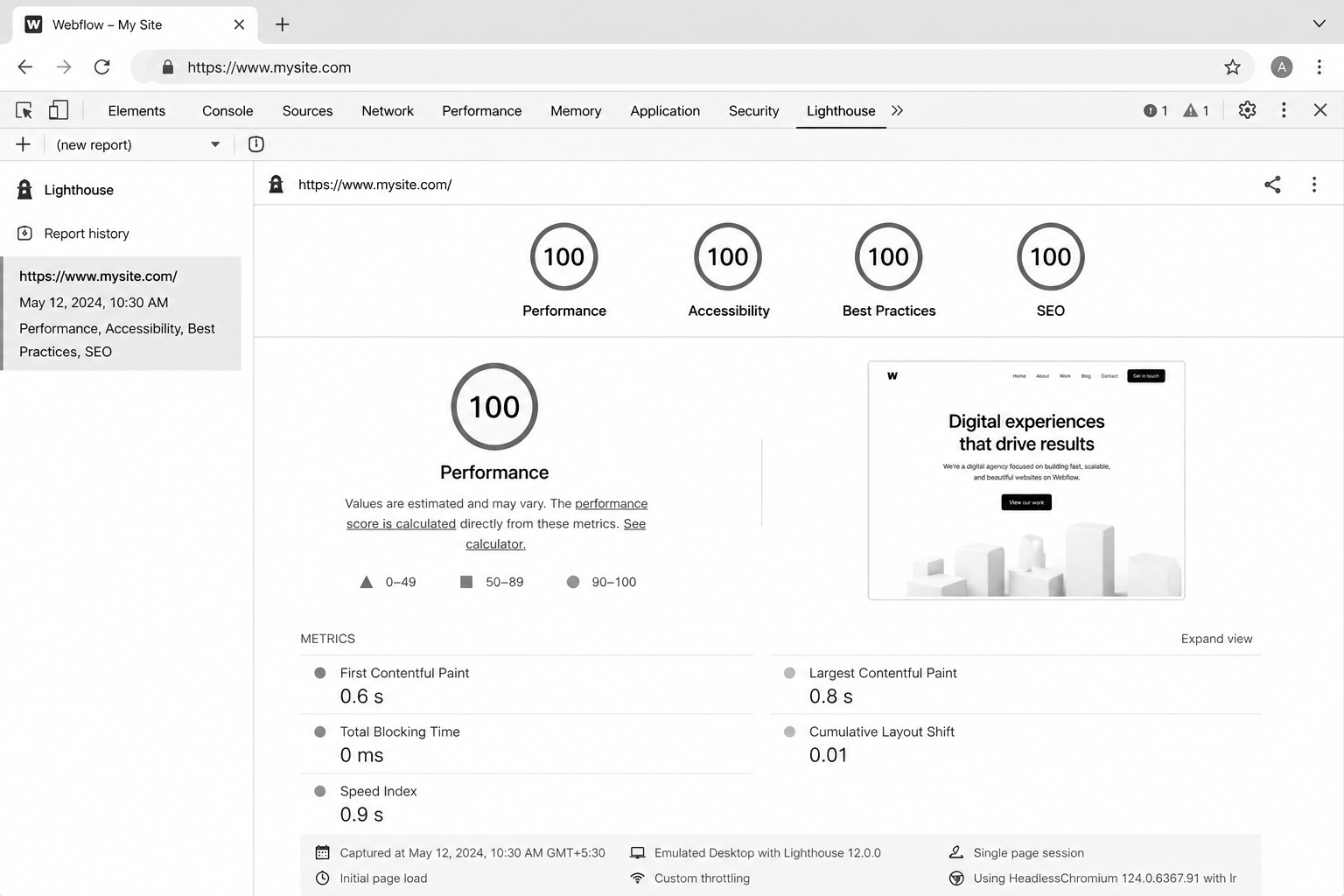
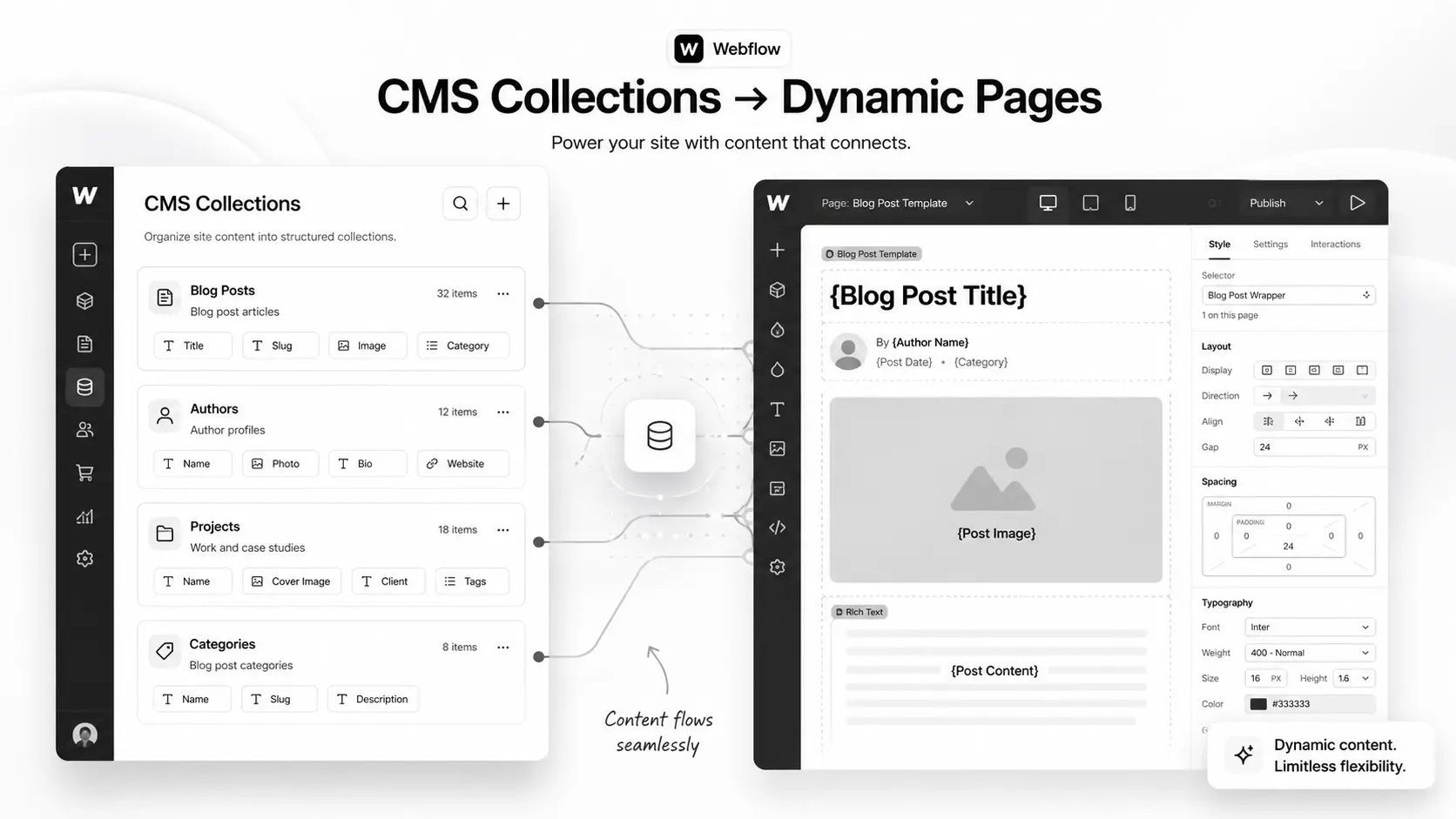
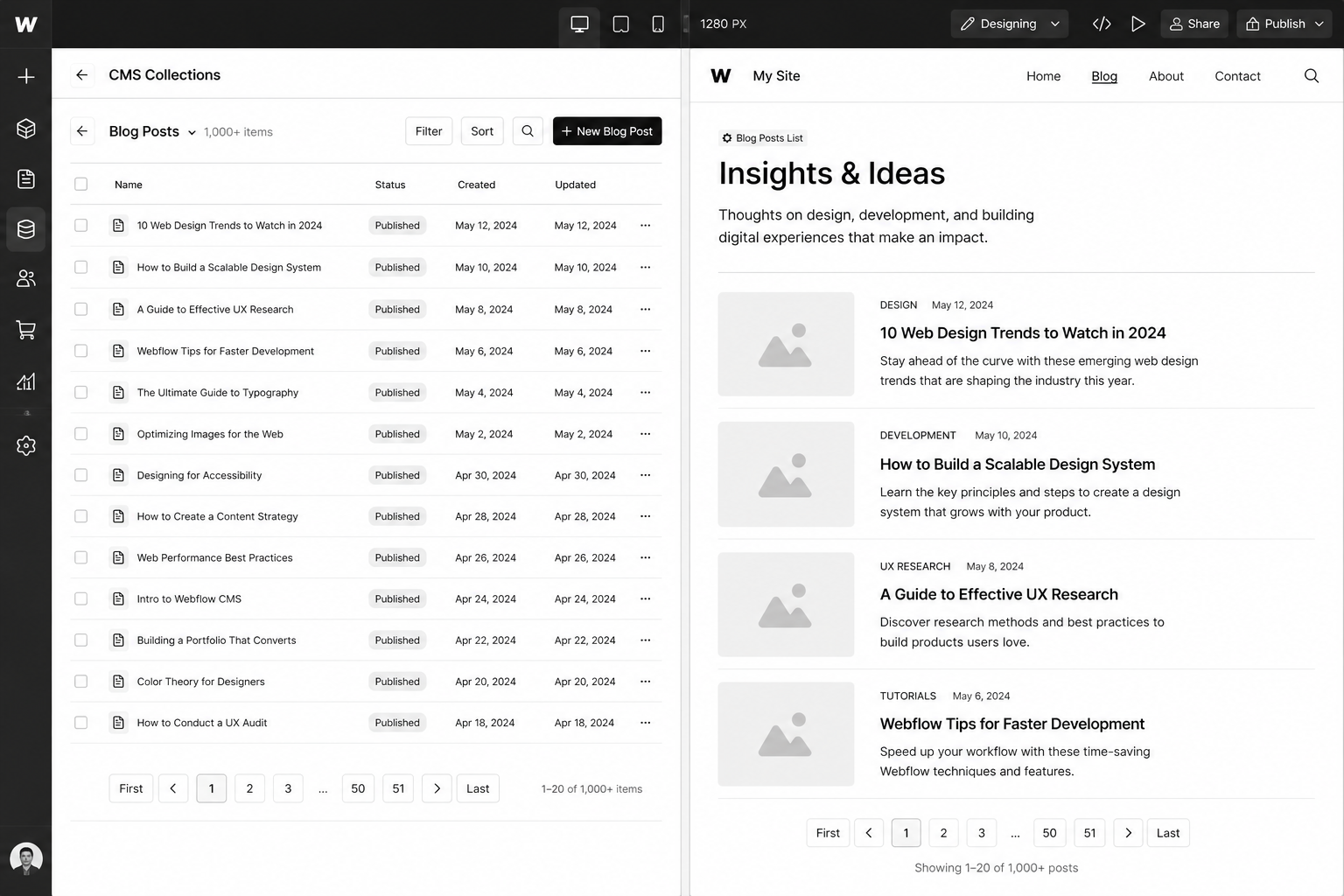
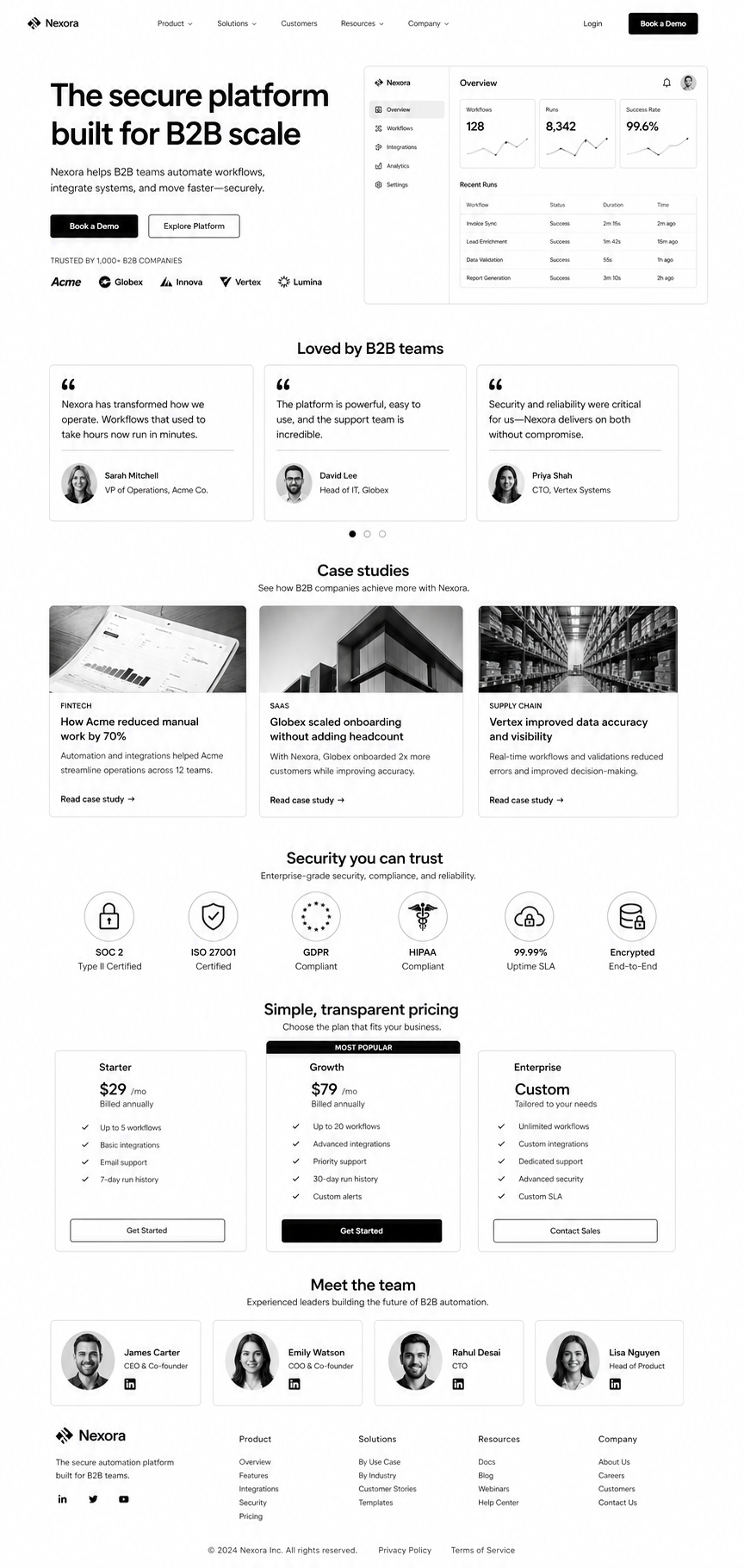
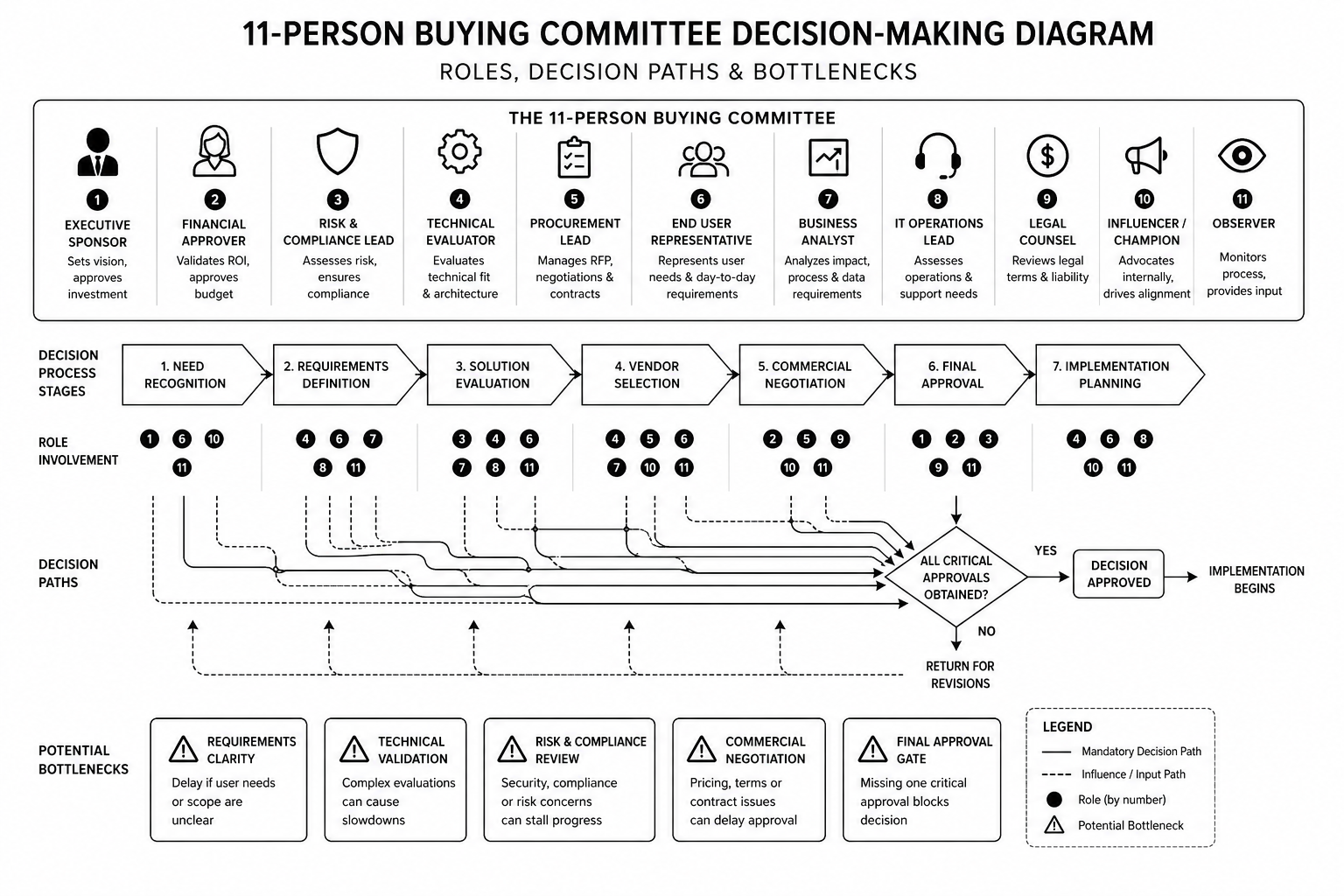

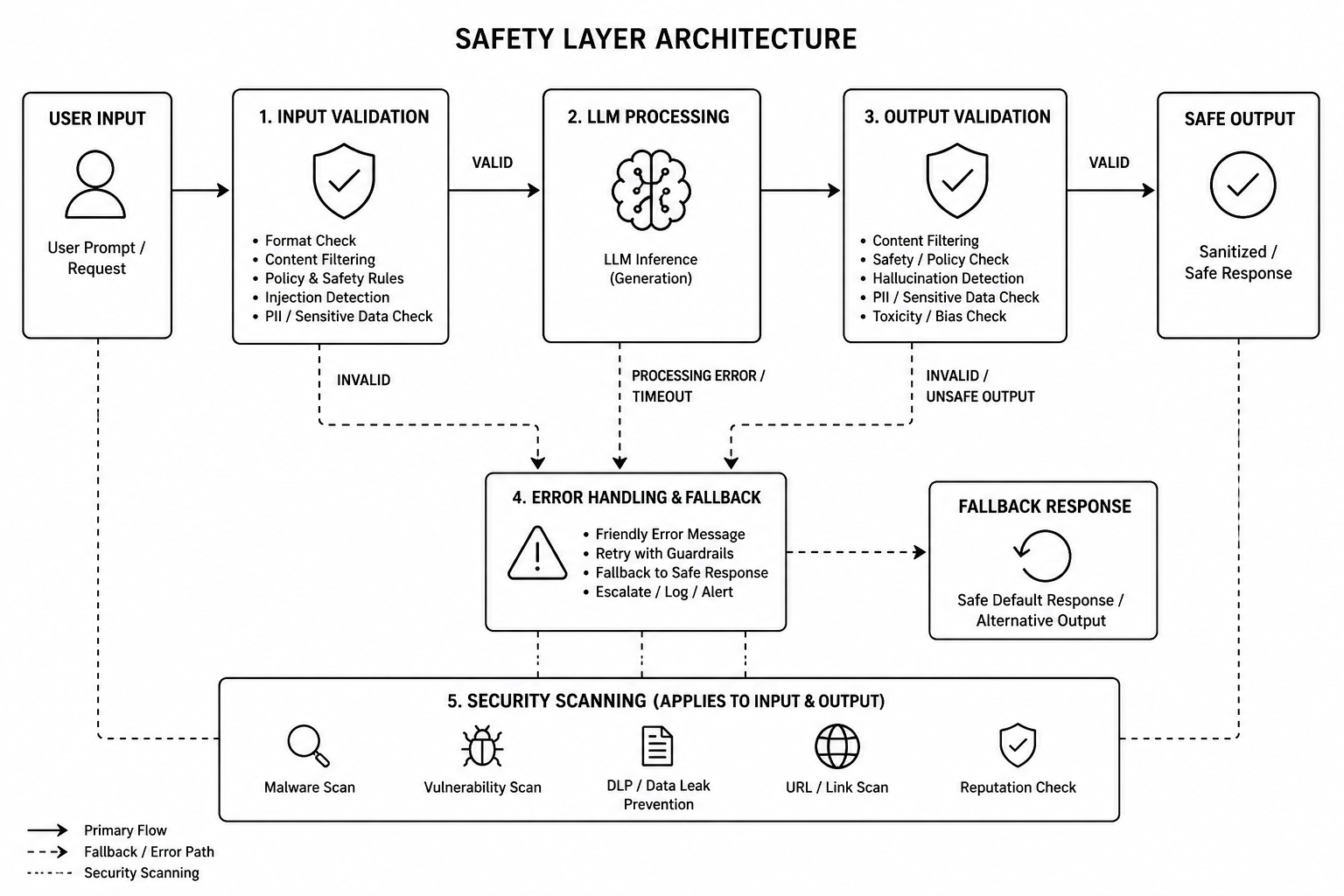
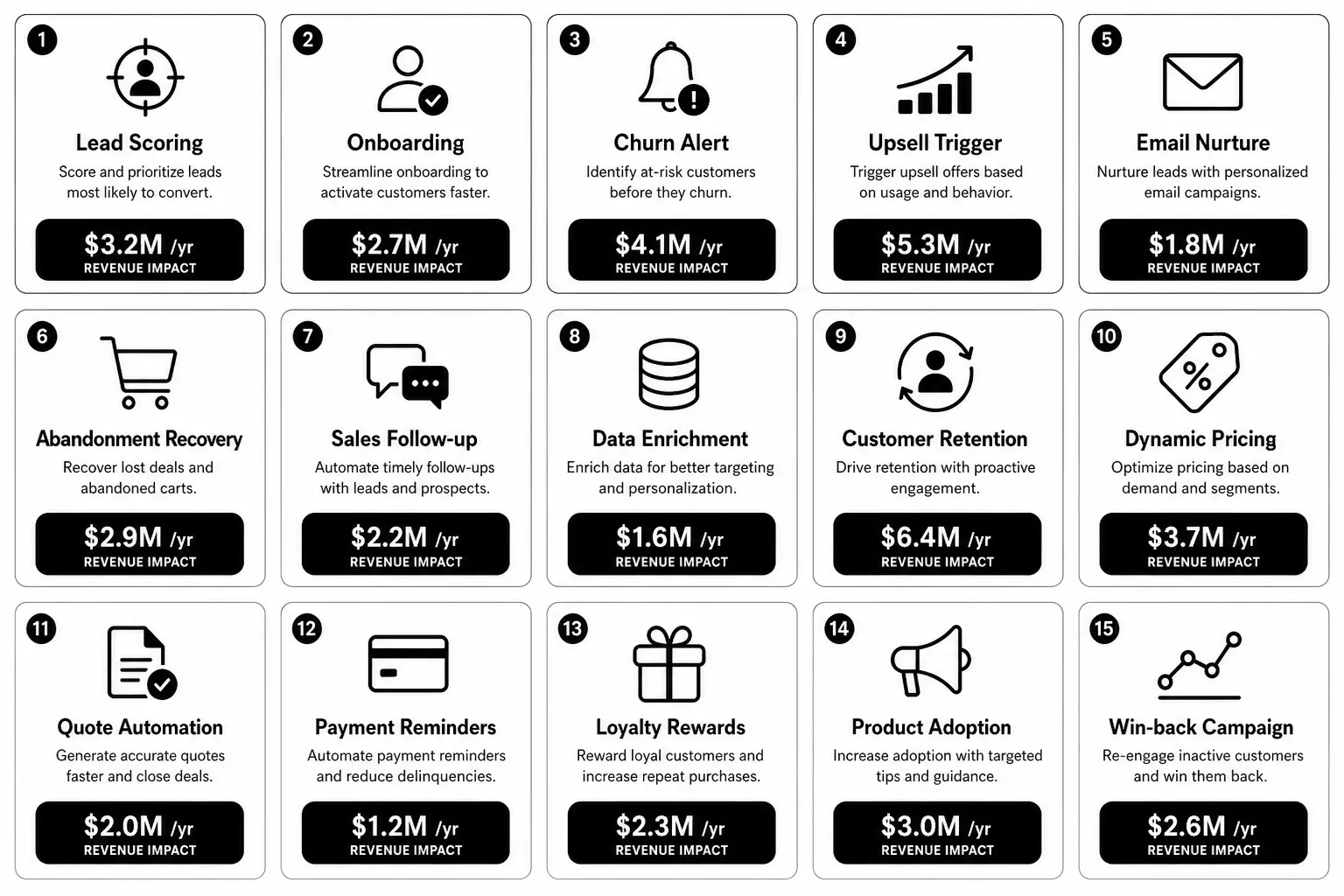
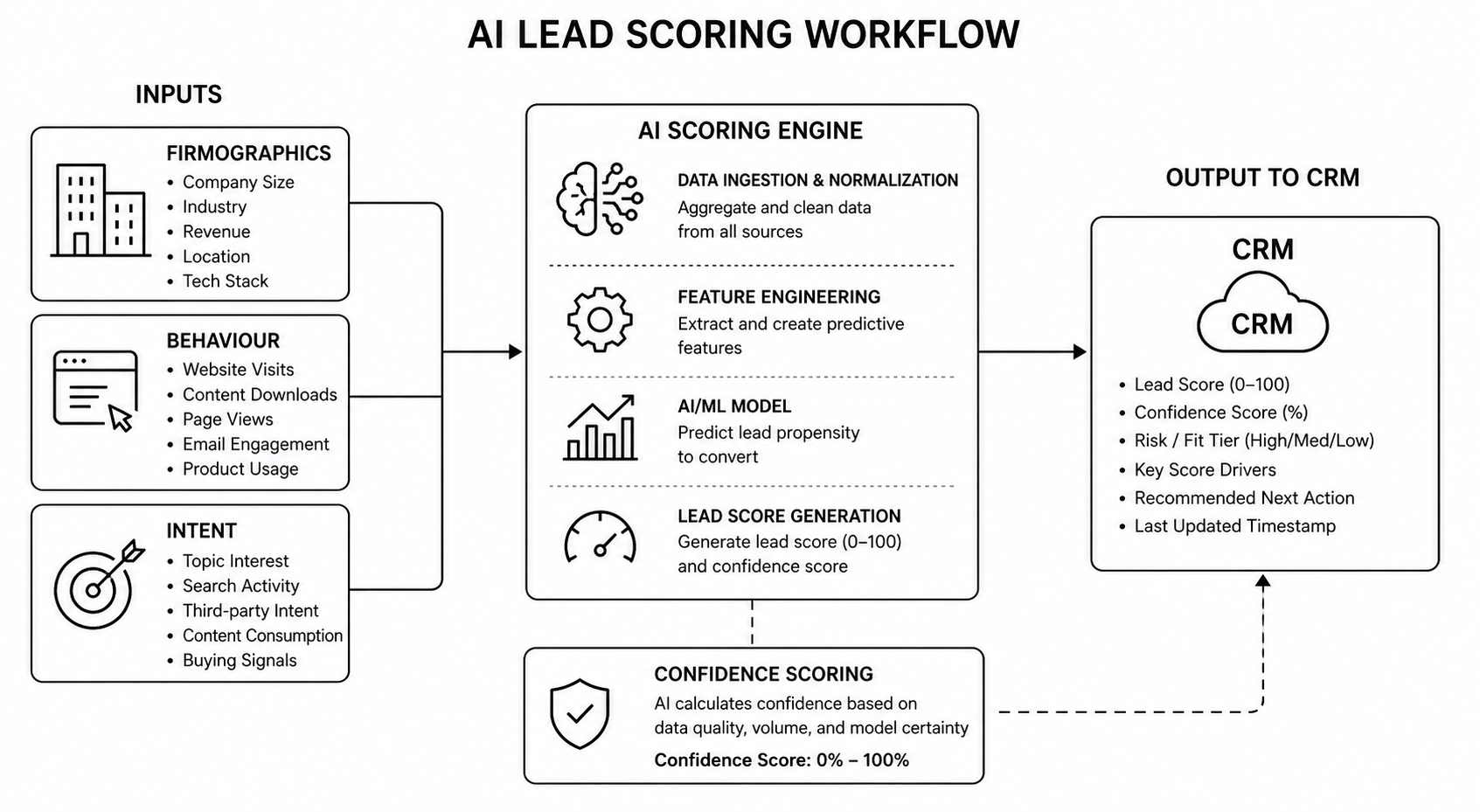
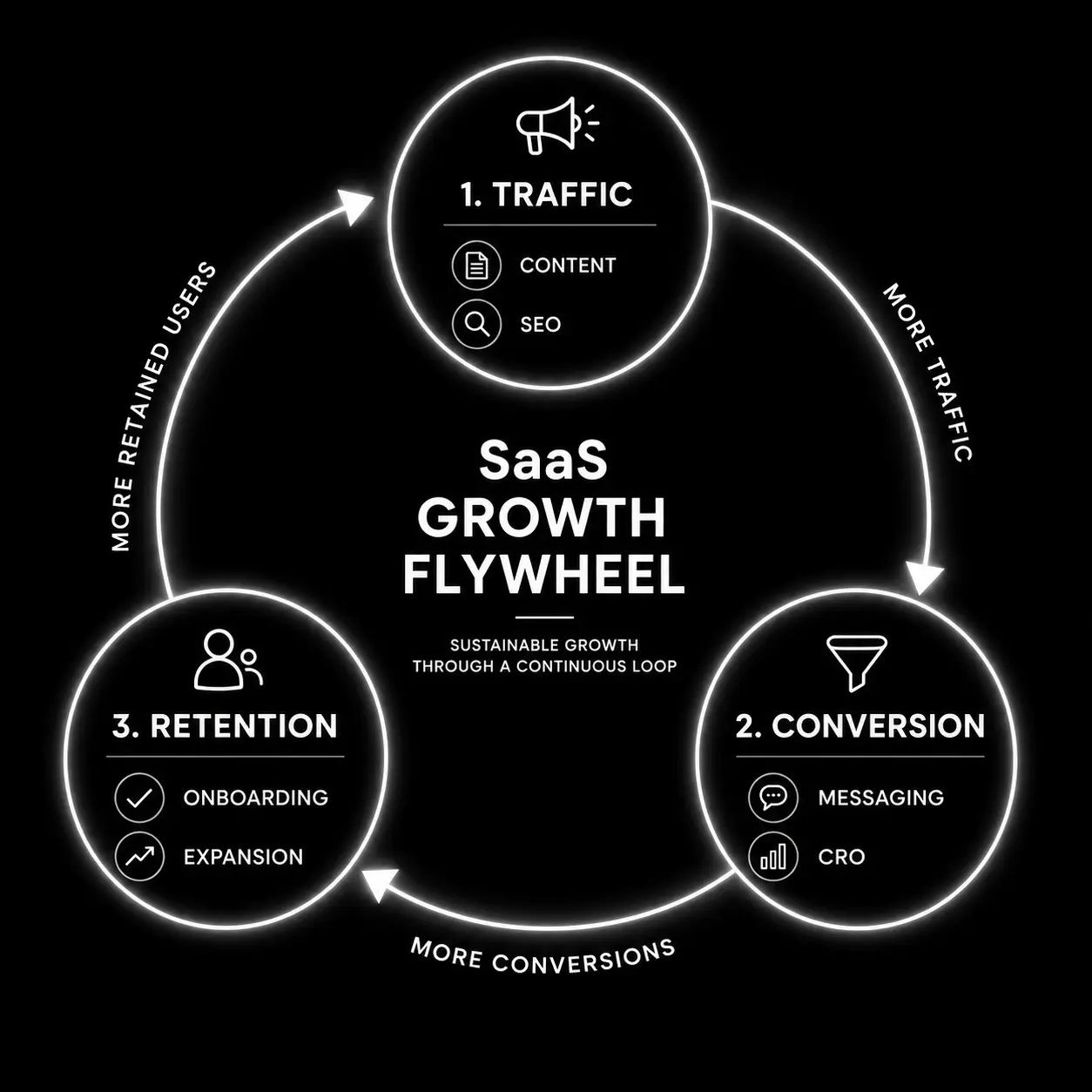
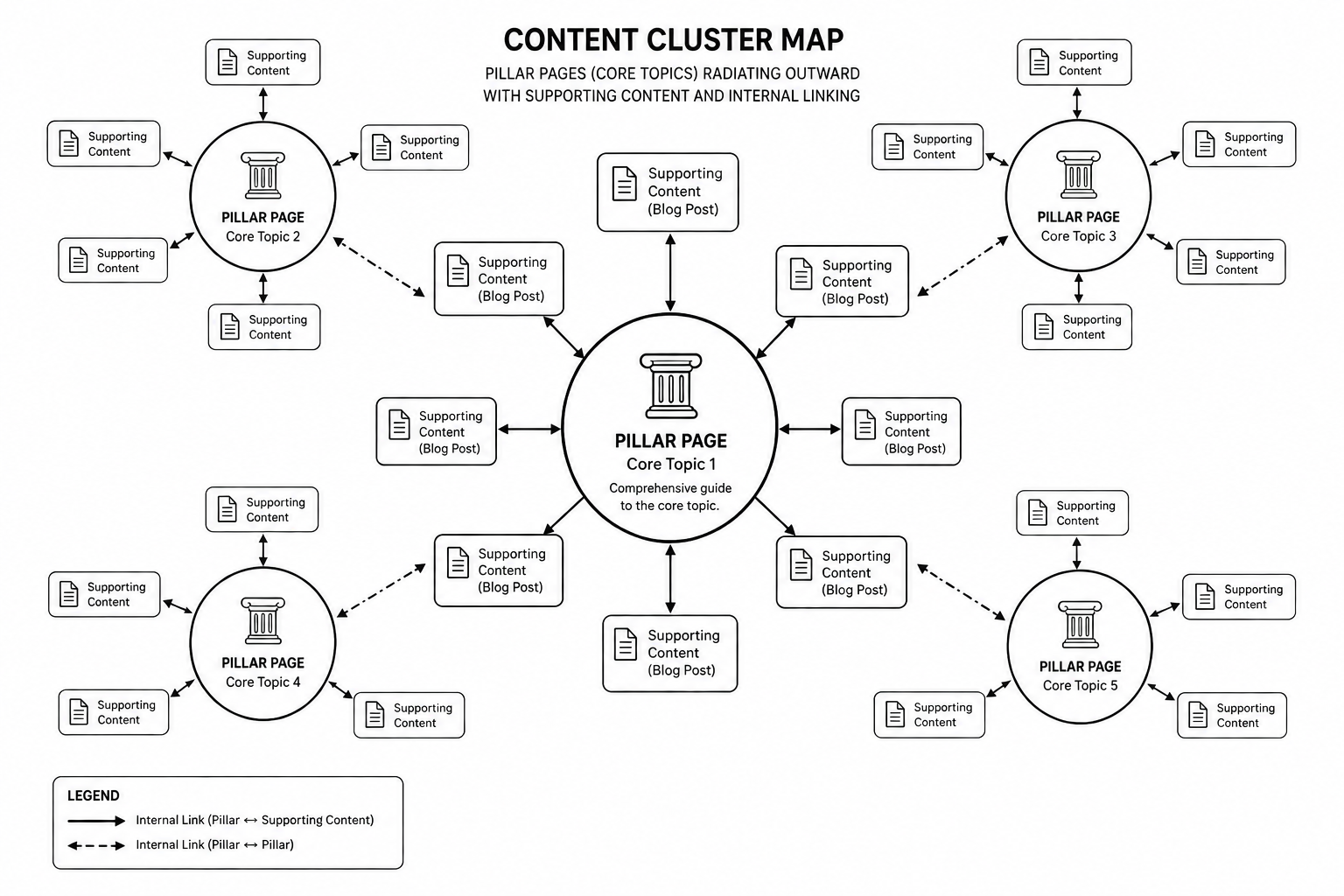
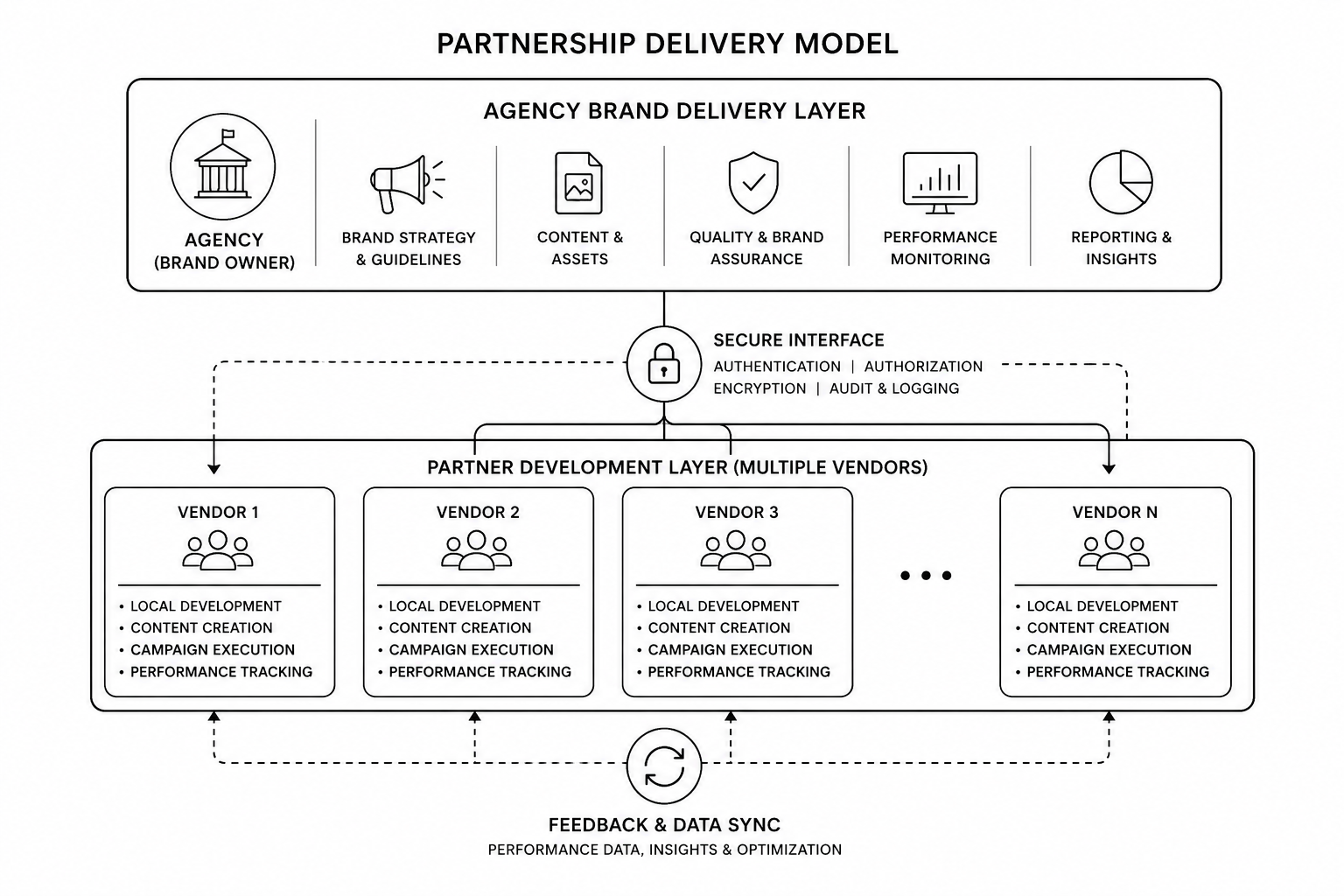
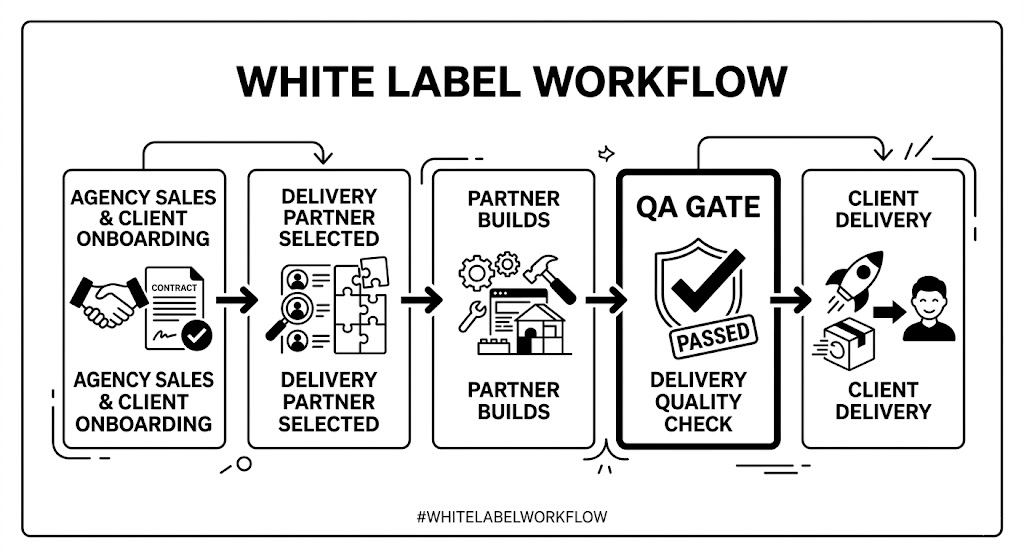
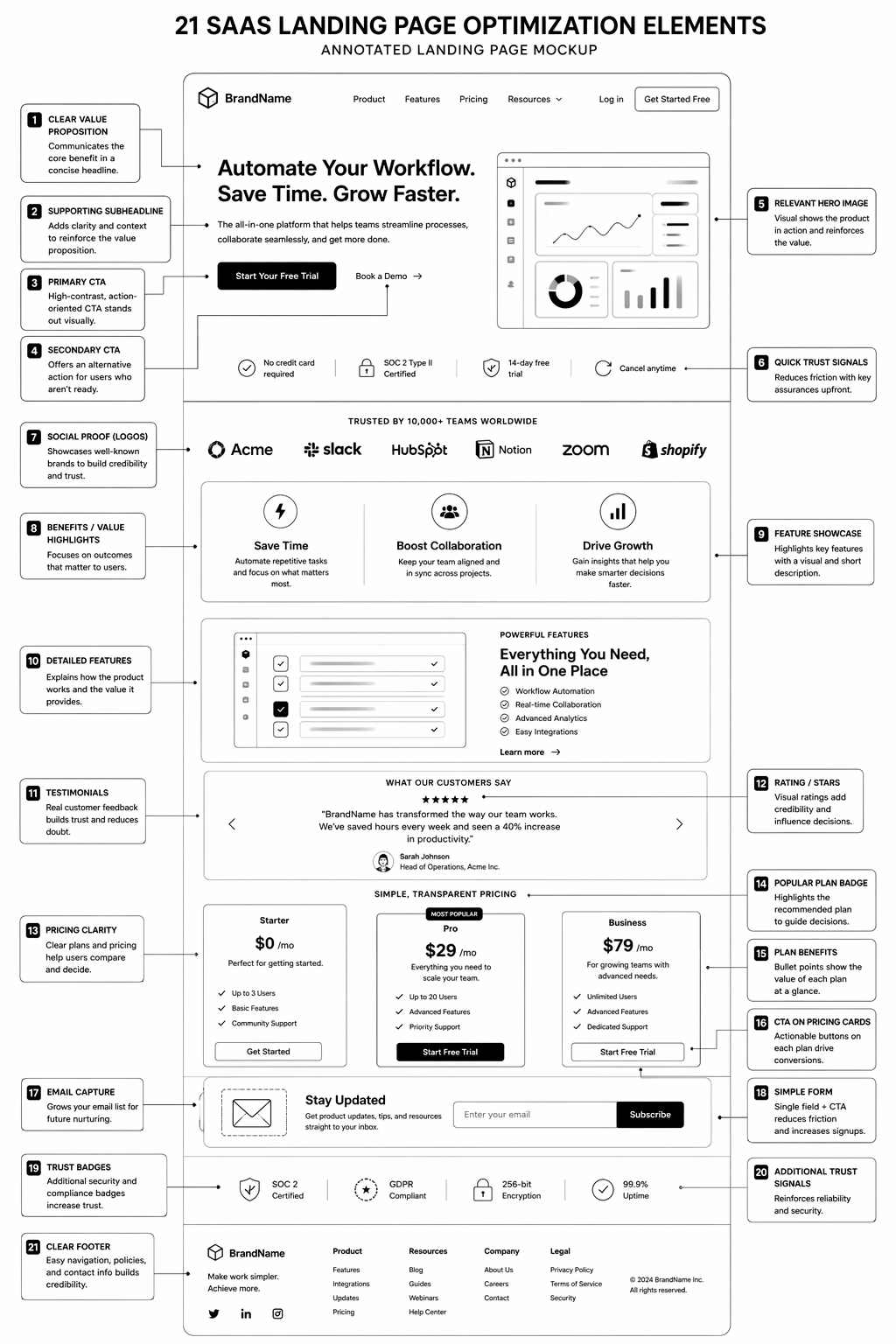
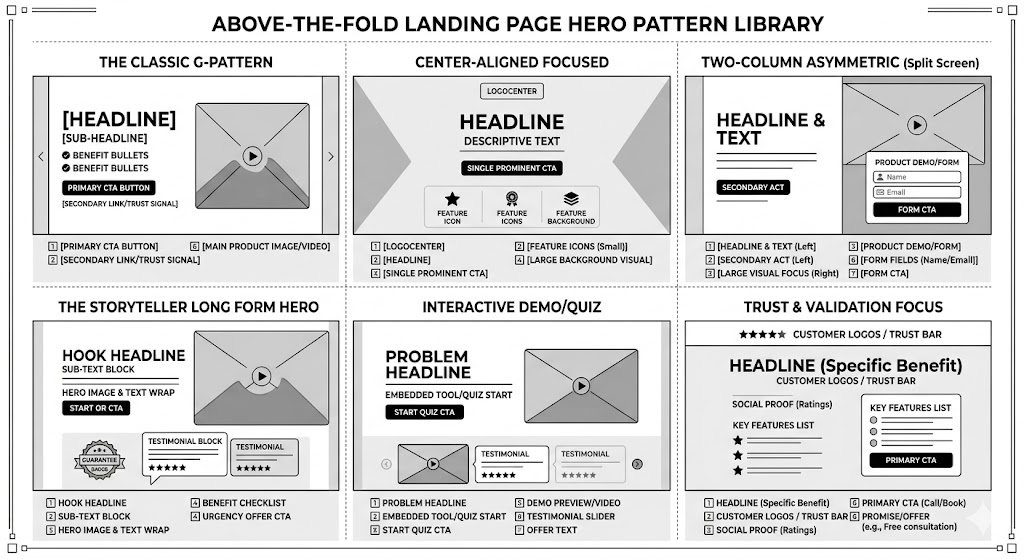

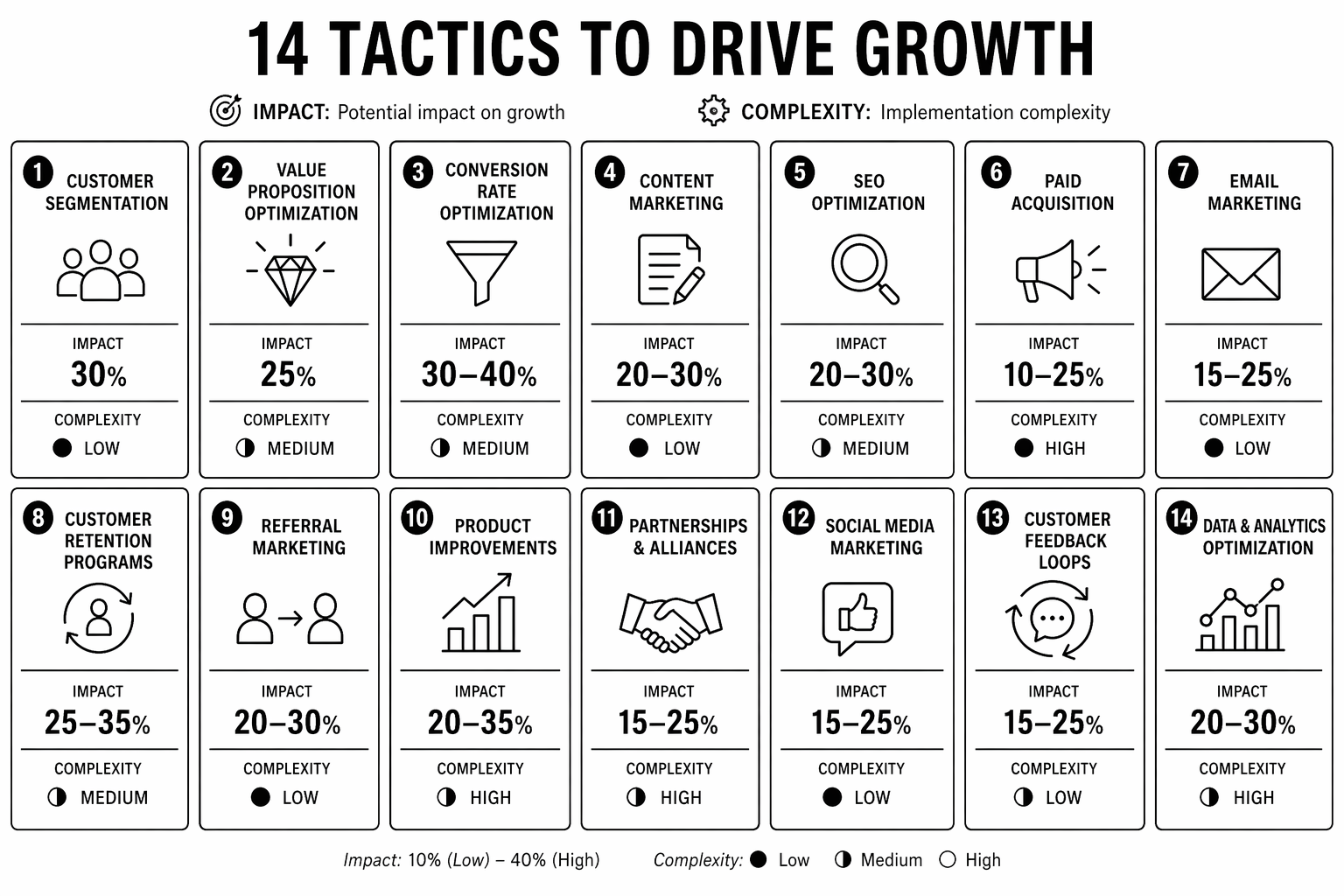
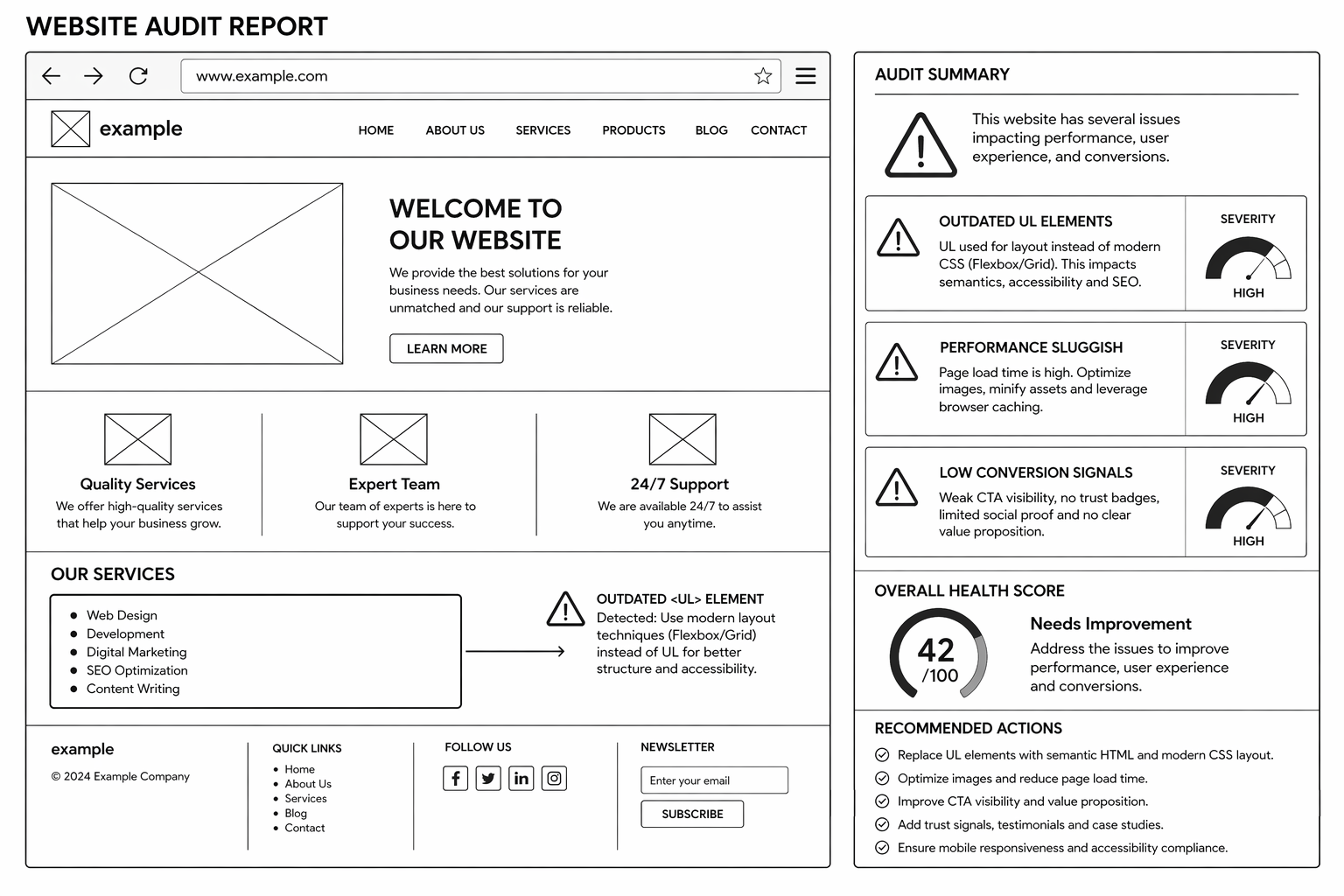
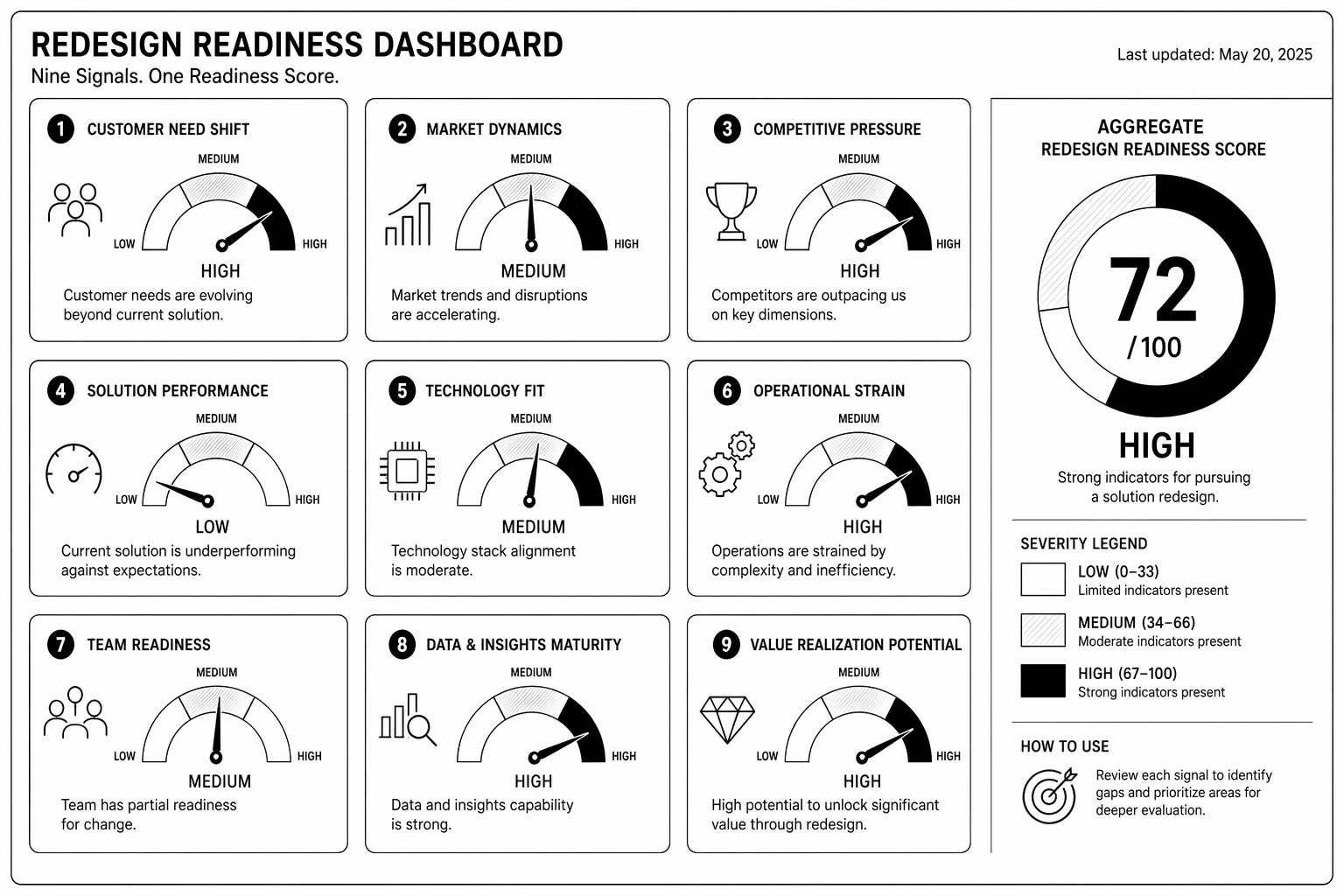
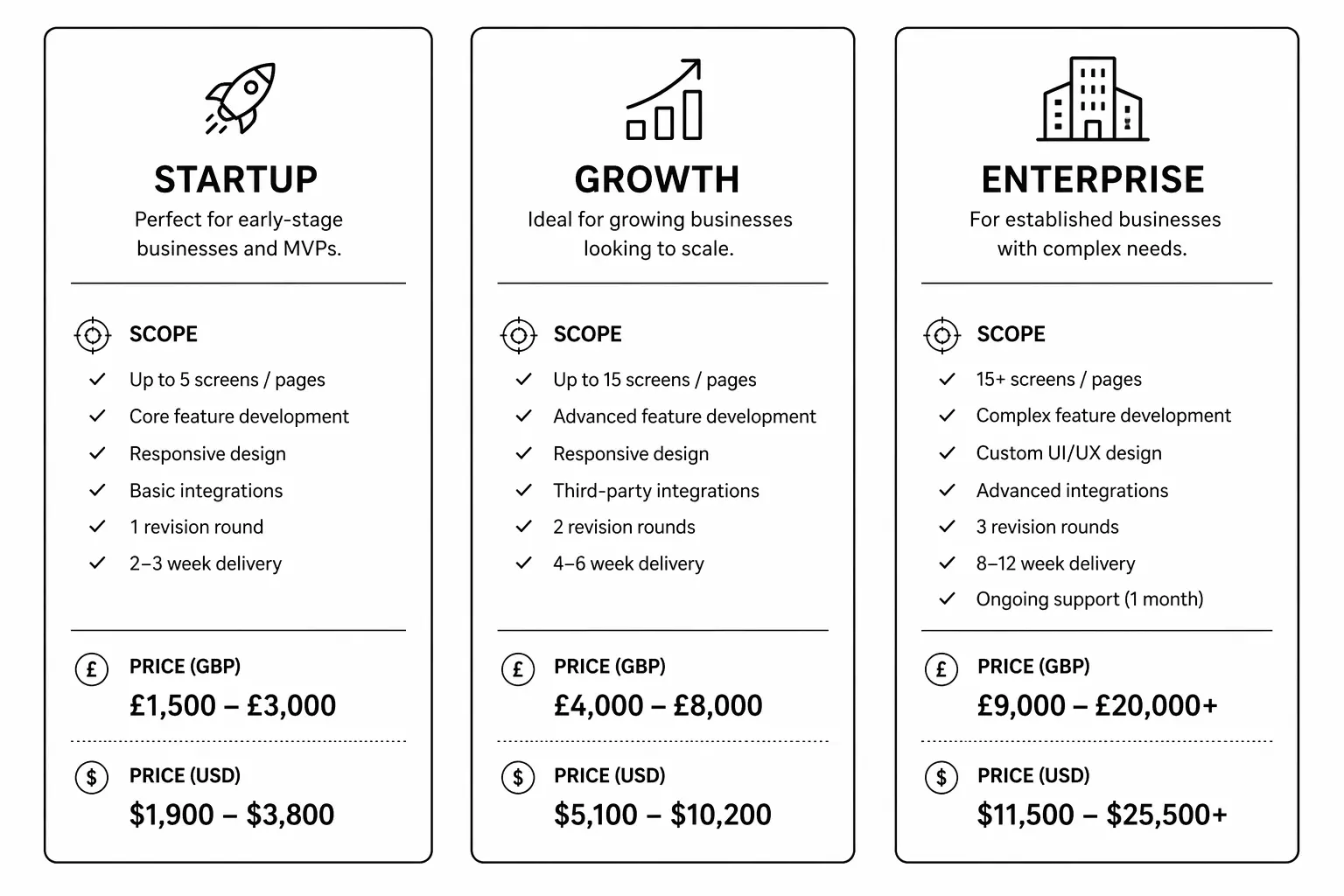
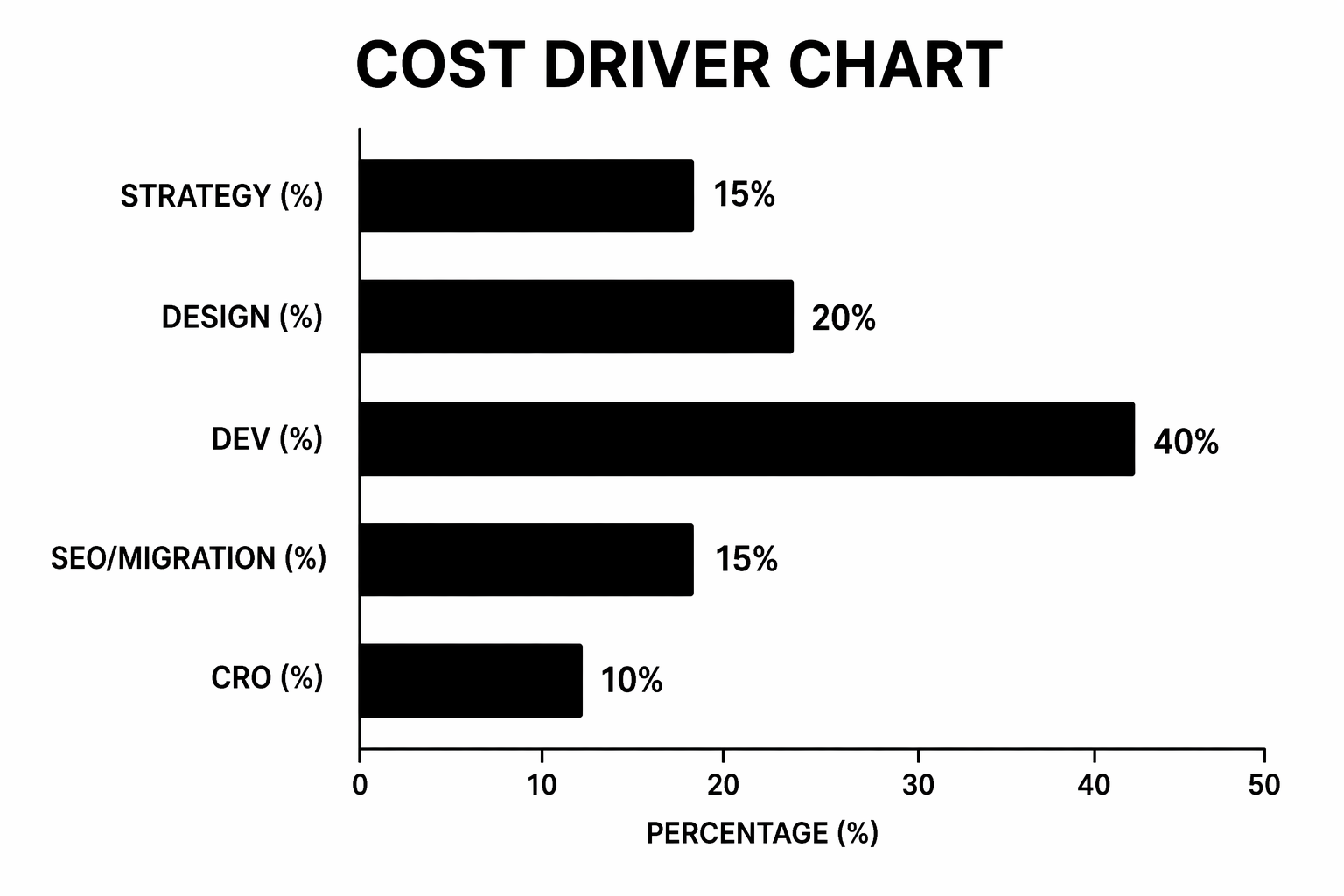
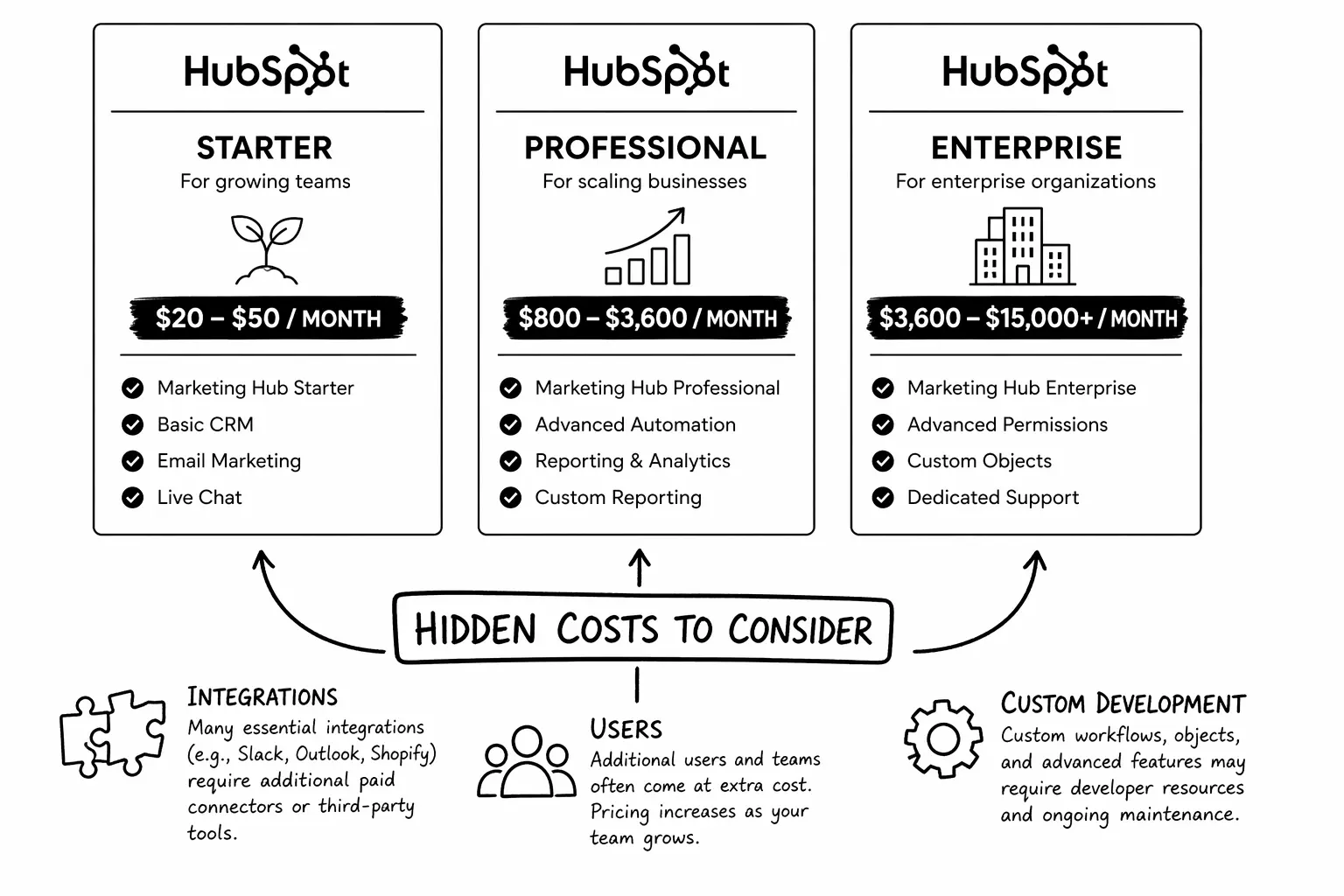
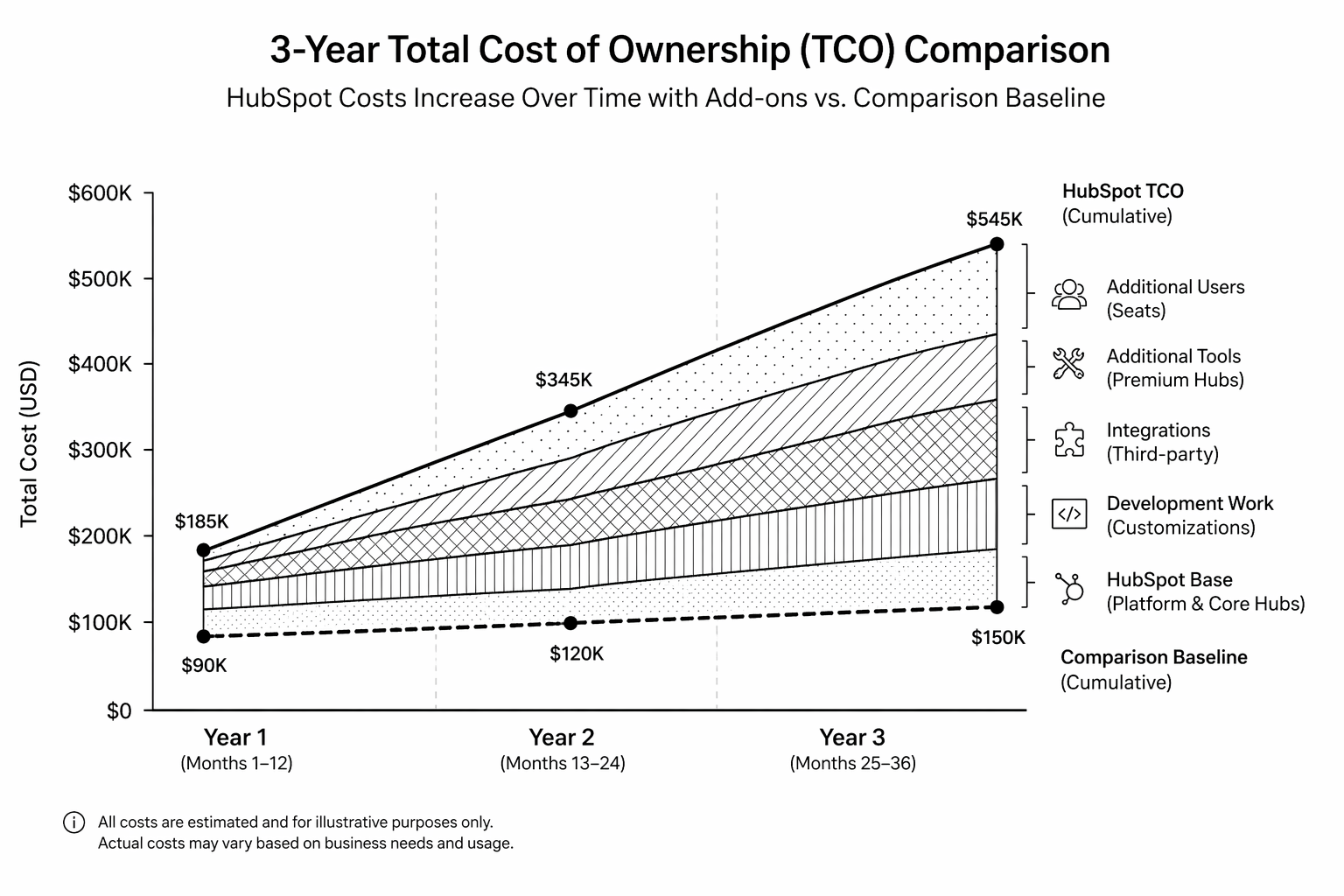


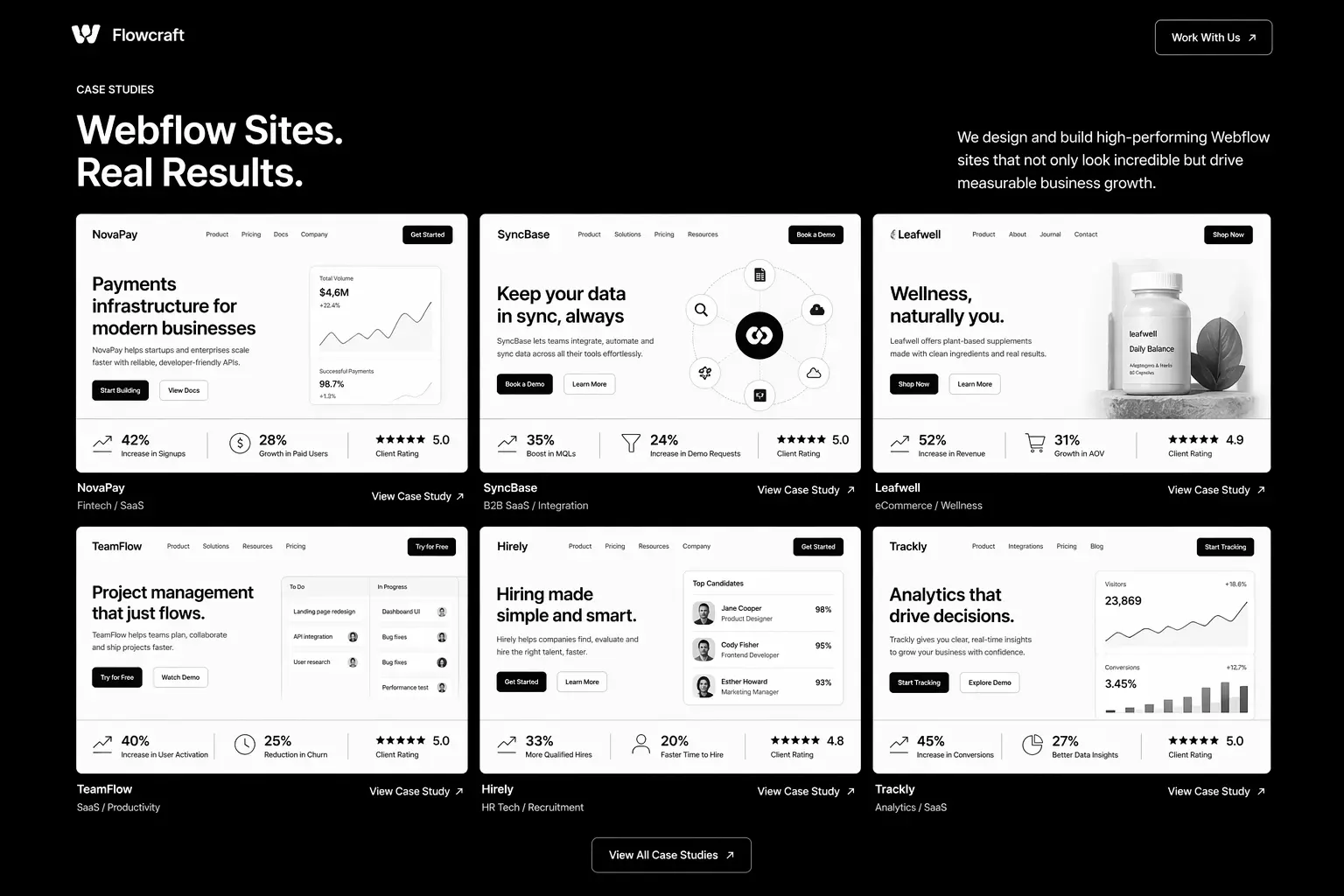
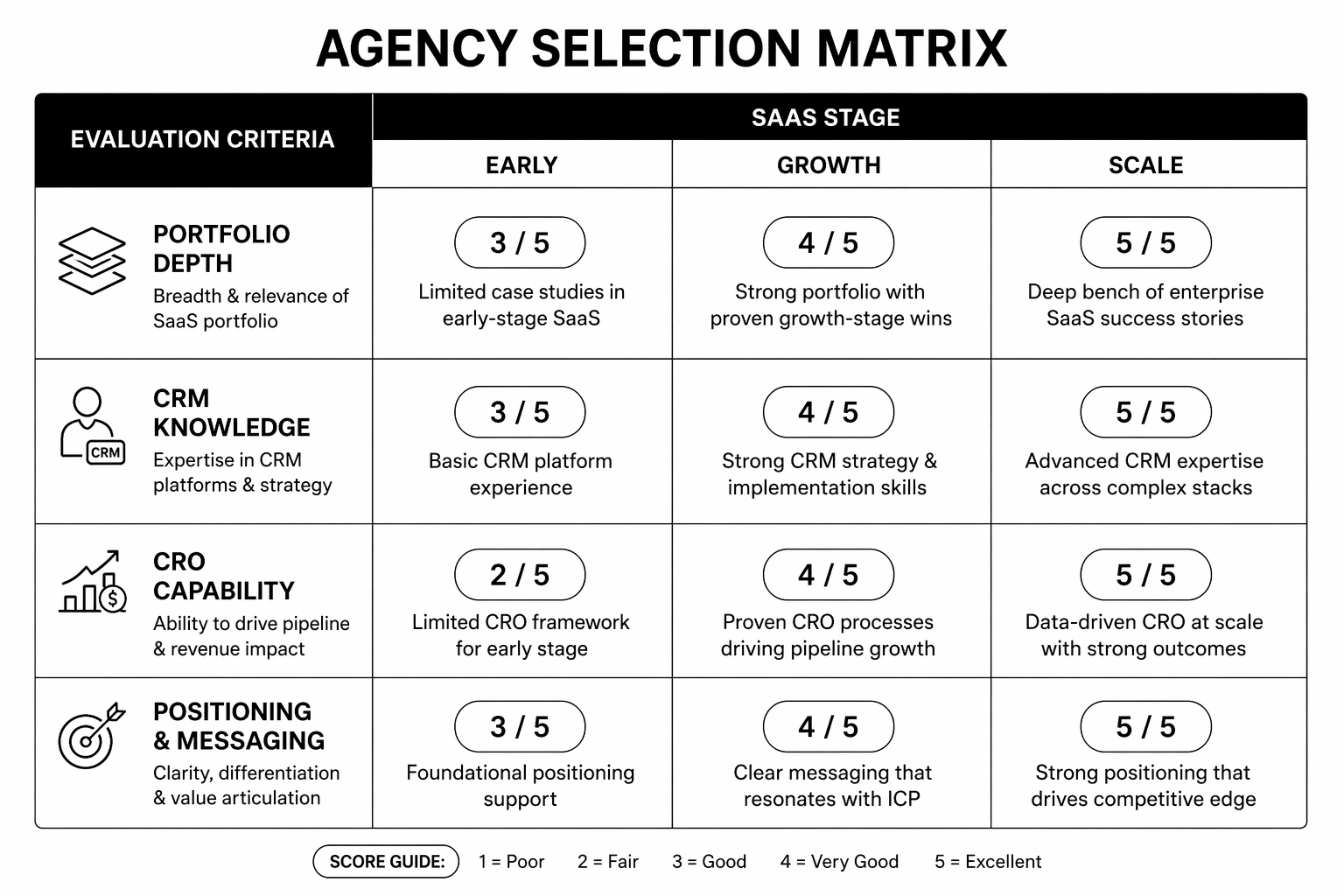
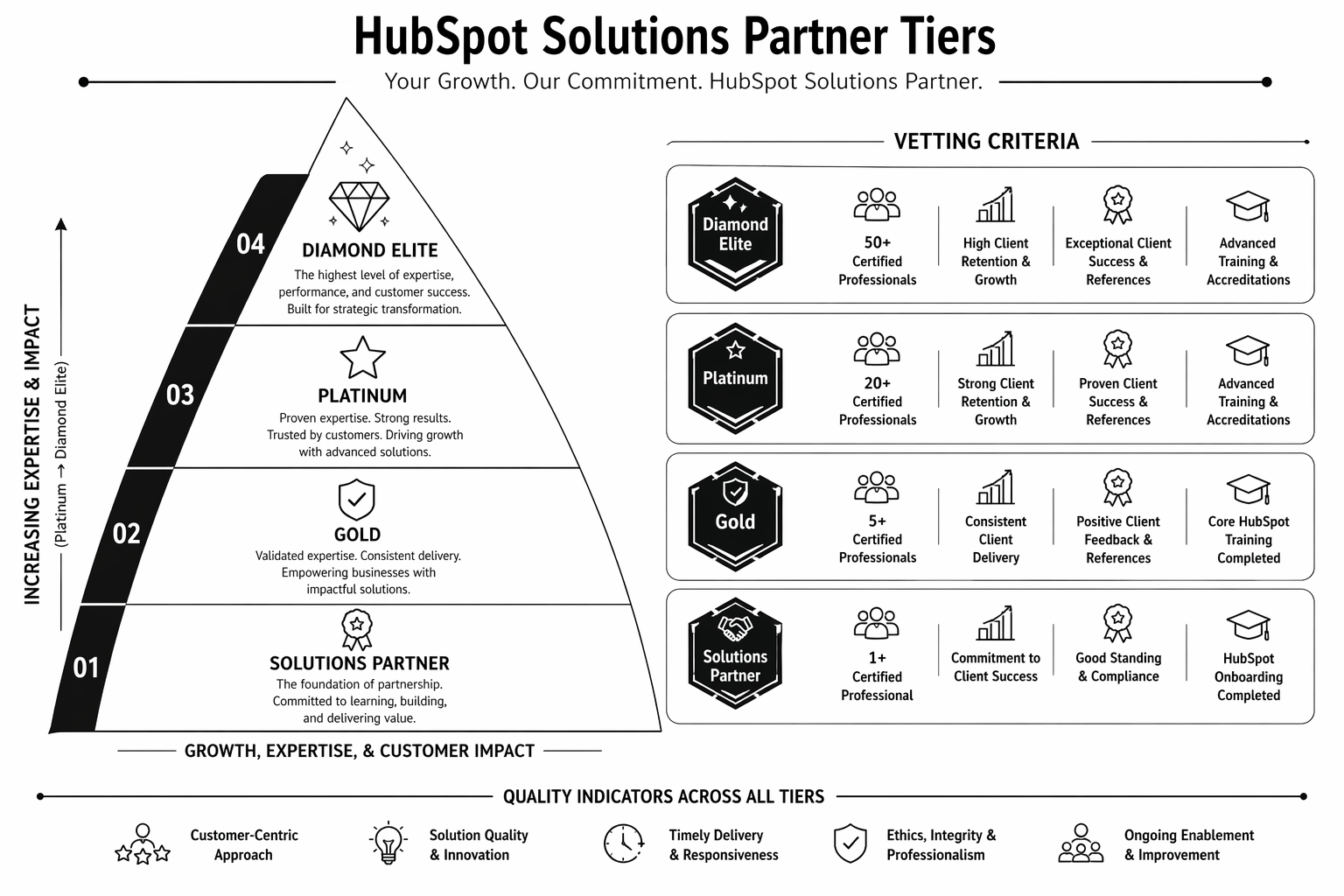

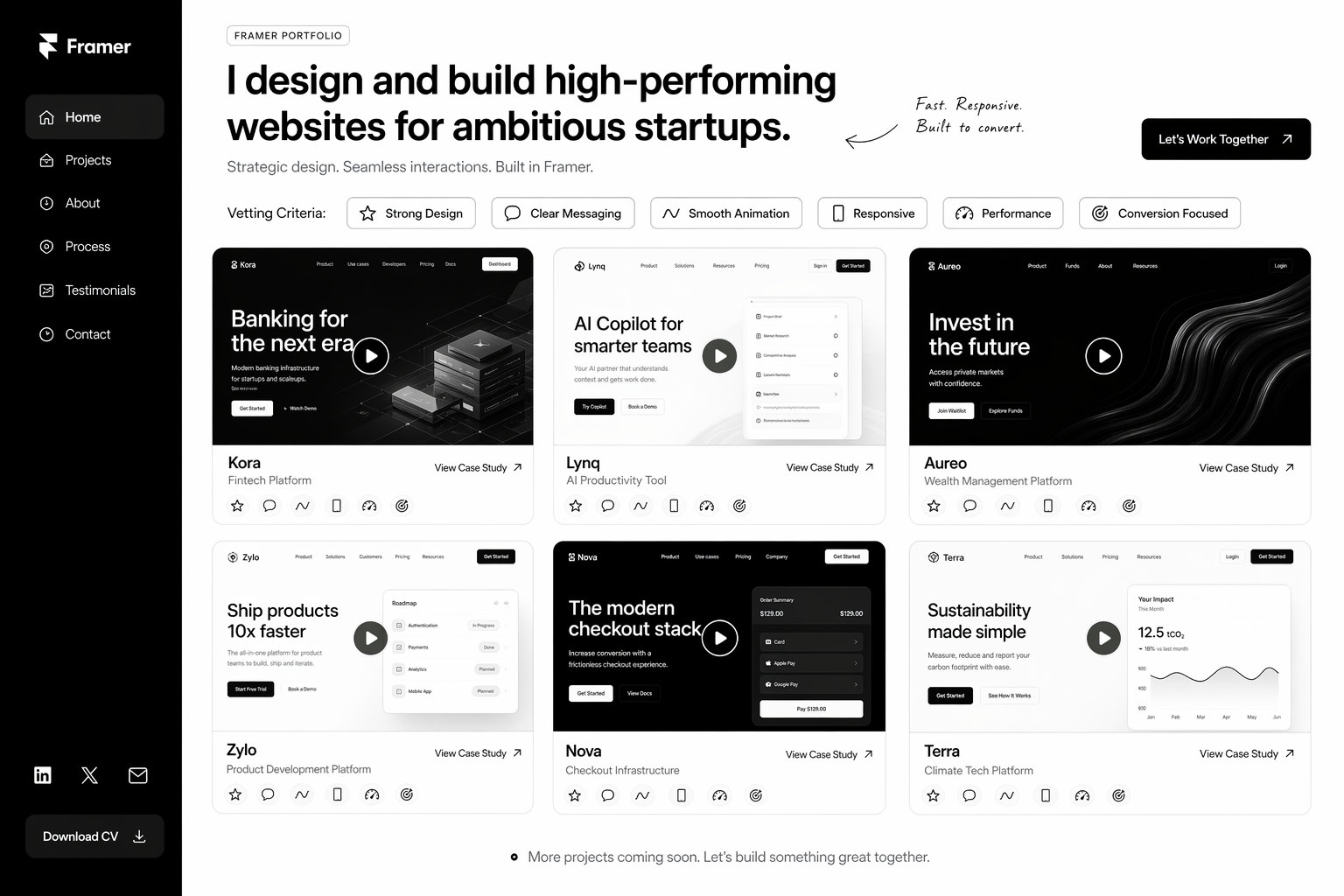


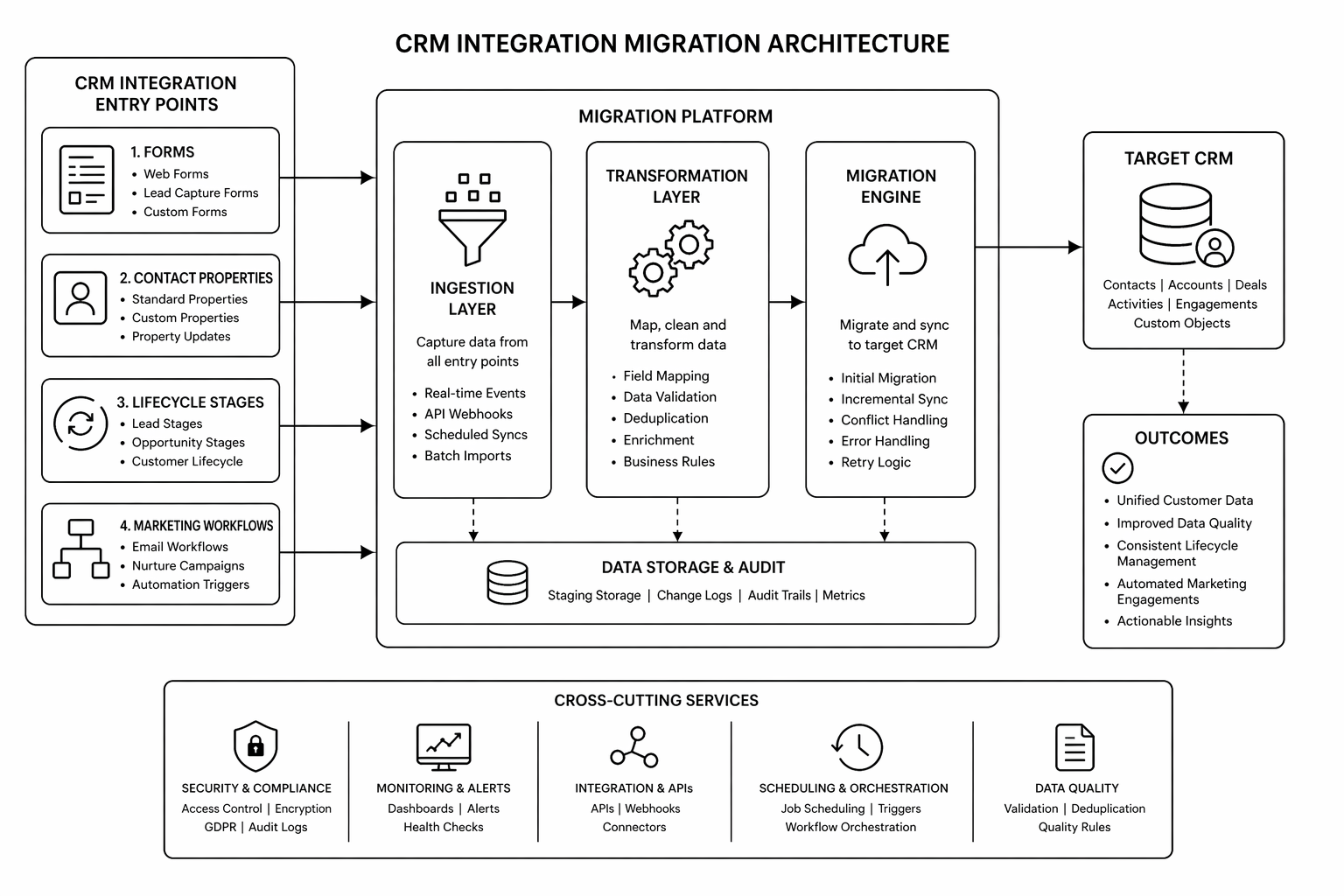
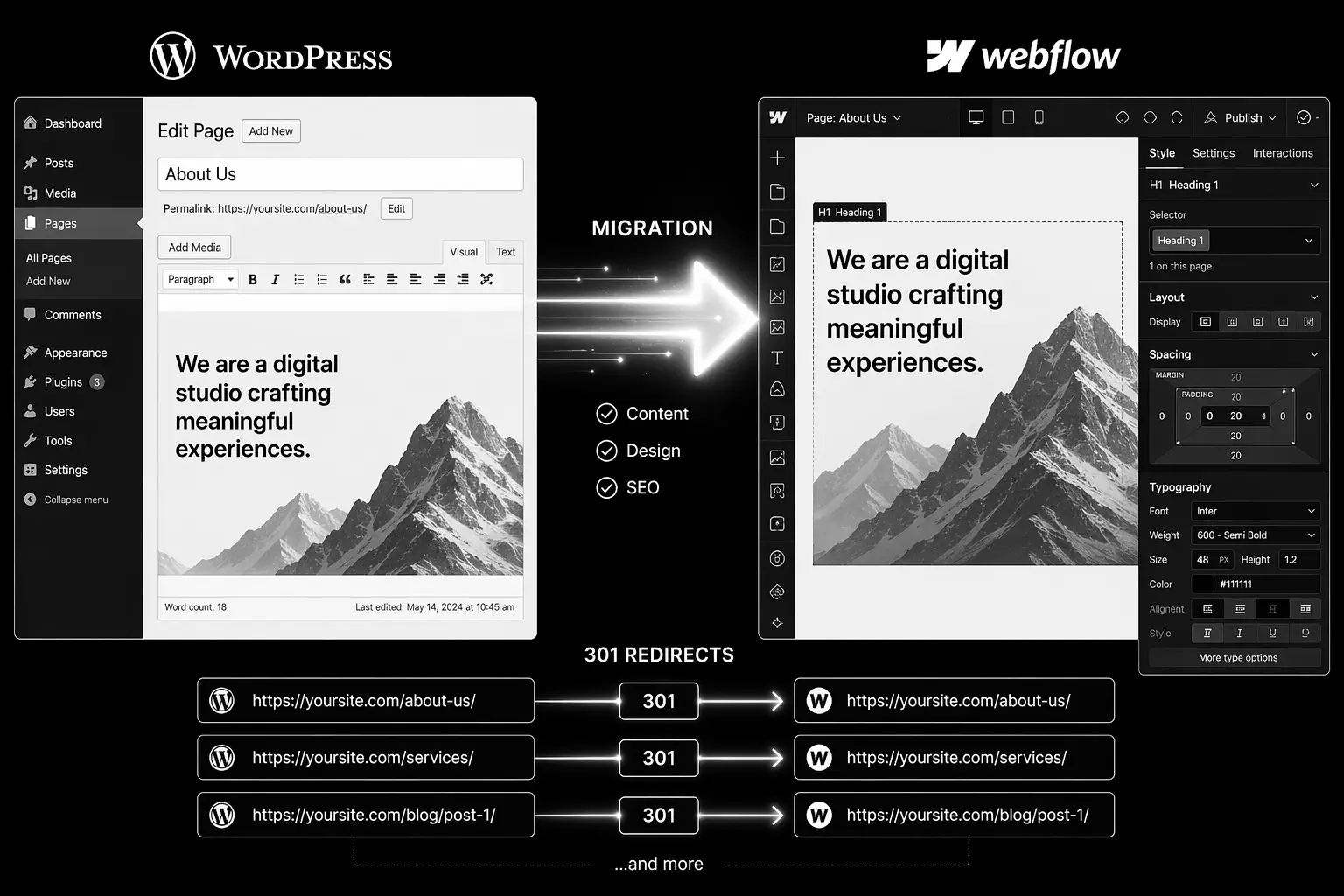
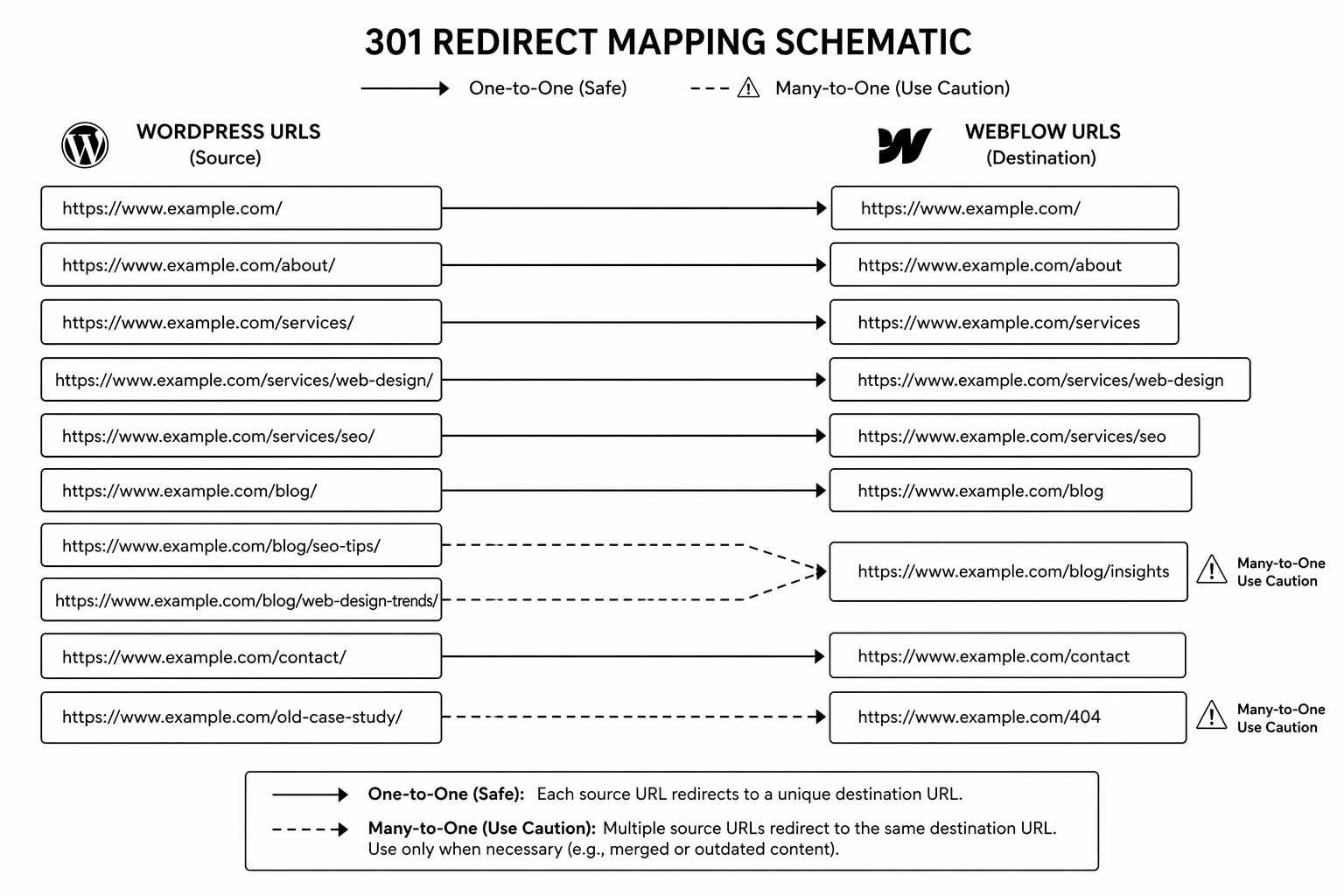
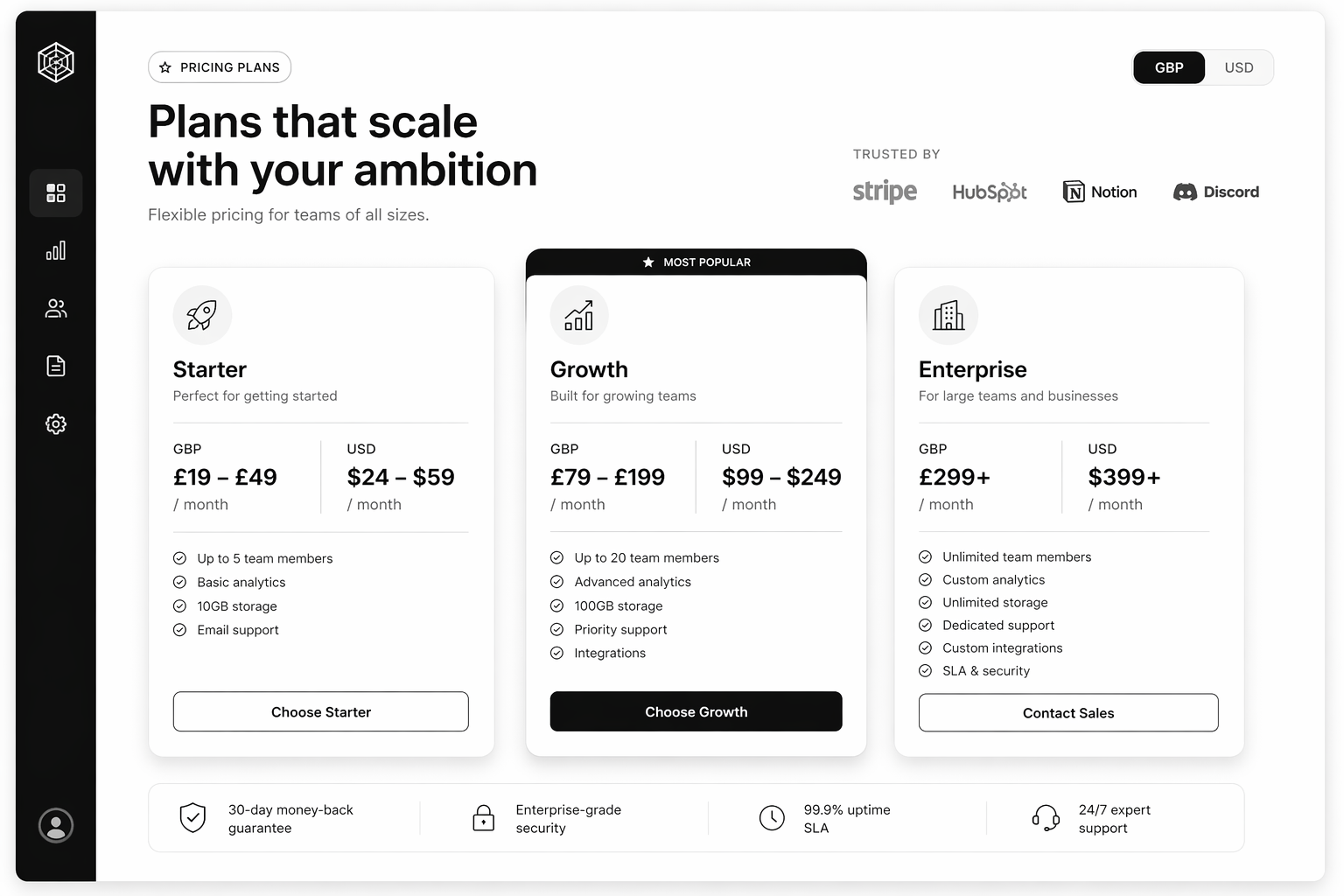
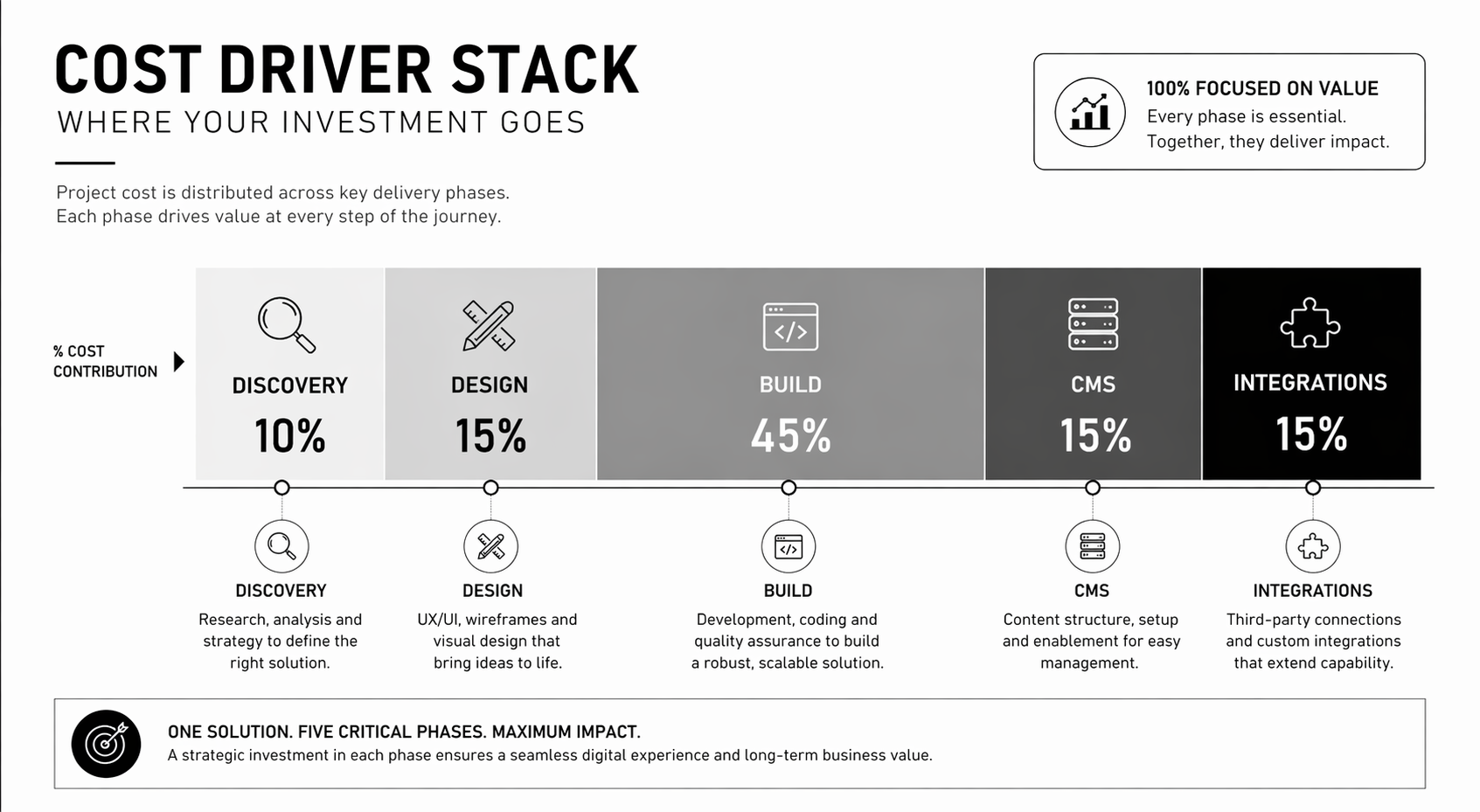


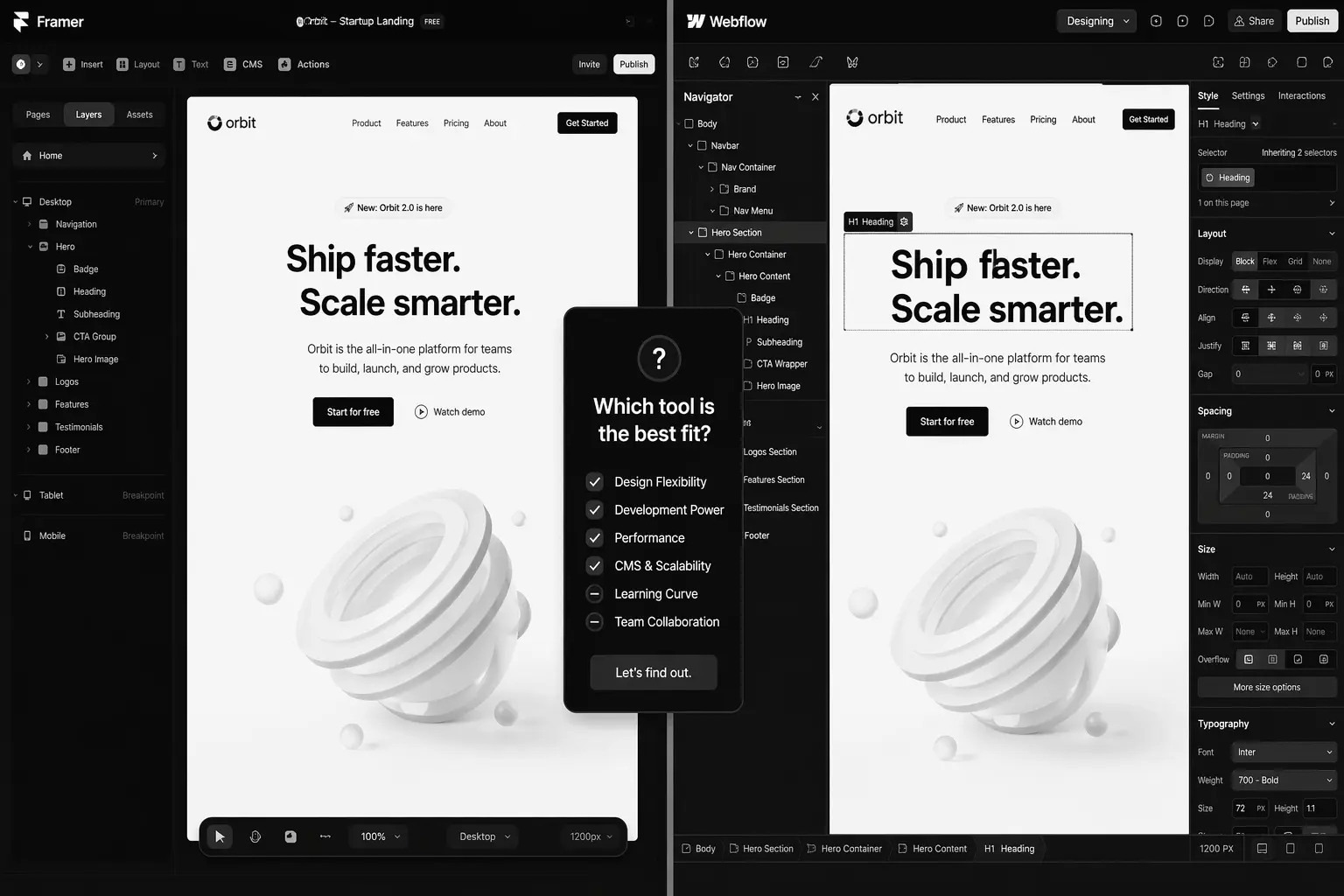
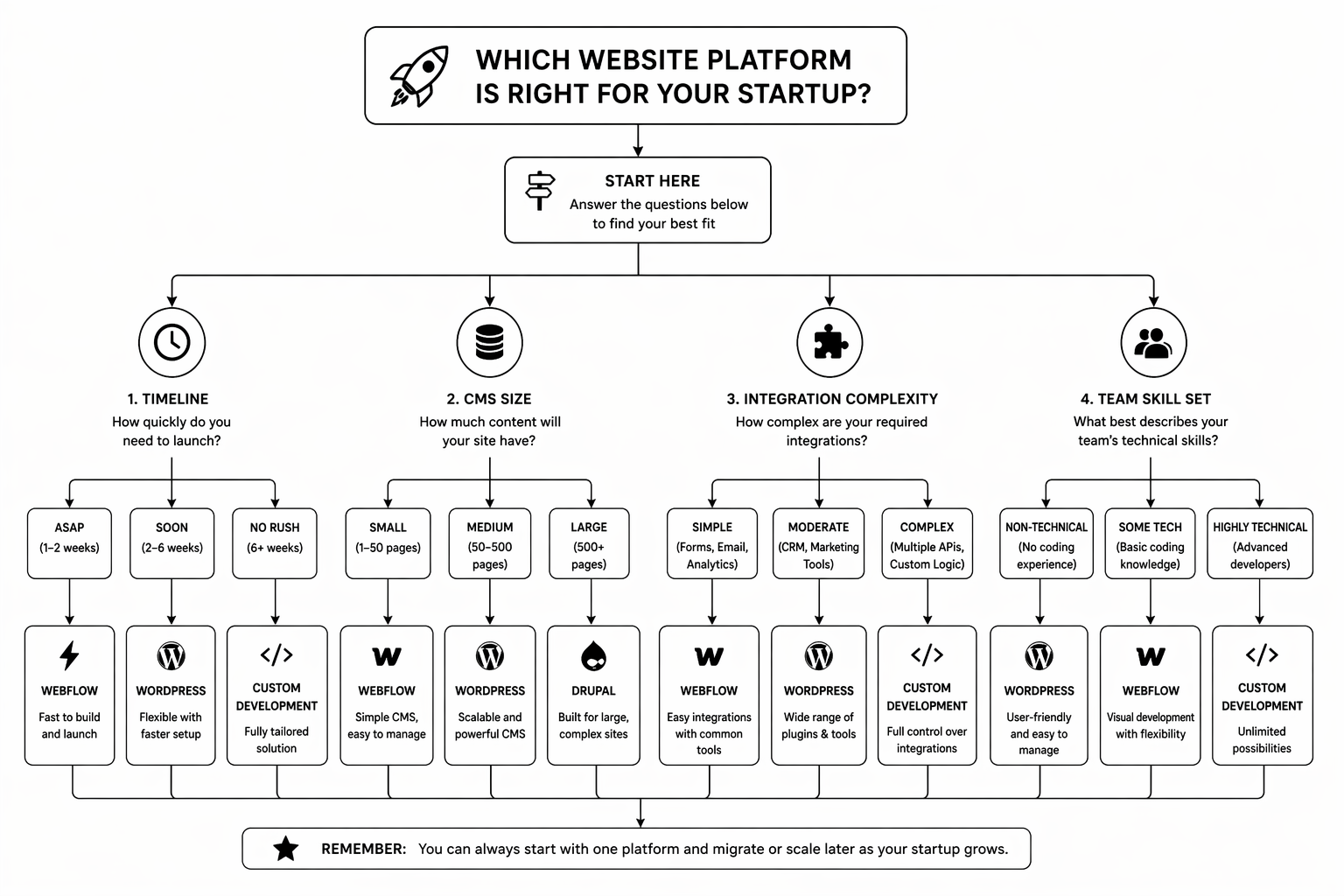
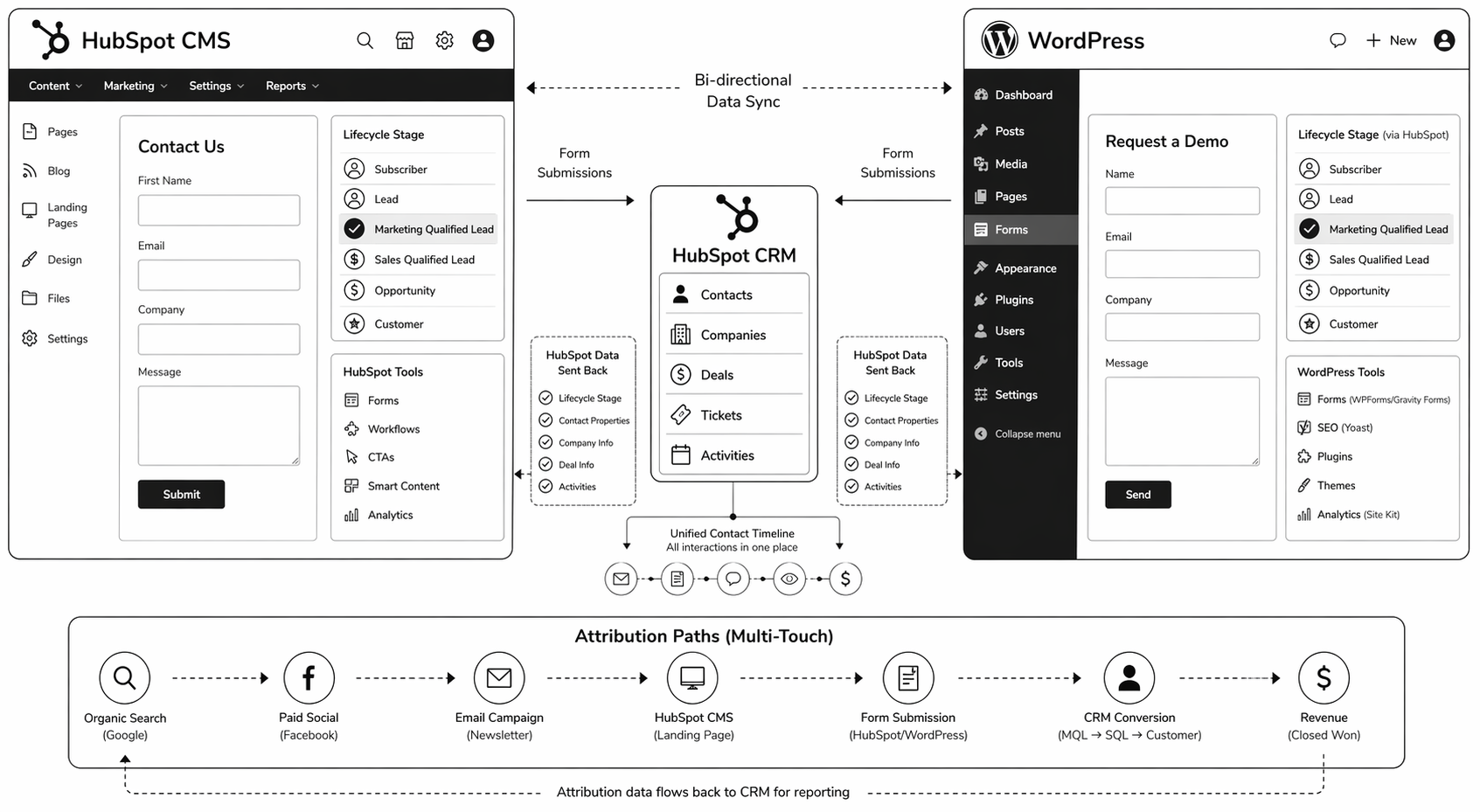
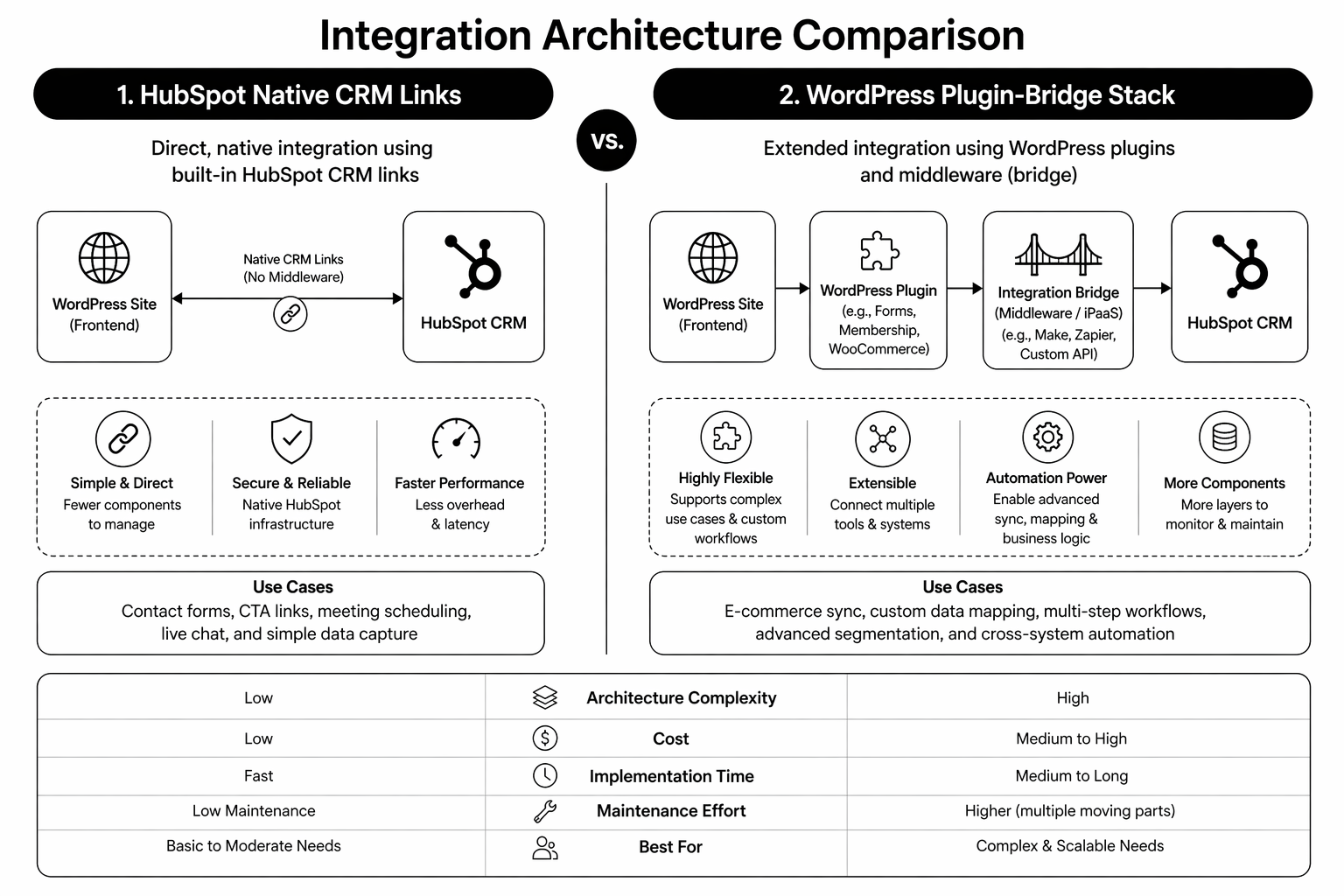
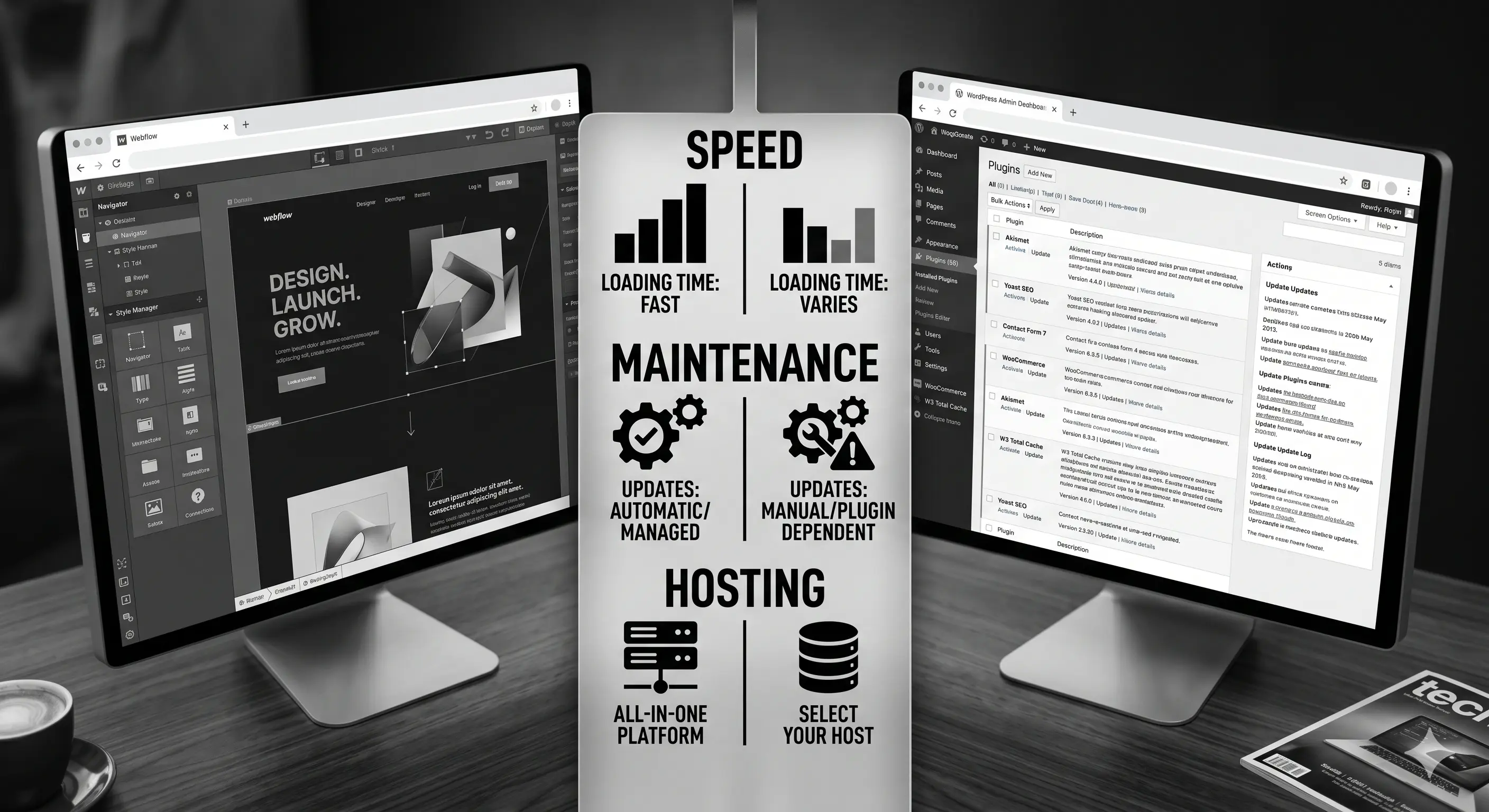
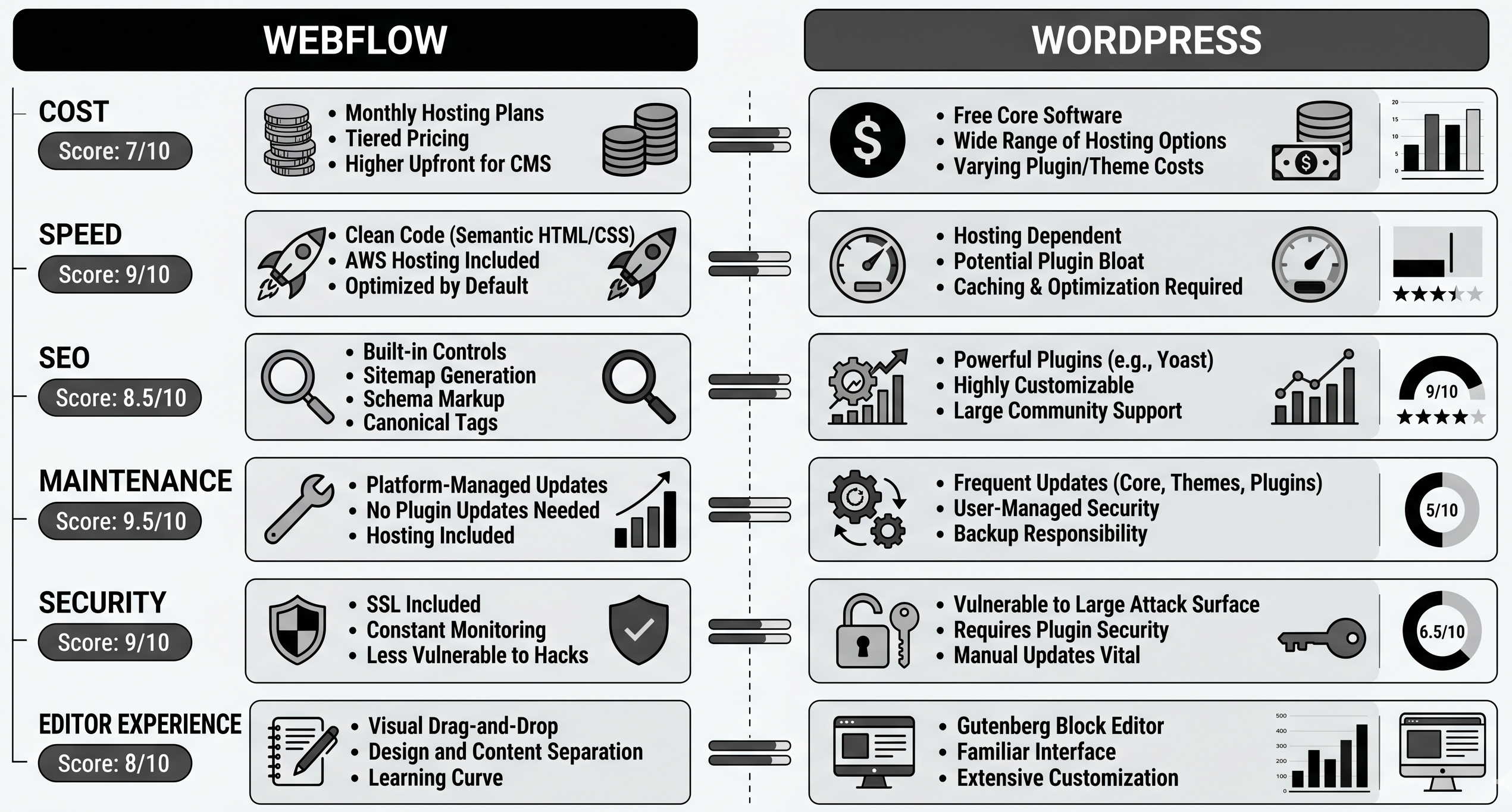
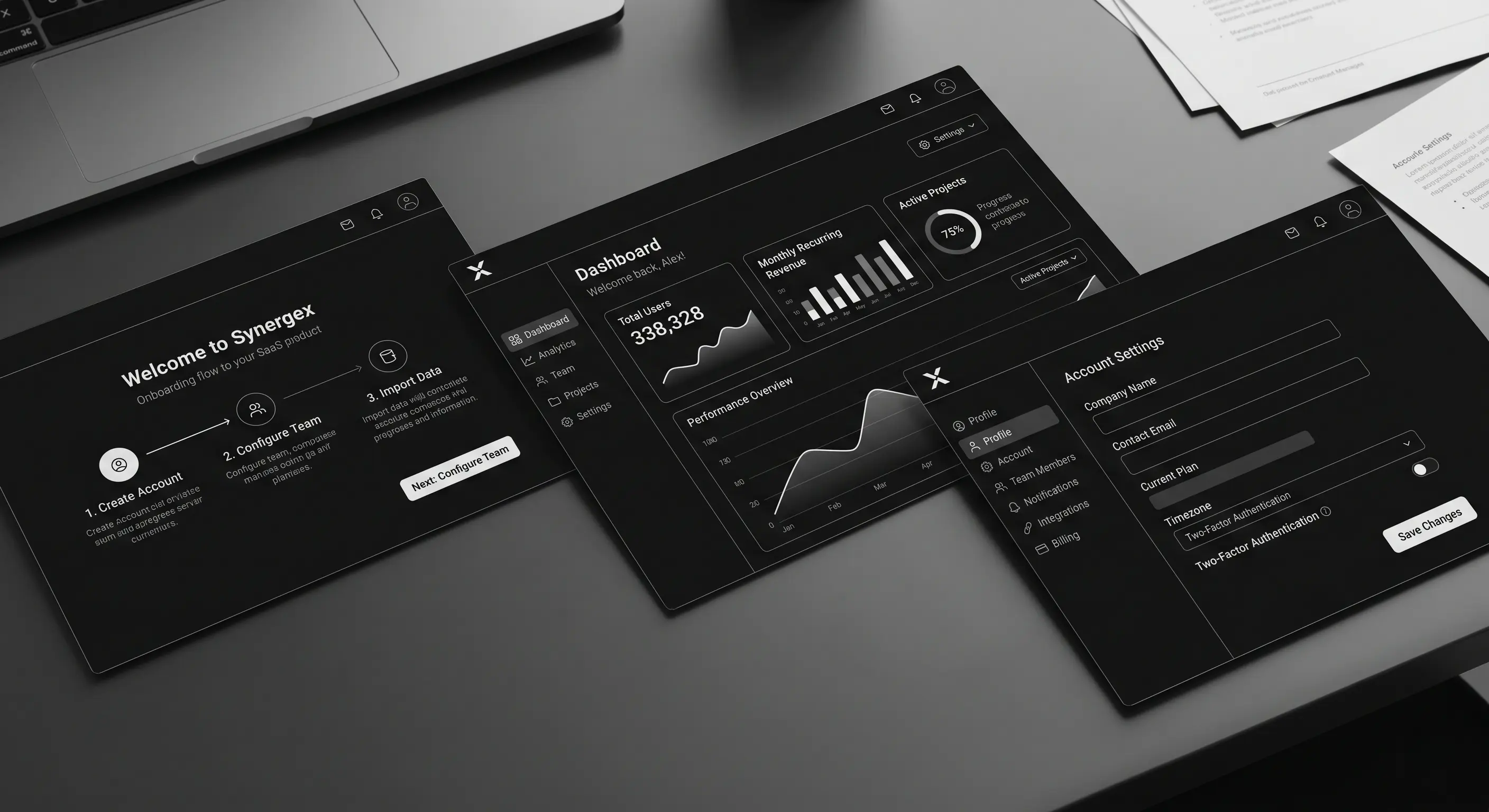
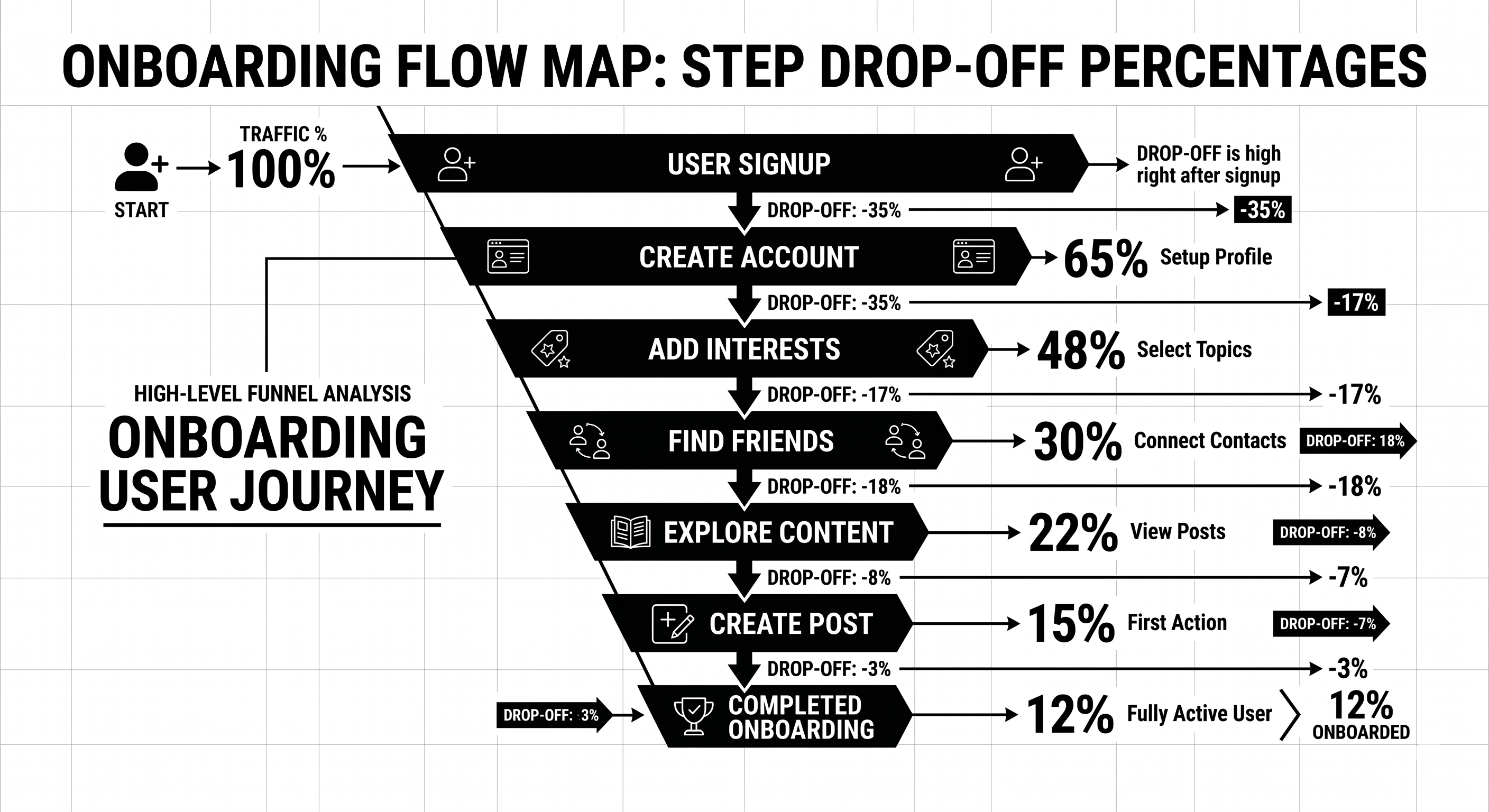
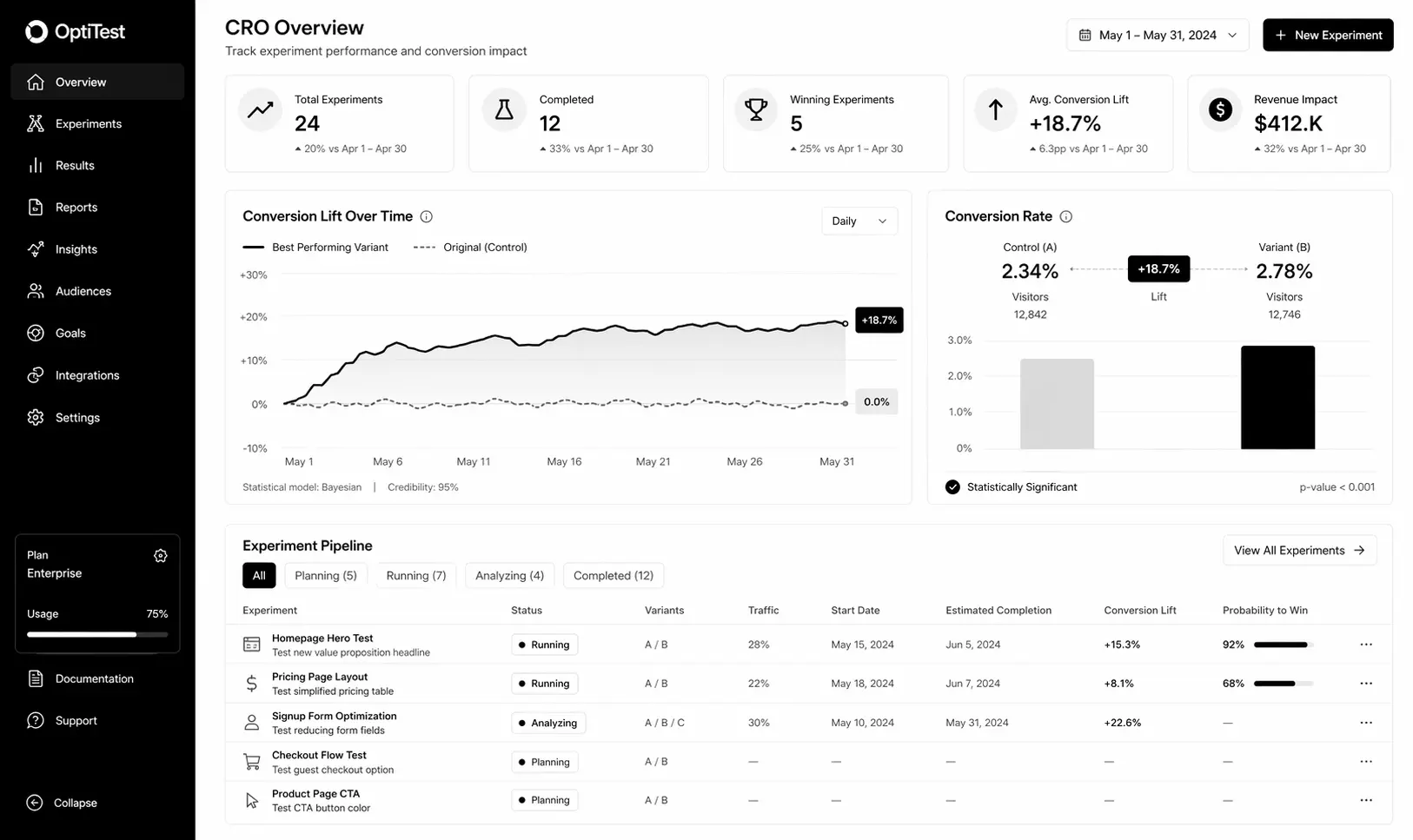

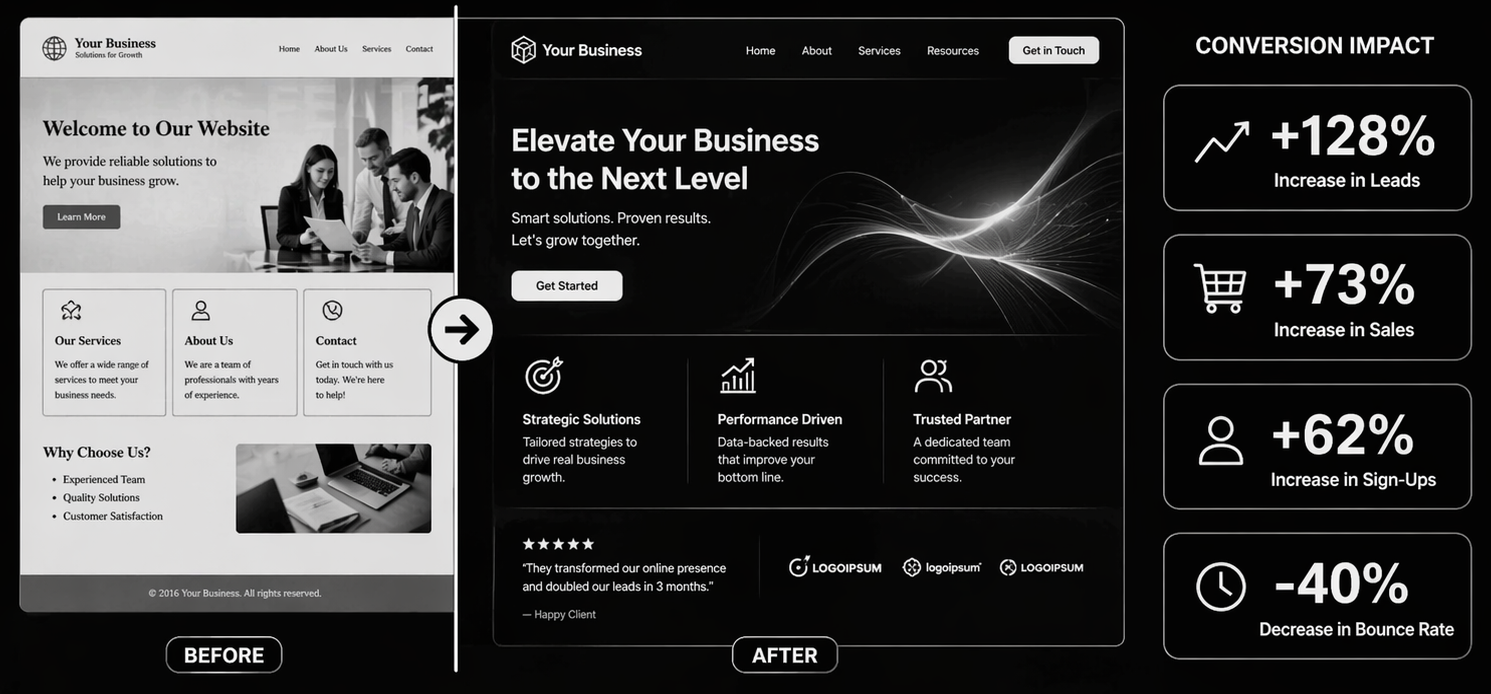

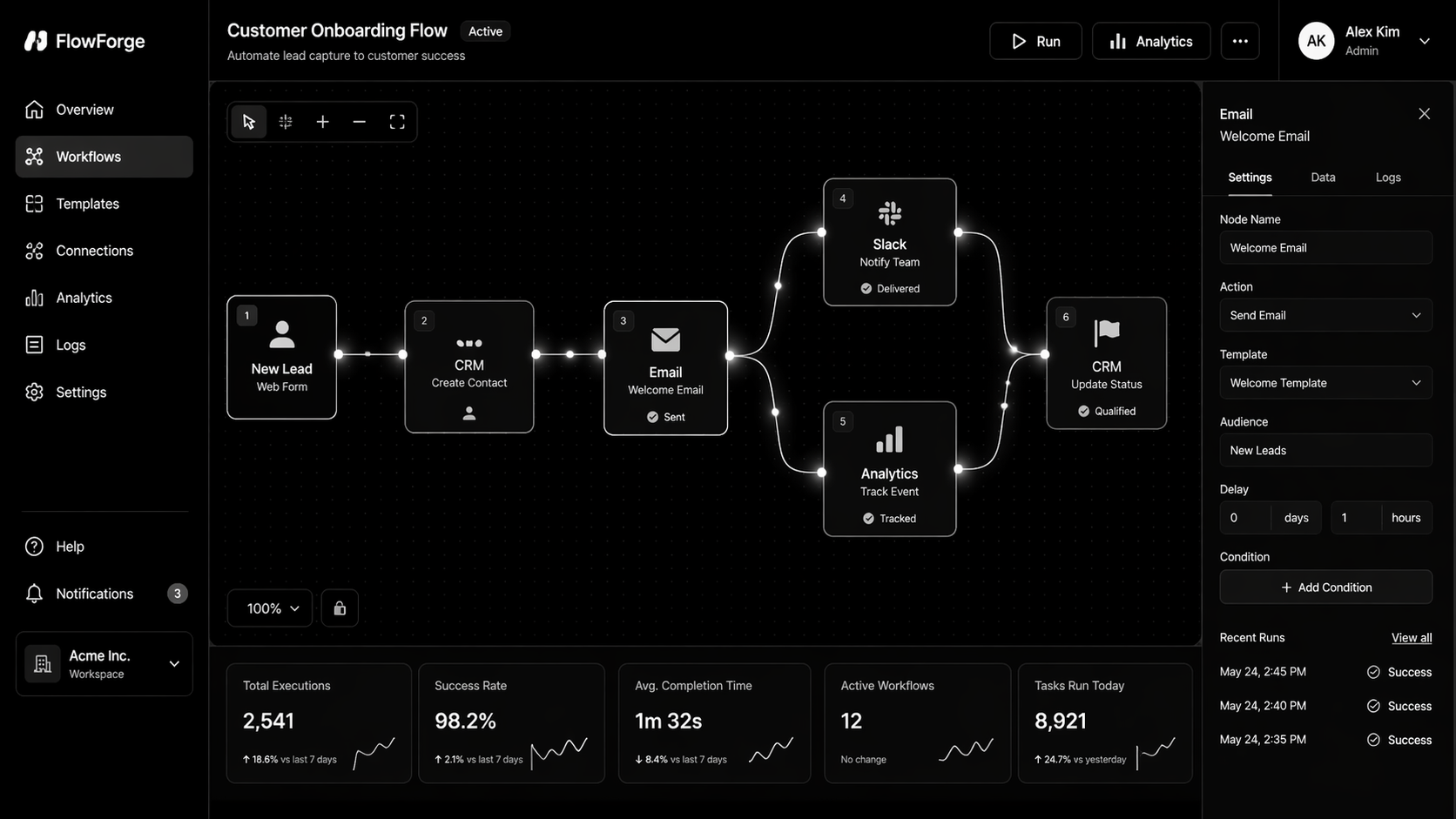
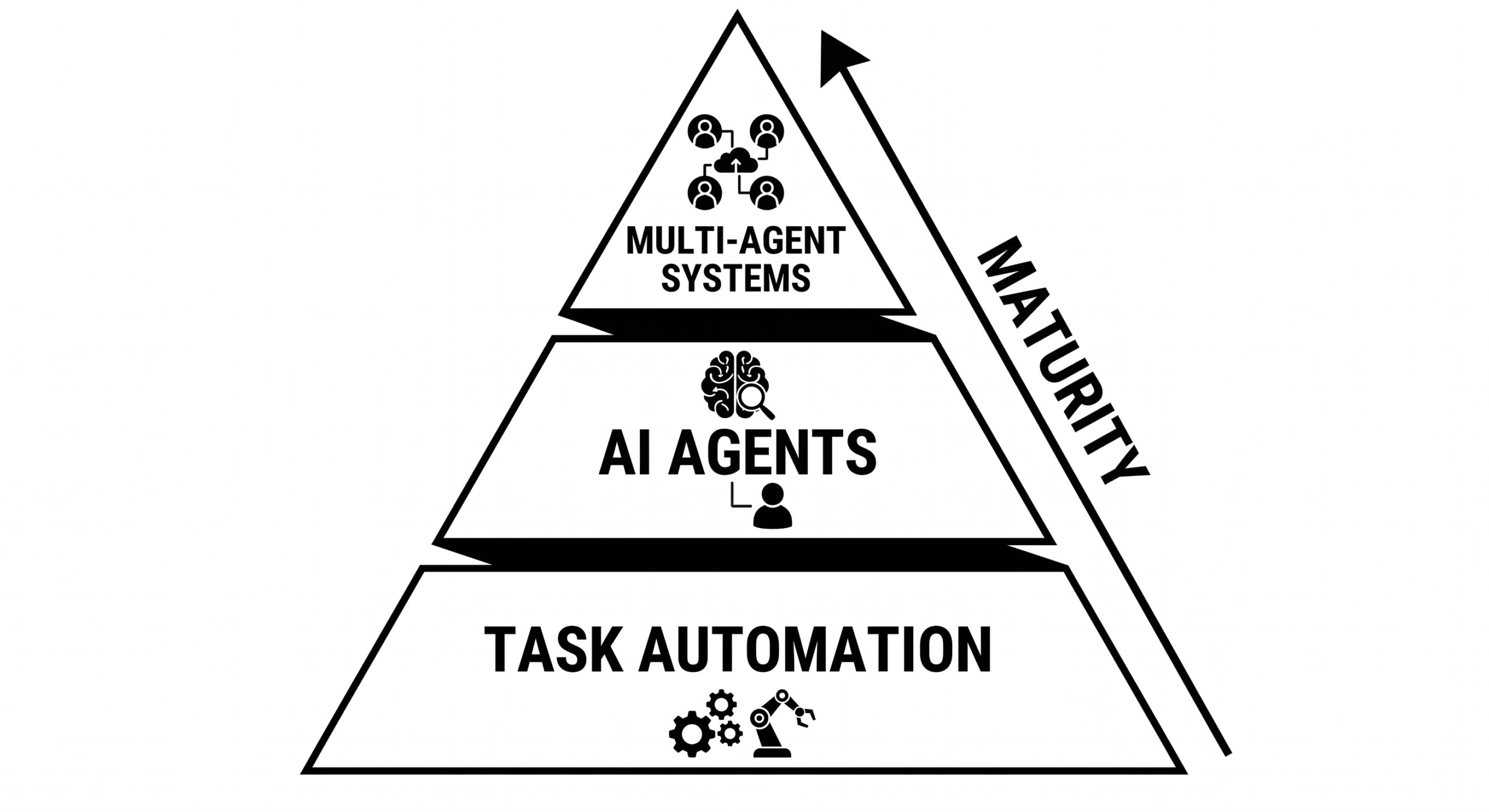
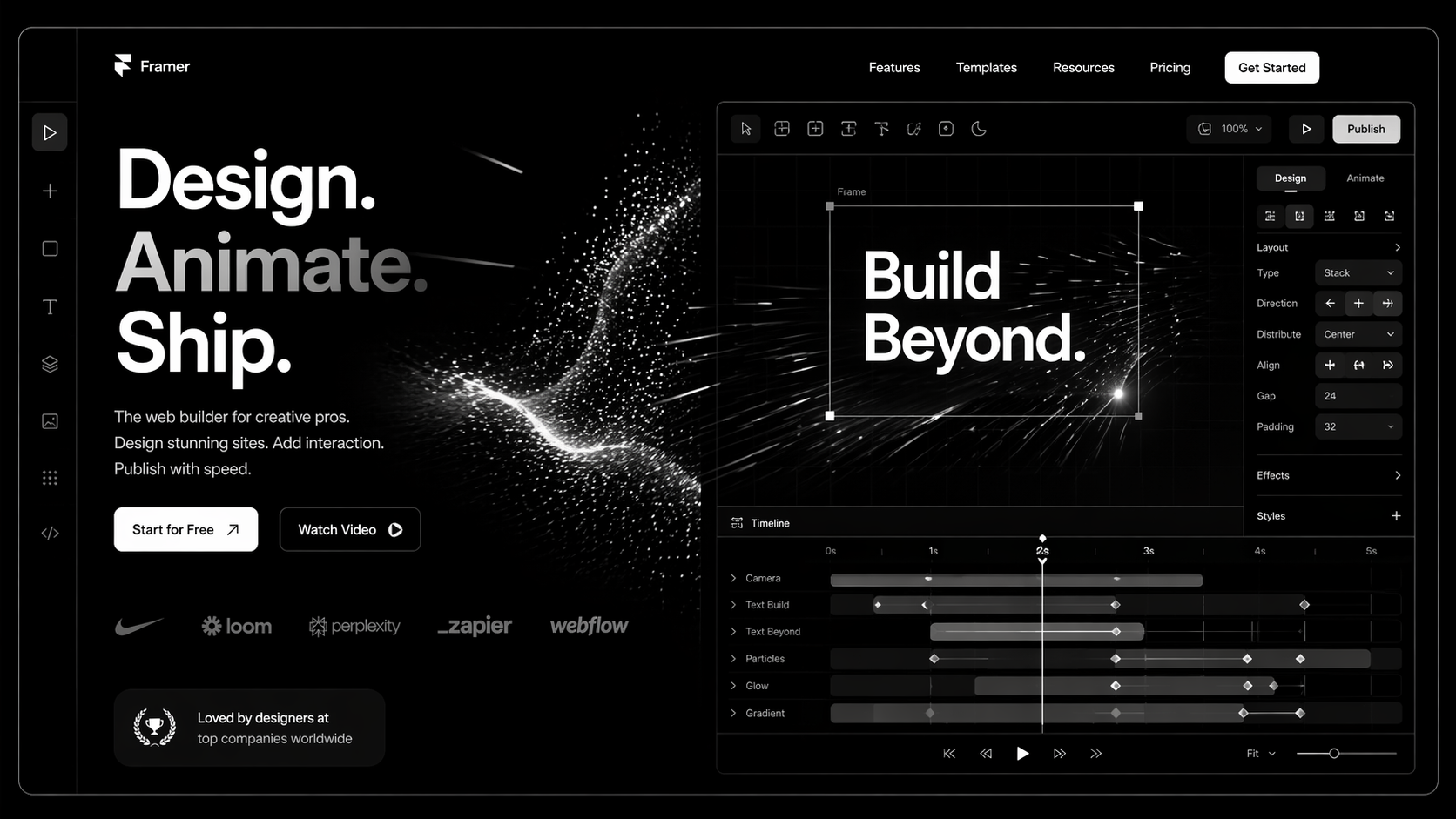

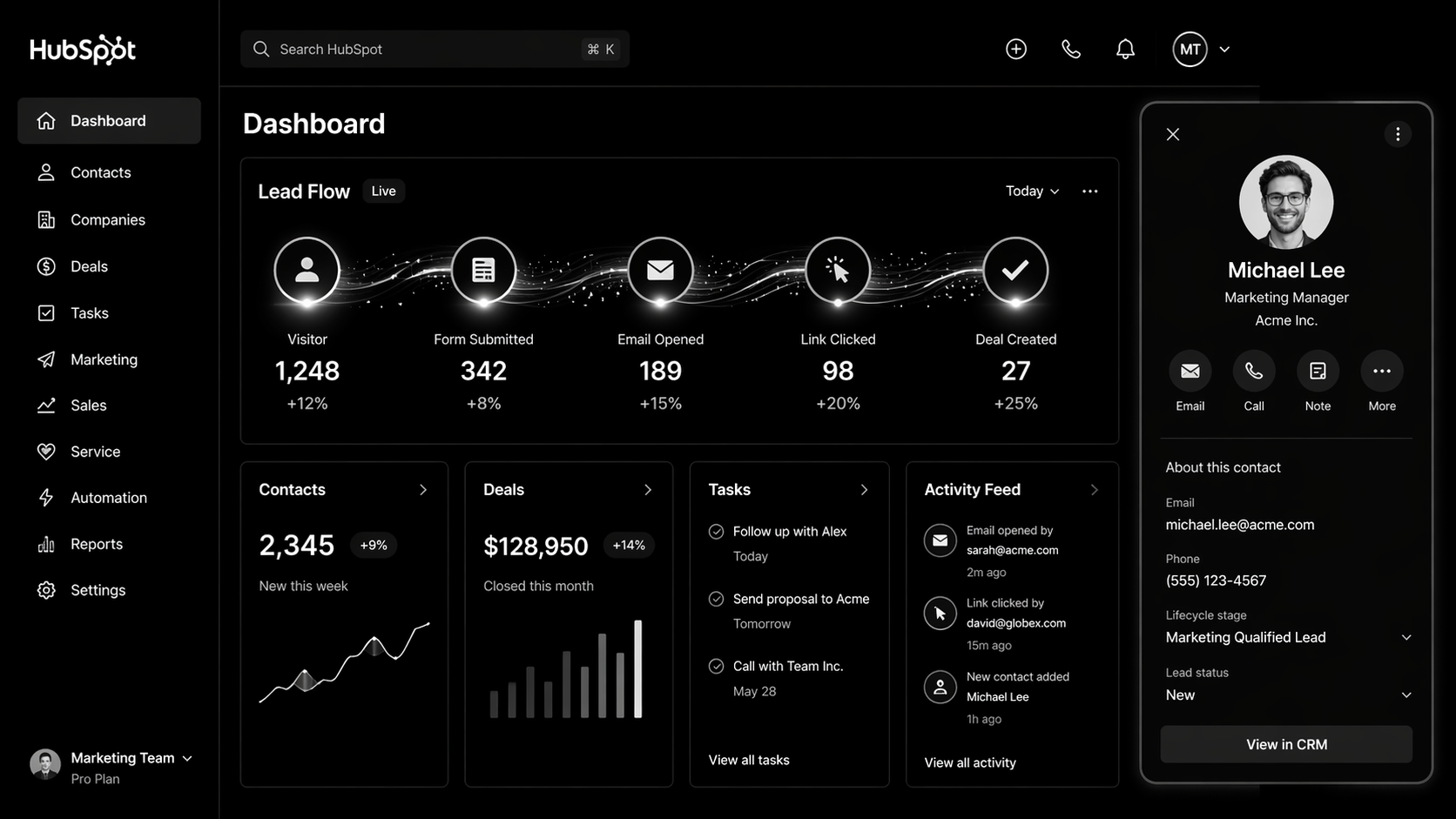
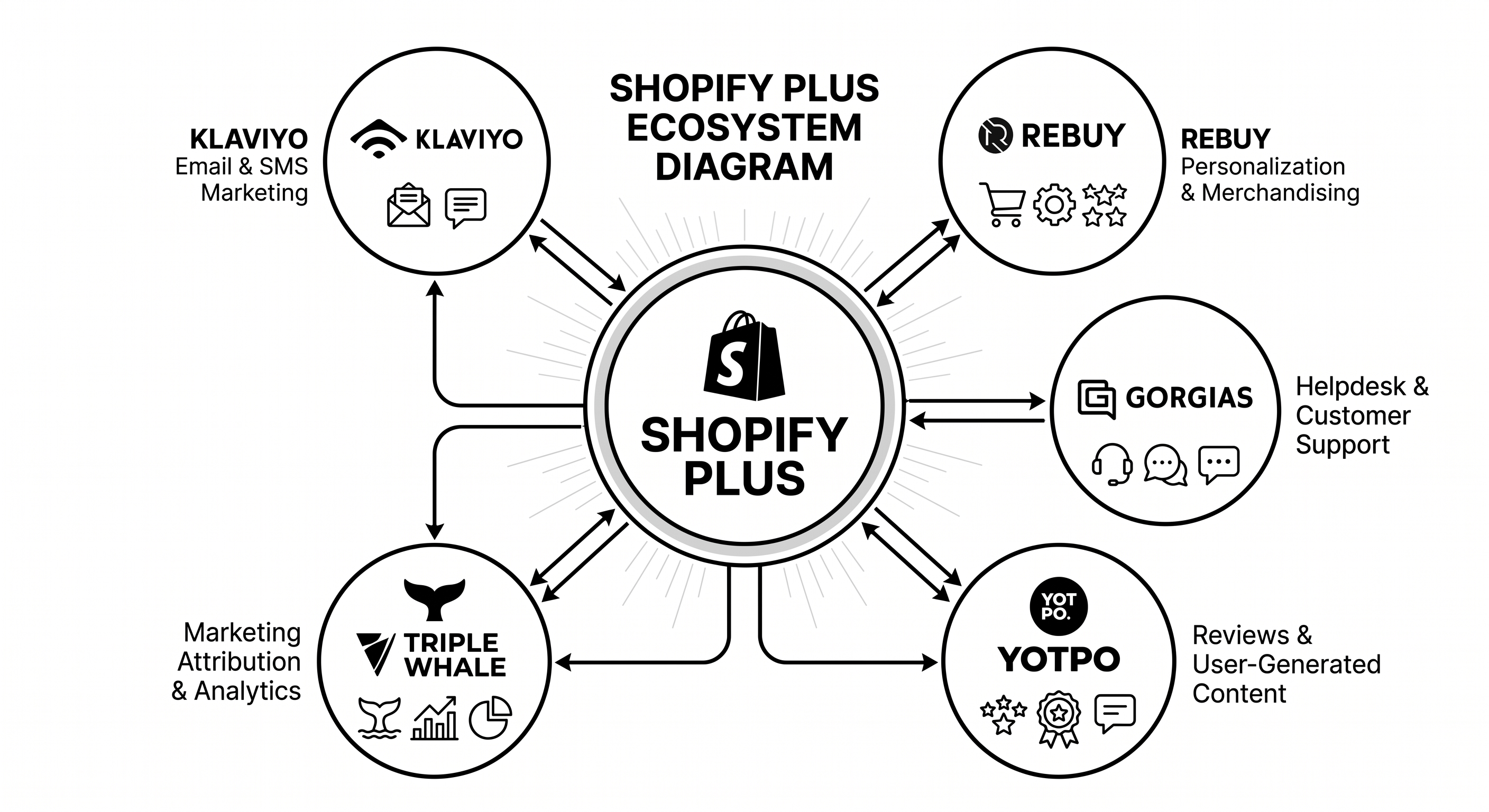
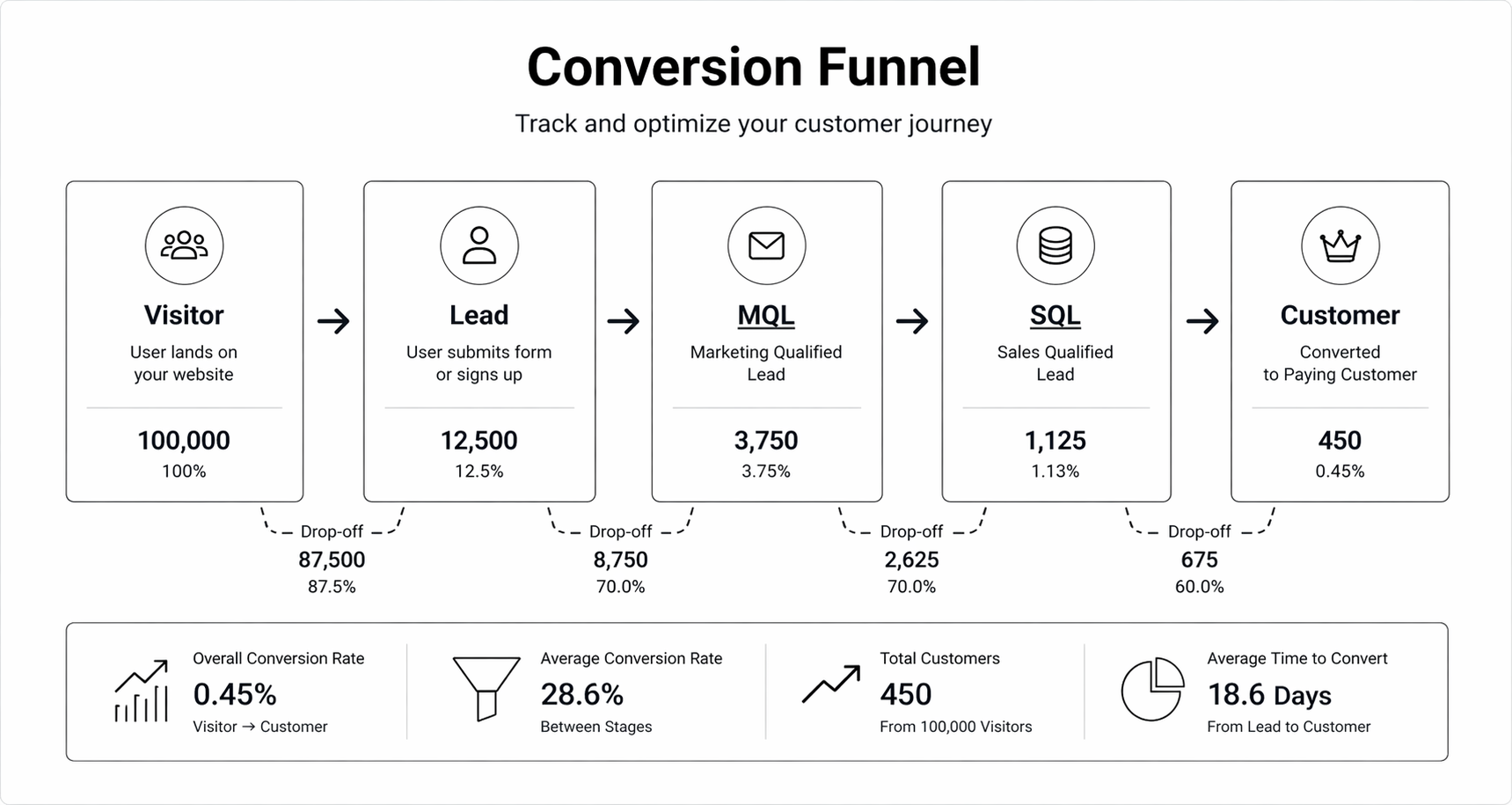
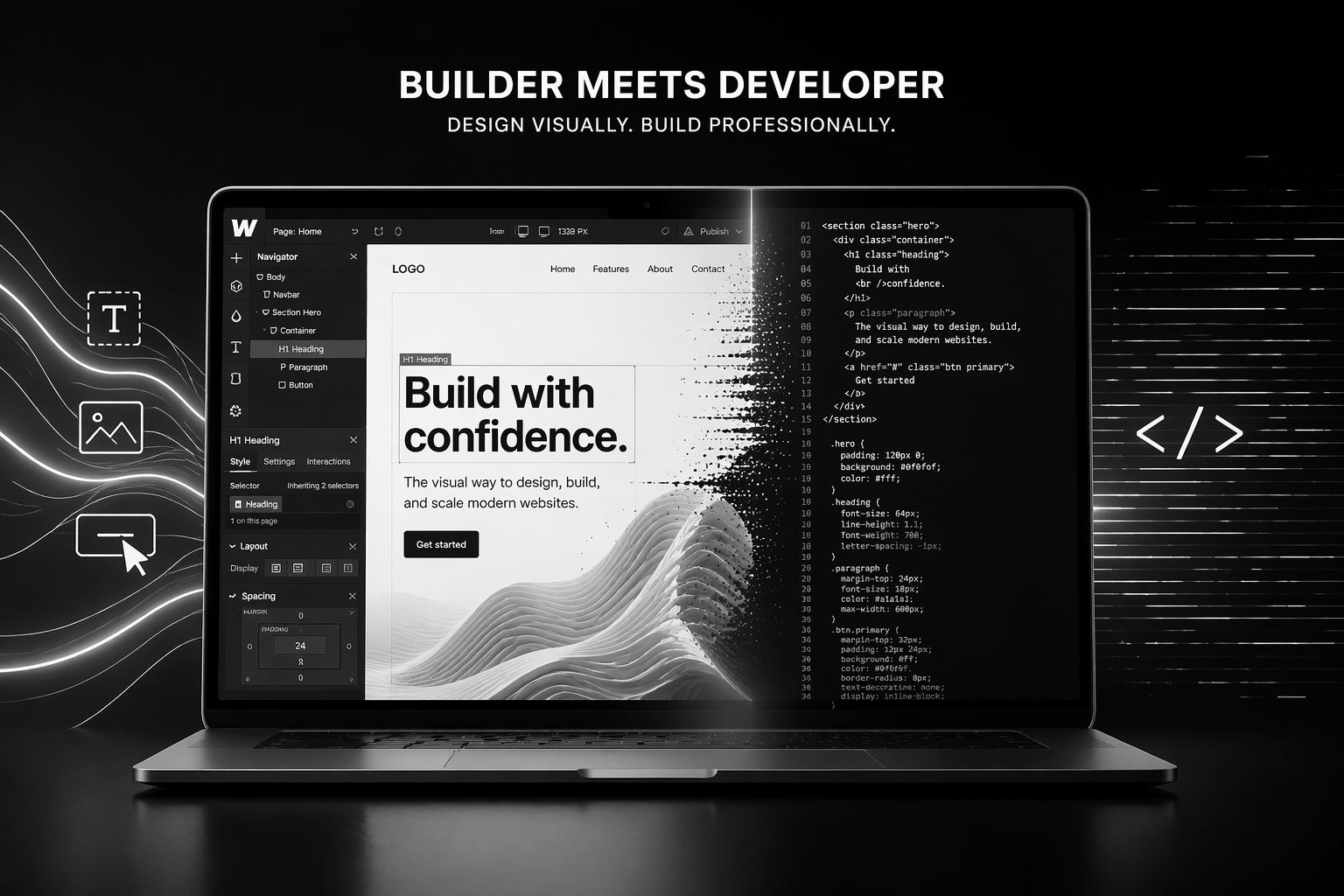
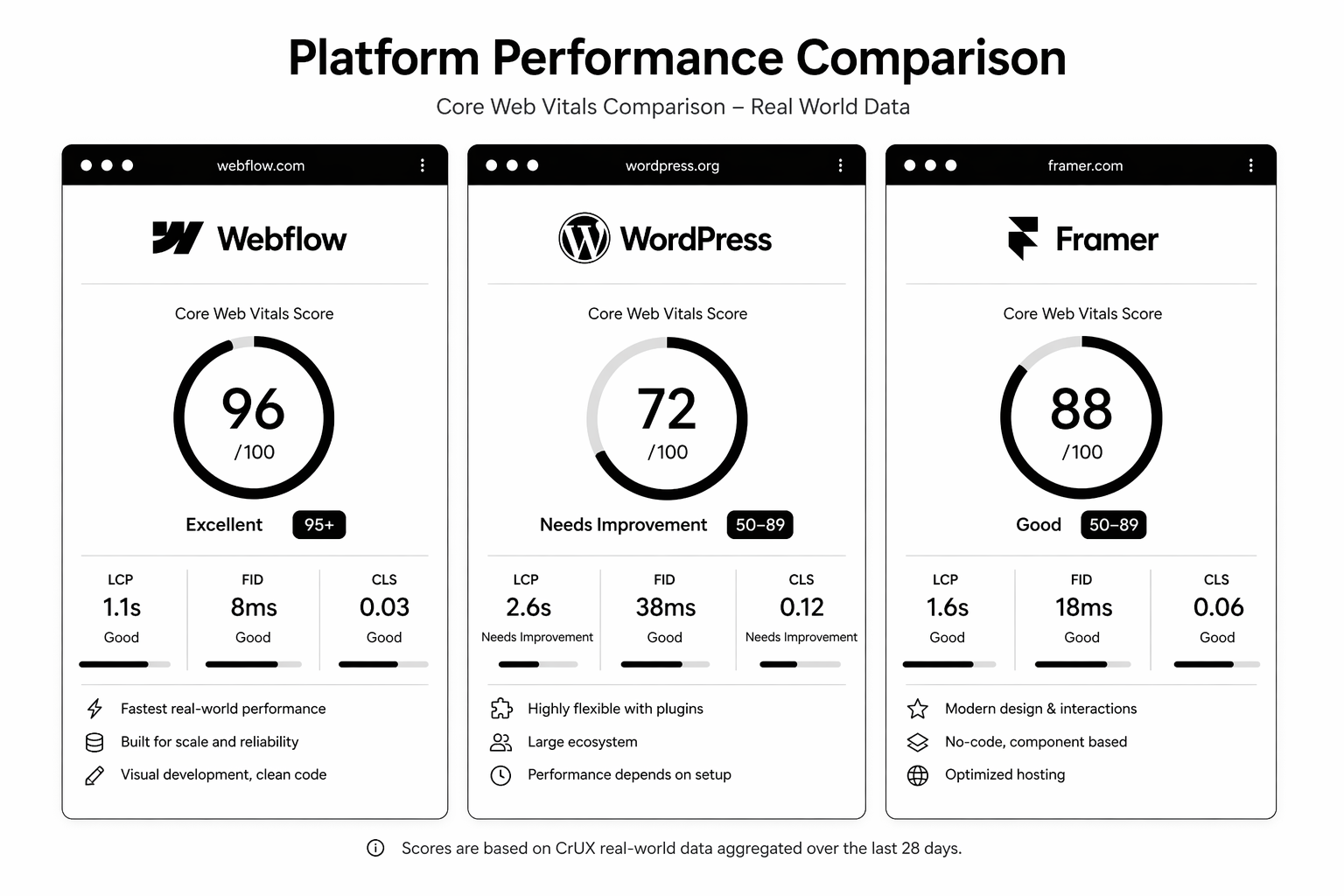








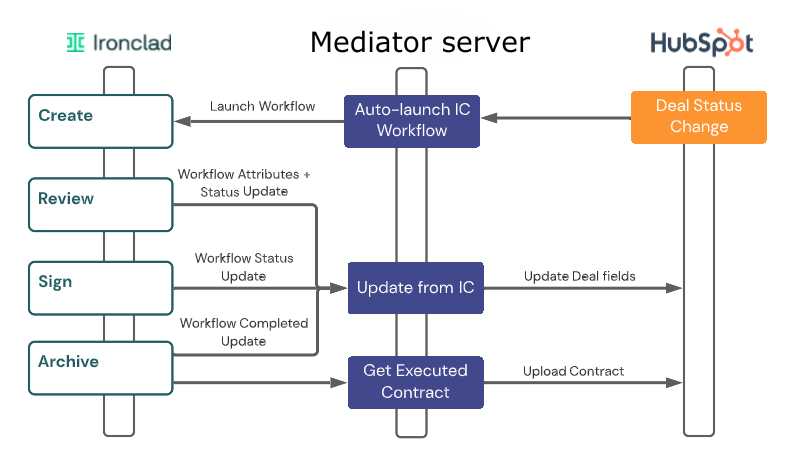




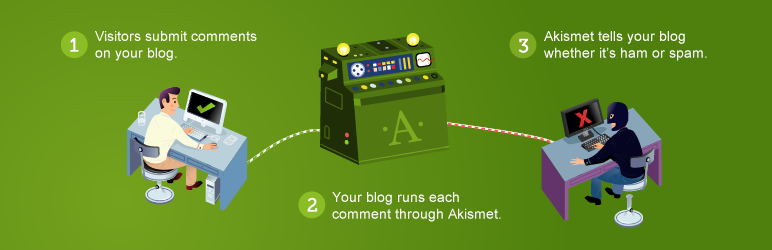
















.svg)


.svg)
.svg)
.svg)
.svg)
.svg)
.svg)



.svg)